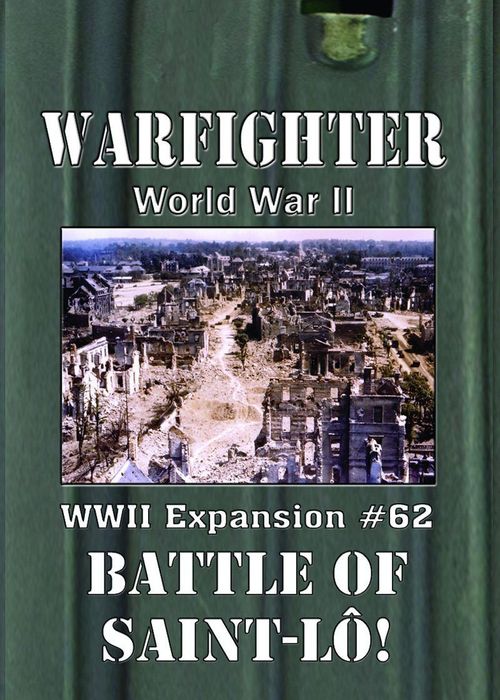
Warfighter: WWII Expansion #62 – Battle of Saint-Lô
Warfighter: WWII Expansion #62 – Battle of Saint-Lô Rulebook
Table of Contents
Table of Contents
Expansion List: WWII Exp #62 – Saint-Lô
This list of expansions will tell you what rules to look at when you have that specific expansion. If you do not see a rule in this manual, check the Keywords Reference.
WWII Exp #62 – Saint-Lô:
- Holding Action Mission
- Service Records
- Vehicles
Holding Action Mission
Setup:
- Place The Front and Fallback Position in the Mission and Objective respectively. You must use this Mission and Objective in-set.
- Draw random Locations for each empty Location slot between them.
- Do not place an Inactive counter on the Objective.
- All Soldiers start on the Objective.
Gameplay:
- Any cards that would add Time to the Mission instead reduce Time.
- The "Timer", "Place" or "Maintain" keywords on any Hostile cards are not executed.
- At the beginning of the Soldier Turn, draw a single Hostile for each Location, not including the Mission and Objective.
- The Reinforcement Draw step is performed as normal.
- During the Close Range step, roll a 10-sided die for each Hostile. If the number is at least 2 higher than the Entrance cost of the Location to the right, move the Hostile one Location to the right, ignoring the regular Close Range step.
- If any Hostiles are in the Objective at the end of the Soldier Turn, the mission ends in failure.
Regions
Only the Saint-Lô note from the Regions entry is reproduced here. The general Regions text in the manual is not Saint-Lô-specific and is not included.
Saint-Lô comes with an Anti-Vehicle Hostile Deck; I'd use that Deck instead of the default one that came with the Vehicles expansion.
Service Record
Service Records can be bought for Soldier types listed below the cost in the upper right corner of the card, not just Player Soldiers.
Service Records have dates; you cannot buy two Service Records that happen during the same date.
Each ability gains an amount of matching Service Record counters. The count is listed on the card itself, and the number of counters can be different for each ability.
You may use non red-text abilities when listed; remove a Service Record counter of the matching type when you do. The timing is listed on the ability; if there is no timing, assume that the ability can be used during the Soldier Turn. You cannot use an ability if you have no Service Record counters of that type.
When a condition is met on a red-text ability, remove a Service Record counter and perform the effect. Red text usually implies a negative ability.
Vehicles
They are treated as a Squad Soldier in setup and during gameplay – they can be bought and are played in the same way as a Squad Soldier.
Cards that would effect Squad Soldiers effect Vehicles, unless a card specifically says that it effects Vehicles.
Vehicles cannot be taken on Missions or enter Locations with the Interior keyword. Vehicles cannot be taken on Shadow War missions.
Vehicles may be damaged by Hostiles. Vehicles can have damage removed by cards that have the "Fix" keyword, not "Heal" as for Soldiers.
If every vehicle in your Team has the keyword "Light Vehicle", ignore the Anti-Vehicle Deck rules.
Anti-Vehicle Deck
During setup, shuffle the Anti-Vehicle Deck of the Hostile Nation you are facing and keep it nearby. Each Nation has a different Anti-Vehicle Deck.
During the Hostile Reinforcement Step of each turn, draw an Anti-Vehicle Hostile card for each Vehicle in play. If the Noise of the Vehicle being drawn for is in the Noise Range of the drawn Anti-Vehicle Hostile, it is played as specified on the card, or in the Vehicle's Location in that order of priority. Specifically draw the Vehicle's matching Hostile Targeting Counter from the Target Cup and place it on the Anti-Vehicle Hostile.
Driving Cards exist in the Anti-Vehicle Hostile Deck; these are Events, but purely for Vehicles. The Noise range works the same as the Anti-Vehicle Hostiles; if the Noise matches, execute the text on the card and then discard it.