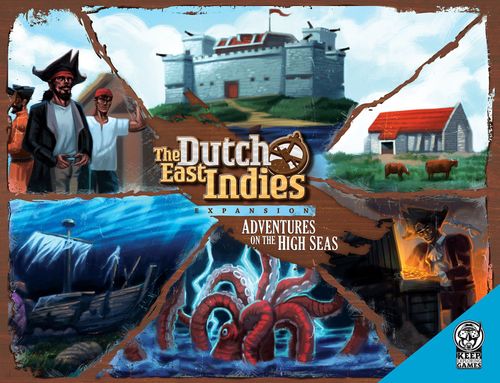
The Dutch East Indies: Adventures on the High Seas
Official rulebook: Keep Exploring Games · PDF
The Dutch East Indies: Adventures on the High Seas Rulebook
Table of Contents
Table of Contents
Components
- 8 Forts (4 player, 4 wild)
- 18 Fort markers
- 12 Cannon, range, damage upgrades
- 8 Mini meeples
- 4 Reefs
- 4 New player boards
- 12 Crew cards
- 8 Treasure cards
- 16 Event cards
- 8 Settlements
- 20 Beads
- 1 Kraken meeple
Updated Player Boards
Based on feedback from the core game, the player boards have been updated. The updated player boards do not show the flow of the battles anymore, but they do show the new actions you can do with this expansion. It is recommended to always use the new boards, even when playing without this expansion.
1. Forts
This module uses these components: 8 Forts (4 player, 4 wild), 18 Fort markers, 12 Cannon, range, damage upgrades, 8 Mini meeples.
In the core game, your spices are safe once you have unloaded these at your home port. Not anymore! Players can now try to steal spices from any players' home island! This module can be split into two pieces. You can use either sub-module or play with both.
Forts on Home Islands
During set-up, each player places a fort tile on one of their two spaces on their home island. Each fort has three properties; cannon, range and damage. The number of cannons works in the same way as for the ships. The range of a ship is always 1 (it can only hit a neighbouring square), but forts can have a range greater than 1. The damage a ship does is listed in the rules for the core game (players usually steal rather than do damage, but pirates deal 1 or 2 damage to a ship). When a ship takes damage, it has to downgrade a property (sail, cannon, hold). Forts can deal more than 1 damage.
During set-up, place a cube on each of these positions on the forts of the players:
- 5 cannons
- 2 range
- 1 damage
You can upgrade your fort by buying these upgrades at Market Island. When you do, pay the costs as listed below and put a colored disc in your ship. This disc can be stolen by other players in the same way as spices can. When they win a battle against your ship, they can decide to steal the disc instead of a spice. When your ship arrives at your fort with the disc, return the disc to Market Island and upgrade the corresponding property by moving the cube.
Costs for buying a fort upgrade at Market Island:
- Cannon upgrade – 2 gold
- Range upgrade – 5 gold
- Damage upgrade – 3 gold
Players are now allowed to enter the home port of another player. When doing so, they can decide to attack the fort on this island in order to try to steal a spice. These rules apply for attacking or defending a home island:
When a player attacks a home island, the defending player can defend with its fort, but not with any ships also in range.
Attacker and defender both roll a D6 and add the value of their cannons (either of the attacking ship or the defending fort) to the result of the roll. If the attacker wins or ties, he steals a spice. If the defender wins, the fort deals damage equal to its damage value to the ship. The player who owns the fort can also choose to attack any ship in range when it's their turn. If the fort has a range of 2, and the ship is 2 spaces from the fort, the fort automatically wins the battle as a ship always only has an attack range of 1 square. If the ship is adjacent to the fort, the ship can defend itself and the battle works as described above. But this time, if the attacker loses (in this case the player controlling the fort), he takes 1 damage to his fort. The defender can't choose to steal a spice in this case. When the fort wins the battle, it deals its damage to the ship as usual. If the player controlling the fort also has ships in range, it can declare a separate battle to also fight the enemies' ship with its ship.
Whilst in their own home harbor players are safe from attack by pirates or other players, however, they can still attack other players. This does not count for players docked in another players home harbor.
Forts on Wild Islands
During set-up, place two forts on the map. You can check out www.keepexploringgames.com/downloads for suggested setups. They will act as wild islands but are guarded by a fort. No cards will ever be placed on these islands, and when playing with the other modules, no crew cards can be gotten from these islands, but settlements can be built here.
For basic rules for forts, please refer to the 'Forts on home island' sub-module. At the start of the game, place a cube on these values on the wild forts:
- 6 cannons
- 1 range
- 1 damage
At the start of the game, wild islands are owned by the pirates. They attack when you get in range, just like when you would get in range of a pirate ship. If you lose the battle, you take the forts' damage to your ship (1 at the start of the game). When you win a battle against a wild fort, you acquire it! Change the cannon value to 4 (regardless of what it was before) and place one of your mini meeples on the fort. You control the fort just like you control your home fort and you can attack other players when their ships are in range and it is your turn. You can also upgrade this fort as you can your home fort. You can temporarily store crates, gold or spices on an island with a fort, but you will lose the control over these goods when another player takes the fort. Regarding wild forts, these rules also apply:
- If you attack a fort, even when it's owned by the pirates, you win on a tie.
- If you lose against a wild fort, you are allowed to finish your movement when applicable.
- A fort, even when owned by the pirates will only attack when you sail by it in your turn.
- Your reward for winning a battle against a wild fort is always that you will reset the cannons to 4 and own the fort. If there are any spices or other goods on the island, you can take these with the load action as normal.
2. Events
This module uses these components: 16 Event cards, Kraken meeple.
Life on the high seas is quite adventurous and unpredictable, which is now represented by the new event cards.
During set-up, shuffle all event cards through the deck of trade cards. When using this module, add one extra card to each island that gets (a) card(s). So if a suggested set-up from the core game tells you to place 2 cards on an island, you place 3 cards on the island when playing with the event module.
Some events are positive, others are negative. Some affect only the player who drew the card, others affect more or all players. When you draw an event card, immediately read it out loud and apply its effects. When you finish with dealing with the event, discard it in a separate discard pile. It will not be reshuffled into the deck when all islands run out of cards.
After you draw and deal with an event, you always draw another card from that deck. If that is an event too, you deal with it and draw another card, until you draw a trade card (or a treasure card when playing with the treasure module) or the deck is empty.
Note: you are only safe in the harbor of a wild island when there is at least one card on the island. In the core game, you can always check the last trade card safely as you don't have to execute it. When playing with this module, when there is only one card left on an island you could draw an event you need to deal with, after which the island is empty and pirates or other players could attack you.
3. Crew
This module uses these components: 12 Crew cards, 20 Beads.
When there are cards left on a wild island, locals are busy with trading and other things. Once a wild island becomes empty, locals get bored and might offer their services in exchange for gold.
During set-up, shuffle the 12 crew cards and make a face-down deck of these cards next to the game board. When you are in the harbor of a wild island without any cards on it, you can see if there is someone on the island that offers any services you are interested in. Draw the top card from the crew deck and look at it. It shows the costs of hiring the crew member, as well as the services they provide. If you don't hire them, shuffle the card back into the crew deck. If you decide to hire them, pay the crew member with the gold you have on that ship (place it back in the general supply, you need to have this gold with you on that ship) and place the crew member in front of you. Place a bead on this card, and the same colored wooden bead in the ship so that you know which of your ships the crew member is on. Their effects only apply to the ship the crew member is on.
If you own the Standard edition of the core game, simply put the bead in the ship. If you own the Deluxe edition, place it on one of the masts!
You can transfer crew members just as you would transfer other goods, ship to ship, or through a harbor you own. There can be up to 2 crew members on one ship at any time. Players can't steal crew members from each other.
If a players' ship with (at least) one crew member on it is involved in any battle (with a pirate ship, another players' ship, or any fort when playing with the fort module), when the battle is resolved, roll a D6 for each crew member on your ship. If you roll a 1, your crew member has been killed in the battle. Shuffle the card back into the crew deck. Whenever you have to take damage, instead of downgrading a property, you can also decide to kill a crew member on that ship. When you do, shuffle the card back into the crew deck.
4. Settlements
This module uses these components: 8 Settlements.
When there are cards left on a wild island, locals are busy with trading and other things. Once a wild island becomes empty, you can pay the locals to help produce goods.
During set-up, hand each player their two settlements.
As a new action, when you are in the harbor of a wild island without any cards on it, you can pay the locals 3 gold. When you do, place a settlement on the island. It has two functions:
- When you start your turn, after dealing with the pirates, you may place one crate from the general supply on each of your settlements, with a maximum of 5 crates per settlement at a time. If there are already 5 crates on a settlement, don't place another crate on it. You can pick these crates up at any time. Other players cannot attack your settlement or steal any crates from it. When you've picked up crates with one of your ships and fewer than 5 crates remain, you can resume placing one crate per turn on it to a maximum of 5.
- You have regained protection from pirates and other players at the harbor(s) at this island. You can't attack other players either when in any harbor on an island with your settlement. Other players don't have protection from pirates/players when they visit a harbor on a wild island with another player's settlement.
5. Reefs
This module uses these components: 4 Reefs.
While some things that happen can't be predicted (as simulated by the event module), with the use of the maps you have, you know where the shallow reefs are located. However, you never know exactly how shallow these waters are, and sometimes you really need to sail somewhere in order to avoid pirates or other countries' ships. Will it be worth the risk of getting stuck? That's up to you.
During set-up, place the two reefs on the board. You can check out www.keepexploringgames.com/downloads for suggested setups. For all purposes, a reef counts as a normal water square. However, any players' ship sailing over it needs to immediately roll a D6. On a 1 or 2, the ship gets stuck, and any movement left is void. Next turn, the ship needs to roll the D6 again. And when rolling a 1 or 2, it stays stuck. So only sail through a reef when you really need to!
There is an upside to reefs, as pirates also get stuck on a reef. When a pirate sails onto a reef it doesn't immediately roll a D6. Instead, it is busy navigating, and will not attack any ships that might be in range. On the next turn, it does roll a D6, and on a 1 or 2, it remains stuck on the reef. As long as a pirate ship is on a reef tile, it won't attack anyone.
6. Treasures
This module uses these components: 8 Treasure cards.
Even though you are an honest merchant and definitely not a pirate, you do visit a lot of pirate-infested harbors. Sometimes you can't help but hear about buried treasure…
During set-up, shuffle all treasure cards through the deck of trade cards. When you draw a treasure card, you get the number of coins listed on it, without paying anything. You can choose to not grab the gold on it (yet), for example when it is the last card on a wild island and you do not wish to give up your protection from the pirates and other players.
Be sure to include the treasure module when you include the forts and/or crew modules.
Frequently Asked Questions
Are coins/crates/spices considered to have an infinite supply?
No. If the general supply (= the locals) runs out of coins, crates or a particular spice at any time, then they are considered to be sold out at the moment and until a player returns one of these items to the locals by means of any kind of trading, that item is sold out and can't be handed out to a player. If a trading card shows at least 1 item that is still available, that trade can still be executed without the sold out item(s).
Does the '3' coin take in 1 space or 3 spaces in my cargo hold?
- For all purposes, a '3' coin counts like three coins of '1'. If a player needs to drop a coin overboard or to another player or wants to trade or spend one coin and he has only got a '3' coin on board, he can change it with the bank, his own supply or another players supply for three '1' coins and get rid of one '1' coin. The only purpose of the '3' coin is to reduce the number of coins needed in the game.
Deluxe edition – One anchor in the middle of the islands of Straalheide and Rozenburg?
This is a graphical mistake that somehow ended up in only the Deluxe edition. There are supposed to be two anchoring points on both sides of the beach. Please see the examples of how the Deluxe edition looks (left) and how the Standard edition looks like (right). Please treat these islands like they have two anchoring points.
Standard edition – Should the ships fit the box when assembled?
Yes, but it can be a bit of a puzzle. If you alter the insert or get rid of it completely, the ships fit in the box easily without having to assemble and disassemble them every time you would like to play the game.
Deluxe edition – The sail(s) of my ship(s) are bent, what do I do?
The plastic ships came out really well, but some of the sails and poles can be a little crooked. No worries, you can easily fix this yourself. Just have some warm water (around 40 degrees Celsius, do not use boiling water!) and pour it over the ship for around 10-15 seconds, then carefully adjust the poles/sails to the upright position. If you happen to break one of the sails, or it arrives broken, just send us an e-mail and we'll send replacements a.s.a.p.