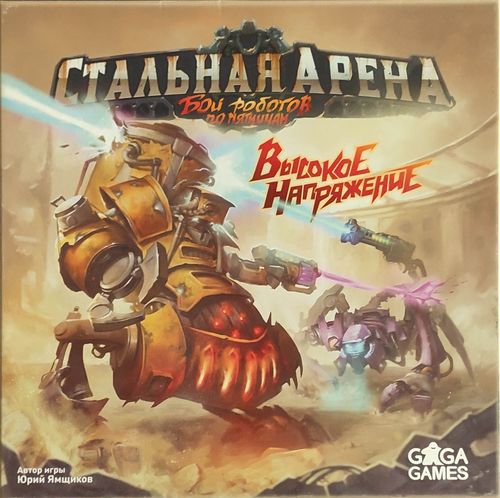
Steel Arena: High Voltage
Steel Arena: High Voltage Rulebook
Table of Contents
Table of Contents
Game Components
- Robot boards – 2
- Robot tokens (new robots) – 2
- Robot ability cards (new robots) – 2
- Mine tokens (new robots) – 4
- New Generation I modules – 8 (2 sets of 4)
- New Move modules – 6 (3 Generation II and 3 Generation III)
- New Defence modules – 3 (2 Generation II and 1 Generation III)
- New Turn modules – 8 (4 Generation II and 4 Generation III)
- New Attack modules – 13 (10 Generation II and 3 Generation III)
- New terrain tiles – 7 (Olympus, and 3 Generation II and 3 Generation III)
- Charge tokens – 40
- Capability cards – 8
- Acceleration mode reference cards – 2
- Module reference sheets – 6
- Reference sheets for the base game and the first expansion – 2
The Steel Arena: High Voltage expansion changes the basic rules and brings two new modes, "Charge" and "King of the Mountain", which use special tiles. Two new robots appear in the game, each with its own abilities and mines. In the box you will also find new Attack, Turn, Move and Defence modules, and terrain tiles with unusual features.
New rules
New rules from Steel Arena: Arsenal
Play with the basic rules and the following changes:
- Remove from the game (put back into the box) the F451 and the Quasar modules.
- In the Active phase, if a player has chosen to cool down all their modules, after this action they may activate the Central module (and only that one). In enhanced mode they can still perform 2 different actions with the Central module.
- Modules are discarded immediately after taking damage, not at the end of the turn. If one player's choice of modules to discard affects another player's choice, the active player discards their modules first, and then the other players discard in clockwise order.
- Modules with the Auto-Cooling ability lying face down can be cooled down at the end of any player's turn. To do so, flip them face up. When using the additional rule "Acceleration mode", there are exceptions for Move and Turn modules.
- One of the game end conditions has changed. Now you do not need to destroy your opponent's Central module. The game ends immediately when one of the Robots has no modules left other than its Central module.
Setup
-
Add the new modules and terrain tiles to their corresponding piles.
WARNING! Tiles with the Charge-mode icons (the three property icons listed in the Charge mode rules, see below) and the Olympus tile are added to the game only when using the additional rules (see the Charge and King of the Mountain sections).
Note that the new Generation I modules are different from the Generation I modules in the basic game. Shuffle them together with the other Generation I modules to form a new supply. Deal each player one random module of each type.
Using the new robots, you can play with five or six players. In this case it is recommended to play in teams of two or three players. It is preferable that players sit so that members of different teams take turns in sequence.
-
Use the updated tile distribution table when forming the battlefield. It adds information for 5–6 players and changes the number of Attack modules and random tiles for 2–4 players.
| Players (total modules) | Attack modules (red) | Move modules (green) | Turn modules (yellow) | Defence modules (blue) | Terrain (grey) | Random tiles* |
|---|---|---|---|---|---|---|
| 2 (12) | 4 | 2 | 2 | 1 | 2 | 1 |
| 3 (19) | 6 | 3 | 3 | 2 | 3 | 2 |
| 4 (24) | 8 | 4 | 4 | 2 | 4 | 2 |
| 5 (30) | 10 | 5 |
*Random tiles are taken from the top of the pile of the remaining Generation II tiles and can be of any type.
Return the unused Generation II tiles to the box – they will not be used in this game.
Shuffle the selected tiles and lay them out in random order face down, without looking at their front sides. Turn the terrain tiles (grey) face up after laying them out. The shape of the battlefield can be arbitrary, but it is recommended that it be close to a circle. Recommended layouts are shown on the next page.
The printed rulebook shows recommended battlefield shapes for 2, 3, 4, 5 and 6 players as diagrams; they are not reproduced here.
- Assemble the pile of Generation III tiles according to the tile distribution table. Be sure to shuffle it.
| Players (total modules) | Attack modules (red) | Move modules (green) | Turn modules (yellow) | Defence modules (blue) | Terrain (grey) | Random tiles |
|---|---|---|---|---|---|---|
| 2 (14) | 4 | 2 | 2 | 1 | 2 | 3 |
| 3 (21) | 6 | 3 | 3 | 2 | 3 | 4 |
| 4 (28) | 10 | 5 | 5 | 2 | 5 | 1 |
| 5 (35) | 12 | 6 |
- Enhanced mode: the Central module of a Robot can be activated 2 times per turn, but only to perform different actions. For example, you can move and turn, or attack and turn, but you cannot attack twice.
If a Robot cools down in enhanced mode, it can still use two different actions from its Central module.
Additional rules
Use these rules as you wish.
1. King of the Mountain
During the formation of the battlefield, place the Olympus tile in the centre of the battlefield. (When playing two, four or five players, the last player chooses one of the central tiles to be considered the central one.) After the battlefield is formed, form a special pile of trophies from the unused Generation II tiles.
A player receives a trophy from the special pile each time their Robot is on, stops on, or starts its turn on the Olympus tile. In addition to receiving trophies, a Robot on Olympus can ignore obstacles when firing, but it can also be attacked through obstacles.
2. Charge
-
Add to the corresponding piles all tiles with the properties shown by the icons in the source (the Charged module icon, the Deactivator icon and the Charge icon), except Attack modules. Shuffle the Attack modules with the Charged property and deal each player one random module of this kind together with a set of four Generation I modules. Return the remaining Attack modules to the box.
Compatibility with the additional rule "Starting munition" from Steel Arena: Arsenal: Instead of two random Attack modules, players receive one Attack module with the Charged property and one Attack module without this property.
-
Lay out three random Capability cards and the Charge tokens next to the battlefield.
-
At the start of each of their turns, a player takes one Charge token and places it in front of them. Charge tokens can be used in two ways:
-
During the activation of modules with the Charged property. The strength of such modules equals the number of Charge tokens you discard during the activation of the module.
-
To use Capability cards. On your turn you may use Capability cards, but no more than once each. Discard the number of Charge tokens shown on the card and use its effect. You may use Capability cards on the turn when you cool down your Robot. When another player's turn is interrupted, Capability cards do not work, because it is not considered your turn.
-
Some terrain interacts with Charge tokens, adding or removing them.
3. Abilities and Mines
If you use the additional rule "Abilities" and/or "Mines" from Steel Arena: Arsenal, give the players who use the new robots the corresponding ability cards and/or Mine tokens.
Abilities
Use these abilities if you play with the additional rule "Abilities" from Steel Arena: Arsenal.
Scorching Vulcan
The attack strength of the Robot's Central module increases by 1 for every second overheated module.
Vulcan's Warm-Up
The turn and move strength of the Robot's Central module increases by 1 for every second overheated module.
Predator's Elusiveness
If an opponent has finished a movement next to your Robot, and was not next to it at the start of this movement, you may immediately interrupt their turn. Your Robot may activate a Turn or Move module (its Speed property does not work in this case).
NOTE: The Predator does not receive a module after such a movement.
Predator's Patience
If an opponent has finished a movement within the firing zone of your Attack module, and was not in it before the start of their turn, you may interrupt their turn. Your Robot may activate an Attack module that meets the first condition (its Speed property does not work in this case). For the purpose of receiving trophies, this attack is considered to be made during the Predator's turn.
Mines
Use these mines if you play with the additional rule "Mines" from Steel Arena: Arsenal.
The Mine tokens of the new robots work as follows. The four Mine types are shown in the printed rulebook as icons; the descriptions below follow the printed text in order.
- Overheat token mine. Overheat tokens move between the target's modules as chosen by the Mine's owner. Each module can have only one Overheat token.
- Damage mine. The target receives 1 damage for every second overheated module. This damage can only be reduced with modules that have the Circular armor property (the blue circle icon). Modules discarded because of such a Mine become the Mine owner's trophies, except when the Robot that took the damage is the owner of this Mine.
- Activation mine. The Mine's owner may immediately activate 1 of their own modules under the general rules. The Speed property does not work in this activation. If the Predator's Elusiveness or Patience option is chosen, the Predator does not receive a module after the move. For the purpose of receiving trophies, this action is considered to be made during the Predator's turn.
- Forced cooldown mine. The target immediately ends its turn, and is forcibly cooled down in its next turn.
New module and tile types
Turn modules
New turn types
- Clockwise / Counter-clockwise turn – turn the Robot the specified number of sectors clockwise / counter-clockwise.
Move modules
New move types
- Forward-right / Forward-left jump – move the Robot the specified number of tiles forward diagonally to the right / left. During this movement ignore other Robots and obstacles. You cannot stop on a tile with an obstacle. You may land on the place of another Robot only if you can push it in the direction of your movement.
Attack modules
New additional effects
- Limit – modules with this property can only hit targets located at the specified distance from the owner of the module in a straight line. For example, if a module shows the Limit icon with the value "through a tile", it can only hit targets located through one tile from the module's owner.
- Charged – the strength of the module equals the number of Charge tokens discarded at the moment the module is activated.
- Deactivator – the target loses all of its Charge tokens.
Defence modules
- Front hemisphere – protects from the side of the red arrows.
- Rear hemisphere – protects from the side of the blue arrows.
Terrain tiles
-
Unlimited turn – turns the Robot that has stopped or started its turn on this tile by the specified number of sectors. The turn happens at the owner's choice of the Robot.
-
Charge – the Robot receives the specified number of Charge tokens when it ends on or starts its turn on this tile.
-
Deactivator – a Robot that moves through or stops on this tile loses all of its Charge tokens.
-
Close-range attack, circular – the terrain deals the specified damage to Robots that stop or start their turn on a tile next to it.
If a Robot starts its movement next to such terrain and after moving stops next to the same terrain, the terrain does not deal damage to it a second time.
-
Health "2" / Health "3" – if within one turn a tile with this property receives the specified amount of damage, it becomes a trophy of the player whose attack destroyed it.
Overheating does not affect such tiles.
-
Heating, circular – overheats the specified number of modules of Robots that stop or start their turn on a tile next to it. The Robot's owner decides which modules are overheated. If they cannot or do not want to overheat the required number of modules, the Robot takes damage equal to the number of modules it could not or did not want to overheat.
If a Robot starts its movement next to such terrain and after moving stops next to the same terrain, the terrain does not overheat it a second time.
-
High Point – a Robot on terrain with this property can ignore obstacles when firing, but it can also be attacked through obstacles.
Module reference sheet
Transcribed from the printed "Player reference. Module descriptions" sheets (rulebook page 3 and the separate GaGa Games player aid). Module names are printed in capitals in the original.
Attack modules
- VOLCHOK-Z, PNEVMOTOPOR-Z, ANKA-3, URAVNITEL-3, DRUZHBA-3 – Charged weapons. Each duplicates the description of the corresponding weapon, with the added phrase "the damage dealt equals the number of Charge tokens discarded for it". "Volchok" hits all targets on the 6 adjacent tiles. "Anka" hits one target on the shot line and on the two neighbouring parallel lines, starting from the tiles "diagonally in front" of the attacker, ignoring other Robots and terrain with the Obstruction property.
- RELAKS – deals 1 damage to one target on the shot line, then forces the target to discard all of its Charge tokens. • The shot line is blocked by other Robots and obstructions.
- SIESTA – deals 1 damage to one target on the shot line, and 1 damage to all targets next to it. Then all Robots in the damage zone discard all their Charge tokens. • The shot line is not blocked by other Robots or obstructions.
- GASILO, BOMBILO – deal the specified damage to one target on the shot line at distance 2. • The shot line is not blocked by other Robots or obstructions.
- IGREK, TORNADO, BURYA – deal the specified damage to one target on the shot line (upper number) and to all targets next to it (lower number).
- ELEKTRICHKA – deals damage equal to the number of discarded Charge tokens to all targets on the shot line. This damage cannot be reduced by any defence. • Hits all targets on the shot line, including those behind a Robot or terrain with the Obstruction property.
- NEZABUDKA, URAVNITEL and SVERCHOK – deal the specified damage to one target on the shot line. • The shot line is blocked by other Robots and obstructions.
- KVAZAR and F451 – overheat the specified number of modules of all targets on the shot line. • The shot line is not blocked by other Robots or obstructions.
Turn modules
- OS-XXL – turns the Robot clockwise within the specified value. Does not allow turning counter-clockwise.
- OS-XXP – turns the Robot counter-clockwise within the specified value. Does not allow turning clockwise.
Move modules
- KUZNECHIK – moves the Robot exactly 2 tiles diagonally forward (in one of two directions). During this movement ignore other Robots and obstacles. You cannot stop on a tile with an obstacle or another Robot.
- KUZNECHIK-L – moves the Robot exactly 2 tiles forward-left. During this movement ignore other Robots and obstacles. You cannot stop on a tile with an obstacle or another Robot.
- KUZNECHIK-P – moves the Robot exactly 2 tiles forward-right. During this movement ignore other Robots and obstacles. You cannot stop on a tile with an obstacle or another Robot.
Defence modules
- TRYUMO – once per turn reduces damage or overheating received from one of the Robot's three front sides by 1. Does not auto-cool at the end of the turn. • Can be activated at any moment during any player's turn.
- FAYERVOL – once per turn reduces damage or overheating received from the Robot's front side by 2. Does not auto-cool at the end of the turn. • Can be activated at any moment during any player's turn.
- TORTILA – once per turn reduces damage or overheating received from one of the Robot's three rear sides by 1. • Can be activated at any moment during any player's turn.
- BAMPER – once per turn reduces damage or overheating received from one of the Robot's three rear sides by 2. Does not auto-cool at the end of the turn. • Can be activated at any moment during any player's turn.
- ZONTIK-OZ – once per turn reduces damage or overheating received by the number of discarded Charge tokens. • Can be activated at any moment during any player's turn.
Terrain tiles (reference)
- VERTUSHKA – when entering a tile with this terrain or starting a turn on it, the player may turn in any direction.
- TSIRYULNIK (Barber) – players whose Robots move onto a neighbouring tile, or start their turn on one, take 1 damage in the direction away from the Barber. If the Barber takes 2 damage in one turn, it is removed from the battlefield. Its tile becomes a trophy of the active player (counts as 1 trophy). • It is an obstacle for movement and an obstruction for shooting.
- PROMETEY (Prometheus) – players whose Robots move onto a neighbouring tile, or start their turn on one, take 1 damage each in the direction away from Prometheus, and additionally overheat 1 non-auto-cooling module of their choice. If Prometheus takes 3 damage in one turn, it is removed from the battlefield. Its tile becomes a trophy of the active player (counts as 1 trophy). • It is an obstacle for movement and an obstruction for shooting.
- OLIMP (Olympus) – used only in King of the Mountain mode. Shooting through it is not allowed. A Robot on Olympus may ignore obstacles when firing, but can also be attacked through obstacles. When entering the tile (including passing through it), and when starting a turn on it, the player receives 1 trophy.
- TRANSFORMATOR (Transformer) – when entering a tile or starting a turn on it, the player receives 1 Charge token and their Robot takes 1 damage. Only modules with the Circular armor property can protect against this damage.
- ELEKTROLIT (Electrolyte) – when a player lands on the tile in any way, or starts a turn on it, they lose all Charge tokens.
- TESLA – when entering a tile or starting a turn on it, the player receives 2 Charge tokens and their Robot takes 2 damage. Only modules with the Circular armor property can protect against this damage.