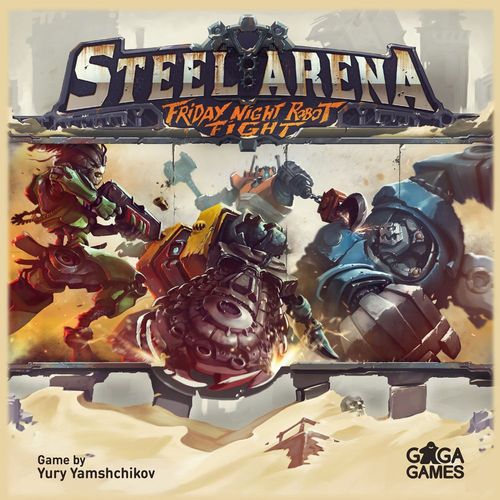
Steel Arena: Friday Night Robot Fight
Steel Arena: Friday Night Robot Fight Rulebook
Table of Contents
Table of Contents
Game Contents
- 4 Robot tokens
- 4 Robot boards
- 16 Generation I module tiles
- 30 Generation II module tiles
- 30 Generation III module tiles
- 40 Overheat tokens
Game Goal
You are going to control battle robots fighting in the abandoned arena among heaps of rummage and spare parts. Wreck, torch, shoot, and explode your opponents but don't forget that they will try to destroy you as well. You seek to gain as many trophies as possible. Trophies are awarded for dealing damage and obtaining upgrades. The battle will continue till one of the robots is completely destroyed, one of the players collects 10 trophies or the pile of arena tiles is empty. The player with the most trophies wins.
Game Setup
- Give each player a Robot board, a Robot token corresponding to the robot they have chosen and a Reference Sheet. The Robot board is placed with the Normal mode (A) side up.
- Give each player a set of four Generation I modules (each set consists of one tile of each type). Those modules are placed around the Robot board in any order of the player's choice.
Module Types
- Turn modules (yellow) allow you to turn your Robot.
- Move modules (green) allow you to move your Robot.
- Attack modules (red) allow you to damage your opponents' Robots (and gain trophies for that).
- Defense modules (blue) reduce damage taken by your Robot.
- The Central module (your Robot board) is a body and a frame of your Robot. All other modules are attached to it. Your Central module has its basic abilities (attack, move, turn, and, in some cases, defense).
- Shuffle the Generation II tiles face down and take as many face down tiles of the certain types as indicated in the table below.
| Players (modules in total) | Attack modules (red) | Move modules (green) | Turn modules (yellow) | Defense modules (blue) | Terrain (grey) | Random tiles* |
|---|---|---|---|---|---|---|
| 2 (12) | 3 | 2 | 2 | 1 | 2 | 2 |
| 3 (19) | 5 | 3 | 3 | 2 | 3 | 3 |
| 4 (24) | 6 | 4 | 4 | 2 | 4 | 4 |
*Random tiles are taken from the top of the remaining tiles pile; they can be tiles of any type.
Return all unused Generation II tiles to the box: you won't need them in the current game.
Without looking at the faces of the tiles, randomly place them face down to form the battlefield. Place all terrain tiles (grey) face up. You can choose any shape of the battlefield but we suggest making it as close to a circle as possible.
Terrain Tiles
Terrain tiles are not modules. They have different features which can be useful or harmful to the Robots. You will find a full description in the Terrain Tiles section below.
The recommended shape of the battlefield depends on the number of players (2, 3, or 4 players); leave some gaps between the tiles, as it makes it much easier to take or remove them from the battlefield.
Battlefield and Sectors
The battlefield consists of tiles. The tiles form 6 directions (or sectors) into which your Robot may be oriented. During the game, you should keep a close watch on which direction your Robot is facing because it affects not only its possibilities to attack but to move and to defend as well. Your Robot has a face sector, side sectors, and a back sector.
- Shuffle the Generation III tiles face down. Take seven tiles per player and place a deck of these tiles near the battlefield. Place the Overheat tokens beside it. Return all remaining Generation III tiles to the box: you won't need them in the current game.
- The first player is the one who has been the last to control a robot or see one. Then the first player chooses one of six directions for their Robot and turns it towards that chosen direction. All other players do the same in a clockwise order. An arrow on the Robot token shows a direction into which the Robot is turned.
- Each player takes the module tile occupied by their Robot token and attaches it to their Robot board. They must keep it face down until they decide to use it for the first time.
TIP: Don't place your Robot on a tile that is in the direction in which some other previously placed Robot is turned unless your benefit will exceed the possible damage which your enemy may cause you.
Game Play
Players take turns in a clockwise order. During your turn you go through the active phase and the upkeep phase in this specific order.
Active Phase
Take one of two actions:
- Activate any of your modules
- OR Cool down all your modules
Module Activation. All game actions are performed through the activation of modules. In order to activate a module, you must place an Overheat token on it and perform a corresponding action. Each module can be activated only once per turn.
Overheating and Cooling. Modules with Overheat tokens placed on them are considered to be overheated. You cannot activate overheated modules as long as they have Overheat tokens. To discard Overheat tokens, you must choose the Cool Down action during the Active phase of your turn.
Module Abilities:
- Auto-cooling module: At the end of the turn, an Overheat token placed on this module is discarded.
- Speed module: You can activate one more module immediately after you use this module. You may use more than one Speed module per turn.
- Single-use module: Discard this module (return it to the box) immediately after use.
- Reaction: you can activate any number of such modules at any moment of your or other player's turn.
Note:
- Modules cannot be destroyed or receive damage while being on the battlefield.
- If a module's feature contradicts the general rules of the game, priority should be for the module.
Turn Modules
You can turn your Robot token with Turn modules. These are labeled with a number showing how many sectors you can turn your Robot token with one activation. Each sector corresponds to one of six directions. You can turn your Robot clockwise or counterclockwise.
For example, a player wants to rotate their Robot. On their turn, they activate the Axis M1 module with the value 1-2 and turn it 2 sectors to the right.
Move Modules
Move modules allow you to move your Robot across the battlefield. This is indicated with a corresponding symbol (which defines the movement type and direction) and a number in the top part of the module showing how far you can move your Robot.
- Move forward: Move your Robot a number of tiles forward (the number of tiles is indicated), in the direction it is facing.
- Move sideward-forward: Move your Robot a number of tiles forward (the number of tiles is indicated), in a diagonal direction to the left or to the right.
- Jump: Move your Robot a number of tiles forward (the number of tiles is indicated) ignoring all obstacles and other Robots during this movement. You cannot stop your movement on a tile with an obstacle.
Example: The tiles to which you can move using the WALKER M1 module are indicated by number 1. The tiles to which you can move using the CRAB module with the value 1 are indicated by number 2. The tiles to which you can move using the FLEA module with the value 2-3 are indicated by number 3. The red line shows the battlefield border.
Obstacles. There are obstacles on the battlefield which block your Robot's movement. The battlefield border and some terrain tiles are obstacles. The obstacle terrain tiles are marked accordingly. Your Robot cannot move across them or stop its movement on them.
Example: The tile to which you can move using the WALKER module is indicated with number 1. The following movement with the help of modules of that type is impossible because of the obstacle. The tiles to which you can move using the CRAB module with the value 1-2 are indicated with number 2. You cannot move into the diagonal right direction because the obstacle blocks it. The tiles to which you can move using the FLEA module with the value 2-4 are indicated with number 3.
Collapses. Your opponents' Robots are not obstacles for your movement but you cannot move across them or stop your movement on their tiles without effect. If two Robots occupy one tile (for any reason), it causes a collapse. If one Robot enters a tile occupied by another Robot or stops its movement on such a tile, the other Robot is moved in the direction of the entering Robot without changing its facing. This could lead to a collapse chain if the moved Robot enters a tile occupied by some other Robot. A Robot cannot be moved through an obstacle or the battlefield border.
NOTE: Even though a collapse doesn't inflict damage to a Robot directly, it is still a useful thing. By sliding your opponent, you can make their escape from your guns harder, you can drive them out from Cover or Water, or you can push them to a landmine or a fuel barrel to damage them.
Wastage Rule
The wastage special rule applies to Move and Turn modules (but doesn't apply to any other module types). On your turn, during your activation, you can perform the following actions:
a) Activate your overheated Move and Turn modules. NOTE: Don't forget that each module can be activated only once per turn. So you cannot activate modules which have been overheated this turn.
b) You can use modules that have the Auto-Cooling ability as Speed modules, in other words, you can activate one more module after its use.
In both cases, this leads to immediate destruction of your Move and Turn modules used in this way: discard them, they don't become trophies and don't give victory points to anyone.
The wastage special rule cannot apply to the Central module.
Attack Modules
Attack modules are the main source of your future trophies. Crush, burn, shoot, and blow up your enemies but don't forget that they will try to destroy you as well. Attack modules can target Robots, module tiles, and terrain tiles placed on the battlefield, and even empty spaces of the battlefield containing no modules. A number in the top part of an Attack module indicates the amount of damage which your Robot inflicts to its target. Attack modules can belong to different types which are marked with the corresponding symbols in the bottom part of the tile.
In our explanation of these Attack modules rules, we use the term "shot line" meaning a straight line that could be drawn from a Robot towards the direction into which its face side is turned.
Type of Attack
- Direct shot: It can hit one target in the shot line. The shot cannot pass through another Robot or terrain tiles with the Hindrance ability.
- High shot: It can hit one target in the shot line including the target behind a Robot or terrain tiles with the Hindrance ability.
- Beam: It can hit all targets in the shot line including the targets behind a Robot or a hindrance.
- Melee attack: It can hit one target on an adjacent tile in the shot line.
- Melee attack, sweep: It can hit one target on an adjacent tile in the shot line and all targets on two adjacent side tiles.
Additional Effects
- Push: It applies to one target in the shot line; it can only target a Robot. Move the targeted Robot a number of tiles as indicated on the Push symbol along the shot line away from the attacker. This may cause collapses. The attacker inflicts damage before or after he applies the Push effect (it's their choice).
NOTE: Don't underestimate this ability! You can use it to push your opponent to a landmine or to a fuel barrel, as well as to drive him out from his Cover or Water.
- Vortex: It applies to one target in the shot line; it can only target a Robot. Turn the targeted Robot a number of sectors as indicated on the Vortex symbol. The attacker inflicts damage before or after they apply the Vortex effect (it's their choice).
NOTE: The Push and the Vortex abilities can slide/turn a Robot a lower number of tiles/sectors than is indicated on the ability symbol: it is the attacker's choice.
- Explosion: It can hit one target in the shot line and all targets on adjacent tiles (a number beside the Explosion symbol indicates extra splash damage).
- Heating: This applies to one target in the shot line; it can only target a Robot. This ability overheats a number of modules as indicated on the Heating symbol. The owner of the targeted Robot chooses which modules are overheated (including his Central module). If they cannot (or don't want to) overheat one or more of their modules, their Robot takes damage equal to a number of their required modules which they have not overheated. Modules with this ability destroy Water, Trap, and Surprise in their inflicting zones on the battlefield.
For example, one Robot shoots other Robot activating the F451 module. The targeted Robot must overheat 6 modules. However, its owner cannot do this because they have only 4 modules (excluding their Central module). So they overheat all their 4 modules and their Central module giving away 1 of their modules as a trophy.
Defense Modules
Defense modules are used to decrease the damage your Robot takes. A number in the upper part of the module is strength of protection. It indicates the amount of damage from one attack which will be prevented. Defense modules decrease damage from different directions depending on the type of defense which is indicated by symbols. Defence effectiveness of several defence modules can be added together.
Type of Defence
- Face armor: It reduces damage or heating from the red arrow's direction.
- Side armor: It reduces damage or heating from one of four sides of a Robot (green arrows).
- Circular armor: It reduces damage or heating from any side of a Robot (red, green, and blue arrows).
Additional Effects
- Full protection: decreases damage or overheating during the whole turn.
Taking Damage and Trophies
If your Robot takes damage, you must discard one of your module tiles per each unit of received damage. You discard tiles at the end of the turn. You can discard even the modules that you have used on the current turn.
If you discard your modules on opponent's turn, that opponent takes those modules as trophies. For convenience, each player stacks their trophies in a face down pile in front of themself. Usually, you lose your modules because of direct attacks. However, if your opponent's Robot pushes you to Burning Fuel and you take damage on their turn, you must give them your discarded modules as trophies as well. Put your trophies in a pile next to you.
EXAMPLE: Carl decides to attack Ann. He activates the FORGET-ME-NOT Attack module with the value 3. Ann's Robot has the Face Armor module with the value 1 called FRONT. She activates it and reduces inflicted damage to 2. Now Ann has to give Carl any 2 of her Robot's modules as his trophies.
If Carl attacked Ann with the Speed module before FORGET-ME-NOT, Ann's FRONT would have absorbed the Speed module's damage only and FORGET-ME-NOT inflicted its full damage. In that case, Ann would give Carl more trophies.
If you receive damage on your turn, you return discarded modules to the box: they do not become trophies of anyone.
Central Module
The Central module is the core of your Robot and it is called so just for convenience. You can activate your Central module the same way you activate other modules. However, you apply only one of its available abilities and place an Overheat token on the Central module (on a special slot in the bottom part of the board).
Mode Change. If you have less than 6 modules (including your Central module) by the end of your turn, your Robot changes its mode: from the Normal mode (side A) to the Forced one (side B). To do this, flip the Central module board. If you have at least 6 modules by the end of your turn, your Robot switches back from Forced mode to Normal mode.
The Central module is the last one to be discarded after taking damage. If it happens, the game ends immediately and players count their trophies (see the Game End section below). The Central module doesn't become a trophy.
Terrain Tiles
Terrain tiles are not modules; they cannot be added to your Robot. They remain on those spaces where they were placed until they will be destroyed (if possible). You don't need to activate terrain tiles, their effects are activated when certain conditions are met or when they have permanent effect.
- Hindrance: It blocks a shot line. You can shoot at a Robot staying on the Hindrance.
- Obstacle: It blocks a Robot's movement.
- Circular armor (terrain): It provides protection to the Robot that has stepped on this terrain tile. It decreases damage or overheating from all six directions by a specified value.
- Full protection (terrain): It decreases damage or overheating during the whole turn.
- Heating (terrain): It overheats a specified number of modules of the Robot that has stepped, stopped or started its turn on this tile. If it cannot overheat the specified number of modules it receives damage equal to the number of modules that are left to be overheated.
- Explosion (terrain): It deals damage to the Robot that has stepped or stopped on this tile. It also deals damage to targets on adjacent tiles. The big number indicates the damage dealt to the Robot, the small one indicates the damage dealt to adjacent targets.
- Cooling down (terrain): It cools down a specified number of modules of the Robot that has stopped or started its turn on this tile. It doesn't allow you to activate the same module twice per turn.
Upkeep Phase
- Add the module tile occupied by your Robot to your Robot board. If your Robot is placed on a terrain tile or on an empty space of the battlefield, don't take this action.
- Discard the Overheat tokens from all your modules with the Auto-Cooling ability.
- Place Generation III tiles on empty spaces of the battlefield, containing no Robots, face down. You must not look at the face up side of those tiles.
- All players discard required amount of modules if their Robots have received damage.
- Switch your Robot into Forced mode if one of the required conditions is met.
Adding New Modules
If your Robot ends its turn on a tile with a module, you must take that tile from the battlefield and attach it to your Central module face down. You can use it right from the next turn (in case of a Defense module, it can be one of your opponents' next turn). You keep the taken module face down until you use it for the first time, although you can examine its face side at any moment.
NOTE: You can add a module at the beginning of your Upkeep phase only. So, if your opponent moves your Robot on a module during their turn (for example, as a result of a collapse), you don't add that module to your Robot board.
Limit of Modules
A Robot cannot have more than 12 modules (excluding its Central module). If you add the 13th module to your Robot board, you must discard one of your modules turning it into your trophy (flip that tile and place it in your trophy pile).
Game End
The game immediately ends if one of the following conditions is met:
- One of the players collects 10 trophies.
- One of the Robots is completely destroyed (it has to discard its Central module).
- The pile of the Generation III module tiles is empty and players must place a tile on the battlefield.
The player with the most trophies wins. It doesn't matter to which Generations modules belong: any module is 1 trophy. In the case of a tie, the winner is the tied player with the greatest number of modules remaining on their Robot. If there is still a tie, so... there is a tie.
NOTE: It is possible that the owner of a destroyed Robot wins. It is not strange as Robots fight for glory.
Game Variants
Advanced Game Mode
We recommend this game mode to those who have game experience with all modules, who prefer to plan rather than push their luck, and who don't mind operating with a large scope of available information. The game is played as per normal rules but all tiles are placed on the battlefield face up. All taken modules are kept face up as well.
Team Game Mode
To play the Team Game mode, four players should split into two equal teams. Players must sit in such a way to ensure that each player's neighboring players are the players from the rival team. Damage inflicted to a player by his teammate is not turned into trophies. The game ends if one of the teams collects 15 trophies or when one of the Robots is completely destroyed. As for the rest, the game follows the Basic Game mode rules or the Advanced Game mode rules.