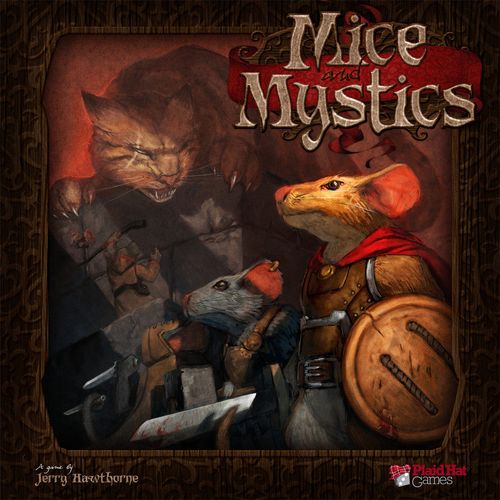
Mice and Mystics
Mice and Mystics Rulebook
Table of Contents
Table of Contents
Introduction
This rulebook teaches you how to play the game, but it is intended to be paired with a Mice and Mystics story book. Each chapter in a story book has a specific setup and special rules that apply to that chapter. The story book "Sorrow and Remembrance" is included in this game.
Mice and Mystics uses a simple set of rules that allow players to have all sorts of exciting adventures. Each chapter has its own special rules to give it unique storytelling opportunities. Reading through the special rules as you play can slow the game down, so if you are playing with others, take time to review the rules for the chapter prior to your session and help lead the other players through the chapter by pointing out special rules as the need arises.
List of Components
- 1 rulebook
- 1 story book
- 6 mouse hero figures
- 16 minion figures
- 1 story control board
- 8 dual-sided room tiles
- 28 mouse ability cards
- 71 search cards
- 18 encounter cards
- 6 mouse hero cards
- 5 action dice
- 3 sheets of die cut counters
Game Components in Detail
Mouse Hero Cards
Each mouse hero card lists:
- Mouse name: the mouse's name.
- Mouse class: most abilities and some items can only be used by certain classes. Some mice have 2 classes and can use items and abilities from both classes.
- Battle value: the mouse's ability to attack with a weapon.
- Defense value: the mouse's natural defenses.
- Lore value: the mouse's level of knowledge.
- Move value: how quickly the mouse can get around.
- Abilities: special things the mouse can do.
- Starting equipment: cards equipped to the mouse at the start of a chapter unless otherwise stated.
- Life value: the number of wounds the mouse can receive before being captured.
Initiative Cards
There are two types of initiative cards: mouse initiative cards and minion initiative cards. Mouse initiative cards have a mouse's name and picture on them, and a quick summary of their stats. Minion initiative cards display:
- Name: the name of the minion(s) belonging to this initiative card.
- Ability: a unique rule that applies to this type of minion.
- Battle value: the number of action dice rolled when this minion attacks.
- Defense value: the number of action dice rolled when this minion defends.
- Life value: the number of wounds a minion of this type must receive to be defeated.
Action Dice
Each action die face has a variety of symbols. The swords, bows, and shields are used in battle; the numbers (ranging from 1-3) are used for movement; and the cheese symbols are used for a number of things, most often to check a mouse's success at overcoming a given obstacle.
Search Cards
There are several types of search cards:
- Items: things a mouse can carry in its pack and use as directed on the card. A mouse can carry up to 3 items in its pack. Some items have requirements a mouse must meet to use them. Scrolls are one-use items — a mouse must discard a scroll after using it.
- Tricks: can be saved and used at a later time to gain an advantage over enemies. Tricks do not take up any slots on a mouse or any space in a mouse's pack.
- Events: event cards can either help or hinder the mice in their quest. Resolve event cards immediately when they are drawn.
- Party items: each have special rules (see Party Items). Party items are shared equally by all the mice and do not take up any room in the mice's packs.
- Weapons, armor, and accessories: mice can equip armor and accessories to help them along on their adventure. A mouse cannot attack unless it has a weapon equipped.
A weapon card lists its name, a range or melee symbol (whether it is usable at range or in melee, plus any bonus), its type (some minions are resistant to certain attack types), any special ability, paws required (most mice only have 2 paws available), and any other class or stat requirements.
An armor card lists its name, the kind of bonus it grants when equipped, any special ability, the equip slot(s) required (mice can only have 1 piece of armor equipped per slot), and any other requirements.
An accessory card lists its name, any special abilities and bonuses it grants, and any other requirements.
Ability Cards
At the start of the game, players choose an ability card for each mouse in play. Mice can earn more ability cards by leveling up. Each ability card lists:
- Requirement: to use the card a mouse must meet the class requirement(s).
- Ability: the special rules that apply.
- Cost: the number of cheese a mouse must discard to use the ability.
Encounter Cards
There are 2 types of encounter cards, differentiated by their background colors. Encounter cards determine what kinds of minions the mice will find when they enter a new area. The encounter the mice face is based on which page space the hourglass marker is on when the encounter is triggered. Encounter cards will also determine the next random surge that the mice must overcome. Each encounter card lists a different set of minions for each page (e.g. Page 1: 6 Roaches; Page 3: 1 Centipede, 3 Rats; Page 6+: 4 Elite Rats) and a Surge effect at the bottom.
Other Markers
The game comes with a variety of other markers (such as Catnip, Dinner Fork, and Disguises tokens) that can be used throughout the game.
Story Control Board
- Chapter track: at the beginning of a chapter, place the hourglass marker on page 1 of this track and the chapter end marker on a page designated by the chapter being played. If the hourglass marker reaches the chapter end marker before the mice have completed the chapter's victory conditions, the mice have lost that chapter.
- Minion cheese wheel: where cheese tokens earned by minions are placed. It triggers a minion surge when it fills.
- Search deck: where the search deck is placed.
- Encounter deck: where the deck of encounter cards is placed.
- Party stash: where tokens associated with party items the mice have found are placed.
- Initiative track: the track that initiative cards are placed along to show the turn order.
Room Tiles
Room tiles make up the game board. Most chapters have players set out specific room tiles. Room tiles have two sides: a blue side (areas below-ground or between the castle walls) and an orange side (portions of rooms and other common areas of the castle).
- Orientation arrow: when multiple tiles are in play, their orientation arrows must always be facing the same direction.
- Exit areas: mice can use an explore action to move to an adjacent tile through an exit area.
- Flip space: mice can use an explore action while on a flip space to flip a tile over.
- Mousetrap spaces: spaces marked with a red X symbol. Some encounter cards and story book setup instructions have players place mousetraps, which go on these spaces.
Note: Do not confuse the term 'tile' with the term 'space'. A tile represents a room; that room is made up of multiple spaces.
Story Book
The story book included with this game is "Sorrow and Remembrance". A story book is made up of chapters, and players start a game by choosing a chapter to play through (groups are recommended to start at Chapter 1 and play their way through each chapter). Chapters are composed of several parts:
- Story text: helps put the players in the story. Have a strong reader read these sections aloud as directed.
- Chapter objective: summarizes what the mice are trying to accomplish.
- Victory: the conditions that must be met for the mice to be victorious. Sometimes includes a piece of story text to read when the conditions are met.
- Defeat: the conditions that, if met, mean the mice are immediately defeated in that chapter. If defeated, players can choose to move on to the next chapter or retry that chapter again.
- Chapter setup: all the details players need to set up the game, including a diagram showing how to set up the room tiles.
- Special chapter rules: occasional special rules that apply to a chapter.
- Room tile rules: some room tiles have specific rules that apply while the mice are on that room, including special searches (that let mice find specific search cards) and special surges (that instruct players on what minion(s) to place — special surges take place instead of a surge listed on an encounter card).
- The story continues: at the end of some chapters, reading this aloud helps wrap up a piece of the story.
Game Setup
To set up a game of Mice and Mystics:
- Chapter selection: choose a chapter from a story book. Depending on the number of players, some may need to control more than one mouse so that the correct number of mice are in the adventuring party.
- Choose a hero: each player chooses their mouse hero (or heroes) and collects that mouse's hero card, initiative card, and figure. The chapter tells players how many mice are adventuring (usually four).
- Choose an ability: players choose 1 ability card for each mouse they are playing. Make sure the mouse meets the class requirements.
- Gather equipment: find the search cards indicated on each mouse's starting setup and equip them. Refer to the 'Party Setup' section for any extra cards or party items the party should start with.
- Set up the board: place the room tiles as shown in the 'Room Tile Setup' section, with all arrows pointing the same direction.
- Place figures: place the mice figures and any minion figures on the board as directed in the 'Room Tile Setup' section.
- Determine initiative order: shuffle the initiative cards belonging to each mouse and minion on the board at the start of the chapter and determine the starting order.
- Set up the story control board: place it to the side of the playing area. Place the hourglass marker on the first page of the chapter track and the chapter end marker on the page noted in the 'Chapter End' section. Shuffle the remaining search cards to form a search deck. Refer to the 'Encounter Deck Setup' section for how to set up the encounter deck.
- Additional items: place the cheese tokens, minion figures, remaining initiative and ability cards, and a pile of all other tokens off to the side within reach.
Game Round
Mice and Mystics is played over a series of rounds, each made up of turns. The first turn of a round is taken by the card highest on the initiative track, the next by the next highest, and so on. Once the last card on the initiative track has taken a turn, a new round begins. When an initiative card comes up in the order, all figures that the card represents share that turn but take their actions separately.
Determining Initiative Order
At the beginning of a chapter, and each time a new encounter card is revealed, initiative order must be established.
- If no minion cards are on the initiative track: take the initiative cards for each mouse and minion type going to be on the board and shuffle them into an initiative deck. Then, one at a time, place each card face up along the initiative track, starting at the 1 spot.
- If there are already minion cards on the track: shuffle up the initiative cards for the new minions and place them on the next available slots. If the new minions already have an initiative card on the track, there is no need to add another.
Note: If there are ever more initiative cards than available slots, follow the normal placement rules and allow the extra cards to temporarily extend the track.
Boss initiative cards: If a boss minion has more than 1 initiative card, when that boss is going to be placed, randomly choose 2 of its initiative cards to be added to the track. That boss takes a turn for each initiative card it has on the track. If there are already minion cards on the track when adding a boss with multiple cards, place both cards at the bottom of the initiative track as usual, then follow the ambushing rules for the first of those two cards.
When all figures associated with an initiative card are no longer on the board, remove that card from the track and move all other cards up to fill the gap.
Time is Short!
If there are no minions on the board after the last mouse on the initiative track has taken a turn, place 1 cheese token on the minion cheese wheel. Continue to do this each time the last mouse on the track completes a turn and there are no minions on the board.
Taking a Turn with a Mouse Hero
On its turn, a mouse can either perform 1 of the following actions then move, or move then perform 1 action:
- Scurry
- Battle
- Search
- Recover
- Explore
In addition to performing an action (or choosing not to), mice can perform any of the following free actions at any time during their turn:
- Share
- Equip
- Level up
Each free action can only be performed once during a mouse's turn. A free action cannot be performed in the middle of performing another action.
Mouse Ability Cards
A mouse can only use one ability card per turn, even if that mouse has multiple abilities that are free actions. Choose wisely.
Mouse Movement
At the start of a mouse turn, the player controlling that mouse rolls an action die. Add the number rolled (1-3) to the mouse's move value to determine how many spaces that mouse can move on that turn. (Example: Prince Collin has a move value of 2 and rolls a 1, so he can move up to 3 spaces.)
Adjacent Spaces
Spaces are not all the same size and shape, and some even have small gaps between them. To determine if spaces are adjacent, use this rule of thumb: if the base of a mouse figure can bridge the gap between two spaces, they are adjacent. Moving between adjacent spaces counts as having moved 1 space.
Special Area Spaces
A few larger areas (like the counter in the Kitchen, the table in the Dining Hall, and the bed in the King's Chamber) are called special area spaces. They do not follow the normal rule of 4 small figures or 1 large figure per space; instead they may contain as many figures as you can physically fit into the surface area of that space.
Yellow and Red Lines
- Yellow lines: each yellow line dividing two spaces is marked with an arrow pointing one direction. Crossing a yellow line against the direction of that arrow costs 3 spaces of movement. Crossing with the direction of the arrow costs the usual 1 space of movement. Spaces divided by a yellow line are considered adjacent.
- Red lines: mice cannot move from one space to another if they must cross a red line. Spaces divided by a red line are not considered adjacent.
Black Areas and Walls
Areas colored completely black represent solid rock and can never be moved onto or through by any means. Areas that are a graphical representation of a wall are not treated as spaces and can never be moved onto or through by any means. (One exception: on the Pipes tile, the dark areas represent gaps between the pipes and can only be moved through using items that let a mouse cross red lines, such as the Fishhook and Thread or Levitate Scroll.)
Board Features
Room tiles have graphical features (crystals, plates of discarded food, etc.). Such features are not their own spaces but are either part of the space they are within (like the skull in the Alchemist Chamber or the helmet in the Guardroom) or in-between spaces (like the crystals in the Crystal Tunnels). Board features in-between spaces can only be moved through if they fit the rule of thumb for moving between spaces.
Sharing Spaces
Up to 4 small figures can occupy the same space. However, a large figure (such as a spider or centipede) takes up a full space. A space is considered full when it has 4 small figures or 1 large figure on it. A mouse or minion cannot move onto or through a space that is full.
When a mouse moves onto a space occupied by a minion, the mouse must end its move. If a mouse starts its movement in the same space as one or more minions, that mouse can only move out of that space if the number of mice (before moving) is equal to or greater than the number of minions in that space.
Moving in Water
When a mouse moves onto water, even from another water space, it must end its move. When a mouse attempts to move onto a non-water space from a water space, it must use its entire move to do so; that mouse's player rolls an action die for that mouse and every mouse on the destination space. If at least 1 cheese symbol is rolled, the mouse successfully climbs out; otherwise the mouse does not move.
Some water has a current, signified by directional arrows. A mouse moving in water cannot move against the direction of the current. At the end of a mouse's turn, if that mouse is in a water area with a current, move that mouse one space in the direction of the current. If this carries a mouse off the room tile, that mouse is captured.
Note: Because they are fighting against the current, mice cannot use free actions when on water spaces. Minions are not affected by water spaces in any way.
Moving Across Mousetraps
When a mouse moves on a mousetrap, it must pause its movement to find out if it has sprung the trap. Roll a number of action dice equal to that mouse's move value (a tinkerer can instead roll a number equal to its lore value). If at least 1 cheese symbol is rolled, the mouse safely passes over the mousetrap and can continue moving. If no cheese symbols are rolled, the trap has sprung and the mousetrap is removed: the mouse takes 1 wound, collects 1 cheese token, and is knocked down. Whenever a mouse springs a trap, its turn immediately ends. Minions are not affected by mousetraps.
Mouse Actions
Scurry
If a mouse has already moved, it can use a scurry action to move again. To scurry, roll the action die and move again using the new result. All normal movement rules apply.
Battle
Players roll action dice to make attacks. Relevant results are sword symbols, sword/shield symbols, bow symbols, and cheese symbols. When defending against an attack, only the sword/shield symbols and cheese symbols are relevant. Whenever a player is attacking or defending with a mouse, if one or more cheese symbols are rolled, that mouse gains 1 cheese token for each cheese rolled.
Melee attack: If armed with a melee weapon, a mouse can perform a melee attack. Choose a target minion in the same or adjacent space. Roll a number of action dice equal to the mouse's battle value (add any bonuses from items or equipped weapons). Add the number of sword and sword/shield symbols rolled — this is the number of hits inflicted. If a mouse inflicted one or more hits, the player to the left of the active player rolls defense for the targeted minion and adds the number of sword/shield results. For every sword/shield rolled, that minion blocks one of the hits. Each unblocked hit inflicts one wound. Whenever a player is attacking or defending for a minion, if 1 or more cheese symbols are rolled, add one cheese token to the minion wheel for each cheese rolled.
Ranged attack: If armed with a ranged weapon or spell, a mouse can perform a ranged attack. Ranged attacks work like melee attacks, except each bow symbol counts as a hit instead of a sword/sword-shield symbol. When selecting a target, a player can select any minion on the same room tile as long as the mouse can 'see' the target. However, if there are minions in the same or adjacent space, one of those nearby minions must be selected as the target.
Seeing the target: To determine if a mouse can see a target for a ranged attack, draw an imaginary line from the center of the attacking figure's space to the center of the targeted figure's space (use the edge of a card or rulebook if needed). If the line passes through any black areas or walls, the attack or spell cannot be used. Some board features may appear to block line of sight; players can determine among themselves which features should block a mouse's line of sight.
Inflicting Wounds
Wounds on non-boss minions: When 1 or more wounds are inflicted on a non-boss figure, refer to its initiative card.
- If the card shows it only has 1 life, that figure is defeated. Remove it from the board.
- If the defeated figure was the last figure an initiative card represented, remove that card from the track as well.
- If the card shows more than 1 life, place 1 wound marker on the card for each wound received. When a multiple-life figure has wounds equal to or greater than its life value, that figure is defeated. Remove it from the board and remove its initiative card from the track.
Wounds on boss minions: Boss minions normally have multiple initiative cards on the track. Each time a mouse inflicts a wound on a boss, choose which initiative card to place the wound on. When a boss initiative card has wounds equal to or greater than its life value, remove that card from the track. Once the last initiative card for a boss has been removed, remove its figure from the board — it has been defeated.
Search
To search, announce that your mouse is searching and roll an action die. If a cheese symbol is rolled, draw 1 card from the top of the search deck. If it is an item, weapon, armor, accessory, scroll, or trick, the player may either put it into the searching mouse's pack for later use, or immediately discard it for 1 cheese. If it is an event card, follow the directions on the card. Once a mouse successfully searches, the mouse cannot search that same tile again.
Recover
If a mouse is stunned or webbed, it can use a recover action to get rid of this negative effect.
- Recovering from stunned: remove the stunned marker from its initiative card.
- Recovering from webbed: roll an action die. If a cheese symbol is rolled, remove the webbed marker from the mouse's initiative card.
Explore
The explore action is the normal way the mice move from one room tile to a different one. An explore action can only be performed when there are no minions on the same room tile as the mice. There are 2 types of spaces on which a mouse can use an explore action: a space adjacent to an exit area, and a flip space.
Exploring an Exit Area: When a mouse is on a space adjacent to an exit area, it can use an explore action to attempt to move to a new tile. The new tile must have an exit area of the same color aligned with the exit area the searching mouse is adjacent to. There are 2 sides to every tile: a blue side and an orange side. If the tile the mouse is moving to has a different color side facing up than the tile the mouse is on, flip over the tile being moved to, keeping its orientation arrow facing the correct direction. If there is no exit aligned on the appropriate side, the mouse cannot explore over to the new tile. When a mouse successfully explores to a new tile, that mouse and all other mice on the same tile are immediately placed on a space adjacent to the exit area on the new tile.
Exploring a Flip Space: When a mouse performs an explore action on a flip location, remove the mice from the room tile and flip it over (keeping the arrow on the flip side in the correct orientation). Then place all the mice on the flip location located on the newly revealed side (or an adjacent space if there are more than 4 mice in the party). There are also two special types of flip locations: one that can only be explored when the party has the Fishhook and Thread token available, and one that can only be explored by a tinkerer or scamp.
Encounters
Each time a mouse explores an area that has not already been explored during that chapter, the mice will have an encounter. Unless otherwise stated, draw a card from the encounter deck. Each encounter card has multiple potential encounters based on how far the chapter has progressed — use the encounter that matches the page space the hourglass marker currently occupies. Place the new minions using the placement rules below, then determine initiative order. Once minions are placed, place the encounter card face-up on top of the encounter deck. If there is still a face-up encounter card from a previous encounter, discard the old card. This new face-up card determines the next non-chapter-specific surge effect.
Placing Minions on the Board
When placing new minions as a result of an encounter, or a chapter-specific rule, place them on the minion entry spaces (marked with a special symbol):
- Place all small minions that have range on the minion entry space furthest from the mice (players choose if multiple options exist). If there is a special area space bordered in red with a minion entry space on it, place the ranged minions there instead. If the chosen space becomes full, choose a new space following the same rules.
- One at a time, place any large minions on the empty minion entry space closest to the mice.
- One at a time, place all small melee minions on the remaining available (not full) minion entry spaces. Try to spread these melee minions out as much as possible.
- Whenever new minions are added, their initiative cards must be added to the initiative track.
Minion Tokens
There are 4 Elite Rat Warrior tokens and 1 Captain Vurst token included. If an encounter or chapter calls for elite rat warriors, use the rat figures but add the Elite Rat Warrior tokens under the figures. Follow the same rule for Captain Vurst. If the encounter calls for rat warriors, use the rat figures without any tokens added underneath.
Mousetraps
Some encounter cards include the word 'Mousetraps' near the top. When an encounter includes a mousetrap, place 1 mousetrap marker on each space of the current room tile marked by a red X symbol.
Ambushes
Some encounter cards include the word 'Ambush'. When determining initiative for an ambush encounter, first place all minion cards onto the initiative track normally. Then roll an action die for each minion initiative card on the track, one at a time. Move that card up on the initiative track a number of spaces equal to the number rolled, scooting the cards below it down to make room. Ambushes do not affect the surge minions for that card.
Greedy Roaches
Some encounters include 'greedy roaches'. Greedy roaches use the same initiative card as normal roaches. When greedy roaches are placed on the board, all roaches in play become greedy roaches. When a greedy roach steals a cheese from a mouse, that cheese is placed on the minion cheese wheel.
Surges
Each time 1 or more cheese symbols are rolled when attacking or defending with a minion, add 1 cheese token to the minion cheese wheel for each cheese rolled. When there are no minions on the board and the last mouse on the initiative track ends its turn, add a cheese token to the minion cheese wheel. When the minion cheese wheel fills up with 6 or more cheese tokens, a surge triggers. Follow these steps:
- Move the hourglass marker one page closer to the chapter end marker along the chapter track.
- Check the chapter instructions. If there is a special surge rule for the room the mice are currently in, follow those instructions.
- If there are no chapter-specific surge instructions, follow the surge effect on the face-up encounter card, then discard that card.
- If there are no room-specific surge rules and no face-up encounter card, no minions are placed for this surge, but the hourglass marker is still moved.
- After resolving the surge, remove all cheese from the minion cheese wheel.
If a surge requires minion figures to be placed and there are not enough available, place as many as possible and ignore the rest.
Free Mouse Actions
Each free action can only be performed once during a mouse's turn and cannot be performed in the middle of another action.
Share
When performing a share action, a mouse can freely exchange search cards and/or cheese tokens with another mouse on the same space or an adjacent space.
Equip
When performing an equip action, a mouse can move cards from its equipment slots to its pack or from its pack to its equipment slots. A mouse can only have up to 3 non-trick cards in its pack at any one time (if a mouse would go over this limit, its player must choose and discard 1 non-trick card). Cards in a mouse's pack are placed in a facedown stack in front of that mouse. Trick cards do not add to the pack limit. Equipped cards are placed face up in front of the mouse. A mouse cannot have 2 cards equipped that fill up the same slot, with the exception of the paw slot (each mouse has 2 paw slots). Some items fill both paw slots.
Level Up
When performing a level up action, a player may exchange 6 cheese tokens for 1 new ability card of their choice. The ability card must match the mouse's class. Choose ability cards carefully, as a mouse can only use 1 ability card per turn.
Taking a Turn with a Minion
A minion's turn consists of 2 parts: Move, then Battle. When a minion initiative card comes up, all figures of that type take a turn, starting with the minions closest to the mice and moving outward. Minion turns are acted out by the player who controls the mouse lowest on the initiative track.
Moving a Minion
All movement rules that apply to a mouse also apply to a minion, except minions always act in a predictable manner and ignore the effects of water, red lines, yellow lines, and mousetraps.
- Moving melee minions: roll an action die. The minion can move up to a number of spaces equal to the result (1-3). Minions always take the shortest route to the closest mouse in an attempt to move into the same space. Minions cannot move onto a full space but will try to get as close as they can. If a minion starts its turn on a space with a mouse, it will not move. If 2 mice are an equal distance away, the minion moves toward the mouse highest on the initiative track.
- Moving ranged minions: ranged minions only move if they cannot 'see' any mice on their room tile. If a ranged minion cannot see any mice, it will use as much movement as necessary to move along the shortest route toward the closest mouse. As soon as it can see a mouse, it stops moving.
Battling with a Minion
Battling with a minion works just like battling with a mouse, except the minion will attack a specific target. After moving, it attacks 1 mouse if able:
- If a minion can attack more than 1 mouse, it will attack the closest mouse that has not been attacked during this turn.
- If more than 1 of the closest mice has not been attacked this turn, or if they have all been attacked, the minion attacks the mouse highest on the initiative track.
Boss Minions
Sometimes a chapter will have the mice confronting boss minions. Boss minions are usually a stronger form of another minion already in the game. Use the figure of that boss's common counterpart to represent the boss. In the case of a common minion where more than one figure exists, place a token under the boss's base to differentiate it. Even though they may share a type with other minions, bosses are not affected by powers that affect those minions (for example, Captain Vurst is unaffected by any rules or powers that only affect rats).
Brodie
Brodie is the mean-spirited tomcat who patrols the castle's common areas, represented on the board by the paw token. Brodie does not take up room in a space; other figures can be placed on top of the paw token to share the space with Brodie. When attacking or defending with Brodie, any cheese rolled is not added to the minion wheel. Brodie does not move or act like other minions — he has 2 initiative cards that cause him to take 2 turns in a round and act differently on each turn:
Brodie Pounces: Choose the space on Brodie's room tile that has the most figures on it (minions included) and move Brodie onto that space. If more than one space has an equal number of figures, Brodie pounces on the space containing the figure whose initiative card is highest on the track. Roll once for the pounce's initiative card. Each figure in that space must defend against that same attack separately. Brodie pounces on the space he is already on if it contains the most figures or if no other spaces have figures on them.
Brodie Chases: Roll 2 action dice and total the numbers — this is how far Brodie is moved. Move Brodie along the shortest path toward the closest mouse that is not already on Brodie's space. If 2 or more mice are an equal distance away, Brodie moves toward the one highest on the initiative track. If there are multiple shortest paths, the players decide which path Brodie takes. If all active mice are on the same space as Brodie when he starts his chase, he will not move at all. If Brodie has any movement points left after reaching the closest mouse, continue moving him toward the next closest mouse following all the rules above. Once Brodie is done moving, roll a number of action dice equal to the battle value on Brodie's chase initiative card. All figures on spaces that Brodie moved along this turn (including his start and end spaces) are affected by that attack. (Only 1 attack roll is made each time Brodie chases; all affected figures must defend against that 1 roll separately.)
Captured Mouse
When a mouse is wounded, place those wounds on the mouse's hero card. If a mouse's wounds are ever equal to or greater than that mouse's life value, that mouse becomes captured. Leave the captured mouse's initiative card on the track, but remove that mouse's figure from the board, discard all of that mouse's cheese tokens and all of the search cards the captured mouse currently has equipped (starting equipment and any items in its pack are safe and do not need to be discarded), remove all wounds, poison wounds, and other negative markers from that mouse's card, and move the hourglass marker 1 page closer to the chapter end marker.
Rescuing a Mouse
If a mouse is captured, that mouse is automatically rescued on its next turn as soon as there are no longer minions on the board. Place it on the same space as another mouse or on a space adjacent to another mouse. If there are still minions on the board when it becomes a captured mouse's turn, it cannot be rescued and must skip its turn. On a turn that a mouse is rescued, being rescued takes up that mouse's whole turn.
Negative Effects
Stunned and Webbed
When a mouse becomes stunned or webbed, place the corresponding marker on that mouse's card. A stunned mouse can move normally, but the only action it can take is a recover action. A webbed mouse cannot move or use scurry actions until it uses a recover action to remove the webbed marker.
Knocked Down
When a figure becomes knocked down, place that figure on its side. A knocked down figure must spend its entire move to get back up. Large figures cannot be knocked down. Knocked down figures can attack and defend normally.
Charmed
When a mouse becomes charmed, place a charmed marker on that mouse's card. When a charmed mouse takes a turn, treat it as if it were a minion during that turn, moving and attacking just like a melee minion. A charmed mouse uses only the information listed on its initiative card and receives no bonuses for equipped search cards or abilities. Once the charmed mouse finishes its turn, remove the charmed marker.
Poisoned
Some wounds can be poison wounds. When placing a poison wound marker, place it green side up. Poison wound markers cannot be healed by normal healing spells and scrolls; they require special antidotes or cure spells.
Party Items
Some search cards are listed as party items — items that can be used freely by any mouse in the party. When a mouse receives a party item, place the card near the story control board and place any associated marker or token in the party stash area of the story control board.
Disguises
Disguises are bits of discarded rat clothing that can be put on to trick the rats. When revealing an encounter card, players may discard the Disguises token from the party stash to ignore all rat warriors for that encounter. Place any other minions from that encounter as usual. If the Disguises token is ever discarded, the Disguises card is shuffled back into the search deck. A surge effect cannot be ignored by using the Disguises.
Fishhook & Thread
Fishhook & Thread allows the mice to access areas of the board that are hard to reach or normally impossible to access. At any time on a mouse's turn, the player controlling that mouse can remove the Fishhook & Thread token from the party stash and place it on the board (it does not cost an action). The token is always placed so that one end is on the space occupied by the mouse using it. The other end must be placed within another space on the same room tile. At least one end must be on a non-water space. Once placed, any mouse can use their normal movement to move between the spaces on either end of the token as if they were normal adjacent spaces. A mouse on the same space as one of the ends can use an action to remove the token and place it back in the party stash. If the mice leave a room tile that still has the token on it, remove the token from the board (not into the party stash) and shuffle the Fishhook & Thread card back into the search deck.
Dinner Fork
The dinner fork has a variety of uses: it can help mice access hard-to-reach areas, pry open some traps, and even be turned into a grape-launching catapult. At any time on a mouse's turn, the player can remove the Dinner Fork token from the party stash and place it on the board (it does not cost an action). The token is always placed on the space occupied by the mouse using it and cannot be placed on a water space. On its turn, a mouse sharing a space with the Dinner Fork can use an action to catapult any other mouse on the same space to any target space on the same tile (the catapulted mouse must be able to see the target space). A mouse on the same space as the token can use an action to remove it and place it back in the party stash. If the mice leave a room tile with the token still on it, the token is removed from the board (not into the party stash) and the Dinner Fork card is shuffled back into the search deck.
Grape
The Grape has a variety of uses. It can be used as roach bait and sometimes as a weapon.
- Grape as Roach Bait: Any time on a mouse's turn, the player can remove the grape token from the party stash and place it on any empty adjacent space. While the grape is on the board, during a roach turn, any roaches will move their full move toward the grape, stopping as usual if they move onto a space with a mouse. If one or more roaches end their move on the space with the grape, they will not attack and instead will feast on the grape. Discard the grape token and any roaches that ended their turn on it. Shuffle the grape card back into the search deck.
- Grape as a Weapon: If a mouse is sharing a space with the dinner fork, it can use a battle action to remove the grape from the party stash and launch it at minions. Choose a minion to attack (the attacking mouse does not need to see the chosen minion). All figures on the same space as the chosen minion will also be affected. Flip the grape token like a coin. If it lands splat side-up, the chosen minion and all other figures on the same space receive one automatic hit (roll to defend normally for each affected figure). Discard the grape token and shuffle the grape card back into the search deck. If the token lands grape side-up, the affected figures become knocked down; place the grape token under the knocked down figures (note this will make the grape instant roach bait, or a weapon a rat can use). Large figures are not affected by the grape. If a rat starts its turn sharing a space with the grape, it will not move; instead of its normal battle action it will make a ranged attack at the space with the most mice on it (following the same weapon rules). A rat cannot use the grape as a weapon if it is occupying a space with one or more mice.
Winning and Losing
Players choose a chapter to play through from a story book. Each chapter has its own victory conditions. To win, players must complete these victory conditions before the hourglass marker moves onto the chapter end marker on the chapter track. Players are recommended to play the chapters in order.
Playing Mice and Mystics as a Campaign
Playing as a campaign allows players to preserve the progress of their mice from one chapter to the next:
- Mice keep their story achievements and abilities earned from previous chapters.
- Mice can keep only 1 search card that they had at the end of the previous chapters (in addition to their starting equipment cards). Mice always begin a new chapter with their starting equipment cards.
- Mice do not keep any party items, individual achievements, or cheese from previous chapters.
Achievements
Throughout a story book, the mice can earn a variety of story achievements, described in the chapters in which they are earned. Additionally, players can choose to play with individual achievements. Included in the game are markers for these achievements.
Individual Achievements
- Cheesemaster: The first mouse to roll 3 or more cheese in 1 attack or defense roll receives this token. Effect: Move the chapter end marker one page further on the chapter track. Each time the Cheesemaster rolls 1 or more cheese on a defense roll, give 1 cheese to each active mouse.
- Roachmaster: The first mouse to defeat 4 roaches in a single encounter receives this token. Effect: Move the chapter end marker one page further. For the rest of the chapter, roaches on the same tile as the Roachmaster are not considered greedy.
- Poisonmaster: The first mouse captured with at least 1 unhealed poison wound receives this token. Effect: For the rest of the chapter, when the Poisonmaster would receive a poison wound, it receives a normal wound instead.
- Scaper: The first mouse captured twice in a chapter receives this token. Effect: Move the chapter end marker one page further. If the Scaper is captured a third time, it is immediately rescued and does not lose any equipped search cards. All other captured rules still take effect, such as all cheese and wounds being removed.
- Cat Tamer: The first mouse to defeat Brodie earns this token. Effect: For the rest of the chapter, all large minions roll one fewer die when defending against an attack from the Cat Tamer.