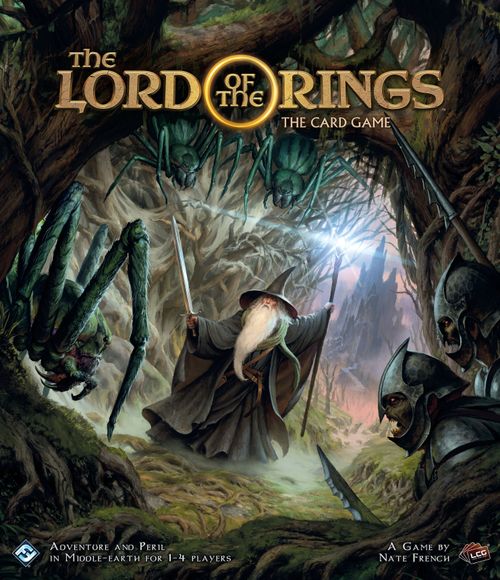
The Lord of the Rings: The Card Game – Revised Core Set
The Lord of the Rings: The Card Game – Revised Core Set Rules Reference
Table of Contents
Table of Contents
- Using this Document
- Glossary
- Ability, Card Ability
- Action, Action Ability
- Active Location
- Active Player
- After
- Ally Cards
- Attachment Cards
- Attack Strength
- Attacks Outside the Combat Phase
- Base Value
- Blank
- Campaign, Campaign Mode
- Cancel
- Cannot
- "Cannot be damaged"
- "Cannot have attachments"
- Card Types
- Character Cards
- The word "Choose"
- Combat Phase
- Constant Ability
- Control
- Copy (of a card)
- Cost
- Current Quest
- Damage
- Deckbuilding
- Defending Player
- Defense Strength
- Delayed Effects
- Destroy
- Discard Pile and Victory Display
- Doomed X
- Drawing cards
- Effects
- Encounter Deck
- Encounter Phase
- Enemy Cards
- Engaged
- Engagement Check
- Enters Play
- Event Cards
- Exhausted
- Explored
- First Player / First Player Token
- Forced
- Framework Effects and Framework Steps
- Gains
- Guarded
- Hero Cards
- Hit Points
- Immune
- In Play and Out of Play
- Initial Threat Level
- Initiating Abilities / Playing Cards
- In Player Order
- Instead
- Keywords
- Lasting Effects
- Limits
- Location Cards
- May
- Modifiers
- Move
- Mulligan
- Multiple Defenders
- Neutral Cards
- Next Player
- Objective Cards
- Optional Engagement
- Out of Play
- Ownership and Control
- Permanent
- Planning Phase
- Play and Put into Play
- Play Restrictions and Permissions
- Player Deck
- Player Elimination
- Playing a Card
- Printed
- Priority of Simultaneous Resolution
- Put into Play
- Qualifiers
- Quest Advancement
- Quest Cards / Quest Deck
- Quest Phase
- Ranged
- Ready
- Refresh Phase
- Removed from Game
- Replacement Effects
- Resources
- Resource Match
- Resource Phase
- Response
- Restricted
- Reveal
- Running out of Cards
- Running out of Tokens
- Scoring
- Search
- Self-referential Abilities
- Sentinel
- Setup
- Shadow Effects
- Spheres of Influence
- Staging
- Staging Area
- Surge
- Switch
- Table Talk
- Then
- Threat / Threat Dial
- Threat Elimination Level
- Timing of Ability Resolution
- To
- Traits
- Travel
- Travel Phase
- Treachery Cards
- Triggered Ability
- Triggering Condition
- Type, Types
- Unique Cards
- Victory
- When
- Willpower Strength
- Winning the Game
- The letter "X"
- Appendix I: Timing and Gameplay
- Appendix II: Card Anatomy
- Appendix III: Campaign Mode
- Campaign Log
Using this Document
This document is intended as the definitive source for rules information, but does not teach players how to play the game. Players should first read the Learn to Play book in its entirety and use this Rules Reference as needed while playing the game.
The majority of this guide consists of the glossary, which provides an alphabetical listing of terms and situations a player may encounter during a game. This section should be the first destination for players who have a rules question.
The latter part of this guide contains three appendices. Appendix I provides timing diagrams that illustrate the structure of an entire game round, and details on how to handle each step. Appendix II provides a detailed anatomy of each card type. And Appendix III describes specifically how to play in Campaign Mode.
The Lord of the Rings: The Card Game has a rich history that has featured numerous products, some of which are no longer in print. All of those former products are compatible with the contents of this revised core set. Therefore, this document contains material that covers all The Lord of the Rings LCG products, even if the information included in the entry is not relevant to the contents of this core set.
The Golden Rules
If the text of this Rules Reference directly contradicts the text of the Learn to Play book, the text of this guide takes precedence.
If the ability text of a card directly contradicts the text of either the Rules Reference or the Learn to Play book, the text of the card takes precedence.
The Grim Rule
If players are unable to find the answer to a rules or timing conflict in this Rules Reference, resolve the conflict in the manner that the players perceive to be the worst possible resolution with regards to winning the scenario.
Glossary
The following is an alphabetical list of entries for game rules, terms, and situations that may occur during play.
Ability, Card Ability
An ability is the special game text that a card contributes to the game. Card abilities fall into one of the following types: action, forced, keyword, constant ability, response, or when revealed ability.
- The initiation of an action or response ability is optional. The word "may" also incorporates a player option into the resolution of an ability. The player who controls the card on which an optional ability exists determines whether or not they wish to use that ability at the appropriate time.
- The application or initiation of the following types of abilities is mandatory: constant abilities, when revealed abilities, and forced abilities.
- The initiation of any keyword which uses the word "may" in its keyword description is optional. The application of all other keywords is mandatory.
- Card abilities only interact with, and can only target, cards that are in play, unless the ability specifically refers to an out-of-play area or element. Card abilities on characters and attachments can only be initiated or affect the game from an in-play area unless they specifically refer to being used from an out-of-play area, or require that the card be out of play for the ability to resolve. Event cards implicitly interact with the game from an out-of-play area, as established by the rules of the event card type.
- A card ability can only be initiated if its effect has the potential to change the game state. This potential is assessed without taking into account the consequences of the cost payment or any other ability interactions.
- A card ability can only be initiated if its cost (after modifiers) has the potential to be paid in full.
- When an ability has more than one sentence of text, the ability should be resolved one sentence at a time.
- An ability prefaced by a bold-face timing trigger followed by a colon is referred to as a "triggered ability."
See also: Action, Effects, Response, Forced, Keywords, Constant Ability
Action, Action Ability
Some abilities are labeled by the word "Action" followed by ability text. These abilities can only be initiated by a player during an action window. For details on when action windows occur during each round, see Appendix I on page 20.
Some action abilities have a phase name as a precursor to the word "Action." Such abilities are still considered action abilities, with the restriction that they can only be initiated during an action window in the specified phase.
An action must be resolved as completely as possible before the next action can be initiated.
A player may initiate an action ability from:
- A hero, ally, or attachment card that is in play and under their control.
- An event card in their hand.
- An out-of-play card they own with an ability that specifies that it triggers from an out-of-play state, or requires the card to be out of play in order to resolve.
- An objective, quest, or location ability in play with the boldface "Action:" trigger.
See also: Ability, Triggered Ability, Appendix I
Active Location
When the players travel to a location, it is removed from the staging area and placed next to the quest deck, causing it to become the active location.
- There can only be one active location at a time. The players cannot travel if another location card is active.
- The active location does not contribute its threat strength to the total threat strength in the staging area.
- The active location acts as a buffer for the current quest. Any progress tokens that would be placed on the current quest are instead placed on the active location, up to that location's quest points.
- If the active location becomes explored by a game or card effect that requires the placement of multiple progress on the quest (and the progress is instead being placed on the active location), the remaining progress created by the effect is placed on the current quest.
See also: Explored, Travel
Active Player
The phrase "active player" is used to refer to a player who is obligated to perform (or granted the option to perform) a specific game function during a framework step or special action window.
After
The word "after" refers to a game occurrence that has just been concluded. Many response abilities use the term "after" to specify the timing of their triggering conditions.
See also: Response, Triggered Ability
Ally Cards
Ally cards represent characters (friends, followers, creatures, and hirelings) that assist a player's heroes on the quest. Ally cards are played from a player's hand, and they remain in play until they are destroyed.
See also: Damage, Destroy, Hit Points, Appendix II
Attachment Cards
Attachment cards represent weapons, armor, artifacts, equipment, skills, and conditions. When played, they are attached to (placed slightly overlapped by) another card or game element, and they tend to modify or influence the activity of the card or game element to which they are attached.
- An attachment cannot enter play if there is no eligible card or game element to which it can attach.
- There is no limit to the number of attachments that can be attached to a card or game element.
- If the card to which an attachment is attached leaves play, simultaneously discard the attachment.
- Play restrictions, such as "attach to a Gondor hero" are checked only at the time the attachment enters play.
- A player has the option to play attachments by attaching them to another player's character. When an attachment enters play attached to a character under another player's control, that player gains control of the attachment.
- An attachment card readies and exhausts independently of the card to which it is attached.
See also: "Cannot have attachments," Appendix II
Attack Strength
Each character and enemy has an attack strength. This value is the amount of damage that character or enemy deals when it attacks.
- Attack strength is denoted by the attack symbol.
See also: Combat Phase
Attacks Outside the Combat Phase
If an enemy makes an attack outside of the combat phase, deal it a shadow card and follow each step of "Enemy Attack Resolution" found on page 25.
If a player makes an attack outside the combat phase, follow each step of "Player Attack Resolution" found on page 26.
Base Value
The value of a quantity before other modifiers are applied. For most quantities, it is also the printed value.
Blank
If an ability causes a card's printed text box to be considered "blank," that text box is treated as if it did not have any of its printed text. Text gained from another source is not blanked.
- Included in a card's text box are its abilities, keywords, and traits.
- A card with a blank text box retains its flavor and/or story text.
Campaign, Campaign Mode
See: Appendix III on page 30.
Cancel
Some card abilities (usually response abilities) can "cancel" other card or game effects. Cancel abilities interrupt the initiation of an effect, and prevent the effect from initiating. Because of this, cancel abilities have timing priority over all other abilities.
- If an effect is canceled, that effect is no longer imminent, and further abilities (including cancels) cannot be initiated in reference to the canceled effect.
- When the effects of an ability are canceled, the ability is still considered to have been used, and any costs have still been paid.
- If the effects of an event card are canceled, the card is still considered to have been played, and it is still placed in its owner's discard pile.
- If the effects of a treachery card are canceled, the card is still considered to have been revealed, and it is still placed in the encounter discard pile.
See also: Cost, Ability, Triggering Condition
Cannot
The word "cannot" is absolute, and cannot be countermanded by other abilities or effects.
"Cannot be damaged"
A card that "cannot be damaged" cannot have damage assigned, dealt, reassigned, or moved to it, and it cannot be chosen to take damage or be chosen as the target of an effect that would damage it.
- Any pre-existing damage on a card that gains "cannot be damaged" remains on that card.
- A card that "cannot be damaged" can still be driven from play by non-damaging effects, such as discard.
"Cannot have attachments"
A card with the text "Cannot have attachments" cannot have attachment cards attached to it.
- If a trait precedes the word "attachments," the card cannot have attachments of the specified trait, but it can have attachments that do not possess that trait.
- If a character gains the text "cannot have attachments," any attachments on that character must immediately be discarded.
See also: Attachment Cards
Card Types
The game's card types are: quest, enemy, location, treachery, objective, hero, ally, attachment, and event. Each of these card types, with a detailed card anatomy, is presented in Appendix I.
- If an ability causes a card type to change (such as an ally card becoming an enemy card), it loses all other card types it might possess and functions as would any card of the new type.
Character Cards
Character cards represent the different companions who come together to complete each quest.
Character cards are divided into 2 types: heroes and allies. Any ability that refers to a "character" refers to both types. Some abilities, however, may refer only to a particular type, or may exclude a type, based on the ability text.
- Characters enter play ready, in a player's play area, and under their owner's control.
- Characters remain in play unless they are destroyed or removed by a game step or ability.
See also: Ally Cards, Hero Cards, Damage, Destroy, Hit Points, Unique Cards
The word "Choose"
The word "choose" indicates that a game element (most often a card) must be chosen as the target of an effect.
- The controller of an ability that uses the word "choose" chooses all targets for the effect unless otherwise specified by the card.
- If there is no valid target for a targeting effect, the ability cannot be initiated.
See also: Ownership and Control
Combat Phase
The steps of this phase and how to resolve attacks are described in timing entries 6.1–6.11 on page 24-25.
Constant Ability
A constant ability is any non-keyword ability whose text contains no boldface timing trigger defining its ability type. A constant ability becomes active as soon as its card enters play and remains active while the card is in play.
- Some constant abilities continuously seek a specific condition (denoted by words such as "during," "if," or "while"). The effects of such abilities are active any time the specified condition is met.
- If multiple instances of the same constant ability are in play, each instance affects the game state independently.
See also: Ability, Card Ability, Effects
Control
See: Ownership and Control
Copy (of a card)
A copy of a card is defined by title: any other card that shares the same title is considered a copy, regardless of card type, text, artwork, or any other characteristic(s) of the card(s).
Cost
A card's resource cost is the numerical value that must be paid to play the card.
Some abilities have a cost described in the ability text that must be paid in order to use the ability.
- When a player is paying a cost, the payment must be made with cards and/or game elements that player controls.
- If a cost requires a game element that is not in play, the player paying the cost may only use game elements that are in their out-of-play areas.
- If multiple costs for a single card or ability require payment, those costs must be paid simultaneously.
- An ability's cost cannot be paid if the resolution of its effect does not have the potential to change the game state.
- The word "to" is used in ability text to distinguish a cost from an effect, in a "pay cost to resolve effect" format.
See also: Resource Match, To
Current Quest
The "current quest" refers to the quest stage that the players are currently attempting to defeat.
See also: Quest Cards
Damage
Damage tokens can be placed on character cards and enemies by attacks and by various abilities.
If a character or enemy has as much (or more) damage on it as it has hit points, it is destroyed.
The following process is used to deal damage:
- Determine the amount of damage to deal (including modifiers).
- Assign the damage to the target (character or enemy).
- Place the damage on the target (character or enemy).
See also: Destroy, Hit points, Running out of Tokens
Deckbuilding
To build a custom player deck:
- A player must choose 1 to 3 hero cards.
- A player's deck must contain a minimum of 50 player cards.
- There is no upper limit on a player's deck size.
- A player's deck can only contain up to 3 copies (by title) of any given card.
Defending Player
When an enemy makes an attack against a player, or against a character controlled by a player, that player is the defending player.
- If another player declares a sentinel character as a defender, the player that the enemy was attacking is still the defending player. Card effects, including shadow card effects, that target "the defending player" or "you" still target the player who the enemy was attacking.
- If an enemy is attacking a specific character, the player who controls that character is the defending player.
Defense Strength
Each character and enemy has a defense strength. This value is the amount of damage a character reduces an attack by when it defends, or the amount of damage an enemy reduces an attack by when that enemy is attacked.
- Defense strength is denoted by the defense symbol.
See also: Combat Phase
Delayed Effects
Some abilities contain delayed effects. Such abilities specify a future timing point, or indicate a future condition that may arise, and dictate an effect that is to happen at that time.
- Delayed effects resolve automatically and immediately after their specified timing point / future condition occurs or becomes true, before reactions to that moment may be used.
- When a delayed effect resolves, it is not treated as a new triggered ability, even if the delayed effect was originally created by a triggered ability.
See also: Ability, Effects, Triggered Ability
Destroy
When a hero or ally is destroyed, it is placed faceup on top of its owner's discard pile. When an enemy is destroyed, it is placed faceup on top of the encounter discard pile.
Placing a hero, ally, or enemy in the discard pile as the result of being destroyed is not the same as "discarding" that card.
See also: Damage
Discard Pile and Victory Display
Many game effects place cards in a player's discard pile, the encounter discard pile, or the victory display.
- Each player has their own discard pile, and the encounter deck also has its own discard pile.
- When a card is discarded, it goes to the discard pile belonging to the card's originating deck.
- The victory display and each discard pile is open information and may be looked at by any player at any time.
- The order of cards in a discard pile may not be altered unless a player is instructed to do so by a card ability.
- If multiple cards would enter a discard pile simultaneously, the owner of the cards chooses the order in which those cards are placed in the discard pile.
Doomed X
Doomed X is a keyword ability. If an encounter card with the doomed keyword is revealed, each player must raise their threat by the specified value.
Drawing cards
When a player is instructed to draw one or more cards, those cards are drawn from the top of their deck.
When a player draws two or more cards as the result of a single game step or card ability, those cards are drawn simultaneously.
Drawn cards are added to a player's hand.
There is no limit to the number of cards a player may draw each round.
There is no maximum hand size.
See also: Running out of cards
Effects
A card effect is any effect that arises from the resolution of ability text printed on or gained by a card.
A framework effect is any effect that arises from the resolution of a framework step.
- Card effects might be preceded by costs, triggering conditions, play restrictions, play permissions, and/or targeting requirements. Such elements are not considered effects.
- Once an ability is initiated, players must resolve as much of each aspect of the effect as they are able, unless the effect uses the word "may."
- When a non-targeting effect attempts to engage a number of entities (such as "draw 3 cards" or "search the top 10 cards of your deck") that exceeds the number of entities that currently exist in the specified game area, the effect engages as many entities as possible.
- The expiration of a lasting effect (or the cessation of a constant ability) is not considered to be generating a game state change by card effect.
- If an ability instructs a player to select among multiple effects, an effect that has the potential to change the game state must be selected.
See also: Ability, Appendix I
Encounter Deck
The encounter deck contains the villains, hazards, places, and circumstances that stand between the players and the successful completion of their quest.
- An encounter deck consists of enemy, location, treachery, and objective cards.
- The contents of the encounter deck are determined by the scenario the players are attempting.
Encounter Phase
The steps of this phase and how to resolve engagement checks are described in timing entries 5.1–5.4 on page 24.
Enemy Cards
Enemy cards represent the villains, creatures, monsters, and minions that attempt to capture, destroy, or mislead the heroes as they pursue their quest.
- After an enemy card is revealed, it is added to the staging area.
- Enemy cards remain in play until they are defeated or removed from play by a card ability.
- If an enemy engages a player, it remains engaged with that player until it is defeated or removed from that player's play area by a card ability.
See also: Damage, Destroy, Engagement Check
Engaged
When an enemy enters a player's play area from another game location, that enemy has engaged that player, and that player has engaged that enemy.
- An engaged enemy does not contribute its threat strength to the total threat strength of the staging area. Instead, each engaged enemy makes an attack during the combat phase.
- An engaged enemy remains engaged with a player until it is destroyed, moved to another play area, or removed from play.
See also: Combat Phase, Engagement Check
Engagement Check
When a player is instructed to make an engagement check against an enemy in the staging area, compare the player's threat level to the engagement cost of the enemy. If the player's threat level is equal to or greater than that enemy's engagement cost, the enemy engages that player by moving it from the staging area to that player's play area.
See also: Encounter Phase, Engaged, Optional Engagement
Enters Play
The phrase "enters play" refers to any time a card makes a transition from an out-of-play area or state into play. Playing a card and putting a card into play by using a card ability are two different means by which a card may enter play.
Event Cards
Event cards represent actions, spells, and other unexpected twists that might occur during the game.
- An event card's ability type, triggering condition (if any), and play permissions/restrictions (if any) define when and how the card can be played.
- When a player plays an event card, its cost is paid, its ability is resolved, and the card is then placed in that player's discard pile.
- Event cards engage the game state at the time they are played and resolve. If an event card creates a lasting effect on the game state, only cards that are in play (or in the affected game area or game state) at the time the event card is played are eligible to be affected. Cards that enter play after the resolution of the event are not affected by its lasting effect.
- If the effects of an event card are canceled, the card is still considered to have been played, and its cost remains paid. Only the effects have been canceled.
- Unless the ability that puts it into play also changes its card type to a card type that is permitted in play, an event card cannot enter play.
See also: Appendix II, Timing of Ability Resolution, Triggering Condition, Play Restrictions and Permissions
Exhausted
Cards are often exhausted in order to make an attack or use certain abilities. When a card is exhausted, it is rotated 90 degrees.
- An exhausted card cannot be exhausted again until it is ready. Cards are typically readied by a game step or card ability.
- A card ability on an exhausted card is active and can still engage the game state. However, if an exhausted card must exhaust as part of the cost to use an ability, it cannot exhaust again, and therefore cannot be used to pay for the ability.
See also: Ready
Explored
If the number of progress tokens on a location is equal to or greater than its quest points, that location is considered explored and is placed in the discard pile.
- Placing a location in the discard pile by exploring it is not the same as discarding it.
- If the active location becomes explored during quest resolution, place any remaining progress tokens on to the current quest.
First Player / First Player Token
A first player is determined by the players at the beginning of the game. The first player token is used to indicate which player is the first player. At the end of each refresh phase, this token passes to the next player (the player to the left of the current first player) and that player becomes the first player for the next round.
If the first player is eliminated, the first player token immediately passes clockwise to the next player.
The players as a group are encouraged to work together and discuss each course of action during the game, but the first player has the final say with the following matters:
- During the travel phase, the first player decides which location the players travel to.
- If an encounter or quest effect targets a single player or card, and there are multiple eligible targets, the first player selects the target of the effect from among the eligible options.
- If two or more effects trigger simultaneously, the first player decides the order in which to resolve them.
The first player has timing priority in the following situations:
- The first player has the first opportunity to initiate actions or act first in all standard action windows. Action opportunities then proceed among the remaining players in player order.
- The first player has the first opportunity to initiate responses at each appropriate game moment. Response opportunities then proceed among the remaining players in player order.
Forced
Forced is a bold trigger word. If the word "Forced" precedes a triggered ability, the ability's initiation is mandatory.
- For any given triggering condition, forced responses take priority and initiate before non-forced responses of the same "when" or "after" type.
- If two or more forced abilities would initiate at the same moment, the first player determines the order in which the abilities initiate, regardless of who controls the cards bearing those abilities.
- Each forced ability must resolve as completely as possible before the next forced ability to the same triggering condition may initiate.
- A forced effect must be in play and active at the time its trigger occurs in order to resolve its effect.
See also: Triggered Ability
Framework Effects and Framework Steps
A framework step is a mandatory occurrence, dictated by the structure of the game. A framework effect is any effect that arises from the resolution of a framework step.
See also: Appendix I
Gains
The word "gains" is used in multiple contexts.
- If a player gains resources, those resources are taken from the token bank and added to the specified hero's resource pool.
- If a card gains a characteristic (such as a trait, keyword, or ability text), the card functions as if it possesses the gained characteristic. Gained characteristics are not considered to be printed on the card.
Guarded
Guarded is a keyword ability. When an objective with the guarded keyword is revealed (even during Setup), reveal the next card from the encounter deck and attach the card with the guarded keyword to it and place them both in the staging area.
If the next card also has the guarded keyword, use the next card of the encounter deck to fulfill the original keyword effect, and then resolve the guarded keyword on the second card.
Enemy and location cards attached to guarded objectives do count their threat while in the staging area.
While an objective has one or more encounter cards attached to it, it cannot be claimed. Once all attached encounter cards are dealt with, the objective remains in the staging area until it is claimed.
An unguarded objective can be claimed in the manner specified by its card text.
An encounter card attached to a guarded objective is dealt with in the following method, depending on its card type:
- Enemy: The enemy leaves play, either by being defeated or as the result of a card effect.
- Location: The location leaves play, either by being explored or as the result of a card effect.
- Treachery: The treachery's effects resolve, or are canceled.
See also: Objective
Hero Cards
Hero cards represent the main characters a player controls while playing a scenario. Heroes start in play, and they provide the resources that are used to pay for the cards (allies, attachments, and events) in a player's deck.
Heroes can commit to quests, attack, defend, and in many cases they bring their own card abilities to the game.
- Each player chooses 1-3 hero cards and starts the game with them in play.
- Hero cards remain in play unless destroyed or otherwise removed from play by a card ability.
See also: Damage, Destroy, Hit Points, Appendix II
Hit Points
Each character and enemy has a hit point value. If the damage sustained by a character or enemy is the same or greater than their hit points, it is destroyed.
See also: Ally Cards, Character Cards, Damage, Destroy, Enemy Cards, Hero Cards
Immune
If a card is immune to a specified set of effects, it cannot be chosen as the target for or affected by effects that belong to that set.
- Immunity only protects the immune card itself. Peripheral entities (such as attachments, tokens on the card, and abilities that originate from the immune card) are not themselves immune.
- If a card gains immunity, pre-existing lasting effects that have been applied to the card are recalculated to account for the immunity.
In Play and Out of Play
Faceup cards in the staging area or a player's play area are considered "in play." Additionally, the top card of the quest deck and the active location are also in play.
"Out of play" refers to the cards in a player's hand, deck, and discard pile, the encounter deck, encounter discard pile, cards in the victory display, cards set aside, and cards removed from the game.
- Card abilities only interact with, and can only target, cards that are in play, unless the ability text specifically refers to an out-of-play area.
- Card abilities can only be initiated or affect the game from an in-play area unless they specifically refer to being used from an out-of-play area, or require that the card be out of play for the ability to resolve. Play restrictions and permissions are an exception that may affect how a card may or may not be deployed or used.
- A card enters play when it moves from an out-of-play origin to a play area.
- A card leaves play when it moves from a play area to an out-of-play destination.
See also: Ability, Effects
Initial Threat Level
A player's initial threat level is the combined threat cost of each hero under that player's control.
See also: Setup
Initiating Abilities / Playing Cards
When a player wishes to play a card, or initiate a triggered ability, that player first declares their intent. The following steps are then observed, in order:
- Check play restrictions: can the card be played, or the ability initiated, at this time?
- Determine the cost (or costs, if multiple costs are required) to play the card or initiate the ability.
- Apply any modifiers to the cost(s).
- Pay the cost(s).
- Choose target(s), if applicable.
- The card is played, or the ability resolves.
If any of the above steps would make the triggering condition of a response ability true, that ability may be initiated when that triggering condition becomes true.
See also: Cost, Planning Phase
In Player Order
If players are instructed to perform a sequence "in player order," the first player performs their part of the sequence first, followed by the other players in clockwise order.
- If a sequence performed in player order does not conclude after each player has performed their aspect of the sequence once, the sequence of opportunities continues to proceed in a clockwise manner until it is complete.
- The phrase "next player" always refers to the next (clockwise) player in player order.
Instead
See: Replacement Effects
Keywords
A keyword is an attribute which conveys specific rules to its card. The keywords are: Doomed, Guarded, Permanent, Ranged, Restricted, Sentinel, Surge, and Victory.
- Some keywords are followed by reminder text, which is presented in italics. Reminder text is a shorthand explanation of how a keyword works, but it is not rules text and does not replace the rules for that keyword in this glossary.
- If a card gains multiple instances of a numerative keyword, each instance stacks. For example, if a treachery card with Doomed 2 gains Doomed 1 from another source when it is revealed, it will have a total of Doomed 3.
Lasting Effects
Some card abilities create effects or conditions that affect the game state for a specified duration (such as "until the end of the phase" or "until the end of this attack"). Such effects are known as lasting effects.
- A lasting effect persists beyond the resolution of the ability that created it, for a duration specified by the effect. The effect continues to affect the game state for the specified duration whether or not the card that created the lasting effect is or remains in play.
- If a lasting effect generated by a player card affects in-play cards (or a specified set of cards), it is only applied to cards that are in play (or that meet the specifications of the set) at the time the lasting effect is established. Cards that enter play (or change status to meet the criteria of the specified set) after a lasting effect's establishment are not subsequently affected by that lasting effect.
- If a lasting effect generated by an encounter card or quest card affects in-play cards (or a specified set of cards), it is applied to all cards that meet its criteria regardless of their play-state at the time the lasting effect is established. Cards that enter play (or change status to meet the criteria of the specified set) after a lasting effect's establishment are subsequently affected by that lasting effect the same as cards that are in-play at the time of its establishment. This aids the encounter deck's ability to create effective card combinations.
- A lasting effect expires as soon as the timing point specified by its duration is reached. This means that an "until the end of the round" lasting effect expires just before an "at the end of the round" ability or delayed effect may initiate.
- A lasting effect that expires at the end of a specified time period can only be initiated during that time period.
Limits
"Limit X per <phase / round>" is a limit that appears on some player cards. These limits are card specific. Each copy of an ability with such a limit may be used X times per phase / round, per instance of that ability.
"Limit X per game" is a limit that appears on some player cards. These limits are player specific. Each copy of an ability with such a limit may only be used X times per game by a player, regardless of which card is used to trigger that effect.
- If an effect with a limit is canceled, the card is still considered to have been played or the ability initiated, and it counts toward the limit.
Location Cards
Location cards represent the perilous places to which the player may travel during a scenario.
- After a location is revealed, it is added to the staging area.
- Location cards remain in play until they are explored.
- If the players travel to a location, it becomes the active location.
See also: Active Location, Explored, Travel
May
The word "may" indicates that a specified player has the option to do that which follows. If no player is specified, the option is granted to the controller of the card with the ability in question.
Modifiers
The game state constantly checks and (if necessary) updates the count of any variable quantity that is being modified.
Any time a new modifier is applied (or removed), the entire quantity is recalculated from the start, considering the unmodified base value and all active modifiers.
- The calculation of a value treats all modifiers as being applied simultaneously. However, while performing the calculation, all additive and subtractive modifiers should be calculated before doubling and/or halving modifiers are calculated.
- If a value is "set" to a specific number, the set modifier overrides all non-set modifiers. If multiple set modifiers are in conflict, the most recently resolved set modifier takes precedence.
- After all active modifiers have been taken into account, if a value is below 0, it is treated as 0. A card cannot have "negative" icons, attributes, traits, cost, or keywords.
- Fractional values are rounded up after all modifiers have been applied.
Move
Some abilities allow players to move game elements, such as damage, cards, or tokens.
- When an entity "moves," it cannot move to its same (current) placement. If there is no valid destination for a move, the move attempt cannot initiate.
Mulligan
After a player draws their starting hand during setup, that player has the option to declare a mulligan. After doing so, the player reshuffles the starting hand into their deck and draws a new starting hand. The player must keep this second hand.
Multiple Defenders
Some card abilities allow players to declare multiple defenders for an attack.
- Pool the defense strength of each defender while resolving the attack.
- The defending player must assign all damage from the attack to a single character that was involved in defending.
Neutral Cards
Neutral cards do not belong to a sphere of influence.
- A player may pay for neutral cards with resources from any of their heroes' pools.
- A player may combine resources from heroes that belong to different spheres of influence to pay for a neutral card.
Next Player
The term "next player" always refers to the next clockwise player (from the current active player, or from the player who most recently performed a game function or passed) in player order.
In a single-player game there is no next player and card effects that target the next player will not trigger.
Objective Cards
Objective cards represent a range of different elements from the goal of a scenario, from allies who assist the players, to keys that allow the players to advance to the next stage of the quest, to artifacts that are necessary to overcome a particular challenge.
- After an objective is revealed, it is added to the staging area.
- Objective cards remain in play unless the game instructs the players to remove them from play.
- The encounter deck has control of the objective. If a player claims an objective, then that player gains control of that objective.
Optional Engagement
During the optional engagement step of the encounter phase (framework step 5.2), each player has the option to engage one enemy in the staging area. This is called "optionally engaging an enemy."
- Each player has one chance to optionally engage an enemy during the optional engagement step.
- An enemy's engagement cost has no bearing on optional engagements.
See also: Encounter Phase, Engaged, Engagement Check
Out of Play
See: In Play and Out of Play
Ownership and Control
A card's owner is the player whose deck held the card at the start of the game. The scenario is considered to be the owner of the encounter deck and each encounter card.
- By default, cards enter play under their owner's control. Encounter cards are considered to be under the control of the scenario.
- A card's controller is the player who currently controls the card. Some abilities may cause cards to change control during a game.
- A player controls the cards in their out-of-play game areas (such as the hand, the deck, and the discard pile).
- If a card that has changed control leaves play, after the resolution of the game occurrence that drives it from play, the card is physically placed in its owner's equivalent out of play area (hand, deck, or discard pile). Other card abilities cannot interact with this secondary physical placement.
- When a character changes control while it is in play, it remains in the same state it was in before (i.e., readied or exhausted, damaged or not, etc.) and is moved to its new controller's play area.
- Attachments on a card that changes control also change control to the same new controller.
- Unless a duration is specified, a control change persists as long as the card remains in play.
Permanent
See: Campaign Pool rules on page 31.
Planning Phase
The steps of this phase and how to play cards are described in timing entries 2.1–2.4 on page 22-23.
Play and Put into Play
Playing a card involves paying the card's resource cost and placing the card in the play area. This causes the card to enter play (or, in the case of an event card, to resolve its ability and be placed in the discard pile). Cards are played from a player's hand.
Some abilities cause cards to be put into play. This bypasses the need to pay the card's cost, as well as any restrictions or prohibitions regarding the potential of playing that card. A card that is put into play enters play in its controller's play area.
- A card that is put into play is not considered to have been played.
- In order to play a card, its cost (after modifiers) must be paid.
- When a card is put into play, its resource cost is ignored.
- Unless otherwise instructed by the put into play effect, cards that enter play in this manner must do so in a play area or state that matches the rules of playing the card.
- When an event card is played, place it on the table, resolve its ability, and place the card in its owner's discard pile.
Play Restrictions and Permissions
Many cards or abilities contain specific instructions pertaining to when or how they may or may not be used, or to specific conditions that must be true in order to use them.
- In order to use an ability or play a card, all of its play restrictions must be observed.
- A permission is an optional play restriction, which allows a player to play a card or use an ability outside the timing or specifications generally provided by the game rules.
See also: May
Player Deck
The player deck includes a combination of ally, attachment, and event cards shuffled into a deck from which a player draws their cards throughout the game.
See also: Deckbuilding, Running Out of Cards
Player Elimination
A player is eliminated from the game if all of their heroes are killed, if their threat level reaches 50, or if a card effect forces their elimination.
- When a player is eliminated, that player's hand, all of the cards they control, and their deck are placed in their owners' discard piles. Any enemies engaged with that player are returned to the staging area, retaining any damage tokens that are on them.
- When a player is eliminated, the remaining players continue to play the game, revealing one less encounter card during the quest phase now that there is one less player in the game.
- If all players are eliminated, the game ends in a loss for the players.
Playing a Card
See: Initiating Abilities / Playing Cards
Printed
The word "printed" refers to the text, characteristic, or value that is physically printed on the card.
Priority of Simultaneous Resolution
If two or more effects with the same bold timing trigger would resolve simultaneously, the first player determines the order in which the effects resolve.
Put into Play
See: Play and Put into Play
Qualifiers
If card text includes a qualifier followed by multiple terms, the qualifier applies to each item in the list, if it is applicable. For example, in the phrase "each ready character and attachment" the word "ready" applies to both "character" and "attachment."
Quest Advancement
Players immediately advance to the next stage of a quest as soon as they place a number of progress tokens equal to or greater than the number of quest points the current quest card has.
- Additional progress tokens earned against the quest do not carry over to the next stage.
Quest Cards / Quest Deck
Each quest card represents one of the various stages of the quest the players are pursuing in a scenario. Each quest card is a numbered step in a fixed, sequential order, arranged in a stack called "the quest deck."
See also: Appendix II
Quest Phase
The steps of this phase and how to resolve the quest are described in timing entries 3.1–3.5 on page 23.
Ranged
Ranged is a keyword ability. A character with the ranged keyword can be declared by its controller as an attacker against enemies that are engaged with another player.
A character can declare ranged attacks against these targets while its owner is declaring attacks, or it can participate in attacks that are declared by other players. In either case, the character must exhaust and meet any other requirements necessary to make the attack.
Ready
Cards enter play in a ready state, positioned so that their controller can read their text from left to right.
- If a player is instructed to ready an exhausted card, the card is returned to this ready state.
See also: Exhausted
Refresh Phase
The steps of this phase are described in timing entries 7.1–7.5 on page 25.
Removed from Game
"Removed from the game" is an out-of-play state. A card that has been removed from the game is set aside and has no further interaction with the game in any manner for the duration of its removal. If there is no specified duration, a card that has been removed from the game is considered removed until the end of the game.
Replacement Effects
A replacement effect is an effect that replaces the handling of one resolution with a different means of handling that resolution. Most replacement effects are response abilities in the format of "when triggering condition would happen, do [replacement effect] instead." After all responses to the original triggering condition have resolved and it is time to resolve the triggering condition itself, the replacement effect resolves instead.
- If multiple replacement effects are initiated against the same triggering condition, the most recent replacement effect is the one that is used for the resolution of the triggering condition.
Resources
Resources are the game's currency and are used to pay for cards and card abilities.
Resource tokens begin the game in the token bank. When a hero gains resources transfer them from the token bank to the hero's resource pool. When a player spends resources from a hero's resource pool, transfer them from the hero's resource pool back to the token bank.
See also: Cost, Running out of Tokens
Resource Match
In order for a player to play a card, they must pay for it by spending resource tokens from the resource pool of a hero who has a resource icon that matches that card's sphere of influence.
- If a card is 0 cost and belongs to a sphere of influence, a resource match is still required to play that card.
- Neutral cards do not require a resource match to play.
See also: Sphere of Influence
Resource Phase
The steps of this phase and how to collect resources are described in timing entries 1.1–1.4 on page 22.
Response
Response abilities are labeled by the word "Response" followed by ability text. Unlike action abilities, which are resolved during action windows, response abilities may be executed after the specified triggering condition occurs, as described in the response's ability text.
- It is possible for multiple responses to be executed from the same triggering condition.
- When two or more response abilities share the same trigger, resolve all response effects that use the word "when" before resolving response effects that use the word "after."
- A response ability is always used immediately after its triggering condition has occurred and has been resolved. The first player always has the first opportunity to use an ability in response to a given triggering condition, followed by the next player, and so forth. Response opportunities for that triggering condition alternate between players in this manner until all players have passed consecutively.
- Once the opportunity to react to a triggering condition has been passed by all players, further responses to that specific triggering condition cannot be used.
See also: Priority of Simultaneous Resolution, Timing and Ability Resolution
Restricted
Restricted is a keyword ability. Each character cannot have more than 2 attachments with the restricted keyword.
If a third restricted attachment is ever attached to a character, one of the restricted attachments must immediately be moved to its owner's discard pile.
Reveal
When a player is instructed to reveal an encounter card, the player takes the top card of the encounter deck, turns it faceup, and resolves the staging of that card, including any keywords and "when revealed" effects.
Running out of Cards
If a player runs out of cards in their player deck, that player continues to play the game with the cards they have in play and in their hand. The player does not reshuffle their discard pile.
If the encounter deck is ever out of cards during the quest phase, the encounter discard pile is shuffled and reset back into the encounter deck.
Running out of Tokens
There is no limit to the number of resource, damage, or progress tokens which can be in the play area at a given time.
If players run out of the provided resource, damage, or progress tokens, other tokens or coins may be used to track the current game state.
See also: Damage, Resources
Scoring
Scoring is a useful tool in evaluating the performance of a deck or a party over time, or in comparing one deck or group of decks to another. This enables players to play the same scenario multiple times with different hero and deck combinations, evaluating their effectiveness in each game.
If the players win the game, use this process to determine their group's score for the game.
- Add together three undesirable elements: the final threat level of each player, the threat penalty on all defeated heroes, and the number of damage tokens on all surviving heroes.
- Add 10 for each completed round of the game.
- Subtract any victory points that have been collected.
When a player is eliminated, their threat automatically raises to 50, and all of that player's heroes are defeated.
With this scoring system, victory with a low score is more desirable than victory with a high score.
Search
When a player is instructed to search for a card, the player is permitted to look at each of the cards in the searched area.
If the player finds a card that meets the eligibility requirements being searched for, the player may add that card to the game area indicated by the instructions on the search effect.
- Cards in the process of being searched are not considered to leave the searched area.
Self-referential Abilities
Self-referential abilities refer only to the card on which the ability is located, and not to other copies of that card.
Sentinel
Sentinel is a keyword ability. A character with the sentinel keyword may be declared as a defender during enemy attacks that are made against other players.
A character may declare sentinel defense after the player engaged with the enemy making the attack declares no defenders.
The defending sentinel character must exhaust and meet any other requirements necessary to defend the attack.
Setup
Setup occurs before the game begins.
Card effects triggered during Setup are fully resolved.
In order to set up the game, follow these 7 steps:
- Shuffle Decks – Shuffle all player decks and the encounter deck. Do not shuffle the quest deck.
- Place Heroes and Set Initial Threat Levels – Each player places their heroes in their play area, adds up the threat cost of the heroes they control, and sets their threat dial at the same value. This value is that player's initial threat level for the game.
- Setup Token Bank – Place the damage tokens, progress tokens, and resources tokens in a pile next to the encounter deck. All players take tokens from this bank as needed throughout the game.
- Determine First Player – The players determine a first player based on a majority group decision. If this proves impossible, determine a first player at random. Once determined, the first player takes the first player token and places it in front of them as reference.
- Draw Setup Hand – Each player draws 6 cards from the top of their player deck. If a player does not wish to keep this starting hand, that player may take a single mulligan.
- Set Quest Cards – Arrange the quest cards in sequential order, based off the numbers on the back of each card. Stage 1A should be on top, with the numbers increasing in sequence moving down the stack. Place the quest deck near the encounter deck, in the center of the play area.
- Follow Scenario Setup Instructions – The back of the first quest card typically provides setup instructions for a scenario. Follow these instructions before flipping the quest card.
After completing these steps, players begin the game starting with the first game round.
Shadow Effects
Some encounter cards have a secondary effect known as a shadow effect. These effects are offset from a card's non-shadow text by the "shadow bar" graphic. They are also denoted by the bold italic "Shadow:" trigger on the card.
- Shadow effects only resolve when dealt as a shadow card during an enemy attack.
Spheres of Influence
There are four different spheres of influence: Leadership, Lore, Spirit, and Tactics.
If a player card has a sphere of influence icon, then it belongs to that sphere of influence.
See also: Resource Match
Staging
Staging is the term used to describe the process of revealing an encounter card from the encounter deck, resolving its effects, and placing that card.
The staging of each encounter card follows these steps:
- Reveal the encounter card by turning it faceup so that its game text is visible.
- Resolve any keywords and/or when revealed effects on the encounter card.
- Place the encounter card in the appropriate game area. If the revealed encounter card is an enemy, location, or objective it is placed in the staging area. If the revealed encounter card is a treachery card, it is placed in the encounter discard pile.
Staging Area
The staging area is a unique element of the game's playing field. It represents the potential dangers the players might face as they progress on their quest.
- When an enemy, location, or objective is revealed, it is added to the staging area.
- While a location is in the staging area, the players are not at that location. Each location in the staging area contributes its threat strength to the total threat strength in the staging area.
- While an enemy is in the staging area, it is not engaged with a player. Each enemy in the staging area contributes its threat strength to the total threat strength in the staging area.
Surge
Surge is a keyword ability. When an encounter card with the surge keyword is revealed (even during Setup), reveal 1 additional encounter card.
If an encounter card has more than 1 instance of surge, reveal 1 additional encounter card for each separate instance.
Resolve the surge keyword immediately after resolving the staging of the encounter card.
Switch
Some effects use the word "switch." In order to resolve such an effect, switched items must exist on each side of the switch.
- When switching values, a value of "0" may be switched, but a null entry for the pertinent value field cannot be switched.
Table Talk
Players are permitted and encouraged to talk to one another during play, and to work as a team to plan and execute the best course of action. Players can discuss anything they would like, including cards in play and cards in their hand, but each player cannot look at cards in another player's hand or tell other players what to do.
Then
If the effect text of an ability includes the word "then," the text preceding the word "then" must be successfully resolved (or be true) in full before the remainder of the effect described after the word "then" can be resolved.
- If the pre-then aspect of an effect does successfully resolve, the resolution of the post-then aspect of the effect must also attempt to resolve.
- If the pre-then aspect of an effect does not successfully resolve in full, the post-then aspect does not attempt to resolve.
See also: Response, Triggered Ability
Threat / Threat Dial
Threat represents the level of risk a player has taken on during a scenario. The threat dial is used to track a player's threat level throughout the game.
- A player's threat cannot be reduced below 0.
Threat Elimination Level
The threat elimination level is the threat level at which a player is eliminated from the game.
If a player's threat level reaches 50, that player is immediately eliminated from the game.
Timing of Ability Resolution
When multiple triggered abilities share the same trigger, they are resolved in the following order:
- Constant abilities
- Forced abilities
- Response abilities
When determining the order of effect resolution among abilities within those categories, abilities that use the word "when" are resolved before abilities that use the word "after."
- If two or more effects would occur simultaneously, the first player decides the order in which the effects resolve.
- Cancel abilities interrupt this timing structure and may only be played immediately whenever their trigger condition would be met.
See also: Cancel
To
Many card abilities are presented in a "do X to do Y" construct. In such a construct, the "do X" aspect (preceding the word "to") is considered a cost, and the "do Y" aspect (following the word "to") is considered an effect.
- If an ability's cost is not paid, its effect cannot be resolved.
See also: Cost
Traits
Most cards have one or more traits listed at the top of the text box and printed in Bold Italics.
- Traits have no inherent effects on the game. Instead, some card abilities reference cards that possess or lack specific traits.
Travel
Some locations have a bold Travel cost. In order to travel to such a location, its Travel cost must first be paid.
If the players cannot pay the Travel cost, then they cannot travel to that location.
Travel Phase
The steps of this phase and how to travel to locations are described in timing entries 4.1–4.3 on page 23.
Treachery Cards
Treachery cards represent traps, curses, maneuvers, pitfalls, and other surprises the players might confront during a scenario.
When a treachery cards is revealed, its abilities are resolved immediately. After its abilities are resolved, it is placed in the encounter discard pile.
Triggered Ability
A bold timing command, followed by a colon and the rest of the ability, is indicative of a triggered ability.
- Action, response, forced, and when revealed abilities are triggered abilities.
- A triggered ability on a player card can only be initiated if its effect has the potential to change the game state on its own. This potential is assessed without taking into account the consequences of the cost payment or future responses to the effect.
- Unless prefaced by the word forced, all action and response abilities are optional.
- Forced abilities and when revealed abilities are triggered automatically by the game at the ability's appropriate timing point.
See also: Triggering Condition
Triggering Condition
A triggering condition is specific occurrence that takes place in the game. On card abilities, the triggering condition is the element of the ability that references such an occurrence, indicating the timing point at which the ability may be used. The description of an ability's triggering condition usually follows the word "when" or "after."
- If a single game occurrence creates multiple triggering conditions (such as a single attack causing a character to both take damage and be defeated), those triggering conditions are handled with a single response window in which abilities that refer to any of the triggering conditions created by the occurrence may be used in any order.
See also: After, Response, When
Type, Types
See: Card Types
Unique Cards
The unique symbol before a card's title indicates the card is "unique." The players as a group may have only one copy of each unique card, by title, in play.
- A player cannot play or put into play a unique card if a copy of that card is already in play.
- If a unique version of a character enters play from the encounter deck and there is already a copy of that character under a player's control, that player must discard the version they control.
See also: Ownership and Control
Victory
Victory is a keyword ability. When an enemy or location with the victory keyword is defeated or explored, it is placed in the victory display instead of the encounter discard pile.
The victory keyword appears on the lower right portion of a card and is not considered to be part of the card's text box. Card effects that blank a card's text box do not blank the victory keyword.
At the end of the game, victory points in the victory display are applied to the group's score.
See also: Scoring
When
The word "when" refers to a game occurrence that is underway but not yet concluded. Some response abilities use the word "when" to specify the timing of their triggering condition.
See also: Triggering Condition
Willpower Strength
Each character has a willpower strength. This value indicates the contribution the character makes toward successfully questing while it is committed to a quest.
- Willpower strength is denoted by the willpower symbol.
See also: Quest Phase
Winning the Game
If at least one player survives through the completion of the final stage of the scenario, the game ends in a victory for the players.
- Some card abilities can introduce additional victory conditions to the game. Such a condition immediately ends the game if it is met.
See also: Player Elimination
The letter "X"
Unless specified by a card ability or granted player choice, the letter X is always equal to 0.
- For costs involving the letter X, the value of X is defined by card ability or player choice, after which the amount paid may be modified by effects without altering the functional value of X.
Appendix I: Timing and Gameplay
This section provides a detailed overview of the phases and framework steps of an entire game round. The phase sequence timing chart depicts each framework step and action window that occurs throughout a game round. The "Framework Details" section explains how to handle each framework step presented in the game's flow chart, in the order that the framework steps occur throughout the round.
Framework Steps
Numbered items presented in the brown boxes are known as framework steps. Framework steps are mandatory occurrences dictated by the structure of the game. Green windows are special framework steps that indicate the possibility of the game returning to an earlier framework step in the chart. These repetitive sequences can end in various ways, such as when all players have performed the steps in a sequence, or when a player makes a specific decision. Each of these windows explains when and how the game either loops back or progresses to a later framework step.
Action Windows
An action ability may only be triggered during an action window. Action windows are presented in red boxes on the chart. When an action window opens, the first player has the first opportunity to initiate an action, or pass. Opportunities to initiate actions then proceed in player order until all players consecutively pass, at which point the action window closes and the game advances to the next step on the timing chart.
Note that if a player passes their opportunity to act, but all other players do not consecutively pass in sequence, the original player may still take an action when the progression of action opportunities comes back around to that player.
Resolve each action completely before the next action opportunity.
Phase Sequence Timing Chart
0.0 Round Begins
I. Resource Phase
- 1.1 Resource phase begins
- 1.2 Gain resources
- 1.3 Draw cards
- ACTION WINDOW
- 1.4 Resource phase ends
II. Planning Phase
- 2.1 Planning phase begins
- 2.2 Special action window (active player may also play allies and attachments)
- 2.3 Next player (in player order) becomes active player (loop back to 2.2, or proceed to 2.4)
- 2.4 Planning phase ends
III. Quest Phase
- 3.1 Quest phase begins
- ACTION WINDOW
- 3.2 Commit characters
- ACTION WINDOW
- 3.3 Staging
- ACTION WINDOW
- 3.4 Quest resolution
- ACTION WINDOW
- 3.5 Quest phase ends
IV. Travel Phase
- 4.1 Travel phase begins
- 4.2 Travel opportunity
- ACTION WINDOW
- 4.3 Travel phase ends
V. Encounter Phase
- 5.1 Encounter phase begins
- 5.2 Optional engagement
- ACTION WINDOW
- 5.3 Engagement checks
- ACTION WINDOW
- 5.4 Encounter phase ends
VI. Combat Phase
- 6.1 Combat phase begins
- 6.2 Deal shadow cards
- ACTION WINDOW
- 6.3 "Resolve enemy attacks" process begins
- 6.4a Active player resolves next enemy attack (go to Enemy Attack Resolution). Repeat this step until all of that player's eligible enemies have attacked
- 6.5 Next player becomes active player (return to 6.4a). If all players have resolved enemy attacks, proceed to 6.6.
- 6.6 "Resolve Enemy Attacks" ends
- 6.7 "Player Attacks" begin
- 6.8a Active player declares next attack (go to Player Attack Resolution). Repeat this step until all of that player's eligible attacks have been made
- 6.9 Next player becomes active player (return to 6.8a). If all players have resolved player attacks, proceed to 6.10.
- 6.10 "Player Attacks" end.
- 6.11 Combat phase ends. Discard all shadow cards.
VII. Refresh Phase
- 7.1 Refresh phase begins
- 7.2 Ready all cards
- 7.3 Raise threat
- 7.4 Pass first player token
- ACTION WINDOW
- 7.5 Refresh phase ends
0.1 Round ends
Enemy Attack Resolution
- 6.4b Enemy attack initiates (active player chooses enemy)
- ACTION WINDOW
- 6.4.1 Declare defender
- ACTION WINDOW
- 6.4.2 Reveal and resolve shadow effect
- ACTION WINDOW
- 6.4.3 Determine combat damage
- ACTION WINDOW
- 6.4.4 Enemy attack ends. If active player has more enemy attacks to resolve, return to 6.4). Otherwise, proceed to 6.5.
Player Attack Resolution
- 6.8b Player attack initiates (active player declares target of attack and attacker(s))
- 6.8.1 Ranged option
- ACTION WINDOW
- 6.8.2 Determine attack STR
- ACTION WINDOW
- 6.8.3 Determine combat damage
- ACTION WINDOW
- 6.8.4 Player attack ends. If active player has more player attacks to resolve, return to 6.8. Otherwise, proceed to 6.9.
Framework Details
Each of the following entries corresponds to the framework step of the same number on the Round Sequence Timing Chart.
0.0 Round begins. This step formalizes the beginning of a game round.
The beginning of a round is an important game milestone that may be referenced in card text, either as a point at which an ability may or must resolve, or as a point at which a lasting effect or constant ability begins or expires.
I. Resource Phase
1.1 Resource phase begins. This step formalizes the beginning of the resource phase.
The beginning of a phase is an important game milestone that may be referenced in card text, either as a point at which an ability may or must resolve, or as a point at which a lasting effect or constant ability begins or expires.
1.2 Gain resources. Each player simultaneously adds 1 resource to each of their heroes' resource pools.
1.3 Draw cards. Each player simultaneously draws 1 card.
1.4 Resource phase ends. This step formalizes the end of the resource phase.
The end of a phase is an important game milestone that may be referenced in card text, either as a point at which an ability may or must resolve, or as a point at which a lasting effect or constant ability expires or begins.
II. Planning Phase
2.1 Planning phase begins. This step formalizes the beginning of the planning phase.
2.2 Planning action window. This is a special action window in which the active player (in addition to triggering standard action abilities) is permitted to play ally and attachment cards from their hand.
To play a card from hand, a player must pay the card's resource cost by spending resource tokens from the resource pools of one or more of their heroes that match the sphere of influence of the card being played. Spent resources are removed from heroes' resource pools and returned to the general token bank.
This action window remains open until all players consecutively pass, so that the active player has the opportunity to play as many ally and attachment cards as they desire and can afford at this time.
2.3 Next active player. The next player (in player order) becomes the active player. Return to step 2.2.
If all players have been the active player this phase, proceed.
2.4 Planning phase ends. This step formalizes the end of the planning phase.
III. Quest Phase
3.1 Quest phase begins. This step formalizes the beginning of the quest phase.
3.2 Commit characters. In player order, each player has an opportunity to commit any number of their characters to the quest.
To commit a character to a quest, a player must exhaust the character.
3.3 Staging. The encounter deck reveals one card per player. This is known in the game as "staging." These cards are revealed one at a time, with any when revealed abilities being resolved before the next card is revealed.
Enemy, location, and objective cards revealed in this manner are placed in the staging area.
Treachery cards are resolved and (unless otherwise indicated by the card text) placed in the discard pile.
If the encounter deck is ever empty during the quest phase, the encounter discard pile is shuffled and reset back into the encounter deck.
3.4 Quest resolution. Compare the combined willpower strength of all committed characters against the combined threat strength of all cards in the staging area.
If the willpower is higher, the players have successfully quested, and they make progress on the quest. A number of progress tokens equal to the amount by which their willpower overcame the threat are placed on the current quest card. Note: If there is an active location, progress tokens are placed on that location until it is explored, and the remainder are then placed on the current quest.
If the threat is higher, the players have unsuccessfully quested and they are driven back by the encounter deck. Each player must raise their threat dial by the amount by which the threat was higher than the combined willpower of all committed characters.
If the combined committed willpower score is equal to the threat score in the staging area, the players have not quested successfully or unsuccessfully: no progress tokens are placed, and the players do not increase their dials.
Characters committed to a quest are considered committed to that quest through the end of the quest phase, unless a card ability removes them from the quest. Those characters do not ready at the end of this step.
3.5 Quest phase ends. This step formalizes the end of the quest phase.
IV. Travel Phase
4.1 Travel phase begins. This step formalizes the beginning of the travel phase.
4.2 Travel opportunity. The players (as a group) have the opportunity to travel to any one location in the staging area by removing it from the staging area and placing it alongside the current quest card. This causes the location to become the active location.
The players can only travel to one location at a time. The first player makes the final decision on whether and where to travel.
Players cannot travel to a new location if another location card is active; the players must explore the active location before traveling elsewhere.
4.3 Travel phase ends. This step formalizes the end of the travel phase.
V. Encounter Phase
5.1 Encounter phase begins. This step formalizes the beginning of the encounter phase.
5.2 Optional engagement. Each player (in player order) has one option to engage one enemy in the staging area. This is done by moving the enemy from the staging area and placing it in front of the engaging player, in that player's play area.
The enemy's engagement cost has no bearing on this procedure.
5.3 Engagement checks. The players make a series of engagement checks, to determine if any of the enemies remaining in the staging area engage them.
The first player compares their threat level against the engagement cost of each of the enemies in the staging area. The enemy with the highest engagement cost that is equal to or lower than this player's threat level engages the player and is moved from the staging area into the space in front of the player. This is known as making an engagement check.
After the first player makes an engagement check, the next player (in player order) makes an engagement check. Once all players have made an engagement check, the first player makes second engagement check. Players continue making engagement checks in this manner until there are no enemies remaining in the staging area that can engage any of the players.
Whether an enemy is engaged through an engagement check, through a card effect, or through a player's choice, the end result is the same: the enemy is considered to have engaged the player, and the player is considered to have engaged the enemy.
5.4 Encounter phase ends. This step formalizes the end of the encounter phase.
VI. Combat Phase
6.1 Combat phase begins. This step formalizes the beginning of the combat phase.
6.2 Deal shadow cards. Deal one card from the encounter deck, facedown, to each engaged enemy. These cards are known as shadow cards.
Deal shadow cards to each player's enemies in player order.
When dealing to a single player's enemies, deal to the enemy with the highest engagement cost first, to the enemy with the next highest engagement cost second, and so forth, until each of that player's engaged enemies has been dealt a shadow card.
If the encounter deck runs out of cards, any enemies that have not been dealt shadow cards are not dealt shadow cards this round.
6.3 "Resolve enemy attacks" process begins. This step formalizes the beginning of the "enemy attacks" process. In the steps that follow, each enemy that is engaged with a player will have one opportunity to make an attack.
6.4a Next enemy attack initiates. The active player (starting with the first player) chooses an eligible enemy that they are engaged with to resolve its attack. An eligible enemy is one that has not yet attacked this round and is still able to attack.
Use the "Enemy Attack Resolution" flowchart to resolve an enemy's attack.
If no eligible enemies remain for the active player to choose, proceed to 6.5.
6.5 Next player becomes active player. The next player (in player order) becomes the active player. Return to step 6.4a.
If all players have resolved enemy attacks, proceed to 6.6.
6.6 "Resolve enemy attacks" process ends. This step formalizes the end of the "enemy attacks" process.
6.7 "Resolve player attacks" process begins. This step formalizes the beginning of the "player attacks" process. In the steps that follow, each player will have opportunities to declare attacks with their ready characters against enemies.
6.8a Active player declares next attack. The active player (starting with the first player) may declare an attack against one of their enemies.
Use the "Player Attack Resolution" flowchart to resolve a player's attack.
If the active player is unable to or chooses not to declare an attack, proceed to 6.9.
6.9 Next player becomes active player. The next player (in player order) becomes the active player. Return to step 6.8a.
If all players have resolved player attacks, proceed to 6.10.
6.10 "Resolve player attacks" process ends. This step formalizes the end of the "player attacks" process.
6.11 Combat phase ends. This step formalizes the end of the combat phase. Discard all shadow cards from all enemies at this time.
VII. Refresh Phase
7.1 Refresh phase begins. This step formalizes the beginning of the refresh phase.
7.2 Ready cards. Simultaneously ready all exhausted cards.
7.3 Raise threat. Each player simultaneously increases their threat by 1.
7.4 Pass first player token. The first player passes the first player token to the next player (clockwise) to their left. That player becomes the new first player.
7.5 Refresh phase ends. This step formalizes the end of the combat phase.
0.1 Round ends. This step formalizes the end of a game round. Proceed to step 0.0 of the next game round.
The end of a round is an important game milestone that may be referenced in card text, either as a point at which an ability may or must resolve, or as a point at which a lasting effect or constant ability begins or expires.
Enemy Attack Resolution
6.4b Enemy attack initiates. The active player chooses which attack (among the enemies to they are engaged that has not yet attacked this round) to resolve.
6.4.1 Declare defender. The active player may choose one ready character they control to declare as a defender for this attack. A character must exhaust to be declared as a defender.
The active player may instead decide to let the attack go undefended by declaring no defenders for that attack.
Unless a card ability specifies otherwise, a player can only declare defenders against enemies with whom they are engaged.
6.4.2 Resolve shadow effect. The active player flips the attacking enemy's shadow card faceup and resolves any shadow effect the card might have.
6.4.3 Determine combat damage. Combat damage is determined by subtracting the defense strength of the defending character from the attack strength of the attacking enemy. The remaining value is the amount of damage that must immediately be dealt to the defending character. If the defense is equal to or higher than the attack, no damage is dealt.
If an attack is undefended, all damage from the attack must be assigned to a single hero controlled by the active player. If a defending character leaves play or is removed from combat before damage is assigned, the attack is considered undefended. A character's defense does not absorb damage from undefended attacks.
If a character is destroyed by an attack, additional damage from the attack is not dealt to other characters.
6.4.4 Enemy attack ends. This step formalizes the end of the enemy's attack. Return to step 6.4a in the main flowchart.
Player Attack Resolution
6.8b Player attack initiates. The active player chooses 1 enemy with whom they are currently engaged, and exhausts any number of characters they control to declare them as attackers against that enemy.
If each of the attacking characters declared during this step has ranged, the attack may be declared against any enemy that is engaged with any player.
6.8.1 Ranged option. Any number of ranged characters controlled by other players may exhaust to be declared as attackers.
6.8.2 Determine attack strength. Add up the total attack strength of all characters that are currently attacking.
6.8.3 Determine combat damage. This is done by subtracting the target enemy's defense from the combined attack of all the attacking characters. The remaining value is the amount of damage that is immediately dealt to the target enemy being attacked. If the defense is equal to or higher than the attack, no damage is dealt.
6.8.4 Player attack ends. This step formalizes the end of the attack.
Characters that were declared as attackers are only considered to be attacking through the resolution of this step (and all reactions to it).
Return to step 6.8a in the main flowchart.
Appendix II: Card Anatomy
This section presents a detailed anatomy of each card type.
Player Deck Anatomy Key
- Card Title: The name of this card.
- Cost: The number of resources a player must spend from the appropriate resource pool(s) to play this card.
- Threat Cost: The amount of threat added to a player's threat dial at the begining of a game in which the player is using this hero.
- Sphere of Influence Icon: Indicates which sphere this card belongs to.
- Willpower Strength: The effectiveness of this character when it commits to a quest.
- Attack Strength: The effectiveness of this character when it attacks.
- Defense Strength: The effectiveness of this character when it defends.
- Hit Points: The amount of damage required to destroy this card.
- Resource Icons: Indicate which sphere the hero belongs to, and which sphere the resources in the hero's pool will match.
- Traits: Descriptive attributes that may be referenced by card abilities.
- Game Text: The special abilities unique to this particular card.
- Card Type: Indicates whether this card is a hero, ally, attachment, or event.
- Set Information: Every card has an icon denoting the set it belongs to, as well as a unique identification number within the set.
Encounter Deck Anatomy Key
- Card Title: The name of this card.
- Engagement Cost: Determines when this enemy will move from the staging area to engage a player.
- Threat Strength: The degree of danger this card represents when it threatens players from the staging area.
- Attack Strength: The effectiveness of this enemy when it attacks.
- Defense Strength: The effectiveness of this enemy when it defends.
- Quest Points: The number of progress tokens that must be placed on this location to fully explore it.
- Hit Points: The amount of damage required to destroy this card.
- Encounter Set Icon: Indicates which set of encounter cards this card belongs to.
- Traits: Descriptive attributes that may be referenced by card abilities.
- Game Text: Special abilities unique to this particular card.
- Shadow Effect Icon: If a card has a shadow effect, that effect is denoted by this icon, which also serves to separate the shadow effect from the card's in-play effect.
- Card Type: Indicates whether this card is an enemy, location, treachery, or objective.
- Set Information: Every card has an icon denoting the set it belongs to, as well as a unique identification number within the set.
- Scenario Title: The name of the scenario to which this objective card belongs.
Quest Deck Anatomy Key
- Card Title: The name of this card. Each sequential stage in a scenario has its own unique name.
- Scenario Symbol: A visual icon that identifies this scenario, matching it to a subset of encounter cards.
- Sequence: This number determines the order in which the scenario is stacked at the beginning of the game.
- Encounter Information: A group of icons that, along with the scenario symbol, identify which encounter cards should be shuffled into the encounter deck when playing this scenario.
- Scenario Title: The name of this scenario.
- Game Text: Story, setup instructions, special effects, or conditions that apply during this stage of the scenario.
- Set Information: The icon indicates which product this card belongs to, and each card in that product has a unique number.
- Quest Points: The number of progress tokens that must be placed on this card in order to proceed to the next stage of the scenario.
Appendix III: Campaign Mode
Campaign mode is an exciting alternative way of playing The Lord of the Rings: The Card Game that combines all of the scenarios from the core set into one epic adventure! To play Campaign Mode, the players play through each scenario in order. Players only advance to the next scenario after they have defeated the current scenario. If the players lose a scenario, there is no penalty, but they must play it again and defeat it before they can advance to the next scenario.
Campaign Log
During a campaign, the results of each scenario can affect the outcome of the next one, and the decisions made in each adventure may influence future scenarios. The Campaign Log is used to track the course and development of the entire campaign.
At the end of each scenario, players record their results by entering all of the relevant information in the Campaign Log (on pages 32-33).
When setting up a subsequent scenario in Campaign Mode, the players refer to the Campaign Log to make sure they are using all of the correct cards.
Fellowship of Heroes
While playing Campaign Mode, players record the names of their heroes in the Campaign Log at the beginning of the first scenario. If a hero is in a player's discard pile at the end of the game, that hero's name is added to the list of Fallen Heroes in the Campaign Log. A hero whose name appears on the list of Fallen Heroes cannot be used by any player while playing future scenarios in that campaign.
While playing Campaign Mode, players may change the cards in their decks between games, but they must use the same heroes for each scenario with two exceptions:
- If a hero is in its controller's discard pile at the end of a scenario, that hero's name is added to the list of Fallen Heroes and its controller may choose a new hero when setting up the next game. The new hero is recorded in the Campaign Log and each player receives a permanent +1 starting threat penalty for the rest of the campaign.
- If a player wishes to trade a hero they control for a hero with a different name between scenarios, that player may replace 1 hero they control with a new hero when setting up the next game. The new hero is recorded in the Campaign Log and each player receives a permanent +1 starting threat penalty for the rest of the campaign.
If a player is required to replace a fallen hero but there are no heroes remaining in the players' collection of available heroes, that player instead takes a permanent +1 threat penalty, but removes that hero from the list of Fallen Heroes and continues to play with the hero.
Additional Card Types
There are three additional card types that are used only in Campaign Mode: campaign cards, boons, and burdens. These card types are described below.
Campaign Cards
The campaign card is a card type that serves to place a scenario within the larger campaign. While setting up a scenario in Campaign Mode, place the campaign card for that scenario next to the quest deck and follow any additional setup instructions on the card. After defeating a scenario, turn over the campaign card and follow any resolution instructions, updating the Campaign Log accordingly.
Boons
Boons are player cards (and occasionally encounter cards) that must be earned by playing through a scenario in Campaign Mode. These cards represent the beneficial consequences of player choices and outcomes throughout the course of a campaign. Players are not permitted to include these cards in a game until after they are earned, unless a scenario directs them otherwise.
Burdens
Burdens are encounter cards (and occasionally player cards) that can be earned while playing through a scenario in Campaign Mode and are subsequently included in the encounter deck. Instead of an encounter set icon, burdens have a burden set icon used to identify which burden set they belong to. Because burdens do not belong to an encounter set, they are not included in an encounter deck until the players are instructed to include them.
Campaign Pool
The list of boons and burdens that players earn as they play through a campaign is called the Campaign Pool. After defeating a scenario and recording its results in the Campaign Log, list all boons and/or burdens earned in the Campaign Pool section of the log.
When the players earn a boon or burden card, they enter that card's title in the Campaign Pool. If a card has the Permanent keyword, the players record which hero it is attached to in the notes section of the log.
While setting up future scenarios in the campaign, the boon and burden cards listed in the Campaign Pool are added to the game in the following manner:
- Boons with a player card back may be added to a player's deck. These cards do not count against a deck's minimum.
- Burdens with a player card back must be added to a player's deck. These cards do not count against a deck's minimum.
- If a boon or burden with the Permanent keyword was recorded as being attached to a specific hero, that card must be attached to the specified hero at the start of the game.
- If a boon or burden card has an encounter card back, that card must shuffled into the encounter deck when setting up the game.
If a hero is added to the list of fallen heroes, all boons and burdens with the permanent keyword that had been attached to that hero are removed from the Campaign Pool.
Expert Campaign Mode
Expert Campaign Mode is an alternative version of Campaign Mode for players who crave a tougher challenge. Players do not reset the hit points of their heroes in between scenarios of an expert campaign. At the end of each scenario, record the number of damage tokens on each hero in the "Notes" section of the Campaign Log. Then, when setting up the next scenario of the campaign, place a number of damage tokens on each hero control equal to the number listed in the Notes section of the Campaign Log. Each player may choose instead to heal this starting damage from a hero they control at a cost of a permanent +1 penalty to their starting threat for each hero healed in this way.
Campaign Setup Checklist
When setting up a game for a campaign, use this list to ensure that all campaign elements are accounted for in the game:
- Check that each player is using the heroes listed in the Campaign Log. (If this is the first game of the campaign, each player lists their name and heroes in the Campaign Log.)
- Ensure that none of the heroes are listed as fallen heroes. If a player's hero is listed as fallen, that player must select a new hero. Remove any permanent boons or burdens that were attached to the fallen hero from the Campaign Pool.
- If a player wishes to voluntarily change heroes, list the new heroes in the Campaign Log and add 1 to the threat penalty area in the log for each hero changed.
- Apply threat penalty. Each player sets their starting threat, adding the amount recorded in the threat penalty area of the log to their total.
- Attach permanent cards. Attach any permanent boon or burden cards listed in the Campaign Pool to their specified hero.
- Check setup cards. Put any boon or burden cards with the Setup keyword into the play area.
- Set player decks. Shuffle any boon or burden player cards listed in the Campaign Pool into the appropriate player decks.
- Set encounter deck. Shuffle any boon or burden encounter cards listed in the Campaign Pool into the encounter deck.
Campaign Log
The Campaign Log (pages 32–33) records, for Players 1–4: Heroes, Fallen Heroes, Threat Penalty, and Notes; then Scenarios Completed (Scenario Name and Score), the Campaign Pool (Boons and Burdens), and the Campaign Total. Players may photocopy this page for their own personal use.