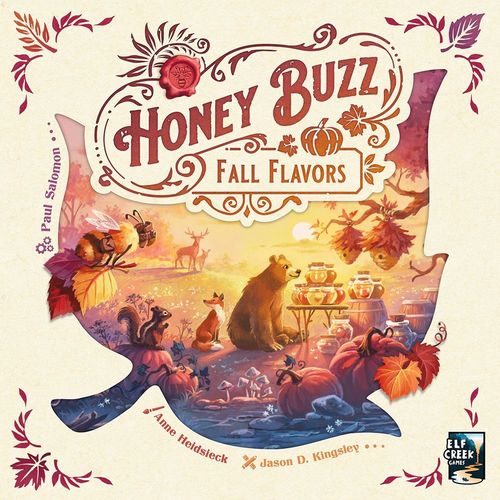
Honey Buzz: Fall Flavors
Honey Buzz: Fall Flavors Rulebook
Table of Contents
Table of Contents
Components
Fall Fruit
- 1 Woodland Board
- 24 Nectar Tiles
- 12 Fruit Order Cards
- 7 Fruit Tiles
- 18 Fruit Pieces
Sweetwater Sunset
- 1 Sunset Board
- 1 Sun Token
- 1 Sunset Reference Card
Harvest Festival
- 1 Festival Board
- 18 Toast Cards
Autumn Leaves
- 8 Foliage Cards
- 36 Leafy Hive Tiles
Nectar Caps
- 10 Nectar Cap Tokens
- 2 Trophy Tokens
Solo and general
- 9 Queen's Contest Cards
- 15 Drone Cards
- 4 Player Aids
- 4 Coins
Sweetwater Sunset
Important! This module should always be included when you play with the Fall Flavors expansion, no matter which other modules are in play.
Sunset Progress
Module Setup
Place the sunset board within view of all players and place the sun token in its starting position on the top-left space of the sunset track.
Module Gameplay
Certain events will cause the sun token to advance on the sunset track. The progress of the sun token toward the horizon indicates how soon the game will end. This sunset track replaces the end-game triggers from the base game.
At the end of each turn, check to see if any sunset events occurred. For each sunset event that did occur during this turn, the sun token advances. The number of spaces to advance the sun token is indicated by the chart below (see table A) and on the sunset reference card. It is possible for two or more sunset events to occur in the same turn.
Example: Anne takes a Market action. She could sell honey or fruit, but she chooses to complete an order instead. Because that was the last order card in the stack, a sunset event occurs. The sun token advances two spaces on the sunset track at the end of her turn.
Table A — Sunset Event / Spaces
| Sunset Event | Spaces |
|---|---|
| A stack of order cards becomes empty. | 2 |
| A resource reaches its lowest value. | 1 |
| The last nectar tile is collected. | 1 |
| A stack of hive tiles becomes empty. | 1 |
| The last nectar cap is claimed. | 1 |
| The festival board becomes full. | 1 |
The end of the game is triggered when the sun token reaches the last space of the sunset track. When this happens, the game continues until all players have had an equal number of turns. This means that the last player in turn order will take the final turn of the game.
Fall Fruit
Forage in a different field, with new flower types, and collect fruit instead of pollen! Sell your collected apples, pears, and pumpkins at the market or save them up to complete new orders that require fruit.
Use the fall woodland board from this expansion instead of the spring woodland board from the base game. The Fall Fruit module has two modes, each on its own side of the woodland board: side "A" for the standard game and side "B" for the advanced variant. Read the section that corresponds to your chosen mode.
Woodland Board (A)
Note: This module plays differently for the standard game mode and the advanced variant mode. Read the section that corresponds to your chosen mode.
Module Setup: Standard Game
- Use the fall woodland board from this expansion instead of the spring woodland board from the base game. Use side "A" for the standard game.
- Sort and remove nectar tiles, as usual, based on player count. When you distribute the nectar tiles randomly in the field, fill only the spaces marked for the current player count (see diagrams).
- Field Setup: Place the fruit tiles face up in the field, distributed randomly to the spaces between the nectar tiles. Use only the fruit tiles marked for your current player count (see table B).
- Place a fruit piece (of any type) in the top space of the fruit market column. Exception: In a two-player game, move it down one space instead.
- Add the remaining fruit pieces to the supply. Return all pollen pieces to the game box; pollen is not used with this module.
- Shuffle the fruit order cards together. Choose a certain number of cards at random, based on the current player count (see table C). Stack these cards face-down in the new space on the woodland board, then flip the top card of the stack face up. Return unused cards to the game box.
Table B — Fruit Tiles
| Player count | Fruit tiles |
|---|---|
| 2 Players | 2 apple, 1 pear, 1 pumpkin |
| 3 Players | 2 apple, 2 pear, 1 pumpkin |
| 4 Players | 3 apple, 2 pear, 2 pumpkin |
Table C — Fruit Order Cards
| Player count | Fruit order cards |
|---|---|
| 2 Players | 3 fruit order cards |
| 3 Players | 4 fruit order cards |
| 4 Players | 5 fruit order cards |
Module Gameplay: Standard Game
Forage Action
When you take the Forage action, follow all of the normal movement rules and costs as you move your forage token in the field. Due to the change in field layout, movement can now be done in six different directions, instead of only four.
After ending movement, you now have a choice: collect nectar or gain fruit. Unlike in the base game, you are not required to collect nectar if possible.
- Collect Nectar: Collect the nectar tile from the space with your forage token and place it in a matching empty cell in your hive.
- Gain Fruit: Gain one fruit from the supply. The type of fruit you gain must match a fruit tile that your forage token is on or adjacent to. If adjacent to multiple fruit tiles, choose any one of those types.
Example: Brendan wants to get a pumpkin with his Forage action, but he is 3 spaces away from the nearest pumpkin tile. He moves 1 space closer for free, then spends 2 coins to move 1 more space closer, so that he is adjacent. He now gains a pumpkin from the supply.
Market Action
When you take the Market action, in addition to the transactions from the base game, there are two new transactions available: sell fruit and complete a fruit order. You still only get one transaction per Market action.
- Sell Fruit: Sell any quantity of fruit. Gain coins equal to the fixed market values: 2 coins per apple, 3 coins per pear, 4 coins per pumpkin. In addition, for each full set of three different fruits, gain coins equal to the value indicated by the price marker. After the transaction, move the price marker down one space as normal.
- Complete a Fruit Order: Follow all of the normal rules for completing an order. Fruit orders always require some combination of honey and fruit. Completing a fruit order grants a Decree action. Fruit orders count as orders for all purposes (e.g., queen's contests).
Note: The standard game Market action is identical to the advanced variant action.
Selling Fruit (Both Modes)
Example: Charlie is selling fruit with a Market action. He has 2 apples, 1 pear, and 1 pumpkin. He decides to sell 1 fruit of each type (keeping his other apple). He gains 2 + 3 + 4 = 9 coins, plus 8 coins for selling a full set of the three different fruits, for a total of 17 coins. The price marker for fruit then drops from 8 to 7.
Clarifications
- Pollen is not used when this module is in play, so any reference to pollen in the base game materials should be treated as a reference to fruit instead. This applies to orders and contests with pollen requirements.
- The supply of fruit is meant to be unlimited; if there is not enough fruit of a certain type available in the supply, find a suitable substitute.
Woodland Board (B)
Note: This module plays differently for the standard game mode and the advanced variant mode. Read the section that corresponds to your chosen mode.
Module Setup: Advanced Variant
- Use the fall woodland board from this expansion instead of the spring woodland board from the base game. Use side "B" for the advanced variant.
- Sort and remove nectar tiles, as usual, based on player count. For each nectar group, shuffle the remaining nectar tiles and place them face down in the matching quadrant of the field, with the tiles distributed randomly.
- Return the fruit tiles to the game box; they are not used with this variant.
- Place a fruit piece (of any type) in the top space of the fruit market column. Exception: In a two-player game, move it down one space instead.
- Add the remaining fruit pieces to the supply. Return all pollen pieces to the game box; pollen is not used with this module.
- Shuffle the fruit order cards together. Choose a certain number of cards at random, based on the current player count (see table C). Stack these cards face-down in the new space on the woodland board, then flip the top card of the stack face up. Return unused cards to the game box.
Table C — Fruit Order Cards (same as the standard game)
| Player count | Fruit order cards |
|---|---|
| 2 Players | 3 fruit order cards |
| 3 Players | 4 fruit order cards |
| 4 Players | 5 fruit order cards |
Module Gameplay: Advanced Variant
Forage Action
When you take the Forage action, you now have a choice: gain any one fruit or choose any one nectar tile in the field to secretly view and collect if possible.
If you choose to secretly view a nectar tile, but you cannot collect it because you do not have an empty cell in your hive for that type of nectar, put it back exactly where it was, face down. Instead, you gain one fruit.
When you cannot collect the nectar tile you viewed, your choice of fruit types is limited by the tile's location in the field. You must choose one of the fruit types that match its row or column.
Example: Brendan wants to get a Buckwheat tile with his Forage action, but he guesses wrong and views an Aster tile. He cannot collect this tile, so he puts it back. Its location means that he can gain either an apple or a pear from the supply. He chooses a pear.
Market Action
When you take the Market action, in addition to the transactions from the base game, there are two new transactions available: sell fruit and complete a fruit order. You still only get one transaction per Market action.
- Sell Fruit: Sell any quantity of fruit. Gain coins equal to the fixed market values: 2 coins per apple, 3 coins per pear, 4 coins per pumpkin. In addition, for each full set of three different fruits, gain coins equal to the value indicated by the price marker. After the transaction, move the price marker down one space as normal.
- Complete a Fruit Order: Follow all of the normal rules for completing an order. Fruit orders always require some combination of honey and fruit. Completing a fruit order grants a Decree action. Fruit orders count as orders for all purposes (e.g., queen's contests).
Note: The advanced variant Market action is identical to the standard game action.
Selling Fruit (Both Modes)
Example: Charlie is selling fruit with a Market action. He has 2 apples, 1 pear, and 1 pumpkin. He decides to sell 1 fruit of each type (keeping his other apple). He gains 2 + 3 + 4 = 9 coins, plus 8 coins for selling a full set of the three different fruits, for a total of 17 coins. The price marker for fruit then drops from 8 to 7.
Autumn Leaves
Collect colorful leaves found on the new leafy hive tiles as a means of decorating your hive for the queen! Score points for the leaves in your hive, based on which foliage card is in play.
Module Setup
Shuffle the foliage cards together. Choose one at random and place it face up near the queen's contest cards. Return the rest to the game box.
Sort the 36 leafy hive tiles by type (based on their action icons). Remove six hive tiles of each type from the base game stacks and return them to the game box. Replace them by shuffling in the matching leafy hive tiles.
Note: If you want to make it easier to toggle this module "on" and "off," you can leave the leafy hive tiles in their corresponding stacks between games and simply ignore the leaf icons on the tiles when this module is not in play.
Module Gameplay
Leafy hive tiles each have one or two leaf icons, which come in three different colors: yellow, red, and purple. It is important to consider the colors and positions of these leaf icons when choosing and placing hive tiles.
There are six leafy hive tiles in each stack. You can acquire a leafy hive tile as you would any other hive tile — by making a beeline in the corresponding hive box when a leafy hive tile is the top tile of that stack.
Only the top tile of each stack is available. Looking through the stacks or rearranging them in any way is not allowed!
Example: The only hive boxes with leafy hive tiles currently available are Accounting and Produce. The Accounting tile has 1 purple leaf, while the Produce tile has 1 yellow leaf and 1 red leaf. Dhanvi wants more yellow leaves, so she makes a beeline in the Produce hive box and adds the Produce tile to her hive.
Module Scoring
When the game ends, each player scores points for the leaves in their hive, as indicated by the foliage card in play. Every foliage card has a different scoring condition. Players should take coins from the supply to track points scored for this module.
Note: Some foliage cards have comparative scoring conditions. For these cards, apply the same scoring rules used for final contests, as described in the base game rules.
Example (foliage card "most leaves of each type"): This foliage card scores 1 point per leaf, plus 10 points and 5 points for whomever has the most and second-most leaves of each color. Dhanvi has 8 total leaves (+8 points). Her 5 yellow leaves are first place (+10 points), and her 3 red leaves are tied for second place (+5 points). She has 0 purple leaves, so she cannot earn points for that scoring condition.
Nectar Caps
Put caps on your nectar tiles to prepare for winter! Nectar caps are worth lots of points and might even earn you a trophy, but they slow your economy because capped nectar tiles cannot produce honey.
Module Setup
Place the nectar cap tokens and trophy tokens next to the hive board. Arrange the nectar caps in descending order of point value. Use only the nectar caps and trophies indicated for the current player count (see table D). Return the rest to the game box.
Table D — Nectar Caps and Trophies
| Player count | Nectar caps | Trophies |
|---|---|---|
| 2 Players | 10, 9, 8, 7, 6, 5, 5 | 5 |
| 3 Players | 11, 10, 9, 8, 7, 6, 5, 5 | 10, 5 |
| 4 Players | 12, 11, 10, 9, 8, 7, 6, 5, 5, 5 | 10, 5 |
Module Gameplay
When you take the Accounting action, you now have a choice: a) gain five coins as you would normally or b) cap a nectar tile in your hive.
If you choose to cap a nectar tile, claim the most valuable nectar cap available and place it on any uncapped nectar tile in your hive. If there was honey on that nectar tile, return the displaced honey to the supply and gain one coin.
Nectar tiles that have been capped cannot produce honey! When you take the Produce action, you must ignore honey production for all capped nectar tiles adjacent to the space where you place the fan token.
Example: Anne claims a nectar cap with an Accounting action, placing it on a Sunflower tile. When she takes a Produce action later, she places her fan token adjacent to this Sunflower tile and a Buckwheat tile. The Buckwheat tile produces one honey as normal, but the capped Sunflower tile does not produce.
Module Scoring
When the game ends, the first-place trophy is awarded to the player with the most nectar caps. In a 3 or 4-player game, the second-place trophy is awarded to the player with the second-most nectar caps.
If there is a tie for a trophy, the trophy goes to the tied player whose nectar caps have the highest total point value. If the tie persists, all tied players score the trophy's full value. In the case of a first-place tie, the second-place trophy is not awarded.
Each player scores points equal to the total value of their nectar caps and trophies. Players should take coins from the supply to track points scored for this module.
Example: Nine nectar caps were claimed. Anne has two (10 points + 8 points), Brendan has two (11 points + 5 points), Charlie has two (12 points + 6 points), and Dhanvi has three (9 points + 7 points + 5 points). Dhanvi gets the first-place trophy (10 points), while Anne and Charlie tie for the second-place trophy (5 points each).
Harvest Festival
Trim your labor force by retiring your workers and sending them off to the harvest festival. As each worker retires, you choose whether they propose a toast or work one last time.
Module Setup
Place the festival board next to the hive board. Use the side that is marked for the current player count (1–2 players or 3–4 players). Shuffle the toast cards together. Choose one at random to place face up in each card slot on the festival board. Return the rest to the game box.
For a 3-player game, observe these changes and additions:
- Place only five toast cards on the festival board (i.e., leave one card slot empty).
- Place four workers of an unused player color in worker spaces on the festival board (i.e., leave only 12 worker spaces available).
Note: Some toast cards can only be used with a specific expansion module. These cards are marked with the required module icons.
Clarifications
- When this module is in play, it is not recommended to use any queen's contests that refer to the number of workers that players have.
Module Gameplay
You may now take a festival action at the end of each of your turns. To do this, you must retire an available worker by moving them from your player board to an unoccupied worker space on the festival board.
There are two unique festival actions: "toast" and "work." You may choose either of these festival actions when you retire a worker.
- Toast: Claim an available toast card from the festival board. Gain coins from the supply as indicated by the toast card's unique scoring condition. Keep the toast card near your player board after scoring it.
- Work: Perform a Decree action. Resolve this action fully, including any other hive actions that are triggered as a result.
Retired workers remain on the festival board for the rest of the game! When you retrieve your workers, do not retrieve any retired workers. You cannot retire a worker if doing so would leave you with no workers left to assign or recall.
Example: Brendan chooses to retire a worker, so he places them in an unoccupied worker space on the festival board. He decides that they will toast instead of work. The toast card he claims is worth three points per type of nectar in his hive. He has three of the four possible types, so he gains nine coins from the supply.
Solitaire Variant
Changes to Setup
Prepare each module as you would for a two-player game. Observe these changes and additions to the normal setup for specific modules:
- Fall Fruit: Use the 10 new drone cards instead of the 10 drone cards from the base game. The new drone cards match the new honey types.
- Autumn Leaves / Nectar Caps / Harvest Festival: Shuffle the matching set of contest cards. Choose one at random and place it next to the normal contest cards. Return the rest to the game box.
- Nectar Caps / Harvest Festival: Shuffle the matching set of drone cards. Choose one at random and insert it into the middle of the already shuffled drone deck. Place the rest in the discard pile.
- Autumn Leaves: Return all foliage cards to the game box.
- Nectar Caps: Return all trophy tokens to the game box.
Changes to Gameplay
Observe these changes to the normal gameplay for specific modules:
- Fall Fruit: If the solo contest card for "total pollen sold" is in play, treat it as referring to fruit instead of pollen. When the drone action requires you to remove an available order card, you may choose the top card of the fruit order stack.
- Autumn Leaves: During each drone turn, after resolving drone movement, take the top hive tile from the stack in the destination hive box and cycle it to the bottom of the stack (even if the drone did not move). For the Decree/Accounting hive box, you may choose which of the two stacks to cycle.
Clarifications
- If a "nectar cap" card or "toast" card is the last card of the drone deck, after resolving it, reshuffle the discard pile to make a new deck, place that card as the start of a new discard pile, and flip a new card from the deck.
- It is possible for multiple "nectar cap" cards and/or "toast" cards to resolve during the same drone turn. Resolve each card fully, one at a time.
- Nectar Caps: When a "nectar cap" card appears on top of the drone deck, immediately remove the most valuable nectar cap available and return it to the game box, then move the "nectar cap" card to the bottom of the discard pile. This occurs before the drone action and drone movement are resolved.
- Harvest Festival: When a "toast" card appears on top of the drone deck, immediately remove any one toast card available and return it to the game box, then move the "toast" card to the bottom of the discard pile. This occurs before the drone action and drone movement are resolved.
Changes to Scoring
Determine how many points you scored from all contests combined, including those from the base game and those added by expansion modules.
If you reached or surpassed the minimum score required for your chosen difficulty level, you have won! But if you did not, you have lost. Just like in the base game, solo losses are not scored, while solo wins are.
Most module-specific contests have a standard point deduction listed in the top-left corner. Subtract these values from your score, then check the final result against the chart to see how well you did overall (see table E).
Solo Scoring Tables (module-specific contests)
| Total nectar caps (deduction −20) | VP |
|---|---|
| 0–2 | −5 |
| 3 | 0 |
| 4 | 5 |
| 5+ | 10 |
| Total retired workers (deduction −35) | VP |
|---|---|
| 0–4 | −5 |
| 5–6 | 0 |
| 7 | 5 |
| 8+ | 10 |
| Total leaves (solo contest card; its top-left deduction is not legible in the source) | VP |
|---|---|
| 0–9 | −5 |
| 10–15 | 0 |
| 16–20 | 5 |
| 21+ | 10 |
Example: Charlie is playing Larva difficulty, with the Nectar Caps and Harvest Festival modules, which means there are 5 total contests in play. His contest score (35) is enough to surpass the minimum (30), so it's a win! He scored 153 points, but the extra contests deduct 55 points. Charlie's final score is 98, which earns him the rank of Scout Leader.
Table E — Final Score
| Final score | Rank title |
|---|---|
| 0–79 | Humble Bumbler |
| 80–99 | Scout Leader |
| 100–119 | Apiculture Expert |
| 120–139 | Honey Tycoon |
| 140+ | Hive Royalty |