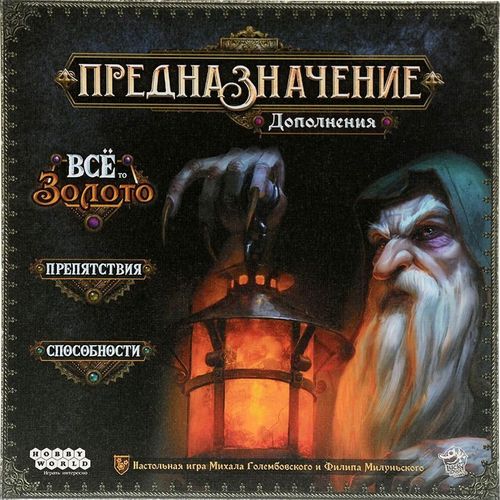
Предназначение: Дополнения "Ведьмин лес: Всё то золото", "Препятствия", "Способности" (Destinies: Modules)
Предназначение: Дополнения "Ведьмин лес: Всё то золото", "Препятствия", "Способности" (Destinies: Modules) Rulebook
Table of Contents
Table of Contents
General Rules
When playing, follow all the rules of the base Destinies game. The modules in this set are compatible with each other and with other games in the series. Before you play, read the base game's rulebook and carry out all the setup steps it describes.
All That Glitters
This module needs no extra rules. To play this scenario, select the All That Glitters tab in the app and enjoy the additional scenario.
To play this scenario you need the base Destinies game and the Witchwood expansion. This scenario is also available to play with the rules of the Threads of Fate («Нити судьбы») expansion.
Contents
- 6 map fragments
- 3 Destiny cards
- 3 cards for use with the Threads of Fate («Нити судьбы») expansion
- 1 Prospector miniature
Adversity
The Adversity module lets you make your Destiny harder to fulfill. It suits players who know the game well and want more variety in their play experience.
Contents
- 1 main die
- 1 effort die
- 14 respite tokens
- 25 Adversity cards
- 5 Blessing cards
Setup
- In the app, select your characters and press the "Adversity" button.
- Shuffle the Adversity cards and the Blessing cards separately. Choose 1 Blessing card at random and place it next to the stack of map fragments. Place the Adversity deck below it.
- At the start of the first day, reveal the top 2 cards of the Adversity deck and place them below the Adversity deck. Leave room next to it for a discard pile.
- Place all the respite tokens next to the stack of map fragments. This is the common supply.
Card Anatomy (Adversity)
Each Adversity card shows its name, its card number, its card effect, and flavour text.
Gameplay (Adversity)
While an Adversity card is in play, its effect applies to all players. At the start of each new day you will be instructed to discard all Adversity cards already in play, and then reveal 2 new Adversity cards and place them into play.
Adversity cards often let you gain respite tokens. When you receive such a token, place it on your player board.
If you must reveal Adversity cards but the Adversity deck has run out, form a new deck by shuffling the discarded Adversity cards.
Blessings
Each Blessing card shows effects that a player may use by paying the stated number of respite tokens from their player board into the common supply. The same player may use each effect only once per turn.
Each Blessing card shows its card number, its blessing effects, and the cost of each effect (the number of respite tokens you must pay to use the matching effect).
Example Blessing card (number 01). Its four effects are, from top to bottom:
- Cost of three respite tokens: double the effect of any one property, once.
- Cost of two respite tokens: until the end of your turn you may have 4 or fewer restored [icon]. Restore 2 [icon].
- Cost of one respite token: for the next [icon] you spend this turn, you may additionally use [arrow icons].
- Cost of one respite token: ignore all effects that refer to [icon] until the end of your turn.
Character Traits
The Character Traits module lets you give your characters special skills and change the way they play.
Contents
- 3 skill markers
- 14 fate tokens
- 30 ability cards
Setup
-
In the app, select your characters and press the "Character Traits" button.
-
Shuffle all the ability cards to form a deck. The app will instruct you to choose 1 ability card for your character. To do this, take the top 4 cards of the ability deck, choose 1, and place it next to your player board. Shuffle the remaining 3 cards back into the deck.
If all players agree, you may choose any one of the 30 ability cards.
-
Place all the fate tokens next to the stack of map fragments. This is the common supply.
Gameplay
Your chosen ability stays with you for the whole scenario. You must apply its effect in every case where it can be applied, unless the card clearly states otherwise.
Fate Tokens
Ability cards of the Talent and Will types (see below) let you gain and spend fate tokens. You may gain a fate token by meeting the condition shown on your ability card, but only if the card has free slots for fate tokens. Otherwise you do not gain the token, even if you meet the condition.
You may spend fate tokens from your ability card to apply its effect immediately. To do so, take a token from your ability card and return it to the supply. When a token may be spent is stated in the effect itself.
If you have already spent one or more fate tokens, you may use the restore effect shown at the bottom of the card to gain new tokens.
Types of Ability Cards
Will
To apply the effect of a Will ability, you must spend 1 fate token from your ability card for each use. During setup, take 3 fate tokens from the common supply and place them on your ability card. You may spend them from the start of the game.
Example card, Will type: "Mind over Matter" (number 07). The card shows its name, number and type, the starting number of fate tokens (3), the ability effect, and the restore effect.
Ability effect of the example: when making a test, you may spend 1 fate token to count the blue symbol instead of the green or red symbol.
Restore effect of the example: at the start of your turn, you may exhaust 3 effort dice to gain 1 fate token.
Luck
The effects of Luck ability cards are available from the start of the game. Some effects act for the whole game (see the first effect of "Strong Back"), others are used at the player's choice (see "Resourcefulness"), and others apply when certain conditions are met (see "Sensible Spending"). Sometimes the positive effect of such a card is balanced by a negative one. Effects of Luck cards cannot be ignored.
Example card, Luck type: "Weighted Effort" (number 23). The card shows its name, number, type and ability effect.
Ability effect of the example: on any test, after you learn the total result of your roll, you may roll all the effort dice available to you and add the values rolled to the total result.
Talent
To apply the effect of a Talent ability, you must first awaken it using fate tokens. Until it is awakened, ignore the effect in the lower part of the card.
To awaken an ability, fill its 3 fate-token slots with fate tokens. You obtain tokens by the condition shown in the upper part of the card. Once an ability is awakened, its effect applies until the end of the game, and you can no longer gain fate tokens for it. The moment the effect applies is stated in the text of the awakened ability.
Example card, Talent type: "Reliable Strength" (number 01). The card shows its name, number and type, the conditions for gaining fate tokens, the fate-token slots, and the effect of the awakened ability.
Condition of the example: gain 1 fate token each time you get at least 2 of the ring symbol on a test with the red symbol.
Awakened effect of the example: when making each test with the red symbol, you may once re-roll all the [1] and [2] results rolled on your effort dice.