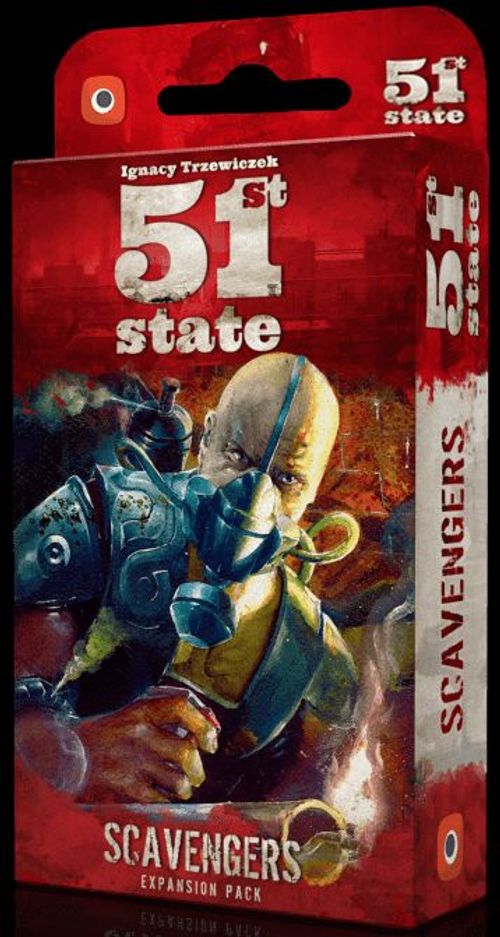
51st State: Master Set – Scavengers
51st State: Master Set – Scavengers Rulebook
Table of Contents
Table of Contents
New Components
50 new cards, comprised of:
- 44 Scavengers cards (with the Scavengers set identifier)
- 6 Yellow Connection cards (to use with this set)
New Game Mechanisms in the Scavengers
Personal Discard Piles
Instead of a central discard pile, where all Locations discarded during play would go, each player now has their own face-up Personal Discard pile when playing with this set. These allow for a new way of interacting, as these Personal Discard piles can be accessed by other players!
Icon Matching
The Location Type icons have an additional meaning now. You will refer to them when activating some new card effects in this expansion.
Yellow Connection Cards
The Yellow Connection cards form a new pile of Connection cards all players have access to. You can take and play these cards just like you would do with the Blue and Red Connection cards.
You will find the details of these new mechanisms in the next section.
Playing With This State Pack
The Scavengers State Pack is a new set of cards you can use during your games of 51st State: Complete Master Set.
To play with the Scavengers State Pack use the following rules:
Setup Changes
Set up the base game as usual with the following changes and additions:
3. Shuffle all 44 cards of the Scavenger set together with the 88 cards of the Base Set. This creates your Deck for this game.
5. Sort out the Yellow Connection cards and create an additional face-down pile – place it next to the Red and Blue piles.
8. Each player must leave some room next to his Faction board for his Personal Discard pile. When discarding the 2 cards from the starting hand, these now go into each player's Personal Discard pile (instead of the central discard pile). Therefore, each player starts the game with 2 cards already in their Personal Discard pile.
New Rules
Follow the rules of the base game with the following changes and additions:
1. Lookout Phase
- Also reveal the top card of the Yellow Connection card pile.
- During the Lookout phase, 1 card will be left over after each drafting round. When the left-over card is discarded, put it in the current Starting Player's Personal Discard pile.
3. Action Phase
- Whenever you have to discard a card from your hand or your State (for example when you Raze or Develop a Location), that card goes to your Personal Discard pile (instead of a central discard pile).
Take or Play a Connection Card
There is a new Yellow Connection card pile available. As with the Red and Blue piles, you can either discard 2 Cards to draw the top card of the Yellow Connection card pile, or play a Yellow Connection card from your hand.
4. Cleanup Phase
- Also discard the top card of the Yellow Connection card pile, if it was not taken during the round.
New Card Effects
The Symbol
The rules print this symbol as a small red card icon; it is written here as [symbol].
The [symbol] in a card's effect text is shorthand for "the top card of another player's Personal Discard pile". You can choose which player's discard pile you target each time you resolve this effect.
As a lone [symbol] in the Spoils area, (Open) Production, Building Bonus, Deal, a card effect, or simply noted as 1 [symbol], it has an additional meaning:
You may draw the top card of any other player's Personal Discard pile and add it to your hand. You may never take a card from your own Personal Discard pile, and you may never choose your own Personal Discard pile as the target of a card effect.
NOTE: Even if all other players' Personal Discard piles are empty, you may never access your own Personal Discard pile.
Icon Matching
There are now card effects that instruct you to gain or spend Goods depending on matching icons.
Each Type icon in the game is now linked to a Good:
- Blue Type icon – 1 Blue Contact token
- Grey Type icon – 1 Iron
- Red Type icon – 1 Gun
- Orange Type icon – 1 Brick
- Green Type icon – 1 Fuel
- Black figure Type icon – 1 Worker
- Card Type icon – 1 Card (if gained – from the draw pile; if spent – from your hand)
- Yellow Type icon – 1 token (the round, multicoloured token; see the note below)
- Purple star Type icon – 1 Victory Point
- Pale green Type icon – no effect
Note on this transcription: the printed chart shows the Goods as pictures, and the Type icons are small coloured tiles. The names above are matched to the pictures using the base game's Goods list. The green entry (Fuel) and the round-token entry (token) are the least certain matches, because the printed chart names neither by text.
When a card instructs you to choose an icon on a [symbol] card, you may choose any 1 of the icons on the top card of any other player's Personal Discard pile. Then check the chart above to see which Good matches that icon.
EXAMPLE: Scarlett has the Scouring the Ruins card in her State, which says, "ACTION: Choose 1 icon on a [symbol] card. Spend the matching Good to gain 1 Victory Point." Thankfully, Megan has the School on top of her Personal Discard pile. Scarlett chooses the figure icon on that card to spend 1 Worker and gain 1 Victory Point. That was easy pickings!
Gaining Ruins
To gain a Ruins (for example via a Production card), you draw a card from the Deck and place it face-down in your State (you do not have to care about where in your State you place this card). You may look at the front of any of your Ruins to check what card it is.
Rebuilding Ruins
When you're instructed to rebuild a Ruins, you flip the card back to its front. At this moment, the card ceases to be a Ruins and becomes a Location again. Check if you have to re-orient the position of the Location in your State at this time (for example if you had gained this Ruins), according to Managing Your Locations, p. 5 of the Master Set rulebook. The Location immediately becomes active again, and as usual Production Locations immediately produce again as well.
Card Clarification
Pony Express – the Resources come from the general supply. On each Ruin (up to 3) you can place 1 Resource of any Type (each can be different).
Demolition Mike and Demolition Tommy – when you use any of these cards, take the Goods from the Spoils area as well as the Deal. Then, flip the target card face down. It is now a Ruins.