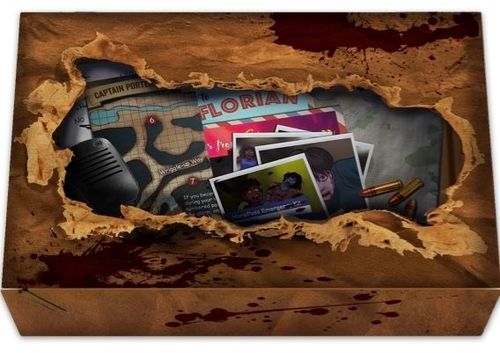
Zombies, Run! The Board Game
Zombies, Run! The Board Game Rulebook
Table of Contents
Table of Contents
First Time Setup
- Opportunity Deck: Shuffle all opportunity cards and make a deck within easy reach.
- Zombie Deck: Shuffle all zombie cards and make a deck.
- Zombie Tracker: Spread out the 5 Tracker Cards to the right of the Zombie Deck.
- Close Call Deck: Shuffle and make a deck to the right of Tracker Card E.
- Opportunity Card Stacks: Draw the top 25 cards of the Opportunity Deck and lay them out in 5 stacks of 5 cards each, as shown.
- Plan Cards: Spread out the 4 cards where everyone can reach them.
- Map of St Florian: Lay to one side, where everyone can see it.
Setting Up Your Phone
Once you have set up your cards, visit zombiesrunboardgame.com/setup and follow the instructions to download the companion app. Start the app and follow the on-screen instructions.
How to Play Video Tutorial
Watch a quick explainer video at zombiesrunboardgame.com/video
Standard Edition Box Contents
At setup:
- 74 Opportunity Cards
- 48 Zombie Cards
- 12 Close Call Cards
- 5 Zombie Tracker Cards
- 4 Plan Cards
Plus included "unlockables":
- 16 Zombie Cards
- 18 Tool Cards
- 12 Story Artefacts
The Party Pack Box Contents are as in the Standard Edition, plus: 74 Opportunity Cards, 36 Versus Mode Cards, 12 After Dark Zombie Cards and 5 Zombie Tracker Cards.
The Runner 5 Box Contents are as in The Party Pack, plus: 3 Story Artefacts, 4 Zombie Miniatures and 1 Runner Miniature.
Running
You'll move around the island by running from one location to another in real time. An average run will last around 3 minutes. During a run, you'll be chased by zombies and have encounters which progress the story.
The Zombie Tracker shows how close zombies are to you. It has five columns, Tracker Cards A to E. Zombies closest to you are in Column A ("Here they come..."), and zombies in Column E are "Too close!"
Zombies Detected!
Zombies chase you while you run. The app will alert you when this happens. If you hear "one zombie detected", take the top card from the Zombie Deck and place it face up above Tracker Card A.
Zombies Advancing!
If you hear "zombies advancing", you must move all zombies on the Tracker one space to the right. If there are no zombies on the Tracker, ignore this warning.
If Zombies Catch You
If there are any zombies in Tracker Column E and you hear "zombies advancing", the zombies in Column E move off the edge of the Tracker and have caught you.
Discard any zombies that catch you.
For each zombie that catches you, draw one card from the Close Call Deck. Do not look at these cards. Place them to one side - you'll deal with them later.
Opportunity Cards
Opportunity cards represent different actions. Putting these actions together to form plans will let you escape zombies.
Opportunity cards are kept on the table in five Opportunity Stacks - one directly below each of the Tracker Cards.
Opportunity Card Actions
There are four types of Opportunity card: Running, Sneaking, Talking, and Thinking.
The Layout
You can tell what type of opportunity card you have from the main illustration and the left-hand sidebar.
Each opportunity card connects to another type of opportunity card, shown by its right-hand sidebar. For example, a Thinking opportunity card connects to a Running opportunity card.
Connecting Opportunity Cards
Here's how opportunity cards connect together - by matching sidebars like dominoes.
The right sidebar of a Sneaking card that has a Talking icon connects to a Talking card. A Talking card with a Running right sidebar connects to a Running card.
The deck also includes Wildcards, which can connect to any type of opportunity card on one or both sides.
By connecting these opportunity cards, you can formulate a plan to escape a zombie! Plans are described in the next section.
Building a Plan
Building your plan is dead easy! Plans start with a plan card.
First, take the top card from any of the Opportunity Stacks and place it on top of your plan card. For example, a Thinking > Running card.
Next, look at the top cards on each Opportunity Stack. Find one that connects to the card in your plan. Since the plan card ends in Running, you need a Running card. For example, you can take a Running > Sneaking card.
Add this new card to your plan, placing it to cover the right-hand sidebar of the last card in your plan.
Your plan is now two cards long, and has a new ending! You can make plans as long as you like.
If you get stuck, just remember:
- Every plan starts with a plan card
- You can only take the top card from each Opportunity Stack
- You can only add a card to a plan if the left-hand sidebar of the new card matches the right-hand sidebar of the previous card
- You can only add cards to the end of the plan - no cutting in!
Escaping Zombies
Let's take a look at how to use plans to escape zombies! Everything you need to know to escape a zombie is shown on its card.
Zombie Strength: The strength of the zombie tells you how many cards you need to escape it. You'll need at least that many opportunity cards in your plan. For example, a zombie with a strength of 4 needs at least 4 cards in your plan to escape it.
Zombie Type: The type of the zombie shows the ending you'll need on a plan to escape it. The last card in your plan must connect to this type. For example, a Thinking zombie needs the end of your plan to connect to Thinking.
Keep building your plan until:
- The number of opportunity cards in your plan is equal to or greater than the strength of the zombie
- The ending of your plan (the right-hand sidebar of the last card in your plan) is the same as the zombie's type (shown by the connector on the left-hand side of the zombie card)
Once your plan has enough cards and the correct ending, you can use it to escape that zombie!
- Remove the zombie card from its spot on the Tracker, placing it in the Zombie Discard Pile
- Discard all opportunity cards used to create the plan, placing them in the Opportunity Discard Pile
- Return the plan card so other players can use it
Congratulations! You just escaped your first zombie!
The Leader
So: you're running from place to place, trying to survive. The app will tell you to add and advance zombies. You create plans in real time to escape the zombies before they advance off the zombie tracker and catch you.
But before long, you'll run out of opportunity cards, and there'll be nothing you can do to escape the undead.
This is where the Leader comes in. Choose one player to be the Leader.
The Leader has three jobs:
- They interact with the app for your team.
- They manage the Zombie Tracker. It's the Leader's job to add zombies to the Tracker and advance them when prompted by the app. When your team escapes zombies, the Leader will remove them from the Tracker and place them in the Zombie Discard Pile.
- They replenish the Opportunity Stacks by playing their own card game.
The Leader's Deck
Leader: Take 25 cards from the Opportunity Deck. This is your Leader's Deck - place it somewhere you can reach it. Then, draw the top five cards from your Leader's Deck and place them in front of you face up. This is your hand.
Replenishing the Opportunity Stacks
To add a new card to an Opportunity Stack, you need to match a card in your hand with the top card of an Opportunity Stack.
You have to match on the same side - right-to-right or left-to-left. You can match on either side so long as the cards match on the same side.
When you've made a match, place the card from your hand onto the top of the Opportunity Stack, so that it becomes the new top card of that stack.
This is how you add new cards to the Opportunity Stacks so that your team can use them!
You can do this at any time while the other players are making plans - you don't need to wait for your turn!
Each Opportunity Stack can have any number of cards in it - there's no limit!
If your team have completely emptied one of the Opportunity Stacks, you may put any card from your hand into the empty space to start a new Opportunity Stack.
There can be a maximum of five Opportunity Stacks - one under each of the five Zombie Tracker cards.
Keep moving cards from your hand to the Opportunity Stacks until your hand is empty. You may then draw a new hand of five cards from the Opportunity Deck.
You can't draw any more cards until you have emptied your hand.
If you like, you can discard all remaining cards in your hand to draw a new hand of five cards.
You cannot add cards to your Leader's Deck unless instructed to by the app. If your Leader's Deck runs out of cards, you won't be able to replenish the Opportunity Stacks.
When the app tells you to, you can take new cards from the Opportunity Deck and put them in the Leader's Deck. This will usually happen when you find a safe place to rest.
Managing your supply of opportunity cards is central to surviving in Zombies, Run! Without opportunity cards, your team can't escape zombies, so keep an eye on how many cards you have in your Leader's Deck, and stock up whenever you can.
Encounters
While you're travelling the island, you won't just have zombies to worry about - you'll also need to respond to people and events around you, making decisions that will change the way the story progresses.
The app will alert you to these encounters with a notification sound and an on-screen alert. When this happens, stop playing the card game. Automatic zombie activity pauses during encounters and you'll need to pay attention to the story.
During an encounter, you'll hear what's happening around you and you'll need to choose what to do. How you make decisions is up to you - will your team be a democracy or a dictatorship?
However you make them, your choices will have consequences, so think carefully!
Types of Encounter
Many encounters feature unavoidable situations - like zombies breaking through a barricade ahead of you. In these cases, the encounter will begin automatically after the notification sound.
In some cases, though, you can choose whether or not to get involved in what's happening - like a person trapped in a car calling for help.
With Optional Encounters, you can choose to intervene or not using the buttons on your screen. You can also just ignore the encounter altogether. You'll have an effect on what happens even if you ignore the situation, though, so don't be too rash!
Supplies
While you run, you'll pick up useful supplies. This happens automatically, and the app will keep track of your supplies. Supplies are useful for many things, but they're most vital because they let you rest safely. Make sure to gather as many as you can!
Note: Supply collection will begin at a certain point in the story.
Arrival Checklist
When you reach your destination, your run is over. At the end of each run, there are three things you need to do:
- Check for bites
- Refresh opportunity cards
- Refresh zombie cards
Note: At the end of your run, do not get rid of any zombies on the Tracker, or renew the Opportunity Stacks. The state of the card game is persistent from run to run - there's no escaping the zombies!
Checking for Bites
The most important task at the end of each run is to check to see if anyone was bitten by a zombie. You'll do this by resolving close call cards.
Press the "Check For Bites" button on the Arrival screen, then choose "Resolve Cards".
Give each close call card drawn during your run to one of the players at the table. It's up to you how you want to distribute them, but they all need to be dealt with. Don't look at the cards yet!
One at a time, each player with a close call card should indicate a body part to check for bites. After they have done so, they turn the close call card over.
The close call card is divided into body parts: Head, Left arm, Right arm, Torso, Left leg and Right leg.
If the indicated body part is grey, then the player survived.
If the indicated body part is red, then the player has been bitten. For each player that has been bitten, increase the "Death Count" in the app by 1.
Discard each close call card once it has been revealed, whether the player was bitten or not.
Once you have resolved all close call cards, shuffle any discarded close call cards back into the Close Call Deck and press the "Confirm" button on the Check For Bites screen.
If anyone in your party was bitten, you'll now be asked to Identify the Dead. For each person bitten, the app will give you a choice between two people from your party. The person you choose has been killed, and will no longer feature in the story or help you out.
Once you have identified all your dead, you can move on to the next steps in the Arrival Checklist.
Noble Sacrifice
If things have gone very badly for you during a run, there is an extreme measure you can take to try to improve your situation. Instead of choosing "Resolve Cards" on the Arrival Screen, you can choose "Noble Sacrifice".
Choosing Noble Sacrifice means one of the characters in your party will lead the zombies away, buying the rest of you valuable time - at the cost of their own life. The effects are:
- The chosen character is killed
- Discard all zombie cards on the Tracker
- Discard all close call cards you have drawn
- Shuffle all opportunity cards back into the Opportunity Deck. Take all cards from: the Opportunity Discard Pile, the Opportunity Stacks, Plans, the Leader's hand, and the Leader's Deck
- Create five fresh Opportunity Stacks with five cards in each
- Create a fresh Leader's Deck by dealing out 25 cards from the Opportunity Deck
A Noble Sacrifice effectively returns the card game to the state it was in at the beginning of your game, but it comes at a high price.
As such, you'll only want to consider this when things get very bad. This might be when you have already drawn multiple close call cards, when you have a large number of zombies at the end of the Tracker, or when you are running very low on opportunity cards. Hopefully, you'll never have to consider this option at all.
Refreshing Your Cards
Once you've checked for bites (and hopefully survived unscathed), you'll need to shuffle any discarded zombie cards and opportunity cards back into their respective decks.
Locations
After completing the Arrival Screen checklist, you'll arrive at your destination - one of the many locations around St Florian. While you're at a location, time pauses - no new zombies will be added to the Tracker automatically, and the zombies will not advance any closer to you. This means you shouldn't be making plans while you're at a location - you can only make plans while you're running from place to place.
While you're at a location, the app may offer you an encounter. Just like during a run, an encounter at a location gives you the chance to react to people or events in that place.
Some locations will give you a chance to rest. When you rest, you can add opportunity cards to the Leader's Deck. To rest, you'll need to either spend some of your supplies to make a safe camp, or risk zombies attacking you while you rest out in the open.
Make sure to rest often so you don't run out of cards!
When you're ready to leave a location, you can do so by choosing your next destination. You'll need to use the map of the island to help you navigate, as it may take you several runs to get to where you need to be.
Taking a Break
We've designed Zombies, Run! to be played over a number of sessions. You can take a break whenever you need to - the game will remember all the decisions you've made, and you'll be able to pick up from the same place when you return.
If you want to take a break, just press "Quit" on the Arrival Screen. The state of your game will be saved. Don't worry about trying to keep track of the state of the card game - you'll set it up from scratch when you come back.
You will also be asked to choose a character from your party to stand watch while you're away. This character will guard your party until you return.
When you come back to the game, simply choose the correct save game from the main menu and your progress will be restored.
Now set the game up from scratch:
- Lay out the five Tracker Cards
- Deal out five Opportunity Stacks with five cards in each
- Separate a 25-card Leader's Deck
- Place all zombie cards in the Zombie Deck
- Place all close call cards in the Close Call Deck
You're ready to go!
Summary
Now you have the basic tools for surviving the zombie apocalypse.
You'll run from location to location, evading zombies along the way. You'll explore St. Florian, finding moments for heroism or villainy everywhere as the apocalypse unfolds around you. You'll make momentous decisions, changing the lives of everyone on the island.
But that's far from all Zombies, Run! has to offer. The next section describes some of the twists and turns you might face along the way.
If you're ready, you can start playing now, and come back when you encounter something new like a Skill Check or a Reaction Test.
Additional Gameplay
Challenges - Skill Checks
Sometimes you'll have to do something difficult as part of the story. When you do, you'll need to take a Skill Check to see if you succeed or fail. In order to pass a Skill Check, you'll need to create a plan that fits a certain description.
For example, you might choose to pick a lock to open a door. You will then need to: "Create a plan containing 3 Sneaking cards and no more than 8 cards total."
Skill Checks are not timed - you can take as long as you like to solve the puzzle in front of you.
The story will change depending on whether or not you pass the Skill Check.
A Skill Check is a type of Challenge. Special rules apply to Challenges; these are listed on page 14 (see Challenge Rules below).
Challenges - Reaction Test
Sometimes you'll need to do something very quickly as part of the story. When you do, you'll need to take a Reaction Test to find out whether you succeed or fail.
Like with Skill Checks, Reaction Tests will ask you to create a plan that fits a certain description. Unlike Skill Checks, you'll have a limited amount of time to pass a Reaction Test, so you'll have to work quickly!
You have to create the plan and press the button in the app before the time runs out. If time runs out before you do, the story will advance automatically, and you will have failed to accomplish your goal.
In this example, the Reaction Test needs you to: "Create a plan containing at least 2 Running cards in under 60 seconds".
A Reaction Test is a type of Challenge. Special rules apply to Challenges; these are listed on page 14 (see Challenge Rules below).
Challenge Rules
Your Leader can help in Challenges. When a Challenge begins, they must draw cards from their Leader's Deck until they have five cards in their hand. Once the Leader has five cards in their hand, they cannot draw any more cards until the Challenge is over.
They can place any cards from their hand onto Opportunity Stacks as normal.
You can use plans you have already started to pass either type of Challenge. You don't have to start a new plan.
Where a Challenge requires specific opportunity cards to complete, only cards with the specified action as their left sidebar count towards that. For example, a Skill Check requiring 3 Sneaking cards counts only cards that have Sneaking as the action shown on their left sidebar. Wildcards and cards with Sneaking on the right sidebar do not count.
Tools
During your adventure, you'll find some useful items like weapons or other objects. These are represented by Tool cards.
The card for each Tool contains all the information you need to use it. For a full list of Tools, refer to pages 19-23 (see All Tool Cards below).
The left-hand side of a Tool card will usually show you what you need to do to use it (the Cost). The right-hand side of a Tool card will usually show you what happens when you use it (the Effect).
Some Tool cards have a flip symbol. This means that you should turn the card over when you use it. You can only turn a Tool card over when there is a flip symbol as one of its effects.
Just like with Skill Checks and Reaction Tests, when a Tool card asks for a card with a specific action on it, you can only use cards that have the specified action on their left sidebar.
When you activate a Tool card, discard all opportunity cards in the plan used, but keep the Tool card unless told to discard it.
Note: Plans you create for Tools need to start with a plan card.
Special Zombies
Sometimes you'll encounter special zombies that are harder to escape.
Special zombie cards show you how to escape them. In most cases, you'll need to create a plan that fits a certain description, but every special zombie is different!
As with tools, Skill Checks and Reaction Tests, if a special zombie requires cards of a particular type, only cards with that type of action as their left sidebar count - not wildcards.
Additional Game Modes
Solo Play
You can never underestimate the power of backup in a zombie apocalypse, but sometimes you have to tough it out on your own.
In Solo Play, you will act as your own leader. This means that, in addition to making plans to evade zombies, you will be refilling the Opportunity Stacks, adding/advancing zombies and interacting with the app.
You will be using the Opportunity, Leader, Zombie and Close Call Decks, so set the game up as per usual but keep all the decks within your reach. Before you start your first run, take the top 25 cards from the Opportunity Deck to make your Leader's Deck.
While you are running, make plans as usual. However, in Solo Play, you can also draw a hand of cards from the Leader's Deck. Draw five cards to make your hand. As in regular play, you cannot draw a new hand of five cards until you have used or discarded all the cards in your hand.
You can use the cards in your hand to refill the Opportunity Stacks, as you would if you were the Leader during regular play.
You can also add the cards in your hand to the end of any of your Plans, as you would during regular play - by matching the left-hand sidebar of the card you wish to add with the right-hand sidebar of the final card in the plan to which you wish to add it.
Everything else works as in the regular game. Remember, you won't be able to add new cards to your Leader's Deck until you choose to rest at a location.
After Dark Zombies
Only available in Party Pack and Runner 5 Editions!
For some extra silliness with your friends or family, play with these zombies!
Remove all the Strength 5 zombie cards from the Zombie Deck and shuffle in the After Dark zombie cards.
Remember to check that your group is okay with adding these cards in!
To escape an After Dark zombie, you need to perform the action specified on the left connector of the zombie card. Anyone on your team can volunteer, and you can divide the work up between different members of your team, so only put yourself forward if you're totally comfortable with it!
We put After Dark zombies in the box to provide some silly fun, but not everyone enjoys the same things, so we've provided alternate actions for each type of After Dark zombie. Remember to be responsible and look out for your friends - it's only fun if everyone's enjoying it!
After Dark Zombie Rules
| Warm Up | Get Excited |
|---|---|
| Balance a full shot glass on the back of your hand for 30s | Take one shot of your choice (we like espresso!) |
| Balance 2 glasses for 30s | Drink 2 shots |
| Balance 3 glasses for 30s | Drink 3 shots |
| Walk around the table with a bottle between your knees | Finish your drink (careful if it's hot!) |
| High-five everyone at the table | Show off your dance moves |
| Tell a joke | Tell the person to your left a secret |
| Compliment the person across from you | Sing a love song |
Versus Mode
Only available in Party Pack & Runner 5 Editions
Test your zombie-survival skills against your family and friends in this quick competitive game mode.
Setup
Separate yourselves into two teams. Give each team a complete set of opportunity cards and tracker cards. Divide the Zombie Deck in two at random, and give one half to each team.
Create the Versus Deck: Separate the Versus cards according to the colours on their backs. Shuffle each colour together. Place the Red pile face-up. Place the Yellow pile face-up on top of the Red pile. Place the Green pile face-up on top. Place the Versus Deck in the centre of the table face up. Then set up one team's Zombie Tracker so that Column A is to the right of the Versus Deck, with the cards facing towards you. Set up the other team's Zombie Tracker so that Column A is to the left of the Versus Deck, with the cards facing away from you.
Set the rest of the game up as standard for each team. You should now have created two play spaces which face in opposite directions.
Note: in Versus Mode, your Leaders draw directly from the Opportunity Deck and do not need a separate Leader's Deck.
When you're ready, start Versus Mode from the app's main menu.
Gameplay
In Versus Mode, your team will be working together to not only evade the zombies on your own Tracker, but to send zombies to catch the other team! You'll do this by activating cards from the Versus Deck. When you activate a Versus card, the other team performs the listed action.
Versus cards get activated in three ways:
- Versus cards can be activated in the same way as zombie cards - by creating a plan which has the correct ending and contains enough cards. A Versus card's strength tells you how many cards you need in your plan to activate or escape it. A Versus card's type tells you the ending your plan needs; for example, a Running zombie type means your plan needs to end with a Running opportunity card. The example Versus card shown in the rulebook has a strength of 3 and a Running type, with the effect "Add 2 zombies".
- Versus cards can also be activated by the Leader on each team. In Versus Mode, the Leader is able to draw new cards into their hand whenever they like, so long as they never hold more than 5 cards in their hand. When a Leader has 5 cards of the same type in their hand, they can discard all 5 at once in order to activate the top two Versus Mode cards.
- Finally, Versus cards will be activated by the app. Whenever the app sounds the alarm, you need to activate cards from the top of the Versus Deck, with the effects affecting both teams simultaneously. For each ring of the alarm, activate one card. When you hear the Versus Mode alarm, everyone should stop playing until all effects have been carried out.
This is also a good opportunity for both teams to shuffle all discarded opportunity cards and escaped zombies back into their relevant decks.
Both teams share the same Versus Deck. Only the top card of the Versus Deck should be visible at any one time. Once a Versus card has been activated and its effects have been carried out, it should be discarded.
When your team gets caught by a zombie during Versus Mode, place the zombie card which caught you to one side for scorekeeping.
As soon as the final Versus card has been activated, the game is over.
Each team is instantly caught by any zombie still on their Zombie Tracker. Total up the number of zombies which caught each team. Whichever team got caught the fewest times, wins the game.
If a team gets caught by every zombie in their deck (i.e. there are no zombie cards left in their Zombie Deck or Zombie Discard Pile), they instantly lose the game.
All Tool Cards
Spoiler warning: the following sections list all the Tool cards in the game along with explanations of their rules. If you don't want to spoil the surprise, don't read ahead unless you need to clarify the rules for a Tool you've already found.
Note: two printed typos are corrected here - "escape 1 zom" in the Bow and Arrow card and "Escape 2 zombie" in the Shotgun card are rendered as "zombie" / "zombies" to match the rest of the text.
Axe
Swing Axe
To Use: Discard a plan containing at least 1 Running card and 2 Talking cards, in any particular order.
Effect: Escape 2 zombies from Column E. THEN Flip this card over.
Raise Axe
If: There are at least 5 opportunity cards in the stack below Tracker Column E. THEN Flip this card over.
If: There are fewer than 5 opportunity cards in the Stack below Tracker Column E. THEN Wait until your next rest. THEN Flip this card over.
Baseball Bat
Swing Bat
To Use: Discard a plan containing at least 1 Running card and 1 Talking card, in any order.
Effect: Escape 1 zombie from Column E. THEN Flip this card over.
Raise Bat
If: There are at least 4 opportunity cards in the Stack below Tracker Column E. THEN Flip this card over.
If: There are fewer than 4 opportunity cards in the Stack below Tracker Column E. THEN Wait until your next rest. THEN Flip this card over.
Beartrap
Note: You must Prepare the Beartrap before it can be Triggered.
Prepare
To Use: Discard a plan containing at least 1 Thinking card, and 2 Sneaking cards, in any order.
Effect: Place this card in any Column of the Zombie Tracker. THEN Flip this card over.
Trigger Beartrap
Trigger: When a zombie advances into the column containing the Beartrap.
Effect: Escape all zombies in the same Column as this card. THEN Discard this card.
Binoculars
To Use: Discard a plan containing at least 2 Talking cards, and 1 Thinking card, in any order.
Effect: Identify 2 zombies for the Sniper.
Bow and Arrow
Shoot Bow
To Use: Discard a plan containing at least 1 Sneaking card, and 1 Thinking card, in any order.
Effect: Escape 1 zombie from Column B AND Escape 1 zombie from Column C AND Escape 1 zombie from Column D. THEN Flip this card over.
Nock Arrow
To Use: Discard a plan containing at least 1 Sneaking card, and 1 Thinking card, and 2 other cards, in any order.
Effect: Flip this card over.
Chainsaw
Note: You must Refuel the Chainsaw before you can Use it.
Refuel Chainsaw
To Use: Discard a plan containing at least 2 Running cards, and 2 Thinking cards, in any order.
Effect: Place all opportunity cards used in the discarded plan in a pile on top of this card. THEN Flip this card over.
Use Chainsaw
To Use: Discard 1 opportunity card from the pile of opportunity cards on top of this card.
Effect: Escape 1 zombie.
If: There are no more opportunity cards on top of this card. THEN Flip this card over.
Epi Pen
To Use: Discard your largest Opportunity Stack.
Effect: Escape 1 zombie for each opportunity card you've discarded. THEN Discard this card.
First Aid Kit
To Use: Discard a plan containing at least 2 Talking cards and 2 Thinking cards, in any order.
Effect: Discard all close call cards. THEN Discard this card.
Flamethrower
Fire Flamethrower
To Use: Discard a plan containing at least 2 Talking cards AND Discard a plan containing at least 2 Running cards.
Effect: Escape all zombies. THEN Flip this card over.
Refuel Flamethrower
To Use: Draw 1 close call card for every empty Opportunity Stack AND Discard all Opportunity Stacks.
Effect: Flip this card over.
Flare
Note: You must Throw the Flare before you can use it.
Throw Flare
To Use: Discard a plan containing at least 1 Running card, and 1 Talking card, in any order.
Effect: Place all opportunity cards used in the discarded plan in a pile on top of this card. THEN Flip this card over.
Flare
Trigger: When zombies advance. THEN Discard 1 opportunity card from the pile of opportunity cards on top of this card.
Effect: Move all zombies to Column D.
If: There are no more opportunity cards on top of this card. THEN Discard this card.
Fuel Can
Note: You must Prepare the Fuel Can before you can Detonate it.
Prepare
To Use: Discard a plan containing at least 1 Running card, and 2 other cards, in any order.
Effect: Place this card in any Column of the Zombie Tracker. THEN Flip this card over.
Detonate
To Use: Discard a plan containing at least 1 Thinking card and 1 other card, in any order.
Effect: Escape all zombies in the same Column as this card. THEN Discard this card.
Pistol
Fire Pistol
To Use: Discard a plan containing at least 1 Running card, 1 Thinking card, and any other card, in any order.
Effect: Escape 1 zombie from Column B OR Escape 1 zombie from Column C. THEN Flip this card over.
Reload Pistol
To Use: Discard a plan containing at least 1 Thinking card, and any other card, in any order.
Effect: Flip this card over.
Rifle
Fire Rifle
To Use: Discard a plan containing at least 1 Sneaking card, 2 Thinking cards, and any other card, in any order.
Effect: Escape 2 zombies from Column A OR Escape 1 zombie from Column B. THEN Flip this card over.
Reload Rifle
To Use: Discard a plan containing at least 1 Sneaking card, and 2 Thinking cards, in any order.
Effect: Flip this card over.
Riot Shield
Note: You must Plant Feet before you can Hold The Line.
Plant Feet
To Use: Discard a plan containing at least 1 Running card, 1 Talking card, and 2 other cards, in any order.
Effect: Place all opportunity cards used in the discarded plan in a pile on top of this card. THEN Flip this card over.
Hold The Line
To Use: Discard 1 opportunity card from the pile of opportunity cards on top of this card.
Effect: Move all zombies back 1 space on the Tracker.
If: There are no more opportunity cards on top of this card. THEN Flip this card over.
Rope Start
To Use: Discard a plan containing at least 1 Running card, and 1 Talking card, in any order.
Effect: Move the "Rope End" card 1 space along the Tracker to the right.
Rope End
Note: You must Hold Rope before you can use it.
Hold Rope
To Use: Discard a plan containing at least 2 Running cards.
Effect: Place this card in Tracker Column A. THEN Flip this card over.
Rope End
If: A zombie advances into the Column containing this card. THEN Draw 1 close call card.
If: This card advances off the end of the Tracker from Column E. THEN Escape all zombies.
Sniper Rifle
Sniper Rifle
To Use: Discard a plan containing at least 1 Thinking card.
Effect: Escape all zombies that have been Identified by the Binoculars. THEN Flip this card over.
Reload Rifle
To Use: Discard a plan containing at least 1 Sneaking card.
Effect: Flip this card over.
Shotgun
Fire Shotgun
To Use: Discard a plan containing at least 1 Thinking card, 1 Talking card, and 2 other cards, in any order.
Effect: Escape 1 zombie from Column C OR Escape 2 zombies from Column D. THEN Flip this card over.
Reload Shotgun
To Use: Discard a plan containing at least 1 Sneaking card, and 1 Thinking card, in any order.
Effect: Flip this card over.
Reference Guide
Setup: Opportunity Deck, Zombie Deck, Tracker Cards, Close Call Deck, Opportunity Stacks (5 stacks of 5 Opportunity Cards), Plan Cards, and a Leader's Deck of 25 Opportunity Cards.
Opportunity cards: The symbol on the left, the pattern in the sidebar and the illustration show what type of card it is (for example, a Thinking card). The symbol on the right and the pattern in the sidebar show what type of card it connects to (for example, a Running card).
Escaping a zombie: To escape a zombie, connect the last card in a plan to the left half of a zombie card.
Specific requirements: Some cards and challenges have specific requirements (like special zombies and Tools). For example, to fire a Pistol, you'll need a plan with at least one Thinking card, one Running card and a third card of any other type, in any order.
Leader gameplay:
- Start with 25 cards in the Leader's Deck. Play with 5 cards in your hand at a time. Refresh the deck only when a rest allows you to.
- Add cards to the Stacks by matching symbols on the same side.
- If one of the five Stacks is empty, you may place any card there to start the Stack again.
- At the start of a Challenge, you must draw cards from the Leader's Deck until you have five cards in your hand. You cannot draw more until the Challenge is over.
Same side / Not same side: The Reference Guide shows the matching examples captioned "Same side" and "Not same side"; see Replenishing the Opportunity Stacks above for the rule.