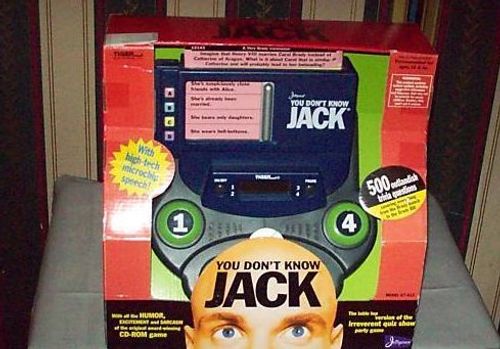
You Don't Know Jack
You Don't Know Jack Rulebook
Table of Contents
Table of Contents
Object of the Game
The object of the game is to score the most points. You do this by being the first player to correctly answer the questions.
Parts and Controls
- ON/OFF: Used to turn on & off the unit.
- PAUSE: Used to pause game action.
- PLAYER BUTTONS: Used to "buzz in" or to enter card numbers.
- SCREW BUTTON: Used to force another player to answer or as "clear" key when entering card numbers.
- LCD: Displays players' scores.
- RELEASE BUTTON: Used to open answer door.
- ANSWER DOOR: Opens to reveal answers to questions.
- ANSWER BUTTONS: Used to answer questions.
- CARD SLOT: Holds question cards.
- QUESTION CARDS: 125 cards containing 500 questions with answers and values.
- SPEAKER: Hear instructions and comments from the host.
About the Cards
Each card has four questions, two on each side. Each question consists of a code number, a category, a value, the question, four answer choices and sometimes, an explanation.
(Fig. 2 in the printed manual is a diagram labelling a sample card's CODE NUMBER, CATEGORY, VALUE, QUESTION, EXPLANATION and ANSWER CHOICES. The diagram is not reproduced here; the labels are listed above.)
Inserting the Batteries
Open the battery compartment on the back of the unit by squeezing the tabs and lifting the door. Insert 4 "AA" batteries, being careful to match the "+" and "-" as indicated.
To ensure proper function:
- Do not mix old and new batteries.
- Do not mix alkaline, standard or rechargeable batteries.
- Battery installation should be done by an adult.
- Non-rechargeable batteries are not to be recharged.
- Rechargeable batteries are to removed from the toy before being charged (if removeable).
- Rechargeable batteries are only to be charged under adult supervision.
- Only batteries of the same or equivalent type as recommended are to be used.
- Batteries are to be inserted with the correct polarity.
- Exhausted batteries are to be removed from the toy.
- The supply terminals are not to be short-circuited.
Before You Start
Insert the QUESTION CARDS into the CARD SLOT. Make sure the ANSWER DOOR is closed so that answers are hidden.
Let's Play
- Turn the Game On: Press ON to turn on the game. You will hear the opening music.
- Number of Players: The host of the game will ask you the number of people who will be playing. Using the PLAYER BUTTONS, enter the number of players.
- Enter a Card Code: The host will pick a player to enter a code. Using the PLAYER BUTTONS, the player enters the five digit code located in the upper left-hand corner of the card. If you make a mistake before you press the fifth digit, use the SCREW BUTTON to clear the number and start over.
- Reading the Question: The host will choose a player to read the question. That player reads the question aloud, then presses the RELEASE BUTTON to reveal the answers. Each player reads the answer choices silently.
- Answering the Question: When you think you know the answer, "buzz in" by pressing your PLAYER BUTTON. The host will acknowledge you and ask you to choose your answer. Press the ANSWER BUTTON next to the answer you feel is correct. If you're right, the value of the question is added to your score. If you're wrong, the value is deducted from your score, you are "out," but the other players still have the opportunity to answer the question.
- Screwing an Opponent: If you aren't doing too well, you have the opportunity to force another player to answer a question in the hope that he or she answers incorrectly and loses points. NOTE: YOU CAN ONLY USE THIS OPTION ONCE IN A GAME! To use this feature, "buzz in" as though you were going to answer the question. Then, press the SCREW BUTTON. When the host asks who you want to screw, press that player's PLAYER BUTTON.
- Changing Questions: After a question has been answered, close the ANSWER DOOR, and move the top QUESTION CARD to the bottom of the pile. Once you have gone through the deck, remove all the cards and rotate the stack so that new questions are displayed.
- : When you answer a question correctly, the value of the question is added to your score, which is displayed on the LCD screen. If you answer incorrectly, the value is subtracted from your score. The player with the most points at the end of 10 questions is the winner!
Caution
- High temperature will destroy the unit. Do not leave unit in direct sunlight.
- Do not press the liquid crystal display.
- Clean only with a piece of soft dry cloth.