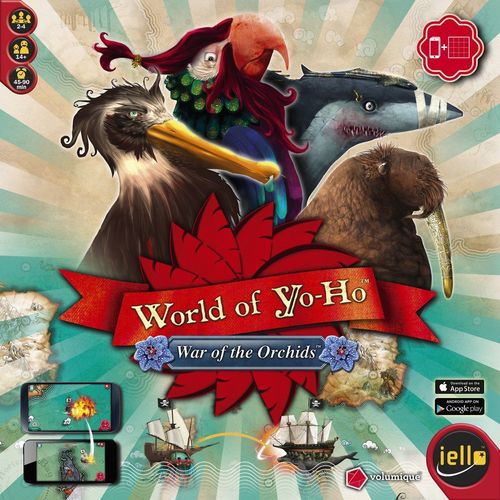
World of Yo-Ho
World of Yo-Ho Rulebook
Table of Contents
Table of Contents
Contents
- 1 game board (in 2 parts).
- 4 captain cards and 4 ship cards: These cards are used as reminders for the base characteristics of the captains and ships.
- 4 captain tokens that fit into 4 ship figures. These are used if you play with only one phone.
- 4 ship suction cups and 4 captain suction cups. These allow you to customize your phone by sticking them on it.
Different kinds of locations (sea, port, island, and zone) have a specific color in order to help you find your way on the map: sea, island, port, zone, trade route.
Ships always move orthogonally and tile by tile.
Game Modes
Multiple Phones
During the game, phones are placed on the game board. They represent each player ship and its position. Pick them up only when you need to perform secret actions or consult for information.
Players do not need to own the same kind of phone to play together. iOS and Android phones can play the same game.
In this configuration, all phones must be connected to the same Wi-Fi network so they can communicate with each other (refer to the app Help to know how to setup a network for the game).
Single Phone
If you do not have one phone per player, you can also play with a single phone. In this case, the phone will be passed from player to player during the game and cardboard figures will represent ships on the board. The phone should not be placed on the board, and can be replaced by a tablet.
The following examples will be based on multiple phones game mode.
Game Setup
Download the free World of Yo-Ho app on your smartphones from the App Store or Google Play. Smartphones will now be referred to as phones in this rule book.
Launch World of Yo-Ho app on all phones. Ideally, World of Yo-Ho is played with one phone per player. In this case, each phone represents each player's ship during the game. The game was specifically designed for this configuration, and it will offer you the best experience.
- Click on Play.
- Click on New Game.
- Depending on your configuration, choose multiple phones mode or single phone mode.
- multiple phones: Wait for all players to be connected to the game.
- single phone: Click on players slots to add/remove them.
- For your first game, we strongly recommend that you to leave the Tutorial option checked. Rules in this book provide an overview of the game mechanics, but the Tutorial will describe the different game screens and available interactions more precisely during the game.
- The number of points you select corresponds to the Swag points players need to earn in order to win the game. The higher this number is, the longer the game will last.
- Each player must click on Ready when ready to play.
Follow the instructions to proceed to the captains and ships selection, as well as your start positions on the board.
The game can begin!
If you pick up your phone, your information bar will appear. You will be able to access your personal data such as your active missions. But beware, keep these informations secret.
Game Goal
You play as captain in command of your ship, and you will fight to become the greatest pirate of Yo-Ho. Each captain and each ship can be selected by only one player. Captain and ship characteristics are detailed under Captains and Ships.
Captains
- Parrot — 04 Strength, 03 Charisma, 02 Know-how
- Walrus — 05 Strength, 01 Charisma, 04 Know-How
- Shark — 06 Strength, 02 Charisma, 03 Know-How
- Pelican — 05 Strength, 01 Charisma, 02 Know-How
Ships
- Turtle — 17 Size, 30 Resistance, 03 Upgrade
- Swordfish — 15 Size, 23 Resistance, 04 Upgrade
- Whale — 20 Size, 27 Resistance, 03 Upgrade
- Jellyfish — 15 Size, 20 Resistance, 05 Upgrade
Your success is measured in Swag points. The first player to reach the number of Swag points selected during setup wins the game.
There are different ways to earn Swag points:
- Complete missions.
- Defeat other players during combat.
- Defeat monsters encountered at sea.
During the game, your wealth is measured in Clams, which is the Yo-Ho currency. Gain clams by completing missions. You can spend Clams on equipment to be ready to face Yo-Ho dangers.
Game Overview
Starting with the first player (selected randomly by the app at the start of the game), each player takes a turn, clockwise. During your turn, you may perform 2 actions by selecting the following buttons.
All actions can be performed twice during a turn, except Attack another player which can be performed only once.
Pass your turn — You may pass your turn.
End of turn — Mark the end of your turn after performing your 2 actions.
Move
You can move your ship to an adjacent tile if it is unoccupied and no island fully separates both tiles. Movement can only be performed orthogonally. In multiple phones mode, movement is performed by physically moving the phone from one tile to another.
Attack another player
If you are on a tile adjacent to another player, and neither of you is on a tile containing a port, you can attack this player (an attack cannot be performed diagonally). Refer to Combat below for more details.
Repair
Perform a sea repair. You can repair your ship at sea. In this case, the number of Resistance points recovered depends on your captain's Know-How characteristic.
Perform a specific action depending on a mission or an event
Depending on which tile you are on, you may perform an action specific to a mission or an event (attacking a monster is available through an event).
Visit a port
You can dock your ship at one of the 12 ports located on the game board and perform all the tasks you want by going to the following places:
- Barracks: Consult a mission board and choose up to 3 to try to complete.
- Tavern: Consult the game leaderboard where all players are sorted by Swag points.
- Shipyard: Pay to repair your ship and restore lost Resistance points. The more damaged, the costlier.
- Market: you can buy and sell combat items, captain equipment, or ship upgrades.
If you are on a tile adjacent to another player, besides attacking, you can access a port or an objective situated on the other tile as if you were on it.
Exit incognito
If you want to leave a port incognito, you have to pay a tax. If you choose not to pay, these consequences apply:
- Other players may be offered Rival missions based on the ones you just took at the port.
- Another player visiting this port during future turns will be able to see what items you bought at the market.
Missions
When you visit a port, up to 3 missions are available in the barracks. Choose the missions you want to complete up to 3 active missions at once.
Complete a mission by achieving its objectives. Some missions have a limited time expressed in turns. This duration specifies the number of turns you can complete without achieving its objectives before it fails. You can cancel an active mission at any time.
There are three kind of missions:
- Adventure: Complete these missions by going to a specific tile on the map, hinted at in the mission description. A mission might tell you that its objective is off a specific island or on a trade route between two specified ports. Once you are on the correct tile, you can perform a specific action to complete the mission objective.
- Courier: Complete these missions by visiting a specific port.
- Combat: Complete these missions by winning a battle against a specific player. This kind of mission will fail if you lose a combat against the specified player.
Mission Card
A mission card shows a Mission Title, a Description, 1 or 2 Objectives, a Clams Reward, and a Swag Reward.
For example, the mission "Granny Nom Nom": Sometimes in life, you need to take risks: bring Granny Nom Nom to see her grand children in Port au Prince, and bring her back for her foot bath (yuck). If you accept, don't mess it, Granny is of the carnivorous order.
- Go to Port au Prince before 6 turns.
- Come back to Vieux-Port before 6 turns.
Reward: 80 Clams, 160 Swag.
Your choice of missions can have consequences. Other players may be offered missions relative to the ones you accepted in certain circumstances.
Rival Mission
When you accept a mission in a port, if you don't pay the tax to leave it incognito, rival missions may be offered for that mission to other players during their turn. These missions can have the same objectives as yours or will ask the player to intercept you by winning a battle against you. If another player completes his rival mission, then your mission will fail. If you complete, fail, or abort your mission all rival missions related to your mission will fail.
Vengeance Mission
When you fail or abort a mission, vengeance missions may be offered to other players. These missions are always combat missions.
End of Game
Each time the last player in turn order ends a turn, all players' Swag points are checked by the app. If at least one player reached the score chosen during game setup, the game ends.
The winning player is the one with the most Swag points.
Combat
A combat between two players is executed in three consecutives steps: attack declaration, programming, then resolution.
1 Attack Declaration
The active player clicks on the attack button on the player's phone he wants to combat. Player1 can attack Player2 by tapping on the "Attack" button of his opponent's screen.
2 Programming
Both players take their phones in hand. Starting with the attacking player, players alternate placing combat items (that they bought in the market) in their combat line. The number of items that can be played depends on the attacked player flag state (see Ships Flag). Items are placed face-up or face-down according to their kind. A combat always starts in shooting phase and if the melee phase is reached during the combat, there is no turning back.
Here is your captain and his current Strength value. Here is your opponent's combat line. This is where he will play his combat items. Here is your opponent. You cannot see his Strength value.
Here are the combat items stored in your ship's hold. Here is your combat line. This is where you will play your combat items. This button is used to pass your turn if you don't have or don't want to play an item.
Different Kinds of Objects
- Shoot (face-down): These items inflict damage to your opponent, depending on their Strength, during the shooting phase. They cannot be played during the melee phase.
- Maneuver (face-up): These items influence the course of the combat. For example, Boarding grapnel will switch combat to the melee phase.
- Melee (face-down): These items inflict damage to your opponent, depending on their Strength, during the melee phase. They cannot be played during the shooting phase.
- Ruse (face-down): These items have an impact on the next item you will play. For example they can increase their Strength or to protect them from cancellation.
- Cancel (face-up): There is a single item of this kind, Oars. This item cancels the effect of the last opponent's item (shoot, melee, or maneuver) your opponent played.
3 Resolution
Both players put their phones back on the board so everyone can see the combat result.
The effects of the items played during programming are resolved one after the other. Each player's score is calculated by adding his captain Strength to the Strength of the items played. The combat winner is the one with the higher score. The winner earns Swag points and plunders his opponent's hold by randomly stealing 1 to 3 combat items. Whatever the outcome of the combat, both players lose the items they played, and their Resistance is reduced by an amount equal to the Strength score of their opponent.
Combat Example
| Step | Player1 | Player2 | |
|---|---|---|---|
| 1 | Red cannonball +5 | You play Red cannonball, with a Strength between 4 and 6 and gains 1 Strength point each following turn. | |
| 2 | Boarding grapnel | Your opponent plays Boarding grapnel. Combat switches to melee phase. Shoot items cannot be played anymore. Grapnel gains 1 Strength point each following turn. | |
| 3 | Smooth talker's sword +1 (Red cannonball +1) | You play Smooth talker's sword with a Strength of 1. Red cannonball gains 1 Strength point. | |
| 4 | Sword duel +4 (Boarding grapnel +1) | Your opponent plays a melee item. You know which one only during resolution. This is Sword duel with a Strength of 4. Boarding grapnel gains 1 Strength point. | |
| 5 |
Combat Against a Monster
When a monster appears, you must choose between one of the 2 following actions:
- Attack: You fight the monster and the combat result is automatically determined. A Strength score is computed for you and the monster. Its is computed by drawing a random value between 1 and 6 and adding your respective Strength values. Both of you lose Resistance points equal to your opponent, score. For daring to defy the monster, you earn Swag points.
- Flee: If it is possible, you flee by moving to an adjacent tile like a normal move. You still suffer a small attack from the monster and loose Resistance points.
When hurt, a monster keeps its Resistance value until next combat. If after a fight its Resistance value is positive, a monster disappears and will appear again later during the game. On the other side, if its Resistance value is reduced to 0, it is defeated and the player responsible for this earns a Swag bonus as well as a rare ship upgrade. In this case, the monster is killed and will never appear again during the game.
Captains and Ships
During game setup, each player must select a captain and a ship.
The 4 playable captains are the Parrot, the Walrus, the Shark, and the Pelican. All captains share 3 characteristics for which they have different values.
- Strength: This value is added to your score when fighting another player or a monster. The higher it is, the easier it is to win a combat.
- Charisma: The purchase price of items in the Market depends on your Charisma. The higher it is, the lower prices will be at the Market.
- Know-how: This value represents the number of equipment items your captain can have. It also determines the quality of repairs at sea.
Each captain has a flaw. For more details, consult captain cards.
| Captain | Strength | Charisma | Know-how | Flaw |
|---|---|---|---|---|
| Parrot | 04 | 03 | 02 | Always needs to brag. Cannot leave a port incognito. |
| Pelican | 05 | 01 | 02 | A true, beauty obsessed narcissist. He finds himself irresistible. He can't equip those vulgar captain equipments. |
| Walrus | 05 | 01 | 04 | Has to nap regularly in his hamac, to keep his energy flowing. |
| Shark | 06 | 02 | 03 | To strike before thinking, such is the spirit. After a move, if the shark can attack an enemy, he must attack. |
Captain Equipment: Captain equipment is items you can buy at the market in some ports. These items may modify one of your captain's characteristics or offer you a special ability. When your ship's hold is plundered after losing a combat against another player, there is a small risk that one of your stolen items is a captain equipment.
The 4 playable ships are the Whale, the Jellyfish, the Turtle, and the Swordfish. As the captains, ships share 3 characteristics for which they have different values.
- Size: This value represents the number of combat items your ship can store in its hold.
- Resistance: This is the amount of damage the ship can sustain during combat. Each player has a Resistance value which is reduced after performing combats and can be increased by performing repairs. This value cannot exceed your ship Resistance.
- Upgrade: This value represents the number of ship upgrades you can install.
Each ship has a quality. For more details consult ship cards.
| Ship | Size | Resistance | Upgrade | Quality |
|---|---|---|---|---|
| Turtle | 17 | 30 | 03 | Slow walking. Can walk across islands to get to the opposite shores. |
| Swordfish | 15 | 23 | 04 | A true organic weapon. Inflicts damage when boarding an enemy. |
| Whale | 20 | 27 | 03 | When attacked, the whale can change its flag before the start of the fight. |
| Jellyfish | 15 | 20 | 05 | Damages inflicted by an enemy projectiles to this squishy thing are reduced by 1. |
Ship upgrade: Ship upgrades are items you can buy at the market in some ports. These items may increase your maximum Resistance, provide a Swag bonus each turn, or offer you a special ability.
Events
After a move or at the beginning of your turn, a random event may occur, depending on your location. This event may be beneficial and offer you a special action, or prevent you from choosing some actions.
Here are some examples:
- Bottle at Sea: You can use a special action to consult and accept (or not) a special mission.
- Shipwreck: You can use an action to search for items in a shipwreck.
- Storm: You cannot use the action Move action, until the end of your turn.
Make temporary alliances during your games, but know that there will be only one winner!
Games are automatically saved at the end of each player's turn. So you can resume an interrupted game at any time.
Do not hesitate to bluff during combat. You are a Pirate after all!
Ships Flag
Your ship's flag can have two different states: white flag or black flag. When you attack another player, your ship automatically switches to black flag. During combat, the state of the attacked player's ship flag has an influence on combat progress.
| Flag | Number of combat items players can play | Number of items stolen by the winner |
|---|---|---|
| White flag | 3 | 2 |
| Black flag | 5 | 3 |
During your turn, you can switch your flag at any time, except after attacking another player.
KO
At any time, if your Resistance falls to 0, you are KOed and the following consequences apply:
- All your active missions automatically fail.
- You cannot start a combat against another player as long as your Resistance is equal to 0. You must first repair your ship.
- Attacking a KOed player will earn you no Swag points if you win the combat.