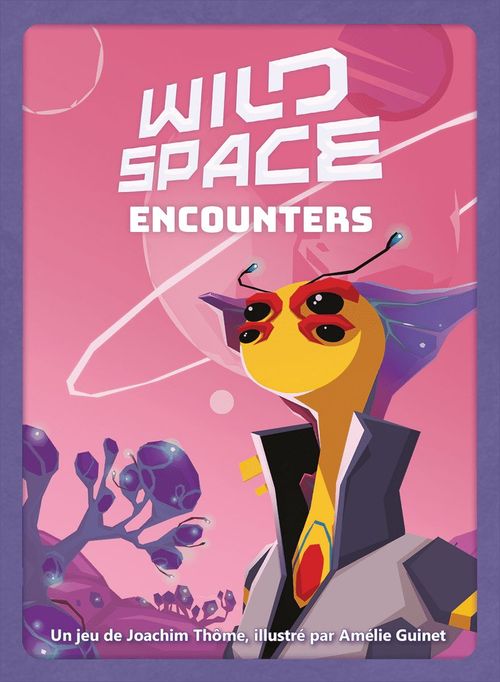
Wild Space: Encounters
Wild Space: Encounters Rulebook
Table of Contents
Table of Contents
What's New
Wild Space: Encounters introduces a new kind of Crew member: Aliens. You add them to your Crew much like the other Crew cards, with one difference: to recruit an Alien, you must spend Quartz Crystals. You obtain these through the new Alien Planet and the new Crew cards from this expansion.
Components
1 double-sided Alien Planet board, 22 new Crew cards, 6 new double-sided Command cards, 21 Alien cards, 20 blue Quartz Crystal markers, and 6 Hostile Alien Planets (cards for the solo mode).
Setup
Place the Alien Planet next to the two starting Planets. Randomly determine which side of the Alien Planet you will play with. You may land on this Planet from the start of the game.
Shuffle the Alien cards separately and place them as a face-down draw pile below the draw pile of Crew cards. This is the Alien pile. Reveal the top 3 Alien cards and lay them in a row to the right of the Alien pile. This is the open Alien display.
Randomly take 1 of the new Command cards for each player. They replace the Command cards from the base game. Decide which side of your Command card you want to play with.
Shuffle the new Crew cards into the Crew cards from the base game before placing them as a face-down draw pile.
Place the Quartz Crystals as a supply within everyone's reach. The rest of the setup is the same as in the base game.
And now the game can begin!
Game Flow
Supplement the rules of the base game as follows:
1. The new Crew cards have a new symbol printed on them: the Quartz Crystal icon, showing a number. When you play such a Crew card, immediately take the number of Quartz Crystals shown on the card from the supply.
Example: After playing this Crew card, Matea immediately takes 1 Quartz Crystal from the supply. She may then activate the effect of her card as usual and play 1 Robot from her hand, if she has one.
2. At the end of your turn, that is, after you have used a Spaceship, resolved the Planet effect (if possible), and activated the desired effects of cards, you may recruit 1 of the three Aliens from the Alien display. You have 2 options for this:
- Either spend as many Quartz Crystals as shown at the bottom right of the desired Alien card, to play it immediately. Place it in front of you with your other Crew cards. If this Alien card has an effect, you may activate it immediately, if possible.
- Or spend 1 Quartz Crystal fewer than the number shown at the bottom right of the desired Alien card, to take it into your hand instead of playing it immediately. From your next turn on, you may play this card in the same way as other Crew cards.
Example: Jo recruits this Alien for 2 Quartz Crystals and plays it immediately. Then she activates its effect immediately and plays 1 Crew card with a Medal from her hand.
(Diagram caption: Cost to recruit an Alien.)
When you take an Alien card from the open display, the display is immediately refilled with the top card of the Alien pile. You may recruit at most 1 Alien per turn, no matter how many Quartz Crystals you have. Once you have played or taken into your hand an Alien card, you treat it like an ordinary Crew card. Aliens can be Specialists, Robots or Emissaries.
Symbols on Alien Cards
- Alien Planet icon: This symbol marks all cards from this expansion. Some Emissaries use this symbol for their scoring.
- Question mark in a square (animal wildcard): During final scoring, a card with this symbol counts as an animal of your choice.
- Question mark in a round badge (occupation wildcard): Throughout the game, this symbol counts as every Occupation. A card with this symbol therefore fulfils every kind of condition and effect that requires a particular Occupation. During final scoring, such a card counts for all Emissaries that score for Occupations, and so may be used for several Emissaries and different Occupations.
- "/6" icon with the different-Occupations symbol: If you have an Emissary with this symbol, you get 7 victory points for each set of 6 different Occupations.
Note: the scoring unit in the base game is Credits. The German text of this expansion speaks of victory points (Siegpunkte); in this transcription they are rendered as Credits to match the base rulebook.
End of the Game
Count your Credits as in the base game. For each of your Quartz Crystals that was not spent, you get 1 Credit.
Solo Mode
Setup
Follow the solo-mode setup from the base game, with the following changes: place the Alien Planet next to the two starting Planets, use the new Command cards, and shuffle the new Crew cards into the base-game Crew cards. Also prepare the Quartz Crystals, the Alien pile and the open Alien display, as described in the setup above.
Form the draw pile of Hostile Planets from both the base-game Hostile Planets and the Hostile Alien Planets of this expansion. Choose a difficulty level: Easy, Medium or Hard. The five-card mix for each level is shown as a row of card images in the rulebook; those card images are not transcribed here.
It is advisable to attempt the solo mode of this expansion only after you have mastered the solo mode of the base game. The cunning Smuggler is stronger with the Hostile Alien Planets!
Game Flow
You play by the same rules as in the solo mode of the base game. In addition, you may recruit Aliens. The Smuggler does not use Quartz Crystals. Through the effects of the Hostile Alien Planets, the Smuggler manipulates the cards in the Alien display.
- Hand icon with the Smuggler: Add this card from the Alien display to the Smuggler's Crew.
- Discard icon (card with a red cross): Place this card from the Alien display on the discard pile.
Whenever a card is taken from the Alien display, immediately refill the display with the top card of the Alien pile.
Final Scoring
Count the victory points at the end of the game as in the solo mode of the base game.
Aliens with a question mark in a square complete the most valuable collections of the Smuggler, so that it gets as many victory points as possible.
The Smuggler additionally receives the victory points printed on its Alien cards.