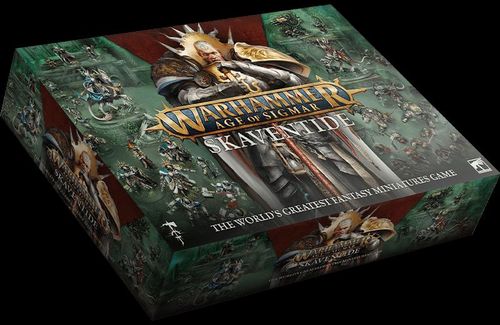
Warhammer Age of Sigmar: Skaventide
Warhammer Age of Sigmar: Skaventide Rulebook
Table of Contents
Table of Contents
- CORE RULES
- SETTING UP FOR BATTLE
- THE BATTLE
- MOVEMENT
- ATTACKING
- SPECIAL RULES
- END OF TURN
- ADVANCED RULES
- COMMANDS
- TERRAIN
- MAGIC
- ARMY COMPOSITION
- COMMAND MODELS
- BATTLE TACTICS
- MATCHED PLAY: BORDER WAR
- SPEARHEAD
- SPEARHEAD BATTLEPACK: FIRE AND JADE
- BATTLEPLAN: FIRE AND JADE
- SPEARHEAD REFERENCE
- GLOSSARY
- CITADEL TERRAIN LIST
Battlepacks
While the rules explain how to play Warhammer Age of Sigmar, battlepacks provide a unique experience for each of your games.
The battlepack you choose will tell you which Advanced Rules to use, and it may include additional special rules. In addition, each battlepack contains a collection of scenarios called battleplans that explain things like where the armies deploy and how to win the battle. Read through the Core Rules first to understand the mechanics of the game and then pick a battlepack to play.
Spearhead: Fire and Jade
Spearhead is the simplest way to play Warhammer Age of Sigmar. The armies used in games of Spearhead are pre-made. The Spearhead battlepack Fire and Jade includes rules for you and your opponent to fight battles in the lush, overgrown jungles of Ghyran and on the fiery lava plains of Aqshy.
Matched Play: Border War
Matched Play is a gaming mode designed for balance and equal victory conditions for both players. The Border War battlepack (a truncated version of the First Blood battlepack in the Core Book) introduces you to Matched Play, providing conditions that give no particular advantage to either side.
CORE RULES
1.0 Core Concepts
Battles in Warhammer Age of Sigmar are fought on a surface that is referred to as the battlefield. Each battle uses a scenario called a battleplan, which will explain how to set up the battlefield and how to determine the winner.
Each player is the commander of an army. Each army belongs to a faction and is made up of groups of models called units. Models and units in your army are referred to as friendly models and units, and models and units in your opponent's army are referred to as enemy models and units.
The Most Important Rule: While you're playing Warhammer Age of Sigmar, you might encounter a rules situation that you aren't sure how to resolve. If you're new to the game, we recommend discussing with your opponent and agreeing on a fair and reasonable solution so you can get on with the game as quickly as possible. Otherwise, the Special Rules section includes detailed instructions on how to resolve these situations.
Rules Updates: We are committed to supporting Warhammer Age of Sigmar via regular free updates based on community feedback. Please check warhammer-community.com to download the latest updates and FAQs.
2.0 Tools of War
To fight a battle, you will need:
- A tape measure
- Some dice
- A surface to play on (the battlefield)
- 2 armies of Citadel Miniatures
2.1 Measuring Distances
Distances in Warhammer Age of Sigmar are measured in inches ("), between the closest points on the bases of the models you're measuring to and from. You can measure distances whenever you wish. When measuring the distance between units, always measure the distance between the closest points on the bases of the closest models in each unit. If a model does not have a base, measure to and from the closest point on the model instead.
2.1.1 Within and Wholly Within
A model is within a certain distance of something (e.g. another unit, a territory or an objective) if any part of its base is within that distance. A model is wholly within a certain distance of something if every part of its base is within that distance.
A unit is within a certain distance of something if any part of the base of any model in the unit is within that distance. A unit is wholly within a certain distance of something if every part of the bases of all of the models in the unit is within that distance.
2.2 Dice
Warhammer Age of Sigmar uses six-sided dice, often abbreviated to D6.
- Some rules refer to '2D6', '3D6' and so on – in such cases, roll a number of dice equal to the number before 'D6' and add the results together.
- A roll of '2+' means a roll of 2 or more, a roll of '3+' means a roll of 3 or more, and so on.
- If a rule requires you to roll a D3, roll a dice and halve the total, rounding up. For D3 rolls, a roll of '2+' means a result of 2 or more after halving the total and rounding up.
- Effects that allow you to modify a dice roll are called modifiers.
- Some rules allow you to re-roll a dice roll, which means you get to roll some or all of the dice again. You cannot re-roll a dice more than once, and re-rolls happen before modifiers to the roll (if any) are applied.
- If you are instructed to roll off, each player should roll a dice. Whichever player has a higher roll wins the roll-off. If the result is a tie, each player should roll off again until there is a clear winner, unless otherwise specified.
3.0 Factions
Each army belongs to a faction, e.g. Stormcast Eternals or Skaven. Each faction has a set of faction rules, which include battle traits, battle formations, enhancements and lores. These can be found in various publications but most commonly in the faction's battletome.
4.0 Warscrolls
The rules for each unit are contained on a warscroll. The example warscroll shown is the Spearhead Warscroll for the Clawlord on Gnaw-beast (Move 9", Health 7, Control 2, Save 4+; ranged weapon Ratling Pistol; melee weapons Warpforged Halberd and Gnaw-beast's Chisel Fangs; passive ability Cornered Rat; keywords Hero, Cavalry, Ward (6+)). Its parts are:
- MOVE: The Move characteristic determines how quickly the unit can move across the battlefield (see 15.0).
- HEALTH: The Health characteristic determines how many damage points can be allocated to a unit before a model in the unit is slain (see 18.2).
- CONTROL: The Control characteristic determines how well each model in the unit can contest objectives (see 32.2).
- SAVE: The Save characteristic determines how well armoured the unit is. This characteristic is the roll you need to equal or exceed to save a model from harm, so a lower value is better (see 17.0).
- The UNIT TYPE (e.g. Spearhead Warscroll).
- The KEYWORDS that the unit has (see 5.1).
- The WEAPONS the unit is armed with. Weapons are either melee weapons, used to make combat attacks, or ranged weapons, used to make shooting attacks. Each weapon has its own characteristics (see 16.0).
- Any special ABILITIES the unit can use (see 5.0).
5.0 Abilities
The vast majority of things that units can do in Warhammer Age of Sigmar are called abilities. An ability is made up of: (1) its Timing; (2) its Name and description; (3) Declare instructions; (4) its Effect; and (5) its Keywords. For example:
Your Shooting Phase SHOOT: The warriors take aim and unleash a deadly volley. Declare: Pick a friendly unit that has not used a Run or Retreat ability this turn to use this ability. Then, pick one or more enemy units as the target(s) of that unit's attacks (see 16.0). Effect: Resolve shooting attacks against the target unit(s). Keywords: Core, Attack, Shoot
Ability icons give you an idea what kind of effect the ability has at a glance: Movement Ability, Offensive Ability, Defensive Ability, Shooting Ability, Rallying Ability, Special Ability, Control Ability.
5.1 Keywords
Some abilities have one or more keywords listed at the bottom of the ability on their keywords bar, e.g. the 'Shoot' ability shown above has the Core, Attack and Shoot keywords. Units also have a keywords bar on their warscroll.
Keywords let you know which abilities can be used or which units can be picked as targets for an ability. For example, the 'Charge' ability can only be used by a unit if it did not use an ability with the Run or Retreat keyword earlier in the turn. The singular and plural forms of a keyword are synonymous for rules purposes.
5.2 Using Abilities
The timing of an ability tells you when it can be used. When using an ability, follow these steps:
- Declare the Ability: Tell your opponent which ability is being used. If the ability has Declare instructions, resolve them at this step.
- Use Reactions: Starting with the player using the ability, the players alternate using any abilities with an appropriate Reaction timing. Players can choose to pass instead of using a reaction, but once both players consecutively pass, no further reactions to that ability can be used.
- Resolve the Effect: Follow the instructions in the Effect part of the ability.
5.3 The Rules of One
- A unit cannot use more than 1 Core ability per phase (see 14.0).
- A unit cannot use the same ability more than once per phase, unless specified otherwise.
- A unit cannot be affected by the same passive ability more than once at the same time. For example, if a unit is within range of two different terrain features that have the 'Cover' passive ability, the effect only applies to it once.
5.4 Passive Abilities
Abilities that have the Passive timing are called passive abilities. Passive abilities are not declared. The effects of passive abilities always apply if the conditions of the ability are met, and they must be applied if it is possible to do so.
Abilities Example
Ben and Jes are fighting a battle, and Ben's Rat Ogors have charged into Jes's Liberators. It is Ben's turn to pick a unit to fight.
- Ben uses the 'Fight' ability. The first step is to resolve any Declare instructions for the ability. In this case, Ben picks his unit of Rat Ogors to use the ability, then they make a pile-in move. Finally, Ben picks Jes's Liberators unit as the target of all the Rat Ogors' attacks.
- After declaring the ability, Ben has the first opportunity to use any reactions. As 'Fight' has the Attack keyword, Ben is able to use the 'All-out Attack' ability to improve his Rat Ogors' attacks. After Ben uses 'All-out Attack', Jes uses the 'All-out Defence' ability to try to protect his Liberators against the upcoming onslaught. Ben then passes on using any further reactions, then Jes does the same. ('All-out Attack' and 'All-out Defence' are examples of Advanced Rules, which are used in certain battlepacks.)
- Now that the Declare instructions have been resolved and both players have had a chance to use reactions, Ben can resolve the effect of the ability, resulting in 2 Liberators being slain (see 18.3).
6.0 Visibility
A target model is visible to another model (which we'll call the 'observing model') if you can draw a straight line through the air (whether horizontal, diagonal or vertical) from any point on the observing model to any point on the target model that does not intersect any objects except for other models in the observing model's unit. A target unit is visible to an observing unit if at least 1 model in the target unit is visible to at least 1 model in the observing unit. A model is always considered to be visible to itself.
If any part of another model can be seen by an observing model, both the target model and its unit are visible to that observing model. In some cases, it might not be immediately clear whether a model is visible. If so, stoop down to get a look from behind the observing model. If any part of the other model is visible, even if it is just the tip of a spear, then that model is visible for rules purposes.
A model is visible no matter how much of the model is blocked from sight or how little of it is visible; if any part of the model can be seen, it is visible.
An observing model's visibility can be blocked by enemy models (e.g. a Plaguebearer hidden behind a Great Unclean One is not visible to a Liberator). Models don't block the visibility of other models in their own unit – it is assumed that they fight in such a way as to not obstruct one another's attacks.
7.0 Combat Range
Each model has a combat range that extends 3" horizontally from its base and any distance vertically from that circle to form a cylinder. The combat range of a unit extends 3" horizontally and any distance vertically from every model in that unit. Units from opposing armies that are within each other's combat range and that are visible to each other are in combat with each other. When a unit that is not in combat enters the combat range of a visible enemy unit, it moves into combat. A model is considered to be in combat with an enemy unit if that unit is within the model's combat range and visible to it.
- A model's combat range is measured from the edge of its base, not the centre.
- If any enemy models are within a unit's combat range and visible to it, that unit is in combat.
- A unit is in combat with a visible enemy unit if any of its models are within the combat range of that enemy unit, even if other models in the unit are not within range.
- A model within combat range but not visible (e.g. behind a wall) is not in combat.
SETTING UP FOR BATTLE
Unless specified otherwise in the battlepack or battleplan: set up objectives; set up terrain; determine territories; deploy armies. The player who lost the roll-off to choose territories decides who begins deployment.
8.0 The Armies
Before starting a battle, both players will need an army. Some battlepacks use pre-made armies, while others include rules on how to fill your army roster.
9.0 Battleplans
Before any battle, you'll need to pick a battleplan. A variety of battleplans are available in each battlepack, and additional battleplans are available in other publications. Each battleplan is a scenario to play – it outlines territories, objectives and victory conditions, in addition to any special rules that apply to that battle.
9.1 Battlefield Map
Each battleplan includes a battlefield map that is divided into quarters. The map will show the locations of any objectives and the players' territories (e.g. Defender's Territory and Attacker's Territory). Each battlepack or battleplan will indicate the recommended battlefield size based on the size of game you are playing.
9.1.1 Setting Up Objectives and Terrain Features
Many battlefields have key locations called objectives, and almost all battlefields have terrain features such as buildings, ruins and woods. Unless otherwise specified, players should first set up objective markers at the locations indicated by a gold circle on the deployment map, then set up terrain features in a mutually agreeable manner. Many battlepacks and battleplans include further instructions for setting up terrain.
9.1.2 Territories
Unless otherwise specified in the battlepack or battleplan, after terrain has been set up, the players should roll off. The winner decides which territory belongs to which player. Their opponent decides which player begins deployment.
- A unit is within a territory if any part of the base of any model in the unit is within that territory.
- A unit is wholly within a territory if every part of the base of every model in the unit is within that territory.
- The area of the battlefield that is neither player's territory is neutral territory.
10.0 The Deployment Phase
Once the battlefield is ready, the players must deploy their armies. This is done in a special phase called the deployment phase. The deployment phase happens once per battle, before the start of the first battle round (see 12.0).
Step 1 – Deploy Faction Terrain Features: Some factions have faction terrain features, which have their own warscrolls and are set up using Deploy Terrain abilities. The player who begins deployment must use Deploy Terrain abilities first, followed by their opponent.
Step 2 – Deploy Armies: Unless otherwise specified in the battleplan, the players alternate using Deploy abilities to deploy their units, starting with the player who begins deployment. Once one player has no more Deploy abilities to use, their opponent must continue to use Deploy abilities until they also have no more to use.
Step 3 – Use Deployment Phase Abilities: After both players have finished deploying their units, the player who begins deployment can use any Deployment Phase abilities that are not Deploy or Deploy Terrain abilities, in the order of their choosing, then their opponent can do the same.
10.1 Universal Deployment Phase Abilities
Deployment Phase DEPLOY UNIT: Additional forces take to the field. Declare: Pick a unit from your army roster that has not been deployed to be the target. Effect: Set up the target unit wholly within friendly territory and more than 9" from enemy territory. After you have done so, it has been deployed. Keywords: Deploy
Deployment Phase DEPLOY REGIMENT: A mighty hero leads their retinue into battle. Declare: Pick a regiment from your army roster to be the target. No units in that regiment can have already been deployed. Effect: Keep using Deploy abilities without alternating until all units in that regiment have been deployed. You cannot pick units that are not in that regiment as the target of any of those Deploy abilities. Keywords: Deploy
A regiment is a collection of units. It is one of the main building blocks of an army (see 'Army Composition' in the Advanced Rules). Some factions have special Deploy abilities, such as the 'The Celestial Realm' ability of the Stormcast Eternals.
Deployment Phase DEPLOY FACTION TERRAIN: The army has taken to the field surrounding an important and powerful landmark. Declare: Pick a friendly faction terrain feature that has not been deployed to be the target. Effect: Set up the target faction terrain feature wholly within friendly territory, more than 3" from all objectives and other terrain features. After you have done so, it has been deployed. Keywords: Deploy Terrain
THE BATTLE
11.0 Battle Sequence
Each battle lasts a number of battle rounds, specified in the battleplan. During each battle round, each player will take a turn. Each turn is broken down into multiple phases (see 13.0). The player whose turn is taking place is the active player. Each turn contains 7 phases. In each phase, the active player uses abilities first, then their opponent does the same.
12.0 Start of Battle Round
At the start of each battle round, follow these steps:
-
Determine the Active Player: If it is the first battle round, the player who finished setting up their army first decides who will take the first turn (unless otherwise specified in the battlepack or battleplan).
If it is not the first battle round, the players make a roll-off called the priority roll and the winner decides who will take the first turn. If the roll-off is a tie, the player who took the first turn in the previous battle round decides who will take the first turn in the current battle round.
When it is a player's turn, regardless of whether they take the first or second turn, they are referred to as the active player.
-
Determine the Underdog: Whichever player has the fewest victory points is the underdog for the battle round. If the players are tied (e.g. in the first battle round), then there is no underdog, unless otherwise specified.
-
Start of Battle Round Abilities: The active player can use any Start of Battle Round abilities first, then their opponent can do the same.
13.0 Turn Phases
Each player's turn is broken down into 7 phases: Start of Turn, Hero Phase, Movement Phase, Shooting Phase, Charge Phase, Combat Phase, End of Turn. In each phase, the active player can use any abilities with the 'Your (...) Phase' or 'Any (...) Phase' timing in the order of their choosing. For example, in the Movement Phase, the active player could use abilities with the Your Movement Phase or Any Movement Phase timing.
Once the active player has finished using abilities, their opponent can then use any abilities with an 'Enemy (...) Phase' or 'Any (...) Phase' timing, in the order of their choosing.
13.1 Fight Abilities
Abilities with the Fight keyword follow a different sequence to other abilities. When the players are using Combat Phase abilities as described in 13.0, they cannot use Fight abilities.
After the players have finished using Combat Phase abilities that are not Fight abilities, they must alternate picking 1 eligible unit to use a Fight ability, starting with the active player. Each unit in combat must use a Fight ability if it is able to.
Once a player has no more units that are eligible to use a Fight ability, the other player continues to pick units that are eligible to use a Fight ability, one after another, until there are no more units that are eligible to use a Fight ability.
Order of the Combat Phase: the active player's Combat Phase abilities (not Fight), then the opponent's Combat Phase abilities (not Fight), then players alternate using Fight abilities, starting with the active player.
14.0 Universal Core Abilities
The following Core abilities can be used by any unit. Remember that each unit can use a maximum of 1 Core ability per phase (see 5.3).
14.1 Movement Phase
Your Movement Phase NORMAL MOVE: The warriors advance across the battlefield. Declare: Pick a friendly unit that is not in combat to use this ability. Effect: That unit can move a distance up to its Move characteristic. That unit cannot move into combat during any part of that move. Keywords: Core, Move
Your Movement Phase RUN: The unit rushes into position. Declare: Pick a friendly unit that is not in combat to use this ability. Effect: Make a run roll of D6. That unit can move a distance up to its Move characteristic added to the run roll. That unit cannot move into combat during any part of that move. Keywords: Core, Move, Run
Your Movement Phase RETREAT: The fighters disengage from combat, though at the cost of lowering their defences. Declare: Pick a friendly unit that is in combat to use this ability. Effect: Inflict D3 mortal damage on that unit. That unit can move a distance up to its Move characteristic. That unit can move through the combat ranges of any enemy units but cannot end that move within an enemy unit's combat range. Keywords: Core, Move, Retreat
14.2 Shooting Phase
Your Shooting Phase SHOOT: The warriors take aim and unleash a deadly volley. Declare: Pick a friendly unit that has not used a Run or Retreat ability this turn to use this ability. Then, pick one or more enemy units as the target(s) of that unit's attacks (see 16.0). Effect: Resolve shooting attacks against the target unit(s). Keywords: Core, Attack, Shoot
14.3 Charge Phase
Your Charge Phase CHARGE: With a mighty battle cry, the warriors charge into combat with the enemy. Declare: Pick a friendly unit that is not in combat and has not used a Run or Retreat ability this turn to use this ability. Then, make a charge roll of 2D6. Effect: That unit can move a distance up to the value of the charge roll. That unit can move through the combat ranges of any enemy units and must end that move within 1/2" of a visible enemy unit. If it does so, the unit using this ability has charged. Keywords: Core, Move, Charge
14.4 Combat Phase
Any Combat Phase FIGHT: Locked in a deadly melee, the fighters strike out at their foes. Declare: Pick a friendly unit that is in combat or that charged this turn to use this ability. That unit can make a pile-in move (see 15.3). Then, if that unit is in combat, you must pick one or more enemy units as the target(s) of that unit's attacks (see 16.0). Effect: Resolve combat attacks against the target unit(s). Keywords: Core, Attack, Fight
MOVEMENT
15.0 Movement
Some abilities allow a unit to move. When a unit moves, each model in that unit can move, one at a time, in the order chosen by that unit's commander.
When a model moves, it can pivot and change direction as often as you like, but no part of that model's base can move a greater total distance than the maximum allowed by the ability used. Models cannot move beyond the edge of the battlefield or through other models, and they can never end a move standing on top of another model (the base counts as part of the model).
A model's base is assumed to remain parallel with the battlefield as it moves. If a model ends its move on an uneven surface, it must be able to stand up by itself with its base as close to parallel with the battlefield as possible (in other words, models cannot lie flat on the battlefield or lean against terrain to stop them from falling over).
Units can move any distance up to the maximum specified in the ability, and must end their move in coherency. (Example: a unit using 'Normal Move' cannot move any part of that move within the combat range of an enemy unit.)
15.1 Coherency
Any time a unit is set up or ends a move, it must be in a single group. A unit is considered to be in a coherent group if each model in that unit is within coherency range, measured horizontally, of at least 1 other model in that unit (ignore differences in height between the two models).
For the majority of units, coherency range is 1/2", though some units (particularly those with large models with overhanging parts) have a longer coherency range noted on their warscroll for ease of play. While there are 7 or more models in a unit, that unit is considered to be in a coherent group if each model in that unit is within coherency range of at least 2 other models in that unit.
If it is not possible for a unit to end a move in a single coherent group, that move cannot be made.
15.2 Moving Across Terrain
When a model moves, it can move over terrain features but not through them. A model can be moved over terrain features that are 1" or less in height as if they were not there. A model can be moved vertically in order to climb up or down any terrain features that are taller than 1", counting the vertical distance as part of its move. Models cannot end a move mid-climb.
15.2.1 Jumping Down
When a model that is on a terrain feature moves, it can jump down from the edge of the terrain feature to land on a lower part of the same or a different terrain feature or to land on the battlefield. To do so, you must trace the path of the model's move to the edge of the terrain feature. Then, that model can jump down any distance, but doing so immediately ends their move. Models cannot end any kind of move mid-jump – if it is not possible to end the move as a result, that move cannot be made.
As a model moves across terrain, its base is assumed to stay in contact with the terrain feature and parallel to the battlefield.
15.3 Pile-in Moves
Some abilities, such as Fight abilities, allow a unit to make a short move called a pile-in move to get into a better position for combat. To do so:
If your unit is in combat: Pick an enemy unit your unit is in combat with to be the target of the pile-in move. Each model in your unit can move up to 3". That move can pass through the combat ranges of any enemy units, but each model must end that move no further from the target unit. At the end of the move, your unit must still be in combat with all units that it was in combat with at the start of the move.
If your unit is not in combat: Each model in your unit can move 3" in any direction. That move can pass through and end within the combat ranges of any enemy units.
15.4 Flying
Units with the Fly keyword have the following passive ability:
Passive FLY: Soaring above the battlefield, this unit can reach destinations that are inaccessible to other troops. Effect: As this unit moves, it ignores other models, terrain features and the combat ranges of enemy units. It cannot end its move in combat unless specified in the ability that allowed it to move. Ignore any vertical distance moved for this unit.
Designer's note: When moving flying units, move them horizontally in any direction, ignoring intervening models and terrain, and place them where you wish, so long as they are allowed to end their move on that spot. Note that some units have the Fly keyword even if that unit can't really fly. This often represents units that bounce, bound or skitter across the battlefield so adeptly that they might as well be flying!
ATTACKING
16.0 Picking Targets
When declaring an Attack ability for a unit, you must pick the target unit(s) for its attacks. The number of attacks each model can make is equal to the Attacks characteristic of the weapons it is using. In most cases, models attack with every weapon on their warscroll (melee weapons for combat attacks, ranged weapons for shooting attacks), though some warscrolls specify that certain models in the unit are armed with special weapons or that the unit must pick between multiple weapons when it attacks.
If the unit is in combat, it can only target units that are in combat with it. If a model has more than one attack, you can split the attacks between eligible targets as you wish.
- Combat attacks are made with melee weapons. The target unit(s) must be within the combat range of the attacking model and visible to it. The model must attack with all of the melee weapons it is armed with.
- Shooting attacks are made with ranged weapons. The target unit(s) must be within a distance equal to the Range characteristic of the weapon being used and visible to the attacking model. Models cannot make shooting attacks if their unit is in combat, unless otherwise specified (see 20.0 Weapon Abilities).
17.0 The Attack Sequence
Resolve steps 1-4 below for each attack made against a target unit, one attack at a time. If you picked more than one target unit for the Attack ability, resolve all the attacks made against one unit before moving on to the next, in an order of your choosing. Once you are familiar with the attack sequence, see 'Fast Dice Rolling' (see 17.3) if you want to speed up play.
- Hit Roll: Roll a dice. If the roll equals or exceeds the attacking weapon's Hit characteristic, the attack scores a successful hit: move on to the next step. If not, the attack fails and the attack sequence ends. Unmodified hit rolls of 1 always fail. If an unmodified hit roll for an attack made with a weapon is a 6, that attack is a critical hit.
- Wound Roll: Roll a dice. If the roll equals or exceeds the attacking weapon's Wound characteristic, the attack successfully wounds: move on to the next step. If not, the attack fails and the attack sequence ends. Unmodified wound rolls of 1 always fail.
- Save Roll: The commander of the target unit rolls a dice, subtracting the attacking weapon's Rend characteristic from the roll. Unmodified save rolls of 1 always fail. If the roll equals or exceeds the Save characteristic of the target unit, the attack fails and the attack sequence ends. If not, it is a successful attack: move on to the next step.
- Determine Damage: The attack inflicts a number of damage points on the unit equal to the Damage characteristic of the weapon. Inflicted damage points are added to a temporary damage pool for the target unit.
After completing these steps for all of the attacks made as part of that Attack ability, the attacks for that ability are resolved and you can move on to the damage sequence (see 18.0).
Critical hits have no effect on their own but often trigger additional effects (see 20.0 Weapon Abilities). Keep track of the number of damage points in the damage pools of target units. Placing dice next to those units is a handy way of doing this.
17.1 Attack Modifiers and Caps
Modifiers to hit rolls, wound rolls and save rolls are capped to prevent overwhelming combinations of abilities. When making a hit roll or a wound roll, add up all positive and negative modifiers that apply to the roll, then cap the result at a maximum of +1 (if positive) or a minimum of -1 (if negative).
When making a save roll, add up all the positive and negative modifiers that apply to the roll, then cap the result at a maximum of +1. Note that, unlike hit rolls and wound rolls, there is no cap on the amount that can be subtracted from save rolls.
17.2 Mortal Damage
Some abilities inflict mortal damage. If an ability inflicts mortal damage on a unit, add that number of damage points to the unit's damage pool for that ability (see 18.2 Allocating Damage).
17.3 Fast Dice Rolling
In order to speed up play, it is often possible to make several attacks at once. If you choose to do so, all of the attacks must have the same Hit, Wound, Rend and Damage characteristics, the same weapon abilities (if any – see 20.0), and they must target the same enemy unit. If this is the case, make all of the hit rolls at the same time, then all of the wound rolls and finally all of the save rolls. Then, add up all the damage points inflicted on the target unit and move on to the damage sequence (see 18.0).
If the attack sequence ends for an attack made while fast dice rolling, it doesn't stop the attack sequence for all the attacks, just that specific attack.
18.0 The Damage Sequence
After resolving the effect of any ability that inflicts damage points on a unit, follow the steps below. If the ability inflicted damage points on more than one unit, follow the steps below for each of those units, one at a time. Each commander allocates damage points to their own units, in the order of their choosing, starting with the active player.
- Resolve ward saves for all damage points in the target unit's damage pool, if applicable (see 18.1).
- Allocate the damage points in the unit's damage pool and remove slain models (see 18.2 and 18.3).
18.1 Ward Saves
Units with the Ward keyword have the 'Ward Save' passive ability. The number after the Ward keyword indicates the ward value for the ward save. If a unit had Ward (5+), for example, its ward value would be 5. If a unit has more than one ward save, only the ward save with the lowest value applies to it; the other has no effect.
Passive WARD SAVE: Whether through their uncanny reflexes, unnatural toughness or a source of mystical protection, these warriors can avoid otherwise lethal attacks. Effect: In step 1 of the damage sequence (see 18.0), make a ward roll of D6 for each damage point in this unit's damage pool. If the roll equals or exceeds this unit's ward value, remove that damage point from the damage pool.
18.2 Allocating Damage
After resolving the effect of any ability that inflicts damage points (whether via attacks, mortal damage or both), you must allocate the damage points.
When allocating damage points to a unit, the damage points in its damage pool are allocated to it one at a time. Each time the number of damage points allocated to the unit equals the Health characteristic of that unit, 1 model in that unit is slain (and removed from play) and the number of damage points allocated to that unit is reset to 0. Keep allocating damage points until there are none left in the damage pool.
If the number of damage points allocated to a unit is not enough to slay a model, keep track of the number of damage points currently allocated to the unit (most players place a dice or markers next to the unit). While a unit has any damage points allocated to it, it is damaged.
18.3 Slain Models
The commander of a unit must pick which model(s) in the unit are slain. However, after each slain model is removed, the unit must be in a single coherent group (see 15.1). If this is not possible, continue to remove models, one at a time, until the unit is in a single coherent group. You must remove the fewest models possible to make the unit a single coherent group.
18.4 Destroyed Units
When the last model in a unit is slain, the unit is destroyed and all remaining damage points inflicted on that unit have no effect. Similarly, if something causes a unit to be destroyed, all models in the unit are slain and removed from play.
Attacking Diagram (summary)
Attack sequence: the attacker makes a hit roll of D6 (if the roll equals or beats the weapon's Hit characteristic, it is a successful hit); then a wound roll of D6 (equals or beats the Wound characteristic = successful wound); the defender makes a save roll of D6, subtracting the weapon's Rend characteristic from the roll (if the result is less than the defending unit's Save characteristic, it is a successful attack); inflict damage equal to the weapon's Damage characteristic into the damage pool. Any failed step means the attack fails. Damage sequence: for each damage point in the pool make a ward roll (success removes the point); allocate the remaining damage points. Unmodified hit rolls, wound rolls and save rolls of 1 always fail.
Attacking Example
Erik's Stormcast Eternals are facing off against Emma's Skaven in a close game of Spearhead. Erik's Liberators have charged (see 14.3), and in the declare step of the 'Fight' ability, they have piled in towards Emma's Clawlord (see 15.3) and targeted that unit with all of their attacks (see 16.0). In this example we'll be using fast dice rolling to speed up play.
-
Erik's 4 Liberators armed with Warhammers attack first. They can each make 2 attacks (as a Warhammer has an Attacks characteristic of 2), and Erik needs to make hit rolls equal to or higher than their Hit characteristic of 3+. The Liberators score 5 successful hits out of 8 attacks. (Warhammer: Attacks 2, Hit 3+, Wound 3+, Rend 1, Damage 1, Crit (Mortal).)
-
Erik then makes a wound roll for each of the 5 hits. The Warhammers have a Wound characteristic of 3+. The Liberators successfully wound with 3 of their attacks.
-
Emma makes a save roll for each of the 3 successful wounds. Her Clawlord has a Save characteristic of 4+, but the Warhammers have a Rend characteristic of 1, so Emma must subtract 1 from each roll, meaning she now needs to roll a 5 or more. The Clawlord successfully saves 1 of the 3 attacks, resulting in 2 damage points being added to his damage pool (1 for each Warhammer, as they have a Damage characteristic of 1).
-
Erik repeats this process with the remaining Liberator in the unit, who wields a mighty Grandhammer. He scores 2 hits, one of which is a critical hit of 6. This result triggers the Grandhammer's Crit (Mortal) weapon ability, which inflicts 2 mortal damage (see 17.2), directly adding 2 damage points to the damage pool. Erik then makes a wound roll for the other hit, which successfully wounds. (Grandhammer: Attacks 2, Hit 3+, Wound 2+, Rend 1, Damage 2, Crit (Mortal).)
-
Emma makes a save roll for the successful wound, and again must subtract 1 from the roll due to the Grandhammer's Rend characteristic of 1. Unfortunately, her save roll is unsuccessful, resulting in another 2 damage points being added to the damage pool, as the Grandhammer has a Damage characteristic of 2. The Liberators' attacks are resolved, so Emma must move on to the damage sequence.
-
The Clawlord is in grave peril, with 6 damage points in the damage pool (and only 7 Health!). Fortunately, he has Ward (6+), which gives him one last chance to avoid the damage. Emma makes a ward roll for each of the 6 damage points in the damage pool, and 2 of those rolls are sixes, meaning 2 damage points are removed from the damage pool. The remaining 4 damage points are allocated to the Clawlord. Emma places a dice next to the Clawlord to keep track of the number of damage points that are currently allocated to that unit. The Clawlord is now damaged – luckily for Emma, this allows her Clawlord to use his 'Cornered Rat' ability to exact revenge on the dastardly Liberators...
SPECIAL RULES
19.0 Strike-first and Strike-last
If there are any Strike-first units in combat after any non-Fight combat phase abilities have been used, other units cannot be picked to use a Fight ability until those units have been picked to use a Fight ability. After all those Strike-first units have fought, the active player picks the next unit to fight.
If there are any Strike-last units in combat, they cannot be picked to use a Fight ability if there are any units in combat that do not have Strike-last and have not yet used a Fight ability.
If a unit has Strike-first and Strike-last, treat it as if it had neither.
Designer's note: There may be situations when a unit that has Strike-first is not in combat at the start of the phase, but because of moves such as pile-in moves, it is 'pulled into combat' later in the phase. In such cases, Strike-first has no effect on that unit because it was not in combat at the start of the phase. Abilities that allow a unit to use a Fight ability immediately after another unit do not override the Strike-first or Strike-last constraints, so you could not pick a unit with Strike-last to fight immediately after a unit with Strike-first.
20.0 Weapon Abilities
Some weapons have one or more of the passive weapon abilities below. If a weapon has multiple weapon abilities that apply on a critical hit, before the attack sequence starts, the commander of the attacking model must pick 1 of those abilities to use.
Universal Weapon Abilities
- Anti-X (+1 Rend): Add 1 to this weapon's Rend characteristic if the target has the keyword after 'Anti-' or fulfils the condition after 'Anti-'. Multiples of this ability are cumulative. For example, if a weapon has both Anti-charge (+1 Rend) and Anti-Hero (+1 Rend), then add 2 to the Rend characteristic of the weapon for attacks that target a Hero that charged in the same turn.
- Charge (+1 Damage): Add 1 to this weapon's Damage characteristic if the attacking unit charged this turn.
- Companion: Unless otherwise specified, this weapon is not affected by friendly abilities that affect weapon characteristics or the attack sequence, except for those that apply negative modifiers to it (e.g. 'Covering Fire'). (The Companion weapon ability restricts things like mounts from benefiting from most effects that augment a unit's capabilities.)
- Crit (2 Hits): If an attack made with this weapon scores a critical hit, that attack scores 2 hits on the target unit instead of 1. Make a wound roll for each hit.
- Crit (Auto-wound): If an attack made with this weapon scores a critical hit, that attack automatically wounds the target. Make a save roll as normal.
- Crit (Mortal): If an attack made with this weapon scores a critical hit, that attack inflicts mortal damage on the target unit equal to the Damage characteristic of that weapon and the attack sequence ends.
- Shoot in Combat: This weapon can be used to make shooting attacks even if the attacking unit is in combat.
21.0 Healing
Some abilities allow you to heal a unit. To heal a unit, remove a number of damage points from the unit equal to the number in brackets after 'Heal', e.g. Heal (2).
22.0 Returning and Adding Models
Some abilities allow you to return slain models to a unit or add new models to a unit. In either case, set up those models, one at a time (see 15.1) within coherency range of the model(s) in that unit that were not returned or added this turn. If that unit has 7 or more models (including the model being set up), it must be set up within coherency range of at least 2 other models in that unit that were not returned or added this turn. The new models can only be set up in combat with an enemy unit if their unit is already in combat with that enemy unit.
23.0 Tokens
Tokens are not considered to be models for rules purposes and can be ignored or moved out of the way for purposes of visibility, coherency or abilities. They cannot be picked as the target of abilities. Their purpose is to indicate persisting effects on units they are placed next to. Each time a unit with a token finishes a move or is set up, place the token next to the unit.
24.0 Setting Up Units
Some abilities allow you to set up a unit on the battlefield. When doing so, you must set up all models in that unit. If this is impossible, you cannot use that ability. A unit set up on the battlefield in a phase other than the deployment phase cannot use Move abilities in the movement phase of the same turn.
24.1 Reserve Units
Some abilities allow you to set up units in reserve. These units are placed to one side instead of being set up on the battlefield. At the start of the fourth battle round, units that were set up in reserve using a Deploy ability and that are still in reserve are destroyed.
24.2 Replacement Units
Some abilities allow you to set up a replacement unit. When setting up that unit, it should have the same warscroll type, weapon options and number of models as the original unit, unless otherwise specified in the ability. Many of these abilities specify the proportion of models in the replacement unit (e.g. half the number of models from the original unit). In these cases, you can pick which models from the original unit are set up.
The replacement unit is otherwise treated as a new unit; any keywords or abilities the original unit gained during the battle, and any persisting effects that applied to it, do not apply to the replacement unit. Each unit can only be replaced once, and you cannot replace replacement units.
Because a replacement unit is treated as a completely new unit, it could, for instance, use a Once Per Battle ability on its warscroll even if the unit it replaced used that ability earlier in the battle.
25.0 Guarded Heroes
All Heroes that are not Monsters or War Machines have the 'Guarded Hero' passive ability:
Passive GUARDED HERO: The leader is shielded by their warriors, who close ranks around them to protect them from harm. Effect: If this Hero is within the combat range of a friendly unit that is not a Hero:
- Subtract 1 from hit rolls for shooting attacks that target this Hero.
- If this Hero is Infantry, they cannot be picked as the target of shooting attacks made by models more than 12" from them.
Understandably, Monsters and War Machines don't benefit from the 'Guarded Hero' ability. These units are very conspicuous targets even if they are surrounded by their fellows!
26.0 Random Characteristics
Some warscrolls show a random characteristic roll instead of a fixed value. When this is the case, the value of the characteristic is generated by the commander of the unit in question each time an ability requires that characteristic.
In the case of random weapon characteristics, generate a random Attacks characteristic for each model in the attacking unit each time you declare an Attack ability, and generate a random Damage characteristic each time you inflict damage with that weapon (roll once for each attack).
27.0 Modifier Order
The effects of some abilities modify a characteristic or roll. Unless stated otherwise, a characteristic or roll cannot be modified to less than 1. The exception to this is Rend, which can be modified to a minimum of 0 ('-').
If a characteristic uses a random characteristic roll (see above), apply characteristic modifiers after that characteristic has been generated.
If a characteristic or roll is halved or would be modified to a value that is not a whole number, round it down to the nearest whole number.
Apply characteristic modifiers in the following order:
- Modifiers that set a characteristic to a fixed value.
- Modifiers that multiply or divide a characteristic.
- Modifiers that add to or subtract from a characteristic.
If there are multiple modifiers of the same type (e.g. that set a characteristic), apply them in the Order of Effects (see 30.0).
The effects of some abilities (e.g. 'An Excess of Depravity') allow you to replace a roll with a fixed value. When doing so, you must replace the roll before rolling the dice for it.
28.0 Advanced Ability Rules
- Unless stated otherwise, units using or picked as part of an ability must be on the battlefield.
- If an effect states that a unit can do something, its commander can choose whether to resolve that part of the effect or not.
- If an effect states that a unit must do something, its commander has no choice and must resolve that part of the effect. If this is impossible, no part of the effect is applied but the ability is still considered to have been used.
- When 'this unit' appears in ability text (most often on warscrolls), it means the unit that is using the ability.
- If an ability affects more than one unit, the player who used the ability can choose the order in which units are affected by it.
- When resolving an effect, if you need to roll a dice for multiple affected units, roll and resolve the effect for one unit before moving on to the next.
- If an ability instructs you to pick more than 1 unit, each unit you pick must be a different unit unless stated otherwise.
Who is using the ability? Most abilities are found on warscrolls, but many appear elsewhere – the best examples being the Universal Core Abilities (see 14.0). While abilities on warscrolls are always used by the unit whose warscroll it is, some abilities that do not appear on warscrolls will tell you explicitly to pick a unit to use the ability. In both cases, it should be clear which unit is using the ability. Some abilities that do not appear on warscrolls, most commonly enhancements (see Army Composition, 4.1), are given to certain units in your army. In such cases, the unit to which the enhancement was given is the one using the ability. Abilities that neither appear on a warscroll nor tell you to pick a unit to use the ability are used by you, the player. Finally, for the purposes of the rules in this section, when a rule refers to a player using an ability, this includes abilities used by units in that player's army.
28.1 Persisting Effects
Some abilities have effects that aren't immediately resolved (e.g. 'add 1 to save rolls for this unit for the rest of the turn' or 'this unit has Ward (5+) for the rest of the turn'). These effects count as the effects of passive abilities (see 5.4) for their duration.
28.2 'Once Per' Timings
The timing part of some abilities says Once Per Phase, Once Per Turn or Once Per Battle. If the ability is used by a unit, it can be used a maximum of one time in that phase, turn or battle by each unit that can use the ability. If the ability is used by a player, it can be used a maximum of one time in that timing window by that player.
Some abilities that are used by units say Once Per Phase (Army), Once Per Turn (Army) or Once Per Battle (Army). These abilities can be used a maximum of one time in that phase, turn or battle regardless of the number of units in the army that can use the ability.
29.0 Contradictory Rules
If two or more rules contradict, if one of those rules states that something cannot do something, this takes precedence over rules that state it can or must do that thing, unless the second rule specifically overrides the restriction of the first. For example, while the 'Normal Move' ability states you cannot move into combat during that move, the 'Fly' ability specifies to ignore the combat ranges of enemy models during a move.
Excepting the above, the effect of the most recently used ability takes precedence.
30.0 Order of Effects
The effects of passive abilities are considered to be applied more recently than the effects of other abilities and rules.
The effects of the active player's passive abilities are considered to be applied more recently than the effects of their opponent's passive abilities, whose passive abilities are considered to be applied more recently than the effects of neutral passive abilities (e.g. passive abilities on a terrain feature that is in neither player's army). The active player chooses the order in which neutral passive effects are applied.
Some abilities have a delayed effect (e.g. 'each time a friendly unit uses a Fight ability, after that ability has been resolved, Heal (D3) that unit'). If more than one of these effects would be resolved at the same time, the active player resolves the delayed effects of their abilities first, in an order of their choosing, then their opponent does the same.
END OF TURN
31.0 End of Turn Overview
At the end of each turn, follow these steps:
- The active player can use any abilities with the End of Your Turn or End of Any Turn timing, in the order of their choosing, then their opponent can use any abilities with the End of Enemy Turn or End of Any Turn timing, in the order of their choosing.
- Determine which player controls each objective (if any).
- The active player scores victory points as described in the battleplan.
32.0 Objectives
Many battleplans award victory points for controlling objectives, which are represented by objective markers. Unless otherwise specified, objective markers are round and 40mm wide. Models can move over and end their moves on objective markers. If an objective marker is on the border between territories, it is within all those territories but wholly within none of them. Objective markers don't block visibility.
Sometimes objective markers get accidentally nudged while you are moving models around. This is perfectly fine – just remember to put them back in their proper positions when determining objective control.
32.1 Contesting Objectives
Unless otherwise specified, if an objective is within a model's combat range, that model is contesting that objective. If any models in a unit are contesting an objective, that unit is contesting that objective.
Each unit can only count as contesting a single objective for the purposes of determining objective control (see 32.2). Before determining objective control, for each of their units contesting two or more objectives, the active player must pick one of those objectives for it to contest. Then, their opponent does the same.
Designer's Note: For purposes other than determining objective control, a unit can contest more than one objective.
32.2 Objective Control
At the start of the first battle round and at the end of each turn, follow this sequence for each objective in an order chosen by the active player:
- Starting with the active player, each player determines the control score of each of their units that is contesting that objective. A unit's control score is the combined Control characteristics of all the models in that unit that are contesting the objective. Some abilities modify a unit's control score, but it cannot be reduced to less than 1.
- Each player adds up the control scores of all of their units contesting that objective. This is their army control score for that objective.
- The players compare their army control scores for that objective. If one player's score is higher, that player gains control of that objective. Once a player gains control of an objective, it remains under their control until their opponent gains control of it.
32.3 Terrain Control
Some battleplans require you to gain control of a terrain feature. Terrain features are controlled in the same way as objectives, but terrain features do not remain in your control if your units are no longer contesting them. Each unit can contest 1 objective and 1 terrain feature at the same time.
33.0 End of Battle Round
At the end of each battle round, the active player can use any End of Battle Round abilities, then their opponent can do the same. Each battleplan will specify the number of battle rounds that should be fought. If you have completed the number of battle rounds specified in your battleplan, the battle has ended, and you should follow the rules included in that battleplan to determine the winner.
ADVANCED RULES
Each Advanced Rules section is designed to be modular, allowing each battlepack to specify which Advanced Rules to use. This book contains the following Advanced Rules sections:
- Commands: These rules explain how you can earn command points to use powerful commands that allow you to react to abilities and interact in your opponent's turn. If you are not using the Commands rules, ignore any abilities that have the command point symbol in the corner.
- Terrain: These rules go into more detail about how your models interact with terrain features, such as how they can take cover or even draw power from arcane nexuses.
- Magic: If you'd like to wield unlimited mystical power by including Wizards, Priests and manifestations in your battles.
- Army Composition: If you're ready to build your own army roster and customise your army with regiments, battle formations and enhancements.
- Command Models: Rules for special models called champions, standard bearers and musicians, which are found in many Warhammer Age of Sigmar units.
- Battle Tactics: Add an additional tactical challenge to your games by including secondary objectives called Battle Tactics.
Build Your Own Battlepack: There are many ways to play Warhammer Age of Sigmar, from Path to Glory battlepacks, which focus on narrative-driven battles linked in an ongoing campaign, to Spearhead and Matched Play battlepacks, in which the emphasis is on balance and competitive play. In addition to using official battlepacks, we'd encourage you to use the rules in this section as a toolbox, mixing and matching the elements within to build your own battleplan or battlepack to play with your friends. Ideas: instead of using Army Composition, make an army based on a favourite story or made-up scenario; design your own battleplan by dividing the battlefield into a territory for each player, placing objectives and thinking up a fun twist (e.g. alternating placing objectives, or two smaller battlefields connected by realmgates); learn the Advanced Rules by introducing each module one at a time – start with Commands, then add Magic, and finally put them all together with Battle Tactics.
COMMANDS
1.0 Commands Overview
Some abilities, called commands, require that you spend one or more command points to use that ability. Any ability that has a command point cost (indicated in the top right corner of the ability) is a command.
1.1 Earning Command Points
At the start of each battle round, after determining the underdog, each player gains 4 command points. If there is an underdog, they gain 1 extra command point. At the end of the battle round, the players' command points are reset to 0 (any that have not been used are lost).
1.2 Using Commands
Commands are used in a similar manner to any other ability. However, each unit can only use 1 command in each phase, each command can only be used 1 time by each army in each phase, and you must spend a number of command points equal to the command point cost to use a command.
2.0 Hero Phase Commands
Any Hero Phase (1 command point) RALLY: With an inspiring call to action, wounded soldiers get a second wind and fresh troops take the field to replace their fallen comrades. Declare: Pick a friendly unit that is not in combat to use this ability. Effect: Make 6 rally rolls of D6. For each 4+, you receive 1 rally point. Rally points can be spent in the following ways:
- For each rally point spent, Heal (1) that unit.
- You can spend a number of rally points equal to the Health characteristic of that unit to return a slain model to that unit.
You can spend the rally points in any combination of the above. Unspent rally points are then lost.
Enemy Hero Phase (1 command point) MAGICAL INTERVENTION: A warrior learned in the mystic arts utters a rapid incantation to disrupt the enemy's plans. Declare: Pick a friendly Wizard or Priest to use this ability. Effect: That friendly unit can use a Spell or Prayer ability (as appropriate) as if it were your hero phase. If you do so, subtract 1 from casting rolls or chanting rolls made as part of that ability.
3.0 Movement Phase Commands
Enemy Movement Phase (1 command point) REDEPLOY: Taking initiative, the warriors hastily reposition to respond to enemy movements. Declare: Pick a friendly unit that is not in combat to use this ability. Effect: Each model in that unit can move up to D6". That move cannot pass through or end within the combat range of an enemy unit. Keywords: Move, Run
Reaction: You declared a Run ability (1 command point) AT THE DOUBLE: At a command from their general, the warriors sprint to a key position on the battlefield. Used By: The unit using that Run ability. Effect: Do not make a run roll as part of that Run ability. Instead, add 6" to that unit's Move characteristic to determine the distance each model in that unit can move as part of that Run ability.
4.0 Shooting Phase Commands
Enemy Shooting Phase (1 command point) COVERING FIRE: The warriors unleash a quick volley at a nearby enemy unit before it charges into combat. Declare: Pick a friendly unit that did not use a Run ability this turn and that is not in combat to use this ability, then pick the closest enemy unit (to that unit) that can be picked as the target of shooting attacks to be the target. You cannot pick Manifestations or faction terrain features as the target of this ability. Effect: Resolve shooting attacks for the unit using this ability against the target. You must subtract 1 from the hit rolls for those attacks. Keywords: Attack, Shoot
5.0 Charge Phase Commands
Enemy Charge Phase (2 command points) COUNTER-CHARGE: Seeing the need for decisive action, the warriors charge forth to stall the enemy's advance or enact a bold interception. Declare: Pick a friendly unit that is not in combat to use this ability. Effect: That unit can use a Charge ability as if it were your charge phase.
Reaction: You declared a Charge ability (1 command point) FORWARD TO VICTORY: With their charge faltering, a rousing command gives the unit renewed energy to reach their foes. Used By: The unit using that Charge ability. Effect: You can re-roll the charge roll.
6.0 Attacking (Shooting and Combat) Commands
Reaction: You declared an Attack ability (1 command point) ALL-OUT ATTACK: The warriors fight with a frenzied vigour. Used By: The unit using that Attack ability. Effect: Add 1 to hit rolls for attacks made as part of that Attack ability. This also affects weapons that have the Companion weapon ability.
7.0 Defensive Commands
Reaction: Opponent declared an Attack ability (1 command point) ALL-OUT DEFENCE: The soldiers close ranks to hold off an incoming attack. Used By: A unit targeted by that Attack ability. Effect: Add 1 to save rolls for that unit in this phase.
8.0 End of Turn Commands
End of Any Turn (1 command point) POWER THROUGH: The warriors use their sheer mass or resilience to drive through a group of weaker foes, leaving broken bodies in their wake. Declare: Pick a friendly unit that charged this turn to use this ability, then you must pick an enemy unit in combat with it to be the target. The target must have a lower Health characteristic than the unit using this ability. Effect: Inflict D3 mortal damage on the target. Then, the unit using this ability can move a distance up to its Move characteristic. It can pass through and end that move within the combat ranges of enemy units that were in combat with it at the start of the move, but not those of other enemy units. It does not have to end the move in combat. Keywords: Move
TERRAIN
The Citadel Terrain List (see end of this document) includes a list of Warhammer Age of Sigmar terrain features and tells you which terrain abilities each of them has.
1.0 Terrain Overview
Terrain features add interest and tactical challenges to the battlefield. The battleplan or battlepack you are using will explain how to set up terrain.
1.1 Wholly on Terrain and Behind Terrain
A model is wholly on a terrain feature if its base is on that terrain feature and no part of its base extends past the edge of that terrain feature. A unit is wholly on a terrain feature if every model in that unit is wholly on that terrain feature.
When a unit is targeted by an attack, the unit is considered to be behind a terrain feature if it is impossible to draw a straight line from a model in the attacking unit to a model in the target unit without that line passing across that terrain feature. Ignore parts of the terrain feature within the attacking unit's combat range for the purposes of determining if the target is behind that terrain feature.
1.2 Universal Terrain Abilities
Each terrain feature has one or more of the following passive abilities:
- Cover: Subtract 1 from hit rolls for attacks that target a unit that is behind or wholly on this terrain feature, unless that unit charged this turn or has the Fly keyword.
- Impassable: Models cannot move across, be set up on or end moves on any part of this terrain feature.
- Obscuring: A unit cannot be targeted by shooting attacks made by enemy units that are not within its combat range if it is behind or wholly on this terrain feature, unless it has the Fly keyword.
- Place of Power: Heroes within 3" of this terrain feature can use the 'Activate Place of Power' ability (see below).
- Unstable: Models can move across but cannot be set up on or end any type of move on any part of this terrain feature that is more than 1" tall.
Start of Any Turn ACTIVATE PLACE OF POWER: The hero draws on the power of a nearby mythical landmark. Declare: Pick a friendly Hero within 3" of any Places of Power to use this ability. Effect: Roll a dice. On a 1, inflict D3 mortal damage on that Hero. On a 2+:
- If that Hero is a Wizard or Priest, add 1 to casting rolls or chanting rolls for that Hero this turn.
- If that Hero is not a Wizard or Priest, they can use the 'Unbind' or 'Banish Manifestation' ability this turn as if they had Wizard (1).
Keywords: Core
1.3 Terrain Sizes
- Terrain that fits into an area no larger than 7" x 7" is small.
- Terrain that is not small and fits into an area no larger than 7" x 12" is medium.
- Terrain that is too big to fit into an area 7" x 12" is large.
1.4 Terrain Types
Each terrain feature in Warhammer Age of Sigmar is one of the following types: Obstacle, Obscuring Terrain, Area Terrain, Place of Power, Faction Terrain. Before the battle begins, players must agree on which type applies to each terrain feature.
1.4.1 Obstacles
Examples: Ruins, debris, statues, barricades. Terrain Abilities: Cover, Unstable.
1.4.2 Obscuring Terrain
Examples: Wyldwood, fortress wall. Terrain Abilities: Cover, Obscuring, Unstable.
1.4.3 Area Terrain
Examples: Hills, Stormvault. Terrain Abilities: Cover.
1.4.4 Places of Power
Examples: Realmgate, Cleansing Aqualith, Nexus Syphon. Terrain Abilities: Cover, Place of Power, Unstable.
1.5 Faction Terrain
Some factions have special terrain features called faction terrain features. Faction terrain features have their own warscrolls. They are not considered to be units, with the following exceptions:
- In the combat phase, they are treated as if they were units for the purposes of movement, combat range and being in combat. Units can finish a charge move within 1/2" of an enemy faction terrain feature as if it were a unit.
- They can be picked as targets of enemy abilities as if they were units. They are not affected by enemy abilities that do not involve picking targets.
- Damage points can be inflicted on them as if they were units and they can be destroyed.
- If a terrain feature has any melee or ranged weapons, it can use the 'Fight' and 'Shoot' Core abilities as if it were a unit.
- Terrain features that have a Move characteristic of 0" ('-') cannot move (note that pile-in moves are a type of move).
Some faction terrain features allow you to place a unit on them (this will be clearly specified in that terrain feature's rules). When doing so, instead of measuring range or visibility to and from the unit that is on that terrain feature, measure to and from the terrain feature instead. Unless otherwise specified, units on a faction terrain feature cannot use Fight abilities.
If a unit placed on a terrain feature is removed from it (e.g. if an ability removes them from the battlefield), that unit counts as having left that terrain feature and loses any special role or benefits it had as a result of being placed on it.
1.6 Charging Units on Terrain
In some cases, it is not possible to reach an enemy unit using a Charge ability when they are wholly on a terrain feature (e.g. a unit on top of a tower) because the charging unit is unable to end their move mid-way up the terrain feature and there is not enough room for the models to be placed at the top. In these cases, the charging unit can end their charge within 1/2" of that terrain feature instead if this would result in the charging unit ending their move in combat with any enemy units wholly on a terrain feature.
1.7 Scenery Pieces
Some terrain features, such as wyldwoods or collections of smaller timeworn ruins, are made up of multiple scenery pieces. Each scenery piece that makes up a part of the same terrain feature must be set up so that all of the scenery pieces fit into the area that corresponds to the terrain feature's size (see 1.3). The full collection of scenery pieces is considered to be a single terrain feature.
The Citadel Terrain List shows the number of scenery pieces each terrain feature can consist of. If you are using terrain features that are not included on that list, agree with your opponent before setting up the battlefield how many scenery pieces make up each terrain feature.
Example battlefield terrain: Ruined Domicile (Obstacle), Domicile Shell (Obstacle), Guardian Idol (Obstacle), Cleansing Aqualith (Place of Power), Nexus Syphon (Place of Power), Wyldwood (Obscuring Terrain). Because the battlefield uses Citadel terrain, the players simply looked up the terrain type of each terrain feature in the Citadel Terrain List.
MAGIC
1.0 Wizards and Priests
Wizards are special units that can cast spells, and Priests are special units that can chant prayers. Spells and prayers are powerful abilities that can have a dramatic impact on the battle.
1.1 Power Level
Each Wizard and Priest has a power level, shown in brackets after the keyword, e.g. Wizard (2). A Wizard or Priest's power level determines the number of Spell, Prayer or Banish abilities they can use per phase, in any combination. For example, a Wizard (2) unit could use 1 Spell and 1 Banish ability in their commander's hero phase. Each Wizard can use a number of Unbind abilities per phase equal to their power level. Each spell or prayer can only be used once per turn.
2.0 Spells
The declare step of each spell will tell you to make a casting roll of 2D6. If the roll does not equal or exceed the spell's casting value (at the top-right corner of the spell), the spell fails and its effect is not resolved.
If the unmodified casting roll includes 2 or more rolls of 1, the spell is miscast: the spell fails, its effect is not resolved, D3 mortal damage is inflicted on the Wizard that used it, and that Wizard cannot use any more spells in that phase.
Enemy reactions can only be used if the casting roll equals or exceeds the spell's casting value. So long as the spell is not unbound (see 4.0), then it is successfully cast: resolve its effect.
Example Spell — Your Hero Phase (casting value 6) MYSTIC SHIELD: The caster's allies are bathed in an unearthly glow that protects them from harm. Declare: Pick a visible friendly unit wholly within 12" of this Wizard to be the target. Then, make a casting roll of 2D6. Effect: The target has Ward (6+) this turn. Keywords: Spell
3.0 Prayers
The declare step of each prayer will tell you to make a chanting roll of D6. On an unmodified chanting roll of 1, the prayer fails, its effect is not resolved and you must remove D3 ritual points from the Priest using the prayer.
On an unmodified chanting roll of 2 or more, pick one of the following:
- Give a number of ritual points to the Priest equal to the chanting roll (ritual points can be accumulated over multiple turns).
- Add the Priest's ritual points to the chanting roll. If the chanting roll equals or exceeds the prayer's chanting value (at the top-right corner of the prayer), it is answered: resolve the effect of the prayer, then reset the Priest's ritual points total to 0.
Example Prayer — Once Per Battle, Your Hero Phase (chanting value 7) RESURRECTION: A fallen hero is brought back from death, their vitality fully restored. Declare: Make a chanting roll of D6. Effect: Pick a friendly Infantry Hero that has been slain and return them to the battlefield. Set up that Hero wholly within 3" of this Priest. Keywords: Prayer
4.0 Unbinding Spells
Each Wizard can use the 'Unbind' reaction a number of times per phase equal to their power level. This is an exception to The Rules of One (Core Rules, 5.3).
Reaction: Opponent declared a Spell ability UNBIND: The wizard saps the energy from an enemy's spell, nullifying its effects. Used By: A friendly Wizard within 30" of the enemy Wizard casting the spell. Effect: Make an unbinding roll of 2D6. If the roll exceeds the casting roll for the spell, then the spell is unbound and its effect is not resolved. This reaction cannot be used more than once per casting roll. Keywords: Unbind
5.0 Jealous Mages and Fickle Gods
No more than 1 friendly Wizard can cast the same spell per turn, unless that spell has the Unlimited keyword. Likewise, no more than 1 friendly Priest can chant the same prayer per turn, unless that prayer has the Unlimited keyword. Keep in mind that each unit can still only use any given spell or prayer ability once per phase (see The Rules of One, Core Rules, 5.3).
But Khorne hates sorcery! Even though wizards and priests draw upon very different sources of power in the lore, the former harnessing the motes of magic that permeate the realms and the latter calling upon the divine might of the gods themselves, such nuances are lost on the average person in the realms! For rules purposes, the miraculous abilities of both wizards and priests are dealt with in the Magic module.
6.0 Known Spells and Prayers
Wizards and Priests can only use spells or prayers that they know. Each Wizard and Priest knows any spells or prayers on its warscroll, plus all of the spells and prayers in the spell lores, manifestation lores and prayer lores you take for your army, as appropriate (see the Army Composition module).
7.0 Manifestations
There are two types of manifestation: endless spells, which can be summoned by Wizards, and invocations, which can be summoned by Priests. Each manifestation has its own warscroll, and the spell or prayer that allows that manifestation to be summoned will be found in the appropriate manifestation lore. No more than 1 friendly Wizard or Priest can attempt to summon the same manifestation per turn, and a friendly Wizard or Priest cannot attempt to summon a friendly manifestation that was removed from play in the same turn. Manifestations are not considered to be units, with the following exceptions:
- They are treated as if they were units for the purposes of movement, combat range, being in combat and setting up other units. Units can finish a charge move within 1/2" of an enemy manifestation as if it were a unit.
- If they have any melee or ranged weapons, they can use the 'Fight' and 'Shoot' Core abilities as if they were units.
- If they have a Move characteristic greater than 0" ('-'), they can use Core Move abilities as if they were units.
- They can be picked as targets of enemy abilities as if they were units. They are not affected by enemy abilities that do not involve picking targets.
- Damage points can be inflicted on them as if they were units and they can be destroyed.
- Manifestations that have a Move characteristic of 0" ('-') cannot move. For the purposes of movement, combat range, being in combat and setting up other units, they are only treated as if they were units in the combat phase. Units can finish a charge move within 1/2" of an enemy manifestation that has a Move characteristic of 0" ('-') instead of within 1/2" of an enemy unit.
- Models can move through manifestations but cannot end a move on them.
7.1 Severed Connection
If the Wizard or Priest that summoned a manifestation is slain, that manifestation is removed from the battlefield.
7.2 Banishing Manifestations
All Wizards and Priests can use the 'Banish Manifestation' ability:
Your Hero Phase BANISH MANIFESTATION: The wizard or priest disrupts the arcane forces sustaining a manifestation, wiping it from existence. Declare: Pick a friendly Wizard or Priest to use this ability, pick a manifestation within 30" of them to be the target, then make a banishment roll of 2D6. Add 1 to the banishment roll for each additional enemy manifestation on the battlefield after the first. Effect: If the banishment roll equals or exceeds the banishment value listed on the manifestation's warscroll, it is banished and removed from play. You cannot pick the same manifestation as the target of this ability more than once per turn. Keywords: Banish
ARMY COMPOSITION
1.0 Getting Started
1.1 Army Roster
These rules will explain how to create an army roster to prepare for a battle. You can go to warhammer-community.com to download a printable copy. (The latest points values are available in the Warhammer Age of Sigmar app, and points updates are available at warhammer-community.com. Battle profiles are regularly updated to improve balance. When they are republished, the new version takes precedence over versions with an earlier publication date or no publication date.)
1.2 Points Limit
Before you start filling your roster, you and your opponent must agree on a points limit for the battle. You can agree on any points limit, but most players use a limit of 1000 points, 2000 points or somewhere in between. No more than half of your points can be spent on a single unit.
1.2.1 Underspending
In many cases, the total points cost of the units in your army will not add up to the exact points limit, but you might not have enough points left to add another unit. If the points cost of your army is 50 or more points lower than the points limit of the battle, you gain 1 extra command point at the start of the first battle round.
1.3 Battle Profiles
The information you'll need when building your army roster is found in each unit's battle profile. Battle profiles for each unit are available at warhammer-community.com.
2.0 Factions
The first thing you need to do when building your army roster is to pick your faction (e.g. Stormcast Eternals or Skaven).
Each faction has its own warscrolls, battle profiles and faction rules. These can be found in various publications but most commonly in the faction's battletome.
2.1 Battle Formations
Many factions contain one or more battle formations. Each battle formation grants unique benefits to your army. The faction rules for your faction will explain any battle formation options.
2.2 Armies of Renown
Some factions have access to rules for themed armies called Armies of Renown. If you choose to use an Army of Renown, the rules for that Army of Renown replace the normal faction rules for that army.
3.0 Adding Units
3.1 Regiments
Armies are made up of one or more regiments, each of which is led by a Hero. You must have at least 1 regiment in your army, and you can include a maximum of 5 regiments. To add a regiment, pick 1 Hero from your faction, then pick up to 3 non-Hero units to accompany them.
Each Hero's battle profile lists which units can be added to their regiment, and each non-Hero unit's battle profile lists any relevant keywords it has. The battle profiles of some Heroes (such as named characters) may say that they can be added to the regiment of another Hero.
3.2 The General
You must pick 1 Hero in your army that is leading a regiment to be your general. If any units in your army have the Warmaster keyword, you must pick one of those units to be your general. Your general's regiment can include up to 4 non-Hero units in addition to your general.
3.3 Reinforced Units
When you add a unit to your army roster, you can add it as a reinforced unit. A reinforced unit has twice as many models as its minimum unit size and costs twice as many points. If a unit has a minimum unit size of 1, it cannot be reinforced.
3.4 Unique Units
You cannot include the same Unique unit more than once in your army. Unique units cannot be reinforced.
3.5 Regiments of Renown
In addition to creating your own regiments, you can also spend points to include 1 Regiment of Renown. Regiments of Renown are pre-built regiments, each with their own special abilities. The rules for each Regiment of Renown will specify which factions can include it. A unit in a Regiment of Renown cannot be your general even if it is a Warmaster.
- You cannot include more than 1 Regiment of Renown in your army unless otherwise specified in the notes column of that regiment's battle profile.
- Units in a Regiment of Renown cannot use (but can be picked as the target of, if otherwise eligible) any faction rules from the faction they are allied into, including enhancements and lores, unless they have a keyword that matches that faction's name.
- If an ability allows you to set up a replacement unit (Core Rules, 24.2) for a unit in a Regiment of Renown, that unit also counts as being part of that Regiment of Renown.
3.6 Auxiliary Units
Auxiliary units allow you to take any units from your faction without the constraints of regiments, at the cost of potentially giving your opponent an advantage. You can add any number of units to the auxiliary units section of your army roster. However, the player with the fewest auxiliary units on their roster gains 1 extra command point at the start of each battle round (if the players have the same number of auxiliary units, neither player receives an extra command point). Heroes that have compulsory regiment options cannot be taken as auxiliary units.
3.7 Faction Terrain Features
If your faction has a faction terrain feature, or a set of faction terrain features, you can pick 1 to include on your army roster. Faction terrain features do not cost any points.
4.0 Finishing Touches
4.1 Enhancements
Each set of faction rules include a number of enhancements that can be given to units, e.g. heroic traits, mount traits and artefacts of power. You can take 1 enhancement from each enhancement table in your faction rules. Each enhancement table lists which units are eligible to be given that enhancement. Unique units cannot be given enhancements.
While some abilities allow you to take extra enhancements, the same unit can never have more than 1 enhancement of the same type, and you can never include the same enhancement in your army more than once.
4.2 Lores
You can pick 1 spell lore available to your faction. If you do, all Wizards in your army know all spells from that lore.
You can pick 1 prayer lore available to your faction. If you do, all Priests in your army know all prayers from that lore.
You can pick 1 manifestation lore available to your faction. If you do, all Wizards in your army know all spells from that lore, and all Priests know all prayers from that lore.
Army Composition Overview
An overview of how to create an army roster (you'll need a blank army roster, which you can download from warhammer-community.com):
- Agree on a points limit: 1000 points (1-2 hours), 2000 points (2+ hours), or other (agree with your opponent).
- Pick faction and battle formation (e.g. Stormcast Eternals, Vanguard Wing).
- Form regiments: 1-5 regiments per army; you must pick 1 Hero to be your general. Each regiment has 1 Hero and 0-3 non-Hero units (0-4 if the Hero is the general). Reinforce: double points cost and unit size (e.g. 5 Liberators or 10 Liberators reinforced).
- Add auxiliaries and faction terrain: add any additional units from your faction as auxiliary units. If your opponent has more auxiliary units than you do, you receive 1 additional command point each battle round. If your faction has any faction terrain features, you can add 1 to your army roster.
- Add enhancements: pick 1 enhancement per enhancement table available to your faction.
- Pick lores: pick 1 spell lore, 1 prayer lore and 1 manifestation lore available to your faction (if any).
COMMAND MODELS
1.0 Champions
Units with the Champion keyword have one or more champion models. If there is a number after the Champion keyword, that number indicates the proportion of models in that unit that can be champions (if a unit had Champion (1/10) on its keywords bar, then 1 model in that unit could be a champion for every 10 models in the unit). In any other case, 1 model in the unit can be a champion. Units with the Champion keyword have the following passive ability:
Passive CHAMPION: A veteran fighter leads the charge. Effect: Add 1 to the Attacks characteristic of weapons used by champions in this unit.
2.0 Musicians
Units with the Musician keyword have one or more musician models. The number after the Musician keyword indicates the proportion of models in that unit that can be musicians. Units with the Musician keyword have the following passive ability:
Passive MUSICIAN: The beat of a drum or the blast of a horn drives the soldiers ever onward. Effect: While this unit contains any musicians, if it uses the 'Rally' command, you can make one additional rally roll of D6.
3.0 Standard Bearers
Units with the Standard Bearer keyword have one or more standard bearer models. The number after the Standard Bearer keyword indicates the proportion of models in that unit that can be standard bearers. Units with the Standard Bearer keyword have the following passive ability:
Passive STANDARD BEARER: The unit's standard provides a rallying point in the chaos of battle. Effect: While this unit contains any standard bearers, add 1 to this unit's control score.
Let your opponent know which models in a unit are champions, musicians and standard bearers if it's not already clear from the miniatures.
BATTLE TACTICS
1.0 Battle Tactics Overview
During a battle, each player can score extra victory points by completing battle tactics. Battle tactics are picked using the 'Tactical Gambit' ability at the start of your turn and are completed at the end of your turn. Each battle tactic is worth 4 victory points.
2.0 Picking Battle Tactics
Battle tactics are picked by using the 'Tactical Gambit' ability, below.
Once Per Battle Round, Start of Your Turn TACTICAL GAMBIT: You order your troops to seize an opportunity that has arisen amidst the flow of battle. You cannot use this ability if you went second in the previous battle round and chose to go first in the current battle round. Effect: Pick 1 battle tactic that you have not yet attempted. You can attempt to complete that battle tactic this turn.
2.1 Completing Battle Tactics
If, at the end of your turn, you have completed the battle tactic you chose to attempt this turn, you score 4 victory points.
3.0 Universal Battle Tactics
- DO NOT WAVER: We must not falter on any front. Stand fast, and keep the enemy at bay. You complete this battle tactic at the end of your turn if 2 or more friendly units fought this turn and no friendly units were destroyed this turn.
- SLAY THE ENTOURAGE: Leave the enemy's commander exposed by targeting members of their personal guard. Pick a unit in the enemy general's regiment. You complete this battle tactic if that unit is destroyed this turn.
- ATTACK ON TWO FRONTS: Divide and conquer by approaching the foe from two directions. You complete this battle tactic at the end of your turn if you control 2 or more objectives that you did not control at the start of your turn and at least 1 of those objectives was controlled by your opponent at the start of your turn.
- TAKE THEIR LAND: Secure a foothold within enemy territory. Pick a terrain feature wholly or partially within enemy territory and wholly outside friendly territory. You complete this battle tactic if you control that terrain feature at the end of your turn.
- SEIZE THE CENTRE: Secure a strong central position from which your forces can dictate the flow of battle. You complete this battle tactic at the end of your turn if 2 or more friendly units are within 3" of the centre of the battlefield and are not in combat.
- TAKE THE FLANKS: Surround the enemy, then close in for the kill. You complete this battle tactic at the end of your turn if you have at least 1 friendly unit within 6" of each short battlefield edge, none of those units are wholly within friendly territory, and none of those units were set up this turn.
MATCHED PLAY: BORDER WAR
In addition to the Core Rules, Matched Play: Border War uses the following Advanced Rules: Commands, Terrain, Magic, Army Composition, Command Models and Battle Tactics.
1. Pick Your Armies
Each player picks an army using the rules in Army Composition.
2. Set Up the Battlefield
The players roll off. The winner chooses which player is the attacker and which is the defender.
Next, the defender sets up objectives in the locations indicated by gold circles on the battlefield map. Then, the defender sets up terrain features. Each terrain feature must be set up more than 3" from the battlefield edge, more than 6" from all other terrain features and more than 3" from all objectives.
After objectives and terrain have been set up, the attacker picks which territory is their territory. The other territory is the defender's territory. The players then resolve the deployment phase. The attacker begins deployment (Core Rules, 10.0).
Battlefield size: For a 1000-point battle, we recommend a 30" x 44" battlefield with 4 terrain features. For a 2000-point battle, we recommend a 44" x 60" battlefield with 8 terrain features. If you have agreed on a points limit outside these bounds, feel free to adjust the battlefield size and number of terrain features appropriately.
Victory Points
Each player scores victory points at the end of each of their turns as follows:
- Score 2 victory points if you control at least 1 objective.
- Score 2 victory points if you control 2 or more objectives.
- Score 2 victory points if you control more objectives than your opponent.
Battle Length
Border War battles last for 4 battle rounds.
Glorious Victory
The player with the most victory points at the end of the battle wins a major victory.
If the players are tied on victory points at the end of the battle, and only one player's general has survived the battle, that player wins a minor victory. If the players are tied on victory points and both generals or neither general survived the battle, the battle is a draw.
Battleplan: Border War
Two armies are determined to capture vital ground that separates their domains. From there, they can strike deep into enemy territory. (The battlefield map shows an Attacker's Territory and a Defender's Territory.)
Twist: Score 2 additional victory points if you control the objective wholly within enemy territory. If there is an underdog, they score 1 additional victory point for each objective they control that is within both players' territories.
SPEARHEAD
The Age of Sigmar grows fraught. On horizons yonder, the forces of Chaos loom, threatening to engulf the Mortal Realms in mayhem and violence once more. In the wake of these troubling times, Spearhead forces are dispatched across the realms to seek out ancient sites of power that still reside deep within the uncharted hinterlands.
Welcome to the world of Spearhead. In this game mode, players engage in small-scale battles that are fast and tactical, suitable for newcomers and veterans alike. In Spearhead, each army is available as a self-contained box set, allowing players to quickly muster a force. In addition, Spearhead battles are fought upon a compact battlefield, meaning you can set up a game even with limited space. Spearhead uses specially tailored rules to ensure that every battle is a tense and exciting affair that comes right down to the final moments.
Spearhead Box Sets
Each player picks their army by choosing one of the many Spearhead box sets available. Each of these is a complete army, including all the miniatures a player will need to do battle. The rules for 25 different Spearhead box sets are available to download for free from warhammer-community.com.
Spearhead Battlepacks
Veteran players will notice similarities between the rules on Spearhead warscrolls and those found in battletomes. However, they have been tweaked to make sure they work specifically with Spearhead. This means a battletome is not required to play Spearhead – all the rules you need to play are available to download for free from warhammer-community.com.
Spearhead and Beyond
Once you have mastered one Spearhead army, you may find yourself looking for a fresh challenge. Some players choose to 'collect broad' – this means picking up different Spearhead box sets to use with Spearhead battlepacks. Other players choose to 'collect deep'. This means picking up further units from their Spearhead army's faction to build an army they can use with different battlepacks, such as Path to Glory and Matched Play battlepacks. If you choose to do so, picking up your faction's battletome should be your first port of call.
Battletomes
Battletomes are the ultimate guide to the different factions of the Mortal Realms. Each is filled with detailed lore, inspiring artwork and awesome showcases of miniatures. Crucially, they contain the faction rules and warscrolls you'll need to use your army in most games of Warhammer Age of Sigmar.
How Should I Build My Models?
When assembling the miniatures in your Spearhead box, you may find options to build one of two different units. Check the Spearhead rules for the army to see which unit to build. Many more units will have options, such as adding a champion, standard bearer and musician, or perhaps a special weapon or two. While the rules for these options have in most cases been simplified in Spearhead, we still recommend you assemble your units with these extras. If you decide to use the army in other battlepacks, you'll be able to take advantage of the additional rules they provide.
Getting Started with Spearhead
- Pick a Spearhead army. In Spearhead, players use a fixed set of units called a Spearhead army that has its own rules and warscrolls. Each has a corresponding box set that contains all the models you need. Every Spearhead army has a Spearhead box set and a set of Spearhead rules. The rules for 25 different Spearhead armies can be downloaded for free from warhammer-community.com. The first page of each set of Spearhead rules details the lore of the army and the units that make it up.
- Choose a realm battlefield. Spearhead battles are fought on realm battlefields. Each side of a realm battlefield is themed around one of the eight Mortal Realms.
- Pick your regiment ability and enhancement. Each Spearhead army has a choice of 2 different regiment abilities and 4 different enhancements for your general. At the start of the battle, you must pick 1 of each for your army. Every Spearhead army has a set of battle traits, regiment abilities and enhancements. The battle traits are rules and abilities for your army that you will use in every battle. The regiment abilities and enhancements are picked at the start of every battle. You can experiment with different combinations to see what works best for you. Some regiment abilities and enhancements are better against certain foes, so it pays to study the strengths and weaknesses of the enemy before making your choice!
- Prepare your warscrolls. Each set of Spearhead rules includes the warscrolls for all the units used in your Spearhead army. A warscroll details how fast and tough a unit is, as well as what weapons it is armed with and any special abilities it has. Every unit in a Spearhead army has its own warscroll, where you can see its characteristics and weapons. Any unique abilities the unit can use will also be found on its warscroll. At the bottom of every warscroll you can find its keywords, such as Hero, Wizard, Monster or Infantry.
- Fight the battle! Spearhead battles usually last around an hour and a half. During the battle, the players will each try to score victory points, and at the end of the battle, the player with the most is declared the winner!
SPEARHEAD BATTLEPACK: FIRE AND JADE
The Core Rules explain the basics of Warhammer Age of Sigmar, such as how to move your models and how to use abilities. To play a game using this battlepack, you'll need the Core Rules. You don't need the Advanced Rules to use this battlepack.
1.0 Spearhead Armies
Each player in a Spearhead battle is the commander of a Spearhead army. A Spearhead army is a set of units that comes with its own rules and warscrolls. You can download the rules for 25 different Spearhead armies for free from warhammer-community.com.
1.1 Army Composition
On the first page of every Spearhead army's rules, you will find the army composition. This lists which units are included in the Spearhead army and who the general is. Unlike other Warhammer Age of Sigmar armies, the composition of a Spearhead army is fixed and cannot be changed.
1.2 Battle Traits
Every Spearhead army has one or more battle traits. These are powerful and thematic abilities that apply to some or all of the units in the army. For example, the 'Holy Orders' battle trait enables the Stormcast Eternals to use powerful once-per-battle abilities to smite their foes, while the 'Gnawhole Ambush' battle trait allows Skaven warriors to arrive on the battlefield behind enemy lines.
1.3 Regiment Abilities
Every Spearhead army has a choice of 2 regiment abilities, each of which provides the army with a different strength in battle.
1.4 Enhancements
Every Spearhead army has a set of 4 enhancements to pick from. These are upgrades for the army's general that make them more powerful in a variety of ways.
1.5 Spearhead Warscrolls
The warscrolls for the units in each Spearhead army are included with the other rules for the army. Although Spearhead warscrolls are similar to the warscrolls found in battletomes, they have been tailored to work specifically with Spearhead and cannot be used with other battlepacks.
Wizards and Priests in Spearhead: Some units in Spearhead have the Wizard or Priest keyword. If you are familiar with other battlepacks, it is important to note the Magic module in the Advanced Rules is not used in Spearhead. As a result, there are no unbinding rolls and no chance of miscasts (among other things). Spells and prayers are resolved like any other ability.
2.0 Realm Battlefields
Spearhead battles are fought on realm battlefields. Once the players have picked their Spearhead armies, they must agree on a realm battlefield to use. Each realm battlefield comes with a matching Spearhead deck, along with a battleplan that explains how to fight a battle on that realm battlefield.
A realm battlefield is 30" x 22" and double-sided, with each side corresponding to a different Mortal Realm. The first realm battlefield is Fire and Jade, which has one side representing Aqshy, the Realm of Fire, and the reverse representing Ghyran, the Realm of Life.
3.0 Spearhead Decks
Spearhead decks are sets of cards that are used in Spearhead battles. Each realm battlefield has its own Spearhead deck. Each Spearhead deck consists of 2 twist decks (one for each side of the realm battlefield) and 2 battle tactic decks (one for each player).
3.1 Twist Cards
Each twist deck is made up of twist cards. A twist is a special rule that applies to the battle round being played. Each deck of twist cards corresponds to a specific side of the realm battlefield. (The twist cards themselves are printed in the Spearhead deck, not in this document; the card text shown in this document's illustrations is not legible enough to transcribe.)
3.2 Battle Tactic Cards
Each battle tactic deck is made up of battle tactic cards. The rules on each are split into 2 parts: a battle tactic and a command. You can either score the battle tactic at the end of your turn if you meet its conditions (to gain victory points) or you can use the command on the card for a more immediate benefit. You cannot do both, so choose wisely!
Each command will say when it can be used and what effect it has. After the effect has been resolved, the card is discarded. You can issue multiple commands to the same unit in the same phase.
4.0 Spearhead Battleplans
Each realm battlefield has a corresponding battleplan. The battleplan is a set of instructions on how to fight the battle and how to determine the winner. The battleplan for the Fire and Jade realm battlefield follows below.
5.0 Terrain
In every Spearhead battle, the armies fight around 2 large terrain features and 2 small terrain features. Before the armies are deployed, each player will set up 1 large terrain feature and 1 small terrain feature wholly within their territory. Each terrain feature has certain passive abilities depending on its size:
- Large Terrain Feature: Cover, Obscuring, Unstable
- Small Terrain Feature: Cover, Unstable
Cover: Subtract 1 from hit rolls for attacks that target a unit that is behind or wholly on this terrain feature, unless that unit charged or has the Fly keyword.
Obscuring: A unit cannot be targeted by shooting attacks if it is behind or wholly on this terrain feature, unless it has the Fly keyword.
Unstable: Models can move across but cannot be set up on or end any type of move on any part of this terrain feature that is more than 1" tall.
Examples shown: Ruined Domicile (Large Terrain Feature), Ravaged Shrine (Small Terrain Feature).
6.0 Objectives
In Spearhead battles, objectives are printed on the surface of each realm battlefield (the objective is the whole circle, not just the symbol in the centre).
6.1 Contesting Objectives
In Spearhead battles, while a model is on an objective (wholly or partially), it is contesting it.
Each objective is named after a mythical godbeast: Draconith, Behemat, Ignax, Dracothion, Vulcatrix, Nagendra.
7.0 Reinforcements
Some units have the Reinforcements keyword. These units can be brought back to the battlefield after being destroyed as replacement units (Core Rules, 24.2). Units with the Reinforcements keyword have an icon in the top-right corner of their warscrolls for ease of use. If any of your units have the Reinforcements keyword, you can use the following ability:
Once Per Turn, Your Movement Phase CALL FOR REINFORCEMENTS: A second wave of troops enters the fray, replacing those lost to the rigours of battle. Declare: Pick a friendly Reinforcements unit that has been destroyed. Effect: Set up an identical replacement unit on the battlefield, wholly within friendly territory, wholly within 6" of the battlefield edge and not in combat. Each Reinforcements unit can only be replaced once. Replacement units cannot themselves be replaced. Keywords: Core
A Spearhead Battle (example captions)
- Flying units, such as Prosecutors, can soar directly over other models and terrain, meaning they are very good at capturing objectives at the last moment.
- A unit of Clanrats that has been destroyed can return to the battlefield because their warscroll has the Reinforcements keyword.
- The large terrain features block visibility, so units can hide behind them – but not from units with Fly!
- A player's battle tactics are normally kept secret from their opponent.
- Each Spearhead army has a general, a powerful unit that has access to enhancements.
- Each player has a hand of battle tactic cards, which tell them what they should be trying to achieve. Battle tactics can instead be used as commands for a more immediate benefit.
- The twist deck is placed at the side of the battlefield in reach of both players. Each battle round, a twist card is drawn, which can lead to interesting opportunities or hazards for either player. Generally, twists favour the underdog.
- Units that have a ranged weapon (such as a Warlock Engineer with a Warplock Musket) can hang back and shoot whilst also contesting an objective.
BATTLEPLAN: FIRE AND JADE
As the Hour of Ruin dawns, the fight to secure sacred sites and geomantic nexuses rages fiercer than ever. It is in Aqshy and Ghyran that the first battles of this new age are fought, each faction sending out vanguard forces to take and hold these places of power in the name of their deities – or even the godbeasts of myth. So unpredictable are these frontiers of war that the land itself can lend its blessing to the chosen or send wracking curses against those who incur its wrath.
Pre-Battle Sequence
- Roll off. The winner chooses who is the attacker and who is the defender.
- The attacker picks their regiment ability and their enhancement. Then the defender does the same.
- The defender chooses which side of the realm battlefield the players will fight on: Aqshy or Ghyran.
- The defender picks 1 of the deployment maps (horizontal or diagonal territory split; the map shows Territory A and Territory B) and chooses which territory belongs to which player.
- The defender sets up their terrain features, followed by the attacker. Each terrain feature must be set up wholly within friendly territory, more than 6" from all other terrain features and more than 3" from both long battlefield edges and enemy territory. Terrain features cannot be set up on top of the objectives (either wholly or partially).
Deployment
Do not deploy armies as described in the Core Rules. Instead, the attacker sets up all the units in their army first, followed by the defender. Each unit must be set up wholly within friendly territory and more than 6" from enemy territory.
Battle Length
The battle lasts for 4 battle rounds.
Special Rules
Preparing the Spearhead Deck
This battle uses the Fire and Jade Spearhead deck. One player takes the twist deck that corresponds to the side of the battlefield the players are fighting on, shuffles it and places it face down next to the battlefield (the other twist deck is not used).
Then, each player takes 1 battle tactic deck, shuffles it and places it face down where they can reach it during the battle.
Start of the Battle Round Sequence
The following sequence is resolved at the start of each battle round:
- If it is the first battle round, the attacker chooses who will take the first turn. In any other battle round, the players make a priority roll (Core Rules, 12.0).
- Determine the underdog (Core Rules, 12.0).
- The twist card is drawn (see below).
- The players draw battle tactic cards (see below).
- Any abilities with the Start of Battle Round timing are used.
Twist Cards
One twist card is drawn at the start of each battle round. Follow the rules on it as soon as it is drawn.
Battle Tactic Cards
At the start of the first battle round, each player draws a hand of 3 battle tactic cards.
At the start of each subsequent battle round, each player draws battle tactic cards until they once more have a hand of 3 battle tactic cards. Before they do so, they can discard any number of battle tactic cards in their hand. Cards are discarded face-up.
Seizing the Initiative
If the player who went second in the previous battle round wins the priority roll and chooses to go first, it is called seizing the initiative. When a player seizes the initiative, they do not draw any battle tactic cards for that battle round unless they are the underdog and the difference in victory points between the two players is 5 or greater.
Victory Points
Each player scores victory points at the end of each of their turns as follows:
- Score 1 victory point if you control at least one objective.
- Score 1 victory point if you control two or more objectives.
- Score 1 victory point if you control more objectives than your opponent.
- Score 1 victory point for each battle tactic you completed this turn.
Glorious Victory
The player with the most victory points at the end of the battle is the winner. If the players are tied on victory points, the battle is a draw.
Example battle tactic card (illustration): "Drive deep into enemy territory and surround the enemy: you complete this battle tactic at the end of your turn if there are any friendly units wholly within enemy territory and not in combat." The same card's command, "Thy Life Is a Weapon – Wield It Well" / defensive formation: Reaction: Opponent declared an Attack ability; pick a friendly unit targeted by that Attack ability; ignore the Rend characteristic of attacks that target that unit this phase. Another card's command (Enemy Movement Phase) lets a friendly unit that is not in combat move up to D6" without moving into combat.
SPEARHEAD REFERENCE
Pre-Battle Sequence
- Roll off. Winner chooses who is attacker and who is defender.
- Attacker picks regiment ability and enhancement, then defender does so.
- Defender chooses Aqshy or Ghyran side of realm battlefield.
- Defender picks deployment map (horizontal or diagonal) and chooses which territory is theirs.
- Defender sets up 1 large and 1 small terrain feature. Then attacker does the same. Each terrain feature must be set up wholly within friendly territory, more than 6" from all other terrain features and more than 3" from both long battlefield edges and enemy territory. Terrain features cannot be set up on objectives.
Deployment
Attacker sets up their army first, followed by the defender. Each unit must be set up wholly within friendly territory and more than 6" from enemy territory.
Start of Battle Round Sequence
- First battle round: attacker chooses who takes the first turn. Later battle rounds: players make a priority roll (Core Rules, 12.0).
- Determine underdog (Core Rules, 12.0).
- Draw twist card.
- Players draw battle tactic cards (see below).
- Start of Battle Round abilities are used.
Seizing the Initiative
If the player who went second in the previous battle round wins the priority roll and chooses to go first in the current battle round, they do not draw any battle tactic cards for that battle round unless they are the underdog and the difference in victory points between the players is 5 or more.
Battle Tactics Cards
- Start of first battle round: draw 3 battle tactic cards.
- Start of second or later battle round: discard any battle tactic cards in your hand if you wish. Then if you have less than 3 battle tactic cards in your hand, keep drawing them until you have 3.
Victory Points
At the end of each of your turns:
- Score 1 victory point if you control at least one objective.
- Score 1 victory point if you control two or more objectives.
- Score 1 victory point if you control more objectives than your opponent.
- Score 1 victory point for each battle tactic you completed this turn.
Terrain
Large Terrain Feature: Cover, Obscuring, Unstable. Small Terrain Feature: Cover, Unstable.
- Cover: Subtract 1 from hit rolls for attacks that target a unit that is behind or wholly on this terrain feature, unless that unit charged or has the Fly keyword.
- Obscuring: A unit cannot be targeted by shooting attacks if it is behind or wholly on this terrain feature, unless it has the Fly keyword.
- Unstable: Models can move across but cannot be set up on or end any type of move on any part of this terrain feature that is more than 1" tall.
Once Per Turn, Your Movement Phase CALL FOR REINFORCEMENTS: Declare: Pick a friendly Reinforcements unit that has been destroyed. Effect: Set up an identical replacement unit on the battlefield, wholly within friendly territory, wholly within 6" of the battlefield edge and not in combat. Each Reinforcements unit can only be replaced once. Replacement units cannot themselves be replaced. Keywords: Core
Universal Core Abilities (Spearhead)
Your Movement Phase — NORMAL MOVE: Declare: Pick a friendly unit that is not in combat to use this ability. Effect: That unit can move a distance up to its Move characteristic. That unit cannot move into combat during any part of that move. Keywords: Core, Move
Your Movement Phase — RUN: Declare: Pick a friendly unit that is not in combat to use this ability. Effect: Make a run roll of D6. That unit can move a distance up to its Move characteristic added to the run roll. That unit cannot move into combat during any part of that move. Keywords: Core, Move, Run
Your Movement Phase — RETREAT: Declare: Pick a friendly unit that is in combat to use this ability. Effect: Inflict D3 mortal damage on that unit. That unit can move a distance up to its Move characteristic. That unit can move through the combat ranges of any enemy units but cannot end that move within an enemy unit's combat range. Keywords: Core, Move, Retreat
Your Shooting Phase — SHOOT: Declare: Pick a friendly unit that has not used a Run or Retreat ability this turn to use this ability. Then, pick one or more enemy units as the target(s) of that unit's attacks. Effect: Resolve shooting attacks against the target unit(s). Keywords: Core, Attack, Shoot
Your Charge Phase — CHARGE: Declare: Pick a friendly unit that is not in combat and has not used a Run or Retreat ability this turn to use this ability. Then, make a charge roll of 2D6. Effect: That unit can move a distance up to the value of the charge roll. That unit can move through the combat ranges of any enemy units and must end that move within 1/2" of an enemy unit. If it does so, the unit using this ability has charged. Keywords: Core, Move, Charge
Any Combat Phase — FIGHT: Declare: Pick a friendly unit that is in combat or that charged this turn to use this ability. That unit can make a pile-in move. Then, if that unit is in combat, you must pick one or more enemy units as the target(s) of that unit's attacks. Effect: Resolve combat attacks against the target unit(s). Keywords: Core, Attack, Fight
Universal Weapon Abilities (Spearhead)
- Anti-X (+1 Rend): Add 1 to this weapon's Rend characteristic if the target has the keyword after 'Anti-' or fulfils the condition after 'Anti-'. Multiples of this ability are cumulative. For example, if a weapon has both Anti-charge (+1 Rend) and Anti-Hero (+1 Rend), then add 2 to the Rend characteristic of the weapon for attacks that target a Hero that charged in the same turn.
- Charge (+1 Damage): Add 1 to this weapon's Damage characteristic if the attacking unit charged this turn.
- Companion: Unless otherwise specified, this weapon is not affected by friendly abilities that affect weapon characteristics or the attack sequence, except for those that apply negative modifiers to it (e.g. 'Covering Fire').
- Crit (2 Hits): If an attack made with this weapon scores a critical hit, that attack scores 2 hits on the target unit instead of 1. Make a wound roll for each hit.
- Crit (Auto-wound): If an attack made with this weapon scores a critical hit, that attack automatically wounds the target. Make a save roll as normal.
- Crit (Mortal): If an attack made with this weapon scores a critical hit, that attack inflicts mortal damage on the target unit equal to the Damage characteristic of that weapon and the attack sequence ends.
- Shoot in Combat: This weapon can be used to make shooting attacks even if the attacking unit is in combat.
GLOSSARY
This glossary is an alphabetised list of rules definitions. It is intended to be a useful resource if you need a quick reminder of what a rule does or a short summary of a game term. It is not intended as an exhaustive list of precise definitions – if you need the full rule, refer to the relevant rules module. If there are any contradictions between this glossary and a rules module, the rules module takes precedence.
- abilities: The things that units can do in the game. Some abilities, like 'Normal Move' and 'Fight', are common to all units; others are specific to certain units and only appear on their warscroll. Sometimes the players themselves use abilities. (Core Rules, 5.0)
- active player: The player whose turn is taking place. There are 2 turns in a battle round. The active player can use abilities with the 'Your Phase' timing. (Core Rules, 12.0)
- allocate: Damage points are allocated one at a time to a unit after all the damage points inflicted by an ability have been totalled in the damage pool. (Core Rules, 18.2)
- All-out Attack: Command, 1CP, reaction. Attacking unit adds 1 to hit rolls. (Commands, 6.0)
- All-out Defence: Command, 1CP, reaction. Target unit adds 1 to save rolls. (Commands, 7.0)
- Anti-X (+1 Rend): Weapon ability. +1 Rend for attacks that target units that fulfil the condition after 'Anti-'. (Core Rules, 20.0)
- Any (...) Phase: Timing. Either player can use abilities with this timing, regardless of who the active player is. (Core Rules, 13.0)
- Army of Renown: A special type of army that uses a modified set of faction rules. (Army Composition, 2.2)
- army: All of a player's units are collectively referred to as their army. (Core Rules, 1.0)
- army composition: The step before a battle in which the players build their armies. The battlepack may specify in more detail what they can and can't include in their armies.
CITADEL TERRAIN LIST
This list shows you which terrain types apply to which sets of Citadel Terrain and the number of scenery pieces (Terrain, 1.7) that make up each terrain feature. New terrain will be added to this list as it is released – see warhammer-community.com for the most up-to-date list. Note that not all of this terrain is currently available, but it is included here for players who have those terrain features in their collections. If a terrain feature lists multiple options for its number of scenery pieces and size, pick which apply to it before setting it up.
| Terrain Feature | Terrain Type | Scenery Pieces per Terrain Feature | Size |
|---|---|---|---|
| Arcane Ruins | Obstacle | 1-3 | Small-Large |
| Awakened Wyldwood | Faction Terrain | 1-3 | Small-Large |
| Azyrite Ruined Chapel | Obstacle | 1-2 | Small-Large |
| Azyrite Ruins | Obstacle | 2 | Small-Large |
| Azyrite Shattered Plaza | Obstacle | 1-2 | Small-Large |
| Bad Moon Loonshrine | Faction Terrain | 1 | Medium |