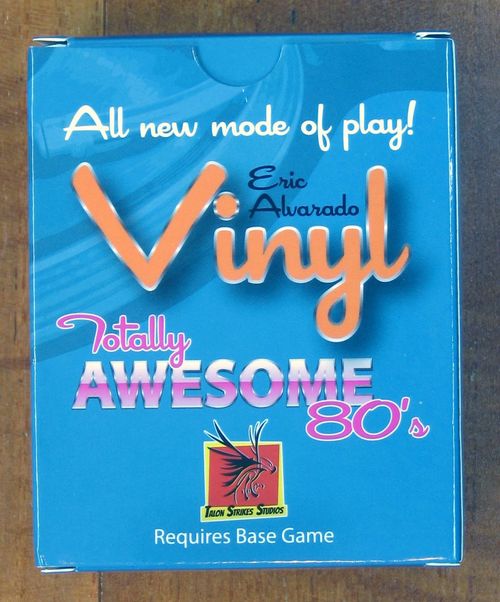
Vinyl: Totally Awesome 80's
Vinyl: Totally Awesome 80's Rulebook
Table of Contents
Table of Contents
- Game Overview
- Game Components
- Preparing the Store
- Game Summary
- Game Play
- Magazine Rack
- Record Bin
- Front Counter
- Sale Bin
- 3. Maintenance
- Album Collections
- Album Placement
- Retiring Collections
- Trading Albums
- Salesperson Action
- Store Closing Event
- Loyalty Cards
- Loyalty Card Details
- Wild Magazine
- Player Board
- Game End
- Two and Three Player Rules
Game Overview
With the rise in the popularity of cassette tapes, there was a decline in vinyl ownership. Music lovers who sought portability exchanged their vinyl for store credit at the trade-in counter without knowing its actual value. Collectors went on the hunt for these gems to expand or enhance their collections as record stores became flooded with used albums.
In Vinyl: Totally Awesome 80's, players will leverage their collecting skills to assemble the best collection of quality vinyl records!
Game Components
78 Album Cards
Each Album card has a Decade Identifier, Genre, Quality, Stereo, Remastered, Publisher, and Score.
66 Magazine Cards
Each Magazine card has a Genre, Quality, Stereo, Remastered, and Wild icon.
4 Salesperson Dividers
1 Store Closing Divider
10 Meeples
Game Board
27 Collection Reward Tokens
Nine stacks, based on type (No Matches, One Match, Two Matches) and Quality Levels (6+, 8+, 10+).
25 Loyalty Cards
Each Loyalty Card has a Score and Scoring Goals.
Album Crate
5 Player Boards
15 Quality Tokens
Starting Player Token
Preparing the Store
-
For two- and three-player games, read the Two and Three-Player Rules section located on page 19 before setting up. Remove one genre from the Albums, Magazines, and Loyalty Cards if playing with less than five players.
-
Place the Board in the middle of the table.
-
Arrange the Collection Rewards into nine stacks based on the type (No Matches, One Match, Two Matches) and Quality Levels (6+, 8+, 10+). For each stack, arrange the Collection Rewards in descending order with the highest score on top.
-
The person who recently listen to music goes first or any other suitable method. That player will take the Starting Player Marker.
-
Shuffle the Magazines. Deal five Magazines to the first player, six Magazines to other players, and seven Magazines to the last player (for a two-player game, the last player will only get six Magazines). Players will discard any Wild Magazines and draw a replacement Magazine until players have a starting hand without Wild Magazines. Shuffle any discarded Wild Magazines back into the Magazine deck and place the deck near the Board. Reveal four Magazines and place them next to the Magazine Deck to form the Magazine Display.
-
Shuffle the Loyalty Cards and deal three to each player. Place the remaining Loyalty Cards next to the Board. From the dealt Loyalty Cards, each player selects one Loyalty Card and passes the remaining to the left. From the two cards received, each player selects one Loyalty Card and discards the other card to the bottom of the deck. Each player now has two Loyalty Cards.
-
Each player selects a meeple and corresponding player board.
-
Separate and shuffle the Poor Quality (red and one Quality Sector) Albums from the Album Deck. Deal four to each player. Each player will discard two of the four Poor Quality Albums.
-
Take the discards and remaining Poor Quality Albums and shuffle them in with the remaining Albums. Fill the 20 spaces on the Board.
-
Slide any Poor Quality Albums down the Record Bin column and into the Sales Bin while maintaining order. If there is more than one Poor Quality Album, then slide those cards to the bottom row(s) of the Record Bin, positioning them to be next when the Sales Bin empties.
-
Slide any High-Quality (green and four Quality Sectors) Albums to up the Record Bin columns. If there is more than one High-Quality Album, slide those cards to the next row(s) beneath the top of the Record Bin.
-
Place the Quality Tokens near the Board.
-
For a 2-4 player game, take the remaining Albums and divide them evenly into stacks equal to the number of players (for a 2-player game, divide into four stacks). Place the Store Closing Divider into the Album Crate. Next, place one stack of Albums into the Album Crate in front of the Store Closing Divider. Next, place a Salesperson Divider into the Album Crate. Continue to load the Album Crate by alternating between stacks of Albums and Salesperson Divider cards. After the last stack of Albums has been loaded, the Album deck is complete. Return any unused Salesperson Dividers to the game box. The first card in the Album deck must be an Album and not a Salesperson Divider.
-
For a 5-player game, take the remaining Albums and place them into the Album Crate to make up the Album deck. Place the Store Closing Divider card at the very end of the Album deck.
Note: In a five-player game, do not use the Salesperson Dividers.
Game Summary
Vinyl takes place over several rounds. The game ends when the Album Crate is empty. Players select actions to take by moving their meeple to various locations in the music store on the Board. Players may earn Bump Actions if their meeple is "bumped" by another player at a location. Work to acquire Magazines, then spend them to collect Albums with matching icons. Visit the "Front Counter" to trade up low quality Albums for high quality Album. Album Collections can earn you Collection Rewards to earn additional victory points. In the end, players will tally the points earned from their Albums, Collection Rewards, and Loyalty Cards.
Game Play
Note: For two- and three-player games, please read the Two and Three-Player Rules section located on page 19.
1. Move
Choose an action to perform by moving your meeple to the Primary Action (bottom) space at a location of your choice. You may choose an action spot that is occupied by another player's meeple (or not). You may move your meeple to the same location to perform the same Primary Action two turns in a row (regardless if your meeple is still on the primary or Bump Action at the location) unless the location restricts this (see right). If another player's meeple is at the location you moved to, their meeple is "bumped" to the Bump Action (top) space. If there is a meeple already on the location's Bump Action space, return that meeple to its owner's player board.
Example A: The blue player is already at this location when the teal player moves to this location. The teal player moves to take the Primary Action spot at this location and "bumps" the blue player to the Bump Action spot.
Example B: The yellow and blue players are already at this location when the teal player moves to this location. The teal player moves to take the Primary Action spot at this location and "bumps" the yellow player home and the blue player to the Bump Action spot.
If this icon is showing at a location, you cannot take the Primary Action at this location two turns in a row (unless your meeple is in your supply after being bumped completely off this location).
2. Action
After moving your meeple to a location's Primary Action (bottom) space, perform the action:
- If there is a "slash", choose one action to perform.
- After you perform your action (but before Maintenance), if you bumped a player to the Bump Action (top) space this turn, they now perform a Bump Action (then proceed to Maintenance).
Note: Each location has two actions and corresponding spots to place a meeple: the top action is considered the Bump Action, and the bottom action is considered the Primary Action.
Magazine Rack
Primary Action: Knowledge. Draw two Magazines from the Magazine Rack or from the top of the Magazine deck. Magazines may be drawn in any combination, but Wild Magazines may not be drawn from the Magazine Rack. After drawing two Magazines, discard any Magazines of your choice until you have no more than 10 Magazines in hand.
Primary Action: Wild Knowledge. Draw one Wild Magazine from the Magazine Rack. After drawing two Magazines, discard any Magazines of your choice until you have no more than 10 Magazines in hand.
Bump Action: Exchange Loyalty Cards. Draw two Loyalty cards from the top of the Loyalty deck and adds them to your hand, then discard any two Loyalty cards from your hand to the bottom of the Loyalty deck. You can only ever have two Loyalty cards.
Bump Action: Partial Knowledge. Draw one Magazine from the top of the Magazine deck.
- Immediately after each card from the Magazine Rack is removed, add a new Magazine from the top of the Magazine deck.
- If the Magazine deck ever runs out, immediately shuffle the Magazine discard pile to form a new Magazine deck.
- If three Wild Magazines are ever visible in the Magazine Rack, immediately discard all four cards in the Magazine Rack and refill it with four new cards from the top of the Magazine deck.
Record Bin
Primary Action: Collect Album. Collect an Album by discarding Magazines and Quality Token(s) that match the Album's icons (see example below).
Bump Action: Earn Spoils. Select one non-Wild Magazine that was just discarded by the player who collected an Album and add it to your hand. If there are none to select from, draw one Magazine from the top of the Magazine deck instead.
Anytime you collect an Album, add it to your Active Collection according to the Album Collections rules on page 12.
Collection Example
In this example, you can see that the player is using two different Magazines and a previously earned Quality Token to match all four attributes on the Album.
The other attributes on the Magazines are ignored and not used. All Magazines and the Quality Token used in the collection process is discarded.
Important: Players must match all the attributes on the Album in order to collect the Album and add it to their active collection.
Front Counter
If a player has a meeple located in the Front Counter at the start of their turn, they must visit a different location. (You cannot take the Front Counter action two turns in a row.)
Primary Action: Exchange Loyalty Cards. Draw two Loyalty cards from the top of the Loyalty deck and add them to your hand. Discard any two Loyalty cards from your hand to the bottom of the Loyalty deck (you can only ever have two Loyalty cards).
Primary Actions: Trade Albums. A player identifies one Album in the Record Bin or Sale Bin to trade. The player selects any Album(s) from their Active Collection(s), Magazine(s) from their hand, and any Quality Tokens from previous trades to match all of the identified icons present on the Album. Discard the consumed Album(s), Magazine(s), Quality Token(s) and add the new Album to the player's Active Collection. See Trading Albums on page 15.
Bump Action: Earn Spoils. Select one non-Wild Magazine that was just discarded by the player who collected an Album and add it to your hand. If there are none to select from, draw one Magazine from the top of the Magazine deck instead.
Sale Bin
If a player has their meeple located in the Sale Bin at the start of their turn, they must visit a different location. (You cannot take the Sale Bin action two turns in a row.)
Primary Action: Collect Discounted Album. Collect an Album by discarding Magazines and Quality Token(s) that match the Album's icons (see example below), but ignore any one non-genre icon (on the Album - you do not need to discard a Magazine for that one icon).
Bump Action: Earn Spoils. Select one non-Wild Magazine that was just discarded by the player who collected an Album and add it to your hand. If there are none to select from, draw one Magazine from the top of the Magazine deck instead.
3. Maintenance
After the active and bumped player has completed their turn, replace vacant spaces in the Record Bin or Sale bin with an Album from the Album Crate as follows:
If the Album on the top of the Album Deck is a Red Quality Album:
- Shift the Albums up the column in order to create a vacant space in the Sale Bin.
- Place the Red Quality Album on top of the Album Deck into the vacant space.
Example: Shift Albums up since there is a Red Quality Album on the top of the Album Deck. Place the Red Quality Album into the vacant space in the Sale Bin.
Note: Higher quality Album may appear in the Sale Bin.
If the Album on the top of the Album Deck is an Orange, Yellow or Green Quality Album:
- Shift any Red, Orange, or Yellow Quality Albums down the column in order to create a vacant space at the top of the Record Bin. This will leave any Green Albums at the top of the Record Bin (Green Quality Albums do not move).
- Place the Album on top of the Album Deck into the newly created vacant space.
Example: Shift non-Green Albums down since there is a Yellow Quality Album on the top of the Album Deck. Draw an Album from the Album Box and place it at the top of the column filling in space.
Note: Even though there may be instances where there are multiple Green Quality Albums in a column, Green Quality Albums do not move.
Placing the Salesperson Divider onto the Board will trigger the Salesperson Action (see page 16).
Placing the Store Closing Divider onto the Board will trigger the Store Closing Event (see page 16). Otherwise, the play will continue to the next player on the left of the active player.
Album Collections
Players will collect and place Albums on the right of their Player Board in one of the Active Collection spaces. Splay Albums to reveal the icons for each Albums. The relationship between each Album is essential for expanding the Active Collection and the retirement of an Active Collection to earn Collection Rewards (see below).
You can only have two Active Collections, which may not exceed four Albums. A player may retire an Active Collection during their turn and earn an applicable Collection Reward (see Retiring Collections on page 15).
Players will collect Albums and insert them into one of two Active Collections. The player must decide when extending the collection what type of collection they wish to construct and adhere to the rules of the collection type. A player may retire a collection when there are four Albums.
There are three types of collections in the Totally Awesome 80's Collection Set: No Matches, One Match, and Two Matches.
No Matches Collection
A No Matches Collection consists of four Albums that do not have any matching icons across all Albums. To retire a collection as a No Matches Collection, sum all of the Quality Ribbons on each of the Albums and take the No Matches Collection Reward that is equal to or lower than the sum of the Quality Ribbons.
Example: This collection does not have any matches across all the Albums, and the Quality Ribbons add up to 10. The player retires the collection and earns a "No Matches 10+ Collection" Reward Token.
Example: This collection does not have any matches across all the Albums, and the Quality Ribbons add up to 5. The player may retire but will not earn a Collection Reward Token since the minimum of 6.
Important: Suppose during the retirement of a collection, the sum of Quality Ribbons is too low to qualify for a Collection Reward Token. In that case, the player may elect not to retire in order to trade up for better Albums or elect not to take a Collection Reward Token.
One Match Collection
A One Match Collection consists of four Albums that have one matching icon across all Albums. To retire a collection as a One Match Collection, sum all of the Quality Ribbons on each of the Albums and take the One Match Collection Reward Token that is equal to or lower than the sum of the Quality Ribbons.
Example: This collection has one match across all the Albums, and the Quality Ribbons add up to 7. The player retires the collection and earns a "One Matches 6+ Collection" Reward Token.
Example: This collection does not have a match across all the Albums, and the Quality Ribbons add up to 5. The player may retire but will not earn a Collection Reward Token since the minimum of 6.
Two Matches Collection
A Two Matches Collection consists of four Albums that have two matching icons across all Albums. To retire a collection as a Two Matches Collection, sum all of the Quality Ribbons on each of the Albums and take the Two Matches Collection Reward Token that is equal to or lower than the sum of the Quality Ribbons.
Example: This collection has two matches across all the Albums, and the Quality Ribbons add up to 8. The player retires the collection and earns a "Two Matches 8+ Collection" Reward Token.
Example: This collection has only one match across all the Albums, and the Quality Ribbons add up to 9. The player may retire and earn a "One Match 8+ Collection" Reward Token.
Suppose the value of a valid smaller Collection Reward Token (either in collection length or collection type) is higher in victory point value. In that case, the player may choose to take the Collection Reward Token.
Important: The player may downgrade their matches or quality sum to earn a Collection Reward Token of a higher value.
Album Placement
When you gain an Album, place it to the right of your player board in an Active Collection of your choice. Splay (pile and slide the top cards right) so the left icons of each card in each Album Collection pile are showing. Once an Album is placed, it may not be moved between or within collections.
You have room for two active collections at once; however, if you wish to start a new collection (when two active collections are already present, with any number of cards in each), you must Retire a Collection (page 14).
Important: A player may only have two active collections and may retire one collection as a free action at any time during their turn.
Retiring Collections
A player may only have two Active Collections, which may not exceed four Albums.
A player may retire an Active Collection during their turn and earn an applicable Collection Reward.
The Retired Collection is placed on the left side of the player board in the Retired Albums space, along with the Collection Reward (see page 12).
Trading Albums
During the game, players may trade their Albums in for another Album on the Board, which may increase the value of their collection.
To trade albums, players visit the Front Counter and perform the Trade Albums action. To complete the action, perform the following steps:
- Select the desired Album from the Board.
- Select at least one Album from the player's Active Collection.
- Determine the difference in icons between the selected Album(s) from the Active Collection and the desired Album from the Board.
- You discard Magazines with matching icons so that the icons bridge the difference in icons.
- If you have Quality Token(s), you may spend them to offset any quality missing.
- If you have enough Albums, Magazines, and Quality Tokens with icons to equal or exceed the icons on the desired Album, the trade is successful.
- Discard any spent Magazines (or share with the Bumped Player for the Earn Spoils bump action).
- Discard any spent Album(s). The player earns one Quality Token for each spent Album minus any Quality Tokens spent during the trade (up to the maximum number of spaces on your player board).
- Add the earned Album to either Active Collection.
Example 1: Eli takes the Trade Albums action at the Front Counter. He selects a Desired Album to trade for from the Board. Eli forms a Trading Lot with an Album from his active collection along with three Magazines to complete the trade.
Eli discards the Magazines (or hands them to the Bumped Player for spoils) and the Album used in the trade and takes a Quality Token for a future Collect or Trade Action.
Example 2: Ari takes the Trade Albums action at the Front Counter. He selects a Desired Album to trade for from the Board. Ari forms a Trading Lot with two Albums from his active collection along with one Magazine and one Quality Token to complete the trade.
Ari discards the Magazine (or hands it to the Bumped Player for spoils) the Albums and Quality Token used in the trade. He takes only one Quality Token (number of Albums minus the number of Quality Tokens used).
Salesperson Action
Keeping the store stock fresh is essential to keep the Albums moving and giving the players the chance to build the best collections. When a Salesperson Divider would be placed (during Maintenance) - instead of placing it - immediately read and process its text, then discard it.
- Discard all Magazines in the Magazine Rack.
- Refill the Magazine Rack with new Magazines from the top of the Magazine deck.
- Discard all Albums in the Sale Bin.
- Slide all Albums down from the Record Bin to fill the Sale Bin.
- Add new Albums to the top of each column in the Record Bin from the top of the Album deck.
- Discard the Salesperson Divider.
- Now, the next player takes their turn in clockwise order as normal.
Store Closing Event
Placing the Store Closing Divider triggers the end of the game. Complete the current round so that all players have an equal number of turns; then, each player takes one additional turn. Do not fill any empty spaces in the Record or Sale Bin after the Store Closing Event has been placed. Once all players have had their additional turn, the game moves to Game End (see page 18).
Loyalty Cards
Players select two Loyalty cards at the beginning of the game (see Preparing the Store) and keep them secret until the end of the game.
There are two locations on the board where you may Exchange Loyalty cards:
- Bump Action at the Record Bin
- Primary Action at the Front Counter
A player draws two new Loyalty cards from the top of the Loyalty card deck in their hand, examines which to keep, and then discards two Loyalty cards to the bottom of the deck. A player may only have two loyalty cards.
During End Game Scoring, players score their two Loyalty cards. All Albums, on the left or right sides of your player board, are considered to be in your collection. Anything that scores or references Albums in your collection includes all of your Albums.
Important: A player may only have two Loyalty Cards. Loyalty Cards are for end game scoring.
Loyalty Card Details
- Each Genre - Receive two victory points for each Album with the depicted genre icon on the card not to exceed 20 victory points.
- Each Genre/Stereo Pair - Receive three victory points for each Albums with the depicted genre/stereo icons on the card not to exceed 21 victory points.
- Each Genre/Remastered Pair - Receive three victory points for each Albums with the depicted genre/remastered icons on the card not to exceed 21 victory points.
- Each Quality - Receive 6,5,4, or 3 victory points for each Album with the depicted quality icon on the card not to exceed 18, 20, 20, or 21 victory points.
- Each Stereo (or Remastered) - Receive three victory points for each Album with the stereo (or remastered) icon on the card not to exceed 21 victory points.
- Each Genre Set - Receive eight victory points for each set Albums that match the depicted set not to exceed 16 victory points.
Note: ignore genres not in play.
Wild Magazine
A Wild Magazine has a genre and a Wild Icon. A Wild icon replaces any Album icon (genre or attribute). The player may use either the Wild, the genre, or both to collect an Album. When taking a Collect Action, discard any Wild Magazines that were used immediately (Bumped players may not select these cards during the Earn Spoils action).
Also, any three Magazines maybe discarded and treated as a Wild.
Player Board
As described in the Preparing the Store section, each player takes a player board. The player board provides the player a reference of the actions at each location on the main board. The player board also has text to remind you where to place Active Collections, Album on Layaway, and Retired Collections.
Game End
Players will be able to retire any remaining Active Collections and earn a Collection Reward token if applicable. Perform retirements one at a time, one per player, until each player has no remaining valid Active Collections left to retire.
Players add the following:
- The victory points from each Album located in the Active Collection or Retired Collection spaces.
- The victory points from earned Collection Rewards.
- The victory points from their Loyalty cards.
Players subtract victory points for an Album on Layaway on their player board.
The player with the most victory points wins the game. If there is a tie, the following are the tiebreaker conditions:
- The player with the least number of Albums.
- The player with the most number of Collection Reward tokens.
- The player with the most Magazines remaining in their hand.
Important: In the final round, the Sale Bin will not refill and Albums do not slide like usual.
Two and Three Player Rules
Vinyl relies on players interacting at each of location on the Board. To facilitate these interactions, for two- and three-player games, each player will control two meeples of their color using the following rules:
Additional Setup Rules
- Each player will take two meeples (instead of one) to use during the game.
- For two-players, set the Album deck using a four-player setup (four equal stacks using three Salesperson Divider cards).
- For three-players, set the Album deck using a three-player setup (three equal stacks using two Salesperson Divider cards).
Additional Game Play Rules
A player may choose to use either of their meeples to activate a location. However, the player may not have both of their meeples in the same location. Hence, a player may not bump their own meeple.
- Also, a player does not have to vacate the Sale Bin on their next turn, but instead they can move a different meeple they control.
- Also, a meeple must be "bumped" in order to for the player to take a Bump Action.
- If a player has a meeple on their player board, they may elect to move that meeple or the one that is on the main board.
Two Player Example: Sam (playing as teal) moves their teal meeple to the Sale Bin. The red meeple was already "bumped" from a previous turn and does not receive a "Bump Action" (because they are being bumped off the board back to the player).
Lisa (playing as red) moves their red meeple to the Magazine Rack. Even though they have a meeple in the Sale Bin, they are not required to move it (you can always choose which meeple to move on your turn). Lisa "bumps" Sam's teal meeple at the Magazine Rack, Lisa finishes their action, then after, Sam performs the Bump Action there.