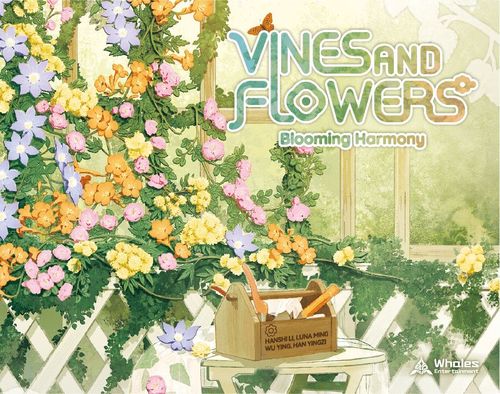
Vines and Flowers: Blooming Harmony
Vines and Flowers: Blooming Harmony Rulebook
Table of Contents
Table of Contents
Base Assembly Guide
The base assembly guide is illustrated only (six numbered steps, ① to ⑥, showing how the pergola base walls and the Main Board fit together). See the printed rulebook page 2 for the diagrams.
Components
- 1 Pergola Base
- 1 Main Board
- 52 Flower Tiles
- 104 Petals
- 15 Ladybug Tokens
- 5 Hummingbird Tiles
- 10 Event Cards
- 4 Four-Hue Tiles
- 1 Rake
- 4 Screens
- 1 Cloth Bag
Set Up
- Using the chart below, determine how many Flower Tiles you need based on the number of players (put any random excluded tiles back in the box, and they will not be used in this game). Then place the flower tiles into the Cloth Bag.
- 2 players: x32 (or remove 20)
- 3 players: x42 (or remove 10)
- 4 players: x52
- Place the Main Board beside the Pergola Base within easy reach of all players.
- Prepare the Market: Shuffle all tiles in the Cloth Bag, then randomly draw five. Place them in a line from left to right below the Main Board, forming a Market area. This is where you gain your tile(s) each turn.
- Set Up Hummingbirds & Ladybugs: Take the 5 Hummingbird Tiles. Place TWO of them into the Cloth Bag with the other tiles, then give the bag a shuffle. Place the remaining three Hummingbird Tiles, respectively, next to the three number 4, 5, and 6 on the Main Board. Place two Ladybug Tokens on top of each of these Hummingbird Tiles. Put the remaining tokens and the four-hue tiles on the empty areas of the Main Board.
- Shuffle all Event Cards face down. Then deal three cards face up sequentially on the left side of the Main Board (put the rest of the cards back in the box, and they will not be used in this game).
- The player who has recently received flowers becomes the start player. Proceeding clockwise, each player randomly picks a Screen. Your starting petals are shown on its back, corresponding to the player order.
Then, the start player can take the first turn.
Basic Overview
Flower Tile
-
Openings: Each tile has four openings, and only those with vines or flowers can be used to interlock with each other.
-
Flowers: There are four different types of flowers, each with a corresponding petal.
- Banks' Rose (Yellow) → yellow 1-value petal
- Trumpet Creeper (Orange) → orange 1-value petal
- Multiflora Rose (Pink) → pink 1-value petal
- Blue Angel (Blue) → blue 1-value petal
At any time, you may convert same-color petals with the supply. Exchange five 1-value petals for a single 5-value petal, and vice versa. If the general supply runs out of petals, use suitable substitute tokens.
-
Insects: There are four different types of insects, each with a unique ability (see details in P9).
- Ladybug
- Bee
- Spider
- Butterfly
Ladybug Token: This is a wild token and acts as one 1-value petal of any color during final scoring. You can gain it by placing a flower tile with a ladybug or during the Fulfillment Phase, or from Event Cards, giving you the flexibility to collect your flower sets.
Four-hue Tile: Gain by placing a flower tile with a butterfly. This is a wild tile, smaller in size than a regular flower tile and can be used to complete a flower of any color during the Action Phase (see details in P7).
Gameplay
From the start player and going clockwise around the table, each player takes turns crafting the floral pergola. When it is your turn, do the following four phases.
- Action Phase
- Fulfillment Phase
- Hummingbird Phase
- Replenish Phase
1. Action Phase
Perform the following TWO actions; you may choose any combination (AA, AB, or BB) of your choice:
Action A: Gain a Tile from the Market and Take the Petal(s) on it, if any.
- Take the first tile in line for free, or
- Put one petal (value 1) on top of each tile you skipped to gain the tile you want.
- The hand tile limit is three. Once your hand tile reaches this maximum, you cannot perform "Action A" unless you are gaining a hummingbird tile (see details in P11).
Action B: Place a Tile from Your Hand onto the Pergola to Collect Petals.
- When placing a flower tile, you must follow these connection rules:
- Connect vines only to vines;
- Match flowers with flowers of the same color.
- When placing the four-hue tile, since it can complete a flower of any color, you could insert it into any incomplete flower you wish. Even one side of a gap between two adjacent unjointed tiles (see image in printed rulebook, page 7).
- However, you cannot place a flower tile into the gap between two adjacent unjointed tiles.
Example: As shown in the printed rulebook (page 7), it is illegal to place a new flower tile into a gap between existing adjacent tiles; this would disrupt the structure.
-
To collect petals, please follow the instructions below:
- When the tile you just placed forms a complete flower, a petal of that color is granted.
- Then, gain 1 additional petal for every other complete flower of that color interconnected* to the new one.
*Complete flowers of the same color are considered "interconnected" when you can trace along all the vines without being broken by a different or incomplete flower.
Example: Gain three orange petals for this placement. a. First, the tile you placed completes an orange flower; one orange petal is rewarded. b. The vine patterns on the two tiles align to form a continuous path (even though they aren't physically connected). c. Then, this path encloses two more complete orange flowers without any different or incomplete flowers inside; two additional orange petals are granted. (+3 orange petals)
Example: Gain one orange petal for this placement. a. First, the tile you placed completes an orange flower; one orange petal is rewarded. b. However, there is an incomplete pink flower breaking the path. Therefore, you cannot gain two more orange petals. (+1 orange petal)
-
- One Bonus Petal: For the first tile starting each new layer, check if that tile completes a flower. If it does, you earn an additional petal of the flower's color. If it does not complete a flower, you earn no bonus.
Example: You won't receive the bonus if that first tile you placed is connected to a vine. (+0)
If you subsequently place a flower tile that completes a flower in this structure, you only gain one petal of that flower's color as it's not the first tile starting this layer. (+1)
-
If the tile you place has an insect, it triggers a special effect:
- Bee: Placing a flower tile with a bee on the flower pergola immediately performs an extra action.
2. Fulfillment Phase (Optional)
Once per turn, fulfill the number (4, 5, 6) to unlock a Hummingbird Tile and gain Ladybug Tokens.
To fulfill a number, you must collect the required number of petals in the same color. More importantly, each number must be fulfilled in sequence with a different color of petal, starting with 4, then 5, then 6. Note that ladybug tokens cannot be used for this fulfillment; they can only be used as 1-value petals of any color during final scoring.
When you have the required petals, follow these steps:
① Display: Show the required number of same-color petals that haven't been used to fulfill.
② Mark: To notify that this number has been fulfilled, put one of the petals you just displayed on top of the corresponding number on the Main Board.
③ Reward: Gain the two Ladybug Tokens as rewards.
④ Unlock: Take the Hummingbird Tile and place it into the Cloth Bag, then give the bag a shuffle.
Example (printed rulebook, page 10): petals of three different colors are displayed and marked on the 4, 5 and 6 numbers of the Main Board, with one petal on each. Keep the rest of the petals behind your screen.
3. Hummingbird Phase
If the Hummingbird Tile is currently the first tile in the Market, immediately archive it to the left side of the Event Card and trigger its Global Effect (group icon). If not, skip this phase. (See P11.)
4. Replenish Phase
To refill the Market:
- Slide the remaining tiles to the leftmost spaces.
- Draw new tiles from the bag and place them one by one into the now-empty spaces on the right, until five tiles are available.
Then, the next player can start their turn.
Hummingbird Tile & Event Card
There are two occasions to archive Hummingbird Tiles and activate the effect on the Event Cards. Each Event Card has two sides: one side's effect applies to all players, and the other side's effect applies only to one single player.
a. Personal Effect
During the Action Phase, when a player gains a hummingbird tile, they must immediately move it on the right side of the available event card (starting from the top one), and trigger its personal (single-figure) effect, which applies only to that player.
As the hummingbird tile is archived and not kept in hand, this action is always available even with a full hand.
b. Global Effect
During the Hummingbird Phase, if the hummingbird tile is the first tile in the Market, immediately move it to the left side of the next available event card. This triggers its global (group-figure) effect, which applies to all players.
End of the Game
The game ends when either of the following conditions is met:
- The fourth hummingbird tile appears on the market;
- The cloth bag tiles run out;
All players then remove their screens. Your final score is the quantity of petals of your least-collected color, with freely allocating your ladybug tokens - each acts as a wild petal of any color worth 1 point. If you have zero petals of a certain color, your final score would be 0. Then, players compare their scores; whoever has the highest result is the winner. In case of a tie, compare the second least petals, and so on. If tied on four colors, victory is shared.
FAQ (Event Cards)
The Q&A below is for Event Cards.
Q: When a card says to "discard" tiles, where do they go? A: Discard tiles are removed from the rest of the game. They are not returned to the cloth bag.
08 Nectar
Q: Do we refill the Market before resolving the event card? A: No. You must trigger the event card's effect first. When it comes to the global effect of this event card, activate the global effect before replenishing the market; in this case, the market may have fewer than five tiles.
Q: Can a player place a petal on any tile, including one that already has a petal on it from a previous player? A: Yes. There is no limit to how many petals can be on a single tile from this global effect. Players may all choose the same tile or different ones.
09 Refresh
Q: For the Personal Effect, do I have to discard tiles? A: No. You may choose to discard "any number," including zero. If you discard no tiles, it does not trigger any additional effect.
Q: What happens if the new tile I draw is a Hummingbird when resolving the Personal Effect? A: Same as you gain a hummingbird tile during the Action Phase, immediately trigger the next available event card's Personal Effect as usual.
10 Catalyst
Q: How does the "Number 7" Global Effect work? A: This adds an independent number (7) that can be fulfilled at any time, without following the standard 4-5-6 order. To set it up, place this card in the fulfillment area of the Main Board, move the hummingbird tile next to it, and place three ladybug tokens from the supply on that tile. To fulfill this goal, a player must collect 7 petals of a color that have not been used for any other fulfillments.
Q: How does the Personal Effect work? A: This is a separate, instant action. Choose one petal from your hand. Its color must not have been used to fulfill any of the 4, 5, or 6 goals yet. Place that petal near the fulfillment area on the Main Board. This color of petal cannot be used for other fulfillments. You then immediately gain two ladybug tokens from the supply.
Family-Friendly Variants
To make Vines and Flowers more accessible for younger players or a quicker, simpler game, try any of these variants.
Variant 1: The Simple Harvest
A pure and straightforward tile-building game. Perfect for young children.
- Component: Remove the Main Board, Hummingbird Tiles, and Event Cards.
- Setup: To prepare the market in this variant, shuffle a certain number of flower tiles in the cloth bag, then randomly draw five tiles. Place them in a line from left to right, forming a market area.
- How to Play: There is NO Fulfillment Phase and Hummingbird Phase. Play normally, taking turns to perform the Action Phase and Replenish Phase only.
- Game End: The game ends as soon as the cloth bag is empty.
Variant 2: The Hummingbird's Call
Add a charming endgame timer - Hummingbird Tiles.
- Component: Remove the Main Board and Event Cards.
- Setup: Shuffle a certain number of flower tiles, including all 5 hummingbird tiles, into the cloth bag, then draw 5 tiles to form the market area.
- How to Play: There is NO Fulfillment Phase and Hummingbird Phase. Players take turns to perform the Action Phase and the Replenish Phase only. When refilling the market, if you draw a hummingbird tile, set it aside instead of placing it onto the market.
- Game End: The game ends immediately when the fourth hummingbird tile is drawn from the cloth bag and set aside.
Variant 3: The Fulfilling Goals
Add the Fulfillment Phase on the Main Board. This variant is driven by Hummingbird Tiles and Fulfillment.
- Component: Remove all Event Cards.
- Setup: Set up the Hummingbird & Ladybugs as in the core game - place TWO hummingbird tiles in the bag with the other flower tiles and give the cloth bag a shuffle. Place the remaining three hummingbird tiles on the right side of their three fulfillment spaces (4, 5, 6) on the Main Board.
- How to Play: There is NO Hummingbird Phase. Players take turns to perform the Action Phase, including the Fulfillment Phase, and the Replenish Phase. When refilling the market, if you draw a hummingbird tile, set it aside instead of placing it onto the market.
- Game End: The game ends when the fourth hummingbird tile is drawn from the cloth bag and set aside.
Quick Clean-Up
Illustrated: the Main Board has a specially beveled opening that helps organize all the petals and tokens. Follow the three numbered steps ①, ② and ③ shown in the printed rulebook (page 15).
Use the custom-designed Rake to slide petals from the hard-to-reach inner corners of the pergola base.