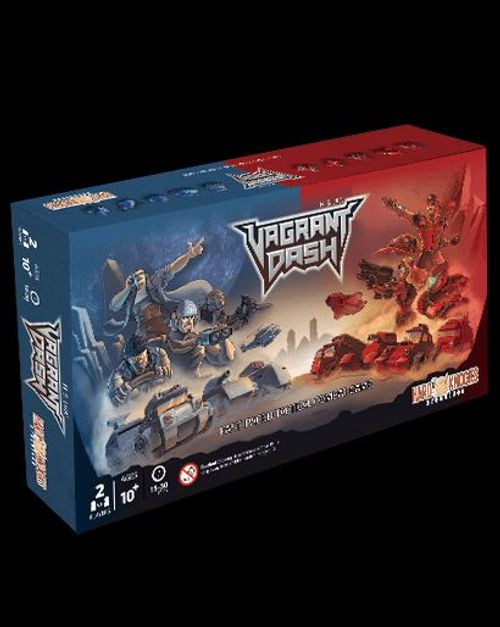
Vagrant Dash
Vagrant Dash Rulebook
Table of Contents
Table of Contents
Introduction
Vagrant Dash is a tradition between space vagrants on Planet Sikarra, where dispute are settled with a "Dash". In this case, two Vagrant factions are fighting over the claim to 3 ancient derelict cities left by past civilization.
A Dash usually last for only 20 minutes (20 rounds in this game) as resources are scarce. The vagrants agreed that any conflict that dragged on will just diminish the survival chances of the human race as a whole.
Here are 2 ways to win a Dash.
Winning Conditions
- "Commander": Take out enemy COMMANDER for instant victory!
- "City Tile": Have your units stand on the most City Tiles at the end of Turn 20.
- The game is a TIE if both players have an equal amount of City. Just play the game again to see who wins!
Setting Up The Game
- Place units accordingly on the Starting Base.
- Shuffle and put ALL cards here according to colours. Each player draw 5 cards, pick 3. Put the rest on the bottom of the deck.
- Shuffle all tiles into the Tile Bag. Each player draw 6 tiles and arrange them on the first row in front of their Starting Base.
- Place the Round Counter starting at 1.
The unit placement for step 1 is shown pictorially in the setup diagram; the rulebook gives no separate text for it.
Gameplay: Players Actions and Player Turn Structure
Every round, Each players have only 2 actions they can take:
- Choose ONE(1) unit to move OR attack. You may not skip your turn.
- Use ONE(1) card before OR after the unit action. (Optional)
Round Structure
Red always goes first. A round is completed when both players performed their action.
The structure diagram in the rulebook shows:
- Red player's turn: 1 unit (Move or Attack) + 1 card (Before or After Unit Action).
- Blue player's turn: 1 unit (Move or Attack) + 1 card (Before or After Unit Action).
- Then NEXT ROUND.
Round Counter
Keep track of turns using the Round Counter. RED PLAYER move the Round Counter up one space every time each round ends. The game will end after Round 20.
Tips: Consider using card BEFORE or AFTER you take your unit action
- Tip 1: use the "False Intel" card to move an enemy unit into your firing path BEFORE using your unit to attack it.
- Tip 2: use the Reinforcement cards to call back units AFTER you move the commander unit so that the unit can be placed further.
Gameplay: Movement
Moving your units
Each round, you can command one unit to move, how far they can move depends on their movement stat.
For example, a SCOUT can move up to 3 tiles in any direction as indicated on the stats table.
You CAN move just 1 or 2 tiles only, if you wish. You need not finish using up all your movements.
A tile means one hexagonal Map Tile. (Diagram: a SCOUT moving 1 tile, then 2 tiles, then 3 tiles.)
Different Tile Types
There are 6 types of tiles with different effects, such as the MOUNTAIN that land unit cannot go into. (Refer to the Map Tile section to understand the effects of each tile.)
Movement Blocking Rules
- All land units CANNOT move through each other.
- AIRCRAFT CAN move through MOUNTAIN and friendly units, but not enemy. Moving towards an enemy is considered an attack.
- Land units CAN move through AIRCRAFT, even enemy's. As long as they have enough movements and possible path to go through.
- Units CANNOT share a tile.
Aircraft Straight Line Movement Rule
AIRCRAFT can move up to 4 tiles in a straight line only each turn.
They CANNOT make any change in direction in the middle of their movement during the same turn.
AIRCRAFT ignore any terrain effect, it moves through all tiles except UNKNOWN.
Tips: Use blocking rules to your advantage
- Tip 1: Take advantage of AIRCRAFT's ability to fly through MOUNTAIN while the other units are blocked by it.
- Tip 2: Use friendly unit as a "wall" to block enemy AIRCRAFT while allowing your own to fly over.
Gameplay: SCOUT and Map Exploration
The map start out with a large dark area in the middle. These are the blank UNKNOWN space. It represent the unexplored area in the map.
No unit can move into UNKNOWN space!
Therefore, the SCOUT unit is required to explore and fill the map with Map Tiles to facilitate movements of your units.
Example of using SCOUT to place Map Tiles over UNKNOWN spaces.
A SCOUT will reveal the tiles around it
For this example, if the blue SCOUT move to the center tile, there will be 3 UNKNOWN spaces directly around the SCOUT.
The SCOUT reveals ALL the UNKNOWN tiles that are 1 tile away from where it is.
Fill the UNKNOWN space with Map Tiles
Draw as many tiles from the tile bag to fill up the UNKNOWN spaces. In this case, 3 tiles are drawn. After filling in the tiles, the turn ends.
Always draw your tiles before you put them on the map, because you decide the arrangement.
YOU DECIDE THE ARRANGEMENT OF THE MAP TILES YOU DRAW! There are different tile types with their own attributes, make sure to arrange them in a way that improve your defense, or hinder your enemy units' movements and attacks!
Tips: Exploiting Map Area Control
- Tip 1: It's more beneficial to scout an area yourself than to wait for the enemy to do so. Especially around CITY tiles to block your enemy before they do.
- Tip 2: You can use the UNKNOWN tiles as defensive wall that no one can pass through. Be careful, you will block yourself as well.
Gameplay: Attacking
To improve your advantage of winning the game, you can remove enemy units by attacking with your own units.
You can attack when these requirements are met:
- It is your turn to take action.
- Enemy is within your unit attacking range. (refer to Attack Types below)
- There are no obstacle in the attacking path. (refer to Obstacles below)
The attacked enemy unit is removed from the map.
Attack Types
- Move in and takeout enemy (arrow icon): This attack use the unit movement as the attack range. Attacking units will move into where the enemy was standing and replace it. Example of AIRCRAFT moving 4 tiles into the enemy. The enemy is taken out as long as the unit manage to get to the enemy with its movement range. Used by: SCOUTS, AIRCRAFT.
- Shoot up to 3 tiles away (target icon with 3): This is a shooting attack. The tank can attack enemy 3 tiles away while stationary. Shooting is NOT movement, so it will shoot through ROUGH & WATER tile unaffected, but MOUNTAIN & UNKNOWN will block the shooting attack. Used by: TANKS.
- Unlimited range but only shoot in a straight line (missile launcher icon): MISSILE LAUNCHERS can shoot as far as it wants but it must shoot in a straight line according to the edges of the hexagon. Like TANKS, it can shoot through ROUGH & WATER but blocked by MOUNTAIN & UNKNOWN tiles. Used by: MISSILE LAUNCHERS.
Obstacles
Here is a list of situations that will prevent you from attacking:
- Attack must always hit the first unit along the path.
- Friendly Unit will BLOCK SHOOTING attack.
- MOUNTAIN BLOCK ALL SHOOTING attacks.
- UNKNOWN space BLOCKS ALL attacks.
!!! Important !!! Shooting unit remains stationary and DO NOT move into enemy space when attacking!
Tips: AIRCRAFT on MOUNTAIN & MISSILE LAUNCHER position
- Tip 1: AIRCRAFT standing on a MOUNTAIN tile is immune to all shooting attack. Only another AIRCRAFT can attack it.
- Tip 2: MISSILE LAUNCHER starting position can defend the CITIES, do not block it!
Gameplay: Ability Cards
A card can be played to surprise your opponent.
Only ONE CARD can be played every round.
Using Ability Card
Card can be played BEFORE or AFTER you move your unit. Just declare that you are playing a card. Reveal it and resolve the ability in the description.
All used card are put in a discard pile facing up beside the game board.
Example card: "Power Surge" (card name at top, illustration, ability description). Ability text: "Take an Extra Action for the same unit you have commanded this turn. The unit will be destroyed after the extra action is done."
How to Draw a Card?
Draw a card when your unit end its turn on any CITY Tile.
You DO NOT draw another card until you move the unit and then re-enter the city tile and end its turn again on the tile.
Shield Card
"Shield" is a special card. It is used only when blocking enemy attacks.
Shield targets the act of attack, not the unit, so this can be used on COMMANDER.
Shield card text: "Protect unit from Enemy Attack. Used only when enemy unit is attacking." Small footnotes on the card: "*Card effects are not protected. *For SCOUT or AIRCRAFT, move it back 1 tile from the shielded unit."
Max THREE Cards in Hand
If more than 3 cards in hand, Player can use a card immediately, or choose ONE card to discard into the discard pile.
Tips: Conserve your cards & Securing Cities
- Tip 1: Don't waste all your cards during the first half of the game, conserve some cards, such as Shield, until the climax of the game.
- Tip 2: Secure at least a CITY as soon as possible to get access to more cards. But please be reminded that you can only have maximum 3 cards in your hand at all time.
Card Examples
Cards named in the rulebook's examples, with their printed text:
- False Intel: "Move an Enemy Unit ONE(1) tile in any direction of your choice." Footnote: "*Must move into appropriate tile type."
- Re: Tank: "Place ONE(1) destroyed Tank unit back into the game anywhere beside the Commander unit." Footnotes: "*Use only if there are destroyed units." "*Must be placed on appropriate terrain." "*Unit can be used immediately."
- Power Surge: as above.
- Shield: as above.
The card footnotes are small in the source images; they were read at the highest resolution available.
Unit Statistic Table
Every unit have its own rules, but don't worry, there are only 5 unit types in this game and you will get the hang of what each of them do really quick after you start playing for a few turns.
For your first playthrough, keep this page open as a reference when playing!
SCOUTS
- Movement: 3 tiles in any direction.
- Attack Type: move in and takeout enemy.
- Special Features: Fill in Map Tiles. Only Scouts can fill in tiles on the UNKNOWN space around them.
!!! Important !!! Other units DO NOT fill in tiles!
TANKS
- Movement: 2 tiles in any direction.
- Attack Type: shoot up to 3 tiles away.
- Special Features: Move or Shoot only. Tanks cannot move and shoot in the same turn.
MISSILE LAUNCHERS
- Movement: 2 tiles in any direction.
- Attack Type: unlimited range but only shoot in a straight line.
- Special Features: Move or Shoot only. M. Launcher cannot move and shoot in the same turn.
!!! Important !!! Shooting unit remains stationary and DO NOT move into enemy space when attacking!
AIRCRAFTS
- Movement: 4 tiles in ONE DIRECTION. (Footnote: *ONE DIRECTION.)
- Attack Type: move in and takeout enemy.
- Special Features: Flying.
- Ignore Map Tile Effects.
- Can move over friendly units, land units can move through it.
- Cannot be attacked by SCOUT.
!!! Important !!! Aircraft on a mountain tile CANNOT be shot & can only be attacked by another aircraft!
COMMANDER
- Movement: 4 tiles in any direction.
- Attack Type: This unit cannot attack.
- Special Features: Ignore ALL Card Effects. Commander cannot be targeted by card effects, including your own card.
Tips: The Ultimate Defense of TANK and The Disadvantage of Shooting Units
- Tip 1: The TANK is designed as the ultimate defense. If you can get them into the front lines, they can basically dominate a big area and shoot whoever enter its shooting range.
- Tip 2: SCOUT and AIRCRAFT have an advantage with their attack, that is, they replace the enemy unit when attacking. Imagine if you attack an enemy on a CITY tile, you will replace them on that tile after attacking, and get a card. The shooting units will only take out the enemy from afar.
The source prints "AIRCARFT" in this tip; it is read as AIRCRAFT.
Map Tiles & Their Effects on Unit Actions
The battlefield started out as blanks except for the starting base and the cities. The UNKNOWN space will be filled in by the SCOUT unit through the game.
Terrain Types and Effects
- BLANK UNKNOWN: ALL UNITS cannot move across, including AIRCRAFT. Block ALL SHOOTING. Use SCOUT to fill it with Map Tiles!
- PLAINS: All units can move into it.
- ROUGH: All units can move into it. All non-flying units ENDS THEIR TURN IMMEDIATELY when they move into this tile.
- WATER: TANKS and MISSILE LAUNCHER CANNOT move into this tile.
- MOUNTAIN: Only AIRCRAFT can move into this square. Other units CANNOT move into this tile. Block ALL SHOOTING.
- CITY: All units can move into it. Draw a card if your unit ends its turn on this tile. MOVE OUT and RE-ENTER next turn to draw again.
!!! Important !!! You DO NOT draw cards if your unit remain on the CITY the next round! You MUST move the unit out and re-enter the city again to draw another card!
Tips: Focus on the CITIES and The Horizontal Link Between Cities
- Tip 1: The objective of the game is to either take out the COMMANDER or capturing the CITIES at the end of 20 rounds. So it would be wiser to play defensively around the CITIES instead of wasting units on meaningless confrontations. You win by capturing CITIES, not how many units you took out.
- Tip 2: Horizontally, the CITIES are just 2 tiles apart from each other. Use this to your advantage.