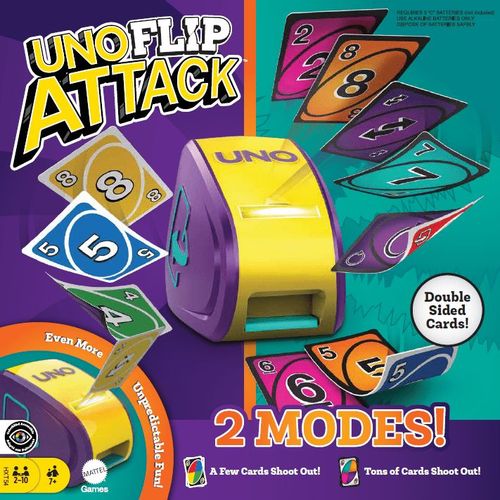
UNO Flip Attack
UNO Flip Attack Rulebook
Table of Contents
Table of Contents
Setup
- Since the deck is two-sided, make sure all the cards of each side are facing the same way: all the Mild Side cards facing one way, all the Wild Side cards facing the other way.
- Choose a Dealer, shuffle the cards and then deal 7 cards to each player.
- Hold the cards with the Mild Side facing you and the Wild Side facing your opponents.
- Take the top card from the deck and place it Mild-Side up in the playing area to create a Discard Pile. If this card is an Action Card, ignore it and flip over the next card.
- Load the remaining cards into the Card Launcher (See Figures A & B).
- Turn the ON/OFF switch located on the bottom of the Launcher to "ON".
- Turn the Launcher toward the player to the left of the dealer. During play, rotate the Launcher so it always faces the player whose turn it is.
- The player to the left of the dealer goes first and play proceeds clockwise.
NOTE: After five minutes of inactivity, the unit will go to sleep. To wake it up, press the button once.
Figure A: Open the Card Launcher and place the remaining cards in the Card Cartridge with the MILD side (white borders) facing the yellow half of the Card Cartridge.
Figure B: The yellow half of the cartridge must be facing the back of the unit when you start the game. If it's not, close the lid and open it again to rotate the cartridge.
WARNING: Never rotate the Card Cartridge by hand. Only rotate the Card Cartridge by opening the lid completely and closing it.
Let's Play
On your turn, you try to get rid of all your cards by playing ONE CARD onto the Discard Pile.
If you HAVE a matching card in your hand, you may PLAY IT on the Discard Pile.
- You can only play a card if it matches at least one attribute of the top card on the Discard Pile: its color, number, or symbol.
- If the card you played is an Action Card, it does something special (see Action Cards below).
If you DO NOT HAVE a matching card, you must press the button on the Card Launcher.
- If nothing happens, your turn is over and play moves on to the next player in current order.
- If cards SHOOT out, you must add all of them to your hand and your turn is over.
You may choose to press the launcher button instead of playing a card, even if you have a playable card in your hand.
NOTE: When adding cards to your hand, make sure they are facing the same direction as the other cards in your hand. For example, if you are currently playing the Mild Side, add new cards to your hand with the Mild Side facing you.
The Card Launcher
The Card Launcher holds the Draw Pile. Whenever you must draw a card, you press the button on the Card Launcher. Sometimes NO cards shoot out, and on the Mild side a few cards may shoot out, but on the Wild Side it may be a WHOLE BUNCH! Every time you press the button you will hear SOUNDS (different on each side) that INCREASE each time it's pressed until... BAM! When it's time to Flip the deck, the Card Launcher will do it for you (more on that later).
Action Cards - Mild Side
- Reverse Card: The direction of play is reversed. If play was moving clockwise, it now moves counterclockwise and vice versa.
- Skip Card: When played, the next player loses their turn.
- Wild Card: This card matches anything so you can play it no matter what card is on the Discard Pile. When you play a Wild Card, you also get to choose the color that continues play.
- Hit 2x Card: Next player must hit the Launcher button twice. Any cards that shoot out must be added to their hand. Their turn is then over and play continues with the next player in current order. This card may only be played on a matching color or on another Hit 2x card.
- Discard All Card: Play this card when you want to discard all the cards in your hand of the same color. For example, if a yellow "7" is in the Discard Pile, you may discard multiple yellow cards in your hand, as long as a yellow Discard All card is placed on top. (You may also discard a Discard All card on top of another Discard All card.)
- Wild Press Your Luck Card: Discard a card from your hand for each successful press of the button on the launcher. Stop at any time or keep "pressing your luck." If the launcher shoots cards, you must add those cards to your hand and take back all your original cards. This card goes on top of the cards you discard. This card is also a Wild Card, so you choose the color that continues play.
Action Cards - Wild Side
- Hit 5x Card: Next player must hit the Launcher button 5 times. Any cards that shoot out must be added to their hand. Their turn is then over and play continues with the next player in current order. This card may only be played on a matching color or on another Hit 5x card.
- Reverse Card: Same as the Mild Side.
- Skip Everyone Card: When you play this card, all players are "skipped" (lose their turns). Play then returns to the player who laid down the card. This card may only be played on a matching color or on another Skip Everyone card.
- Wild Discard All Card: This card matches anything so you can play it no matter what card is on the Discard Pile. Pick the color you want to discard and discard all the cards in your hand of that color. This card goes on top of the cards. Since this a Wild card, you also get to choose the color that continues play.
- Wild All-Out Attack Card: Play this card on the next player in current order and they become the targeted player. Starting with the targeted player, everybody takes one turn pressing the button. All cards that shoot out go to the targeted player. Play then continues with the targeted player. The person that played the card picks the color that is now in play.
Flip Card
When this Action Card is played, everything flips from the Mild Side to the Wild Side (or vice-versa) and you do the following 3 things:
- All players FLIP over the cards in their hand.
- FLIP over the Discard Pile.
- Lift the Card Launcher lid all the way until you see the cartridge ROTATE 180 degrees, then close the lid.
Play then continues on the new side.
This card may only be played on a matching color or on another Flip card.
Color Identification
Special graphic symbols have been added to each card to help identify the color(s) on that card. This will allow players with ANY form of color blindness to easily play!
- Red (Mild Side) / Pink (Wild Side): circle symbol
- Yellow (Mild Side) / Orange (Wild Side): four-point star symbol
- Green (Mild Side) / Teal (Wild Side): triangle symbol
- Blue (Mild Side) / Purple (Wild Side): square symbol
Going Out
Whether you are playing with the Mild Side or the Wild Side, when you play your next-to-last card, you must yell "UNO" (meaning "one") to indicate that you have only one card left. If you don't yell "UNO" and you are caught before the next player begins their turn, you must press the launcher twice.
Winning
When a player plays their final card, they win. Time to shuffle the cards and play again!
NOTE: If no player has won by the time the Card Launcher is out of cards, the Discard Pile is reshuffled and placed into the Card Launcher. Remember, the MILD side should always face the yellow side of the Card Cartridge. The current side in play should be facing toward the BACK of the unit. If it is not, close and then open the lid to rotate the cartridge. See Figure A for how to load a deck.
Keeping Score (Optional Victory Method)
When a player wins a hand, they receive points based on the cards remaining in their opponent's hands.
Cards are valued as follows:
- All number cards (1-9): Face Value
- Hit 2x: 10 Points
- Reverse, Skip, Flip, Discard All, Hit 5x: 20 Points
- Skip Everyone: 30 Points
- Wild: 40 Points
- Wild Discard All: 50 Points
- Wild Press Your Luck, Wild All-Out Attack: 60 Points
NOTE: REMEMBER TO SCORE POINTS BASED ON WHICH SIDE (MILD OR WILD) THE GAME ENDED ON.
Keep a running tally of each player's points from hand to hand. When a player reaches 500 points, they are the winner.