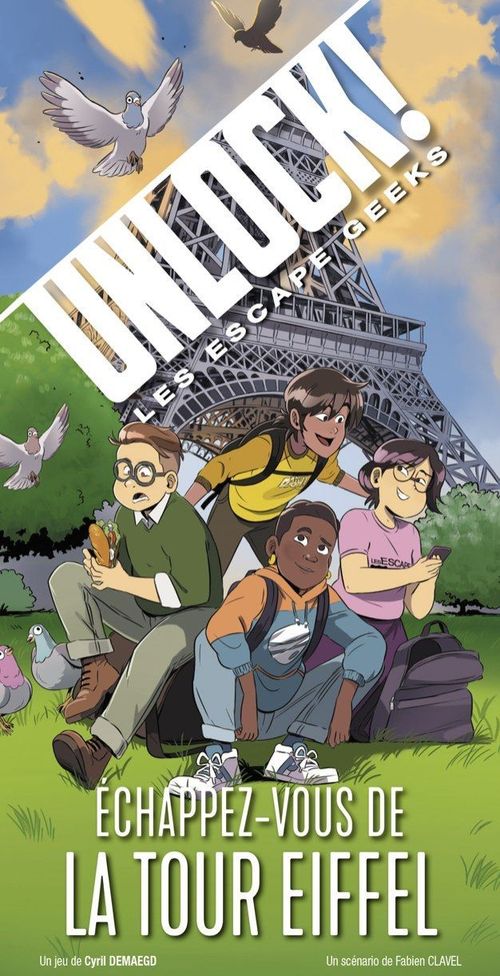
Unlock!: Les Escape Geeks – Échappez-vous de la Tour Eiffel
Unlock!: Les Escape Geeks – Échappez-vous de la Tour Eiffel Rulebook
Table of Contents
Table of Contents
Components
IMPORTANT: do not look at the cards of this adventure before you start playing.
SOLUTIONS BOOKLET: only consult it at the very end of the adventure, or if the app does not give you the answers.
- Tutorial deck: 10 cards
- Adventure deck: 60 cards
Before starting an adventure, make sure your deck is complete by checking the numbers printed at the bottom right of the card backs.
Goal
This deck is a cooperative scenario. You are plunged into an adventure and have a limited time to complete your mission. You will have to overcome many challenges.
Setup
To get familiar with the game, it is advised to start with the Tutorial, which explains the rules. You may play the Tutorial before reading these rules. Just follow the setup below.
- The start card, showing the title of the adventure, is placed in the centre of the table, text visible.
- The other cards form a draw pile, face down.
- The app (see Application, p. 11) is launched (Tutorial adventure) and the device is placed near the players.
- One player reads the introduction of the scenario on the start card aloud, then starts the countdown in the app and turns this card over. The game begins.
Note: you may use paper and pencils to take notes.
Warning: before starting an adventure, check that your deck is complete by referring to the numbers at the bottom right of the card backs.
Game Rules
On the back of the start card is the first room of the game. In this room you will find numbers and letters that correspond to cards in the deck (the numbers and letters printed on the card backs). Each time you spot a number or a letter on the room card (or on any other card), you must go and find the corresponding card in the deck and reveal it. Revealed cards are placed face up in the centre of the table, so that everyone can see them.
The rulebook illustrates this with card 42 and card 11: the numbers shown on the room card are looked up in the deck, and the cards found are placed face up.
The game is played in real time and simultaneously. You form a team and must cooperate to win. The organisation of the group is up to you: you may decide that only one player searches the deck, or share the deck between several players.
It is forbidden to spread out the cards of the draw pile in front of you.
Card Types
There are several types of cards:
Objects (red or blue symbol)
Objects can sometimes interact with other objects (see Combining Objects, p. 6).
Example from the rulebook: object 35 is a locked chest; object 11 is a key.
Machines (green symbol)
Using machines requires manipulations that you perform in the app (see Machines, p. 9).
Example from the rulebook: machine 69 is a grid with six pegs.
Other Cards
These cards can be:
- a location, showing a room and the objects it holds (on the right of the illustration in the rulebook);
- the result of an interaction with an object (in the centre);
- a penalty that you suffer when you make an error (on the left);
- a modifier (see Modifiers, p. 8).
Combining Objects
It is sometimes possible to combine objects (for example, a key with a door). To do so, add their respective values (shown in a red or blue circle) and look for the corresponding card in the deck. Obviously, it is not possible to combine a letter with a number.
GOLDEN RULE: you may only combine a red number with a blue number. NO other combination is possible (blue+blue, red+red, blue+grey, etc.).
Example from the rulebook: you decide to use the key (11) on the locked chest (35). You therefore look for card 46 (11+35) in the deck and reveal it. It works: you open the chest and discover what is inside.
Discarding Cards
At the top of some cards you will find numbers and letters that are crossed out. You must immediately discard the corresponding cards, because they will no longer be used for the rest of the game.
Example from the rulebook: after opening the chest (46), you must discard the key (11) and the locked chest (35).
Penalties
Certain game actions may cost you time. If you reveal a Penalty card, you must follow the instructions shown on it (you will generally lose a few minutes). These cards are then systematically discarded.
The penalty card illustrated in the rulebook is marked "NO!" and tells you to press the Penalty button in the app and discard the card.
Modifiers
On some cards you will find modifiers. These are red or blue numbers preceded by the sign "+" and printed in puzzle pieces. These numbers never correspond to cards in the deck. They must be added to a number of the other colour (the golden rule!).
Example from the rulebook: you have restored the current (card 25) and obtain a modifier (+6) which you can now add to a red number, instead of using the card number of card 25.
Machines
To use machines (green symbol), you must enter the card number in the app (in the case of a letter, use the number beneath it). The app will show you the machine and buttons you can press to manipulate it. Once you have found the correct use, the app will tell you how to continue the game.
Example from the rulebook: later in the game you discover how to use machine 69. A cable must be placed between the two central pegs. You press the machine button in the app and enter number 69. You then select the two central buttons and validate, which gives you the red number 9. You can now combine this number with that of the cable (16) and take card 25 (16+9).
Warning: misuse may cost you time, and it is sometimes necessary to progress in the adventure to understand a machine.
Hidden Objects
During a game, not all objects are always visible. You must therefore observe the cards carefully, because you may sometimes find hidden letters or numbers on them that correspond to cards to look for in the deck.
Note: if you are stuck and do not know what to do, a "Hidden object" button is available in the app. It indicates the hidden object closest to your progress. It is also possible to activate, at the start of the game, an automatic help for finding hidden objects. In that case, the app will indicate the hidden objects after a certain time.
Example from the rulebook: have you noticed the hidden number (16) on the card above?
Hints
During the game you have hints available. At any time you may press the "Hint" button in the app and ask for help by entering the number of a revealed card that is causing you a problem.
For cards with a letter, you must enter the number placed beneath that letter to obtain the hint. If there is no number under the letter, you cannot ask for a hint for that card.
Note: for some cards, the app will offer a second hint if the first is not enough, and sometimes even the solution. Remember that all solutions are also provided in the box.
Examples from the rulebook: a card numbered 82 and a card with the letter K, which has the number 101 beneath it.
End of Game
The game ends as soon as you manage to solve the last puzzle and stop the timer. You then access your score (between 0 and 5 stars).
Application
The UNLOCK! app is free to download from the App Store and Google Play. It manages your time, penalties, machines and hints. IT IS IMPOSSIBLE TO PLAY WITHOUT THIS APP (but once it is downloaded, no connection is needed during play). When you launch the app, you choose the language, and you are then taken to an adventure selection screen.
Adventure Selection
- A: Settings. Opens the settings window.
- B: Adventure. Once the box banner has been unrolled, press an adventure to launch it. Reminder: it is recommended to start with the Tutorial if you have never played UNLOCK! before.
- C: Launch the game. You go to the game screen.
Warning: the adventures are designed to be played without interruption. If you have to quit the app before the end of an adventure, be sure to solve, in order, the machines you encountered previously so that you can resume the game where you stopped.
Settings
- A: Music. Turns the background music on or off.
- B: Timer. Play with or without the timer.
- C: Notifications. Enables or disables notifications.
- D: Hidden objects. Normal or automatic mode (recommended for beginners).
- E: Language. Choice of language.
Game Screen
- A: Time remaining.
- B: Start/pause. Starts the game or pauses it.
- C: Hint. Lets you request a hint by entering the number of the card you want help with. Sometimes gives the solution if the hints are not enough.
- D: Penalty. When you reveal a Penalty card, you are generally asked to press this button. You then lose a few minutes.
- E: Machine. Lets you manipulate machines (cards with a green symbol).
- F: Review. Lets you consult the hints and hidden objects already requested, as well as certain events.
- G: Hidden object. Lets you request help on a hidden object, depending on your progress in the adventure.
Hints and Machines Keypad
Pressing the "Hint" or "Machine" button opens a numeric keypad, on which you enter the hint number or the machine card number.
- A: Numeric keypad. Lets you enter the number. The clear key erases everything that has been entered.
- B: Validation. Validates the number entered and gives you the corresponding message.
- C: Close. Closes the keypad without entering anything.
Score
Once the adventure is over, you are automatically taken to this screen. In some cases, a message gives you the conclusion of the adventure.
- A: Game data. Summarises the adventure. The first line shows the total time and the number of hints requested. The second line shows the time lost because of penalties (in brackets, the number of penalties) and the errors made on machines.
- B: Score. The number of stars, from 0 to 5, is calculated according to your performance. Your score depends on the time you took and on the number of hints you requested.
- C: Share. Lets you send your score to your friends (connection required).
Advice
Try to organise yourselves well:
- share the searching of the deck between several players;
- read the texts carefully and communicate your information;
- discard cards as you go (and check that no error has been made: the crossed-out numbers are the cards already used).
Still stuck?
Sometimes you have to progress in the adventure to understand a combination or a machine. Nevertheless:
- if a puzzle seems too difficult, ask for a hint on that card (even though it lowers your final evaluation);
- otherwise, you may have missed a hidden object: use the "Hidden object" button in the app.
Player Aid
Card Types
- Object (door, key): a red piece and a blue piece are added together (red + blue).
- Modifier: add 1 blue number to a red card; add 1 red number to a blue card.
- Grey cards (location, interaction, penalty): these are the other cards.
- Machine: the card number is entered in the app. It requires solving a puzzle.
THE GOLDEN RULE, ONLY ONE ADDITION POSSIBLE: RED NUMBER + BLUE NUMBER.