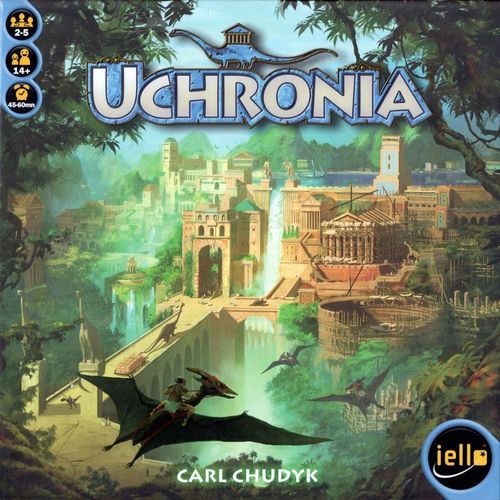
Uchronia
Uchronia Rulebook
Table of Contents
Table of Contents
Contents
- 5 Domains / Player's guides
- 80 Building cards
- 174 Resource cards
- 5 Monopoly cards
- 1 Last Turn card
- 1 set of rules
Goal
The player with the most Victory Points at the end of the Last Turn wins the game.
Setup
- Each player takes a Domain and places it before him. Set the 5 Monopoly cards on the table.
- Shuffle the Building cards to make up the Great Works draw pile.
- Determine the first player. Each player draws a Building and sets it face up in the Great Works area. The player with the building whose name is first in alphabetical order plays first. The player to his right plays last and takes the Last Turn card. If a player draws a Building that has already be drawn he puts that Building back under the pile and draws a new one.
- Then, add Buildings to the Great Works area until there are 5.
- Shuffle the Resource cards to constitute a draw pile. Starting with the first player and continuing clockwise, each player draws six cards and places them in his Hand [hand icon] without revealing them to the other players. Each player then discards any one card and puts it at the center of the table in the Forum [FORUM].
Game Mechanisms
As patriarch of a great House, your goal is to build and develop your district of the city and become the most influential family in Uchronia.
Each turn, you will choose an action to collect Resources, construct Buildings, or launch Activities. You can also Plot to prepare your next moves.
Victory Points [circle icon] are won by constructing Buildings and establishing a Monopoly on Activities [thumbs-up icon].
The cards are identified by color and have three functions which depend on how you use them:
- ORDER, you can issue an Order by playing one or two cards from your Hand to your Domain [domain icon].
- RESOURCE, the card is transferred to a Building or to your Stock.
- ACTIVITY, the card is in your Activities. Activities enable you to enhance the effect of your Orders, to duplicate your Construction Orders, or to copy another player's Order.
Concepts
The concepts listed hereunder are detailed later on.
Domain
Each player owns a Domain that will enable him to manage his actions. It also lists a summary of the effects of Orders (see illustration on next page).
Detail of a Building
- Color — This Building requires 1 Stone (2 stone icons in the example) in the Forum to begin its construction.
- Name of the Building — You may not construct two Buildings with the same name.
- Victory Points and Construction Cost — You must transfer 2 Stones to this Building to complete it.
- Effect — The effect of a Building is active as soon as it is completed.
(Example shown: BRIDGE — Draconians Bonus — "Transfer 1 card from an opponent's Building under construction (even if the player doesn't have an Order on his Domain) to your Stock.")
Buildings
When you wish to begin a new construction, choose a Building among Great Works. It must be the same color as a card in the Forum.
Buildings earn you Victory Points [circle icon] and have effects that alter game rules.
Resource Cards
The cards are identified by color and have three functions which depend on how you use them:
- ORDER, you can issue an Order by playing one or two cards from your Hand to your Domain [domain icon].
- RESOURCE, the card is transferred to a Building or to your Stock.
- ACTIVITY, the card is in your Activities. Activities enable you to enhance the effect of your Orders, to duplicate your Construction Orders, or to copy another player's Order.
Detail of a Resource Card
- Activity — top icon on the card.
- Order — middle icon on the card (Forum icon and effect icon).
- Resource — bottom icon on the card (e.g. Production).
How to Play
The game is played clockwise, starting with the first player.
On your turn, begin by moving the card(s) that you played the previous turn from your Domain to the Forum. Then choose an Action: COMMAND or PLOT.
Command
Play 1 card to execute the corresponding Order,
OR
Play 2 cards of the same color to execute any Order.
When you command, choose one card or two identical cards from your Hand and place them face up in your Domain.
Execute the Order described on the card, or any of your choice if you played two identical cards.
ACTIVITY BONUS: You can duplicate an Order or enhance its effect for each card of the same color as that Order that you have in Activities (see Orders).
Example: Carl plays Production (Yellow) and has 2 Productions in his Activities. He may therefore take 3 cards from the Forum (1 for the card he played, and 1 for each Production in his Activities).
Plot
Do not play a card; draw one or more cards.
When you Plot, you play no card but you can copy the Order from the card(s) on another player's Domain, provided you have at least one Activity of the same color.
Execute the copied Order only once even if you have more than one Activity of this color.
Note: If you have no Activity that corresponds to the card(s) on any other player's Domain, or if there are no cards in opponents' Domains, you copy no Order.
When you plot, whether you copied an Order or not, draw cards at the end of your turn:
- keep drawing until you have 5 Resource cards in Hand,
- or draw just 1 card if you already have 5 cards or more in Hand.
RESOURCE SHORTAGE: If there are no more cards to draw, shuffle the discarded cards to make up a new draw pile.
At the end of your turn, if you started any construction, draw new Buildings into the Great Works, so there are always 5 there.
Note: If all the Buildings available in the Great Works are of the same color, discard them and draw five new ones.
A Player's Gaming Areas
Activities
- Your Activity limit is 2, plus 1 per completed Building.
- This is where you place the Activities that you launch with a Trade Order. When you Plot, Activities enable you to copy one Order (one time!) from another player's Domain (before you draw); when you Command, Activities enable you to increase the effects of your Orders.
- When you hold the majority over an Activity, you have a Monopoly. You can take the corresponding Monopoly card. As long as this Monopoly is yours, each Activity you have of that color is worth 1 point. In addition, each time anyone completes a Building of this color, transfer a card of the same color from the Forum to your Hand.
ACTIVITIES (detail box) — Place the Activities that you transfer from your Stock with a TRADE Order here.
- Your number of Activities is limited to 2 +1 per completed Building.
- When you Plot, you don't get the Activity Bonus: you copy the Order once.
- Monopoly: transfer from the Forum to your Hand 1 card of the same color as your Monopoly each time a Building of that color is completed by any player. Each Monopoly you have earns you 1 point per Activity of its color.
Buildings Under Construction
- This is where you place Buildings you are constructing.
The Square requires 3 Marble for completion, you are 1 short.
(Example card: SQUARE, cost 3 — "When you complete the SQUARE, you can execute 3 Orders of your choice, without Activity bonuses.")
BUILDINGS UNDER CONSTRUCTION (detail box) — Place the Buildings you start constructing with a CONSTRUCTION Order here. Foundation: Discard one card of the same color as the Building from the Forum. Complete your Buildings by using Construction Orders to transfer as many Resources from your Stock as the CONSTRUCTION cost.
Stock
- This is where you place the cards that you take thanks to Production, Exploration, and Draconians.
- These cards are Resources and enable you to construct Buildings and launch Activities.
- There is no limit to the number of Resources in your Stock.
STOCK (detail box) — Place the cards you transfer to Stock here:
- from the Forum with a PRODUCTION Order,
- or with a DRACONIANS Order:
- Reveal 1 card from your Hand +1 card per Draconians Activity.
- Players who have at least 1 card on their Domain transfer from their Hand to your Stock 1 card of the same color as one of those revealed.
- Transfer from the Forum to your Stock as many cards of the same color as those you revealed.
- from your Hand with an EXPLORATION Order.
Completed Buildings
- This is where you place your completed Buildings.
- You can benefit from their effects.
- You win as many Victory Points as indicated on the Building and it increases your Activity limit by 1.
(Example card: GATE, cost 2 — "The effects of your Brick Buildings are active even if they are not completed.")
Domain
This is where you play your cards when you Command.
Domain board summary (printed on the component): On your turn, move the cards on your Domain to the Forum, then choose an Action: COMMAND or PLOT.
- COMMAND — Play 1 CARD and execute the corresponding Order. OR — Play 2 identical CARDS and execute any Order.
- OR PLOT — Do not play cards. Copy an Order on another player's Domain if you have at least one Activity of the same color. Then draw until you have 5 CARDS in hand, or draw just 1 CARD if you already have 5 or more.
Orders
There are five Orders. When you choose an Order, apply its effect and possibly the effects of one or more of your Buildings.
Your Activities enable you to enhance the effect of your Order when you Command, or to copy an Order from another player's Domain.
Production
Forum → Stock
Effect: Transfer 1 card from the Forum to your Stock.
Activity Bonus: You can transfer 1 extra card from the Forum to your stock for each of your Production Activities.
Remember: There is no limit to the number of cards in your Stock.
Example: Carl plays Production. He chooses a blue card from the Forum and places it in his Stock. He now has 1 Marble in his Stock.
As he has one Production in his Activities, he can transfer an extra card from the Forum to his Stock.
Exploration
Hand → Stock
Effect: Transfer 1 card from your Hand to your Stock.
Activity Bonus: You can transfer 1 extra card from your Hand to your Stock for each of your Exploration Activities.
Example: Carl plays Exploration. He chooses a Red card from his Hand and places it in his Stock. He now has 1 Brick in his Stock. As he has one Exploration in his Activities, he can transfer one extra card from his Hand to his Stock.
Draconians
Coins + Forum → Stock
Effect: Reveal 1 card from your Hand. Players who have at least one card on their Domain (cards they played on their previous turn) must transfer to you one card of the same color as the one you revealed, from their Hand to your Stock, if they can.
Also transfer 1 card of the same color from the Forum to your Stock, if there is one.
Finally, return the revealed card to your Hand.
Activity Bonus: If you have one or more Draconians Activities, you can reveal one extra card from your Hand for each of your Draconians Activities.
Affected players must give you 1 card of their choice based on any of those you revealed.
Take from the Forum as many cards of the same color as any of those you revealed.
Example: Carl plays Draconians and has two Draconians Activities. He reveals three cards from his Hand, a Clay and two Marbles. Cedric is the only player who has a card in his Domain and has one Clay, one Wood and one Marble in Hand. He decides to transfer one Clay to Carl's Stock. Then Carl transfers 2 Marble from the Forum (there is no Clay in the Forum) to his Stock.
Trade
Stock → Activities
Effect: Launch 1 Activity by transferring 1 Resource from your Stock to your Activities.
Activity Bonus: You can launch 1 extra Activity for each of your Trade Activities.
Remember: You can have no more than two Activities, plus one per completed Building.
Example: Carl plays Trade. He chooses a Clay Resource from his Stock and transfers it to his Activities. He now has one Production Activity. He also has a Trade in his Activities, so he can launch a second Activity. However, he has already reached his Activity limit and cannot benefit from his Activity Bonus.
Monopoly
When a player launches an Activity of a given color and has more Activities of that color than any other player, he takes the Monopoly card of that color. In case of a tie, the player who presently has the Monopoly keeps it.
Victory Points: As long as the Monopoly is yours, each Activity you have of that color is worth +1 point.
Construction Bonus: Every time anyone completes a Building of your Monopoly's color, you can transfer one card of that color from the Forum to your Hand.
Construction
Choose an effect:
START THE CONSTRUCTION OF A NEW BUILDING by discarding a card of the same color from the Forum.
or
Stock → Buildings. Transfer one Resource from your Stock to one of your Buildings under Construction.
Activity Bonus: You can duplicate this Order as many times as you have Construction Activities.
Note: Building construction rules are described on the next page.
Constructing a Building
Starting the Construction of a Building
In order to start the construction of a Building, you must play or copy a Construction Order.
Choose one Building among the available Great Works. It must be of the same color as a card in the Forum.
Place this Building to your Domain's left and discard the card of the same color from the Forum. It is considered to have served as Foundation.
Note: If there is no card of the same color as the chosen Building in the Forum, you cannot launch its construction.
Warning: Although there are two copies of each Building, you may not launch construction of a Building that has the same name as another you've already constructed or are constructing.
(Example card: VIADUCT, cost 1 — "Transfer 1 Clay from your Stock to the Stock of the player who is ordering DRACONIANS to avoid all effects.")
VIADUCT (explanatory callout) — You must discard 1 Clay from the Forum to launch the construction and transfer 1 Clay from your Stock to complete the Viaduct.
Constructing a Building
How you construct a Building depends on its color and its Construction Cost.
- Its color determines the type of Resources you need.
- Its Construction Cost indicates the number of Resources you need to transfer to complete it.
The effects of a building are applied as soon as it is completed.
Once you have transferred as many Resources of the Building's color as indicated in its Construction cost, it is completed.
Transferring Resources
Stock → Buildings
Note: You cannot transfer a card to a Building on the same turn you launched its construction.
To transfer a Resource from your Stock, choose a Construction Order.
Slip the chosen Resource under the Building you are constructing, in such a way that only the Resource symbol is showing. If you transfer extra Resources, make sure the number of Resources under the Building is clearly visible (see Player's Gaming Areas).
The color of transferred Resources must be the same as the Building under construction.
Completing a Building
A Building is completed when you have transferred as many Resources as the Construction cost (top).
- Wood and Clay Buildings require 1 Resource for completion.
- Brick and Stone Buildings require 2 Resources for completion.
- Marble Buildings require 3 Resources for completion.
When you complete a Building, you earn as many Victory Points as indicated on the Building, and your Activity limit increases by one. Discard all the Resources used in the construction.
The effect of a Building is active as soon as it is completed (see Effects of Buildings).
Monopoly
The player who has the Monopoly of the same color as the Building you have just completed can transfer a card of that color from the Forum to his Hand.
Effects of Buildings
The effect of a Building is described on its card.
- Building effects apply only once it is completed (except for the Fountain whose effect enables you to Construct it with a Production Order).
- The effect of a Building is active as soon as it is completed, and applies even to the player's next orders (if any) or to his Plot action.
There are two kinds of effects:
- Order Bonuses: If the effect starts with an Order type, you can apply the effect of the Building once in addition to your Action when you play or copy that type of Order.
Example: Carl has completed the Thermae Building. He plays Trade. So he can apply the effect of Trade AND the effect of Thermae that enables him to exchange one Activity with one Resource from Stock.
(Example card: THERMAE, cost 2 — "Trade Bonus: Transfer one of your Activities to your Stock, then launch an Activity.")
- Permanent effects: If the effect of a Building is not preceded by the word Bonus, it is always active.
Example: Cedric has completed the Frontier Post Building. Carl plays Draconians and has one Draconians Activity. So he shows 2 cards, Clay and Marble, to players who have at least one card in their Domain. He must show Cedric one card fewer because of the Frontier Post and chooses Marble.
(Example card: FRONTIER POST, cost 1 — "Opponent ordering Draconians reveals 1 Card fewer to you.")
End of Game
When a player reaches the Victory Points Threshold, as determined by the number of players, the game ends after the turn of the player who has the Last Turn card.
Victory Points Threshold
- 2 players → 20 Points
- 3 players → 18 Points
- 4 players → 16 Points
- 5 players → 14 Points
Players total their Victory Points:
- +1, +2, or +3 for completed Buildings.
- +1 per Activity in the Monopolies you have.
-
- Effects of some Buildings.
At the end of the last turn, the player who has the most Victory Points wins (even if he is back under the Victory Points Threshold, e.g. because he lost a Monopoly for example).
In case of a tie, the tied player with the most completed Buildings wins.