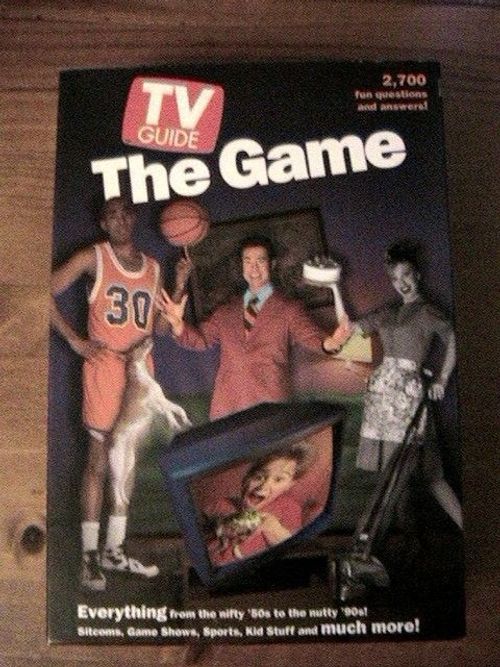
TV Guide: The Game
TV Guide: The Game Rulebook
Table of Contents
Table of Contents
Contents
2,700 questions, electronic "remote," gameboard, 2 pawns, 4 score clips, label sheet.
Object of the Game
Earn the most points answering questions as you move along the gameboard path.
Assembly
Score Clips: Carefully snap apart the 4 score clips. Attach the score clips to both sides of the gameboard. Attach the arrow labels to the score clips as shown in Figure 1. Make sure the clips are pointing to 0 (zero) when you begin play.
[Figure 1: a score clip mounted on the edge of the gameboard, with the arrow label applied and the clip pointing to 0.]
Tab Labels: Apply tab label "1" to the page with category 100. See Figure 2. Apply tab label "2" to the page with category 200, and so forth until all labels have been placed. The tabs will help you locate category numbers more quickly as you play.
[Figure 2: the tab label "1" on the first page of the TV Guide booklet.]
Battery Insertion
Loosen the battery door screw on the electronic "remote" and insert 2 "AAA" size alkaline batteries as shown in Figure 3.
[Figure 3: the battery door being removed from the remote and two AAA batteries being inserted.]
Caution
- As with all small batteries, the batteries used with this game should be kept away from small children who still put things in their mouths. If they are swallowed, promptly see a doctor and have the doctor phone (202) 625-3333 collect.
- Make sure the batteries are inserted correctly and follow the toy and battery manufacturers' instructions.
- Do not mix old and new batteries or alkaline, standard (carbon-zinc) or rechargeable (nickel-cadmium) batteries.
Using the "Remote"
See Figure 4 for a look at the electronic "remote." See page 3 for a more detailed explanation.
[Figure 4: the electronic remote, showing the "1-4-6" signal marking, the Category Number Selector button, and the Cheers and Jeers buttons.]
Category Number Selector
When the category number selector is pressed, the "remote" announces a number (between 000 and 899) which corresponds to a number in the TV GUIDE booklet. See Figure 5. (If the "remote" doesn't announce a number, the batteries may be weak or improperly installed.) Each number in the booklet has one category with three questions of differing degrees of difficulty.
[Figure 5: a sample booklet page showing category 144, "Potpourri TV," with a 1-point, 2-point and 3-point question, and category 145, "Klassic Kids." The figure labels the category and the 1, 2 and 3 point levels.]
Category Questions
Generally, the 1-point questions (★) are less challenging, the 2-point questions (★★) are of average difficulty and the 3-point questions (★★★) are more challenging. In many (but not all) cases, 1-point questions are "True or False" and 2-point questions are "multiple choice." If, for example, the category is "SOAPS," and you know little about soap operas, then you may want to choose a 1-point question. Note: The correct answer to multiple choice questions appears in bold type.
How to Play
Divide players into two even teams. If there is an extra player, he/she should serve as moderator (reading the questions for both teams). Each team chooses a pawn and places it on the gameboard START space.
Teams take turns being the asking team and the answering team.
On Your Turn as the Asking Team
- Take the electronic "remote" and the TV GUIDE Booklet.
- Press the category number selector button. The "remote" will then announce a number.
- Look up the number in the booklet and announce the category.
On Your Turn as the Answering Team
- After hearing the category, your team decides whether to answer the 1-point, 2-point, or 3-point question under that category.
- The asking team then reads your team the question and you attempt to answer it.
If Your Team Answers Incorrectly
- The asking team presses the "jeers" (thumbs down) button and announces the correct answer.
- Your team does not score or move. Your turn is over.
If Your Team Answers Correctly, and You Are on a Regular Space
- The asking team presses the "cheers" (thumbs up) button.
- You move and score. Do so by moving your pawn along the gameboard path one space and slide up both halves of your score clip 1, 2, or 3 notches (depending on the point value of the question you answered). On any one turn, the most a pawn may move is one space.
[Regular Spaces: the gameboard's regular spaces are shown with a group of contestant faces in circles.]
If Your Team Answers Correctly, and You Are on an Extra-Question Space
You get a chance to answer a second question! Here's how:
- The asking team presses the "cheers" (thumbs up) button.
- Do not move your pawn yet.
- Slide up the top half of your score clip 1, 2, or 3 notches (depending on the point value of the question you answered). See Figure 6.
- You get a chance to answer a second question if you wish.
[Extra-question Spaces: the four space symbols are "Go Again," "Another Turn," "Keep Going," and "Extra Turn."]
[Figure 6: a score clip with the top half slid up, and the arrow pointing to the 3-point notch, labelled "3-POINT QUESTION."]
If you decide not to go for the extra question: Move and score. Do so by moving your pawn along the gameboard path one space and slide up the bottom half of your score clip 1, 2, or 3 notches (depending on the point value of the question you answered correctly). Your turn is over.
If you decide to go for the extra question: You run the risk of losing the points already earned on your turn if you answer the second question incorrectly.
- Do not move your pawn forward one space yet.
- The asking team presses the number selector button for a new category number.
- The asking team announces your new category.
- You choose a 1-point, 2-point, or 3-point question.
- Slide up the top half of your score clip another 1, 2, or 3 notches (depending on the point value of the question you've selected).
If you answer the extra question incorrectly: Slide down the top half of the score clip to meet the bottom half. Your pawn stays where it is. Your turn is over.
If you answer the extra question correctly: Slide up the bottom half of the score clip to meet the top half. Then move your pawn ahead one space. Your turn is over.
Winning the Game
The team that reaches the "8 Point Bonus Space" first immediately earns an extra 8 points and ends the game! Whichever team has the most points wins the game!
More Fun Ways to Play!
The Team Challenge!
A moderator is needed to read the questions in this game. All rules are the same as above, except the following:
If your team can't answer a 3-point question, or answers it incorrectly, your turn is over. Then the other team may try to answer the same question.
If the other team answers correctly: They slide up their scoring clip 3 notches. They do not move their pawn on the gameboard path. They then take their regular turn.
If the other team answers incorrectly: They must move their score clip down 3 notches. They do not move their pawn back. Then, they take their regular turn.
Winning the Game: Be the first team to reach the "8-Point Bonus Space" OR the first to earn 50 points.
The All or Nothing Challenge!
All rules in this game are the same as the standard version, except the following:
Pawns are not used in this version. Your team begins each turn by trying to answer all three questions in one category. For each question you answer correctly, move the score clip up the appropriate number of points. If you answer all three questions correctly, or if you give an incorrect answer, your turn is over. (You do not move the score clip down.)
Winning the Game: The first team to earn 50 points wins.