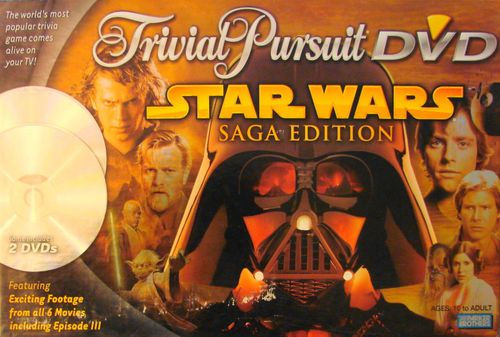
Trivial Pursuit: DVD – Star Wars Saga Edition
Trivial Pursuit: DVD – Star Wars Saga Edition Rulebook
Table of Contents
Table of Contents
Object
To move along the circular track and the spokes correctly answering questions, and to collect colored wedges for correctly answering questions in each of the six category "headquarters" (at the base of each spoke). To win, a player (or team) returns to the hexagonal hub and correctly answers the game-winning question from the DVD.
Equipment
Trivial Pursuit gameboard, 2 DVDs, question-and-answer cards in card storage box, 1 die, 4 Star Wars character tokens on bases, 24 scoring wedges.
Setup
- Select one of the Star Wars character tokens and six scoring wedges, one in each of the six category colors.
- Roll the die; the high roller goes first.
- All players start in the hexagonal hub at the center of the board and move down one of the spokes and out onto the circular track. Play moves in either direction around the track, clockwise or counterclockwise.
Place Disc 1 into your DVD player. This DVD contains games 1 through 10. When you are done playing these games, insert Disc 2 to play games 11 through 20.
After the opening introductions, the DVD will wait for you at the Game Selection Screen. If your DVD player does not automatically start the DVD, press the PLAY button to start the intro. Select a player to be in charge of the remote control during the game. For more information on navigating through the DVD, please refer to The Menu Screen section of the rules.
Game Selection
Trivial Pursuit DVD Star Wars Saga Edition comes with 20 pre-planned games. This means you can play Game 1 through Game 20 and never see the same question twice! The DVD case includes a checklist of all the games so you can keep track of which games you have already played. At the Game Selections Screen, use the LEFT and RIGHT arrows to move to Games 1-10 or 11-20. Select your game by pressing ENTER. For those of you who aren't keeping track of what games have been played, you also have the option of playing the bonus game on each disc. The bonus game includes more questions than the regular games, but there is a chance that a question may occasionally be repeated. (If you do get a repeat question, press the MENU button to return to the category selection screen.) At the Game Selection Screen, use the DOWN arrow to move to the bonus game. Select the game by pressing ENTER and you'll be off and running.
After you select a game, the DVD will wait at the Category Selection Screen.
Narration
The questions on the DVD will appear as written questions on the screen. These discs allow you to hear the questions as well. To turn the Narration on, move the cursor, using the Left arrow, from the categories to New Game; then press the Down arrow to go to Narration. ON will be highlighted, so press Enter and you'll now hear the questions as well as see them on the screen. You can turn Narration off at any time by moving the cursor, using the Left arrow, from the categories to New Game and then pressing the Down arrow to go to Narration. Press the Down arrow again and OFF will be highlighted. Press Enter and you will no longer hear the questions being read.
Gameplay
First Turn
On your first turn, roll the die and select which color/category you want to land on and which of the six spokes you'll move down. If you roll a 6, you will immediately land on a category headquarter and try for a scoring wedge of that color.
Whichever color you land on, another player will ask you a question in that category: that player draws the first card from the card box and reads the question next to the appropriate colored oval. Answers are on the opposite side of each card. When you are done with the question, place the card in the back of the box, behind the other cards.
If you answer your first question correctly, continue your turn by rolling the die again and moving that number of spaces. Keep moving and answering questions until you answer incorrectly. Play then passes to the left.
The categories are color coded ...
| Color | Category |
|---|---|
| Blue | The Cantina - scenes, aliens, cameos, etc. |
| Pink | The Force - for every action there is a reaction |
| Yellow | Heroes, Villains & Scoundrels - all the main characters |
| Brown | The Saga - movie plots |
| Green | A Galaxy Far, Far Away - planets, cities, buildings, vehicles, etc. |
| Orange | Hyperspace - wild card, anything goes |
Notes
- On each roll of the die, you may select which direction you want to move along the track as you attempt to move towards category headquarters to try for scoring wedges in each of the six colors.
- You may not move both clockwise and counterclockwise on the track (or on a spoke) in the same move.
- You must move the number of spaces shown on the die.
- Any number of tokens may occupy the same space at the same time.
Roll Again
If you land on a "roll again" space, roll and move again.
Moving Through the Hub
You may cut across the board by moving your token up the spokes to the center hub and out again, moving either straight across the hub, or "turning" and going down another spoke.
If you land by exact count right in the hub – but can't try to win the game because you do not yet have the wedges in all six categories – you may pick whichever category you want for your question.
Headquarter (HQ) Spaces (for the scoring wedge)
If you land on an HQ space, you are going for a scoring wedge. Instead of drawing a card from the box and reading a question, you will go to the DVD to select your question.
The Menu Screen
The menu screen will display the six categories from which you can select a question (there is also a FOR THE WIN category for the end of the game). To scroll through the categories, use the UP and DOWN arrow buttons on your remote control. Once you reach your category, press the ENTER button to reveal the question.
NOTE: If you select the wrong game at the Game Selection Menu, you can highlight the NEW GAME button on the Category Selection Menu.
On the DVD there are hundreds of questions and lots of ways to ask them. You may see a clip from one of the six movies, or you may hear a sound effect. There may be an image of an actor or a picture that has been scrambled.
At the start of the question, it is for you and you alone to answer. It's your turn; however, you only get ONE GUESS. Once you answer, you are done for the remainder of the question. At some point during the question, you will hear a sound effect and then the phrase ALL PLAY will come up on the screen. At this point everyone who does not have that colored scoring wedge may shout out the answer. Just like you, they only get one guess. If you still have not guessed, you may guess also.
A few seconds after ALL PLAY appears, the correct answer is revealed. The first player to have guessed the correct answer wins the scoring wedge.
If someone who already has that colored scoring wedge shouts out the correct answer, they must forfeit that scoring wedge as a penalty.
If you are not sure who shouted out the correct answer first, the player whose turn it is gets the scoring wedge (unless that player didn't answer at all – then the player with the fewest number of scoring wedges gets the wedge).
If it was your turn and you got a scoring wedge, then you can continue taking your turn. But, if it was your turn and you did not get the scoring wedge, your turn is over and the player to your left goes next.
On your next turn you must move out of that category headquarters to a new space before re-entering and trying again for that colored wedge. You do not have to try that category immediately; you may move elsewhere on the board and return to it later.
Headquarter (HQ) Spaces (not for a scoring wedge)
If you land on an HQ space, and already have that category's wedge, do NOT go to the DVD. Instead, draw a card from the card box and answer a card question from that category.
Winning the Game
Once you've collected one scoring wedge in each color, make your way to the hub and try to answer the game-winning question. You must land in the hub by exact count; if you overshoot the hub, pick the spoke you want to move down and answer the question in the category you land on; then, on your next move, try again to hit the hub by exact count.
When you do hit the hub, go to the DVD's menu screen and select "FOR THE WIN." You will get a question from a random category that is for you only. The question will appear on the screen. Once you have answered the question, press the ENTER button and the correct answer will appear.
- If you got the answer right, navigate to the "CORRECT" prompt and press ENTER again to celebrate your victory!
- If you answered the question incorrectly, navigate to the "INCORRECT" prompt and press ENTER. You will automatically return to the main menu screen. You must wait until your next turn, leave the hub, answer a question and then re-enter the hub again – by exact count – for another game-winning question.
Notes
- If you would like to bypass the credits at the end of the DVD, press the MENU button to return to the menu screen and start a new game.
- If the DVD is ejected and reinserted, it will automatically reset to the Game Selection Screen.
- Since a player continues his or her turn until a question is answered incorrectly, it is possible for one player to move around the board and collect all six scoring wedges, then move into the hub and win the game – all in one turn. If this happens, any player who has not yet had a turn is permitted a chance to duplicate the feat and create a tie.
Variation for a Shorter Game
Determine before you begin that you will collect just four or five wedges (instead of the full six) before moving to the hub for the final, game-winning question.
Notes on Play
- Players will collectively decide how much time a person has to answer a card question, and how specific the answer must be. For example, is a last name enough, or must the player give both the first and last name? You are not required to give the explanatory information that appears in parentheses after some answers.
- Players should remember that making a guess is always better than not answering at all. Players often amaze themselves with what they know!
Trivial Pursuit DVD Star Wars Saga Edition lends itself well to team play for as many as 16 players. Disperse those considered strong in various categories among the teams. Teammates decide how a question should be answered; to avoid confusion, the team captain should give each answer.
Trivial Pursuit DVD Star Wars Saga Edition has been designed and engineered to be compatible with as many DVD players as possible. However, as with any software product, it is not always possible to create a disc that will work with every DVD player.
Should you experience any technical difficulties, we recommend you first clean the disc by wiping it with a soft cloth in straight lines from the center of the disc. If the problem persists when you have re-inserted the disc into your DVD player, please call Hasbro Consumer Affairs for additional assistance. You may also visit the Hasbro website for contact information.