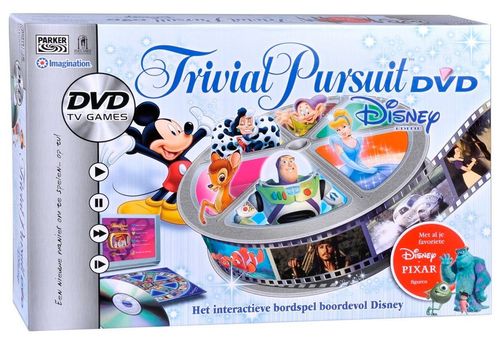
Trivial Pursuit: DVD – Disney Edition
Trivial Pursuit: DVD – Disney Edition Rulebook
Table of Contents
Table of Contents
Object
Be the first player to answer a number of questions set at the start of the game (6 on Easy mode, 9 on Medium and 12 on Difficult), given either by the cards or by the DVD. Finally, the player must answer the Final Question to win the game.
Contents
1 interactive DVD (DVD player not included), 100 question-and-answer cards, 1 Category die, 1 Card/DVD die, 2 score sheets and 2 score-cover sheets.
Preparation
- If more than 2 players are taking part, split into 2 teams before starting.
- Each player or team takes 1 score sheet and 1 score-cover sheet. Then decide how many correct answers each player or team must give to win (6, 9 or 12).
- Toss a coin to decide who goes first.
- Put the DVD in your DVD player. After an introduction sequence, the DVD waits for your instructions on the Menu page. If your player does not start the DVD automatically, press the Play button on your remote control. Choose one player to be in charge of the DVD remote control during the game.
Scoring
- Use the score-cover sheet to hide all the numbered columns on the score sheet.
- Each time you give a correct answer, reveal a numbered column by sliding the score-cover sheet one column to the right.
Game Selection
The DVD of this Trivial Pursuit Disney edition contains 10 pre-recorded games. These 10 games are all different. They are listed inside the DVD case, so that you can tick off the ones you have already played.
To choose a game, use your remote control to go to the number of the chosen game and press the Enter button.
Once you have chosen the game, the Categories board appears on screen.
Note: if you have selected the wrong game, you can go back by selecting New Game on the screen.
Turn Sequence
When it is your turn, roll the 2 dice.
- The Card/DVD die tells you whether you must answer a question from the DVD or from a card.
- The Category die tells you the category of question you are going to have to answer.
Answering Card Questions
- Another player takes the first card from the pile and reads the question matching the category shown on the die.
- The answers to the questions are written on the back of each card. Once used, set the card aside.
- When you answer a question correctly, score 1 point by revealing a numbered column on your score sheet. Then roll the 2 dice again and answer the next question, and so on. You may keep playing as long as your answer is correct. If your answer is wrong, your turn is over: it is then the other player's or the other team's turn to roll the dice.
Answering DVD Questions
- When you must answer a question from the DVD, use the Up and Down buttons on your remote control to select the category shown by the die you rolled. Then press Enter to see the question.
- Once you have given your answer, press Enter to see the answer.
- If your answer is correct, score 1 point by revealing a numbered column on your score sheet.
- You can now roll the 2 dice again to answer a new question, and so on. As long as you keep giving correct answers, you continue to answer new questions. If you give a wrong answer, it is then the other player's or the other team's turn.
Note: do not select the Final Question on the DVD before you have given the number of correct answers agreed at the start of the game, as this would end the game! If you enter that section by mistake, let the DVD ask you the question but give a wrong answer. You can then go back to select the category indicated by the die and continue playing.
Winning the Game
- As soon as you have given the number of correct answers agreed at the start of the game, you may select the Final Question on the DVD. Press Enter to confirm.
- Once you have given your answer, press Enter to see whether it is correct.
- If your answer is wrong, select False on the screen and press Enter. It is then the other player's or team's turn to play. You may try your luck again on your next turn!
- If your answer is correct, select Exact and press Enter. You have won the game!
Note: if the DVD is ejected from the player and then reinserted, it will start automatically on the game selection screen.
Categories
The Categories board lists six categories, each marked with its own Disney character icon:
- Heroes and Heroines (blue): the exploits and adventures of the heroes and heroines of your favourite Disney films.
- Once Upon a Time… (pink): the details and anecdotes around Disney films.
- The Villains (yellow): everything about the villains and their wicked deeds.
- The Character Round (brown): do you know the supporting characters of the cartoons and films well?
- Settings and Props (green): everything about places and accessories. Where did the story take place? With which car?
- The Magic World of Disney (orange): questions about the Disney world, from theme parks to anecdotes about how the films were made.