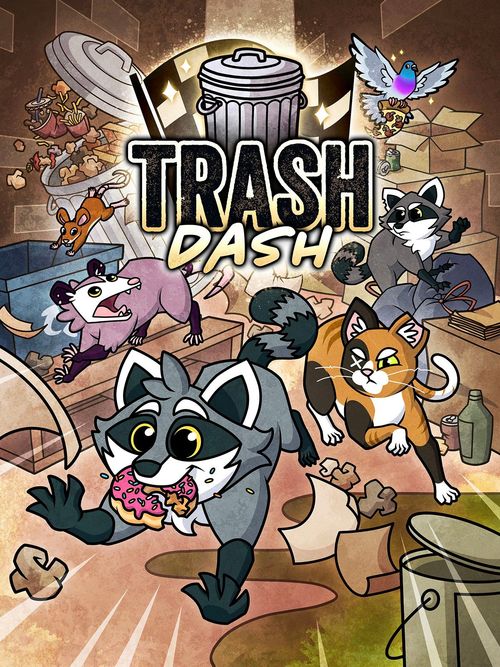
Trash Dash
Trash Dash Rulebook
Table of Contents
Table of Contents
Overview
Jump into Trash Dash, the chaotic critter racing board game for 1-6 players. Players will complete laps around a cluttered alleyway while scrapping with each other and grabbing special power-ups out of trash cans. The first player to finish the final lap claims the title of quickest critter in the city!
A full How to Play video tutorial is available at shinypigeongames.com/trash-dash-how-to-play.
Game Modes
There are 2 ways to play Trash Dash:
- Standard Mode is a quick, single race that lasts 20-30 minutes. The game ends when a player has completed the final lap of the race. That player wins!
- Tournament Mode is a series of 3 races for a longer gaming experience of 60-90 minutes. Players score points at the end of each race based on their positions. The game ends when the third race is completed. The player with the highest total score wins!
Watch for the Tournament Mode icon throughout the rulebook for specific information related to this game mode.
Components
- x20 Double-Sided Track Tiles
- x84 Action Cards
- x33 Trash Cards
- x6 Double-Sided Reference Cards
- x6 Double-Sided Character Cards
- x6 Character Pawns
- x6 Lap Tracker Tokens
- x1 Dash Dice
CPU Module Components
- x6 CPU Character Cards
- x8 Reroll Tokens
- x1 CPU Dice
- Reference Card on Back (of the CPU Character cards' reference card)
Setup
- Build a custom track setup or one of the pre-built track setups (found on pages 8-9). Use Bin Bandit Boulevard if this is your first time playing. Arrange the Track tiles in a horizontal row in the center of the play area according to the chosen setup (A). All tracks must start on the left with the Lap Tracker tile and Start tile, then end on the right with the Turn tile.
- Tournament Mode: Select either Uptown or Downtown and set up its first track.
- Shuffle the Action cards and deal each player a hand of 5 cards (B). Place the rest face down above the track (C), leaving space for a discard pile next to the Action deck.
- Shuffle the Trash cards. Place them face down above the track (D), leaving space for a discard pile next to the Trash deck.
- Place the Dash dice near the track within reach of all players (E).
- Give each player a Reference card (F).
- Each player selects their racer and takes the corresponding Character card (G), Character pawn (H), and Lap Tracker token (I). Each player chooses Side A or Side B of their Character card to select an ability. Choose wisely, as this cannot be changed during the race.
- Each player places their Character pawn on the upper space of the Start tile (J) and their Lap Tracker token on the Lap 1 space of the Lap Tracker tile (K).
Starting the Race
Once setup is completed, it's time to start the race! The player who most recently took out the trash goes first, and play proceeds clockwise.
Completing Laps
Players begin on the upper space of the Start tile on the left side of the track and move along the upper spaces toward the Turn tile on the right side of the track (each tile counts as an upper and lower space). After reaching the Turn tile, a player moves to the lower space on the Turn tile and continues around toward the Start tile.
After reaching the Start tile, a player returns to the upper spaces and continues toward the Turn tile again. When a player moves from the lower space of the Start tile to the upper space, they have completed that lap and the player adjusts their Lap Tracker token to the next lap number.
Don't forget: Players may not be moved backward past the dotted line on the Start tile. If a player would be moved past it, they stop on the upper space of the Start tile instead.
On Your Turn
On a player's turn, they will (1) perform an action, (2) check their space, and (3) draw an Action card. This information can also be found on each player's Reference card.
1. Pick 1 action:
- Go: Play an Action card.
- Trash: Play a Trash card, then an Action card.
- Dash:
- Discard 2 Action cards with matching Move values, ignoring their Attack or Scare. This Move value (not the sum) is your Base Move value for this turn.
- Roll the Dash dice. You may reroll the dice by discarding any Action card. You may repeat the reroll step as many times as you are able.
- Add the final roll result to your Base Move value and Move that many spaces.
- Rest: Instead of playing cards, 1 Move. Draw cards from the Action deck until you have 5 Action cards in your hand.
2. Resolve special space effects, if any.
3. Draw an Action card (unless you Rested).
If the Action deck or Trash deck runs out, shuffle its discard pile to replace the draw deck. Once a player has finished their turn, play continues to the next player in clockwise order.
End of the Game
The game ends immediately when a player completes the final lap of the race. That player is the winner and the other players are ranked by their current positions!
Tournament Mode: Each player scores points based on their ranking before setting up the next track. After the third race, final rankings are based on the total points each player has gained during the tournament. Any ties in the final rankings are broken by the rankings of the third race.
| Place | Points |
|---|---|
| 1st Place | 3 Points |
| 2nd Place | 2 Points |
| 3rd Place | 1 Point |
| 4th-6th Place | 0 Points |
*If multiple players are on the same space, they each score for the same ranking. A free printable scorecard is at shinypigeongames.com/trash-dash-scorecard.
Choose Your Litter Critter
During setup, each player selects their racer and takes the corresponding Character card, Character pawn, and Lap Tracker token. Before the race begins, players choose Side A or Side B of their Character card to select an ability. Choose wisely, as this cannot be changed during the race.
Tournament Mode: Players must use the same character for each race. However, players may choose which of their character's abilities to use at the start of each race.
- Aesop: This little fella is a tough one to catch! Use his defensive abilities to stay one step ahead of the other racers.
- Chloe: You better give this spicy feral some space! She's the toughest of the bunch and she's got the claws to prove it.
- Flipp: This "bird brain" is perfect for managing your hand of cards so that you always have the best options available!
- Jet: Lean into the powerful Dash speed boost and push your luck with this energetic trash panda!
- Madam Penelope: Use this awesome possum's powerful hiss to intimidate your rivals and strip away their Action cards.
- Winston: With years of rummaging experience in this city, Winston knows exactly how to search out the best trash items.
Track Tiles
Each Track tile contains an upper and a lower space. Each Track tile is identified with its number in the bottom left corner (along with A or B to designate front or back), which is used during setup.
There are 4 types of special spaces that are found on Track tiles - Trash Cans, Recycle Bins, Spills, and Big Ol' Boxes. These special spaces are identified with icons in their top left corner.
Don't forget: Resolve a space's effect immediately when you land on it, even if it is during an opponent's turn.
- Trash Can: When you land on this space, you may draw a Trash card. If you already have a Trash card, you cannot draw unless you discard it first.
- Recycle Bin: When you land on this space, draw 2 Action cards. Then discard an Action card.
- Spill: When you land on this space, continue an additional space in the same direction (forward or backward).
- Big Ol' Box: You are not affected by Attacks, Scares, or other effects while you are on this space.
Track Setups
Players may choose to use one of the pre-built tracks, a custom track, or a randomized track.
To set up a track:
- Arrange the Track tiles in a horizontal row in the center of the play area according to the chosen setup.
- All tracks must start the row with the Lap Tracker tile and Start tile on the left.
- All tracks must end the row with the Turn tile on the right.
Customization Notes
When creating a custom or randomized track, these are the recommendations for lap counts. However the game can be adjusted accordingly if a shorter or longer game duration is desired.
| Track Tiles | Lap Count |
|---|---|
| 6 or less | 4 |
| 7 or 8 | 3 |
| 9 or 10 | 2 |
| 11 or more | 1 |
Uptown Tracks
Bin Bandit Boulevard (Winston's Track) - Trash cards are Winston's favorite tool and this track has plenty of Trash Cans to land on. Use the Spills to your advantage to slide into as many item cards as you can! 3 Laps. Tiles left to right: Start A, 5A, 3A, 4A, 8B, Turn B.
Play Dead Parkway (Madam Penelope's Track) - Don't let the abundance of Recycle Bins fool you into acting frivolously with your Action cards. If Madam Penelope is in the race, that extra draw power just means she's going to find those wicked Scare cards that much quicker! 2 Laps. Tiles left to right: Start B, 3B, 12A, 11B, 8B, 10A, 7A, Turn A.
Cardboard Kingdom (Aesop's Track) - You can never be too cautious when dealing with scrappy street critters! Pair Aesop's defensive abilities with strategic moves from Box to Box and you might be able to avoid most of the incoming Attacks from your opponents. 3 Laps. Tiles left to right: Start A, 4A, 15B, 7B, 13A, 3A, Turn B.
Downtown Tracks
Back Alley Blitz (Jet's Track) - Jet loves nothing more than getting extra speed boosts from Dashing. This short alleyway is perfect to zoom around and the multiple Recycle Bins help you find the matching Action cards you need to keep rolling that dice! 4 Laps. Tiles left to right: Start B, 3B, 12A, 10A, Turn A.
Pigeon Plaza (Flipp's Track) - Whether you're looking for Trash cards, extra Action cards, or just a place to hide, Flipp's versatile track has everything you need! 2 Laps. Tiles left to right: Start A, 10B, 16A, 9A, 6A, 2B, Turn A.
Feisty Feral Frenzy (Chloe's Track) - Get ready for the most grueling alleyway in the city! This track's long sections of Spills make every Attack a major threat and each step forward a huge task. Do you have what it takes to conquer Chloe's brutal track? 1 Lap. Tiles left to right: Start B, 11A, 1A, 12B, 2B, 4A, 8A, 7A, 6B, 13A, 3B, Turn A.
Action Cards
Action cards are used to advance players forward around the track.
All cards have a Move value that shows the number of spaces the player advances when the card is played. Some cards have a bonus effect (Attack or Scare), which is resolved before the player Moves.
After being played, these cards are placed in a communal Action card discard pile.
Action Card Types
Basic Action Cards
- Move forward spaces equal to the Move value.
Attack Action Cards
- Choose any opponent and move them backward spaces equal to the Attack value. You may target any opponent regardless of how far they are from you. You cannot split an Attack.
- Then, Move forward spaces equal to the Move value.
Scare Action Cards
- Choose any opponent and randomly discard Action cards from their hand equal to the Scare value (Trash cards cannot be discarded). You may target any opponent regardless of how far they are from you. You cannot split a Scare.
- Then, Move forward spaces equal to the Move value.
Trash Cards
Trash cards are special items that are collected from Trash Can spaces. These cards provide a range of effects like extra movement, invincibility, powerful offense, or card draw.
Players may only have 1 Trash card in their hand at a time. If a player lands on a Trash Can and already has a Trash card, they cannot draw a new one unless they choose to discard the one in their hand first. However, they may choose to keep the one in their hand if they do not want to draw a new one.
Trash cards are always played and resolved before playing an Action card. An Action card must be played after a Trash card (unless otherwise noted on the card).
After being played, these cards are placed in a communal Trash card discard pile (unless otherwise noted on the card).
Don't forget: If you want to grab more trash, you have to drop what you're holding first. You can't open a trash can lid if your paws are full!
Some Trash cards have a CPU Effect at the bottom of the text box. Ignore this text unless the card is being played by a CPU racer.
Example: Ketchup Packets - "Draw an Action card. Add 1 to your Move this turn for each opponent ahead of you." CPU Effect: Add 3 to your Move this turn.
CPU Module Overview
CPUs are automated racers that can be added to the Trash Dash gameplay. This optional module is great for players that want to add extra competition to the race or to increase a lower player count for a more chaotic experience!
The human players at the table are in charge of executing the CPU actions. These automated racers follow the same rules as human players, except in the ways detailed in the following sections.
We generally recommend not adding more CPU than there are human players. However for advanced players who would like to play solo vs multiple CPU, this module does allow for that option if desired.
CPU Setup
- After the human players have selected their characters, select from the unused characters to add to the race as CPUs.
- We recommend placing a CPU between each human player for a balanced turn order.
- Designate CPUs to human players to control as you see fit. We recommend to either distribute them evenly or have one player control all of them.
- Place the CPU Character pawns on the upper space of the Start tile.
- Place the CPU Lap Tracker tokens on the Lap 1 space of the Lap Tracker tile.
- Place the CPU dice near the track in reach of all players.
- Place the 8 Reroll tokens near the CPU dice.
On a CPU's Turn
CPUs do not use a hand of Action cards and use the CPU dice instead.
On a CPU's turn, the human player controlling them will (1) play the CPU's Trash card, if they have one, (2) roll and resolve the CPU dice, and (3) check their space. This information can also be found on the back of each CPU Character card.
- Play the CPU's Trash card, if they have one.
- If the Trash card has a CPU Effect, resolve that effect only. If it does not, resolve the standard effect.
- Roll and resolve the CPU dice.
- Roll the CPU dice. Before resolving the dice, any player may choose to spend a Reroll token to reroll the CPU dice. Players may repeat the reroll step as many times as they are able.
- Resolve the final roll result as if it were an Action card being played by the CPU. Or if the final result is a CPU paw icon, resolve the special effect on the CPU's Character card.
- When resolving an Attack or Scare, the CPU will always choose the single opponent in first place (CPU or human). The Attack or Scare does not resolve if:
- There are multiple opponents in first place.
- The opponent in first place cannot be affected by Attacks or Scares.
- The CPU resolving the Attack or Scare is in first place.
- Resolve special space effects, if any.
- When landing on a Trash Can, draw a Trash card without looking at it and place it face down next to the CPU's character card.
- Recycle Bins have no effect for CPUs.
Scaring a CPU
Scare effects resolve differently against CPUs since they do not use a hand of Action cards.
When you Scare a CPU, discard cards from the top of the Action deck equal to the Scare value and gain Reroll tokens equal to the Scare value. There are a limited number of Reroll tokens (8). If there are not enough Reroll tokens in the supply when you Scare a CPU, take as many as you are able. Never take Reroll tokens from another player.
Reroll tokens can be spent during a CPU's turn to reroll the CPU dice before it is resolved. After being spent, Reroll tokens are added back to the supply.
Rules Clarifications
Here are some clarifications for common rules questions that may come up during gameplay. If you have a question that is not answered here, please check out our full Rules Clarifications at shinypigeongames.com/trash-dash-faq.
- Chloe's "Scrappy" ability distance
- When Chloe uses an Action card to Attack an opponent, distance for "Scrappy" is determined before moving her Character pawn.
- Chloe's "Scrappy" ability and Energy Drink
- When Chloe plays an Energy Drink, any opponent(s) she moves through or onto are Attacked at the time that she is moving through the space the opponent(s) are on. This means that "Scrappy" is applied, adding 1 to the Attack value.
- Chloe's "Territorial" ability on an opponent's turn
- "Territorial" resolves anytime she lands on an occupied space, even if she is being moved onto that space by an opponent's Attack.
- Chloe's "Territorial" ability and invincibility effects
- "Territorial" does not negate any invincibility effects like Big Ol' Box or Cafe Con Leche.
- Penelope's "Frightening Hiss" ability and Pizza Slice resolution
- (1) Penelope chooses an opponent for the Pizza Slice's Scare effect.
- (2) She discards a card from that player. That card's Move value is added to her Move this turn.
- (3) Then she may use "Frightening Hiss" to discard a card from another opponent, but she does not gain the Move value from that card.
- Penelope's "Opportunist" ability and Pizza Slice resolution