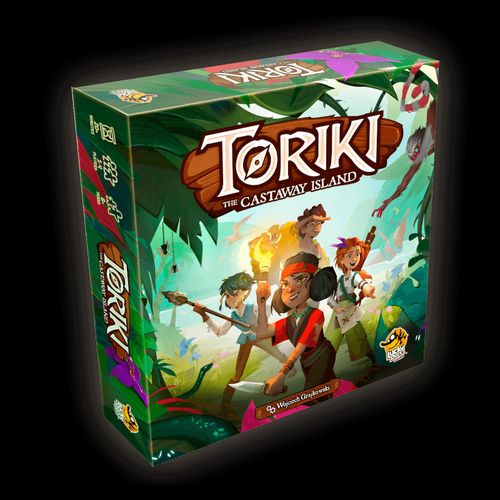
Toriki: The Castaway Island
Toriki: The Castaway Island Rulebook
Table of Contents
Table of Contents
- Components
- Gameplay
- The Goal of the Game
- Setup
- Game Rounds
- Basic Concepts
- Moving to a Different Location
- Performing Actions
- Main Camp
- Trading Items and Food
- End of Turn
- Discovering New Species
- Finding Coins
- Achievements
- Component Tracker
- Saving the Game Between Sessions
- Resuming a Saved Game
- Player Profiles
- Game End and Scoring
- Replaying the Game
- Appendix: Additional Rules Revealed Later in the Game
Components
The Map (people icon) represents the island of Toriki, where you are marooned. It consists of 4 modules. The first one, module 1, is revealed at the beginning of the game, and the remaining 3 are hidden in separate envelopes.
Each Map module is divided into several hexagonal Locations. Each Location is individually numbered.
The compass rose will help you navigate the Map. Attach it to the lower left corner of Map module 1.
33 Item Cards represent various objects in your possession. You can use them in Locations or combine two of them to craft a new Item.
18 Mission Cards describe Missions assigned to the players. Players complete Missions to make the story unfold.
4 Player Meeples represent each player character and are used to track their movement on the Map. The Buffalo Meeple comes to play later in the game after the app informs you about it.
20 Food Tokens represent Food – a resource you can spend to increase your movement range.
The Camp Board represents your Main Camp. As the game progresses, you'll be placing Special Tokens there to mark the upgrades you made. The icons at the top remind you that Food and Item Cards left in the Main Camp should be placed beside the Camp Board.
The Token Board contains hidden Special Tokens that will come into play during the game.
The Diary contains information revealed later during the game. Do not read it unless the app instructs you to!
The Wildlife Catalog is a collection of drawings of Toriki's supposed flora and fauna based on sailors' reports. It contains some important visual clues, so it's advised to study it carefully.
Coin Board and 9 Coin Tokens are used to keep track of Coins you find on the island (see Finding Coins below).
Gameplay
Toriki: The Castaway Island is played as a single continuous game that lasts about 6–8 hours, but you can pause and save your gameplay at any time (see Saving the Game Between Sessions below). It is possible to replay the game after finishing it (see Replaying the Game below), but you'll already know the whole Map and most of Toriki's secrets.
Toriki: The Castaway Island requires a free app, which you can download from Apple's App Store, Google Play, or Steam (currently requires Android 6.0 or newer, iOS 13 or newer; this may change in the future). You only need the app installed on one device with a camera to play. It is not possible to play without the app. Once downloaded, no Internet connection is required to play. The language can be changed within the app.
The Goal of the Game
Toriki: The Castaway Island is a cooperative game, meaning that all players work together towards a common goal. Their ultimate objective is to find a way to leave the island, but additionally they can complete various side quests during their stay on Toriki. These are important for final scoring, which depends on the number of Missions completed, new Species discovered, and Coins found.
It is impossible for a player character to die, there are no dead ends, and you are never forced to restart the game from the beginning.
Setup
Place the following components on the table:
- Map module 1 (attach the compass rose)
- Item Card deck (do not shuffle it or look at the Cards)
- Mission Card deck (do not shuffle it or look at the Cards)
- Wildlife Catalog
- Camp Board
- Coin Board
- Player Meeples (one for each player)
- Food Tokens to form a supply
Leave the remaining components in the box; take them out only if the app instructs you to.
You start the game by launching the app. If this is your first game, press the NEW GAME button on the main menu screen (otherwise see Resuming a Saved Game below). Choose the number of players (from 1 to 4). For each player, enter their name and choose a picture of a Meeple. Press NEXT to confirm your choice and move on to another player. Give each player their wooden Meeple in their selected color. For the rest of the setup process, follow the guided instructions provided by the app.
Game Rounds
The game is divided into Days. Each Day consists of three rounds, called morning, midday, and afternoon. During each round, each player takes 1 turn.
The current Day and time of day are shown in the bottom left corner of the screen. The app keeps track of the rounds and tells you which player should be currently taking their turn as the active player.
Basic Concepts
Items and Food
During the game, each player will have their own personal supply of Item Cards and Food Tokens. However, you can trade with other players and/or with the Main Camp (see Trading Items and Food below).
Items. Each Item is unique. There is 1 copy of each Item Card in the deck; this means that multiple players can never have the same Item at the same time.
Each player can hold any number of Items.
Food. Food Tokens are all equivalent. The game has 20 Food Tokens; if the supply runs out, you cannot gain any more. A player cannot discard Food Tokens just to make them available in the supply for another player to gain the Food at a different Location.
If the app instructs you to get a Food Token, but there are no more available in the supply, then you do not gain the Food.
Missions
Missions are tasks that you complete to progress in the game and to increase your score. They may give you access to new Locations, resources or information! The app will instruct you when to gain specific Mission Cards.
Tip: While you are free to do whatever you want on Toriki, Missions provide some guidance on what is important for you to survive and get off the island. You can get help for Missions if you need it (see Main Camp below).
A Player's Turn
On your turn, perform these 2 steps in this exact order:
- Move your meeple to a different Location on the Map (or decide to stay in the same Location).
- Perform any desired actions available in your Meeple's Location.
Moving to a Different Location
You can move 1 space for free. You can move any number of additional spaces, but you must pay 1 of your Food Tokens for each additional space you move. The Food spent by a player goes back to the supply. You do not have to move; you can stay in the same Location for your turn.
Example: The red player is in Location 5. They can, for example, move 1 space to Location 2 for free, or pay 1 Food to move 2 spaces to Location 9, or pay 2 Food to move 3 spaces to Location 13, or simply not move and stay in Location 5.
After moving (or if you decided to not move this turn), enter the Location number into the app where your Meeple currently is (using the keypad displayed on the screen).
Note: Enter only the Location number where your Meeple currently is (not the Locations you might have passed through to get there).
Performing Actions
After you enter your Location number into the app, the Location's description and available actions appear on the screen. The app screen shows the Location number, the available actions, the SAVE button, the active player's name and Meeple, the MENU button, the current round (morning, midday, or afternoon), the current Day, and the END TURN button.
Action: Use an Item
The most basic action which is available at every Location except the Main Camp in Location 1.
If you choose the USE AN ITEM option in the app:
- The app instructs you to scan an Item Card, then you choose one of the Item Cards you are currently holding to scan its printed QR code.
After you scan an Item:
- The app describes the effects of using the chosen Item in the current Location.
- An Item's effect depends on context (e.g., one can easily suppose the effect of using an axe in a forest).
Note: Some Locations have multiple action options available. In these cases, you can choose to perform one, some, all, or none of them; and in any order.
Make sure the QR code is inside the indicated square and hold the phone still, and not so close to the QR code that the camera can't focus. If the camera still can't focus, try passing your hand in front of it to reset the focus. Then tap and hold on the screen to scan the QR code.
Note: In some rare cases, scanning may not work because of: the room's lighting (try to avoid dark shadows); sleeved Cards (sleeves cause reflections and glare); the phone's camera (dirt on the camera lens, etc.).
Main Camp
The Main Camp (Location 1) is a special Location with two unique actions represented by the icons shown both on the Map and in the app.
Ask for a hint about a Mission. While in Location 1, you can ask the professor for a hint about a Mission by scanning the QR code printed on a Mission Card. First, you receive a general hint, but the next time anyone chooses this action, the professor will offer more detailed instructions. Completing Missions raises your final score, but receiving hints lowers your score.
Combine 2 Items to craft a new one. Scan 2 of your Item Cards (one after the other) to try and create a new single Item.
Note: Only 2 Item Cards are ever needed (even if in real life more Items would be necessary). If you try to combine 2 Items that do not work, you cannot try crafting again this turn (but you keep the 2 Items; they are not destroyed by the failed attempt).
Trading Items and Food
You can trade with A) other players, and/or the B) Main Camp.
Trading with the Main Camp or other players is a free action; trading is done in addition to anything else you do during your turn. You can trade anytime on your turn (before and after moving, before and after performing Location actions). You can trade any number of times with any number of players and/or the Main Camp when eligible, as follows:
A) To trade with other players:
- You must be at the same Location as the other player;
- Take from and/or give to the player any number and combination of Item Cards and/or Food Tokens, if the other player agrees.
B) To trade with the Main Camp:
- You must be at the Main Camp Location;
- Take from and/or leave at the Main Camp any number and combination of Item Cards and/or Food Tokens.
When leaving Food and Items, put them beside the appropriate Food and Item icons printed on the Camp Board.
Note: You cannot trade if just moving through the Location with the player or the Main Camp. You can trade only in the Location you started or finished your movement in.
End of Turn
Your turn ends when you decide to end it by pressing the END TURN button. You can end your turn at any time, but usually after you perform all available actions. The next player then takes their turn (the app reminds you of this).
End of a Day
After 3 rounds (so each player has taken 3 turns), the Day ends; then all player Meeples are automatically transferred to a Campsite for free (i.e., no Food is spent to do this, no matter how far the Campsite is from the Meeple).
Campsites
At the start of the game, there is only 1 Campsite available (at the Main Camp on Location 1). Later, you will discover new Campsites, and the app will explain how they work.
Discovering New Species
Each time you find a new unknown Species of a plant or animal, the app will instruct you to give it a scientific name, then you will write this down in the Wildlife Catalog. You can also write down the Location where you found it, as well as other useful information about its characteristic traits and possible uses. If you want to replay the game in the future, you can write with a pencil so you can later erase it. Alternatively, you can download and print another copy of the Wildlife Catalog (see Replaying the Game below).
The more Species you discover, the higher your final score!
Finding Coins
There are golden Coins hidden in different places on Toriki. Are you curious why there are Coins on a supposedly uninhabited island? Keep playing to find out! You can find Coins by using specific Items in particular Locations. Then the app will ask you to put a Coin Token on the corresponding place on the Coin Board. The artwork on the Coin Board serves as a hint about the Coins' Locations.
Gold is of no use on Toriki, but it will be worth a fortune once you go back to civilization, so finding Coins increases your final score!
Achievements
Achievements are additional goals you might complete while playing. Unlike fulfilling Missions, unlocked Achievements don't make you progress in the game, nor do they affect your final score. Instead, they are an incentive for the players to do additional things beyond what is necessary to leave the island. Achievements are tracked collectively for the whole group, not for separate players.
To open the Achievements display, press the MENU button and then choose ACHIEVEMENTS. Here you see a scrollable list of Achievements. Each Achievement has a name, fulfillment conditions, and a bar showing the players' progress toward its completion. Once you meet the fulfillment conditions, the app will inform you that you unlocked an Achievement.
Component Tracker
The app constantly tracks what components the players (as a whole group) have in their possession (except for Food Tokens). If you suspect that you might have mistakenly taken a Card or any other component (or not taken one when supposed to), you can always press the MENU button and then choose COMPONENT TRACKER to display a complete list of the components that should be in your collective possession.
History
By pressing the MENU button and then the HISTORY button, you can view your game history. All the texts displayed so far are stored there, and you can browse them if you suspect you missed or forgot something.
Saving the Game Between Sessions
Finishing the whole game usually takes about 6–8 hours, so you may break it into a number of separate playing sessions. It is recommended to finish a game session at the end of an in-game Day, but you can save the game whenever the SAVE button is visible on screen. Press it, and the app will ask you to enter each player's current Location number. The app also saves the game progress automatically in case your session ended unexpectedly (e.g., if your app device's battery ran out), but in this case, it won't store the players' Location numbers.
Next, each player should put their Meeples (including the Buffalo Meeple if they own it), Item Cards, and Food Tokens into a separate ziplock bag. In a separate "common pool" bag, put the rest of the elements revealed so far: assigned Mission Cards, obtained Special Tokens and Coin Tokens, and all Item Cards and Food Tokens from the Main Camp.
Resuming a Saved Game
Launch the app and press the RESUME LAST GAME button in the main menu. Give each player the contents of their bag and put all the elements from the "common pool" bag where they belong. The app will remind you where to put the players' Meeples and all the Special Tokens that are in play.
Player Profiles
By pressing the PROFILES button in the main menu, you open the profiles menu. You can create several player profiles there, e.g., if you want to have separate playthroughs with different groups. You can also BACKUP your profiles into a single file. This file can be used to RESTORE profiles on the same or another device and continue the gameplay.
Game End and Scoring
The game ends once you leave the island. Then the app will rate your performance on a scale from 1 to 10 stars. You can increase your score by:
- completing Missions,
- finding Coins,
- discovering new Species.
Asking the professor for hints, on the other hand, lowers your score.
The number of Days you spend on Toriki doesn't affect your score, so you are encouraged to take your time, explore the island, and have fun!
Replaying the Game
Once you finish the game, it's possible to replay it if you would like to relive the adventure again, perhaps to try doing some things differently or to complete Achievements you didn't complete during your first play.
To replay the game, do the following:
- Put all the Cards back in their respective decks (keeping them ordered by number will make the gameplay smoother).
- Put all the Special Tokens back into their respective slots in the Token Board (make sure that the numbers on the back of each Token match the numbers printed on the Board).
- Put Map modules 2, 3 and 4 in their respective envelopes.
- Fold back the Diary.
- Download the Wildlife Catalog in PDF format from https://quack.at/toriki-wildlife-catalog-pdf and print it, or erase your pencil writing from your original Wildlife Catalog.
- Start the app and press the NEW GAME button.
The following sections contain rules revealed later in the game. Don't read them unless the app instructs you to!
Appendix: Additional Rules Revealed Later in the Game
Don't read this Appendix unless the app instructs you to, and even then read only the part the app tells you to!
The Raft
(Read this part only after you crafted the Raft!)
The Raft enables you to travel through sea Locations on Map module 2. These are the only Locations the Raft Token can be placed on, and using the Raft is the only way to visit them.
Boarding and disembarking the Raft. Boarding and disembarking the Raft each count as moving a single space.
To board: move your Meeple from a coastal Location (Locations 1, 2, 4, and 5) onto the Raft Token which is on a neighboring (adjacent) sea Location.
Important: Other players present in the same Location may board or disembark the Raft together with the active player, during the active player's turn, without spending any additional Food.
Note: The Raft can simultaneously hold any number of players.
To disembark: move your Meeple off the Raft onto a neighboring (adjacent) coastal Location.
Movement on the Raft. On your turn, if on the Raft (regardless if any other players are on the Raft with you), you can move the Raft Token through sea Locations the same as you would move your Meeple on land (i.e., moving 1 space is free, and each additional space costs 1 Food).
- The Raft Token moves with all Meeples on it, so other players in the Raft move too, even though it's not their turn.
- It is possible for a player to travel both on land and on sea in the same turn (see example).
Example: The red player moves for free from Location 9 to Location 4 and then spends 1 Food to board the Raft in Location 16. The yellow player, who is in Location 4, chooses to board the Raft for free during the red player's turn. Finally, the red player spends 1 more Food to move the Raft with both Meeples to Location 20. That all happened in a single turn of the red player.
The Dolphins
(Read this part only after the Dolphins Token has been revealed!)
As long as the Dolphins are pushing the Raft, you can reach any sea Location in one move, without spending any Food.
Deciphered Text From the Wildlife Catalog
(This part is a reminder of the text the app displays to you after the professor gets back his glasses and is finally able to decipher the text about Species 14, from the Wildlife Catalog.)
"Dig a pit and cover it to make a trap. Once the beast is caught, feed it to tame it. A great riding animal."
The Tent
(Read this part only after you crafted the Tent!)
The Tent enables you to spend the night outside a Campsite.
During the Day, the Tent is carried by a player. It may be traded to another player in the same Location, and it may be left or picked up at the Main Campsite (the same way as Items).
Once the Day ends: If a player holding the Tent is on a land Location, they may use the Tent by placing it on their current Location. (The Tent cannot be used on the Raft.) All the players present in the Location with the Tent may spend the night there (instead of moving to a Campsite).
The next morning: The players who spent the night in the Tent start their turn in the Location with the Tent. One of them takes the Tent with them (and may use it again, or trade it away).
Alternative Campsites
(Read this part only after you discovered an alternative Campsite!)
The Location you transformed into an alternative Campsite is now covered with a Special Token with the Campsite icon. From now on, at the end of a Day, each player can choose which of the Campsites they want to spend the night in, and each player's Meeple instantly moves to their selected Campsite. Different players may go to different Campsites.
Note: The Main Camp in Location 1 is still the only place where you can craft new Items or ask for a hint, as marked by the icons printed on Location 1. It's also the only place where Items and Food can be left for later use, as the icons on the Camp Board remind you.
The Buffalo
(Read this part only after you caught and tamed the Buffalo!)
The Buffalo, represented by the Buffalo Meeple, is a riding animal that helps you travel faster across the island.
Put the Buffalo Meeple on Location 32 where you caught and tamed it. Now a player who shares a Location with the Buffalo can mount it by putting their player Meeple on the back of the Buffalo Meeple. As long as a player is riding the Buffalo, they can move twice as far for the same amount of Food. So they can move up to 2 spaces (instead of only 1 space) for free, up to 4 spaces (instead of 2) for 1 Food, up to 6 spaces for 2 Food, and so on.
The Buffalo cannot board the Raft.
- If you are on the Buffalo, you may move onto the Raft, but you must leave the Buffalo in the Location from where you boarded the Raft.
- You may continue moving this turn, but start paying the normal cost for any additional movement you make from now on this turn, i.e. 1 Food for each additional space.
At nightfall, the Buffalo is instantly transferred with its rider to a chosen Campsite.
- If the player uses the Tent, the Buffalo can stay in the Location with the player.
A player can get off the Buffalo at any time, even during movement, but start paying the normal 1 Food cost for each additional space you move this turn.
If no one is riding the Buffalo, it stays where it is until a player mounts it and moves.