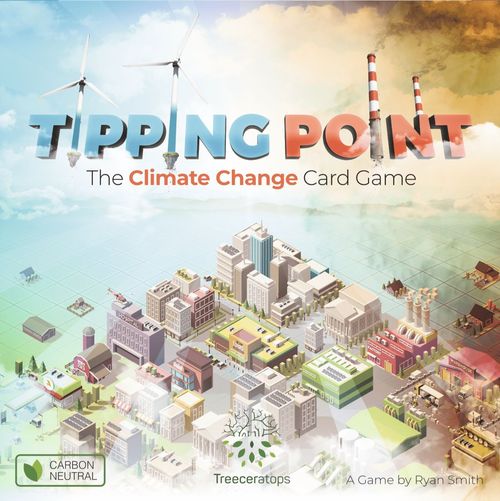
Tipping Point
Tipping Point Rulebook
Table of Contents
Table of Contents
Contents
- 71 Development Cards*
- 41 Citizen Cards
- 20 Weather Cards
- 1 Weather Almanac Card
- 1 CO2 Table Card
- 60 Circular Tiles
- 42 Electricity tiles
- 9 Cash Flow tiles
- 9 Food tiles
- 4 Player Status Boards
- 1 Timeline Track
- 13 Wooden Cylinders
- 1 black for tracking decade
- 4 light blue for tracking Cash Flow
- 4 black for tracking CO2
- 4 green for tracking Food Production
* 8 starting Development Cards with distinct orange backs.
Mitigate
Mitigation includes any action in the game that helps eliminate CO2 and other greenhouse gases in the atmosphere, thus reducing the risk of severe weather-related events. This differs from Adaptation actions, which focus on preparing for disasters.
Number of Players
In TIPPING POINT, setup and gameplay stays the same whether playing with two, three, or four players. However, when playing with only two players, the Development Card deck needs to be reduced in size. To achieve this, players remove one of each type of Development Card from the deck (except where only one type is present; e.g. the Nuclear Power Plant is not removed from the game).
How to Win / Modes
Semi-cooperative
It is possible for all players to win in this mode. The game ends when at least one player has a population of 10 or more citizens when the Timeline Track is advanced to the year 2100, or any decade prior. At this point, all players with at least 9 citizens win the game. It is entirely up to individual players whether they want to cooperate with their neighbours or not.
Competitive
There is only one true winner in this mode. One player wins by having a population of 10 or more citizens when the Timeline Track is advanced to the year 2100, or any decade prior. If more than one player has at least 10 citizens, then the player with the most citizens wins. If there is still a tie, the player with the most Development Cards in play is the winner.
2 vs 2
Two teams of two compete for victory in this mode. Players sit diagonally across from their partners so that turns alternate between the two teams. To win, a team must reach a combined population of 20 or more citizens when the Timeline Track is advanced to the year 2100, or any decade prior. In the case of a tie the team with the most Development Cards is the winner.
This mode differs from a standard game in two important ways. First, teammates combine their Soldier and Military Base attack and defense strengths. Second, the Fire Station, Sandbags, Heat Tolerant Crops, Electrician, First Responder, and Hospitals' Special Abilities can also be shared; however, the protective ability of these cards is not doubled. For example, a single Fire Station can still only be used to protect one city and a single First Responder/Hospital can still only protect one citizen per disaster. Players decide together which city or which citizen is going to be protected during a disaster.
Preparing to Play
The starting Development Cards have distinct orange backs. Place one Large Farm Development Card and one Forest Development Card in front of each player (A). Any remaining orange-backed Development Cards are returned to the box.
Shuffle the Development Cards and place 12 cards face up in the centre of the play area in a 3 x 4 formation (B). These 12 cards make up the Market and represent what is available for purchase during play. The remaining stack of Development Cards is placed face down near the play area (C).
Shuffle the Citizen Cards and place them face down near the centre of the game area (D).
Shuffle the Weather Cards to create the Climate Deck (E). Place the Weather Almanac Card and the CO2 Table Card (F) beside the Climate Deck.
Place a Status Board by each player (G) with a light blue wooden cylinder on the starting position for Cash Flow, a black wooden cylinder on the starting position for CO2, and a green wooden cylinder on the starting position for Food Production. The Large Farm and the Forest together generate a total revenue of $2, have a net CO2 of zero, and produce a total of 3 Food.
Place the circular Electricity, Cash, and Food tiles near the play area (H).
Place the Timeline Track next to the play area with the black cylinder on the year 2010 (I).
The player with the smallest carbon footprint in real life is the starting player.
Weather
Weather changes from day to day (a single card), while climate is the range of all possible weather a place can experience (the full deck). In TIPPING POINT, climate change is simulated by forcing players to draw more and more Weather Cards as the CO2 levels climb.
How to Read the Cards
There are three different types of cards in TIPPING POINT.
Citizen Cards
Citizen Cards represent the people who live in your city and are always dealt face up. Each Citizen Card represents a population of 1. If a Citizen Card is flipped over during the game it still counts as a population of 1.
Face-up: A - Citizen's job; B - Stats; C - Special Ability. Flipped over: D - Food and Cash Flow (same for all Citizen Cards).
Example - The Engineer: This citizen produces zero CO2, has a Cash Flow value of zero (does not generate income nor create extra expense), and consumes 1 Food (B). This citizen gives players a Special Ability: to search through the Development Card deck and purchase any card they want (C). After performing its Special Ability, this particular Citizen Card is flipped over.
Citizens that have been flipped over can never be flipped back. Every flipped over citizen has the same properties: they consume 1 Food and generate $1 in Cash Flow (D).
Development Cards
Development Cards represent the buildings, technologies, and natural resources in your city. Gray cards are CO2 sources as indicated by their positive CO2 value while green cards are carbon neutral or carbon sinks and therefore have a neutral or negative CO2 value.
Face-up card: A - Name and Category; B - Special Ability, marked with *; C - Purchase Price; D - Stats.
Example - The Food Processing Plant: This Development Card is part of the Infrastructure category (A) and it costs $3 to purchase (C). This card produces 1 CO2, has a Cash Flow value of zero, uses 1 Electricity, and produces Food* (D). The * means the amount of food produced depends on the card's Special Ability. The Food Processing Plant's Special Ability states that 1 Food is produced for every farm and ranch in the player's city (B).
There are four categories of Development Cards:
- Resource - Includes cards like the Forest, Large Farm, and Oil Well. Resource cards form the backbone of the player's economy.
- Infrastructure - Includes buildings and other forms of built infrastructure. Infrastructure cards are vulnerable to weather disasters.
- Research - These cards (as well as cards that have both the Research and Infrastructure symbol) can only be purchased if the University is supplied with Electricity or if the Educator Citizen Card is face up. The Special Ability of the Engineer also follows this rule. However, purchased Research cards remain active regardless of whether the University loses its Electricity or the Educator is subsequently flipped over.
- Cooperation - These cards have a Special Ability that can benefit all players at the table, regardless of who owns them.
Weather Cards
Weather Cards have one of four weather symbols printed on them: sun, wind, rain, or snow. The order in which these cards are revealed determines the type of weather disaster unleashed. The Weather Almanac Card is used to decode the Weather Card symbols. Weather is fully explained in the Weather Phase section.
How to Use the Status Board
Based on the Development and Citizen Cards in their city, players use their Status Boards to track their Cash Flow, net CO2 level, and Food Production. The Status Board also displays the player's Risk Factor (x1, x2 or x3), denoted by the value inside the CO2 scale. As CO2 levels climb, so too does the player's Risk Factor. The circular Cash and Food tiles are used to track the effect of trades (see Appendix 2: Trading) and the effects of disasters (see Appendix 4: Weather Disasters). In addition, they are also in use when the Financial Advisor and the Refrigerator Warehouse are in play.
Note (status board maximums): Even if a city has higher values than the specified maximum values, it produces a maximum of 12 Cash Flow, 10 CO2 and 15 Food per decade.
Risk Factor
Greenhouse gas emissions are just one of the many environmental problems associated with the combustion of fossil fuels. Pollutants like sulphur dioxide, nitrogen oxides, and airborne particulates are also released. These pollutants further decrease air quality and lead to acid rain and smog, which can magnify human health impacts and rates of infrastructure deterioration.
Play of the Game
Beginning with the starting player and proceeding in a clockwise order, players take turns growing and developing their cities. This is called the Development Phase. After every player has had one turn there is a Weather Phase. Once the weather events have been processed, the Timeline Track is moved forward one decade.
Development Phase
The following actions are completed by the player in the following order:
- Add New Citizen(s)
- Demolish Old Development Card(s)
- Develop City
1) Add New Citizen(s)
The first thing the player does on their turn is draw 1 new Citizen Card from the top of the Citizen Card deck and place it face up beside their growing city. Players must keep the citizens they are dealt (except when the Airport is in play). Once play has advanced to the year 2050, players always pull 2 new Citizen Cards at the start of their turn.
After pulling a citizen, the player updates their Status Board to keep track of any changes in Cash Flow, CO2, and Food Production. All citizens, aside from the Farmer, require food. Most Citizen Cards get flipped over at some point during the game. Although citizens that have been flipped over still require Food, they also generate revenue.
2) Demolish Old Development Card(s)
Players may demolish any number of old Development Cards from their city during this part of their turn for free. If a player is in a situation where their Cash Flow is less than or equal to zero (meaning they will be unable to advance in the game), they may be forced to demolish Development Cards from their city. Demolished cards are placed in a discard pile. Always update the Player Status Board following this phase to denote any changes in Cash Flow, CO2, and Food.
Revenue
Happy, productive citizens produce tax income for the state. When a Citizen Card is flipped over, this simulates what happens when citizens in the real world lead productive lives.
3) Develop City
The player may now use the Special Abilities printed on any of their Citizen and Development Cards. In addition, they may purchase one new Development Card from the Market. The player may perform these actions in any order.
Using Special Abilities
Citizen and Development Cards have different Special Abilities outlined on the cards. Every time a Special Ability is used, update the Player Status Board to track any changes in Cash Flow, CO2, and Food Production. This is especially important when flipping Citizen Cards over, as this process always reveals an increase of $1 in revenue, which can be useful when making a purchase from the Market. However, it is important to note that some citizens have Special Abilities that stipulate that their card is flipped at the very end of the player's turn, meaning after a new Development Card purchase has been made.
Purchasing a New Development Card
The player may purchase 1 Development Card from the Market (new Special Abilities are active immediately). This is called the regular purchase. The player must be able to afford the new card, which means they have a positive Cash Flow equal to or greater than the card's purchase price. Unspent money cannot be accumulated or saved between turns (except for the Financial Advisor).
As soon as a card is purchased from the Market, it is replaced with a new Development Card from the deck. After purchasing cards the player updates their Status Board to denote any changes in Cash Flow, CO2, and Food Production.
Some Development Cards require Electricity to operate. Electricity is produced by power plants (see Appendix 1: Generating Electricity). You can purchase a Development Card without having Electricity available to use it. Unpowered cards are immediately turned sideways. Their Special Ability is not active and they produce zero Cash Flow, CO2, and Food.
Note: When the Development Card Deck or the Citizen Card Deck runs out, the discards are shuffled to make new decks.
Cash Flow
The money in the game simulates cash flow in the real world. Governments try to keep a surplus of money available so that they can continue to grow their economies.
Example - First Turn
A) James draws a Citizen Card and it is the Farmer. The Farmer can grow his own Food, but keeping the farmer face up will cost the city $1 every turn. This would leave James with a net Cash Flow of only +$1, because the farmer's expense (-$1) counts against the revenue from the Farm (+$1) and the Forest (+$1).
B) After reading the Farmer's Special Ability, James decides to flip the Farmer card over, revealing an extra $1 of Cash Flow.
C) James adjusts his Status Board to show that he has a net Cash Flow of +$3, meaning he can now make a single purchase of up to $3. He decides to purchase a Fire Station, which costs $2. James does not get to keep his leftover money for a future round, nor can he make another regular purchase.
D) The Fire Station requires electricity to operate, which James does not have. He therefore turns the card sideways. Normally the Fire Station would generate +1 CO2 and decrease Cash Flow by $1, but because it is unpowered these values are ignored. James makes sure his Status Board is updated and then ends his turn.
Weather Phase
After all the players have had one turn developing their cities, the following actions are completed in this order:
- Feed citizens
- Clear weather disasters from previous round
- Determine number of Weather Cards to reveal
- Reveal new Weather Cards and deal with disasters
- Advance the Timeline
1) Feed Citizens
Players count the total Food being produced in their city. Players who do not have enough Food to feed their total population immediately lose the number of citizens they are unable to support. Players get to choose which of their citizens starve.
Citizens lost to starvation are discarded and shuffled back into the Citizen Card Deck once that deck has been exhausted.
2) Clear Weather Disasters from Previous Round
All Weather Disaster effects that impacted play during the previous round are cleared e.g. -1 Food Production tiles are removed.
3) Determine Number of Weather Cards to Reveal
Each player reports their net CO2 total and the grand total for all players is calculated. The number of Weather Cards to be revealed is determined using this table (it depends on the net CO2 and the number of players).
| Total CO2 (2 players) | Total CO2 (3 players) | Total CO2 (4 players) | No. of Cards |
|---|---|---|---|
| 0-3 | 0-5 | 0-7 | 1 |
| 4-6 | 6-10 | 8-13 | 2 |
| 7-10 | 11-15 | 14-20 | 3 |
| 11-13 | 16-20 | 21-27 | 4 |
| 14-15 | 21-23 | 28-31 | 5 |
| 16+ | 24+ | 32+ | Game Over |
4) Reveal Weather Cards and Deal With Disasters
Reveal Weather Cards
Weather Cards are revealed one at a time from the Climate Deck. The very first Weather Card (A) revealed in the game is flipped face up and placed beside the Climate Deck. A single Weather Card has zero effect.
When it is time to reveal another Weather Card (B), it is placed face up to the right of card A.
Players now examine the Weather Almanac to see if the Weather Card pairing results in a disaster. The order of the cards is very important. If there is a match, that disaster is immediately resolved (see Appendix 4: Weather Disasters). If there is no disaster, play continues uninterrupted.
Card B is then placed face up on top of card A. When the next Weather Card (C) is revealed, it is placed face up to the right of card B, thus creating a new Weather Card pairing and potentially another weather disaster that will need to be resolved.
When the Climate Deck has been exhausted, all Weather Cards except the card most recently revealed are shuffled together to reset the Climate Deck.
Deal with Disasters
Disasters are resolved one at a time. It is possible that several disasters occur during one round of the game, especially if the CO2 count is very high. It is also possible for the same disaster to occur more than once in a round.
Development and Citizen Cards lost to disasters are placed in discard piles. Unless otherwise stated, players get to choose which Development/Citizen Cards are lost to a disaster.
Drought, Freezing Rain, and the Snowstorm disrupt gameplay for the entire next round. Players can keep track of drought-related effects using the Circular Food tiles.
Once all of the disasters have been dealt with, all players update their Status Boards to denote any changes in Cash Flow, CO2 (Risk Factor), and Food Production. To ensure each player's Risk Factor is stable during this phase, it is important that this step is completed after all of the disasters have been processed.
Note: It may be possible for a player to purchase a Development Card on their next turn that negates the impact of a disaster on their city. For example, if a player purchases Heat Resistant Crops during a Drought, the negative impact of that disaster is avoided.
"Appendix 4: Weather Disasters" details the effects of each type of disaster and which cards (if any) can be used to protect players, either fully or partially, from the disaster's harmful impacts.
Disasters
Climate change does not mean every day is going to be hotter than the last. However, a warmer and more energized climate system lends itself to intense and unpredictable weather, which can result in severe weather disasters. Always be prepared for the worst!
5) Advance the Timeline
Move the black Timeline Cylinder ahead by one decade.
Game End
Players alternate between the Development Phase and the Weather Phase until one of the following takes place:
- One or more players meet the winning conditions for their chosen mode of play, as outlined in the "How to Win / Modes" section.
- The Timeline is advanced to the year 2100 and none of the players have the winning number of citizens, resulting in defeat for everyone.
- The total net CO2 count exceeds the defined limit (the game's Tipping Point) at any point during the game, resulting in defeat for everyone.
Tipping Point
Scientists fear that if greenhouse gas levels continue to rise in the atmosphere they will eventually pass a tipping point, a point of no return beyond which the climate will continue to heat up even if further emissions are curtailed.
Appendix 1: Generating Electricity
Many Development Cards require Electricity to operate. Players can generate Electricity by purchasing a power plant or by drawing the Coal Miner Citizen Card. It is important to keep track of the amount of Electricity available in the game using the Electricity tiles. When a player purchases a power plant, they obtain the matching set of Electricity tiles. The number of tiles equals the amount of Electricity the power plant generates.
When a building is powered on, the player takes the corresponding number of Electricity tiles required to supply the building and places them on the Development Card. During Freezing Rain, power plants produce less Electricity and if a player is unable to keep a building powered it is temporarily shut down. However, after the disaster is cleared the building's supply of Electricity is immediately returned.
Players cannot turn a building off once it has been powered on and therefore the only way to revoke the Electricity supplied to a building is to demolish it. The Electricity tiles are then returned to their corresponding power plant.
When a power plant is captured by another player, lost to a disaster or demolished, all connected buildings lose their Electricity tiles and are turned sideways.
Example - Supplying a Development Card with Electricity: When the Coal Power Plant is first purchased, the player places 8 Coal Power Plant Electricity tiles on the card. On their next turn, the player purchases a Market, which requires 1 Electricity to operate. The player moves 1 red Electricity tile to the Market.
Appendix 2: Trading
Trading is allowed in the game, to a limited extent. The following four resources can be traded:
- Citizens - Players can only trade Citizen Cards if the Airport is active.
- Cash Flow - Players may trade Cash Flow any time.
- Food - Players can only trade Food if a Trade Depot is active.
- Electricity - Players are allowed to share Electricity from the moment a power plant is in the game. Use the Electricity tiles to keep track of which power plant is supplying the Electricity.
Unless otherwise stated, trades are permitted at any time during the game.
Under normal circumstances trades cannot be revoked. This also means e.g. that a player can only demolish a power plant or flip a Coal Miner Citizen Card if their trading partner agrees or they can ensure the Electricity supply with a new power plant so that the trading partner is not caused any disadvantage.
Trades can only be revoked in 3 specific situations:
- If all involved parties agree.
- If a corresponding food source or power plant is captured or lost to a disaster.
- If one trading partner attacks the other with their Soldiers.
The disaster Freezing Rain does not terminate trades but only suspends them for one round.
Appendix 3: Soldiers & Military Bases
Soldier Citizen Cards and Military Base Development Cards have a unique Special Ability: they can be used to capture Infrastructure cards from other players. Capturing a card does not count as a regular purchase.
Each Soldier has an attack and defence strength equal to 1. Similarly, the Military Base has an attack strength equal to 1, but a defence strength of 2.
By default, face up Soldier and Military Base cards help defend your city from outside attack. Another player can only attack your city if their total attack strength is at least 2 points higher than your total defence strength.
After Soldiers are used to attack, one of the attacking player's Soldier cards is flipped over. However, Military Bases do not get flipped over.
Only one Infrastructure card can be captured at one time. Captured Infrastructure cards can be used immediately.
If a power plant is captured by a Soldier then all the Electricity tiles tied to that power plant immediately go to the player who captured it. The same is true for stored food within a captured Refrigerated Warehouse, but only if it is immediately supplied with Electricity, otherwise the food is lost.
After a successful attack, both players involved update their Status Boards to reflect any changes in Cash Flow, CO2, and Food Production.
Appendix 4: Weather Disasters
The following table details the different combinations of Weather Cards that lead to a Disaster. (X = Player's Risk Factor)
- Drought - The player with the most farms and ranches produces X fewer Food for one round, where X equals the player's Risk Factor. If there is a tie then all tied players are impacted. Heat Tolerant Crops protect against Drought.
- Hot and Humid - All players lose X citizens, where X equals the players' Risk Factors. The Hospital and/or First Responder protect against Hot and Humid.
- Forest Fire - The player with the most Forest cards loses all of their Forest cards. If there is a tie then all tied players are impacted, except if all players would lose exactly one Forest card, in which case the disaster is nullified. The Fire Station protects against Forest Fire.
- Flash Flood - The player with the most Infrastructure cards loses 1 Infrastructure card. This includes unpowered buildings. If there is a tie then all tied players are impacted. Sandbags protect against Flash Flood.
- Tornado - All players lose 1 Infrastructure card and 1 Citizen Card. The citizen can be saved by the Hospital and/or First Responder but the Infrastructure cannot be saved.
- Thunderstorm - The player with the most Resource cards loses 1 Resource card. If there is a tie then all tied players are impacted. The Large Farm cannot be destroyed. The Fire Station protects against Thunderstorm.
- Blizzard - All players lose X citizens, where X equals the players' Risk Factors. The Hospital and/or First Responder protect against Blizzard.
- Snowstorm - All Trade Depots, Highways, and Airports are closed for one round and are turned sideways. In addition, any player who owns one or more of these buildings loses 1 Citizen Card. The Hospital and/or First Responder protect citizens against Snowstorm.
- - Players cannot share Electricity for one round and all building powered by shared Electricity are turned sideways. In addition, all power plants produce -X Electricity, where X equals the players' Risk Factors. The Electrician protects against all effects of Freezing Rain.
Rules Summary
In Tipping Point each player takes turns developing their city. Every round of Tipping Point consists of a Development Phase and a Weather Phase. Play continues until the conditions of victory or defeat are met.
Development Phase:
- Add New Citizen(s) - Draw 1 or 2 (from 2050 on) Citizen Cards.
- Demolish Old Development Card(s) - Demolish any building(s) from your city.
- Develop City - Use the Special Ability printed on any Citizen or Development Card in play and purchase 1 new Development Card.
Weather Phase:
- Feed citizens - Citizens for which there is no Food starve and are discarded.
- Clear weather disasters from previous round - Remove Food tiles, power buildings and turn cards upright again.
- Determine number of Weather Cards to reveal - See CO2 Table Card.
- Reveal new Weather Cards and deal with disasters - See Appendix 4.
- Advance the Timeline - Move the black Timeline Cylinder ahead by one decade.