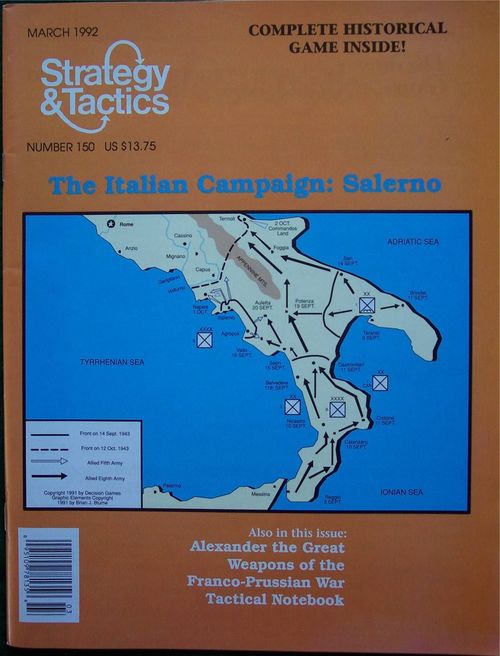
The Italian Campaign: Salerno
The Italian Campaign: Salerno Rulebook
Table of Contents
Table of Contents
- 1.0 Introduction
- 2.0 The Playing Pieces
- 3.0 Sequence of Play
- 4.0 The Pre-Game and Invasion Phases
- 5.0 The Command Phase
- 6.0 The Operations Phase
- 7.0 Movement
- 8.0 Combat
- 9.0 The Final Resolution Phase
- 10.0 The Invasion Phase
- 11.0 German Demolitions
- How to Play the Game
- Playtest Notes
- Alternative Campaigns
- More Designer's Notes
- Sicily Errata and Clarifications
- Charts and Tables
1.0 Introduction
The basic rules contained in this booklet model World War II warfare at the operational level. The map scale is approximately five miles per hex with a unit scale of regiments, brigades, battalions and some companies. Game turns simulate one to two days of activity; each box on the time track represents approximately twelve hours.
1.1 Administrative Notes
When calculating factors which are halved, unless otherwise noted, always round down (however, units may always move one hex even if the modified movement allowance is less than one). In cases where multiple units are involved in combat, first total the combined value of all of the units involved, and then halve. Do not halve each unit individually. Also, one six-sided die is needed for play. The CRT goes up to twenty due to potential die roll modifiers.
2.0 The Playing Pieces
The 200 playing pieces represent the combat units, headquarters and assorted markers necessary to play the game.
2.1 Combat Units
Combat units are double sided, with each side representing the degree of unit organization. The front side, with stronger values, represents the unit at its highest level of organization. The back side, with weaker values, represents the unit in a disrupted state.
2.11 Unit Identification: Combat units are assigned a historical identification number which appears above the unit type symbol.
2.12 Unit Type Symbol: The central box on each combat unit will have a symbol designating the basic type of unit represented by the counter, such as infantry, armor, artillery, etc.
2.13 Unit Size: A unit's size and organization is determined by the letter printed in the lower left corner of combat units and in the lower middle for HQ units. This letter is also referred to as the "combat class" of the unit. The following table defines unit size and organization:
- A = 3 battalion Regiment or Brigade
- B = 2 battalion Regiment or Brigade
- C = Battalion
- D = Company
- E = Company/Battery or Platoon
2.14 Armor Bonus: To the left of the unit type symbol is the unit's Armor Bonus. This number represents the amount of tank (and antitank) capability the unit has when attacking (or defending) and results in a CRT die roll modifier.
2.15 Armor Bonus Restriction: If the Armor Bonus number is circled, the bonus may only be used when defending. Units with circled numbers which attack may not claim an Armor Bonus.
2.16 Tactical Rating/Zone of Control (TR/ZOC): The small number underneath the unit type symbol is both the combat unit's TR (representing its training and expertise), its ability to support friendly units that are attacking, and the strength of the ZOC it projects to inhibit enemy movement. The TR is also the unit's minimum defense strength when attacked by enemy units.
2.17 Movement Allowance: In the lower right hand corner of the counter is the combat unit's Movement Allowance, expressed in terms of Movement Points (MPs). Units with 6 or less MPs are leg formations and use the leg unit terrain costs to move across the map. Units with 7 or more MPs are motorized formations, and use the motorized unit terrain costs to move across the map. Motorized/mechanized units are further distinguished by the use of white print for their Combat Class, Tactical Rating, and Movement Allowance.
2.18 Asset Units: Most combat units are directly subordinate to a particular division HQ unit for Command Control purposes. Some combat units are considered Assets, and free of such restrictions. Assets may be freely switched from one division HQ to another to receive Command Control. All units which may be utilized as Assets have their own rating printed to the right of the unit type symbol. This is termed the Asset/Morale Rating and is used to generate combat factors by cross indexing it with the Asset's Combat Rating letter. (See 8.24.)
2.19 Color Coding: To facilitate play most units will be printed with a color scheme which will signify their historical command affiliation. Units which are subordinate to a given corps formation will have a colored unit symbol box which matches the color of the higher level HQ's flag. In Sicily only scenarios, this applies only to the Axis units.
2.2 Headquarters Units (HQs)
Most combat units are subordinate to a division-sized Headquarters unit (HQ) which provides command control and supply for the combat units. The back of the HQ counter is printed with weaker values to simulate the effect of operational fatigue on the division as a whole. Certain operations will cause the HQ counter to be flipped to this side during play.
2.21 Identification: All HQs are printed with an ID number. Division level HQs have a triangular flag symbol. Corps and Army level HQs have a rectangular flag. Corps level HQs are denoted by "XXX" following the ID number. Army level HQs are denoted by "XXXX" following the ID number.
2.22 Unit Type Symbol: HQs are printed in black or white ink to indicate the basic movement class and type of the units they command. HQs printed in black are infantry type divisions using the leg movement rates. Those in white ink are motorized, mechanized, or armored divisions using the motorized movement rates. NOTE: Some divisions may have combat units which are of the other movement class (e.g. the Livorno Division in the Sicily game has one motorized unit within a leg infantry division).
2.23 HQ Armor Bonus: In the upper left of the HQ unit type symbol is the HQ's Armor Bonus. If this number is circled, it may only be used by the HQ when defending. In addition the HQ may confer the benefit of this defensive armor bonus on any unit which is stacked with or adjacent to the HQ.
2.24 Defensive Combat Rating (DCR): The letter in the center of the HQ counter below its ID is its defensive combat rating. HQ units cannot attack: they use their DCR only when defending against enemy attack. The parenthesized letter serves as a memory aid.
2.25 Artillery Factor/Zone of Control (AF/ZOC): In place of a Tactical Rating, HQ units possess Artillery Factors printed in the upper right of the counter. AFs are to be used to assist offensive and defensive combat by subordinate units and to conduct Barrage attacks. This number is also the ZOC the HQ unit projects to inhibit enemy movement.
2.26 Movement Allowance: HQs do not have printed movement ratings. Instead each HQ has a standard rating depending on its type. Leg HQs, in black print, use the leg movement table and have 6 MPs. Motorized HQs, in white print, use the motorized table and have 12 MPs.
2.27 Offensive Rating (OR): The large number in the lower left hand corner is the HQ's Offensive Rating. It is a numerical representation of the division attack capabilities and is used to generate combat factors for the HQ's subordinate combat units when they attack. The OR is subject to step losses and may be reduced due to operational fatigue when the HQ is flipped to its back side.
2.28 Defensive Rating (DR): On the lower right hand corner is the HQ's Defensive Rating. It is a numerical representation of the HQ's defensive capabilities and the staying power of the division. The DR is used to generate combat factors for the HQ's subordinate combat units when defending against enemy attacks. The DR is subject to step losses and may be reduced due to operational fatigue when the HQ is flipped to its back side during play.
3.0 Sequence of Play
Each game "Turn" will follow an established sequence of smaller actions called "Phases." These Phases are enacted one after another until the entire sequence is complete and a new Turn begins. Phases may in turn be divided into "Segments." See the Expanded Sequence of Play Chart on the charts page for a detailed summary of the Sequence of Play.
4.0 The Pre-Game and Invasion Phases
During this phase players will conduct initial invasions (first turn) or follow up invasions on subsequent turns. Rules for resolving invasions appear in section 10.0. Prior to starting the Salerno game, place the Command Points, Support, Naval Gunnery, Allied Strategic Sealift, and Allied Tactical Sealift markers according to the Starting Boxes Table on the Invasion Tables page of the charts (Axis: 5 CP's & 12 Support; Allies: 7 CP's, 0 Support, 9 NG's, 9 SS's, and 3 TS's).
4.1 Follow On Invasions
All invasions which are declared after the first turn are defined as "follow on invasions." The Allied player must declare his intent to land troops in an invasion zone in the Pre-Game Turn Phase of each turn, and land these troops in the invasion phase. The Allied player must pay one Strategic Sealift point (10.11) for every 18 stacking points (20 in Sicily) he lifts to the invasion zone (See stacking in 7.21). If no follow on invasion is declared, proceed directly to phase 3 of the turn sequence.
4.2 Tactical Landings
Tactical Landings are declared in the pre-game turn phase and resolved in the invasion phase. Throughout the campaign the Allies made several smaller landings in an attempt to outflank enemy positions. To simulate this capability the Allied player receives 4 Tactical lift points marked by the Amphibious unit counter on his naval track. Begin the counter in box 4 of the Allied naval track and deduct one point for each tactical landing. The Allied player may lift up to 4 stacking points (units with armor ratings have their stacking points doubled for Sealift) in each tactical landing from off-map or from a captured port on the map, and may land the troops on any coastal hex (except Messina), whether or not it is affiliated with an invasion zone. In the event the troops attempt to enter a hex occupied by enemy units they must conduct an assault using the regular CRT. The attacker strength is halved for this assault. Troops landing in an unoccupied hex do not have to undergo any combat routine. There is no enemy reaction movement against tactical landings, but any Axis units adjacent to the landed troops may use their tactical ratings to conduct an "invasion counterattack" as described in 10.81. Troops which participate in a tactical landing may move only one hex per turn until the Allied player has established an overland supply link. Do not mark them ISO or OCC. They are presumed to be independent units keeping in supply by sea. It does not cost any command points to conduct a tactical landing.
5.0 The Command Phase
In the Command Phase, both Players will establish the degree of rear area logistical support and high level control (symbolized by the number of "Command Points" received) for the turn, the present Command Control status of their combat units, and who will be the Initiative Player for the upcoming Operations Phase.
5.1 Command Points (CPs)
Command Points represent an abstraction of the rear area supply and planning necessary to support division-sized operations. Roughly, one CP will allow anywhere from one to three divisions to conduct one Operation during an Impulse. Each player will be assigned an initial command point total in the scenario, and will receive additional command points in phase 3A of each turn. To establish the number of CPs received each turn, each player should follow instructions listed on the Command Supply Table printed on the map. American and Commonwealth forces split the Allied total equally with the Allied player determining which force receives any odd points.
5.11 Restrictions: CPs may be accumulated from turn to turn. No Player may have more CPs than the maximum listed on the CP Track. Any excess CPs are lost. Exception: The Allied player starts with 10 CPs at the beginning of Sicily. After the game starts, he may not have more than 9 CPs accumulated.
5.2 Command Control
During this segment of the turn, both Players must check to see if their combat units are in Command Control. Do not check for HQ and Asset units. Command Control for HQ units is abstracted through the use of Command Points above and Assets are checked only when named to an Operation (and only to the Divisional HQ they are attached to).
5.21 Command Control Radius is traced to the parent (divisional) HQ and determined by unit type: Leg combat units equal two hexes and Mobile (Motorized) combat units equal three hexes (if the HQ is in the staging area, count the beach box as one hex). If unable to trace to the appropriate divisional HQ, a unit may trace to the higher Corps or Army HQ if within the appropriate distance. This radius is not affected by the type of terrain crossed or the presence of enemy units. Units which are judged to be in Command Control during this segment remain in Command Control throughout the remainder of the turn until the next Command Control Segment. Units that are not in Command Control are marked OCC.
5.22 Out of Command Control (OCC): Combat units that are OCC remain so until an impulse (or the following Command Control Segment) when they are judged within the proper Command Control radii listed above. Effects of OCC Status: if an OCC combat unit's parent HQ is named to operate during an Impulse, the OCC combat unit must move toward its parent HQ until it is within command radius. The OCC combat unit cannot attack in any way. Once it reaches the Command Control radius of its parent HQ, the unit must stop. Remove the OCC marker. The combat unit is no longer considered OCC but may not move or attack in any way the rest of that Impulse. NOTE: Using the above rule, it is possible for a combat unit's Command Control status to improve during the course of a turn, but it can never get worse than what was initially established during the Command Control Segment. Thus if a unit were to begin inside its effective command radius and move outside that radius during an operation, it will not be marked OCC until the next command control segment.
5.23 Assets and Command Control: Asset units named to participate in an operation must trace command control to the HQ conducting the operation. Any Assets outside the Command Control radius of the HQ unit may not participate. Asset unit command control may switch from one HQ to another in successive operations. A Player may name different Asset units to the same HQ unit each Impulse. However, no more than one Brigade sized (A or B) Asset, and no more than three Battalion sized (C) Assets may be controlled by a single HQ unit each Impulse. Exception: see Corps Asset Control (5.47).
5.3 The Initiative Bid
In this segment, the Players determine who will be the Initiative Player, and who will be the Reaction Player during the Operations Phase.
5.31 Procedure: Both Players should secretly write down how many of their available CPs they are willing to expend in order to win the initiative, and then reveal their bids. The highest bidder has won the initiative and becomes the Initiative Player in the Operations Phase. The losing Player becomes the Reaction Player in the Operations Phase. If both Players bid the same number of CPs, each should roll a die with the highest roll becoming the Initiative Player.
5.32 Restrictions on Bidding: A Player may not bid a number of CPs which exceed the total CPs available to his opponent by more than two. In addition, no Player may bid more than 9 CPs. NOTE: It is wise to retain some CPs when bidding because Strategic Operations that occur later in the turn are conducted by expending CPs.
5.33 Initiative and Reaction Points (IPs and RPs): The Initiative Player must reduce the number of CPs on his Command Track by the amount he bid, and places the IP marker in the box on the IP Track equal to the number of CPs he bid. The Reaction Player may then reduce his CP total on his Command Track by up to one half the amount of CPs he bid (rounded up) and places the RP marker in the box on the RP Track equal to this amount.
5.4 Corps Headquarters (New)
NOTE: The Italian Corps and Army HQs in Sicily do not possess the capabilities described in section 5.4, except for 5.47, Asset Control.
Salerno presents new Corps HQ units for both the Salerno and Sicily games. These HQs have a front (supported) side and a back (unsupported) side with reduced values. The number in the lower left corner is the Corps' Division Capacity Rating (DCR) which indicates the maximum number of divisions the Corps HQ may control. The number in the lower right corner is the Corps' Command Efficiency Rating (CER) which determines the level of operation the Corps is capable of undertaking. The smaller number next to the Corps ID flag is the Corps' Combat Bonus (CB) which it uses to enhance combat for any corps supported operation. In all setups Corps HQs should be set up with their unsupported side showing. They will flip to their stronger supported side as described below. All Corps HQs are considered mobile units with 12 MPs. They are rated with a letter enabling them to generate a combat factor which can only be used for defense. Corps HQs use the number seven (7) line on the Combat Factor Generator when cross indexing with their combat class rating. This can be reduced due to step losses.
5.41 Corps HQ Support Levels: At the conclusion of the bidding phase and after setting the position of the initiative and reaction point markers, players must decide how to allocate Corps HQ support. The Allied player decides first and the German second. The number of Initiative or Reaction points presently on those command tracks will be used to set the Corps Support levels. For each IP or RP a player may support one DCR point in a corps. Note: Use the supported (highest) side of the corps HQ when counting its capacity.
EXAMPLE: Assume the Allied player has 5 Initiative points and the German 3 Reaction points. The Allied player can support Corps HQs with combined DCRs equal to or less than 5. He elects to support the 10th Corps with a capacity of 2 and the 6th Corps with a capacity of 2 and flips both these HQs to their strong supported side. The last IP is disregarded as he has no Corps with a DCR of 1. The German in his turn elects to support the 14th Panzer Corps with a DCR of 3. Do not deduct any IPs or RPs from their respective tracks. Simply use those totals to determine the upper limit of Corps support.
5.42 Corps Directed Operations: There are now two types of operations in the Salerno System: 1) Corps Directed Operations and 2) Independent Operations. Any operation that is not Corps Directed is presumed to be independent and proceeds according to the normal rules for operations. Only Corps Directed Operations gain the advantages listed in 5.5. To conduct a Corps Directed Operation first name the active Corps HQ. A Corps may be active whether it is on its supported or unsupported side. The named Corps may then activate a number of divisions equal to its DCR. To qualify a division HQ must be within six hexes (not movement points) of the Corps HQ. Corps HQs may move any time they are named to lead an operation and move again in the Asset Bonus Movement Segment, Phase 5F.
Operational Restrictions: Each operation on the Operations Summary Chart is rated with a parenthesized number immediately following the operation name. In order for a Corps to undertake a given type of operation, the Corps CER must be equal to or greater than the operation's number. Thus a Corps with a CER of only 2 or less could not select a combined operation. A Corps with a CER of only 1 may not select the Assault operation or a Combined Operation. Once the operation is selected the Corps Direction enhances the operation as described below.
5.43 Command Control Modifications: All units named to operate in a corps directed operation will have their Division Command Control Radius modified to the current level of the corps HQ combat efficiency rating (CER). In some instances this may significantly increase the Division command control radius. In other cases (due to corps inefficiency) it may lower the radius. EXAMPLE: The German 11th paratroop corps has a CER of 5 when supported. All units operating with this HQ in a corps directed operation have their Division Command Control radius increased to 5, no matter what movement class (leg or mobile) they are. Thus the units of a leg division could now trace command control 5 hexes to their Division HQ. If this same corps HQ were unsupported its rating drops to 3 and so does the radius.
5.44 Coordinated Movement: Any or all Divisions operating in a Corps Directed Operation may complete their movement prior to initiating any combat for that operation. (In independent operations all movement of a single division must be concluded, then combat for that division resolved prior to moving or fighting with any other named division.) This Corps coordination allows players to pile up more combat power against a single point in an Advance or Maneuver Operation.
5.45 Corps Combat Bonus: The Corps HQ may contribute its Combat Bonus as a favorable die roll modifier in any ground combat which occurs during the term of a Corps Directed Operation. The degree of Corps Combat support is determined by the combat line of the Operations Summary Chart. Thus, the full value of this number may be used in any Assault or Counterattack Operation. Half the CB is used in an Advance. A Standard CB of one (1) is used to enhance combat in a Maneuver. There is no bonus awarded for Barrage, Retreat or any Strategic Operation.
5.46 Road March: In any Corps Directed Maneuver, a division may increase its movement rating by one half. Thus a division rated with 12 MPs would increase by 6 to 18 in a Corps Directed Maneuver. A leg unit rated 4 MPs would increase by 2 to 6. The starting and ending hex may be off road, but all intervening must be road hexes.
5.47 Corps Asset Control: In addition to activating Division HQs for a Corps Directed Operation, a Corps HQ may also directly control a number of asset units equal to or less than its DCR. This allows players to move and control Asset units which may be outside the command control radius of a division HQ. Simply state that they are falling under direct Corps Control. When so named, Assets may undertake any operation except an Assault. To Assault, an Asset must be assigned to a division.
5.48 Corps HQ Attrition: Corps HQs are considered to have 7 steps and will be eliminated permanently after the 7th step loss. In addition, a Corps must deduct one from its Combat Bonus for each step loss it takes. A Corps never receives step losses due to unfavorable combat results suffered by subordinate units. The only time a Corps HQ can receive a step loss is when it is attacked directly by enemy action; disruption results are converted to retreat or step losses at the owner's discretion. Corps HQs may choose to retreat two hexes before being attacked; the attacker may then attack other units in the hex or occupy the hex if empty (no Breakthrough marker is placed). At the conclusion of the operation flip the Corps HQ to its unsupported side. If already on this side, no further penalty is incurred.
5.49 Army HQs: Each player may use these HQs to enhance the ratings of any one Corps by adding the current Capacity, Efficiency, and Combat Rating on the Army HQ to one Corps within 12 hexes (not movement points). An Army HQ may operate instead as if it were a smaller independent Corps HQ itself and use the rules above. It may not do both, however, and the player must decide how an Army HQ will be used each turn. The bonus may be given to supported or unsupported Corps HQs.
5.5 Combined Operations (Advanced Rule)
On certain occasions a player will be allowed to conduct a combined operation which would allow one division to maneuver, and another to advance or assault within one impulse. (Normally divisions must all undertake the same operation.) Combined operations are more complex and require a higher level of planning and operational expertise. Thus all Combined Operations must be Corps Directed. To qualify for combined operations a player must begin the turn with at least 5 CPs on his command track and spend 1 CP. During the ensuing turn he may then select a Corps Directed Combined Operation as one of his options. This will allow any three (3) divisions to undertake any other legal operation. The normal limits on the number of divisions allowed for any given operation still apply. Thus although three divisions are undertaking a combined operation, only one may Assault or only two of the three could Advance. Otherwise a player could mix operations within one impulse. (One might maneuver, another assault, another could advance.) Mark fatigue as normal depending on the operation each division actually undertakes. NOTE: Only divisions with an initial offensive rating of 6 or higher may be named in a combined operation. Lower rated units simply do not have the required training to respond as ordered.
6.0 The Operations Phase
All movement and combat occur in the Operations Phase. Rather than have one Player move all his units and then conduct combat with them, followed by the other Player's movement and combat, both Players move and have combat on an interactive basis.
6.1 The Operations Track (OT)
The Operations Track is divided into a number of boxes. Each box represents one Impulse. The Initiative Impulses are numbered from 6 to 1 in descending order going left to right. The reaction impulses are labelled "R". The Initiative player may conduct one operation during each initiative impulse, and the reaction player may conduct one operation during each reaction impulse. At the conclusion of any operation, the phasing player moves the operations track marker one space to the right. Note that the Operations Phase for each turn will consist of a variable number of Impulses, based on the results of the Initiative bid. At the end of the track are the Final Reaction and Exploitation Segments, which allow the Reaction and Initiative Players to conduct multiple Impulses.
6.11 Procedure: To determine where to place the OT marker on the OT Track (the "degree of initiative") at the start of the Operations Phase, subtract the number of RPs from the number of IPs available, and place the OT marker in the numbered Initiative Impulse box equal to this total. Do not reduce the actual IP and RP totals at this stage. These points are not expended at this stage.
EXAMPLE of bidding and Track marker placement: The Allied Player has 9 CPs available to bid, and the Axis Player has 6. During the bidding segment the Allied Player bids 8 CPs, and the Axis Player bids all 6. The Allied Player has won the bidding, and now becomes the Initiative Player. He reduces his CP total by 8 and increases his IP total to 8. The Axis Player decides to convert 3 CPs (the maximum allowed, one half his CP bid rounded up) to RPs. Subtracting the 3 RPs from the 8 IPs leaves a total of 5. The OT marker is placed in Initiative Impulse Box 5. (Eight minus three equals five.) IPs are expended by the Initiative Player to conduct Operations during Initiative Impulses and the Exploitation Impulse. RPs are expended by the Reaction Player during Reaction Impulses and the Final Reaction Impulse. The maximum position for the OT marker at the beginning of the Operations Phase is Initiative Impulse Box 6. If the Initiative Player had a differential greater than 6, due to an anomaly in the bidding, the extra impulses must be conducted during the Exploitation Segment. To keep track of this players may place a numbered chit in the exploitation impulse box which is equal to the overage.
6.12 Initiative Impulses: Whenever the OT marker is in an Initiative Impulse box, the Initiative Player must conduct one Operation at a cost of at least one IP.
6.13 Reaction Impulses: Whenever the OT marker is in a Reaction Impulse box, the Reaction Player may (he does not have to) conduct one Operation at a cost of one RP. If no operation is conducted, simply move the OT marker [printed "OP"] one space to the right.
6.14 Time Track Movement: Regardless of whether the Reaction Player chooses to conduct a Reaction Impulse or not, always advance the Time marker one space on the Time Track for each Reaction Impulse that occurs.
6.15 Spoiling Attacks: At the start of each Operations Phase, the Reaction Player must place a Spoiling Point marker on the Reaction Track in the zero box. During the Operations Phase, whenever the Initiative Player suffers a negative Combat Result, the Reaction Player must move the Spoiling Point marker a number of boxes to the left equal to the number on the CRT the Initiative Player sustained. At the instant the Spoiling Point marker enters a box with an asterisk (boxes 3, 6 and 9), the Reaction Player has the option to conduct a Spoiling Attack (even if it interrupts the Initiative Player's Impulse). Conducting a Spoiling Attack costs three Spoiling Points and the Reaction Player should adjust the marker accordingly. To conduct a Spoiling Attack, the Reaction Player should declare what units will conduct a Counterattack Operation (no other Operation may be chosen during a Spoiling Attack), check for supply links and execute the Counterattack.
6.16 Passing: If the Reaction Player chooses not to conduct a Spoiling Attack, he must pass. By passing he retains all his Spoiling Points until the next opportunity to conduct a Spoiling Attack. If he was able to accumulate 9 spoiling points, for example, he could use them all to conduct three consecutive counterattack operations. Spoiling Points may not be saved from one turn to the next however. Any points which remain when the Final Reaction Segment occurs must be used or they will be lost. If only two points were remaining on the track during the Final Reaction Segment, they are lost because at least three points are required to declare a Spoiling Attack.
6.17 The Final Reaction Segment: When the OT marker enters the Final Reaction Segment box, the Reaction Player must conduct as many Reaction Impulses as he has RPs remaining (at one RP per Operation per Reaction Impulse). In addition, he may conduct as many Spoiling Attacks as he can, using up any remaining Spoiling Points. He must conduct one Impulse at a time (his choice of which Impulse to conduct) using up his remaining points. At the conclusion of the Final Reaction Segment, move the OT marker one box to the right. EXAMPLE: In the Final Reaction Segment, the Reaction Player has 2 RPs and 4 Spoiling Points remaining. He must conduct two Reaction Impulses and may conduct one Spoiling Attack (which uses three of the four Spoiling Points; the fourth is lost).
6.18 The Exploitation Segment: When the OT marker enters the Exploitation Segment box, the Initiative Player must conduct as many Initiative Impulses as he has IPs remaining (at one IP per Operation per Initiative Impulse). He must conduct one Impulse at a time using up his remaining IPs. EXAMPLE: In the Exploitation Segment, the Initiative Player has three IPs remaining. He must conduct three Initiative Impulses to use them up.
6.19 Final Time Adjustment: At the conclusion of the Exploitation Segment, advance the Time marker two spaces.
6.2 Operations
The Operations Phase begins with a Declaration Step where the Player conducting the Operation names which divisions (and any attached Assets) are being activated for a given Operation. Supply links for all the named units are checked and then the Operation is executed. At the conclusion of the Operation, the Impulse is over and the OT Marker adjusted. Note that each operation allows the units involved to use a variable amount of their combat and movement capability. Consult the Operations Summary Chart printed on the map for details.
6.21 Declaring Operations: Players may choose any operation listed on the operations table except the Counterattack operation, which may only be chosen by the reaction player. No player may choose Strategic operations during this phase. Strategic Operations are conducted in the Final Resolution Segment. Only a Corps HQ can direct a Combined Operation (see 5.5).
6.22 Procedure: At the start of the Impulse, the phasing Player should first state which units he will use for the Operation, then declare which Operation he is conducting. He then deducts the necessary Initiative or Reaction Points from his total available.
6.23 Sequencing Operations: All the activities associated with the declared Operation must be completed before the next Operation is undertaken. When more than one division is named to participate in an Operation, each division (plus any attached Assets) conducts the Operation one at a time. All movement and combat for each division named to the Operation is completed before another division's units may do so.
6.24 Multiple Operations: Units may only conduct one operation per impulse segment, but the same unit may be named again for one additional operation in some future impulse that turn.
6.25 Fatigue: Each operation will cause the operating HQ, and all its subordinate units, fatigue. To simulate this simply flip the HQ over to its weaker side at the conclusion of the first operation it undertakes. The weaker values on the back of the HQ will generate lower combat strengths in subsequent operations. The division may operate only one more time that turn. After the second operation, mark the HQ with an "Ops Comp" indicating that all operations are complete for that HQ. EXCEPTION: Asset Combat units and Corps and Army HQs do not suffer from the effects of fatigue since they use their own Asset rating to generate combat factors. They are presumably kept "fresh" by replacements and supplies drawn from Corps or Army stores. Thus they may participate in any number of operations per turn, within the limits of command control and supply.
6.26 Removing Fatigue: Players may only remove fatigue during the Recovery Segment in the Final Resolution Phase.
6.3 Using the Operations Table
Unlike other games where units may use all of their movement and fighting power no matter what they are doing, the Italian Campaign system limits the capabilities of units depending on the operational task they are ordered to perform. The operations table printed on the map lists all division operations and denotes the capabilities of the operating units in terms of movement and ZOC restrictions, combat strength and the ability to utilize armor ratings, artillery and combat support. Each operation costs 1 initiative or reaction point to undertake (the Assault operation costs 2 points). In some instances the counterattack operation may be used by the reaction player in a spoiling attack at the cost of 3 spoiling points. (See 6.15.)
6.31 Scope of Operations: The first column on the table lists the number of division HQs and their subordinate units which may be named to participate in the operation.
6.32 Operational Fatigue: The second column lists the level of fatigue each operating HQ will receive at the conclusion of the operation. One fatigue point means that the HQ must be flipped over to its back side at the conclusion of the operation. If it operates a second time that turn, it will be marked with an "Ops Comp" marker. Note that the assault operation results in 2 fatigue points. In this case the HQ is flipped over and then marked "Ops Comp". It may not operate again that turn.
6.33 Movement Capability: The third column tells how many movement points are available to both Leg and Mobile units conducting the operation. A unit's full printed movement rating is not always available for use. NOTE: The Assault operation allows leg type units to move 1 hex and Mobile type units to move 2 hexes. Mobile units must treat any terrain code of 2 or more as if it were 2 hexes, and may not enter prohibited terrain.
6.34 Combat Strength: The 4th column tells how much of their HQ generated combat strength the operating units may use. (See 8.2 for a description of how combat strength is generated.) Some units do not use HQ generated combat strength. (See 8.24.) In this case the column tells how much of their intrinsic combat strength they may use in the operation. A denotation of "TAC" means that the unit may only claim its tactical rating as combat strength in this operation. A denotation of "ARTY" means that only HQ artillery factors may be used in this operation. A denotation of "None" indicates that the unit may not attack at all.
6.35 Zones of Control Effects
6.351 Exiting Zones: The 5th column tells what kind and strength of ZOC a unit may exit during the operation.
6.352 Entering Zones: The 6th column tells what kind and strength of ZOC a unit may enter during the operation.
6.353 Penetration: The 7th column tells what kind and strength of ZOC a unit may penetrate in the operation (See 7.3).
6.36 Armor Bonus: The 8th column tells how much of a unit's offensive armor bonus (2.14) a unit may claim during combat as a CRT die roll modifier. (See 8.41.)
6.37 Support Points: The last column tells how many higher level support points may be added to the total combat offensive strength of an attack during this operation. (See 8.33.)
6.38 Delay Tactics (New): Any German unit undertaking a Retreat Operation may leave a delay marker in its original hex which is equal to or less than the retreating unit's Tactical Rating. This represents small detachments of demolitions experts left behind to delay an enemy pursuit. Once placed, a delay marker defends with its printed strength. If attacked it takes combat results as follows: 0 = No effect, 1 = retreat two hexes, 2 = retreat 4 hexes, 3 or greater = Eliminated. Delay markers ignore all terrain restrictions when forced to retreat and simply move the required number of hexes, at the owning player's discretion, away from the attacking unit. Delay markers may not be moved or repositioned in any way by the owning player during his turn. The only way they ever move is by retreating as described above. Delay markers have no ZOC, but no enemy unit may move through their hex. All delay markers are removed from play in step 5B of the final resolution segment. The number of delay markers available in the countermix sets the maximum number of markers which can be in play at any given time.
6.4 Strategic Operations
Certain operations are designated as "strategic" in nature and do not occur during the regular operations phase. These operations are Refit, Reinforce and Ferry. These operations occur in the final resolution phase of each turn. Each operation costs 1 command point to undertake. (See 9.3 for detailed descriptions.)
6.5 Supply Links
In order for regular Combat units and Assets to participate in an Operation, they must be able to demonstrate a supply link back to their controlling HQ unit. In turn, the controlling HQ unit must be able to trace a supply link back to its Ultimate Supply Source (USS). The USS for any Allied unit is a secure Beachhead (BH), Port, or Friendly map edge (ie. towards Sicily). To be secure the BH or Port must be free of all enemy ZOCs. The USS for any Axis unit is a Friendly map edge (ie. along the 01xx hex row). In Sicily, the USS for Italian unit is a Superior HQ Unit. 12th Corps Italian units may trace to either the 12th Corps HQ or to the 6th Army HQ. 16th Corps Italian units may trace to either the 16th Corps HQ or the 6th Army HQ. German units may trace to the 6th Army HQ or to the 14th Panzer Corps HQ when it arrives. In addition, any Axis HQ may trace to the ports of Palermo, Messina, or Catania for supply, even if they cannot trace to their superior HQs. Unlike Command Control, supply links require a relatively clear overland route from the supply source to the unit in question.
6.51 When Supply Links are Judged: Supply links are judged at the instant a division is first named to an Operation. The presence of a supply link persists for the rest of the Operation. The absence of a supply link lasts for the rest of a turn. At the instant a division is named to an Operation without a supply link, it must be marked Isolated (ISO, See 6.54). This counter remains until the end of the turn. EXAMPLE: A unit may not begin an Operation without a supply link, then move into a supply link, and then claim supply link benefits in subsequent Operations that turn.
6.52 HQ Unit Supply Links: A HQ unit has a supply link if it is able to trace an unbroken path of road hexes to its friendly USS. To trace the path, start with the HQ unit and work back to the USS. The first hex of the path (not including the hex the HQ occupies) must be a road, city or town hex. Then the path must travel along major or minor road hexes until it reaches the USS. Trails may not be used. The path may not be traced through enemy units, or their ZOCs unless a friendly unit also occupies the hex being traced through. If an HQ cannot trace a supply link, then it and all its subordinate Combat units and Assets become Isolated (see Rule 6.54 below). Beachheads may be in a hex next to a road, and still be considered an USS.
6.53 Combat Unit Supply Links: Regular Combat units and Assets have a supply link if they are able to trace an unbroken path of hexes back to their controlling HQ unit which itself has a supply link back to the USS. To trace the path, start with each regular Combat unit or Asset and work back to its parent HQ. The path may be no longer than 6 MPs for leg units and 12 MPs for mobile units. The path may not be traced through enemy units, or controlled ZOCs; it may be traced through contested ZOCs. In addition, the path may not be traced through terrain with a TEC Code of 3 or higher unless it is traced along a road (if the unit is not on a road hex, the first hex of the path must be a road hex). If a Combat unit or Asset cannot trace a supply link, then it becomes Isolated (see Rule 6.54 below).
6.54 Effects of Isolation: Isolated Combat units, Assets and HQs may still conduct Operations but with severe restrictions. ISO units possess a Movement Allowance of 3 MPs (regardless of how many they normally have). When attacking, ISO Combat units and Assets must use their TRs as their combat factors. When defending, they use their HQ's current DR to generate their combat factors, then halve the total. ISO units may not use any of their Armor Bonus CRT die roll modifiers but may use any other CRT modifiers they might normally be entitled to. ISO combat units may receive Tactical Support and HQ AFs, but may not receive Support Points for either attack or defense. ISO HQs may NOT conduct Barrage Operations, or provide HQ AFs for attack and defense.
7.0 Movement
Units which wish to change their position on the map utilize the movement rules to do so. In general, a Player is free to move all of his pieces on the map subject to Command Control, the Operation being undertaken, supply links and the unit's Movement Allowances. Movement may be further restricted by the Stacking and Zone of Control rules.
7.1 Moving Units
All units are given a Movement Allowance expressed in Movement Points (MPs) printed on the counter. Units move from hex to hex by expending a number of MPs to enter a hex or cross a hexside. These costs are listed on the Terrain Effects Chart. Note that the Movement Allowances are different for leg and mobile units as are the MP costs for entering different types of terrain.
7.2 Stacking Limits
Each hex on the map has a maximum stacking point limit. These limits are printed on the TEC under the "stacking point" column. This limit governs the maximum number of units that may occupy the hex at the end of any given Operation.
7.21 Stacking Values: Units have a stacking point value based on their Combat Rating letter. The stacking point values are:
| Combat Rating | Stacking Points |
|---|---|
| A | 4 |
| B | 3 |
| C | 2 |
| D | 1 |
| E | 0 |
7.22 Step Losses and Stacking Values: For every two Step Losses suffered by an Asset, or a Combat unit's controlling HQ, its stacking point value is reduced by one. EXAMPLE: A regular Combat unit with a printed CR of "A" whose controlling HQ is marked with 5 Step Losses would have a stacking point value of 2 rather than its normal 4 (five Step Losses divided by two equals 2.5 rounded down to two. Four minus two equals two stacking points).
7.23 When Stacking is Judged: Units may freely move through friendly units in excess of stacking point limits, but may not voluntarily end an Operation overstacked. Units may Retreat in a manner which violates the stacking limits of a hex, but the overstacking unit(s) must disrupt and be corrected the next time the units are named to an Operation or in the housekeeping segment of the final resolution phase.
7.3 Zones of Control (ZOCs)
All units project a theoretical "Zone of Control" in the hex they occupy as well as into all six adjacent hexes.
7.31 Unit ZOC Ratings: The ZOC strength of a Combat unit or Asset is equal to its Tactical Rating printed on the counter. The ZOC strength of a HQ unit is equal to its AF total printed on the counter (HQs have no Tactical Rating). When calculating the total of the ZOCs projected into any hex, add the combined TRs of all the units in all the stacks adjacent to the hex, and subtract the terrain code of the hex. A unit's ZOC strength is doubled in the hex the unit occupies.
7.32 Terrain and ZOCs: As mentioned above, the type of terrain projected into will reduce a unit's ZOC. EXAMPLE: A stack of units that projected a total ZOC of 6 into a hex with a terrain code of 2 would have this total reduced by -2 for a new total of 4. NOTE: If all ZOCs project across a hexside which is coded higher than the terrain of the hex, use the higher code.
7.33 Controlled, Contested and Open Hexes: Both Player's units may project ZOCs into the same hex. If a Player is projecting at least twice the ZOC strength of his opponent into a hex, his opponent's ZOC is cancelled and only his is in effect. The hex is "controlled" by the Player. If both Players project a ZOC into a hex but neither is at least twice as strong as the other, then both Players' ZOCs are in effect and the hex is "contested" by both Players. Hexes that are neither controlled nor contested are "open" hexes instead.
7.331: Units do project their ZOC into adjacent hexes occupied by enemy units as well. However the enemy unit projects a doubled ZOC strength in the hex it occupies, so most of the time it will control its own hex and the enemy ZOC being projected onto it will have no effect (but not always). A unit that does not control its own hex cannot be moved onto or over; it still occupies the hex it is in.
7.34 Strong and Weak ZOCs: The "strength" of a ZOC projected into a hex by either side is rated "weak" if it totals 3 or less and "strong" if it totals 4 or more. EXAMPLE: If Player A projects a total ZOC of 4 into an adjacent hex and Player B projects a strength of 3 into the same hex, then the hex is "contested". Player A projects a strong ZOC, Player B projects a weak ZOC into the hex. If Player B only projected a ZOC strength of 2, Player A would "control" the hex and Player B would not project a ZOC into that hex at all.
7.35 Entering and Exiting ZOCs: Entering a ZOC is defined as moving from an open hex to a contested or controlled hex. Exiting a ZOC is defined as moving from a controlled or contested hex to an open hex.
7.351: Certain Operations have restrictions listed for "entering" and "exiting" enemy ZOCs. Units that are restricted by the Operation being conducted from entering strong or weak ZOCs must obey this restriction as well.
7.36 Penetrating a ZOC: Penetrating a ZOC is defined as moving from a contested hex to another contested hex or an enemy controlled hex. Certain Operations have restrictions listed for "penetrating" enemy ZOCs. Units that are restricted by the Operation being conducted from penetrating strong or weak ZOCs must obey this restriction as well. IMPORTANT: Units may never directly move from one enemy controlled hex to another enemy controlled hex, regardless of the Operation being conducted. NOTE: Only units conducting an Assault Operation may penetrate into a strong enemy ZOC.
8.0 Combat
Combat is always voluntary. A Player must conduct an Operation that allows him to attack in order to have combat, but combat itself is not mandatory action.
8.1 Barrage Combat
Barrage combat may only be conducted by HQs that are named to a Barrage Operation. To conduct a Barrage attack with a HQ, the Player must have at least one friendly subordinate Combat unit of each HQ that wishes to Barrage adjacent to the hex to be Barraged.
8.11 Barrage Procedure: Total the AFs of all the HQs within range of the target hex that wish to fire, plus any Support Points allocated, and locate this value on the Barrage Line on the Combat Results Table (CRT). Roll one die and add the terrain code of the target hex. Cross reference the adjusted die roll with the total number of AFs and Support Points barraging the hex. Find the unshaded result on the CRT (left side) and apply it to the units in the target hex. Note that in Barrage attacks the attacker can never suffer an adverse result.
8.12 Barrage Combat Results: The following results are possible when conducting a Barrage attack:
- 0: All units in the target hex must make a Morale Check. Units which pass are unaffected. Units which fail become Disrupted instead.
- #: The defender must Disrupt a number of units in the target hex equal to the number. If the number exceeds the number of units in the hex, Disrupt all the defending units and place an Artillery Hit marker equal to the difference in the hex. EXAMPLE: Two enemy units are in a Clear terrain hex that is the target of a Barrage attack. The final adjusted die roll results in a "3" on the defenders. Both units are Disrupted and an Artillery Hit marker rated "1" is placed in the hex.
8.13 Artillery Hit Markers: Artillery Hit markers remain on the target hex until they are used as CRT die roll modifiers by the Barraging Player in a subsequent Impulse (see Rule 8.45) or voluntarily removed by the Player. However, if the opposing Player conducts an Impulse before the marker is used, it is removed.
8.2 Regular Combat
Regular ground combat is used by Combat units to attack opposing Combat and HQ units. Only units named to Assault, Advance, Maneuver or Counterattack Operations may engage in combat. Units must start or move adjacent to the enemy units they wish to attack and announce their intention to do so. To calculate unit combat strengths cross index the unit combat class rating (A, B, C, or D) with the HQ offensive or defensive rating. When calculating combat strengths both sides must remember to take into account any Step Losses their HQ may have accumulated. Attacking unit strength may also be reduced depending on the operation chosen. IMPORTANT: Defending unit strengths are not subject to this penalty. Defending units always use their full generated combat strength, modified only by step losses, or effects of disruption, isolation or fatigue.
8.21 Procedure: After calculating the combat strength of the units involved add in any Corps Combat Bonus (5.45), Tactical Support (8.31), HQ Artillery Factors (8.32), and Higher Level Support Points (8.33).
8.22 Exceptions:
- EXCEPTION #1: If a unit or its HQ are marked "ISO" it may only count half of its HQ generated combat factors. Tactical ratings are never halved.
- EXCEPTION #2: If a unit's HQ generated combat rating is less than its tactical rating, the unit may use the tactical rating to defend instead. Thus a unit's defending strength can never be lower than its tactical rating.
8.23 Combat Procedure: Now compare the attacker's total combat factors to the defender's total combat factors and express them as a decimal ratio. Find the terrain type occupied by the defending units on the TEC and check to see what Combat Results Table Defense Line row is used to resolve the attack. The Defense Line Row is listed as the Terrain Code on the TEC. Ridge (or other hexside terrain) are used only if they are being attacked through exclusively. If the Terrain Code is 5 or 6, calculate the combat ratio normally, the shift one or two columns, respectively to the left before rolling for a result. Move across to the right on the Defense Line row until you reach the column containing the number that is closest to the combat ratio established previously. If the combat ratio is exactly equidistant between two columns, round down. The attacking Player now rolls one die, adding and subtracting any die roll modifiers that apply. Cross reference the final adjusted die roll with the odds column to obtain the result. The result may affect only the attacker, only the defender, or both Players. Results on the left side apply to the attacker. Results on the right side apply to the defender. EXAMPLE: 35 attacking combat factors to 20 defending combat factors in Clear terrain would be expressed as 1.75 to 1. This would be rounded down to 1.5 to 1. Now find the terrain type (Clear) occupied by the defending force on the TEC to note which Defense Line of the CRT to use (0) in resolving the combat. Move across to the right until you reach the number that is closest to the calculated combat ratio. Roll one die and add or subtract any die roll modifiers. Assume the attacking Player rolls a 4 and has +2 die roll modifiers. The final result is 6 and the result is 0, 2.
8.24 Assets and Combat: Asset Combat units do not cross reference their CR with the OR or DR of the HQ unit they are assigned to. Instead they use Asset/Morale rating printed to the right of their unit type symbol. Cross reference the unit's Asset/Morale rating with the unit's Combat Rating to determine its combat factor in any given combat situation.
8.25 Combat and Terrain: The terrain code of the defender's hex determines which line to use on the CRT. The defender may also reduce the total of attacking armor bonus points by the full amount of this terrain code. The attacker's armor bonus may not be reduced below zero, however.
8.26 Hexside Obstacles: Units attacked across linear obstacles (like ridges or rivers) do not gain the CRT Defense Line and Defensive Armor Bonus modification for such obstacles unless they are attacked exclusively across such obstacles. (Note: the summit terrain on the Sicily map around Mt. Etna should extend into the three hexsides around it: 4617/4618, 4617/4717, and 4618/4717). If even one unit is able to attack them in such a way that it does not have to cross the obstacle, the defenders may not claim the terrain benefit.
8.27 Towns: Town increase the terrain code of the defending hex by 1. Cities do not increase the terrain code in this manner; they are always given a terrain code of 3.
8.3 Combat Support
Both the attacking and defending Players may augment the intrinsic attack/defense strength of their units. The three options are Tactical Support, HQ Artillery Factors and Support Points. Disrupted units may not receive the benefits of any of these options. The attacking Player announces his supporting options first, then the defending player announces his options.
8.31 Tactical Support: Tactical Support is a way for friendly adjacent non-involved Combat units to assist in the attack or defense of a hex. Units conducting Tactical Support must be undisrupted and adjacent to the hex under attack; for defensive purposes, friendly units do not have to be adjacent to any attackers i.e. they could be behind the defending unit(s). Any unit conducting Tactical Support may contribute its TR as additional combat factors to the attack or defense total. Simply announce which units are doing so. Tactical Support is free, and costs no Initiative, Reaction or Counterattack Points to use. There is no limit to the number of times a unit may conduct Tactical Support to assist friendly attacking or defending units during a turn. Defensive Restrictions: Defending units may only receive Tactical support from other units belonging to their division. NOTE: Units providing Tactical Support are not affected by unfavorable combat results, nor may they Advance After Combat if a favorable result occurs.
8.32 HQ Unit Artillery: This option is a way for friendly HQ units to assist their subordinate regular Combat units in the attack or defense of a hex. HQs contributing AFs must be undisrupted and within range of the hex under attack (2 hexes). HQs contribute their AFs as additional combat factors to the attack or defense total. Simply announce which HQs are doing so. This artillery fire is free, and costs no Initiative, Reaction or Spoiling Points to use. There is no limit to the number of times a HQ may contribute AFs to assist friendly attacking or defending units during a turn, but each Operation has specific maximum HQ AF limits that may be used. Defensive Restrictions: Defending HQs may never contribute more than 1 AF to the defense of a specific hex per combat, even if they have more available.
NOTE: Assets under the command of a HQ unit may not benefit from HQ AFs when attacking or defending, unless stacked with at least one of that HQ's subordinate regular Combat units.
8.33 Support Points: These points represent higher level artillery assets marked on each army's support track. Unlike HQ AFs above, there is no range restriction on Support Points as they are an abstraction of the Player's rear area artillery forces. Support Points count on a one for one basis as additional combat factors to the attack or defense total. Simply announce how many Support Points are being committed and adjust the player's Support Track accordingly. Committing Support Points is free, and costs no Initiative, Reaction or Counterattack Points to use. NOTE: There is no limit to the number of Support Points that may be committed throughout the turn to assist friendly attacking or defending units, but each Operation has specific maximum Support Point limits listed on the last column of the Operations Chart. Defensive Restrictions: Defending Players may never commit more than 1 Support Point to the defense of a specific hex per combat, even if they have more available.
NOTE #1: Isolated units may not receive support points.
NOTE #2: The Allied player may also add Naval Gunnery Support Points to his combat total if the target hex is within 2 hexes of the coast. To determine how many points are added for naval gunnery, roll two dice and consult the Naval Gunnery Table. The full value of Naval Gunnery Points obtained may also be added on defense. The Allied player may call for Naval Gunnery support only nine times in the individual Sicily and Salerno games. In the Sicily-Salerno Campaign game, the Allied player receives nine points to start and an additional three points per division during any additional invasions to a maximum of eighteen points total. Track the expenditure of Naval Gunnery Fire Missions on the Allied Support track. Historically, Naval Gunnery was instrumental in breaking up the Axis counterattack at Gela. Example: an Assault Operation may utilize up to four artillery points, four support points, and one dice roll of Naval Gunnery.
8.4 CRT Die Roll Modifiers
There are three categories of CRT die roll modifiers: Armor Bonuses, Artillery Hits scored in Barrage Attacks, and the Assault Operation Bonus. The attacking Player receives positive die roll modifiers and the defending Player receives negative die roll modifiers for each of the above categories. Compare the defender's die roll modifiers to the attacker's die roll modifiers to determine a net die roll modifier. This final modifier (whether positive or negative) is applied to the attacker's die roll.
8.41 Armor Bonus: Both the attacking and defending Players may claim Armor Bonuses. Units possessing circled Armor Bonuses may not use them in an attack, only in defense (This applies to HQ units only). The Operation the attacker is conducting may place additional restrictions on the maximum number of Armor Bonus die roll modifiers a unit may claim. NOTE: Armor Bonuses may also be reduced due to step losses. If the HQ controlling the attacking or defending units has a current OR of less than 7, the attacking Player loses one modifier from each of his Combat unit's total Armor Bonus modifiers for each point below 7 the HQ's current OR or DR is at. This restriction applies to combat unit Armor Bonuses, but not to HQ Defensive Armor Bonus.
8.42 HQ Defensive Armor Bonus: All units which are subordinate to a HQ possessing an Armor Bonus may claim the full value of that bonus on defense if they are stacked with or adjacent to the HQ. HQ Armor Bonuses are never used for offensive purposes.
8.43 Terrain: As stated earlier, the defending Player may reduce the total number of attacking armor bonus points by the full value of the terrain code in the hex occupied by the defending unit.
8.44 IMPORTANT: If the attacking Player cannot claim any Armor Bonus die roll modifiers, the defending Player may never claim more than -1 Armor Bonus die roll modifier, no matter how many he might be able to claim normally.
8.45 Artillery Hits: Only the attacking Player may claim CRT die roll modifiers for Artillery Hits. On any defending stack of units that was the target of a Barrage Operation in a previous Impulse and received an Artillery Hit marker as a result, and is now being attacked in a subsequent Impulse, the attacking Player may claim a number of CRT die roll modifiers equal to the number of Artillery Hits the defending stack received.
8.46 Infantry Assault Operation Bonus: If the attacking Player is conducting an Assault Operation, and is attacking only one hex with all of the leg Combat units normally under the command of a single leg HQ unit, he may claim a +1 CRT die roll modifier. In addition, if the attacker's controlling HQ's current OR is greater than the defending unit's controlling HQ's current DR, he may claim an additional +1 CRT die roll modifier for each point of difference. If it is less, then there is no benefit, but the defender does not receive a bonus either.
8.5 Combat Results
Each combat resolution consists of one of three possibilities. Either the defender only was affected, or the attacker only was affected, or both the attacker and defender were affected. This last result is termed a "split result". Combat results take the form of numbers, running from 0 to 9. Unshaded numbers on the left hand side of the CRT result apply only to the attacking Player. Shaded numbers on the right hand side apply only to the defending Player. An empty result for either the attacker or defender means they suffered no effect as a result of the combat. In the case of a split result, the defending Player always assesses combat results against his units first.
8.51 Attacker Results: The attacker suffers all results on the left side of the CRT as follows:
- 0: All attacking units must make a Morale Check (see Rule 8.53). A failed Morale Check means at least one of the attacking Combat units that failed must Disrupt, and its parent HQ must suffer a Step Loss (see Rule 8.56). Make only one Morale Check for all of the attacking units.
- 1 to 4: The attacking Player must Disrupt a number of attacking Combat units equal to the numbered result. Their parent HQ units must also suffer a number of Step Losses between them equal to the numbered result. If the numbered result is greater than the number of attacking Combat units, then each of the attacking Combat units must Retreat (see Rule 8.55) a maximum of one hex.
EXCEPTION: If the attacking units were executing a Maneuver Operation, the Combat units must still Disrupt and Retreat as above, but their parent HQs do not suffer any Step Losses at all. (This type of attack would really be nothing more than a probe, quickly called off before any significant casualties were received).
If the defending Player is also the Reaction Player for the turn, then he receives a number of Spoiling Points equal to the attacker's number result as well. This may enable the Reaction Player to initiate a Spoiling Attack Impulse following the resolution of the combat if he has at least 3 Spoiling points available. If the Initiative Player were defending against an attack by the Reaction Player, he does not receive the Spoiling Points. (See also 6.15)
EXAMPLE: The Initiative Player conducts an attack using four Combat units under the command of a single HQ. The attack is made and the Initiative Player receives an attacker result of "3". At least three of the Combat units must Disrupt, and the HQ unit suffers 3 Step Losses. If there had been only two Combat units attacking, both would be Disrupted and then have to Retreat one hex as well. In either case, the Reaction Player receives 3 Spoiling Points.
8.52 Defender Results: Based on the number in the defender's side of the CRT result, the following effects take place:
- 0: The defending units must make a Morale Check (see Rule 8.53 for resolving Morale Checks). A failed Morale Check means those defending units which failed must Retreat one hex. Make only one Morale Check for all of the defending units present in the hex.
- 1: All defending units Disrupt (see Rule 8.54).
- 2: All defending units Disrupt and then must Retreat one hex (see Rule 8.55).
- 3: All defending units Disrupt and must Retreat one hex and then one of their parent HQs suffers a Step Loss (see Rule 8.56).
- 4: All defending units Disrupt and must Retreat two hexes and then one of their parent HQs suffers a Step Loss.
- 5 or more: Follow the procedure under 4 above and apply any results greater than four as additional Step Losses to one or more of the parent HQs.
EXAMPLE: The defending Player suffers a result of "7". He must follow the procedure under 4 above and then suffer 3 additional Step Losses (7 - 4 = 3). NOTE: The defending Player must rigidly follow the sequence of combat results laid out above. He may not change the order in which the negative effects of the combat are suffered. In every case, the loss priority is disruption first, retreat second, step losses last.
8.53 Morale Check (MC): Morale Checks for Combat units are conducted by rolling two dice once for all of the units required to check morale and comparing the score to each unit's parent HQ's current Offensive Rating (in the case of attacking units) or Defensive Rating (for defending units). A Player must roll less than or equal to the HQ's OR or DR score to pass the MC. If a unit passes the MC, there is no effect. If a unit fails the MC, it retreats one hex. It is possible for some units in a stack to pass, and others fail if they were under the control of two different HQs with different ORs or DRs. HQ Morale Checks: HQs required to make a MC follow the above procedure using their current OR or DR to check against. Asset Unit Morale Checks: Asset units use the Asset/Morale value when checking morale. They do not refer to any controlling HQ ratings.
8.54 Disruption: Disrupted Combat units are flipped to their back side and must use the lower values in subsequent operations or combat. Disrupted Combat units and Assets may not be supported using Tactical Support, HQ AFs or Support Points, nor may they provide Tactical Support for a friendly unit.
Disrupted HQs: Disrupted HQs are also flipped to their back side, or marked "Ops Comp" if they are already using that side. They may not provide Command Control or supply links for their subordinate units and they may not use their AFs at all. The HQs Movement Allowance is reduced by 2 MPs. Support Points may not be allocated to Combat units whose controlling HQ is Disrupted.
Removing Disruption: Disruption is removed by waiting for the Recovery Segment in the Final Resolution Phase.
Multiple Disruption: If units that are already Disrupted are Disrupted a second time, they remain Disrupted and must Retreat one extra hex instead. If they can not or do not retreat, their HQ suffers a step loss instead for each hex of their retreat not executed.
8.55 Retreats: Retreat results require the Retreating Player to vacate the hex and move his units one or two hexes. Players must retreat their units so that they are a number of hexes (equal to the Retreat result) further away from the units that caused the retreat. (No zig zags.) If possible, they should remain within Command Control Radius of their controlling HQ.
Zone Effects: Units may Retreat through enemy ZOCs with the following penalties. The first enemy ZOC Retreated through requires the unit to make a MC using its HQ's current DR. A passed MC results in no effect and the unit is free to continue with its Retreat. A failed MC results in a Step Loss on the controlling HQ or the Player may Eliminate the unit instead, avoiding the Step Loss on the HQ. EXCEPTION: Isolated units (only) that Retreat through enemy ZOCs are always eliminated instead.
8.552: Units that are required to Retreat but cannot due to prohibited terrain or the presence of enemy units must either be Eliminated or may remain in place with their controlling HQ receiving a number of Step Losses equal to the number of hexes that were not Retreated. EXCEPTION: Isolated units that cannot Retreat are Eliminated instead.
8.56 Step Losses: Whenever a regular Combat unit suffers a Step Loss result, mark its controlling HQ with a Step Loss marker. Do the same if the HQ unit itself is attacked and suffers a Step Loss. Do not place a Step Loss marker on the Combat unit that suffered the loss. Instead, the game system simulates the weakening of units by attritioning the controlling HQ instead. Effects: Each Step Loss result on an HQ lowers its printed OR and DR by one. As the OR and DR values are cross indexed with the Combat unit's CR to develop combat factors for attack and defense, an HQ with many Step Losses will have lower adjusted ORs and DRs, which will cause its subordinate units to possess lower combat factors. If the HQ is reduced to zero DR value, the HQ unit and it's subordinate units are removed from play.
Alternative Elimination: Players may choose to Eliminate Combat units instead of suffering Step Losses on their HQs. Each Combat unit Eliminated absorbs a number of Step Losses equal to its Tactical Rating. Players may choose to account for some step losses in this manner, and others by attritioning the HQ.
Asset Step Losses: HQ units may not absorb Step Losses suffered by Assets. Instead, Assets possess a number of Steps equal to their Tactical Rating. When an Asset has suffered a number of Step Losses equal to its TR, it is Eliminated. Until that point, each Step Loss result will lower the Asset/Morale rating by 2.
Loss Priorities: If either the attacking or defending Player is claiming Armor Bonus modifiers during the combat, and suffers one or more Step Losses, then at least one of the HQs controlling a unit with an Armor Bonus modifier must suffer at least one Step Loss result.
8.6 Advance After Combat
If the attacking Player has forced the defending Player to vacate the hex he was occupying as a result of combat, the attacking Player is allowed to Advance After Combat. There are two kinds of Advance After Combat: Occupying Fallen Positions and Breakthroughs. These are explained below.
8.61 Fallen Positions: If all the defending units have Retreated from the hex under attack, any undisrupted attacking units may occupy the hex formerly held by the defending Player so long as they do not violate stacking restrictions.
8.62 Breakthroughs: In any combat result where the defending units were forced to Retreat 2 hexes, any attacking units that Occupy the Fallen Position may also deploy a Breakthrough marker in any unoccupied hex adjacent to the Fallen Position. This marker negates any enemy ZOCs that might be projected into the hex it is placed in. In the Breakthrough Segment of the Final Resolution Phase of each turn, friendly units that are adjacent to the Breakthrough marker may advance into the hex the marker occupies. The marker is then removed.
Breakthrough hexes are considered to be hexes controlled by the breakthrough player. In order for the opposing Player to enter an enemy Breakthrough hex (possibly to forestall the enemy Player from occupying the hex in the Breakthrough Segment), the ZOC/TRs of the entering units must exceed the total of all enemy ZOCs that are projected into the Breakthrough hex.
9.0 The Final Resolution Phase
After the conclusion of the Exploitation Segment, both Players conduct the Final Resolution Phase. This phase allows for breakthrough movement, certain housekeeping functions, ferry and Strategic Operations.
9.1 The Breakthrough Segment
Players who are eligible for Breakthrough Movement as a result of combat during an earlier Impulse may now conduct Breakthrough Movement. The Initiative Player does so first, followed by the Reaction Player. Advance eligible units into Breakthrough hexes and then remove the Breakthrough marker.
9.2 Marker Recovery Segment
First the Reaction Player, and then the Initiative Player, removes all Artillery Hit markers from their units within the restrictions outlined below. Do not remove Out of Command Control or Isolated markers during this segment. Next players may flip all units on their weak Disrupted side back to their strong side simulating the recovery of fighting cohesion.
9.21 Disruption Removal Restrictions: Units which begin the Marker Recovery Segment adjacent to an enemy unit must first Retreat 1 hex away from the enemy unit and then flip to their strong side.
9.22 Fatigue Removal Restrictions: HQ's with current offensive ratings of 7 or more may remove the "Ops Comp" marker and flip back to their strong side. HQ's with offensive ratings less than 7 may remove the "Ops Comp" marker OR flip back to their strong side if they are not presently marked "Ops Comp" (They may not do both). Flip Corps and Army HQs to their unsupported sides.
9.3 Strategic Operations Segment
During this segment, both Players may conduct any Strategic Operations they wish to undertake alternately starting with the Initiative Player. Strategic Operations require CPs to execute, not IPs or RPs.
9.31 The Refitting Operation: Each side may conduct up to ONE refitting operation per turn at a cost of 1 CP. This Operation allows the Player to allot Replacement Points to remove Step Losses simultaneously from up to three HQ units (but not attached Assets). Replacement Point Costs: Each Replacement Point will remove one Step Loss from one leg HQ unit, and 2 Replacement Points will remove one Step Loss from one mobile HQ unit. Simply state the application of the points to the affected HQs and adjust the Step Loss markers accordingly. Assets can never recover Step Losses during the game. Replacement Rates: The Allied Player is alloted 4 replacement points per refitting operation. The Axis player is allotted 2 points. If Messina is controlled by the Allies, the Axis may not allocate replacements to units on Sicily.
9.32 The Reinforcement Operation: If a Player is eligible to enter reinforcements, and wishes to do so, he must declare the Reinforcement Operation. Each Reinforcement Operation requires the expenditure of 1 CP, and allows up to one division headquarters, it's subordinate units, attached Assets, and any other combat units as long as no more than a total of 20 stacking points are involved. Axis units may come from off map only; Allied units may come from off map, any port hex, Staging Area, or Floating Reserve. Axis reinforcements may enter the map on any road hex adjacent to a friendly map edge. Allied reinforcements may enter in any captured port or beachhead or friendly map edge. NOTE: Allied units coming from off map or port hexes must also spend Strategic or Tactical Sealift points as appropriate. Those units which are in Staging Areas must proceed to their Beachhead or Port if possible. Otherwise, they may be entered as other reinforcements. German units and Allied units landing in Ports may move up to one half their normal Movement Allowance. This is a free move. Allied units landing on beachheads may only move one hex. A Player may declare as many Reinforcement Operations as he has CPs and reinforcements available to enter the board with. The Reinforcement Operation does not result in any Fatigue Points to the HQ unit. Reinforcements may not attack enemy units the turn they are brought on the board but may do so if named in an Operation during the next turn. Reinforcements which are not indicated on the turn record chart are available from the beginning of the game.
9.33 The Ferry Operation: Units and HQs which desire to cross the straits of Messina must declare a ferry operation at a cost of 1 CP. Any number of divisions and their subordinate units may attempt to participate in the ferry operation as long as they do not violate the ferry stacking restrictions. The ferry sites are Messina, Reggio, and hex 5009 on the Sicily map (there are no ferry sites on the Salerno map). No more than 6 stacking points may embark from a ferry site per turn, though more than one ferry site may be used (e.g. 6 stacking points could leave Sicily through Messina and 12 stacking points could enter through Reggio and hex 5009 each turn). Units involved in a ferry operation have their full movement allowance available. It will cost half of their printed movement to make the transit across the straits of Messina. The remaining half of the unit's MPs may be expended either before or after the ferry transit. HQs involved in ferry operations incur no fatigue points. No combat is allowed. HISTORICAL NOTE: In spite of complete naval superiority the Allies failed to interdict the straits of Messina during the campaign. Thus we have chosen not to allow naval interdiction against ferry operations in the game.
9.4 Support Point Replenishment
Each player may now adjust his Support Tracks to replace support points expended in the previous turn. The Allied Player may add support points equal to the landing capacity of each army to its respective support track. Count beachhead markers as 1, and add the value of any ports currently secured (even if they will not become "active" until the following turn). The Axis player receives a flat rate of 3 support points each turn.
9.5 HQ and Asset Bonus Movement and Refit
All HQs and Assets not named in an Operation during the current turn may conduct a free maneuver using half of their available movement points. Axis units move first, Allied last. Alternatively, if the Asset is located on a hex containing an Ultimate Supply Source, it may reduce any step losses by one.
10.0 The Invasion Phase
During this phase players will set their respective strategic plans to determine the time and place of the invasion.
10.1 Allied Planning
In Sicily and the Sicily-Salerno Campaign games, players should first decide whether they are going to simulate an historical, alternative or free invasion plan found in the Sicily game. In the Salerno game, one of the three scenarios is picked and the directions followed. If the Allied player wishes to vary his invasion zones the Axis player will be able to exercise certain options to help balance play. Consult the options chart for details effecting setup for the Axis prior to the invasion. In free deployment scenarios, first the Axis places all available HQs (Army and Corps included) on the board and places any available at start Assets with the HQs to which they will initially be attached. Then, the Allied Player selects his landing sites and assigns HQs and Assets to each landing site or Floating Reserve noting them on a seperate sheet of paper. Third, the Axis places his Combat units within Command Radius of their divisional HQs; attached Assets may be moved to any hex within the Command Radius (three for Corps or Army HQs). Fourth, the Allied Player reveals and carries out his invasion plan; he may not hold back or change the location of any forces. Finally, he decides how to allocate his forces within each landing site to beach boxes and staging area and carries out his landings.
10.11 Strategic Sealift: Now the Allied player must determine which divisions he will use to take part in the invasion by "lifting" them with his Strategic Sealift points. The Allied player begins the game with 9 strategic Sealift points and may use a maximum of 6 Sealift points on the first turn for his initial invasion. No more than 1 sealift point may be used on any subsequent invasion. (Exception: When playing the Historical or Alternative campaign game these restrictions are not enforced. Simply follow the specified setups.) The cargo ship marker tracks the expenditure of Sealift points. During July, one Strategic Sealift point may bring units totaling 20 stacking points to any beach zone. Beginning August 1, only 18 points may be lifted with one Strategic Sealift point. Points which are not used may be held in reserve for use on future turns. Units with armor ratings count double towards Sealift (both Strategic and Tactical).
10.12 Selecting Landing Sites: The Allied player must write down all beach zones chosen for his turn 1 invasion and may not change his designations once they have been chosen.
10.13 Floating Reserves (New): At the Allied player's discretion he may withhold up to 3 regiments scheduled to land at any invasion box and place them in the box labeled "Floating Reserves" on the map. These forces may then be landed in any beachhead or Allied controlled port in the Invasion Phase of turn 2 or later. New units scheduled to arrive may be placed in floating reserve instead up to the three regiment limit (note: HQs do not count towards the limit). Units landed from floating reserve may conduct a reinforcement operation on the turn they land without the expenditure of any CPs by the Allied player. The Allied player may also cancel any scheduled paradrop and place the parachute units into floating reserve instead. (This was done in Sicily after Allied forces kept shooting at airborne reinforcements and again at Salerno with elements of the 82nd assigned to reserve after the cancellation of GIANT II, the planned paradrop to capture Rome.)
10.2 Axis Planning
After the Allied player has made his pre-invasion decisions, the Axis player will complete the positioning of certain units as outlined in his options chart. He exercises these options only before the first Allied invasion.
10.3 Invasion Zones
There are beach zones printed on the playing map showing both historical and alternative landing sites. The historical beach zones are listed on the setup chart. All other zones are optional landing zones for alternative or free campaign games. (Each beach zone is broken up into a Staging Area and Three Landing Boxes. Landing units are placed in the Landing Boxes while HQ's are placed in the Staging Area along with any designated units. For example, in Sicily at Gela, 2 Regiments of the 1st Infantry Division and the 231st Brigade will each occupy a Landing Box and the 1 AT Gun Bn will be added to one of them. The third Regiment and the 1st HQ will be placed in the Staging Area and land on a Beachhead or Port if one is established following the invasion resolution.)
10.31 Paradrops: The Allied Player may designate any three hexes in terrain types 0 or 1 as Drop zones. Before starting any invasion combat, place the airborne units on their dropzone hexes and roll two dice for each unit. One die determines the accuracy of the drop. Drops which are on target (OT) disregard the second die. Drops which scatter will use the second die to determine the direction (1 being towards the top of the map, and 2 through 6 clockwise). The distance of the scatter is specified in the chart printed on the map (one or two hexes). Airborne units which fall into terrain codes exceeding 1 are disrupted. Those which land in the sea are eliminated. Those which land on enemy units are disrupted and displaced one hex by the owner. These units, and those that land next to enemy units, may combine their tactical ratings with seaborne invasion attacks. Airborne units which land next to enemy units which are also being amphibiously assaulted may add their tactical rating to the assault.)
10.32 Allied Port Assaults (Salerno only): In addition to the beach landing zones printed on the map, the Allied player may make a tactical landing assault at any minor port on the Italian mainland. The Landing Condition for all minor ports is 2 unless superseded by a higher beach zone landing condition.
10.4 Landing Conditions
Represent the relative difficulty of landing at each site considering defenses, beach and tide conditions. Each invasion zone is printed with a number defining the landing condition for all beach boxes in that zone. The landing condition is also added to a defending unit's tactical ratings during the invasion combat resolution step. (Even if no Axis units are defending, Allied units still roll against the landing condition and any support points the Axis player allocates.)
10.41 Exception: Taranto Landing Conditions: The landing condition printed on the map assumes a defense of Taranto by German or Italian forces. Historically, there was no resistance to the Allied Landing at Taranto, even though 2 Italian Battleships and three Cruisers were in the area. To simulate this, reduce the landing condition at Taranto to zero in the Historical Salerno Campaign, and to 2 in all alternative scenarios beginning in September. Alternative Landings in July must use the printed Condition.
10.5 Invasion Assault Stacks
Each landing zone is divided into three beach boxes which point to a coastline hex on the map. The Allied player places his assault units into the beach boxes, and division HQs behind them in the shaded area of the box. In Salerno, no more than 9 stacking points may be placed in a beach box, and of these no more than two units may be rated combat class A. In Sicily, no more than 8 stacking points may be placed in a beach box, and of these no more than one unit may be rated combat class A.
10.6 Invasion Assault
Strength: Invasion assaults do not use the regular CRT. To calculate the invader's strength add the offensive rating of the HQ placed in the invasion area and the tactical ratings of units placed in the beach box. If the beach box leads to more than one coastal hex, the Allied player may divide his force into one or more groups and land at any or all of the possible hexes, resolving each landing attempt separately.
10.61 Invasion Defense Strength: Now calculate the defender's strength by adding the landing condition of the beach zone (which is printed on each map beach zone) and the tactical ratings of any units in the targeted coastal hex.
10.62 In Sicily only, the Axis player also has 15 support points representing Subs (9), E-Boats (4) and Mines (2) which he may add to the defense of beach hexes, not beach zones. Sub points may be added in the defense of any invasion combat hex, but E-Boats and Mines may only be used to defend invasion combats where the Allied player is attempting to capture a port hex (those listed on the port chart). No more than 1 point of each type may be allocated to the defense of a single hex. In Salerno, the anti-invasion support has been factored into the landing conditions.
10.7 Invasion Combat
Now find the invader's strength in the appropriate column on the Invasion Assault Table and roll one die. Find the result and follow the line across to the right until it reaches the column equal to the defender's strength to read the result.
10.71 Invasion Combat Results: A result of "R" indicates the units have been repulsed. Withdraw the units to the staging area and suffer 1 HQ hit. A result of "D" indicates that the invading forces have been disrupted. Leave the units in the beach box and flip them to their back side. A result of "E" indicates that the invading forces are engaged. Leave the units in the beach box. A result of "S" indicates that the hex has been secured. Move the units ashore to the targeted hex. All enemy units which opposed the combat must retreat (one hex) and suffer disruption. A result of "B" indicates that the invading forces have secured the beach and broken through inland. Move the invading units to the coastal hex and retreat any defending units in the targeted hex two hexes and disrupt them. The invader may place a breakthrough arrow into any hex adjacent to the secured beach hex.
10.8 Invasion Reaction
After the invader has resolved all invasion combat, the defender may move all units belonging to divisions which were attacked by the invader up to half of their printed movement allowance. They enter or exit any ZOCs, but may not penetrate any enemy ZOCs. In the Sicily Alternative Campaign only: The defender then rolls two dice for mobile unit reaction and refers to the High Command Table printed in the Sicily rules. All units listed in the column under the result may move up to half of their printed movement rating. NOTE: No reacting units may enter an Allied breakthrough hex.
10.81 Invasion Counterattacks: After the defender has completed all reaction movement he may conduct invasion counterattacks against any coastal hex containing enemy units, or against any coastal hex which is connected to a beach box containing invading units. To conduct the attack add the total number of Axis tactical ratings adjacent to the target hex and subtract the tactical ratings of all Allied units in the target hex or its connecting beach box. Find the resulting differential on the invasion counterattack table and roll one die for the result.
Invasion Counterattacks (10.81)
| Die | -3 | -2 | -1 | 0 | +1 | +2 | +3 | +4 | +5 |
|---|---|---|---|---|---|---|---|---|---|
| 1 | ADR | ADR | AR | AR | AD | AD | M | M | D |
| 2 | ADR | AR | AR | AD | AD | M | M | D | D |
| 3 | AR |
10.82 Counterattack Results: A result of ADR indicates the counterattacking units retreat one hex, disrupt, and suffer 1 HQ hit. A result of AR indicates that the counterattacking units must retreat one hex and suffer disruption. A result of AD indicates that the attacking units have been disrupted, but remain in place. A result of D indicates that the defending units have been disrupted. A result of M indicates that the defending unit makes a Morale Check per 8.53, however a failed MC results in Disruption, not Retreat. A result of R indicates that the invading units have been repulsed and withdraw to the staging area and suffer 1 HQ hit. Units suffering a second disruption are considered repulsed and must be withdrawn to the staging area of the invasion zone or retreated one hex as appropriate. Their HQ must also suffer step losses equal to the tactical rating of the unit. M = Check Morale plus Disrupt on Failure.
10.83 Re-entry: Units which are in beach boxes are considered to be onshore (holding a thin strip of the hex(es) the beach box lead to). They are available to move and have combat normally; they may also be attacked by enemy units in the coastal hex(es). Invading units which are repulsed remain in the staging area of the invasion zone until re-entered in a reinforcement operation. (9.32)
10.9 Allied Post-Invasion Morale Check
After all counterattacks have been completed the invading player must check the morale of all his units which are disrupted one at a time. If no enemy unit is adjacent or occupying the coastal hex connected to their beach box he may subtract 2 from the morale check roll. If the adjusted roll of 2 dice is equal to or lower than the offensive rating of the unit HQ (or Asset rating) the unit has passed and may rally and flip to its strong side. Units which fail remain disordered and suffer no further penalties. The Axis player does not attempt to rally any of his units.
10.91 Beachheads: The invading player may now place one beachhead marker on any secured coastal hex within each invasion zone where he landed troops. The stacking allowance in hexes where beachheads have been placed is increased to 12 stacking factors. A maximum of 6 beachhead markers may be placed on each map (please note there may be insufficient markers to mark every beachhead and port-use markers from other games in the series or track the ports captured on a separate sheet of paper or photocopy the port value chart). If the Allied player has managed to secure any port hexes named in the chart printed on the map, he may also place a "Port" marker in that hex. The stacking allowance in a port hex is increased to 12 stacking factors for units landing from the sea. To secure and activate a port there must be no enemy units in or adjacent to the port hex(es). A port will be deactivated if an Axis unit moves into or adjacent to the port hex(es).
10.92 HQ Landings: HQ units may now be moved to any Beachhead marker hex or secured port within their assigned invasion zone observing stacking limits. Note: In certain scenarios, the set-up will also mandate that units "land with their HQ" in this phase.
10.93 Time Track movement: If this concludes the initial invasion, move the time track marker two boxes, and proceed to the Command Phase. Move the time track marker only 1 box for follow on landings on the 2nd or subsequent turns.
11.0 German Demolitions
The German player may attempt to reduce the landing capacity value of any port by demolitions. If any German Divisional HQ is adjacent to the port hex the German player may conduct a barrage attack using the HQ artillery factors. Up to 4 higher level Support Points may also be added in to increase the value of this barrage attack. (This is an exception to the 8 Support Points normally allowed during a Barrage.) Roll on the barrage table and place an artillery hit marker equal to the numbered result obtained. Only one such demolition attempt may be made against a port in any one turn, though the German player may try again next turn to increase the damage. If the Allied player captures and secures the port, he must deduct the total of all artillery hit markers from the port value. Repairs: Reduce the total artillery hit markers on each port by 1 at the end of every turn it is controlled by the Allied player. A port may eventually be restored to its full value.
How to Play the Game
There are three scenarios presented in Salerno. Scenario 1 is the historical Allied campaign against Southern Italy. The 2nd is the Free Historical Scenario where the Allies can select any of the alternate invasion sites in Southern Italy against a free or historical German Setup (see 10.1 for procedures). Scenario 3 details how the Salerno and Sicily game can be combined and explores alternative invasions of both Sicily and Italy in July. Players may also fashion their own "what if" scenarios by simply invading wherever they choose.
To play the historical scenario, follow instructions on the setup charts. To play an alternative scenario follow the guidelines listed below. NOTE: A second historical scenario on the Winterline battles was dropped because it was too dull. A Winterline type battle may or may not develop depending on the choices players make in the game.
Alternative Invasion Sites
The Allied Player may choose to alter the historical invasion site and select any of the available landing zones for an invasion. If any site is chosen north of Salerno, the Germans increase their initial Support track allotment to 18 and the Allies reduce their starting Support track allotment to zero. No more than 4 of the 9 Allied sealift points may be used on turn 1, and no more than 1 sealift point may be used on any subsequent turn. The Allied player may place up to 14 stacking points of troops in the Floating Reserve box. The invasion may proceed against: A) the historical German dispositions or B) a free German setup. If the German does not use free setup he may exercise any or all of the options below.
German Options
1) Rommel's Command: The Germans suffered from a divided command where Rommel favored a defense in the north and Kesselring a defense in the South. On any turn where the German player has won the initiative in the bidding, roll two dice. A result of 2-6 will release Hausser's II SS Panzer Corps: 24th Pz and 1SS Division. Alternatively these units may arrive as called for on the time track which indicates their earliest arrival time if committed.
Island Reserves: The time track also notes the earliest possible arrival of the 90th Lt and RF divisions which were stationed on Sardinia and Corsica. Though these units have not been included in the Salerno countermix, players who own Sicily may utilize those counters and enter these Island Reserves at the times indicated.
Air Transfer: The German player may airlift one regiment of Paratroops from one major airfield to another at any point in the game. Alternatively, he may detach a para regiment assigned to operate with the HG division at start, and airlift it into any major friendly airfield.
Victory Conditions
The Allied player wins by forcing a German evacuation of Southern Italy and a retreat to positions in the Rome Sector. If an "E" result is obtained on the Command Supply Table by the German player, an evacuation has been declared and the Axis forces fall back towards the next defensive line off map to the north. All command point tracking and bidding is suspended and the Allied player is awarded permanent initiative. Fix the Operations Track marker at box six each turn and play until the final reaction segment. The only operations open to the German player during a reaction segment will be Retreat and Counterattack. NOTE: The value of certain ports may be reduced by German demolitions. (See 11.0.)
Play continues to the end of the time track or until all Axis units have been eliminated or moved off-map. At that point, the Allied Port Capacity is added (no points for beachheads, however they still count for the Command Supply Table) to the number of Allied divisions which have moved off the northern map edge; then, the number of German divisions which have moved off the northern map edge is subtracted for a final Allied Victory Point Total and compared to the following table:
| Allied Victory Points | Result |
|---|---|
| 26 or more VPs | Allied Decisive Victory |
| 18-25 VPs | Allied Substantial Victory |
| 10-17 VPs | Allied Marginal Victory |
| 0-9 VPs | Draw |
| No "E" Result or less than 0 VPs | German Victory |
Playtest Notes
The second edition of the Italian series offers players a variety of new options for invading Italy, and in particular, allows for the entire Campaign to be fought from scratch in July by invading Calabria or Southern Italy instead of Sicily! The notes that follow reveal some of the strategies and tactics which have been revealed in the playtesting.
The Historical Salerno Landing
In spite of the fact that a good Panzer Division was in place near Salerno, it is still difficult to stop an Allied invasion on the beaches. With three divisions hitting the beaches and more troops in floating reserve, the German player must make one post-invasion counterattack and then use the bulk of his operations to get reinforcements to the Salerno Area. Keeping good elements of the 16th Panzers between the two invasion beaches can prove a thorn for the Allies, as was the case historically. The British and Canadian troops in Calabria can be effectively hampered by the new delaying action rules, and if the German can manage one Corps Directed maneuver his forces can get over to the Salerno area quite well. On turn one a bid of all five command points will allow you three reaction points and force the Allied player to bid at least 6 to win the initiative. This will set the OT marker in box 3 or 4 and give you one reaction phase for a counterattack or assault operation with the 16th against likely prospects. In the final reaction segment use your second operation to retreat with delay markers in the south, and then maneuver with your last RP to get troops to Salerno.
A key question in this early stage is what to do about the valuable ports in the heel area. Taranto and Bari will be easy pickings in the historical scenario with only a single regiment and the HQ of 1st para in the area. Can you afford to divert the 29th PzG. to delay Allied gains in this area while sending only the 26th north to Salerno? One other option is to at least reinforce the 1st para by returning the regiment attached to 26th Pz. and utilizing the airlift campaign option to move the regiment assigned to the HG division off map into the major airfield near Foggia. Delay in this area keeps the Allied landing capacity down and favors your command point accrual.
Eventually Taranto and Bari must fall, since there are simply not enough forces in the South to hold both the British Corps in Montgomery's 8th Army and support Salerno as well. This will give the Allies at least 10 to 12 landing capacity points for Taranto, Bari, Crotone, Pizzo and the beachheads they have established. Delaying the capture of Naples is therefore essential if the German player is to prevent the nasty "E" result on his command table. Face it: Hitler had to be convinced that it was wise to defend in Southern Italy, particularly when a general like Rommel was telling him to forsake all operations in the South and head North. If the German can prevent an "E" result before the game ends, he has won the game, even though he may not have successfully defeated the Allied forces in Italy.
Alternative Campaigns
The Westwar System was born in an alternative campaign game, Pas De Calais, and these "what if" scenarios continue to be characteristic of the system. For the Allies the strategic initiative leads them to the question "where to land?"
Testing has found that an operation into Calabria in July seals the fate of most Axis units on Sicily. The Germans react with the 29th PzG. and the Schmaltz group to attempt to secure the vital Straits of Messina. This is not enough, however, and German players have tried desperate parachute drops by the 1st division to try and salvage the disaster that a Calabrian landing portends.
Perhaps the best course is to admit the inevitable and try and salvage as much as you can using the air and sea evacuation rules. The down side of the Calabrian adventure is that the Allies will find themselves firmly established in Southern Italy if they commit too much there. This gives the Germans the whole of the peninsula to defend and delay in. Knowing this, the Allies cannot afford to commit too many of their precious sealift points to support the initial invasion. They must retain some points for follow on invasions further up the coast, and make full use of the leapfrog tactical landings to unhinge German defenses.
Still, Italy is a much bigger place than Sicily. The interior road net is much better and the German troops are highly mobile. A good commander can use a combination of maneuver and hard-hitting counterattacks to give the Allies fits in spite of their advantage on the sea.
What about staging the main invasion further up the boot near Naples? The Germans will have very little to intervene with and the pitiful Italian resistance will be easily overcome. There was simply not enough counter space to include all the ad-hoc Italian units in Italy in July. The forces reacting represent a best guess as to units which might have put up some effective resistance.
Three or four divisions landing near Naples in July with both airborne in support can be difficult for the Axis to deal with. To make this attack truly effective, at least some force has to be put ashore in Calabria to delay or bottle up forces which will attempt to evacuate Sicily.
As the successive volumes of the Italian Campaign are published, more and more possibilities will open up in this strategic theatre.
What about the Italian Navy? Would they not fight for the Motherland if Italy were invaded directly instead of Sicily? All these questions will eventually be yours to answer after Volume IV in the series hands you the naval game rules and counters for major surface combatants in the Med. All Battleships, carriers, cruisers and subs will be portrayed on individual counters. Destroyers, E-boats, Corvettes and transport type units will be presented in groups. There will be rules covering both strategic naval maneuver and tactical ship-to-ship sea battles.
Also planned in this volume is a complete air game with counters for all the major air groups on each side. Until then, players can explore feasible alternatives to the Husky and Avalanche invasions. Write and tell us what you tried. We would be interested in perhaps publishing accounts of the battles in MOVES Magazine.
Scenario 3: Alternative Campaign: The Invasion of Calabria, 10 July 1943
Set up both the Sicily and Salerno Maps and position the Axis units in their historical positions on Sicily. In addition, set up the following units on the Salerno Map (all units within 2 of their HQs):
- 29th Panzergrenadier Division: Castrovilliari (3825)
- HQ 14th Panzer Corps HQ: (Anywhere in Calabria)
Calabrian Defense Force (Sicily Map):
- Flak Brigade: On or adjacent to Reggio.
- Fortress Battalion Reggio (It): Reggio.
- 116 It Coastal Def Reg: Calabria hex 5008.
- 95th Blackshirt Militia Reg: Calabria hex 5106.
Southern Italy Command (Active turn 1):
- 222 Coastal Division: Salerno
- Nembo Para Batallion: Sapri
- M Blackshirt Fascist Armored: Hwy 6.
- Ariete Mot Div: Highway 7
- All remaining Italian units: Anywhere
German Invasion Reaction:
- Arriving Turn 1: All units of 1st Parachute Division may be dropped on any hex coded 0-2.
- Arriving Turn 2: All units of 2nd Parachute Division may land in any Axis controlled airfield. Minor fields may receive only 1 regiment + HQ. Major fields may receive the entire division.
- Arriving Turn 3: 3rd Panzergrenadier Division: On roads to Rome (Highway 6 or 7)
- Arriving Turn 5: 26th Panzer Division: On roads to Rome (Highway 6 or 7)
- Arriving Turn 7: 16th Panzer Division: Arriving on roads to Rome (Highway 6 or 7)
- Arriving on Fall of Naples: 1 SS Panzer: North Mapedge; 24th Panzer Division: North Mapedge; OR, 305th Infantry Division: Highway 6; 65 Infantry Division: Road to Termoli; 94th Infantry Division: Highway 7.
New Allied Messina Landing Sites: The following hexes are legitimate beach landing sites around Messina.
Sicily Map:
- Furnari Landing Zone: 4413, 4512, 4511. Landing Condition 4.
- Messina Landing Zone: 4908, 4909, 4910. Landing Condition 6 (+2 in 4909 Messina).
- Termi Landing Zone: 4914, 4913, 4912. Landing Condition 4.
Calabria:
- Tauro Landing Zone: 5003, 5105, 5106. Landing Condition 4.
- Reggio Landing Zone: 5009, 5109, 5110. Landing Condition 6.
German Sicilian Garrison Invasion Reaction: The Schmaltz Group (Sicily: hex 4420) is immediately released for action during the German Invasion reaction segment of turn 1. In addition, check the offensive morale rating of all German HQs on Sicily and also for the HQ of the 29th Panzergrenadier Division in Calabria. Units which pass are released for invasion reaction. Units which fail remain inactive.
German Evacuation of Sicily: The Germans may attempt an evacuation of troops on Sicily by three means. First they may attempt to move troops across the Straits of Messina by ferry operation as long as they control (7.33) both the starting and ending hexes of the ferry operation. Second the German player may conduct a one time air evacuation and remove any one division stacked on or adjacent to a major airfield. Roll 1 die and divide the total by 2, dropping any fractions. Inflict this number of step losses on the HQ due to Allied fighter attacks. Eliminate any unit with a pure armor type. The division is available 5 turns after evacuation and may enter the Northern Salerno map edge. This division must always operate on its disrupted side simulating the loss of most of its heavy equipment and transport. (It is presumed to be partially re-equipped prior to entering play.) Third the Germans may attempt an oversea evacuation of any one division stacked on or adjacent to Palermo. (No other port can be used.) Roll one die and inflict that number of step losses due to Allied naval attacks on the division. (8.56 alternative elimination is permitted.) The division is available on the Northern Salerno map 8 turns after evacuation. It may operate in its normal (undisrupted) status. Once the naval rules are presented in volume IV of the series new rules for sea evacuation will supersede this option as presented here.
More Designer's Notes
I thought I would write a few notes to answer some questions raised by gamers.
Time Track Start: Place the marker in the box labeled "start." Move it two boxes at the conclusion of the invasion phase. Players asked if this starts the game at the wrong time or not, since the box labeled start might be considered to be the PM box of September 9. What happened to the AM of the 9th? To answer: the box labeled "start" represents the whole of September 9th. All the units allowed for placement in the invasion actually landed over a 48 hour period. So my design mechanic gets the time track where I wanted it at the conclusion of the invasion (Sept. 10, PM).
Invasion Results: Some players are misunderstanding the "Engaged" result during the invasion. Though the invading units remain placed in the beach box, they are still presumed to be ashore, and not floating off-shore in their transports. This was to avoid having both Allied and Axis units in the same map hex with an engagement marker on them, (which is actually what has happened). All the engaged result means is that the map hex connected to the invasion beach box has not yet been "secured." (The secured result bumps the Axis defender out, but the engaged result does not.) On any subsequent turn Engaged units may conduct any kind of regular combat against enemy units which remain in the map hex their box points to. They just can't maneuver since the enemy is presumed to have them pinned down.
Ferry Operation: I was surprised to learn that some players try to use the rule permitting any number of divisions to participate in a ferry operation as poetic license to retreat their whole army...even if units are nowhere near the ferry site. That was not my intention. In order to move in a ferry operation, the division elements must be able to reach and cross the ferry. Note also the further restriction that only 6 stacking points may cross per turn.
Interpreting Terrain: Players have asked about small snippets of higher level terrain in a hex. Do they confer the benefit of the better terrain to the defense as is the old wargame maxim? Use common sense here. I'll try to give some examples from the Sicily map:
- Hex 4034 (Enna) or 3925. Note these hexes have a tiny intrusion of higher level terrain in the lower right hand corner. This does NOT bump the hex to the higher level. Use the rule of thumb of "predominant terrain" to resolve this by choosing the terrain code of the most predominant terrain type. What about 3419 which is predominantly ocean. For coastal hexes, ANY land symbology in the hex will allow it to be treated as land, and not an all sea hex.
- Hex 3927 (Reisi): There was supposed to be a town/village dot in this named hex. Hex 4424 shows three different terrain types of about equal proportion... Use the best terrain for the defender for combat, but the phasing player may also choose the best terrain for the purpose of movement. Note however, that the entire bottom hexside of this hex is covered by the highland/mountain symbology. Attack or movement across this hexside uses the mountain line on the CRT.
Beach Box Landing Options: In some cases a Salerno beach box will have more than one coastal hex available. Though the beach box cannot be overstacked, players may land into one or both coastal hexes with units of their choosing. Only the Tactical ratings of the units you are actually landing in a given hex can be used to resolve any invasion combat there, however.
Airborne Scatter: As the rule states, roll for each unit separately when it comes to scatter, not for the stack as a whole. What if a unit lands on an island like Sicily hex 1729? It does not die. I'll give the Allied player the benefit of the doubt and say the troops made landfall. They may be rescued by expending a tactical lift point in this special case, and taken to any beachhead or port. After recuperating there for at least one turn they may return to regular operations.
Why Can't I try a paradrop with my 82nd or British 1 Para unit in Salerno? You can, but only in scenario 2, the free campaign. Just use rule 10.31 prior to the invasion.
What if I run out of port or other markers? The 200 counter limitation makes it a tight squeeze sometimes. Players are free to make any number of step loss counters, or just borrow them from your game collection. With hundreds of games in my own personal library, I pooled a massive group of numbered chits for contingencies like this. Need a port marker? Make or find one. Need extra delay markers or Beachheads? Too bad, because these are limited by the rules to just the number printed. As more games in the series come into print, players will get more and more information markers to ease the counter crunch.
Capturing Ports: As long as the port is "secured," meaning that no enemy ZOCs project into it and the Allied player was the last to pass through the port, consider it captured.
Landing Reinforcements: As it says in the floating reserve rule, units may land in any beachhead or port from the floating reserve box without costing a CP. The same thing goes for units landing from the staging area in the zone they were originally staged at. (They have already paid their lift dues once.) BUT if you want to take units from a staging area, port or beachhead and land them in some other invasion zone, then you must pay to lift them again. This sort of thing was time consuming and costly in terms of resources and administration, hence the added lift cost.
How come the Italian HQs don't have circled AT ratings? Six of the ten Italian division HQs have a zero AT value. The lucky four have a rating of 1, which is still a weak AT value in the system. I left it uncircled because these divisions also include small Ad-hoc units which could not be fit elsewhere in the countermix.
Sicily Errata and Clarifications
Counters: Please note that we will include all errata counters and any extra markers we can with the next installment (Anzio) of the series. In the mean time, we have provided the missing information below. The two U.S. Ranger Battalions are identical. The unit I.D. is superfluous historical information.
Asset ratings which were missing: The four defense "Piazza Maratima" units (M, A, T, and S) and the three Italian Mobile Groups (A, B, and C) should all be a "6". The Italian 136th Coastal regiment should be a "5". The Schmaltz group should be a "7". The 82nd Airborne Bns should be an "8". If the 82nd HQ is entered, these units derive their combat values via the combat class and HQ; if OCC, then they use their Asset rating. The same holds true for the Axis units which would have to be attached to a division for offensive Operations, and use the Asset Ratings only for defending.
German Supply Table: When an "E" (Evacuation) result is obtained, all further bidding and command point tracking is suspended. The Allied player is awarded the initiative for the rest of the game, and the Axis player is always the Reaction player. At the beginning of each turn simply place the Operations Track marker in box six and play as normal. Each time the reaction box (R) is entered the Axis player may only select one of three operations: Retreat, Counterattack, or Ferry. Play proceeds until the end of the game or the concession by a player that they cannot achieve victory.
Victory (Clarification): To count towards victory, an Axis division must evacuate the HQ unit and 60% of its subordinate unit stacking points. Thus, a division with two A class units and a D class unit would have to evacuate the two A class units to count towards victory as one A and on D class unit [sic] would only add up to 5 of the 9 stacking points of the subordinate units.
Reinforcements (Clarification): Allied units not included in the initial landings are available for entry under 4.1, Follow-On Invasions and 9.32, Reinforcements. The Turn Record Track indicates when certain Axis units are available as reinforcements. Also, see scenario instructions.
Set-Up Chart: The British 5th and 50th Divisions are reversed: the 5th should land at Syracuse and and the 50th at Avola. The corresponding assets land with them (i.e. the 40th and 41st Royal Marines land with the 50th and the AT Bn lands with the 5th).
British 1st Airborne (Clarification): These units do not have a Division HQ and can only operate if named as an asset of another operating Division.
Army and Corps HQ (Clarification): In Sicily, these units move their full movement allowance during the Asset Movement Segment of the Final Resolution Phase. They are always in Command Control.
HQs which are attacked alone in a hex defend like any other unit, cross-indexing their class and defense rating, and adding Artillery and AT bonuses.
Naval Gunnery Table (Clarification): A roll of 10-12 on the NGT results in "0" points available.
Combat Results Table (Clarification): The shading was reversed in the map production. All references to the shaded portion have been changed to the left or unshaded and vice versa. Also, die roll modifiers can accumulate to potentially make die rolls of "20" possible, for example the American 2nd Armor could assault an Axis unit in Clear terrain with all three of its regiments and receive a +15 Armor bonus. Also, if terrain code 5 or 6 is used, calculate the combat ratio normally, then shift one or two columns, respectively, to the left before rolling for a result.
Terrain Effects Chart (TEC) (Clarification): The effect of a River hexside in Sicily is Other Terrain because Rivers in Sicily were dry. River hexsides will effect combat in Salerno and later games. Ridge (or other hexside terrain) are only used if they are being attacked through exclusively.
Design Clarification: Invasions near Messina were excluded as a play balance measure, otherwise the Allies would win easily. Players can experiment with a Messina landing by setting up beach zones themselves. Also, note that with the follow-on games, the Allied Player will be free to bypass Sicily and invade Italy directly as an option, cutting off Axis forces on Sicily.
German 1st FJ (paratroops) may land at any airfield or conduct a paradrop according to Rule 10.31 as part of a Reinforcement Operation.
Charts and Tables
Expanded Sequence of Play
1) Pre-Game Turn Phase
- A) First Turn: Decide whether you will simulate an Historical Alternative or Free Campaign and complete the set up as listed. For Free Campaigns complete all planning described in section 10.0.
- Allied Player: Choose divisions for invasion assault and write down which of the 16 landing zones they will be landing in. (Historical and Alternative landing sites are pre-assigned.)
- Axis Player: Choose options as described in the chart on the map and complete set up.
- B) Second turn or later: Allied player decides whether there will be a follow-on landing or Tactical landing and completes procedures outlined in sections 4.1 and 4.2 if applicable.
2) Invasion Phase
- A) Resolve all Paradrops. (10.31)
- B) Assign invading units to beach boxes. (Maximum 8 stacking points with no more than one class A unit.)
- C) Calculate Invader's strength. (10.6) Offensive HQ rating + unit Tac ratings.
- D) Calculate Defender's Strength. (10.61) Landing Condition + Defending Tac ratings + Support Points.
- E) Resolve Invasion Combat on Invasion CRT and apply results. (10.7, 10.71)
- F) Complete Axis Invasion Reaction. (10.8)
- G) Conduct Axis Invasion Counterattacks and apply results. (10.81)
- H) Invasion Resolution: Allied Player Checks Morale, places beachheads and lands HQs. (10.9)
- I) Move the Time Track Marker two boxes. (1 box for follow-on landings.)
3) The Command Phase
- A) Consult set up chart to determine initial command point allocations for each side. On the second turn or later, follow the procedure on the Command Point Chart printed on the map.
- B) Both Players check command control for combat units and place OCC markers. (5.2)
- C) Assess strategic situation and bid for the initiative. (5.3)
- D) Place Initiative Points equal to the winner's bid on the initiative track. Reduce winner's command points by this amount. Place reaction points equal to half of the loser's bid on the reaction track. Reduce the loser's command points by this amount. (5.33) Establish corps HQ support. (5.41)
4) The Operations Phase
- A) Subtract reaction points from initiative points and place the Operations marker in the box on the operations track which is equal to the result. (6.1)
- B) Initiative Player consults the Operations chart and declares an operation. (6.21, 6.22), or see (5.24-5.5) for Corps Directed Operations.
- C) Check to see that all units named in the operation have a valid supply link. (6.5)
- D) Conduct the operation referring to the operations chart to limit unit capabilities:
- Move one or more operating units in a named division. (7.0)
- Calculate and resolve combat for those units. (8.0)
- a) Generate attacking and defending combat values. (8.2)
- b) Add any tactical, artillery or higher level support. (8.31-8.33)
- c) Divide the attackers total by the defenders total to obtain combat odds.
- d) Note terrain code of defenders hex and find nearest combat odds on that line.
- e) Roll one die and modify result as described in 8A.
- f) Apply combat results. (8.5)
- Complete any advance after combat into fallen positions. (8.6) Place breakthrough markers.
- Move remaining unit(s) in the named division which have not yet operated and resolve combat.
- If a second division has been named in the operation complete steps 1-4 for that division.
- When all named divisions have operated reduce the initiative (or reaction) point total by one.
- Advance the operations impulse marker on the operations track one box to the right.
- E) If the operations track marker enters a box labeled "R," conduct reaction operation (6.13) and complete steps B through D7 above. Move the time track marker one space.
NOTE: Any time the reaction player has accumulated at least 3 spoiling points (6.15) he may interrupt the initiative player and conduct a spoiling attack and conduct a counterattack operation.
5) The Final Resolution Segment
- A) Complete all breakthrough movement, if any. (9.1)
- B) Remove status markers and recover from fatigue as described in section 9.2.
- C) Initiative Player conducts Strategic Operations. (9.3)
- D) Reaction Player conducts Strategic Operations.
- E) Adjust Support Tracks. (9A)
- F) Complete Asset Bonus Movement. (9.5)
Invasion Assault Table
Allied Div + Unit Tac Ratings (columns 6 / 7-8 / 9-10 / 11-12 / 13-14) cross referenced with Landing Condition + Tac + Support (columns 0-1 / 2 / 3-4 / 5 / 6-7 / 8 / 9+).
| Allied: 6 | 7-8 | 9-10 | 11-12 | 13-14 | 0-1 | 2 | 3-4 | 5 | 6-7 | 8 | 9+ |
|---|---|---|---|---|---|---|---|---|---|---|---|
| 1 | E | D | D | D | R | R | R | ||||
| 1 | E | E | D |
Note: the Allied strength values in each row are printed in the same staggered layout on the source chart; the table above reproduces the printed grid row by row.
Invasion Assault Results
- R = Repulsed: Withdraw units to the staging area and suffer 1 HQ hit.
- D = Disrupted: Remain in Landing Box and flip unit DIS.
- E = Engaged: Remain in Landing Box.
- S = Secured: Units move to beach. Enemy retreats + DIS.
- B = Breakthrough: Units move to beach hex. Retreat 2 + DIS.
Airdrop Scatter
- Paradrops: S2 = 1; S1 = 2-4; OT = 5-6.
- Glider Drops: S2 = 1; S1 = 2-3; OT = 4-6.
Port Values
- Naples: 10
- Taranto: 5
- Bari: 3
- All other Minor Ports are rated 1: Brindisi, Barletta, Termoli, Vasto, Formia, Gaeta, Mondragone, Sorrento, Salerno, Sapri, Pizzo, Crotone.
Naval Gunnery Support
The Allied player has an initial total of nine (9) Naval Gunnery Support fire missions which he can use in the attack or defense of any hex within two (2) hexes of the sea. To call for this support simply roll two dice and consult the chart below. The result is the number of additional combat strength points which may be added to the Allied total. (Not die roll modifiers!) No more than three (3) support missions may be used per turn, and none may be used during invasion assault combat. (Only regular combat.)
| Die Roll | 2-5 | 6-9 | 10-12 |
|---|---|---|---|
| Support | 4 | 2 | 0 |
Starting Boxes for Tracks
| Axis | Allied | |
|---|---|---|
| Command Points | 5 | 7 |
| Support | 12 | 0 |
| Naval Gunnery | - | 9 |
| Sealift | - | 9 |
| Tac Sea | - | 3 |
Notes: 1) Axis player receives three (3) additional support points per turn. 2) Five (5) sealift points are expended for the historical landing. "-" = Doesn't apply to Axis.
Operations Summary Chart
| OPS | Corps # | # Divs | Fatigue | Move | Combat | Exit ZOC | Enter ZOC | Penetrate | Armor | Support |
|---|---|---|---|---|---|---|---|---|---|---|
| Assault | (2) | 1 | 2 | 1 or 2 | Full | All | All | All | Full | 4 |
| Advance | (1) | 2 | 1 | Half | Half | All | All | Weak |
STRATEGIC OPS (for use in Final Resolution Phase only, except for Combined operation)
| OPS | Corps # | # Divs | Fatigue | Move | Combat | Exit ZOC | Enter ZOC | Penetrate | Armor | Support |
|---|---|---|---|---|---|---|---|---|---|---|
| Refit | (1) | See 9.31 | 0 | 1 | None | Must | None | None | None | None |
| Reinforce | (1) | See 9.32 | 0 | 1 | None | None | None | None |
Combat Factor Generator
| HQ Rating | 9 | 8 | 7 | 6 | 5 | 4 | 3 | 2 | Min. |
|---|---|---|---|---|---|---|---|---|---|
| Combat Class A | 20 | 18 | 16 | 14 | 12 | 10 | 8 | 6 | 4 |
| Combat Class B | 16 | 14 | 12 | 10 | 8 | 6 | 4 | 2 | 2 |
| Combat Class C | 12 |
Whenever the HQ rating falls below 7 apply the appropriate penalty to all armor ratings.
Combat Table
Barrage line (column headers are the odds columns 10 through 1):
| Barrage | 10 | 9 | 8 | 7 | 6 | 5 | 4 | 3 | 2 | 1 |
|---|---|---|---|---|---|---|---|---|---|---|
| 4 | 1.25 | 1.50 | 2.00 | 2.50 | 3.00 | 4.00 | 5.00 | 6.00 | 7.00 | 9.00 |
| 3 | 1.00 | 1.25 | 1.50 | 2.00 | 2.50 | 3.00 | 4.00 | 5.00 | 6.00 |
Combat results (each cell is the printed result; "a / b" shows the two printed values in a split cell, "*" as printed):
| Row | 10 | 9 | 8 | 7 | 6 | 5 | 4 | 3 | 2 | 1 |
|---|---|---|---|---|---|---|---|---|---|---|
| 0 | 4* | 3* | 3* | 3* | 2 | 2 | 2 | 1 / 0 | 1 / 1 | 1 / 2 |
| 1 | 3* | 3* | 3* | 2 | 2 | 2 | 1 / 0 | 1 / 1 | 1 / 2 |
For Terrain code 5 and 6 shift one and two columns left respectively from the terrain code 4 row.
Historical Setup Chart
Operation Baytown (Launched Sept 3, 1943. Units below entering Salerno Map Sept 9 or as listed.)
| Unit | Hex | Notes |
|---|---|---|
| HQ British 8th Army | Choice | Enters any time after Sept 9 on Calabria (toe) mapedge. |
| British 13th Corps HQ | Choice | Enters any time after Sept 9 on Calabria (toe) mapedge. |
| 5th Inf Division | Mapedge | Enter on north coastal road to Pizzo. |
| 1 Can Division | Mapedge | Enter on south coastal road to Crotone. |
| 231 Brigade | Landing | Via tactical landing rules in any beach box of Pizzo zone on turn 1. |
Operation Slapstick (The Capture of Taranto, Sept 9 1943)
| Unit | Hex | Notes |
|---|---|---|
| British 5th Corps HQ | Arriving | By sea in any British beachhead or port in Taranto zone, Sept 11. |
| 1 Para Division | Invading | Taranto Zone, Sept 9 |
| 78th Inf Division | Landing | Taranto, 1 turn after it is captured and secured. (See 10.41) |
Operation Avalanche ("Reserve" = staged in Floating Reserve and landed at Allied players discretion.)
| Unit | Hex | Notes |
|---|---|---|
| 5th Army + 6th Corps HQs | Reserve | |
| 36 Division | Invading | Paestum zone Sept 9 |
| 45th Division | Reserve | 2 regiments + HQ (3rd regiment enters Floating reserve Sept 12) |
| 82 Airborne | Drop | 1 Reg. in any Allied controlled hex, Sep 13 & 1 Reg. Sep 14. |
| 82 Airborne | Land | 1 Regiment + HQ from floating reserve Sept 18 |
| 82nd ALTERNATIVE: | Reserve | All units may stage in Floating Reserve & land on days indicated. |
| British 10th Corps HQ | Reserve | |
| 56th Division | Invading |
German Setup & Unit Entry
Note: All Mobile units set up within 3 of their HQ. HQ positions listed below & Leg within 2.
| Unit | Hex | Notes |
|---|---|---|
| HQ 10 Army | Choice | Setup in any hex of Southern Italy on Salerno Map |
| 14th Pz Corps HQ | Choice | Setup in any hex of Southern Italy within 10 of Naples. |
| 15th Pz Grenadiers | 6221 | Formia |
| HG Pz Division | 1020 | Caserta NOTE: (1 regiment of 1 para attached) |
| 16th Pz Division | 2021 | Monte Corovino |
| 77th Pz Corps HQ | Choice | Setup in any hex of Calabria within 3 of a unit below. |
| 29th Pz Grenadiers | 3825 | Castrovilliari, may not operate until Sept 11 due to fuel shortage. |
| 26th Pz Div | 4431 |