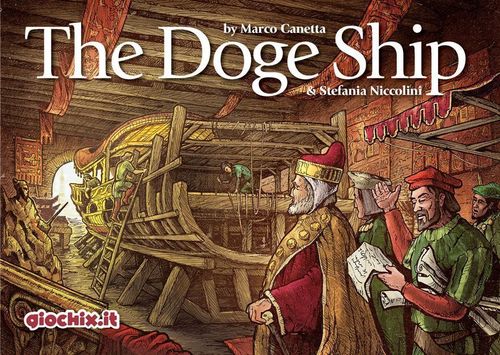
The Doge Ship
The Doge Ship Rulebook
Table of Contents
Table of Contents
Contents
- Gameboard
- 36 Galley tiles
- 1 Galley Start tile
- 1 Galley Finish tile
- 26 Barrier tiles
- 14 Gondola tiles
- 16 Doge tiles
- 6 Dice (6 colors)
- 19 Approval counters of 1 value
- 10 Approval counters of 3 value
- 40 tokens (25 action tokens + 15 marker tokens) in 5 colors
- Rulebook
Set-up
-
Each player chooses a colour and takes his 8 tokens: he places 1 marker token on the "0" position of the Victory Point (VP) track and another token on the "12" position of the money track.
-
Decide the first player randomly and place a marker token on the Turn Order track in clockwise seating order. The 5 remaining tokens are the action tokens of each player.
-
Place the Galley start tile on the table under the gameboard.
-
Take the 36 Galley part tiles and sort them by type referring to the small grid on the reverse side. Then, shuffle each deck separately.
-
The deck of Barrier tiles is shuffled and placed with the under construction side visible close to the gameboard.
-
The deck of Gondola tiles is shuffled and placed close to the game board with the under construction side visible.
-
The deck of Doge tiles is shuffled and placed with the reverse side visible, close to the game board.
-
The Action dice (D6) used depends on the number of players:
- 2 players: red, green, white
- 3 players: red, green, white, yellow
- 4 players: red, green, white, yellow, blue
- 5 players: red, green, white, yellow, blue, black
The remaining dice (if any) and corresponding panels are not used during the game.
The Galley Size
The Galley under construction is divided into 2 horizontal levels (upper and lower) and into 3 vertical sections. So, 6 kinds of zones are obtained (3 sections x 2 levels). The Galley Start tile, at the left, and the Galley Finish tile, at the right, complete the picture.
The Galley zones are represented by tiles. The number of tiles depends on the number of players. Whilst the length of Galley changes, the height is always 2 tiles.
The lengths of Galley sections (Section 1 / Section 2 / Section 3, the same on the upper and the lower level):
| Players | Section 1 | Section 2 | Section 3 |
|---|---|---|---|
| 2 players | 2 | 2 | 2 |
| 3 players | 3 | 2 | 3 |
| 4 players | 3 | 4 | 3 |
| 5 players | 4 | 3 | 4 |
The example in the rulebook represents the Galley for 4 players: the START tile at the left, then the Lower Level and Upper Level of Sections 1, 2 and 3, and the FINISH tile at the right.
Idea of the Game
Each player shall work in the Doge's service and co-operate in the construction of a Galley.
During each round, the players perform 5 Actions among those available:
- PURCHASE MATERIALS in order to build the Galley, Gondolas, and Barriers.
- CONSTRUCT parts of Galley, in order to obtain Victory Points and Approvals (Approvals give victory points during the game).
- CONSTRUCT a Gondola, in order to obtain money (Ducats).
- CONSTRUCT BARRIERS, in order to protect the shipyard from the effects of the so-called High Water of the lagoon (the barrier should avoid the risk of water overflow) and to obtain some bonuses.
- make INTRIGUES in order to obtain some advantages.
- obtain DUCATS by serving the Aristocracy.
The available actions are shown on the game board in 6 panels. Each panel is defined by the color of the die shown on it. All actions are represented by icons under the colored dice. At the beginning of each round, the first player rolls the dice and the result determines which actions are free and which require a payment.
In this continuously variable scenario, players should try to choose the best actions for themselves and to create difficulties for the opponents.
At the end of game, the player who has the highest number of Victory Points is the winner. In case of tie, the winner is the tied player with the highest number of Ducats. In the rare case of a further tie (victory points and ducats), the winner is the player with the lowest Priority number on the barrier on the top of his Barrier stack.
How to Play
The game is divided into rounds. During each round, 3 Phases are played in sequence:
- Start
- Action phase
- Special Events and End of the round
1. Start
The first player rolls all the D6 available in the game and places them on the matching spaces on the board.
Example: if the green die result is 4, the die is placed on the fourth position of the green die panel.
1.1 The new Doge tile
A Doge tile is drawn from the top of the deck and put visible close to the game board (on the previous one, if any).
Each Doge tile may have the following symbols on it:
- the values of the 4 colored parameters for the current round; these colored boxes show the modifications required by the engineers and architects of the Ship.
- the "violet" zones. These are the zones which the Doge would like to inspect;
- a "High Water" special event symbol;
- the Doge portrait instead of the drawing of the Galley's construction, indicating a "Doge Inspection" special event.
2. The Action Phase
Starting from the first player and proceeding in player order (see the Turn Order track), all the players perform 1 action by spending 1 action token. The actions are chosen among those available on the panels corresponding to the D6. Panels without a D6 are not used.
Phase 2 continues until all the players have spent all their 5 action tokens.
Note: as consequence of the "High Water" event, it may happen that one or more players have only 3 or 4 available action tokens instead of 5. So, those players will end this phase after 3 or 4 actions. The other players will continue the round until they have spent all the 5 action tokens.
2.1 Cost of the Actions
Actions to the right of the D6 cost the difference between the die score of the action and the score of the rolled D6. The other actions are free.
When a player chooses an action, he puts an action token on the corresponding space and pays the cost, if any.
Important: an action with a token on it may not be chosen again.
Example: on the red panel the result of the red D6 is 4. If the player chooses the action "Replace Galley part" (last action of the panel, showing a 6), he pays 2 Ducats. For the action "Purchase Materials" for Gondola and Galley (action with the score 5), he pays 1 Ducat. All the other actions are free.
2.2 Purchase Materials
With this action, the player purchases the building material for the construction of a gondola, of a barrier or of a Galley part.
The purchase cost is shown on the under construction side of the tile: The cost of a gondola is 0 or 1 Ducats. The cost of a barrier is 0 or 1. The cost of a Galley part varies from 2 to 7 Ducats.
When a player purchases a Gondola, a Barrier or a Galley, he draws 3 tiles from the top of the corresponding deck. Then he chooses 1 tile and puts the other 2 tiles below the corresponding deck.
In some rare cases, it may happen that the selected deck contains fewer than 3 tiles. In this case, the player chooses among the available tiles.
The player places the purchased tiles in front of himself, with the under construction side visible.
Important: a maximum of 5 under construction tiles (among those, a maximum of 2 under construction Galley tiles) in each player's reserve is allowed as the dimension of the shipyard is not unlimited. If a player has already 5 tiles in his own reserve and wants to buy another one, he must first discard one of his under construction tiles. The discarded tile goes below the appropriate deck.
Note: if there are two icons shown on the board the player can purchase only one tile of his choice. If the two icons are connected by the symbol "+", the player can purchase both tiles.
Example, the action on the left (two icons) enables the player to purchase a Barrier OR a Galley part. The action on the right (icons joined by "+") enables the player to construct (see next section) a Barrier AND a Galley part.
The player can also partially perform an action. If the chosen action enables the player to purchase 2 tiles, it is legal to purchase just 1 tile or even nothing at all.
2.3 Construction
The action enables the construction of a Gondola, of a Barrier or of a Galley part. The player takes the appropriate under construction tile from his reserve and, with this action, turns it into a Gondola, a part of Galley or a barrier.
As described in the example above, the Construction action can enable the construction of 2 tiles (gondola, barriers and/or Galley parts) when the icons on the board are joined by the symbol "+".
The player can also partially perform an action. If the chosen action enables the player to construct 2 tiles, it is legal to construct just 1 tile or even nothing at all.
2.3.1 Construction of a Gondola
Players construct Gondolas in order to earn Ducats or Approvals.
When a player constructs a gondola, an under construction gondola tile is taken from the player reserve area and turned face up.
The player obtains as many Ducats (or Approvals) as shown on the built side of the tile. Finally, the built Gondola tile is returned to the bottom of the corresponding deck.
Example: the built side of a Gondola tile shown in the rulebook generates 6 ducats for the player when it is built.
2.3.2 Construction of a Galley Part
The length of the Galley depends on the number of the players (see The Galley Size box).
The Galley is constructed by acquiring tiles, starting from the "START" tile on the left and proceeding to right and starting with the lower level and proceeding to the higher.
During construction, no gaps on the left or on the lower level are allowed. This means that a Galley part may be constructed only if the part to the left (at the same level) and the part on the lower level have already been constructed.
The Galley tiles represent the parts of Galley. The under construction side of tile shows:
- the purchase cost,
- the Galley zone where the part must be placed (horizontal levels and vertical sections),
- the victory points that the player earns if he constructs this part of Galley,
- the approval symbol (only on some tiles),
- the parameters (from 2 to 4 coloured boxes). The parameters represent the main characteristics of the ship (weight, luxury, speed, manoeuvrability).
When a player constructs a Galley part, an under construction Galley part tile is taken from the player's reserve area, turned to the built side and placed close to the already constructed Galley parts. The tile is chosen and placed according to the Galley size box.
Each time a player constructs a Galley part, he obtains Victory Points and, in some cases, Approvals.
Victory points (VP): when a player constructs a Galley part, he obtains victory points in 2 ways: 1) a fixed number of victory points as shown on the tile. 2) a variable number of victory points based on the colored boxes on the under construction side of the Galley tile. Each box gives a number of victory points depending on the current Doge tile. The number may be positive, negative or zero.
Example: placing a Galley tile on the left, the player scores 5 VP: the tile itself is worth 2 VP and the colored boxes are worth 3 VP (0+0 for the blue, 2 for the green, 1 for the red = 3).
Approvals: when a player constructs a Galley part, he obtains approvals in 2 ways.
- If on the under construction side of the Galley tile there is the approval symbol, the player obtains 1 approval and takes an approval tile from the reserve.
In the example above, the player gains 1 Approval, as it is shown in the under construction side of the tile.
- If the Galley part is within the violet zones shown on the current Doge tile, the player obtains 1 approval (therefore, the minimum number of Approvals gained by assembling a Galley part is 0, the maximum is 2).
Example: with a combination of the two tiles above, the player gains +1 Approval because the Galley part corresponds to one of the violet zone of the Doge tile.
Note: the Approval counters should be kept hidden. The other players shouldn't know the exact number of your Approvals. During the game, it may be helpful to replace some "1" counters with "3" counters.
2.3.3 Construction of a Barrier
The barriers protect the shipyards from the effects of the so-called "High-Water" of the lagoon, which, if it overflows, can delay the progress of the works. The greater the number of constructed barriers, the lower the risk of water overflow. The built barrier also provide some important bonuses.
The Barrier tiles show their Purchase cost (0 or 1 Ducat), a Bonus Action, and a Priority number. The priority number, from 1 to 26, will determine the order of play (the player with the lowest number on the barrier on the top of the stack will play first).
When a player constructs a barrier, he takes an under construction barrier tile from his reserve and puts it on the top of his stack of built barriers.
Example: the under construction side of a Barrier tile shown in the rulebook costs 1 ducat. The built side of that Barrier tile generates a bonus of 1 Ducat when a construction action is carried out by the player. The Priority number is 10.
The bonus improves the effect of the action specified on the left side of the barrier. It means that each time the player chooses that action on the panels, he may have the bonus specified on the right side of the barrier.
When the action on the left side of the barrier is "Purchase", the bonus allows the player to purchase an additional tile specified on the right side of the barrier (provided that the player pays the cost of the tile). When the action on the left side of the barrier is construction, the bonus allows the player to build an additional tile specified on the right side of the barrier (provided that the player has the corresponding under construction tile in his own reserve). In other cases, the bonuses are Ducats, Approvals or VP.
Note: the available bonus is the one on the barrier on the top of the player's built barrier stack. Other built or under construction barriers don't provide any bonus.
Example: the player chooses the construction action on the red panel, space "3". His barrier on top of the stack is shown by an illustration (not reproduced here). As result, the player may construct a Galley part OR a Gondola (chosen action) AND, as bonus, another Gondola (provided that he has the tiles under construction in his own reserve!)
Important: during his turn, player can change the order of the barriers in his stack before doing the action. This costs 2 Ducats. The player first chooses the action and pays the cost (if due); then the effect of the bonus is applied; and finally he carries out the chosen action.
2.3.4 Replace a Part of the Galley
The player can destroy an already constructed part of the Galley, construct a new part of the Galley and replace the destroyed part with it.
A part of the Galley can be destroyed only if:
- it is the last constructed part on that level,
- (for parts on the lower level) there is no part above it on the higher level.
Important: the "Replace" action can't be performed partially. If the player chooses this action, he must destroy a part of the ship and replace it with a new one.
2.4 Intrigue
Intrigue are hidden and unfair actions, that may give some advantages.
There are 3 Intrigue actions:
- The player who chose this action draws 2 new Doge tiles from the top of the Doge's tile deck. He chooses 1 tile and puts it on the old one. That tile becomes the new Doge's tile. The other tile is put above or below the deck, at the player's choice. If, as a consequence of this action, the Doge's tile deck is exhausted, shuffle all the old Doge tiles and make a new deck.
- The player obtains 1 free Approval.
- The player pays 2 Ducats and obtains 2 Approvals.
2.5 Money
The shipyard gets economic help. The player obtains 2-3 Ducats.
2.6 Discard Action
In some cases a player can't choose or doesn't want to choose any action on the panels. In those cases, he can simply discard an action token and earn 1 Ducat. The Discard action can be chosen more than once per round and by more than 1 player.
3. Special Events and End of the Round
At the end of the round (when all the players have spent their action tokens) all the players take back their 5 action tokens and the new player order for the next round is established. The new order is based upon the priority numbers on the upper barriers of the players. The player with the lowest priority number plays first. If a player has no constructed barriers, he will be in the last position in the player order. If more than one player has no constructed barrier, they will be in the last positions of the player order, maintaining their respective order from the previous round.
Example: Stefania has no built barriers, Alessandra 1 barrier with the priority number 11 and Marco has 2 built barriers. The upper barrier of Marco has 7 as priority number. The new player order is: Marco, Alessandra, Stefania.
Then, if there is a "High Water" or "Doge inspection" symbol on the current Doge tile, the consequences of these special events are evaluated.
High Water
Players may lose 1 or 2 action tokens for the next round.
Each player checks how many barriers he has built (under construction barriers are ignored) and compares it to the number shown on the Doge tile (the water level): if the number of barriers is greater than the water level, nothing happens. If the number is equal to the water level, then the player loses 1 action. If the number is lower than the water level, the player loses 2 actions.
In the example a player has 4 built barriers and 1 under construction and the Doge tile on the right comes up. He loses 1 action token as the water level is 4. If he had 3 built barriers, he would have had to discard 2 action tokens.
The discarded tokens go in the water space of the game board, below the panels.
Doge Inspection
Each player secretly takes as many Approvals as he wants from his reserve and bids. The players, simultaneously, reveal their bidden approvals. The player with the highest bid scores 6 points; the player with the second highest bid receives 3 points, the third 1 point. Players who bid nothing score 0 points (0 approvals = 0 points). The bid approvals are returned to the common reserve. In case of tie, all the tied players score the amount of points corresponding to their position on the bid chart.
Intermediate Inspection:
| Position | Score |
|---|---|
| 1st player | 6 VP |
| 2nd player | 3 VP |
| 3rd player | 1 VP |
| 4th player | 0 VP |
| 5th player | 0 VP |
Example of intermediate inspection: Iacopo bids 4 approvals, Alessandra and Stefania 3, Marco 1. Iacopo scores 6 victory points, Stefania and Alessandra (both at 2nd place) 3 points and Marco (3rd) 1 point.
End of the Game
When a player, by using a construction action, places the last part of Galley, he immediately adds the "finish" Galley tile and the game ends.
A final inspection occurs. The player with the highest number of approvals scores 9 points; the player with the second highest number scores 5 points, the third 2 points, the fourth 1 point. Players without approvals do not score anything.
Final Inspection:
| Position | Score |
|---|---|
| 1st player | 9 VP |
| 2nd player | 5 VP |
| 3rd player | 2 VP |
| 4th player | 1 VP |
| 5th player | 0 VP |
At the end of the final inspection, the player with the highest number of Victory Points is the winner. In the event of a tie, the winner is the tied player with the highest number of Ducats. If still tied (victory points and ducats), the winner is the player with the lowest Priority number on the upper barrier of his stack.