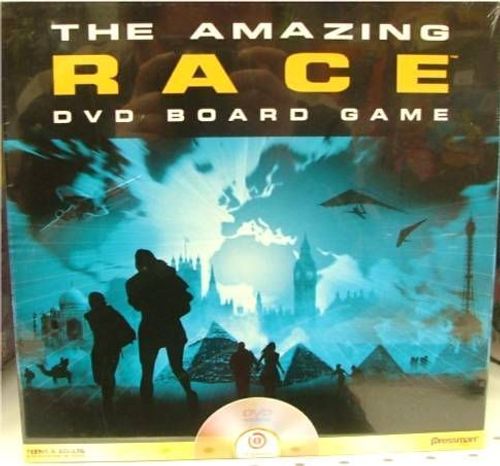
The Amazing Race: DVD Board Game
The Amazing Race: DVD Board Game Rulebook
Table of Contents
Table of Contents
Game Contents
DVD, Game Board, 4 Race Flag Movers, 25 Game Cards.
Note: Television set and DVD player are required to play but are NOT included.
Set Up
Split up into teams of two players per team. Each team selects a race flag mover and places it on the Pit Stop marked "START".
Shuffle the game cards and place them near the board.
Insert the DVD into the DVD player.
Quick Start Instructions
Select "How to Play" on the DVD for on-screen instructions or continue reading for text instructions.
Playing
When you're ready to begin racing, select "Play" on the on-screen menu to start the game. On the next screen, you'll select the number of teams playing.
Next, select which game length you want to play. In a short game, you'll play a four-leg race (once around the game board); in a long game, you'll play an eight-leg race (twice around the game board).
Each team now inputs their mover selection in the order in which you are seated around the room. This will allow the DVD player to keep track of play throughout the race.
Head Start
Once each team has selected their playing piece color, the first challenge of the game begins. You'll have the chance to get a head start in the race by figuring out which U.S. city is the starting point for the race.
All of the teams will see a series of 7 images from the city in which the race begins. As soon as the first image appears, the game has begun. Once the 7 images have been shown, the name of the city will appear on screen. The team that shouts out the correct answer first is the first team to spin.
Taking Your Turn
Spinner
Start every turn by selecting the spinner onscreen. Select the spinner icon on the navigation bar and move clockwise the number of spaces indicated.
Moving Around the Board
When you move on the board, the icons that you land on correspond to icons onscreen. When you land on a space, select that icon onscreen and follow the instructions.
The navigation bar onscreen shows these icons, from left to right: Spinner, Route Marker, Clue Envelope, Pit Stop, Skip Player, Help, Quit.
Game Spaces
- The Route Marker icon leads you to minigames or questions onscreen. If you complete these challenges, you will continue to spin until you do not complete a challenge or you reach a Pit Stop.
- The Clue Envelope icon will give you instructions, including when to draw cards from the game card pile.
- The Pit Stop icon is a special icon. When you land on the Pit Stop, Phil Keoghan will tell you what place you are in and instruct you to take a mandatory rest. You must stop on this space and select the Pit Stop icon on the screen, regardless of the number of spaces you are traveling. For the moment, your turn is over.
Winning the Game
When you've reached your final city, the DVD will automatically send you to the Finish Line Bonus Round, and the leading team has the first chance at completing this final challenge. To win the game, you must answer eight questions in a row correctly.
If you get a question wrong in the Finish Line game, you must wait until your next turn to pick up where you left off.
The first team to make it through all the cities, and complete the Finish Line Bonus Round, wins the game.