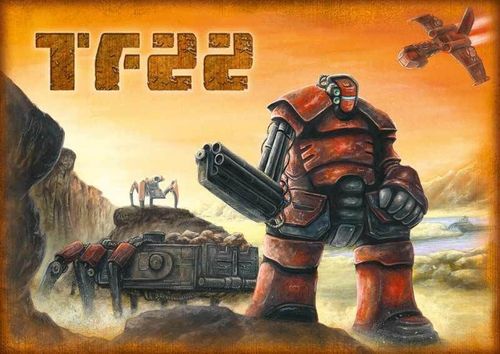
TF22
TF22 Rulebook
Table of Contents
Table of Contents
Object of the Game
The object of the game is to depart from planet GH-328 with as much White Ore and as many units as possible.
Your Lander remains on the surface of GH-328 for 20 turns in order to mine White Ore while fighting off the other pilots (players). Each turn, each player has a number of Action Points for their move.
During the game, you may engage in these activities:
- Collect White Ore with surface and water transport units and return it to the Lander.
- Manufacture additional units for reinforcement in your Production Unit using White Ore.
- Hinder the other companies' units, reducing their ability to mine White Ore.
- Destroy or capture the other companies' units with your armed units.
- Capture one or more enemy Landers, receive additional Action Points, and leave GH-328 with additional Landers, ore and units at the game's end.
- Forge alliances with other companies' pilots.
At the end of the 20th turn, at the latest, the Landers automatically take off with all the White Ore and units that could be ordered back into the Lander.
Each lump of White Ore and each unit aboard a Lander counts as one point. The company with the highest number of points wins.
Components
Congratulations on the purchase of this excellent game; we wish you many years of joy with it!
The game stands out through its choice of components and their elaborate composition. Components are as follows:
- A top-quality nylon bag with neck and shoulder strap. The bag replaces the classic cardboard box and offers decisive advantages:
- secure storage of components -> nothing falls out
- safe and easy transport -> to gaming meets or evenings
- the bag remains good-looking -> no scuff marks as with cardboard
- additional room -> for additional components
- A top-quality map made of sturdy synthetic material
- 9 20-sided dice as turn and action point indicators
- These rules
- 15 cards comprising the Production Unit instrument board
- The following metal miniatures, per player (total number in parentheses):
- 1 Lander (4 total)
- 3 Laser Turrets as Lander weaponry (12 total)
- 2 Transporters (8 total)
- 1 Production Unit (4 total)
- 8 Robot Combat Units (32 total)
- 1 Heavy Combat Spider (4 total)
- 2 Speedboats (8 total)
- 1 Sea Freighter (4 total)
- 2 Pontoons (8 total)
- 20 Comm Modules (80 total)
- A sufficient quantity of White Ore
Full contents list printed at the end of the rules:
- A top-quality nylon bag with neck and shoulder strap
- Two adhesive foam grid trays
- Two foam bottoms
- A top-quality map made of sturdy synthetic material
- Rules
- 15 instrument board cards
- 9 20-sided dice
- Detailed metal miniatures:
- 4 Landers
- 12 Laser Turrets
- 8 Transporters
- 4 Production Units
- 32 Robot Combat Units
- 4 Heavy Combat Spiders
- 8 Speedboats
- 4 Sea Freighters
- 8 Pontoons
- 80 Comm Modules
- A sufficient quantity of White Ore
Setup
The Map
The map shows the surface of planet GH-328. It has been surveyed by your ship and divided into a 28 by 18 grid of 504 hexes.
- Open sea is indicated by blue hexes.
- Plains are ochre.
- Swamps are ochre with blue spots.
- Reefs are blue with ochre spots.
- Mountains are dark brown.
Distribution of White Ore on the Map
- Unroll the map so that it lies flat.
- Distribute White Ore such that each third hex contains a lump of White Ore.
- Then remove all lumps on open sea hexes.
White Ore
White Ore is spread over the entire planet. The Landers' descent has made the White Ore within the landing zone unusable (see Your Units).
Your primary goal is to use your land and sea units to secure, gather and return to the Lander as much White Ore as possible. White Ore, once loaded into the Lander, is stored in Standard Containers and cannot be unloaded.
White Ore can also be used by the Production Unit, which can load a lump of White Ore and manufacture a unit. The types of units that can be manufactured are limited. Units thus produced reinforce your presence on the planet and may aid you in collecting White Ore more quickly and efficiently, to defend your position, or to hinder the other pilots' efforts.
A lump of White Ore occupies one hex, and is a movement obstacle. It can be loaded into land or sea units that are generally capable of carrying payload and have sufficient remaining transport capacity. One lump occupies one space of transport capacity.
White Ore can be destroyed if two armed units simultaneously shoot a lump.
White Ore may be unloaded onto hexes with Pontoons.
Each hex may only contain one unit or one lump of White Ore at any one time. The following exceptions apply:
- A unit is disassembled and loaded onto another unit for transport (if the target unit can be loaded and the transporting unit has sufficient remaining transport capacity. Inactive units can be neither loaded nor unloaded).
- The hex is occupied by a Pontoon. In this case, the hex can be occupied or entered by ground units. It cannot be occupied or entered by sea units.
If a hex is occupied by a unit or White Ore, it cannot be entered by other units. This is true even if the occupying unit is inactive.
The Sea Freighter occupies two hexes. The Lander occupies four hexes. All other units occupy one hex each.
Units for Each Pilot (Player)
Each player receives the following units at the start of the game:
- 1 Lander
- 3 Laser Turrets
- 1 Transporter
- 1 Production Unit
- 4 Robot Combat Units
- 1 Heavy Combat Spider
- 2 Speedboats
- 1 Sea Freighter
- 1 Pontoon
- a sufficient quantity of your company's Comm Modules
Reserve
Reserve units come into play when the Production Unit manufactures additional units using collected White Ore. The units so manufactured are taken from a common reserve, which comprises:
- 2 players: 8 Robot Combat Units, 2 Transporters, 2 Pontoons
- 3 players: 12 Robot Combat Units, 3 Transporters, 3 Pontoons
- 4 players: 16 Robot Combat Units, 4 Transporters, 4 Pontoons
Action Point Counter
Each player receives two 20-sided dice as Action Point counters.
Turn Counter
The remaining 20-sided die is used as the turn counter.
Production Unit Instrument Board
The 15 cards represent the possible displays of the Production Unit's instrument board: it shows the predicted tides of planet GH-328. Shuffle the 15 cards carefully and place the stack next to the map, face down.
Actions and Action Points
Each player receives 15 Action Points at the start of their move.
Action Points can, but need not, be used up in order to perform actions. A maximum of 10 Action Points can be saved for the immediately following turn. Any unused Action Points are lost at the end of the turn.
Each action costs one Action Point.
The following actions are available:
- Moving a unit. Each hex costs one Action Point to enter.
- Loading or unloading one lump of White Ore.
- Moving a loaded or unloaded unit in or out of the Lander.
- Manufacturing an additional unit. This can only be done by the Production Unit, which needs to be loaded with a lump of White Ore.
- Attacking enemy units, Pontoons or lumps of White Ore (to destroy an enemy unit, a Pontoon, or a lump of White Ore, a simultaneous attack of two units is required; thus, the destruction of an enemy unit, a Pontoon, or a lump of White Ore costs a total of 2 Action Points).
If a player captures an enemy Lander, they immediately receive 5 additional Action Points.
For each enemy Lander held by a player at the start of their move, they receive 5 additional Action Points.
Together with the maximum number of saved Action Points from the previous turn, the maximum possible amount of Action Points per player and upcoming turn can be calculated.
Inactive Units through Change of Tide Level
Units can be surprised by a change of tide, i.e. land units are flooded, or sea units stranded. Units thus stranded or flooded are inactive and cannot perform actions in this turn and any upcoming turns in which the tide level does not change.
It is possible to deliberately strand or flood units. To achieve this, a land unit is moved into a sea hex or equivalent, or a sea unit is moved into a land hex or equivalent. Movement ends in the hex that could not normally be entered.
Tides
The planet's surface is influenced by changing tides. Each game turn has a specific tide level, which may change from turn to turn.
The Production Unit contains many instruments to scan the planet and its atmosphere. These data are sent to the orbiting ship to generate a reliable prognosis of the upcoming turns' tide levels. If the Production Unit is active, instruments display the prognosis for the following turn's tide levels. If a player has more than one Production Unit, they can access predictions of subsequent turns.
The following tide levels exist:
Ebb Level
The Production Unit displays the ebb level as follows: water has mostly receded and is at a low level. Swamp hexes are equivalent to plains and can be entered by all land units. They cannot be entered by sea units. Reefs are equivalent to plains and can be entered by all land units. They cannot be entered by sea units.
A yellow indicator in the lower-left part of the panel shows that most of the surface is accessible to land units. The bottom part of the panel shows the hex types enterable by land units; the top part shows the hex types enterable by sea units.
During ebb level, White Ore can be mined on all types of hexes.
Normal Level
The Production Unit displays the normal level as follows: the water is at a medium level.
Swamp hexes are equivalent to plains and can be entered by all land units. They cannot be entered by sea units. Reefs are equivalent to open sea hexes and can be entered by all sea units. They cannot be entered by land units.
The amounts of surface land and water are very similar. The lack of an indicator light in the left hand of the panel announces this equilibrium. The bottom part of the panel shows the hex types enterable by land units; the top part shows the hex types enterable by sea units.
During normal level, mining White Ore is impossible on open sea and reef hexes.
Flood Level
The Production Unit displays the flood level as follows: water has reached the highest level and much of the surface is flooded.
Swamp hexes are equivalent to open sea hexes and can be entered by sea units. They cannot be entered by land units. Reef hexes are equivalent to open sea hexes and can be entered by sea units. They cannot be entered by land units.
A blue indicator in the upper-left part of the panel shows that most of the surface is flooded and inaccessible. The bottom part of the panel shows the hex types enterable by land units; the top part shows the hex types enterable by sea units.
During flood level, mining White Ore is impossible on open sea, reef and swamp hexes.
Your Units
Lander with Laser Turrets
You control all units from your ship in orbit. The first of these is the Lander. The Lander contains all other units that are available to you in order to successfully complete your mission. The Lander takes off from your orbiting ship and is your central unit on GH-328. You need to find the best position for your Lander at the start of the game and have it touch down on the surface. Once positioned and landed, the Lander cannot move or change its position. It takes off at the end of the last turn with (if you were successful) your collected White Ore and all units in the Lander at that point in order to transport everything back to your ship.
The Lander stores collected White Ore and thus protects it from the other players. Loaded White Ore is stored in Standard Containers and cannot be unloaded. Furthermore, the Lander is the central controlling and communication unit on the planet. It is important to understand that the land and sea units cannot directly be controlled from your ship.
Units are controlled from the Lander. The enemy pilots know this, too. If an enemy pilot manages to attack and capture your Lander, you lose any capacity to command your units. Therefore, your Lander, all your land and sea units, and all loaded White Ore are now in the enemy pilot's possession.
For this reason, the Lander is heavily armored and protected by three swivel-mounted turrets. These turrets have a range of two hexes.
Loading and Transport
Units have the following transport capacities:
-
The Sea Freighter has four cargo spaces and can load and unload White Ore and specific units.
-
The Transporter has two cargo spaces and can load and unload White Ore and specific units.
-
The Production Unit has one cargo space and can only load and unload White Ore; it can also unload a reserve unit manufactured with a lump of White Ore.
-
The Lander has unlimited cargo space and can load (but not unload) White Ore, and load or unload any number of land and sea units.
-
Loading a lump of White Ore costs one Action Point.
-
Unloading a lump of White Ore costs one Action Point.
-
Loading a unit costs one Action Point.
-
Unloading a unit costs one Action Point.
-
Loading a loaded unit into the Lander costs one Action Point.
-
Loading a loaded unit into another unit with sufficient transport capacity costs one Action Point. The loaded unit uses one cargo space. The contents of the loaded transporting unit also take up one cargo space each in that unit.
Loading always takes place from an adjacent hex. Unloading always takes place into an adjacent hex. A hex that is being unloaded to must be empty or occupied by a Pontoon or another unit with sufficient transport capacity.
A hex under enemy fire cannot be loaded from or unloaded into.
Unloading into open sea hexes is possible, but the cargo is lost and cannot be retrieved. Unloading is possible into flooded hexes, but unloaded units remain inactive until the tide changes favorably. The exception to this are Pontoons, which can be unloaded into flooded hexes and form a bridge across the flooded hex as long as the Pontoon is connected to an unflooded surface hex. Pontoons can also be loaded from flooded hexes.
Inactive units or White Ore in flooded hexes cannot be loaded.
Loading or unloading into or from the Lander is only possible through one of the three modules protected by Laser Turrets. If a Laser Turret is destroyed, that module is automatically protected by a force field. Loading is then impossible in that module, but unloading is still available.
Transporter
The Transporter is a land unit. It is unarmed. Your Lander carries two Transporters to the planet's surface. With a Transporter, you can carry White Ore and other units (Robot Combat Units, Heavy Combat Spiders, and Pontoons) across the planet's surface.
Production Unit
The Production Unit is a land unit. It is unarmed. Your Lander carries one Production Unit to the planet's surface.
The Production Unit contains a great deal of instruments to scan the planet and its atmosphere. These data are sent to the orbiting ship to generate a reliable prognosis of the upcoming turns' tide levels. It can transport White Ore, but no other ground units. The Production Unit can manufacture additional units from loaded White Ore. For this purpose, it loads a lump of White Ore from an adjacent hex or retrieves a lump of White Ore from a transporter in an adjacent hex.
The Production Unit uses up the White Ore (it is removed from the game) and unloads the newly produced unit (taken from the reserve) into a free adjacent hex, or onto a transporter in an adjacent hex that has sufficient remaining transport capacity.
The Production Unit can only manufacture "simple" units: Robot Combat Units, Transport Units, or Pontoons. Production capabilities for more complex units like e.g. a Heavy Combat Spider or Speedboats are not available in this mobile environment. Furthermore, a maximum of two units can be manufactured per turn, and only one Transport Unit per turn.
The manufactured units are taken from the reserve. The reserve's composition depends on the number of players. If there are no units of a specific type available, that unit type cannot be built. If no units are available at all, nothing can be built.
Robot Combat Unit
The Robot Combat Unit is a land unit. It is lightly armed and has a firing range of two hexes. Your Lander carries four Robot Combat Units to the planet's surface.
The Robot Combat Unit was created to handle all kinds of terrain and move safely through them. It can be disassembled quickly and can thus be transported by the Transporter or the Sea Freighter.
The advantage of higher mobility is contrasted by lighter armament and lower firing range.
Should it come to combat with enemy units, the Robot Combat Unit is the backbone of your combat effectiveness.
Heavy Combat Spider
The Heavy Combat Spider is a land unit. It is armed and its main turret gives it a firing range of 3 hexes. Due to its weight, the Lander only carries one Heavy Combat Spider to the planet's surface.
The Heavy Combat Spider's mobility is limited by its weight – Heavy Combat Spiders cannot move into mountain hexes.
Be careful – on their own, Heavy Combat Spiders are fighting a losing battle. They should always be accompanied by Robot Combat Units.
Speedboat
The Speedboat is a sea unit. It is armed and has a firing range of two hexes. Your Lander carries two Speedboats to the planet's surface.
The Speedboat cannot transport other units, and cannot be transported by other units. When positioning your Lander, make sure it has access to the sea so you can deploy and use your sea units!
Sea Freighter
The Sea Freighter is a sea unit. It is unarmed. Your Lander carries one Sea Freighter to the planet's surface.
The Sea Freighter can transport White Ore and other land units (Robot Combat Unit, Heavy Combat Spider, Transporter, Production Unit and Pontoon) across the sea.
Pontoon
A Pontoon is available on sea as well as land hexes. Your Lander carries one Pontoon to the planet's surface. A Pontoon cannot move of its own volition and can only be loaded, transported and unloaded by other units.
A Pontoon offers you the possibility of bridging water and make additional parts of the surface accessible to your land units.
A Pontoon can bridge sea hexes or flooded hexes. It must always be adjacent to a non-flooded surface hex, or it is washed away and sinks. If a Pontoon loses contact with all non-flooded surface hexes, it is lost.
It is also possible to chain several Pontoons in order to remain in contact with a non-flooded surface hex. A Pontoon can be destroyed by enemy or friendly fire.
If a Pontoon is lost or destroyed, anything currently residing on the Pontoon (White Ore, land units) is lost as well. A hex occupied by a Pontoon cannot be used by sea units. A Pontoon cannot be loaded or unloaded while under enemy fire. A Pontoon is unarmed and does not belong to any specific company. It can be used by any player's units.
Comm Module
The Comm Module is inserted into each of your units and is used for communicating with your ship's Lander.
If an enemy unit manages to capture one of your units and replace the Comm Module, you lose control of that unit. The enemy pilot has taken control of your unit and can use it for their purposes.
Unit Overview
The printed table headers read "Unit / White Mineral" and its last row is "White Mineral"; this is the printed label for White Ore, kept as printed.
Movement
| Unit / White Mineral | Movement | Land / Sea | Restrictions |
|---|---|---|---|
| Lander | No | Land | — |
| Laser Turret | No | Land | — |
| Transporter | Yes | Land | — |
| Production Unit | Yes | Land | — |
| Robot Combat Unit | Yes | Land | — |
| Heavy Combat Spider | Yes | Land | No mountain hexes |
| Speedboat |
Loading and Transport
| Unit / White Mineral | Capacity | What can be Loaded | Required Cargo Spaces |
|---|---|---|---|
| Lander | Infinite | Everything | — |
| Laser Turret | — | — | — |
| Transporter | 2 Spaces | White Mineral, Robot, Spider, Pontoon | 2 |
| Production Unit | 1 Space | White Mineral | 2 |
| Robot Combat Unit | — | — | 1 |
| Heavy Combat Spider | — | — | 1 |
| Speedboat |
Combat
| Unit / White Mineral | Firing Range | Ammunition per Round |
|---|---|---|
| Lander | — | — |
| Laser Turret | 2 Hexes | 2 |
| Transporter | — | — |
| Production Unit | — | — |
| Robot Combat Unit | 2 Hexes | 2 |
| Heavy Combat Spider | 3 Hexes | 2 |
| Speedboat | 2 Hexes | 2 |
| Sea Freighter | — | — |
| Pontoon |
Turn Order
Turn 1 – Landing
Set the turn counter die to 1.
Roll for player order. The player who rolls highest goes first. The player with the second highest roll goes second, and so forth. This order is only important in the first turn.
The first player selects a landing zone and places his Lander. The following restrictions apply:
- The Lander occupies four spaces.
- The Lander may not be placed directly at the map edges – there must be a corridor of at least one hex between the edge and the Lander.
- Only plains and swamp hexes are stable enough for a landing. Open sea, mountain and reef hexes cannot be used.
- There is a landing zone of three hexes around the Lander.
- No other Lander may be placed within this landing zone.
- All lumps of White Ore within this landing zone are removed from the game.
Array your land and sea units near the map:
- 1 Transporter
- 1 Production Unit
- 4 Robot Combat Units
- 1 Heavy Combat Spider
- 2 Speedboats
- 1 Pontoon
Place the Comm Modules into your Lander and your land and sea units.
Tides
Shuffle the deck of tide cards carefully and place it next to the map, face down. Reveal the top card and place it next to the face-down stack so it is clearly visible to all players. There are now two stacks of tide cards: one face-down and one face-up. The face-up stack is currently a single card. This is the tide level for the following turn, as predicted by your ship.
Turn 2
Set the turn counter die to 2.
Once again, roll for first player. The player with the highest roll goes first; play proceeds clockwise. The player order does not change for the rest of the game.
Tides
The tide level of the face-up tide card is now in effect.
Henceforth, exact prediction of the tide levels is done by the players themselves. This requires an active Production Unit to take measurements of plate tectonics and the atmosphere. If the Production Unit is active, you may immediately look at (but not reveal!) the topmost card of the face-down stack.
You may not show the card to the other players and must put it back onto the face-down stack after looking at it. It is important to know the upcoming tide level as soon as possible so you can move your units in a forward-looking manner. Therefore, the Production Unit is very important – if it is lost or inactive, it cannot take measurements, and you will lack information about the upcoming tide levels.
Action Points
Set the first of your Action Point counter dice to 15. Each player starts with 15 Action Points (this number can vary – see below).
Action Points in the second turn are mostly used to unload units from the Lander (that is, place them on a hex directly adjacent to the lander) and move them in order to be in the optimum position for future actions.
Not all 15 Action Points must be used. Up to 10 Action Points can be saved for the next turn. Any unused Action Points beyond that are lost. If you are done with actions for the turn, subtract the number of used actions from 15 and set your die to that number (the maximum is 10).
Turn 3
Set the turn counter die to 3.
Tides
The face-down card on top of the tide card stack is revealed and placed on the stack of face-up tide cards. The current turn's tide level is therefore that of the newly revealed tide card, now the topmost card of the face-up stack. Players with an active Production Unit were able to see this card in the previous turn and thus knew the tide level for this turn.
All players with an active Production Unit may look at the topmost card of the face-down stack. It is then returned to the face-down stack. (Note: if a player owns more than one active Production Unit, they may look at as many face-down cards from the top of that stack as they have active Production Units). Again, the card or cards may not be shown to the other players.
Action Points
Each player receives 15 Action Points for the turn.
Set the two dice to the total value of Action Points that are available to you this turn, i.e. remaining Action Points from the previous turn plus the 15 Action Points from the start of this (and every following) turn. Each player now has between 15 and 25 Action Points.
Again, not all Action Points need to be used this turn. Up to 10 Action Points can be saved for the next turn. Any unused Action Points beyond that are lost. If you are done with actions for the turn, subtract the number of used actions from 15 and set your die to that number (the maximum is 10).
Following Turns
The following turns have this turn order:
- Increase the turn counter die by one.
- Reveal the current turn's tide card.
- Players with active Production Units may look at the upcoming tide cards.
- Each player calculates their available Action Points and sets their dice accordingly.
- The first player plans their actions and executes them.
- All the other players plan and execute their actions in turn order.
Turn 20
Turn 20 is the final turn of the game.
In this final turn, the Landers initiate communication with the orbiting ships and take off. This take-off can happen at any point during a player's move, i.e. the player can use up all their Action Points and then take off, or forfeit all Action Points and take off immediately. This can be useful if the Lander is under immediate threat of being captured by other players.
Victory Condition
After the Landers successfully take off and dock with the respective ships in orbit, each Lander's freight is unloaded:
- Each lump of White Ore is worth one point
- Each land unit is worth one point
- Each sea unit is worth one point
- Each Comm Module of another company whose Lander you haven't captured is worth one point.
The player with the most points wins. If there is a tie, the player with the most White Ore wins.
Armament and Combat
Some units are armed and are used for protecting your units, to protect or enlarge your operating area, to attack enemy units and destroy or capture them or to destroy White Ore and Pontoons.
Armed units comprise:
- Robot Combat Unit, firing range of two hexes. If a Robot Combat Unit is in a mountain hex, the range increases to three hexes. At the end of a turn, two Robot Combat Units may not be in adjacent hexes because of laser ordnance interference. This destroys one of the units.
- Heavy Combat Spider, firing range of three hexes.
- Speedboat, firing range of two hexes.
- Laser Turret, firing range of two hexes.
All units are armed with laser cannons.
The rate of fire is limited: laser cannons can be fired up to two times per turn and unit. Thereafter, they automatically recharge, which takes until the following turn.
The laser cannon of an armed unit can focus on any hex within its firing range. If two laser cannons focus on the same hex, the energy is enough to destroy the unit or White Ore fired upon. Firing a laser cannon costs one Action Point.
Zone of Fire
The Zone of Fire is defined as all hexes which can be reached by two units' cannons. This Zone of Fire cannot be entered by enemy units.
If moving units create a Zone of Fire that overlaps enemy units, these enemy units become inactive.
An enemy Zone of Fire can be breached. During combat, one of the two attacking units moves into the enemy Zone of Fire and destroys an enemy unit with an attack. This movement is only possible if that attack would collapse the enemy Zone of Fire.
An armed unit can thus enter the first hex of an enemy Zone of Fire if its subsequent attack destroys an enemy unit, collapsing the Zone of Fire. Unarmed units may not enter an enemy Zone of Fire.
Destroying a Target
In order to destroy a target it is necessary to simultaneously fire two cannons at the target. It costs two Action Points to do so. A single unit with one cannon is not able to destroy a target. A destroyed unit, Pontoon or lump of White Ore is removed from the game.
Landers and their modules cannot be destroyed, but their Laser Turrets can. If a unit transporting White Ore or other units is destroyed, its cargo is destroyed also.
Capturing a Target
Enemy units can be captured. To do so, two armed units must be placed adjacent to that unit, capturing it. The enemy unit's Comm Module is exchanged for one of the player's own. The captured unit is immediately available for use. Any cargo of a captured unit also changes possession and the Comm Modules are exchanged. Comm Modules thus captured can be of use later.
Capturing targets can only be done outside of enemy Zones of Fire. A player's own Zone of Fire is therefore the only protection from capture by enemy units. Units that have used their cannon charges for the turn can still capture other units.
Capturing a Lander
Enemy Landers can also be captured. To do so, the three Laser Turrets must be destroyed and an armed enemy unit must enter the Lander via one of the modules.
If such a capture succeeds, all enemy units and White Ore within both units and Lander pass into the capturing pilot's possession. That pilot immediately receives an additional five Action Points. Furthermore, that pilot receives an additional five Action Points per captured Lander at the beginning of each turn. The capturing pilot may exchange the Lander's Comm Module, in one or more of the following ways:
- The Comm Module remains in the Lander. All units belonging to the captured Lander remain active and can be used by the capturing pilot.
- The Comm Module is replaced by a Comm Module of the capturing pilot's company. All units belonging to the captured Lander become inactive and cannot be controlled. This can be useful if the captured Lander cannot be held and is under threat of capture by other pilots.
- If a pilot owns another company's Comm Modules, they can be used to repair the captured Lander's destroyed Laser Turrets, re-enabling the Lander's defensive capabilities. This can be done immediately as well as later.
The following options are available for repair:
- A Comm Module of the same company as the captured Lander is available (it can be useful to first replace the captured Lander's Comm Module in order to make this possible). In this case, one matching Comm Module can be used to repair and recharge one Laser Turret. This costs two Action Points.
- Comm Modules of other companies are available. In this case, two Comm Modules can be used to repair and recharge one Laser Turret. Due to increased complexity, this costs three Action Points.
Comm Modules of the player's own company cannot be used for repair as this may lead to dangerous feedback loops with the player's units' own Comm Modules.
Such a repair can be effected at any point and as many Laser Turrets can be repaired as there are Comm Modules and Action Points available.
Examples
The source prints this section heading as "FEUERBEISPIELE:", a German leftover (German for "fire examples"); it is kept here with this note. The examples are diagrams in the original; only their captions are transcribed.
Zone of Fire
Only the red hexes are within the Zone of Fire of two Robot Combat Units. As you can see, units become more effective the closer they are.
Destroying a Target – Attack Example
- Initial Situation
- The first attacker (Speedboat) approaches, but remains outside the enemy's Zone of Fire.
- The second attacker (Robot Combat Unit) can enter the enemy's Zone of Fire because…
- …the two attackers destroy the bottom Speedboat immediately. The remaining Speedboat cannot sustain a Zone of Fire.