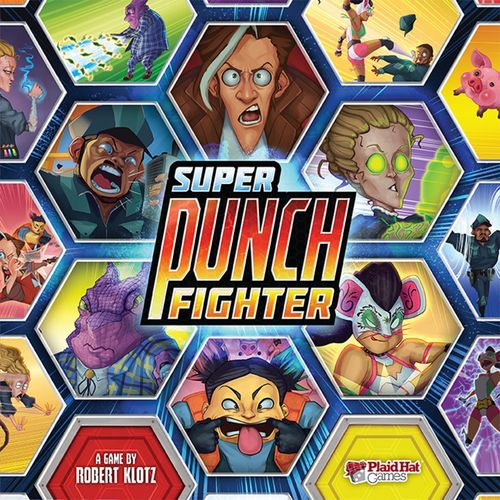
Super Punch Fighter
Super Punch Fighter Rulebook
Table of Contents
Table of Contents
Object of the Game
Be the first player to earn 9 stars or have the most stars at the end of the game. Earn stars by beating the life out of your opponents or by knocking them off the board.
Components List
- 1 Game Board
- 6 Player Fighter Standees
- 4 Minion Fighter Standees
- 6 Standee Stands
- 6 Fighter Dials
- 21 Thumb Tokens
- 24 Claim Tokens (4 for each Fighter)
- 58 Button Cards
- 84 Fighter Cards (6 Decks of 14 Cards)
- 12 Achievement Cards
- 6 Player Reference Cards
- 1 First Player Token
Component Notes
Fighter Dials: 1. Health Bar. 2. Star Counter.
Fighter Card: 1. Card Name. 2. Fighter. 3. Button Cost. 4. Effect.
Achievement Card: 1. Name. 2. Condition.
Game Board: 1. Yellow Power Up Space. 2. Red Power Up Space. 3. Spawn Point. 4. Pit (off the game board).
Button Card: 1. Button Type. 2. Effect.
Other Components: Thumb Token, Claim Token, Fighter Standee, Minion Standee, First Player Token.
Setup
Standard Mode of Super Punch Fighter accommodates 3-6 players. Minion Rush Mode accommodates 1-2 players. (For details on Minion Rush Mode see page 7.)
To set up a Standard Mode game of Super Punch Fighter, do the following in order:
- Place the game board in the center of the table.
- Choose a player to be first player and give her the first player token.
- Starting with the player to the right of the first player and proceeding counter-clockwise around the table, each player chooses a fighter and collects that fighter's dials, standee, claim tokens and fighter cards.
- Each player shuffles her fighter cards and forms a face down deck in front of her.
- Each player sets her fighter's health bar to the highest number and star counter to 0.
- Shuffle the achievement cards and create a face-up row of 4 random achievements. Return the rest to the box.
- Create a supply of thumb tokens within reach of all players.
- Each player collects 1 Attack, 1 Block, 1 Charge, and 1 Draw button card and places them face up in front of her to form her starting control pad.
- Shuffle the remaining button cards and form a face down deck, then reveal 5 random button cards and place them in a face-up row called the button offer.
- Each player draws 2 cards from her fighter deck to form her starting hand of cards.
- The first player will take the first turn. Play proceeds clockwise with each player taking a turn until the end of the game.
Note: Fighters will start the game off the board and will be put onto the board during the revive step of each player's first turn.
Taking a Turn
A turn is broken up into 5 phases that must be completed in order:
- Revive
- Power Up
- Action
- Reset
- Discard
1. Revive
If your standee is not on the game board, place it on an unoccupied space adjacent to a spawn point. Then set your fighter's health bar to the highest number.
2. Power Up
If your standee is on a yellow power up space, draw 1 card (fighter or button). If it is on a red power up space, draw 2 cards.
3. Action
You may perform 1 action and an unlimited number of free actions. You may perform your action and free actions in any order.
Actions:
- MOVE 4 Spaces
- DRAW 2 Cards
- LAUNCH a Combo
Free Actions:
- PUSH a Button
- CHAIN a Combo
- DISCARD a Button
4. Reset
Remove a thumb token from up to 4 button cards on your control pad.
5. Discard
Discard all pushed buttons from your control pad. A button is considered 'pushed' if it has a thumb token on it. Note: Buttons are discarded to the button discard pile next to the button deck.
Actions
MOVE 4 Spaces
Move your standee up to 4 spaces. You cannot move your standee onto or through a space occupied by another standee or a spawn point, or off the game board.
DRAW 2 Cards
One at a time, draw 2 cards. Unless instructed otherwise, whenever drawing a card in the game, you may draw:
- The top card of your fighter deck,
- the top card of the button deck,
- or 1 of the cards from the button offer.
When Drawing ANY Button Card: Immediately place it face-up in front of you, making it part of your control pad. You may have a maximum of 10 buttons on your control pad. Discard any button you just drew if there are already 10 buttons on your control pad.
IMPORTANT: Button cards are never reshuffled. If there are no button cards available to draw (or reveal), you do not draw/reveal a button card.
When Drawing a Card from the Button Offer: Reveal a new button card from the top of the button deck so that there are always 5 revealed button cards to choose from.
When Drawing a Fighter Card: Put it into your hand. If there are no cards remaining in the fighter deck, reshuffle your discard pile to form a new fighter deck.
LAUNCH a Combo
Fighter cards that have a button cost are combo cards. Playing a combo card counts as your action for the turn, though you can CHAIN additional combo cards as free actions.
To play a combo card do the following in order:
-
Pay the Button Cost: To pay a button cost you must push each button in that card's cost. To push a button, place a thumb token on that button type on your control pad. When pushing a button to pay a button cost DO NOT trigger that button's effect.
Note: Each button on your control pad can only have 1 thumb token on it at a time. You cannot push a button that already has a thumb token on it.
Note: The Wild button can be substituted in for any other button when paying a button cost.
-
Resolve the Effect(s): Resolve each effect on the played combo card in the order they appear on the card.
-
Discard or Chain: After resolving a combo card's effect(s), either discard that card or chain another combo card onto it (see CHAIN a Combo on the next page).
Free Actions
PUSH a Button
A button can be pushed as a free action to grant you that button's effect.
To push a button, place a thumb token on that button type on your control pad. Each button on your control pad can only have 1 thumb token on it at a time. You cannot push a button that already has a thumb token on it.
CHAIN a Combo
After resolving a combo card effect you may immediately play another combo card. Playing this additional card is a free action. You may chain together as many combo cards in this way as you like, so long as you can afford to pay the button cost of all of the cards in the chain.
When chaining a combo card, if the first button in the card's cost matches the last button in the previous combo card's cost, skip that button when paying the new card's cost.
When chaining cards together they are played out in front of you until you no longer can, or want, to chain more cards, at which point all cards in the chain are discarded.
Example: Played in this order, this chain of cards would cost: B, C, B, C, A.
- Drop Kick (cost B, C; Attack: range 2, strength 4; Move up to 2)
- Sleeper Hold (cost B; Attack: range 1, strength 2; the next attack you make against the target this turn is unblockable)
- Chop (cost C, A; Move up to 1; Attack: range 1, strength 5)
Example: Played in this order, this chain of cards would cost: B, C, A.
- Sleeper Hold (cost B; Attack: range 1, strength 2; the next attack you make against the target this turn is unblockable)
- Drop Kick (cost B, C; Attack: range 2, strength 4; Move up to 2)
- Chop (cost C, A; Move up to 1; Attack: range 1, strength 5)
DISCARD a Button
Place a button from your control pad with no thumb token on it into the button discard pile.
Card Effects
Move
Moving works just as described in the MOVE 4 Spaces action, only the number of spaces you may move is as instructed by the card effect.
Draw
Drawing works just as described in the DRAW 2 Cards action, only the number of cards you are drawing is as instructed by the card effect.
Block
Most defense cards block some amount of damage. Damage that is blocked is not removed from a fighter's health bar. All unblocked damage and all other effects from an attack are still resolved.
Attack
Every attack has a range and a strength. To perform an attack, target a fighter within range and line of sight.
- An attack is within range if the attacker and the target are a number of spaces from each other equal to or less than the listed range on the attack.
- An attack has line of sight if a straight line drawn from the center of the attacker's space to the center of the target's space crosses no other space containing a fighter or a spawn point. An attack may cross a pit.
If the attack is within range and has line of sight, the attack inflicts an amount of damage to the target equal to the attack's strength. Spin the target's health bar down 1 space for each damage inflicted.
Example: Tchotchke has line of sight of Dr. Curium, but Business Lizard does not have line of sight of Khan Queso.
Note: Each attack on a card or in a chain of cards is considered a separate attack and can target the same or a different fighter.
Defending
When a fighter is attacked, that fighter's controlling player may play a defense card or push a Block button in response. Defense cards do not count as an action and have no cost to play. To push a Block button on your control pad, place a thumb token on it.
Note: Only 1 defense card or Block button can be played/pushed per attack and only blocks damage from that attack.
Attack Effects
Some attacks have effects in addition to inflicting damage, including: Push, Pull, Throw and Stagger.
Push
Move the target fighter exactly the instructed number of spaces away from your fighter. Each space the target is pushed must be farther away from your fighter than the previous space it occupied.
You cannot push the target into a space occupied by another fighter or a spawn point, but you may push it off the game board.
Pull
Move the target fighter exactly the instructed number of spaces towards your fighter. Each space the target is pulled must be closer to your fighter than the previous space it occupied.
You cannot pull the target into a space occupied by another fighter or a spawn point, but you may pull it off the game board.
Throw
Move the target fighter the instructed number of spaces in any direction. The destination must be the instructed number of spaces from the starting space.
The target may be moved through other fighters, but cannot be moved through a spawn point or end on a space with another fighter or on a spawn point. The target may be thrown off the game board.
Stagger
The targeted fighter's controlling player must choose the instructed number of un-pushed buttons on her control pad and place a thumb token on each.
K.O.
If an attack causes a fighter's health bar to be moved onto the skull space, or causes a fighter to be moved off the board, that fighter has been K.O.'d. When a fighter is K.O.'d, the player that controls that fighter must remove it from the game board and place it in front of her. That fighter will respawn at the beginning of its player's next turn.
Note: A fighter does not lose any additional health as the result of being moved off the board.
Earning Stars
A player earns 1 star, increasing her star counter by 1, each time:
- Her fighter's attack causes an opponent's health bar to change color (including the black skull).
- Her fighter's attack causes an opponent to be pushed, pulled or thrown off the game board.
- She claims an achievement.
Note: It is possible for a player to earn multiple stars from a single attack.
Claiming Achievements
At the end of a turn, if a player met the condition on 1 or more achievement cards, that player may claim 1 of those achievements by placing 1 of her claim tokens on that achievement and gaining 1 star.
Each player can only claim 1 achievement per turn. A player cannot claim an achievement which already has 1 of her claim tokens on it.
Ending the Game
The game immediately ends when a player earns 9 stars. That player has won.
If the button deck runs out of cards, the game ends at the start of the first player's next turn. The player with the most stars wins.
In case of a tie, the player with the highest number showing on their health bar wins. If the game is still tied, duke it out in a thumb wrestling match!
Minion Rush Mode (for 1-2 Players)
Minion Rush Mode is an alternative game mode that allows 1 or 2 players to enjoy applying massive crushing blows and performing mind boggling combos when more players aren't available.
Minion Rush Setup
To set up Minion Rush Mode, follow the setup for the Standard Mode with the following exceptions:
- The achievement cards will not be used.
- Place the 4 minion standees within reach of all players.
- Use the game board side which has yellow power up spaces on the outside ring.
Taking a Turn in Minion Rush Mode
Players take turns just as they do in Standard Mode with the following changes:
Preceding the Revive Phase there is a Minion Phase.
0. Minion
Repeat the following process four times:
Discard the top card of the button deck.
If that card is an A, B, C, or D button, perform the following steps in order:
- If the minion that matches that button's color is not already on the game board, place it on an unoccupied yellow power up space of your choice along the outside ring of the game board.
- If able, the matching minion targets a player fighter (fighter controlled by a player) with an Attack: range 1, strength 4. If there is more than 1 valid target for this attack, the player whose turn it is chooses which player fighter the attack targets.
- The matching minion moves one space closer to the closest player fighter. The player whose turn it is chooses which fighter it moves closer to if more than 1 player fighter is equally close to that minion. If there is no player fighter on the game board, move the minion 1 space towards the closest red power up space.
If that card is a W button, each minion that is able targets a player fighter with an Attack: range 1, strength 4. If there is more than 1 valid target for any of these attacks, the player whose turn it is chooses which fighter is targeted.
If a fighter is K.O.'d, that fighter's controlling player loses 1 star, spinning their star counter down 1, if able.
Attacking in Minion Rush Mode
Make the following changes to attacks:
- Attacks made by player fighters may only target minions; they may never target other player fighters.
- After each range 1 attack you perform, you may move your fighter's standee up to 2 spaces.
Note: this is in addition to any movement a fighter card's effect may grant.
A minion has a health bar of 4. Remove a minion from the game board when it has received 4 or more damage. You can use unused thumb tokens to mark damage on a minion if it receives damage, but is not K.O.'d.
When you K.O. a minion (either by dealing enough damage or by pushing, pulling, or throwing it off the game board), you gain 1 star. If you are required to gain 1 or more stars and your star counter is already at 9, you may track the extra stars with unused thumb tokens.
Note: K.O.'ing minions is the only way to gain stars in this mode.
Ending the Game in Minion Rush Mode
You may use the Standard Mode rules for ending the game if 2 players are playing. If only 1 player is playing, or if 2 players wish to play the Minion Rush cooperatively, play until the button deck runs out and then immediately end the game and consult the chart below to see where you stand on the Minion Rush Leaderboard. (In a 2 player game both players add their stars together.)
| Rank | Stars 1P | Stars 2P |
|---|---|---|
| Grand Champion | 12+ | 20+ |
| Champion | 11 | 17-19 |
| Ranked | 10 | 15-16 |
| Pro | 9 | 13-14 |
| Semi-Pro | 7-8 | 11-12 |
| Amateur | 6 or Less | 10 or Less |