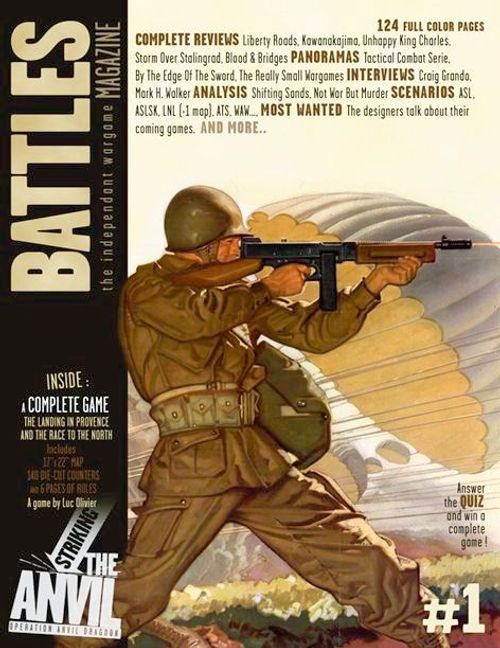
Striking the Anvil: Operation Anvil Dragoon
Striking the Anvil: Operation Anvil Dragoon Rulebook
Table of Contents
Table of Contents
1. Overview
This game needs one six sided die (1d6).
1.1 Map
The map is divided into areas. Areas are delineated by the lines on the map and by all the major and minor rivers. There are three terrain types: Clear, Rough and Mountain. Each terrain type has an influence on unit movement and combat (see the terrain effect chart on the map and modifiers). German units entering Italy are considered to have exited and can't re-enter the game.
1.2 Scales
One game turn represents two days of actual time. The counters represent brigades or regiments for the combat units, and batallions for the support units. One centimeter on the map represents about 10 kilometers.
1.3 Units
German units have a black background. US units have a green background. French units have a green background with a light blue stripe. British units have a green background with a dark blue stripe.
All units have two statuses: Good Order or Disorganized. When a Good Order unit is Disorganized, rotate it 180°. A unit executing an action (movement, combat, or mobile combat) is always placed in Disorganized status at the conclusion of the action. A Disorganized unit cannot perform any other actions until the end of the game-turn.
There are three unit types:
1.3.1 Combat Units
- Combat units are multi-battalion regiments or brigades. They are the only units allowed to initiate attacks or defend against them. Combat unit counters have a symbol which determines the troop type (infantry, armored, etc.), the name of the unit, the name of the parent division, a number for the combat strength and a number for the movement capacity.
- A combat unit has two steps. The unit counter is flipped to its reduced side when the unit suffers a loss of combat strength (see 5.6 Taking Hits).
Example of combat unit: 180IR/45US (Division, Designation, Type, Combat Strength, Movement Capacity, Reduced unit).
1.3.2 Support Units
- The counter's border on these units have a dotted pattern.
- The support unit counters have a tactical symbol, a unit name and an attached division (pertinent only for historical interest), a combat bonus (with a "+") and a gray number for the movement capacity.
- When a support unit loses a step, it is eliminated.
- A support unit can't move by itself. It can move up to all of its movement capacity only when accompanying another combat unit of its side, when they are activated together. The support unit must stop its movement along with the accompanying combat unit and can't be left behind during the movement.
- A support unit can't attack or defend by itself. It adds his combat bonus to the die roll (not to the combat strength) for the combat resolution in which it participates.
- If a support unit is alone in an area without combat units of its side, it is immediately eliminated.
Example of support unit: 645TDB/45US (Attached Division, Designation, Type, Combat Bonus, Movement Capacity).
1.3.3 Special Units
Coastal Defense (CD)
- A Coastal Defense unit can't move.
- Like a combat unit, a CD unit has two steps. The CD counter is flipped when the unit takes a hit (see 5.6 Taking Hits).
- A CD unit can't initiate combat by itself. Like a support unit it adds its combat bonus to the die roll (and not to the combat strength) for the combat resolution in which it participates.
- A CD unit alone in an area without friendly combat units is able to exert friendly control over this area.
Example of CD: Fort St Tropez (Designation, Combat Bonus, Reduced unit).
Transport Units
- Only the Allies have transport units. French have one and the US have three.
- Each transport unit's role is to motorize a maximum of one combat unit plus a maximum of two support units, allowing the transported units to move at the rate of the transporting unit.
- A transport unit can only transport units from its own nationality.
- the loading and unloading does not cost additional movement points. The loading unit must be in Good Order.
- A transported unit ends its impulse in disorganized status, unless it is involved in mobile combat.
- Transport units move (loaded or empty) using the motorized terrain costs (see chart).
- They have no influence on combat, can't take hits and are automatically eliminated when there are no other friendly units in an area containing enemy units.
- A loaded unit can attempt mobile combat after it moves (see 5.3 Mobile Combat and Example 1).
Armoured Train
- The German EAA640 is a heavy railroad artillery unit.
- This unit must be activated alone.
- It moves through as many areas as desired by the player, with the following restrictions:
- It can't enter an enemy area.
- It can move only in costal areas or areas adjacent to the Rhine.
- It can never cross an unbridged major or minor river.
- It is rotated in Disorganized status when its movement ends.
- It adds 1 to all die roll of each German combat occuring in its area when it is in Good Order status.
- It has only one step and is eliminated when it takes a hit.
1.3.4 French Forces of the Interior (FFI)
- FFI counters represents the actions of the French Resistance, which allowed the allied troops to advance in a faster and more efficient way by liberating and scouting German sectors.
- An area can be controlled by the Allied player with the placement of a FFI marker in any area free of German units and fortifications. At game start, some areas without Germans are marked with FFI markers (see scenarios). At the start of each turn, after the first one, the Allied player can try to place up to two FFI markers in enemy areas without enemy units or fortifications and adjacent to at least one friendly area. The Allied player rolls 1D6. On a 1-4 result, he places one marker. On a 1-2 result, the marker is placed fighters side visible. On a 3-4 result, it is placed control side visible.
- An area containing a FFI marker is controlled by the Allied player.
- When an area is controlled by the Allied player during the game, immediately place a FFI marker in it (control side visible).
- If an area with a FFI marker happens to be without Allied units and a German unit enters, the FFI marker is immediately removed. It can be re-used later as many times as necessary.
- A FFI control marker has no influence on combat.
- A FFI fighters marker adds 1 to the die roll of all Allied combat resolution occuring in its area.
- A FFI marker can't take hits.
Example of FFI units: both areas contain a FFI marker and are thus controlled by the Allied. The FFI marker in 06 is a fighters unit and adds 1 to all Allied combat die rolls in this area.
1.5 Fortifications
- The Toulon and Marseille areas are fortified. They have a fortification track printed on the map, showing the area fortification level (upper number).
- The bombed! marker is placed at game start on the first box at the left of the track and will be moved towards the right when fortification levels are lost. When the marker is in the level 0 box, the area fortifications are permanently destroyed.
- Each fortification level corresponds to a DRM (lower number).
- Apply this DRM to the combat die roll of Allied units attacking this area.
- If, when the turn ends, the fortification level is lower than 6, the Allied player can seek the surrender of the area if he has combat units in this area. To seek surrender, he makes a die roll and must obtain a result higher than or equal to the current level. If he succeeds, all the units in the area are eliminated and the fortifications are considered destroyed. If he fails, the current fortification level is increased by one.
- The area is controlled by the Germans as long as the fortifications are not completely destroyed (even if there are no German units in the area).
- Entering or exiting a fortified area does not cost additional movement points.
1.6 Control of areas
- At game start, all the areas (except the ones containing a FFI marker – see scenarios) on the map are controlled by the German player.
- An area is controlled either by the German or the Allied player.
- The control of an area is checked after every activation.
- A German or Allied unit gains control of an enemy area by crossing it or stopping in it when there are no enemy combat unit(s), special unit(s) or enemy fortification levels in it at the time.
- A controlled area is called a friendly area, an area controlled by the enemy is called an enemy area.
- An area occupied by units of both sides is still controlled by the player who was previously controlling it.
1.7 Stacking
There's no stacking limit. It's possible (but ill-advised) to stack the whole army of a side in a single area.
1.8 Supply
- In order to supply an area, a supply line must be traced from an area through friendly areas to a supply source.
- The Allied supply sources are one of the two landing areas (01 and 02), or Toulon or Marseille (if the Allied player controls one of these areas).
- The German supply sources are the Northern map edge, or Italy, or Toulon, or Marseille (if the German player controls one of these areas).
- When an area is out of supply, place an out of supply marker of the adequat nationality in it. The marker is removed immediately when the supply conditions are satisfied.
- An out of supply marker affects only units of its nationality.
- A non supplied unit can't move and its combat strength is halved (rounded up) when attacking.
2. Sequence of Play
Striking the Anvil is played in a variable number of game turns, as stated in the scenarios. Each turn is composed of several phases which must be played in the following order.
- Planning (if this variant is used - see 10.0).
- FFI area control attempt phase (all game turns after turn 1 – see 1.5.4).
- Bombing Phase.
- Operations Phase - Players alternate the activation of their units. The Allied player always goes first. The paradrops are resolved first.
- Surrender phase for the fortified areas.
- End of turn.
(The phases are numbered 1, 2, 3, 4, 6 and 7 as printed; there is no phase 5.)
3. Activation
- The phasing player chooses an area where he will activate his units. He can activate up to three good order combat units during a single activation, or four if at least two of the activated units belongs to the same division. He may also activate as many special and support units as wanted, whatever the attached divisions are.
- Activated units can either attack the enemy units in their area, move and/or attempt a mobile combat.
- When an activated unit has finished its action, it is rotated 180° to Disorganized status.
- All the units activated during the same impulse must perform the same action.
- A player can pass instead of activating units. If both players pass in a row, the Operations Phase is ended.
4. Movement
- Each unit allowed to move has a movement capacity (1 or 3) allowing it to move according to the movement costs as shown on the terrain effect table.
- A move from an area to an adjacent area using a road allows motorized units to ignore the additional movement cost of the Rough Terrain.
- Motorized units can only enter a mountain area along a road.
- Some German units (those with an "E" instead of a movement capacity) begin the game "entrenched". They can move only after taking a hit (counter flipped back). The German player can voluntarily reduce the unit when activated in order to allow it to move.
- A unit must stop its movement immediately after entering an enemy area.
- A unit must spend one additional movement point to enter an enemy area.
- A unit must spend one additional movement point to exit an enemy area.
- A unit leaving an area containing enemy units can be subject to pursuit (see 5.5 Pursuit Combat) if the player does not leave Combat Strength points in the area equal to the Combat Strength points of the total good order enemy units that are in the area. If the player leaves enough Combat Strength points, pursuit is not allowed.
- A unit can always move into one adjacent area, regardless of the movement point cost.
Example 1: Movement and Transport Units
Allied activation: The Allied player wishes to move his units from the 08 area to the 03 area. The TF Butler and the 753 TkB units can do it by their own means (3 MP) but not the 180 IR, the 179 IR, nor the 509 PIB units (1 MP). Fortunately there are two US transport (trucks) in the area. The player activates his 3 combat units, two support units, and two transport units. The 180 IR and the 179 IR each loading in a transport unit, accompanied by the 509 PIB (a transport unit can load up to one combat unit and two support units - see 1.3.3). All the units now have 3 MP.
A Movement: The group enters the 07 area. It is a friendly area (FFI marker), the Rough Terrain (yellow area ID number) is ignored because it is a road movement. 1 MP is spent so far.
B Movement: The group now enters the 02 area. Despite the presence of enemy units, it is a friendly area (FFI marker). 1 MP is spent, for a total of 2 MP so far.
C Movement: The group continues to the 03 area. It is a friendly area. 1 MP is spent for a total of 3 MP.
Note: The units group don't have troubles when leaving the 02 area containing enemy good order units, because after the move, there are still more good order Allied units strength points (143 IR: 6 strength points) than enemy good order units strength points (33 Pzr: 3 strength points).
End of activation: The group has spent all its movement points and does not initiate mobile combat. The transported units unload and all the units are rotated in disorganized status.
5. Combat
Combat is not mandatory.
5.1 Combat Result Table (CRT)
- The CRT is located on the map. It is used to resolve combat with the strength points of the attacking units involved plus or minus any DRM.
- The upper line shows the strength points involved. The first column shows the modified die roll. The numbers at the intersections of lines and columns give the number of steps losses: left for the attacker, right for the defender.
5.2 Combat resolution
- Activated units can only attack the enemy units present in their area, never in an adjacent area.
- The player adds the strength points of the activated combat units. He rolls a die and modifies the result with various modifiers (see 5.7 combat modifiers). Then the final result is read on the CRT.
- When a 1 is obtained on a die roll (without modifiers), the attacker automatically suffers one step loss (except if the CRT also gives a step-loss to the attacker; in this case, only use the CRT result). (See example 2).
5.3 Mobile Combat
- A unit or a group of units can attack at the end of its move. This is called a mobile combat. The attacker must declare his mobile combat when he starts to move. He must halve his strength points total (rounding up) to resolve the assault. Before the attack takes place, he can be counter-attacked.
- If the attacking unit or stack has to cross a major or minor river bordering the entered area in order to attack, apply the major or minor river modifier (see 5.7 combat modifiers).
5.4 Counter-attack
- The good order units of a mobile combat target area may be activated (subject to activations limits - see 3. Activation) and attack the units attempting mobile combat, before the mobile combat resolution.
- The combat is resolved in the mobile combat target area.
- Never apply the terrain modifiers during a counter-attack.
- The counter-attacking units are then rotated to disorganized status.
- The possible steps losses of the counter-attack are only applied to the mobile combat units and/or to the counter-attacking units.
- After the counter-attack resolution, the mobile combat is resolved with the still good order attacking units. (See example 3).
Example 3: Mobile Combat and Counter-attack
Figure A - Allied activation: The Allied player decides to activate the 07 area to lead a mobile combat in the 06 area. He chooses to activate two combat units (TF Butler and 1 Bde) and three support units (753 TkB, 1 GCA, 509 PIB). He declares his intention to the opponent player and moves his activated units in the 06 area. The German player then declares a counter-attack. He activates the 33 PzR combat unit accompanied by two support units (HAA 1196 and PzJ 50).
Figure B - German counter-attack: The German player stops the Allied assault and initiates an attack on the Allied units in mobile combat with his activated units.
Strength points calculation: 5 (PzR 33).
Modifiers determination: +1 because the 33 PzR is an armored unit, +2 for the HAA 1196 (+1 with the inherent printed modifier, +1 because it is an artillery unit), +2 for the PzJ 50 (+1 with the inherent printed bonus, +1 because it is an anti-tank unit). The Rough Terrain modifier for the 06 area is not added because it is a counter-attack. Total modifier: +5.
The German player then rolls a die and obtains a two and adds the +5 modifier for a final result of 7. On column "5" of the CRT (corresponding to the 5 German strength points), at the intersection of the "7" die roll line, the result is: 2 hits for the defender. The German units having participated in the counter-attack are pivoted of 180° in order to be placed in disorganized status. The Allied player takes the hits (only for the mobile combat units): the 1 Bde is placed in disorganized status (1 hit) and the 509 PIB is eliminated (1 hit), for a total of two hits.
Figure C - The Allied activation resumes and ends: The Allied player can now continue his mobile combat.
Strength points calculation: 6 (TF Butler) (the 1 Bde can't participate because it is disorganized). The total is halved because it is a mobile combat. Total: 3.
Modifiers determination: +1 because the TF Butler is an armored unit, +2 for the GCA (+1 inherent bonus, +1 because it is a commando unit), +1 for the 753 TkB (+1 inherent bonus, the armored bonus is not added because it has already been added with the TF Butler), -1 because the attack is in Rough Terrain. Total modifier: +3.
The Allied player then rolls a die and obtains a "4" and adds the +3 modifier for a final result of 7. At the intersection of column "3" (the total strength points) and of line "7" (modified die roll), the result is 2 hits for the defender. All the Allied units having participated in the attack are rotated 180° to be placed in disorganized status. The German player takes the hits (all the area units can take hits). The 308 GR and the 326 GR units are placed in disorganized status, for a 2 hits total.
This is the end of the Allied activation. It is now a German impulse...
5.6 Pursuit Combat
- When a unit or a stack of units exit an area containing good order enemy units, the enemy player may declare a pursuit combat, and stop the movement, if he has more strenght points in the area than the other player.
- If he chooses to declare a pursuit combat, he must activate the units he wants to (subject to activations limits - see 3. Activation) and attack the units attempting to exit the area.
- Never apply the terrain modifiers during a pursuit combat attack.
- The possible steps-losses of the pursuit combat are only applied to the moving units and/or to the attacking units.
- After the pursuit combat resolution, movement resumes for the units that are still in good order status. The other units stay in the area.
5.7 Combat modifiers
They are added to or subtracted from the die roll (never to the strength points).
- Support bonus: Each support or special unit involved in the attack adds his inherent bonus to the die roll (+1 or +2 as stated on the counter).
- Combined Arms bonus: Adds one to the die roll if; 1) At least one airborne unit is included in the attack, 2) At least 1 commando unit is included in the attack, 3) At least one artillery or anti-tank unit is included in the attack, 4) At least one armored unit is included in the attack. These bonuses are cumulative, but you can't accumulate attack bonuses of the same type (ie. just add +1 if you have two or more armored units involved in the attack).
- Bombing bonus: +1 to the Allied player for each air or naval support counter in the area (see Bombings).
- Fortifications modifiers: As stated on the fortifications track (see 1.5 fortifications).
- Landing modifier: -2 for the Allied units landing during the first turn and each time an Allied unit lands in an enemy area without friendly units already in it.
- Terrain modifiers: (they are never included in a counter-attack or pursuit combat)
- Rough Terrain: -1 if the combat is occuring in a Rough Terrain area.
- Mountain: -2 if the combat is occuring in a Mountain terrain area.
- Major River (mobile combat only): -4 if the major river is unbridged, -2 if it is bridged.
- Minor River (mobile combat only): -2 if the major river is unbridged, -1 if it is bridged. (The source prints "major river" in this line; it is kept as printed.)
5.8 Taking Hits
The result at the intersection of the strength points total and the modified die roll gives the number of hits. The number on the left is for the attacker, the number on the right is for the defender. The hits are distributed by the player who owns the units suffering the hits:
- A combat unit changing from good order status to disorganized status (not allowed to support or special units): 1 hit.
- Elimination of one step of coastal defense: 1 hit.
- Elimination of one support unit: 1 hit.
- Elimination of one fortification level: 1 hit.
- Reduction or elimination of combat unit: 1 hit per strength point eliminated (in this case, the owning player can lose more hits than stated in the combat result chart. He must eliminate at least as many strength points as stated in the result chart. For example, a US regiment with 8 strength points is attacked by a German regiment and suffers a result of "2". It is flipped on his reduced side, downgrading from 8 to 4 strength points, as if it had suffered 4 hits).
Example 2: Taking hits
The German player must take 5 hits with this units group. He has various ways of doing this. Here are some of them:
1- Eliminate the 33 PzR (5 strength points): 5 hits.
2- Eliminate the 326 GR (4 strength points): 4 hits. Eliminate the 50 PzJ: 1 hit. 5 hits total.
3- The 33 PzR is placed in disorganized status: 1 hit. The 326 GR is placed in disorganized status: 1 hit. The 326 GR is flipped on its reduced side (loss of 2 strength points): 2 hits. Eliminate the 50 PzJ: 1 hit. 5 hits total.
etc.
6. Naval and Air Bombings
- The Allied player has two bombing markers (air and naval). He can place them in the area of his choice at the beginning of each turn.
- If a bombing counter is placed in an area other than Marseille (10) or Toulon (09), it is directly placed "support +1" side visible.
- If a bombing counter is placed in the Marseille (10) or Toulon (09) area, it may reduce the fortification level with a die roll on the bombing table.
- When the bombing phase ends, the markers are flipped (side support +1 visible) and stay in the area until the end of the turn (unless the bombing result specifies otherwise).
- The markers offer an additional bonus to the combat die roll as stated in the combat modifiers section, for all the Allied combats in this area until the end of the turn.
- The bombing table is located on the map.
7. Reinforcements and Landings
Both sides receive reinforcements during the course of the game, as stated in the scenario.
- Reinforcements enter in the area stated in the scenario and immediately spend movement points when they enter the area. Therefore, to enter an area, a minimum of one movement point must be spent.
- Landings are treated like movements (at least 1 MP spent to enter the area). The landing units are setup in the landing zones and are activated in the landing zone with the normal activation rules.
- Reinforcements or landing units may use mobile combat.
8. Paradrops
The paradrops occur as stated in the scenarios.
- Paradrops are not considered as movement.
- All units from a single paradrop are setup at the beginning of the operation phase, before any activations, during the turn in which they enter the game.
- The paradropping player rolls 1D6. On a 1-4 result, the units are placed in good order status. On a 5+ result, the units are placed in disorganized status. Roll the die only once for all the units of a single paradrop. Add one to the result if the landing area is an enemy area. Add one to the die roll if the landing area contains enemy units. Both modifiers are cumulative.
9. Bridges
- All the bridges on the map are considered destroyed. Crossing a river with a destroyed bridge is the same as crossing an unbridged river.
- According to the scenarios, the game can start with or without intact bridges. When the bridges are not destroyed, place bridge markers on the correct locations.
- During the game, a player can activate a combat unit in a friendly area to destroy a non-destroyed bridge in its area. If the areas on both sides of the bridge are friendly, the destruction is automatic (remove the bridge marker). If the area on the other side of the bridge is an enemy area, roll a die: 1-2 means the destruction has failed. In both cases, the unit is placed in disorganized status.
- During the game, a player may activate a combat unit in a friendly area to try to repair a bridge in its area. If the areas on both sides of the bridge are friendly, the repair is automatic. Place a bridging marker on the bridge to be repaired then roll 1D6. The result gives the number of Allied or German activations to wait for before flipping the marker on its bridge side. If the area on the other side of the bridge is an enemy area, a die roll of 1-2 fails to repair the bridge. In both cases, the repairing unit is placed in disorganized status.
- A marker on the bridge side enables to ignore major and minor rivers effects for the movement.
10. Variant
- In order to simulate a command and planning system, the players must form combat groups with their units at the start of each turn.
- To do so, a player may stack up to three combat units, or four if there are at least two units from the same division, and as many support units as he wishes.
- Each stack represents a combat group.
- Combat groups can't be broken down during the game turn.
- When a unit is activated, its whole group is activated too.
- More than one combat group can be activated at the same time, only if the activation rules are not broken.
This variant can slow down the game pace and make the game less open but, nonetheless, it raises an interesting problem.
Scenarios
- I - Historical scenario: August 15th, 1944
- II - What-IF scenario 1: June 6th, 1944. As initially evocated.
- II - What-IF scenario 2: August 15th, 1944. After German redeployement, as evocated in the Kriegspiel of end of July.
(The source prints the numeral "II" for both What-IF scenarios; it is kept as printed. The scenario set-ups are not in the rules text.)
Abbreviations
- 1Bde = 1ere Brigade
- 1DB = 1ere Division Blindée
- 1DFL = 1ere Division de la France Libre
- 3DIA = 3e Division d'Infanterie Algérienne
- 3US = 3e Division d'Infanterie US
- 9DIC = 9e Division d'Infanterie Coloniale
- AB = Airborne
- CC = Command Combat
- Choc = Bataillon de Choc
- EAA = Eisenbahn Artillerie Abteilung
- FFS = Special Service Force
- FliR = Flieger Regiment
- GIB = Glider Infantry Battalion
- GCA = Groupe de Commandos d'Afrique
- GNA = Groupe Naval d'Assaut
- GTM = Groupement de Tabors Marocains
- GR = Grenadier Regiment
- HAA = Heeres Artillerie Abteilung
- HKAR = Heeres Küsten Artillerie Regiment
- ID = Infanterie Division
- IPB = Independent Parachute Brigade
- IR = Infantry Regiment
- Lw = Luftwaffe
- MAA = Marine Artillerie Abteilung
- PIB = Parachute Infantry Battalion
- PIR = Parachute Infantry Regiment
- PzD = Panzer Division