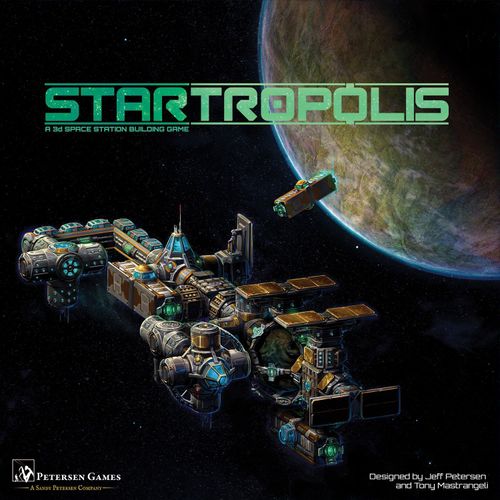
Startropolis
Startropolis Rulebook
Table of Contents
Table of Contents
Game Overview
Startropolis is a modular 3-D space station game for 2-4 people. Each turn, players buy modules and connect them to the existing space station. This creates revenue, which allows them to purchase more modules. The player with the most credits at game end wins.
Components
- 1 Core Module
- 6 Basic Habitation Modules
- 6 Solar Power Modules
- 6 Supply Modules
- 4 Market Center Modules
- 4 Luxury Habitation Modules
- 4 Civic Modules
- 30 Module Cards
- 4 Player Order Cards
- 4 Basic Faction Cards
- 4 Player Revenue Markers
- 1 Round Marker
- Revenue and Construction Track
- Round Tracker
- 105 Credit tokens in 4 different denominations
- 30 Revenue Tracking Clips
- 4 Player Aid Cards
NOTE: The peg and slot system is durable and should survive many games of building your space station! However, we strongly recommend NOT twisting any connected modules, as this can damage the pegs, making further connections difficult.
Core Modules
- Basic Habitation Module – COST: 5M. INCOME: 1M, 3M, 6M, or 9M based on each different type of attached module. Special Rules: Earns revenue for each DIFFERENT type of connected module.
- Market Center Module – COST: 7M. INCOME: 0M, +2M for each connection.
- Supply Module – COST: 5M. INCOME: 3M, +4M if attached to two of the same type of module. Special Rules: Earns the higher revenue amount if it has 2 connections to the same type of module.
- Core Module – Special Rules: The Core Module is considered a "wild" module in regards to attachment and income rules for attached modules.
- Luxury Habitation Module – COST: 7M. INCOME: 7M, -1M for each connection. Special Rules: Only one of each module type may attach to it.
- Civic Center Module – COST: 3M. INCOME: 6M/3M/1M/-3M depending on if you have the First/Second/Third/Last player order card. Special Rules: Revenue is based on your player order card at the START of the Revenue phase.
- Solar Power Module – COST: 6M. INCOME: 2M, +1M for each Solar Power Module owned. Special Rules: No module may be higher than the solar panel.
Game Set-Up
- Place the Revenue and Construction Track on the table within reach of all players.
- Place the Round Tracking Token on space 1 of the Round Tracker.
- Place the Startropolis Core Module in the center of the table.
- Sort the rest of the modules by type and place them off to the side of the playing area within easy reach.
- Separate the Civic Modules from the rest of the Module Cards and place them in the spot above the Construction Track.
- Shuffle the rest of the Module Cards to form the Module Deck. Then deal out 6 modules face up on the Construction Track from right to left. NOTE: In a two-player game, remove 2 Solar Modules and 1 Luxury Habitation Module.
- Each player chooses a faction to play and takes the matching Faction Card and Revenue Track Marker. Each player then places their Revenue Track Marker next to the Revenue Track and their Faction Card in front of them.
- Give each player 14M credits. Credits are private, and a player's currently held total does not need to be shared with any other players.
- Place the rest of the credit tokens in a supply near the Construction Track.
- Randomly deal a Player Order Card to each player. In a two-player game, only use cards First and Last. In a three-player game, only use cards First, Second, and Last.
NOTE: For more advanced players, you may bid for the right to choose your starting card.
NOTE: If playing with expansion modules, see the rules on page 17 for extra setup instructions. (See the Expansion Rules section below.)
Game Play
A game of Startropolis consists of a number of rounds, based on the player count (see page 12), each of which has three phases:
- Purchase Phase
- Attachment Phase
- Revenue Phase
Purchase Phase
During the Purchase Phase, players will buy modules with the credits they have on hand. The order of play follows the Player Order Cards from First to Last.
On their turn, a player may choose one of three options:
- Option 1: Purchase a module from the Completed Module Section by paying the cost indicated on the module card. The Completed Module Section is the two Module cards on the far right of the Construction Track. If a player wishes to rush a module, they may instead purchase a module "under construction" by paying the rush fee posted on the Construction Track above the module card IN ADDITION to the cost listed on the card.
- Option 2: Purchase a Civic Module by paying the cost on the card. After doing so, the player must discard one of the modules on the construction track. Either of the two completed modules may be discarded for free. If a player wishes to discard a module still under construction, they must pay the rush fee (the cost listed above the card on the track), but not the cost of the module itself.
- Option 3: Decline to purchase a module and gain 5M credits from the supply, then choose a module to discard from the track using the same rules for discarding as with Option 2.
After purchasing a module (either through Option 1 or Option 2), the player collects the matching color plastic module and places it in front of them.
At the end of a player's turn, they slide all of the Module Cards on the Construction Track to the right to fill the hole that was created by their purchase/discard. They then add a module to the end of the track on the far left by turning over the next card from the Module Deck.
NOTE: If this is the final round of the game, all modules go into clearance mode and sell for half price (rounded up). Rush fees are unaffected.
Example (Figure 1): Emily is the first player. She decides to buy the Luxury Habitation Module from the Construction Track. Since the module doesn't require a rush fee, she only has to pay the module cost. In this case, she returns 7M credits to the supply. She then collects the matching color plastic Luxury Habitation Module and places it in front of her. Emily then slides over all remaining modules to fill the hole that was left from her purchased module. Finally, she draws a new module card from the top of the Module Deck and places it in the left most, now empty, spot on the Construction Track.
Attachment Phase
After all players have completed the Purchase Phase, they then attach their module to the station following the order noted on the Player Order cards, but this time from LAST to FIRST.
To attach a module, the player completes the following: Find a location to attach a module to the station and connect the module making sure to follow these rules:
- Modules must be attached Tab to Slot or Slot to Tab.
- Modules may not touch other modules in any other way.
Solar Power Modules may not be connected where a "shadow" can be cast on the face of the solar panels. This means that no other module may rise above the face of the Solar Power Module when looking across it. This rule also applies when connecting other modules. No module may be connected so as to "cast a shadow" on the solar panels of an already connected Solar Power Module. Please see Figure 2 and Figure 3 (below) for more information on how solar panels work.
If no location exists for attachment (or a player does not wish to attach their module), then the module can be held for a future turn. However a module will not earn revenue until it's attached to the station.
After attaching a module, the player should adjust the revenue on the Module Card and Revenue Tracking Board for the newly attached module AND all other affected modules as well. Adjust the current player's revenue first, then any other affected player.
IMPORTANT! Be sure to check all your module cards as placement may have affected more than one of your modules.
Figure 2: The purple Solar Power Module can't be placed where the Red X is, because the blue Market Center Module would be higher than the face of the solar panel. Alternatively, if the Solar Power Module was already in place where the Red X is before the blue module was placed, then the blue module could not have been built where it is now.
Figure 3: When in doubt, hold the Station so the Solar Power Module's Face is facing up at eye level. Look across the station and if any module would be higher than the face of the Solar Power Module, the placement would be illegal.
When two players share a space on the Revenue Track, the player who arrived on that space most recently should place their token on TOP of the other player's token.
If a player has more than one module to attach to the space station, then they may choose the order in which they attach the modules. After all players have had a chance to attach their first modules, then any additional modules not attached during previous turns may be attached to the station in the same player order, one at a time.
Hint: When attaching modules, players should try to not only increase their income, but also to negatively impact other players' income.
Revenue Phase
In the Revenue Phase, players first collect credits based on their position on the Revenue Track.
Then, redistribute the Player Order Cards, with the player furthest behind on the Revenue Track receiving the First Player Card, the player with the second lowest revenue receiving the Second Player Card, and so forth.
In case of a tie, check to see which Player Revenue Marker is on TOP of another player's marker. The player with the marker on top is considered to be further behind the other player(s). See Figure 4 below for an example of the Revenue Phase.
Finally, move the Round Tracker to the next space. If the Round Tracker moves onto the last space (based on the number of players), the next round will be the last round of the game and all modules will go into clearance mode (see the sidebar to the right).
REMINDER: If this is the final round of the game, all modules go into clearance mode and sell for half price (rounded up). Rush fees are unaffected.
Figure 4 (Revenue Phase example): Caleb is playing the Broodmaster Faction. At the start of the Revenue Phase, his token is on space 9 of the Revenue Track. He collects 9M credits from the supply. After all players have collected their credits, he then takes the "First" Player Order Card from Emily and becomes the new first player since his token is furthest back on the Revenue Track.
Ending the Game
The game ends after seven rounds for a two-player game, six rounds for a three-player game, and five rounds for a four-player game. For the last round of the game, all modules go into clearance mode and become half price (rounded up). Rush fees are unaffected.
Winning the Game
The player with the most credits in hand after the final revenue phase wins the game.
In case of a tie, the player with the highest income (furthest ahead on the Revenue Track) wins the game. In the rare case that the game is still tied, the tied players should total up the purchase prices on their owned modules. The player who has spent the most, wins.
GOLDEN RULE: If a specific rule on a card is in conflict with this rulebook, always follow the specific rule on the card and ignore the rulebook.
Modules
Modules make the space station function and produce revenue for players. Modules have a cost based on the difficulty to manufacture and launch the module. Each module has at least one Tab or Slot airlock to allow it to attach to the other modules. Revenue for a module can be static or dynamic based on its location and the number of modules attached. Below is a description of each module.
Note on the Core Module: The rulebook states the Core Module is "wild" for attachment and income rules (Components), is "wild" and "can be considered any type of module in the game for calculating revenue" (Modules), and is "considered a unique module type for revenue calculation" (Luxury Habitation Module). These statements conflict as printed; they are transcribed as printed here.
Startropolis Core Station
The Core Station contains some basic living quarters, commercial, and industrial areas.
- Cost: N/A
- Quantity: 1 Module
- Revenue: N/A
- Special Rules: The Core Module is wild and can be considered any type of module in the game for calculating revenue.
Basic Habitation Module
The Basic Habitation Module provides a place to live for workers on the station.
- Cost: 5M
- Quantity: 6 Modules
- Revenue: 1M, 3M, 6M, or 9M based on each DIFFERENT type of attached modules.
Solar Power Module
The Solar Power Module is the main source of power for the station.
- Cost: 6M
- Quantity: 6 Modules
- Revenue: 2M, + 1M for each Solar Power Module owned and attached by the player.
- Special Rules: This module can only be placed where the solar panels are not blocked by another module's "shadow", and no module can be placed that will cast a shadow on the solar panels. See Figures 2 and 3 on pages 10 and 11 for more information.
Supply Module
This module manufactures and provides supplies to the residents of the station.
- Cost: 5M
- Quantity: 6 Modules
- Revenue: 3M, + 4M if attached to two modules of the same type.
Market Center Module
An area for commerce to take place. This area is composed of both retail shops and office spaces.
- Cost: 7M
- Quantity: 4 Modules
- Revenue: 0M, + 2M for each connected module.
Luxury Habitation Module
Habitation for the upper class of Startropolis. Many bureaucrats and corporate executives choose to live here as opposed to the Basic Habitation Module.
- Cost: 7M
- Quantity: 4 Modules
- Revenue: 7M, -1M for each connection.
- Special Rules: Only one of each module type may attach to it. The Core Module is considered a unique module type for revenue calculation.
Civic Module
A module for the bureaucrats and government workers of Startropolis.
- Cost: 3M
- Quantity: 4 Modules
- Revenue: Based on a player's Player Order Card at the start of the Revenue Phase. First: 6M, 2nd: 3M, 3rd: 1M, Last: -3M.
Module Card Anatomy
Module cards show, in order: the type and color of the module; its thematic name; its cost to purchase; its module category; flavor text; how it earns revenue; a revenue tracking area (use the Revenue Tracking Clips to track the module's revenue); and any special rules for the module. Each card carries a picture and a color identifying the module.
The module categories are: Residential, Utility, Commercial, Entertainment, Industrial, and Government.
Expansion Rules
Expansions are sold SEPARATELY and are not contained in the core game box.
Expansion Components
As listed in the rulebook's expansion component art:
- 12 Advanced Faction Cards
- 8 Player Revenue Markers
- 54 Advanced Module Cards
- 15 Mission Cards
- 4 Salvage Modules and Cards
- 4 Broadcast Modules and Cards
- 4 Police Modules and Cards
- 2 Stadium Modules and Cards
- 4 Xenomorph Research Modules and Cards
- 6 Fusion Reactor Modules and Cards
- 1 Six Sided Die
- 1 ZepZeg Token
- 72 +1 Credit tokens
- 72 -1 Credit tokens
Advanced Faction Cards
These replace the Basic Faction Cards found in the core game. During setup, randomly deal each player an Advanced Faction Card. Alternatively, if players agree, each player can choose which faction they want to play.
After collecting their Advanced Faction Card, players should also take the matching Player Revenue Marker and place it next to the Revenue Track (as shown in Step 7 of the Game Setup).
Each Advanced Faction has two powers: a permanent game bonus, and a one-time-use power. Start the game with the side of your Advanced Faction Card showing both of its powers face up. During the game, after you use your one-time-use power, flip your Advanced Faction Card face down so all players can see that you've used your one-time-use power.
Some faction powers will alter the revenue you receive. You can track those by using the included +1 or -1 credit tokens. If a module card says to gain a +3 credit token, simply take 3 of the +1 credit tokens. These can also be used when you run out of space on a module card's revenue tracker.
Example faction card (Symbiotic Partners – Fungi), as printed:
- Permanent game bonus: Gain +2M for each Luxury Habitation Module owned and attached.
- One-time-use power: Once per game, before the Attachment Phase, you may swap one of your unattached modules for one on the Build Track. Then flip this card.
(The card prints "Build Track"; the rulebook's own term for the track is the Construction Track.)
Mission Cards
Mission Cards provide the players with a way to earn a few extra credits during the game. At the start of the game, randomly deal each player two Mission Cards. Players should secretly choose one Mission Card to keep, and discard the other to the bottom of the Mission Deck. Players should not reveal their Mission Card, or the one they discarded, until the end of the game. There is no penalty for failing to achieve your mission.
Each Mission Card shows: (1) the mission name; (2) the mission requirements; (3) the reward for completing the mission; and (4) flavor text.
Example mission card (Lap of Luxury), as printed: Own the most Purple (High-End) modules at the end of the game. Success: +10M.
Advanced Module Cards
There are 30 Advanced Module Cards for the core game modules, and 24 for the Expansion Modules that can replace the core set of Module Cards. All Advanced Module Cards are blue in color so they can be easily distinguished from the basic versions of the same module type. Some of these cards are much more complex and challenging than the Basic Module Cards. At the start of the game, players can decide if they want to play with the Advanced Module Cards or the Basic Module Cards. Players can also choose to mix and match, playing with both Basic and Advanced Module Cards. However, if they decide to use both types of module cards, players should make sure to only include one type of module card for each module in play. For example, you can play with the Basic Solar Module Cards, as well as the Advanced Market Center Module Cards. However players should not play with both the Basic and the Advanced Solar Module Cards.
The Advanced Module Cards work the same way as described on page 5. Each set of Advanced Module Cards contains one card from the Basic Module set (the yellow module), with the remainder of the cards containing new ways for the module to earn revenue and other special rules.
Example advanced card (Market Center Module, "Bank"), as printed: COST: 5M. Special Rules: Invest up to 2M each turn on the card. Earn 1M interest from the supply for each 1M invested on the card during each Revenue Phase. Credits may be invested (limit 2M) or withdrawn (no limit) during the Purchase Phase.
Expansion Modules
When setting up a game of Startropolis, you can choose to replace any number of core modules with expansion modules. However, the total amount of module types in the game should not be more than six. We also recommend that, when playing with Expansion Modules, you make sure that there are at least one of each of the six module categories in the game. This will help create a balanced play experience. For your reference, here is the category that each module type falls into. Note: Advanced Module Cards may alter this list slightly.
- Residential: Basic Habitation, Luxury Habitation
- Commercial: Market Center, Xenomorph Research
- Industrial: Salvage, Supply
- Utility: Fusion, Solar
- Government: Civic, Police
- Entertainment: Broadcast, Stadium
New Modules
Broadcast Module – A powerful broadcast transmitter that can attach to any module to expand its reach.
- Cost: 3M
- Quantity: 4 Modules
- Revenue: Earns revenue equal to 1/2 of revenue of the module to which it is attached, rounded up.
- Special Rules: Some Broadcast Modules require line of sight from the top of the module. To check this, simply look to see if any other module is directly above the Broadcast Module if you were to extend the vertical height of the module up indefinitely.
- Example: If the Broadcast Module is attached to a Basic Habitation Module earning 9M credits, the Broadcast Module would earn 5M credits.
Police Module – The Police Module houses the peacekeeping force of Startropolis. They are charged with keeping order on the station and ensuring no corporations' profits are threatened.
- Cost: 7M
- Quantity: 4 Modules
- Revenue: Earns 3M for being connected to the station. Earns an additional +2M for any Residential or Commercial Module attached to it. Also any Residential or Commercial Module attached earns an extra +1M.
- Example: If a Police Module had 1 Basic Habitation Module attached to it, the Police Module would earn 5M (3M base plus 2M more) and the Basic Habitation Module would earn an extra 1M on top of what it was already earning. The extra 1M is tracked with the +1M credit tokens.
Fusion Reactor Module – An alternate power source for Startropolis. The Fusion Reactor Module doesn't require line of sight like the Solar Power Module, yet it's much more volatile and prone to power surges and meltdowns.
- Cost: 8M
- Quantity: 6 Modules
- Revenue: At the start of the Revenue Phase, roll a six-sided die and consult the following chart:
- 1 – 6M Income, Power Surge: Add a +1M Credit Token to this card. Each token adds +1 to any future rolls for this module. NOTE: The token also adds +1M revenue to the module.
- 2–5 – 5M Income
- 6 – Plasma Surge: No longer counts as an attached module or collects any income. Any modules attached to the Fusion Reactor are also inactive unless attached to the station from a different port. The port connected to the Fusion Reactor is considered a blocked and inactive port.
Salvage Module – The crews working the Salvage Modules are adept at recycling parts from other modules and using them to fill demand in the station.
- Cost: 5M
- Quantity: 4 Modules
- Revenue: Earns no revenue. At the start of your turn, during the Purchase Phase, you may trash a module in the free zone on the Construction Track (the cards without a rush fee above them) and gain half its cost (rounded down) in credits from the supply. Then take your normal Purchase Phase turn. However, the discarded card is NOT replaced until the end of your turn. If the Module Deck ever runs out, reshuffle the discard pile and create a new Module Deck.
- Example: At the start of your turn, there is a Basic Habitation and a Solar Module in the 2 rightmost spots of the Construction Track. You can discard the Basic Habitation Module and collect 2M credits, or you could discard the Solar Power Module and collect 3M credits. You then take your Purchase Phase turn as normal. At the end of your turn, you will need to replace 2 missing cards on the Construction Track (one from your discard and one from your normal turn).
Stadium Module – The Stadium Module is a large entertainment venue for Startropolis that hosts sporting events, concerts, and board game conventions.
- Cost: 10M
- Quantity: 2 Modules
- Revenue: Earns 2M per connected module (starts at -2M for the first connection). Also earn extra +1M for each Residential, Commercial, or Utility Module attached. Use the provided +1 Credit Tokens to track the extra income. Also, the bank pays any other player connecting a Residential, Commercial, or Utility module type to it a one-time bonus of 2M credits.
- Example: The Stadium Module is currently connected to a Solar Module, a Supply Module, and a Basic Habitation Module. The Stadium Module will be earning 4M credits: 2M for the 3 connections, and 2M extra for the Basic Habitation (Residential) and Solar Module (Utility) connections. If another player were to attach a Residential, Commercial, or Utility module to the Stadium, they would immediately earn 2M credits from the bank.
Xenomorph Research Module – Private scientists use the Xenomorph Research Module to conduct biological experiments on dangerous alien life forms.
- Cost: 4M
- Quantity: 4 Modules
- Revenue: Earns a flat 4M credits per round. In addition, each Residential Module within 2 modules of this Xenomorph Research Module gains 2 -1M tokens. Any module attached to the Xenomorph Research Module is considered within 1, so any module attached to those would be within 2.
- Example: Your Xenomorph Research Module is attached to a Supply Module and a Market Center Module. The Xenomorph Research Module earns 4M per round, and the Supply Module and Market Center Module are unaffected (other than standard rules outlined on their module card). However, a Basic Habitation Module is attached to the Market Center Module. Since that's within 2 of the Xenomorph Research Module, it gains 2 -1 credit tokens.