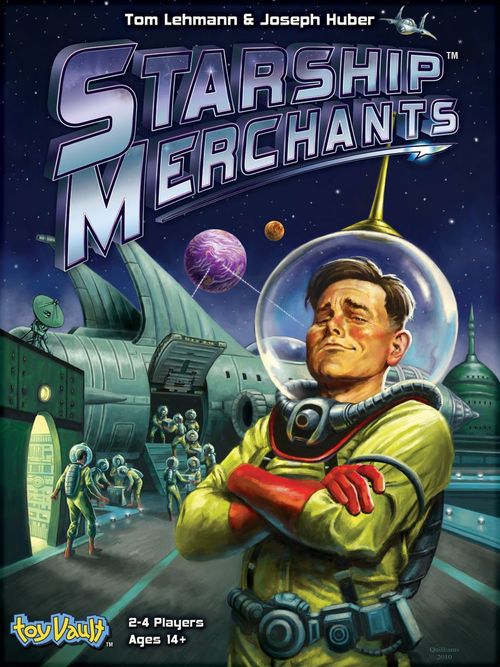
Starship Merchants
Starship Merchants Rulebook
Table of Contents
Table of Contents
Components
- 1 Game board
- 1 Cloth Bag
- 4 Reference Cards
- 16 Starship Consoles
- 1 Rulebook
- 4 Player Pawns
- 79 Cards
- 150 Tokens
- 4 Corporate ID Cards
- 1 Mark Token
- 18 Destination Cards
- 16 Loan Markers
- 20 Starship Cards
- 6 Mark I
- 4 Mark II
- 2 Mark II Re-commissioned
- 3 Mark III
- 5 Mark IV
- 60 Mine Tokens
- 16 Deuterium
- 21 Ice-9
- 23 Cobalt
- 32 Market Cards
- 11 Pilot
- 21 Gear
- 52 Credits Tokens
- 20 of value 1
- 8 of value 5
- 8 of value 10
Setup
A. Shipyard
- Separate the Starship Cards by Mark (see the Starships To Use chart below if fewer than four players).
- Place Re-commissioned cards on the bottom of the Mark II stack.
- Place each Starship stack under its matching Mark, Scout-side up.
- Take one card from each stack, flip it Tug-side up, and place it below the Scouts.
- Place the Mark Token in the Mark I box.
- Place the Loan and Credit Tokens next to the Shipyard, to form a bank.
- Place the Starship Consoles nearby.
B. Market
- Shuffle the Market deck and place it on its space.
- Flip two Market Cards face up onto the "For Sale" spaces.
- Place the Refineries face down on the Refinery space.
- Place the Gear Tokens next to the Market.
C. Belt
- Shuffle the Destination deck and place it on its space.
- Flip two Destination Cards face up onto the "Destination" spaces.
General
- Mix the Mine Tokens in the Cloth Bag.
- Each player chooses a color, taking the matching Corporate ID Card.
- Each player places their Player Pawn in the Shipyard.
- Give each player 15 Credits and 2 random Mine Tokens.
- Place the 2 Mine Tokens on each player's Corporate ID Card.
- Choose a player to go first; play proceeds clockwise.
Starships To Use
Use this many Starship cards from each Mark, based on player count:
| Mark | 4 Players | 3 Players | 2 Players |
|---|---|---|---|
| I | 6 | 5 | 3 |
| II | 6 | 4* | 3* |
| III | 3 | 2 | 1 |
| IV | 5 | 4 | 3 |
*use only one Re-commissioned Card
Play
On your turn, you can do one of the following:
- Perform one action at the current quadrant.
- Advance to the next quadrant and perform one action there.
- Advance to the next quadrant and pass, taking no action.
There are four quadrants: Shipyard, Market, Belt and Dock. Following the arrows, Player Pawns start at the Shipyard and proceed clockwise around the board. Performing actions upon arrival are optional at most quadrants, but some are mandatory (see Ship Loans). To stay in a quadrant, you must perform an action there; you may not pass.
Play continues in this manner until a player declares the Final Run, which triggers the end of the game (see Game End).
Shipyard
Action – Buy or Lease 1 Starship, or pay off Starship loan(s).
Buying Ships
Starships come in two types: Scouts (more Energy Points) and Tugs (more Cargo Holds).
To buy, choose a type of Starship (in the current Mark) and pay the bank its cost in Credits. Take a Starship Console and put this card on the Starship space. Each Starship Console lists its Energy Points, Cargo Hold Capacity, and the Mark Number at which it becomes obsolete.
The more ships you own, the more Consoles you will equip and run. Once purchased, a Starship's type cannot be changed. On the first turn, each player must remain in the Shipyard and buy or lease a Mark I Starship.
Ship Loans
Instead of buying a Starship at full price, you may lease it, paying half price and placing two Loan Markers on the card. Each Loan Marker costs half the Starship's full price to pay off. Thus, leasing a ship costs 50% more than buying it outright.
Example: You lease a Scout costing 8 for 4 Credits. When you next visit the Shipyard, as your first action, you pay 4 Credits and remove one Loan Marker. The next visit you pay off the remaining loan, spending a total of 12 Credits.
Each time you enter the Shipyard with loans, you must pay off at least one Loan Marker on each ship. If you do not have enough Credits, spend all your Credits to remove these Loan Markers. Paying off loans is a Shipyard action; you must remain and spend another action in order to buy or lease a ship. You may pay off additional Loan Markers to save future actions.
Mark Token
The Mark Token indicates what generation of Starship is available for purchase. Starting at Mark I and ending at Mark IV, each new generation of Starship improves over its predecessor with more Energy Points and Cargo Holds. However, as the Mark Token advances certain older generation ships become obsolete.
Advance the Mark Token to the next box after all ships from the current Mark are purchased and the first new ship is bought.
Cheaper, Re-commissioned Mark II ships may not be purchased until all standard Mark II ships have been bought.
Obsolete Ships
Buying the first Mark III Starship Card causes Mark I ships to become obsolete and eventually removed from the game. Likewise, buying the first Mark IV causes Mark II ships to become obsolete.
If a Starship goes obsolete, turn its Console sideways. Obsolete ships do not count against a player's ship limit and cannot be run in the Belt.
Ship Limit
A player may own four ships for Mark I and II, three for Mark III and two for Mark IV. Obsolete ships do not count against this limit. You cannot exceed this limit even if the Starship purchased would advance the Mark Token and make enough of your ships obsolete so you would then be under the new ship limit.
Market
Actions – Buy and equip a Market Card, or buy a Refinery Card. Optional – Claim one Mine Token.
Upon arriving in the Market, you may discard and redraw one of the two available "For Sale" cards. There are two types of Market Cards: Pilots and Gear. Pilot Cards grant delivery bonuses or have special abilities that can be used. Gear Cards upgrade your Starship with additional Energy Points, Cargo Holds or other effects. Ships can only equip one Pilot and six Gear Tokens.
After buying a Market Card, replace it with a new card. When the deck is exhausted, shuffle the discards to form a new deck. With Gear Cards, place the matching Gear Token on the Console and then remove the card from the game.
An example of a Starship Console in the Belt: note the Cargo Hold Capacity is two, but with the Gear Token "Mining Module" an additional hold is granted.
Refineries
Refinery Cards are flipped up and available for purchase after any player leaves the Dock for the first time. A player can own any number of Refineries. Place a Refinery Card in front of its owner; not attached to a Console. Refinery bonuses apply to deliveries by all of its owner's ships.
Claiming Mines
There are three types of Mine Tokens: Cobalt, Ice-9 and Deuterium, each with different value grades. The blank side of a Mine Token is unclaimed and the flag-side is claimed. Claimed Mine Tokens are worth nearly double the Credits and opponents cannot claim or use them.
In addition to either buying a Market or Refinery Card, players can optionally claim one Mine Token from their Local Space -- the area in front of all of a player's Consoles. To claim a Mine, pay six Credits and flip it flag-side up. Claimed tokens remain at their location until picked up (see Belt).
Belt
Action – Run one Starship.
As your action, you may run one of your Starships by spending its Energy Points to explore for new Mines, pickup Mines for delivery or travel to the location on a Destination Card. A Starship can only run once per Business Cycle. Obsolete ships cannot be run in the Belt.
Each Starship Card lists its total Energy Points, which is added to any bonus from Pilots and Gear. The total amount of Energy Points can be spent in any order, except Energy Points spent to end a run at a Destination Card:
- 1 Energy Point per pickup from Local or Known Space.
- 3 Energy Points per pickup from an opponent's Local Space.
- 2 Energy Points per exploration (including pickup).
- 1 Energy Point to discard and redraw both Destination Cards.
- A variable number of Energy Points to end a run by traveling to a location on a Destination Card.
Pickup
A single Mine Token represents a haul of ore extracted from a mine. After a Business Cycle, the Mine Token is delivered for Credits and then returned to Local Space, allowing future pickups from the same mine (see Dock).
Mine Tokens in Local or Known Space cost 1 Energy Point to pickup. Unclaimed tokens from an opponent's Local Space cost 3 Energy Points. Mine Tokens are placed in the Cargo Hold of the Starship performing the pickup and cannot exceed the listed capacity.
Claimed Mine Tokens cannot be picked up from an opponent's Local Space. Mines loaded on Starships cannot be "dropped off" for pickup by another ship.
When you first arrive in the Belt, move the Mine Tokens received at game start from your Corporate ID Card to your Local Space.
Exploration
To explore the Belt, spend 2 Energy Points and draw a Mine Token from the Cloth Bag, with its unclaimed side face up. You can either: pickup the Mine Token, placing it in one of the Starship's empty Cargo Holds, or place it in your Local Space.
Example: A Scout with 5 Energy Points explores and draws a low value Ice-9 Token. The player decides to put it in Local Space and explore again. A high value Deuterium Token is drawn and picked up. The Scout has used 4 of 5 Energy Points.
Destinations
Each Destination Card lists the required cost to travel and a delivery bonus. To travel, spend the listed Energy Points, place the Destination Card on the Console and draw a new card to replace it.
Once you have traveled to a destination, the Starship cannot return to the Belt to explore, discard or pickup. So, make sure to spend as much Energy as possible before ending a run by traveling. When a ship with a Destination Card arrives at the Dock, it receives the bonus and the card is discarded.
Both Destination Cards can be discarded and replaced by spending 1 Energy Point. You may replace Destination Cards multiple times during a run.
Play Example - Belt
The player explores (spending only 1 Energy Point due to Gear Token "Survey Robot") and draws a low value Cobalt Mine Token. The token is discarded and placed in Local Space.
The player picks up the unclaimed Deuterium Mine Token from an opponent's Local Space (3 Energy Points) and then the unclaimed Ice-9 from Known Space (1 Energy Point).
Noticing the bonus on one of the Destination Cards, the player travels to that location (1 Energy Point). All 6 Energy Points available on this Starship are now spent.
Ending a Run
A Starship ends a run either when all of its Energy is spent, the player decides not to spend any more, or the ship has traveled to a Destination Card. Any unspent Energy is lost.
A Starship need not end its run at a Destination Card. Strategic players may decide against traveling and spend all their ship's Energy to pickup higher value Mines. If you have more than one Starship, remain in the Belt multiple turns to run each one.
You can also skip running ships to reach the Dock or Shipyard earlier for reasons involving purchases, obsolete ships or ending the game.
Dock
Action – Receive pay and unload ships.
Upon arriving in the Dock, perform the following steps:
- Move unclaimed Mine Tokens from your Local Space to Known Space -- the center of the game board.
- Receive payout for each of your ships' individual runs.
- Unload Mine Tokens into your Local Space. This allows for you and opponents to revisit and pickup the same Mine Token in future Business Cycles.
- Discard any Destination Cards.
- Resolve any obsolete ships you have by removing them from play.
Payout
A run earns the total value of each Mine Token onboard plus any Pilot, Destination and Refinery Card bonuses. Bonuses are cumulative. Refinery bonuses apply to all deliveries made by your ships.
Credits are valued in millions.
Resolving Obsolete Ships
Obsolete ships (turned sideways earlier) which had previously run in the Belt still receive pay. After receiving payout, pay off all Loan Markers on obsolete ships and then discard them with the Pilot Card, Gear Tokens and Starship Console.
Across all obsolete ships you may transfer one Pilot and up to two different Gear Tokens to another ship by paying their full cost again. Cards and tokens can be immediately transferred to one of your active Starships or set aside for the next Starship purchased or leased.
Declaring the Final Run
After ending a turn in the Dock with 100+ Credits and no Loan Markers, a player may declare the Final Run. If a player has 150+, then they must declare the Final Run and immediately pay off any Loan Markers.
The player who declares the Final Run receives a 10 Credit bonus, leaves all Mine Tokens aboard their ships and remains in the Dock until the end of the game.
If an opponent declares the Final Run after you arrived in the Dock and before you left, advance to the Shipyard normally.
Game End
Once the Final Run is declared, play continues until all remaining players return to the Dock. Returning players perform the Dock steps normally, but with three exceptions:
- Mine Tokens are kept aboard ships so opponents cannot use them.
- All Loan Markers must be paid off.
- Pilots and Gear aboard obsolete ships are not discarded, as transferring these has no effect on the game outcome.
Players waiting in the Dock collect 5 Credits on their turn and take no other action. Once all players return to the Dock, the game is over. The player with the most Credits wins!
Notes & Etiquette
- If a tie exists at the end of the game, the first player who entered the Dock wins.
- If you do not have enough Credits to pay off a loan, pay with all available Credits.
- Pilot and Gear Cards can modify the rules, read each card carefully.
- Pilot bonuses cannot be used aboard obsolete ships or retained for future ships (e.g. Zip Wasbu or Hon Smitty in the Market).
- Hal Morbius' bonus is not cumulative; each bonus requires a separate empty Cargo Hold.
- You may only transfer Pilots and Gear ship-to-ship when resolving an obsolete ship.
- Players may not transfer or trade any cards or tokens with opponents.
- A player's Starships, Mine Tokens and number of Credits are public information.
- In rare instances, you can purchase a Starship within the current ship limit that advances the Mark Token so you then exceed the new limit. In this case, remove one of your ships from the game. If it has Loan Markers, first pay them off with all available Credits.