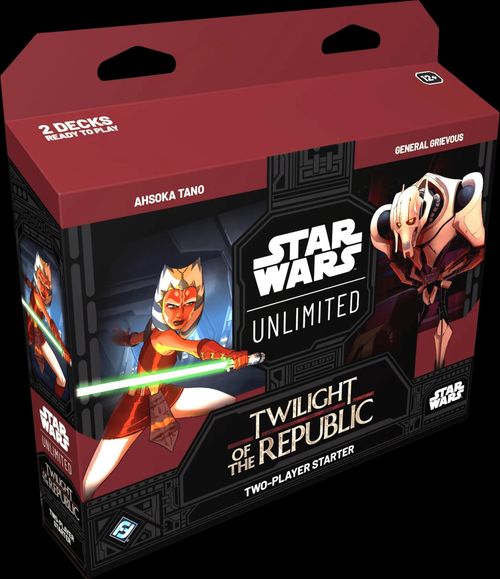
Star Wars: Unlimited – Twilight of the Republic
Star Wars: Unlimited – Twilight of the Republic Rulebook
Table of Contents
Table of Contents
Overview
Star Wars™: Unlimited is a trading card game in which each player takes on the role of a leader—an iconic Star Wars character—who rallies their forces into battle to defeat their opponent's base. These forces are represented by a 50-card deck containing units, events, and upgrades.
The game is played over a series of rounds. During the action phase of each round, you'll play cards from your hand and use these cards to attack your opponent's base and units. Then, in the regroup phase, you'll draw cards, build up your resources, and ready your units for the next round of battle. Early in the game your leader will affect the battle passively, but eventually they'll join the fray as a powerful unit.
Winning the Game
Each base starts the game with 30 HP (hit points). If you deal enough damage to the enemy base to reduce it to 0 HP, you win the game!
Setup
Using the two-player starter: The starter contains 2 decks: Ahsoka Tano and General Grievous. Each player chooses 1 of those decks to play. Separate the double-sided leader, base, and token cards from the other 50 cards (with the Star Wars: Unlimited card back). Take the 2 playmats and set them up facing each other—they contain helpful rules reminders and indicate how to lay out your cards.
Follow these steps to set up the game:
- Put your base into play, facing your opponent's.
- Put your leader into play below your base, horizontal (non-unit) side faceup.
- Randomly determine which player starts the game with the initiative, and give the initiative counter to that player. Set aside all other counters and token cards, out of play.
- Shuffle your deck. Draw 6 cards from your deck to form your hand.
- You may take a mulligan by shuffling your entire hand into your deck, then drawing a new hand of 6 cards. You must keep the new hand. Strategy Tip: We recommend taking a mulligan if your hand contains no units that cost 1 or 2 to play on the first round.
- Choose 2 cards from your hand and put them into play facedown and ready near your base. They are now resources—you will use resources to pay for cards you play during the game.
When both players are ready, start the game with the first action phase.
Playmat Layout
The playmat diagram labels the following areas: Base, Initiative Counter, Leader, Deck, Resources, Damage Counters, Epic Action Counter, and Hand.
Gameplay
Action Phase
Most of the gameplay happens during the action phase. During this phase, players go back and forth taking 1 action at a time. The player with the initiative counter takes the first action, then their opponent takes an action, and so on until both players have passed.
The actions available to a player are:
- Play a card
- Attack with a unit
- Use an action ability
- Take the initiative
- Pass
Play a Card
Cards have a cost in the upper left corner. To play a card, reveal it from your hand and pay its cost by exhausting that many resources (see "Ready & Exhausted" below). For example, to play a card that costs 2, you must exhaust 2 of your resources.
There are 3 types of cards that you can play: Units, Events, and Upgrades. Each card type has different rules when played, as described in the following pages.
Ready & Exhausted
Units and resources enter play exhausted (turned sideways), then become ready (turned upright) at the end of the regroup phase each round.
Many cards must exhaust in order to be used. Resources exhaust to pay for the cards you play from your hand. Units exhaust to attack or use certain abilities (indicated by an exhaust icon). Some leaders exhaust to use their action ability. An exhausted card can't exhaust again until it's ready.
When you deploy your leader as a unit (using its Epic Action ability), ready it, even if it was exhausted before. This means it can attack the same round it's deployed. (See "Your Leader" on page 15 for details.)
Units
Units enter play exhausted and remain in play until defeated.
Units have a power and HP value. Power indicates how much damage a unit deals in combat. If a unit ever has damage on it greater than or equal to its HP, it's defeated and put in its owner's discard pile.
Many units also have abilities in their text box that are active while that unit is in play (see "Card Abilities" on page 19).
The unit card diagram labels its parts as: Cost, Aspect Icons, Name, Traits, Power, Abilities, HP, and whether the unit is a Ground or Space unit.
Ground & Space
Combat is divided into 2 separate arenas: ground and space. Each unit is either a ground unit or a space unit, as indicated at the top of the card. All ground units are played into the ground arena on one side of the players' bases, and all space units are played into the space arena on the other side. In combat, ground units can't attack space units, and vice versa.
Events
Events have an ability in their text box. When you play an event, use its ability and put the event in your discard pile.
The event card diagram labels its parts as: Cost, Name, Aspect Icons, Traits, and Ability.
Upgrades
Upgrades enter play attached to a unit and remain in play until that unit is defeated. Upgrades provide increased power, HP, and/or abilities to the attached unit. To attach an upgrade to a unit, slide the upgrade partially underneath that unit so that the upgrade's power, HP, and abilities are visible.
If the unit an upgrade is attached to leaves play, defeat that upgrade (put it in its owner's discard pile).
The upgrade card diagram labels its parts as: Cost, Name, Aspect Icons, Abilities, Bonus Power, Traits, and Bonus HP.
Attack with a Unit
Attacking is the primary way to deal damage to the opponent's base and win the game. You can also attack enemy units.
A unit must be ready in order to attack. Only 1 unit can attack in a single action. To attack, follow these steps in order:
- Exhaust the attacker and choose what to attack. You may attack any enemy unit in the same arena (ground or space) as the attacker, or you may attack the opponent's base directly.
- If an enemy unit in the same arena as the attacker has Sentinel, it must be chosen as the defender unless the attacker has Saboteur. (For more details on red keyword abilities, see the Keyword Glossary below.)
- Any abilities that are active while the unit is attacking, including Raid, become active at this time.
- If the attacker has Restore, heal damage from your base equal to its Restore value.
- If the attacker has any On Attack abilities, use them now.
- Deal damage. If your unit is attacking:
- A base, it deals damage equal to its power to that base.
- A unit, the attacker and defender simultaneously deal damage equal to their power to each other. If either unit has damage on it greater than or equal to its HP, it is immediately defeated.
Attack Examples
If Shaak Ti attacks the enemy base, she deals 3 damage to the base and takes no damage in return.
If Shaak Ti attacks B1 Security Team, each unit deals 3 damage to the other. Because B1 Security Team has 3 damage on it and only 1 HP, it is defeated. Shaak Ti remains in play with 3 damage on her and is able to take 1 more damage before being defeated.
Use an Action Ability
Some cards have Action abilities. These abilities often have a cost that must be paid in order to use them, found in brackets after the word "Action." This cost may include resources that must be paid (indicated by a resource icon) and exhausting the card (indicated by an exhaust icon). If you don't pay the cost, you can't use the ability.
An Epic Action is an action ability that can only be used once per game.
Take the Initiative
Only 1 player can take this action each round. That player takes control of the initiative counter, even if they already have it, meaning they will go first in the next round. After taking the initiative, you can't take any further actions for the rest of the action phase. (You are considered to pass for all remaining actions this phase.)
Pass
If you can't (or don't want to) take any other actions, you may pass. When you pass, you are considered to have done nothing during your action, and your opponent is immediately able to take their next action. You may still take more actions later in the action phase.
After a player passes, if their opponent passes or takes the initiative as their next action, the action phase immediately ends and play proceeds to the regroup phase.
Your Leader
Your leader is the centerpiece of your deck. It begins the game on its horizontal (non-unit) side with an ability that's available from the start of the game.
Your leader also has an Epic Action ability that's not available at the start of the game, but is unlocked if you have a certain number of resources in play. Once you have enough resources, you may use this action to deploy your leader: flip it to its unit side, move it to the ground arena, and ready it. This action doesn't cost any resources and can be used regardless of whether your leader is ready or exhausted.
While your leader is in play as a unit, it can attack, be attacked, and use abilities like any other unit. If your leader is defeated, flip it back to its non-unit side, return it to your base, and exhaust it. Your leader's Epic Action can't be used again this game (cover it with the epic action counter as a reminder), but you can still use its other ability.
Regroup Phase
After the action phase, play proceeds to the regroup phase. You and your opponent complete each of the following steps, in order:
- Draw Cards. Draw 2 cards from your deck.
- Resource a Card. You may choose 1 card from your hand and put it into play facedown as a resource, or you may choose not to put down a resource and keep all of your cards in hand. (The player with the initiative chooses whether to put down a resource first, followed by the other player.) Strategy Tip: We recommend you resource a card each round until you have enough resources in play to use your leader's Epic Action. Beyond that point, consider whether or not you need more resources to play the cards in your hand or the cards that you may draw from your deck.
- Ready Cards. Ready all of your exhausted cards in play, including units, resources, and your leader. When both players have readied all their cards, play proceeds to the action phase of the next round.
Other Rules
Aspect Icons
Most cards have 1 or more icons showing the aspect to which that card belongs. Each aspect represents a different philosophy or motivation. These icons tell you what that card's aspects are, and may be referenced by card abilities. Aspects are important when building your own custom deck (see "Custom Deckbuilding" below).
The six aspects are: Vigilance, Command, Heroism, Aggression, Cunning, and Villainy.
Friendly and Enemy
Cards you control are considered "friendly." Cards your opponent controls are considered "enemy."
Unique Cards
Unique cards represent specific characters or objects in the Star Wars universe and are indicated by a unique icon before the card's name. You can only have 1 copy of each unique card in play at a time. If you ever have multiple copies of the same unique card in play under your control, you must immediately defeat 1 of them.
Token Cards
Token cards are set aside and not shuffled into your deck. Some cards may instruct you to create a token unit. To do so, take a set-aside token of that type and put it into play. This set has two types of token units: Battle Droids and Clone Troopers. Like other units, token units enter play exhausted in the appropriate arena. Creating a token unit is not considered to be "playing" a unit, and does not trigger abilities that occur when you play a unit. If a token would leave play for any reason, set it aside. There is no limit on tokens available to a player. A player may substitute any available object for a token.
Running Out of Cards in Your Deck
If you run out of cards in your deck, you continue playing with the cards you already have. Any time you would draw a card from an empty deck, you instead deal 3 damage to your base for each card you would draw. For instance, when you would draw 2 cards during the regroup phase, instead deal 6 damage to your base.
Traits
All cards have traits, such as REPUBLIC or SEPARATIST, which appear in a small banner near their text box. Traits don't have their own rules, but some card abilities will affect cards with certain traits.
Card Abilities
Several types of abilities can be found in the text box on cards:
- Action abilities have bold text with the word Action, sometimes with a cost in brackets, followed by a colon and an effect. (See "Use an Action Ability" on page 14 for details.)
- Triggered abilities have bold text indicating their triggering condition with the word When or On, followed by a colon and an effect. They resolve automatically after their triggering condition occurs, and are mandatory unless they use the word "may." The 3 conditions that appear most often each have specific rules and timing:
- On Attack: This happens after the unit is chosen as an attacker, before damage is dealt (see page 12 for details).
- When Defeated: This happens after the card is defeated. The card is in the discard pile when the ability resolves.
- When Played: This happens after the card is played. The card is in play when the ability resolves.
- Keyword abilities appear in red text. Each keyword has specific rules associated with it, described in detail in the Keyword Glossary below.
- Constant abilities appear on cards that remain in play and have no special styling. They are active as long as the card is in play (regardless of whether the card is ready or exhausted).
- Event abilities appear on events. They are one-time abilities that resolve when the event is played.
Custom Deckbuilding
After learning the basics of the game, the next step is to start building your own custom deck. Additional cards to customize your deck can be found in Star Wars: Unlimited booster packs.
Your deck must include:
- 1 leader
- 1 base
- At least 50 other cards, consisting of units, events, and upgrades
Your deck can't include more than 3 copies of any card.
Your leader and base each provide aspect icons that dictate the colors of your deck. Your leader provides 2 icons and your base provides 1, giving you 3 aspect icons total.
Most cards in your deck have 1 or more aspect icons near their cost. You can include cards of any aspect in your deck, but when playing a card with icons that are not provided by your leader or base, you must pay 2 extra resources for each missing icon. This additional cost is called the aspect penalty. In general, you should try to only put cards in your deck that match the aspect icons provided by your leader and base.
For example, if your leader provides a Vigilance and a Heroism icon and your base provides an Aggression icon:
- A card with a single Vigilance, Heroism, or Aggression icon would cost no extra.
- A card with Vigilance and Heroism icons or Aggression and Heroism icons would cost no extra.
- A card with a single Command, Cunning, or Villainy icon would cost 2 extra.
- A card with Command and Heroism icons would cost 2 extra (because you have the Heroism icon but are missing the Command icon).
- A card with two Vigilance icons would cost 2 extra (because you have a single Vigilance icon but are missing the second—in order to play such a card at no extra cost, you would need your leader and base to provide 2 Vigilance icons).
- A card with Command and Villainy icons would cost 4 extra (because you are missing both the Command and the Villainy icon and have to pay 2 extra for each).
A good rule of thumb is for your deck to include about 30-40 units (with a mix of ground and space units), and about 10-20 events and upgrades. You should make sure to include cards with a variety of costs, including plenty of 1-3 cost cards to play early in the game.
Keyword Glossary
Ambush - When you play this unit, it may ready and attack an enemy unit. This unit doesn't ready if there are no enemy units to attack.
Coordinate (new) - The ability listed after Coordinate is active only while you control 3 or more units (including the unit with Coordinate).
Exploit (new) - While playing this card, you may defeat a number of units you control up to the Exploit value. Reduce the cost to play the card by 2 for each unit you defeat this way.
Overwhelm - When this unit deals damage to an enemy unit while attacking, deal excess damage to that opponent's base. Example: If a 5-power unit with Overwhelm attacks a unit with 3 HP remaining, it deals 2 damage to the enemy base.
Raid - While this unit is attacking, it gets extra power equal to the Raid value. Example: A unit with Raid 2 gets +2/+0 while attacking.
Restore - When this unit attacks, heal damage from your base equal to the Restore value (before dealing damage). Example: A unit with Restore 2 heals 2 damage from your base when it attacks.
Saboteur - When this unit attacks, ignore the Sentinel keyword on enemy units and defeat all Shield tokens on the defender (before dealing damage).
Sentinel - Enemy units in the same arena (ground or space) as this unit can't attack your non-Sentinel units in this arena or your base. If you have multiple units with Sentinel in the same arena, your opponent may choose which of those units to attack.