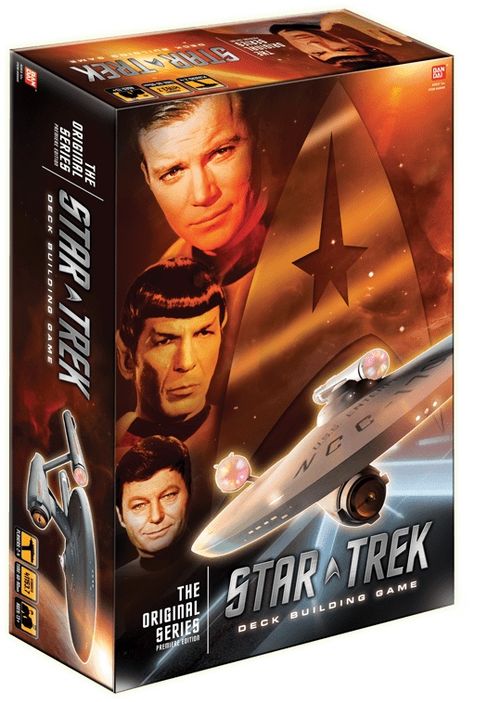
Star Trek Deck Building Game: The Original Series
Star Trek Deck Building Game: The Original Series Rulebook
Table of Contents
Table of Contents
Box Content
255 Cards
- 20 Starter Cards [Grey Border]
- 4 Evasive Measures
- 4 Tricorder
- 4 Hand Phaser
- 4 Ship Modifications
- 4 Memory Alpha
- 46 Basic Characters [Yellow Border]
- 20 Ensign
- 14 Lieutenant
- 12 Commander
- 80 Starbase cards [Blue Border]
- 19 Maneuvers
- 9 Setups
- 50 Unique Characters
- 2 Special Murasaki 312 Cards
- 15 Standard Missions [Purple Border]
- 15 Standard Mission Draft Cards [Draft Back]
- 4 Exploration Starter Starships [Gold Border]
- 25 Basic Exploration Space Deck Cards [Gold Border]
- 15 Missions
- 10 Events
- 25 Infection Exploration Space Deck Cards [Orange Border]
- 10 Infection Missions
- 5 Missions
- 10 Events
4 Twenty Sided Dice [Damage Counters]
Section 1: Card Layout
Space Deck Cards
Mission Cards and Event Cards.
Events and Missions are the different card types that you will encounter when you Explore the Space Deck. (See Section 8 for more details.)
Starbase Cards
Character Cards, Setup Cards and Maneuver Cards.
Characters, Maneuvers, and Setups are the different card types that you can find, gain, and play throughout the game. You will start with simple versions of each of these cards and gain more powerful cards as you play.
They will help you improve your deck, battle opponents, and complete the goals needed to win the game. Characters and Maneuvers can be played at any time during your turn and even during Events (on your turn) and Battles (on any turn if you are in the Battle). Setups cannot be played during Battles/Events.
Card Elements
- A — XP Cost
- B — Card Type
- C — Card Name
- D — Affiliation
- E — Flavor Text
- F — Classification
- G — Effects
- H — Flip Effect
- I — Statistics (Stat Bar)
- J — Mission Points
Section 2: Player Area
Starting Deck
These cards will be used to form the starting deck for each player.
Form each player's starting deck by combining the following cards, shuffling them, and placing them face down in their Deck Area:
- 3 Ensign (Yellow Border)
- 2 Lieutenant (Yellow Border)
- 1 of each of the Starter Cards — MEMORY ALPHA, TRICORDER, HAND PHASER, EVASIVE MEASURES, SHIP MODIFICATIONS (Gray Border)
Left over starter cards can be set aside or shuffled into the Starbase Deck.
Player Area Layout
This is what a player's area should look like. It contains the Points Area, the Bridge (Play Area), the Flag Ship Area, the Deck Area and the Discard Area.
Cards in the Flag Ship Area remain here throughout the game. Your Mission Points are equal to the sum of the Mission Points on all cards in this area. Some cards have effects that can be used from this Area.
Section 3: Starbase Game Play Setup
Here is the entire layout of the game play setup. You will use the provided cards to form this zone. Some areas, such as the Infection Card Area, will only be used in certain scenarios. The Mission Area and Starbase Discard Area will be empty at the start of the game but will fill up as the game progresses. Follow the instructions in Sections 4-5 to properly setup each of the shown decks and areas. Setup for each scenario will be almost identical except for a change in the Space Deck.
The layout contains: the Optional Infection Card Area, the Space Deck, the Flipped Space Deck Cards, the Mission Area, the Starbase Search Area, the Starbase Deck, the Basic Cards Area, and the Starbase Discard Area.
The Starbase Search Area and Basic Cards Area are the cards that can be bought and gained from Starbase.
Section 4: Space Deck Setup
Form the Space Deck by combining the following cards, shuffling them, and placing them face down in the Space Deck Area:
The Space Deck will consist of 40 cards. 15 of them will always be the Standard Missions. The other 25 cards depend on the Scenario you are playing.
- The 15 Standard MISSIONS (Purple Border) will be used in every scenario.
- The other 25 cards DEPEND on the scenario YOU ARE PLAYING.
- For Standard Exploration Scenario use the 25 Gold Border Events and Missions
- For Infection Scenario use the 25 Orange Border Events and Missions
Players will explore the Space Deck by flipping the top card to reveal what they will encounter. Flipped Missions will be placed in the Mission Area below.
Section 5: Starbase Setup
Starbase: Deck Setup
Form the Starbase Deck by combining all the following cards, shuffling them, and placing them in the Starbase Deck Area:
- 50 Unique Characters (Blue Border) — there is only 1 copy of each Star Trek character.
- 28 Maneuvers and Setups (Blue Border) — multiple copies of each Setup and Maneuver can be found in the deck. Players can have and play duplicates of these cards.
- 2 Special Cards (Blue Border) — if this card is flipped at the start of the game, shuffle it back into the Starbase Deck and replace it.
The Starbase Deck contains Characters, Setups, Maneuvers, and Special cards that will replace cards in the Starbase Search Area throughout the game. If the Starbase Deck ever runs out of cards, combine all the cards in the Starbase Discard Area, and shuffle them together to form a new Starbase Deck. This means that some cards that are removed in the beginning of the game may reappear later in the game.
Starbase: Basic Area Setup
Place all the Basic Characters in their own separate piles to the right of the Starbase Deck:
- Ensign (Yellow Border)
- Lieutenant (Yellow Border)
- Commander (Yellow Border)
New effects added to Basic Characters. These cards are part of Starbase. These cards are always available to be bought and gained during the course of all games unless the pile(s) runs out. The Basic Characters each have an effect that occurs when you complete a Mission. Their effects help you progress in the game so don't forget about these effects when you complete a Mission.
Starbase: Search Area Setup
Form the Starbase Search Area by flipping the top 9 cards of the Starbase Deck and place them to the left of it in a 3x3 formation.
In addition to the 3 Basic Characters, these 9 face up cards are the other cards that can be bought and gained from the Starbase.
Section 6: Taking Your Turn
On your turn you will normally be performing several actions. First you must decide if you want to perform the Action Phase or the Trash Phase.
Action Phase
During this phase you may perform any of the following actions in any order you like and any number of times with some restrictions.
A. Play Characters, Maneuvers, and Setups
Choose a Character, Maneuver, or Setup from your hand and move it to your bridge. Any Stats that card has are automatically added to your flagship once it is in your bridge. These cards can have different types of effects. Some effects are instantly activated once the card is played (Ex. +2 XP, "You may draw 1 card", and "You may gain a Commander"). Some effects are ongoing and stay active as long as the card remains in your bridge (Ex. "When you explore, you get +1 XP", "Maneuvers cost you 3 less to buy", and "Your Ensigns get +1 Attack"). Lastly there are some special effects that can be activated later in the turn. These special effects can only be activated when you could normally play a Character, Maneuver, or Setup (Ex. "During your turn you may trash this card. If you do, draw 2 cards"). Characters and Maneuvers can be played during Battles and Events but Setups cannot. You can normally play any number of these cards during your turn.
B. Buy cards from Starbase
Several cards in the game will give you XP (Experience points). When you buy a card you gain it. You may spend those points to buy and gain cards from Starbase. The XP cost of each card is found in the top right corner. You may buy any number of cards as long as you have enough XP to spend on each card. Some effects will allow you to gain cards without buying them.
Gained cards go to your DISCARD PILE in your PLAYER AREA. Replace a gained card with the top card from the Starbase Deck.
C. Perform a Search
Each player gets 1 free Search during each of their turns. To perform a Search, you move any card in the Starbase Search Area to the Starbase Discard Area and replace it with the top card of the Starbase Deck. You can perform additional Searches if you play an effect that gives you an additional Search, such as the Tricorder, which you will find in your starting deck. Searches are a great way to find new cards to buy as well as get rid of cards you want to keep away from your opponents.
Replace a gained card with the top card from the Starbase Deck.
D. Perform an Explore
Each player gets 1 free Explore during each of their turns. To perform an Explore, you flip the top card of the Space Deck and proceed in 1 of several ways based on the type of card you flipped. (See Section 8 for an explanation of the types of cards that you can flip and what to do). You can perform additional Explores if you play an effect that gives you an additional Explore. You may also spend an Explore to complete a face up Mission in the Mission Area or one of your Draft Missions (see Section 7). Some effects will give you +1 Mission Explore. These explores can only be spent to complete face up Missions. Exploring the Space Deck and completing Missions is the main way for you to gain Mission Points and win the game.
E. Repair flagship
You may spend your XP to remove damage from your flagship on a 1 XP for 1 Damage ratio. (Ex. You can spend 3 XP to remove 3 damage from your Flagship.)
Trash Phase
This phase is usually performed when you would normally not be able to do much during the Action Phase. Select 1 card in your hand and trash it.
- When a card is trashed, do 1 of the following based on the type of card it is: a. If it is a Starter Card, remove it from the game. b. If it is a Basic Character, move it back to its pile in Starbase. c. Otherwise, move it to the Starbase Discard Area.
End of Turn
After you have finished performing 1 of the 2 Phases, you end your turn by doing the following:
- Discard all the cards in your hand.
- Discard all the cards in your Bridge.
- Resolve any end of turn effects and end any effects that you have received during the turn. (Any unused XP, searches, and explores are lost.)
- Draw 5 cards and it is now the next players turn. Anytime you need to draw but there are no cards in your deck, shuffle your Discard Area cards together to form a new deck and continue drawing.
Section 7: Start of Game
Each player shuffles their starting deck and draws 5 cards from it. Use a random method to determine who will go first and then play will continue clockwise from that person.
Choose the Scenario that you want to play, Standard Exploration or Infection, and form your Space Deck accordingly. (As shown in Section 4.)
Standard Exploration Scenario Instructions
Victory Condition: 300 Mission Points. The first player to achieve 300 points wins. (For a longer game, this can be increased to 400 Mission Points.)
Standard Mission Draft Cards:
There are 15 Standard Mission Draft Cards that are identical to the Standard Missions except that they have the word DRAFT printed on their backs. Shuffle and distribute 3 of these cards face down to each player. Each player chooses 2 of the draft cards dealt to them and keeps them face down in front of them. The other card and the rest of the Draft cards are removed from the game.
During the game each player can complete the face down Draft Missions they chose by turning it face up, spending 1 Explore or 1 Mission Explore, and meeting the GOAL of that Mission. A Draft Mission can only be completed if the matching Mission in the Space Deck has not already been completed.
Once a Draft Mission is completed, if the matching Mission in the Space Deck is flipped, that matching Mission is removed from the game and the next card of the Space Deck is flipped in its place. If the matching Mission is in the Mission Area, remove it from the game.
Battle Simulation Events:
There are 5 Battle Simulation Events that are found in the Space Deck. When 1 of these Events is flipped, all players will begin a Battle Simulation. First the players will apply the Flip effect and begin a Battle (See Battle Explanation in Section 9). After the Battle resolves, the winner of the Battle Simulation will be determined from among the remaining undefeated battling players. Each of these Events features an Order of stats listed on it. This is the order in which stats will be evaluated to determine the winner of the Battle Simulation Event. The Battle Simulation winner is determined by checking the first (left most) stat(s) listed in the Order of each undefeated battling player. If one player has the highest value for those stat(s), they are the winner of the Battle Simulation Event and take the card as well as apply its REWARD. If there is a tie for those stat(s), the players that tied with the highest stat, move on to the next (right) stat in the Order and check to see if there is one player among them with the highest value for that stat. Continue this check until one player has the highest value for the stat or until all stats in the Order have been checked. If there is still no one winner after all the stats in the Order have been checked, move the Event to the bottom of the Space Deck and the game continues.
Infection Exploration Scenario Instructions
Victory Condition: 300 Mission Points. The first player to achieve 300 points wins. (For a longer game, this can be increased to 400 Mission Points.)
Standard Mission Draft Cards:
Follow the Standard Mission Draft Cards rules from Standard Exploration Scenario Instructions.
Infection Cards:
There are 25 Infection Cards [Orange Border] that will be used in this scenario. Take those 25 cards, shuffle them, and place them face down in the Infection card area to form the Infection Deck. Infection cards all feature the same first effect. (You must and can only play this card at the start of your Action Phase or during a Battle.) Infections will be gained by players throughout the game by effects from the Space Deck. When a player gains an Infection they take the top card of the Infection Deck and move it face up to their Discard area. Once a player decides to perform the Action Phase, they must play any and all Infections in their hand and apply each of their effects. Once the Infections are played, they stay in your bridge like any other card until the end of your turn. Infections that are drawn later during the turn cannot be played and so will remain in your hand until the end of your turn, although those Infections may be discarded for an effect.
Section 8: Exploring the Space Deck
Here are the different types of cards that can be encountered when exploring the space deck.
Mission Cards
When a Mission is revealed from the Space Deck, apply any Flip effect it may have, and then place it face up in the Mission Area (see layout in Section 3). There can only be 2 face-up Missions at a time. If a Mission is flipped while 2 face-up Missions already exist, choose 1 of those 2 Missions and move it to the bottom of the Space Deck (face down). Missions have a Goal and a Reward. A player can use 1 Explore to complete 1 Mission if they can meet its Goal. Reminder — A Mission Explore can only be used to complete an existing face-up Mission. The Goal is achieved by having its conditions met by your flagship and cards in your bridge. When a Mission is completed, move it to your Points Area, and apply its Reward. The Reward is applied only once when the Mission is completed.
Event Cards
Event effects will require you to meet a Goal or can cause a Battle among all players (See Section 9 for Battle Explanation). Some events have a Fail effect, which is applied if the Goal is not met by the player that flipped it. After the event is flipped, if it has a Goal, you may play Maneuvers and Characters from your hand to help you meet the Goal. Once you are done playing those cards, resolve the Event by either meeting its Goal and moving it to your Points Area or applying its Fail effect.
Section 9: Battle Explanation
Some cards will instruct all players to perform a Battle.
Participating in a Battle
- Each battling player may play 1 of their cards or effects, starting with the turn player and going clockwise. Players cannot buy, explore, or repair during a battle or during another player's turn. Setups cannot be played during Battle.
- Players continue playing or passing until every battling player has passed in a row. Once all battling players pass in a row, the Battle will resolve.
Resolving a Battle
- Each battling player compares their flagship's Speed (Your flagship gets the stats of any card in your bridge).
- The battling player(s) with the highest Speed will choose one opponent's flagship to deal damage to. If multiple players are tied, they select in clockwise order starting with the one closest to the turn player.
- Once all those players have selected an opponent's flagship, they will deal damage equal to their flagship's Attack to that selected flagship. This damage is dealt simultaneously so it is possible for 2 players to defeat each other at the same time. Players only deal damage once and to just one opponent during battle.
- The battling player(s) with the next highest Speed, assuming they have not been defeated this battle, will perform steps 2-3. Repeat this until all undefeated battling players have dealt damage once.
Defense vs. Shields
Defense represents the amount of damage a Starship can receive before being defeated. Shields prevent the first X damage a Starship receives during the turn.
Damage
When Damage is assigned, it is reduced by any Shields and then that amount of damage is dealt to the assigned Starship. The provided dice should be used to track damage on flagships. Anytime a Starship has damage on it equal to or higher than its current Defense, it is defeated.
When a player's flagship is defeated, that player does the following:
- Gains 1 Ensign and places it in their Discard Area.
- Removes all the damage from their flagship.
- Combines all the cards in their Hand, Discard Area, Deck, and Bridge. Shuffles them together to form a new deck.
- If they were defeated on their turn, resolve any active Battles or Events, and then proceed to the end of turn. If they are defeated on another player's turn, they draw a new hand of 5 and play continues.
Battle Example
- "Kirk's" ship: 3 Speed | 4 Attack | 1 Diplomacy | 8 Defense
- "Spock's" ship: 2 Speed | 4 Attack | 1 Diplomacy | 8 Defense, 2 Shields
- "McCoy's" ship: 1 Speed | 7 Attack | 1 Diplomacy | 8 Defense
Kirk has the highest speed (3 Speed) so he will be the first to assign damage. He deals damage (4 Attack) to an opponent of his choice (Spock). Spock has 2 Shields so he receives 2 damage. Spock has the next highest speed (2 Speed) and decides to fire upon McCoy. McCoy has no Shields so he receives 4 damage. McCoy, being the slowest ship, fires last and decides to take out Spock whose Shields have been used up and has only 6 Defense left. Spock now has 9 Damage and is defeated so he cannot win the Battle Simulation.
Glossary
+X Search — You may perform an additional X searches this turn. Searches can only be performed on your own turn.
FAIL — This effect is applied if the Goal of the card is not met. If the card is a Starship, apply this effect if it is not defeated in Battle.
Flagship — This Starship represents your base Stats and will be what receives and deals damage during the game.
FLIP — This effect activates when a card is flipped from a deck.
Gain — Move a card from Starbase to your discard area (Some effects may move it to another area).
GOAL — This is the criteria that must be met to acquire this card and move it to your Points Area.
REWARD — When a card with a Goal has its Goal met, this is the effect that the player that met the Goal applies.
Trash — Move a card from one of your Areas to another specified area. (See the Trash Phase in Section 6.)
HANDHELD — Some Maneuvers will have this Characteristic. To play this card, you must choose a Character in your bridge to hold this card and that Character is referenced as the user of the card. Each Character can only hold 1 Handheld card.
Upgrade — This is short for "Trash the designated card and gain a card from Starbase costing up to the designated amount more than the trashed card". It is possible to trash a card of cost X and gain a card with a cost less than X.
X+ [Speed | Attack | Diplomacy | Defense | Shield | etc.] — This means X or more of the designated stat or card, usually part of a GOAL.
X — Some cards have an X in their effect. Usually the effect will define what X is. Otherwise, X is treated as 0.
MISSION EXPLORE — When an effect gives you a Mission Explore, you may only use it to complete a Mission in the Mission Area or one of your Draft Missions.
Q&A
Q. Some effects say you or you each, while others say exploring players, what's the difference?
A. When an effect uses the term "you" it refers to the exploring team which may just be the 1 exploring player. When an effect uses the term "you each" it refers to each player in the exploring team.
Q. What happens if during a War/Battle Simulation all battling players are defeated?
A. Move the Event to the bottom of the Space Deck and then resolve each of the defeats.
Q. The Mission I want to complete has a goal of 6+ XP, do I have to spend 6 XP to complete it?
A. No, you just need to have cards in your Bridge that combine to 6 or more XP. That XP can be spent for other things as usual.
Q. What happens if I get a Search, Explore, or XP during another player's turn?
A. Although you may gain those things during another players turn, you may not perform a Search, Explore, Buy, or Repair unless it's your turn.
Q. What happens if my handheld's user is discarded? Or my handheld is discarded?
A. Once a handheld is played, it will stay in the bridge regardless of what happens to its user. If a Character's handheld is discarded, a new handheld can be played on that Character.