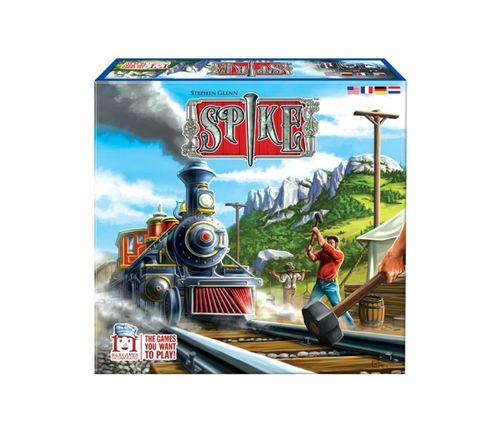
Spike
Spike Rulebook
Table of Contents
Table of Contents
Components
- 1 game board
- 12 Cargo tokens
- 12 Commodity price chips
- 4 High Score tiles (used if players go past the high score on the board)
- 3 Time Cards
- 36 Contract Cards
- 36 Route cards
- 60 Rail Cards (10 each of 6 colors)
- 22 Delivery Tiles
- 180 Tracks (45 of each color)
- 4 Locomotive pawns
- 4 Score pawns
- 4 sets of Train Cars in 4 colors. Each set consists of:
- 3 Engine Tiles
- 3 Coal Tender Tiles
- 3 Freight Car Tiles
- 4 Player Aid cards
Setup
- Place the board in the center of the table. Place the Time cards face-down on their spaces on the board. Flip the top one up to indicate you are in Round 1.
- Shuffle the Commodity chips and place them randomly face up in the boxes in the Commodity Market space on the board. Note that there are three rows — valued at 1, 2 and 3.
- Give each player all of the Train pieces in their color: Tracks, Locomotive pawn, Score pawn and Train Car tiles. Place the Score pawns for each player on the "0" of the score track.
- There are 36 double-sided Contract cards — 6 different contracts for each of the 12 commodities. Randomly take one of each type (12 cards) and shuffle them. Deal them out equally between the players. Choose to play using only the side dealt face up, or allow players to pick the side they prefer. Place all unused Contract cards back in the box.
- Give each player the matching Cargo tokens of the Contract cards they received. Place them on the corresponding Contracts. Place the red Delivery markers in a pile near the board.
- If playing with only two players, remove 3 of each type of rail from the deck before starting. Shuffle the Rail cards and choose a player to go first. Each player receives five Rail cards. The Starting player now chooses one Rail card from their hand to give to the player on their right. Players play in clockwise order beginning with the Starting Player.
- Deal four Rail cards face up to the table as a drawing tableau. Set the remainder of the Rail cards face down beside the tableau to be the draw deck.
- Shuffle the Route cards and deal one face down to each player. Players will score a bonus at the end of the game for connecting a route from the city at the top of the card to at least one of the other cities on the card.
- Each player, in clockwise turn order, places their Locomotive in a city of their choice. It is okay for 2 or more Locomotives to be in the same city. This Locomotive represents your train.
- Players connect their initial train tiles using the Engine with 1 arrow, the Tender with 2 cards and 1 Freight Car.
Explanation of Train Tiles
When your Locomotive is in a city you can use an action to upgrade a part of your train.
- SPEED: How many spaces your train may move on a turn. It is indicated by the arrows on your Engine tile and starts at 1.
- POWER: How many cards you can draw when you choose to draw Rail cards. It is indicated by cards on your Coal Tender and starts at 2.
- CARGO: Each Freight car carries one Cargo. You may dump a Cargo token back to your Contract card at any time to make room for new Cargo.
Playing the Game
On your turn, you may do one BUILD ACTION and/or a MOVEMENT ACTION.
Build Actions (Draw Cards, Build Rails, Upgrade Train)
A. Draw Rail Cards
Draw Rail cards from the face up cards and/or the deck. You must draw from 1 up to the total number of cards indicated by your Coal Tender. Once you have taken all of your cards, refill the face up cards to four if necessary. If you pick the last card of the deck, flip the next Time Card to indicate the next round and reshuffle (see Game Rounds & Time Cards, below).
B. Build Rails and/or Commodity Scoring
Players who have run out of tracks cannot choose this Action.
Your rail network begins in the city where you placed your train. Use your Rail cards to build tracks on the board connected to your network. A new city is one that is not yet connected to your tracks. When building track, you must build one of the following:
- New Direct Line: Connect from a city in your network to a NEW city.
- New Spur Line: Connect from your existing tracks to a NEW city.
- Spur Link: Connect two parts of your existing track with a rail link.
Each card you play must match the corresponding colored track on the board you wish to build. Any cards used to build track are discarded face up in a pile next to the Rail Deck.
It is illegal to build a branch off another player's track, and illegal to build track that doesn't connect to a city.
WILD Rail Cards: Any set of 2 or more identical Rail cards can be exchanged for one less of a different Rail card. You may exchange multiple WILD sets in one turn.
Examples:
- 2 Solid White Rail cards = 1 Rail card of your choice
- 3 Dashed Blue Rail cards = 2 Rail cards of your choice, and so on...
COMMODITY Scoring: If your track build reached a NEW city, you score its Commodity bounty. Check the value of the commodity in the new, connected city as indicated by the Market on the board. It will have a value of $1, $2 or $3. Immediately score those points on the score track. The price for that commodity then changes to $1. If the chip is on the $3 or $2 row, move that commodity chip down to the $1 row. Move the other chips in that column up to fill the empty slot. No other columns are affected.
Example: Jenn connects her rails to Norfolk and scores PIGS. She collects $3 on the score track and shifts the PIGS commodity chip down to the $1 slot. The other two chips shift up one spot each.
C. Upgrade Train (Only if your Locomotive is in a city!)
To upgrade your train, simply switch out your Engine or Tender for the next higher value or add a Freight car. Each type may be upgraded twice. The first upgrade costs $3. Subtract 3 from your score immediately. The second upgrade of the same car type costs you $5, again deduct 5 from your score immediately.
You are only allowed to upgrade one item and increase it one level per turn.
Movement Actions (Move Train, Load and Deliver Cargo)
A. Movement
Movement is always optional and must follow these rules:
- Your train can only travel on your rails, NEVER on another player's rails.
- Each piece of track or a city is considered to be one space.
- Trains move one space per arrow on your Engine tile.
- You may use all or part of your movement.
If you stop in a city, your movement is over for this turn. HOWEVER trains that are stopped in a city may do either or both of the following for free:
- Load the Commodity from that city onto an open Freight car.
- Deliver a Commodity to fulfill a contract.
Explanation of Cargo Loading and Delivery
These free actions can be done at any time on your turn when your train is in a city space.
Loading
Each city has a commodity icon. This is the ONLY type of Cargo that can be picked up from this city. When your train is in a city, you may LOAD your Cargo token that matches that city's Commodity. Place that Cargo token onto an empty Freight car in your train. You are allowed to dump a Cargo token from one of your Freight cars in order to make room for a new one. Place the dumped token back on the corresponding Contract in front of you.
Delivery
Deliveries represent your Railway opening a dedicated transport channel to a specific city. The Contracts show the various cities where a Commodity can be delivered and the money that you will earn for it. Each player can collect a delivery fee only once per city.
Example: If you have a Contract card that awards you $9 for delivering FRUIT to Topeka, and another Contract card that awards you $11 for delivering COWS to Topeka, you must choose either to deliver the FRUIT or the COWS to Topeka. It cannot be both.
Perform Deliveries as follows:
- Bring the Commodity to one city on the Contract and announce you are delivering it. This completes that Contract. Place the Cargo token back in the supply and score the corresponding delivery fee on the score track.
- Place one of the Delivery Markers over the city you delivered to on your Contract card and also on that city name appearing on any of your other Contracts. This is to serve as a reminder that YOU cannot deliver anything else to that city from any of your remaining Contracts.
Game Rounds & Time Cards
A round ends immediately whenever the Rail deck is exhausted.
End of Rounds 1 & 2
- Reset the Deck: Shuffle any remaining face-up Rail cards and the discard pile together to form a new draw deck.
- Finish Draws: If a player's draw was interrupted by the deck running out, allow them to finish drawing cards from this new deck now.
- Refresh Tableau: Deal 4 new Rail cards face up.
- Advance the Round: Flip the next Time Card face up to start the next round.
Setup for Round 3
Pick up all 3 Time Cards for shuffling into the final deck:
- Split the Rail deck roughly in half.
- Shuffle all 3 Time Cards face-down into one half.
- Place the other half on top to form the final Rail draw deck.
If a player draws a Time Card, place it face-up on the board and immediately draw a replacement. Once the THIRD TIME CARD is revealed, the game ends immediately.
Game End
The game is played over three Rounds. The game ends immediately during ROUND 3 when the third Time Card is revealed from the deck.
SPECIAL ENDING CONDITION — In the event that, at the end of their turn, a player (a) has placed all of their track, and (b) has exhausted their delivery options, then each other player will get one more turn and then the game ends.
Players now reveal their Route cards. Players score this card only if they have track touching the Start City at the top of the card.
- Score the value of the furthest city on your Route, provided it and ALL preceding cities are connected back to your Start City.
Example: Jon's rails start in Indianapolis, connecting to Raleigh, Columbia, Jacksonville and Tampa. He scores $10 total.
The player with the most money wins. If tied, the player with the most connected cities wins. If still tied, whoever has the most unplayed track remaining wins the game.
Advanced Play
For a more strategic experience, try these changes to the setup.
- Allow players who complete all their Contracts to opt to draw a random extra one to complete from the box for a cost of $3.
- Deal out two Routes and allow players to select one to keep as their Route card. Discard the other Route card to the box.