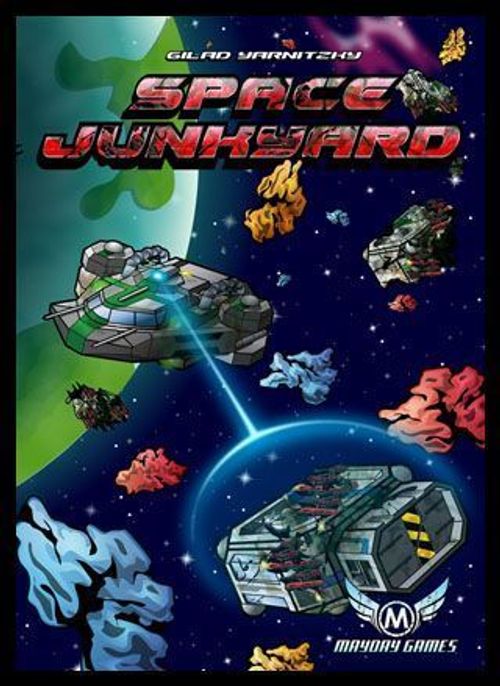
Space Junkyard
Space Junkyard Rulebook
Table of Contents
Table of Contents
Introduction
Flying through the asteroids, you collect spaceship sections and connect them to your ship, thus improving your ship. The player who best improves his ship when all the tiles are used is the winner of the game.
Components
Resources
There are three resources in the game:
- Radiation (Yellow) – Provides you with the energy you need to power your ship and all its sections.
- Carbon Ore (Blue) – Provides you with materials needed for the maintenance of all the ships systems.
- Metal Alloys (Red) – Provides you with the raw materials to repair and fuse in ship sections to your ship.
Game Tiles
There are two types of game tiles.
- Asteroids – Asteroids represent raw materials floating in space that can be refined by the player. The number and type of resources are shown by the number of asteroids and their colors. (Example: there are two resources, one carbon and one radioactive.)
- Ship Sections – These tiles represent damaged sections of ships that have been abandoned in the space junkyard which the player can use to add to his ship. This will increase the ship's abilities and value.
There are up to four attributes that each ship section can have. The color of the icon shows the resource it refers to.
- Create Icon gives the player the ability to add a resource once per turn. If there is a "/" between 2 resources, then the player must choose only one of them to produce.
- Store Icon gives the player the ability to store resources for the player. You can only store 1 resource per icon of the appropriate type and color.
- Recycle Icon shows the type and amount of resource that can be created by recycling the ship section.
- Convert Icon gives the player the ability to change one resource type into another. The left side is the needed resource while the right side is the resource that is produced as the end result of the conversion.
A ship section might also have a victory point value marked in the middle of the tile by a green hexagon with a victory value noted inside. See example.
In order to connect a spaceship section, there are resources that are needed in order to fix the ship part and make the connection. Those resources are marked in the middle of the corridor section of spaceship.
Example: the tile shown:
- Can store two carbon resources.
- Can change one radioactive resource into one carbon.
- Is worth two radioactive resources and one carbon as scrap.
- Is worth 1 victory point.
To connect this section: Left side needs 1 Carbon resource. Right side needs 1 Metal resource. Lower side needs 1 Radioactive resource.
Starting the Game
Each player selects a color and takes the spaceship marker of that color, along with a ships bridge marker. The tiles are turned face down and shuffled. 36 tiles are selected (still face down) and laid (face up) in a 6x6 formation on the playing area map. The rest are kept face down to be used during the players turn.
Decide who is the first player and starting from that player each player places his spaceship marker on one of the corners of the map (marked with green circles) that does not already have a spaceship, and places the ship bridge in front of him.
The Turn Sequence
The turn is constructed from 4 phases that a player does and then the turn passes to the player on his left.
- Resource: collecting resources and storing them.
- Movement: moving the ship in space.
- Retrieving: Retrieving asteroids or ship sections.
- New tile: New tiles enter the game area, move the current tiles and might take your ship along for the ride.
Resources
All spaceship sections that can produce resources produce only one specific resource at a time. The spaceship sections are marked with the create sign, and produce resource according to the indicated color. If the resources are marked with a "/" sign, then only one of the two resources is produced, which resource to produce is decided by the player.
Spaceship sections that can convert resources are marked with the convert arrow, where the resource color marked by the arrow tail is converted into the resource marked by the arrow head. Only resources that are already present on the ship can be converted. All the resources owned by the player must be stored on the spaceship sections that have storage area. Each section that can store resources is indicated by store icons with a specific color for each resource it can store.
Example: the bridge can store two resources of each type. Place the resources on the appropriate spaceship section for later use. If there is no place to store the resources then discard the surplus resources.
Movement
The player can move his spaceship up to 3 adjacent spaces (not diagonally) without any cost. Once per turn, for the cost of one radioactive resource, the player can move his spaceship an additional three spaces. The player cannot move into a space that already has another player's spaceship.
During the movement, if a player lands on a spaceship section or junk he wants, he can collect it according to the retrieving junk section and continue his movement afterward.
Retrieving Junk
During a turn a player can collect 2 asteroids tiles or one spaceship section tile.
Asteroids
The player collects resources as marked on the asteroids tile and stores them in the spaceship. The storing rules that were applied at the collecting resources stage, apply here also.
Spaceship Sections
When a player collects a spaceship section he has two options:
-
Collect it as asteroids, and get its resource worth as noted on the section. For each recycle icon marked on the section, the appropriate resource indicated by that color is collected. Resources collected must be stored as written in the resources rules section.
-
Connect the section to his spaceship. In order to connect the section to his ship he must (i) have a place to connect it to, (ii) have enough resources to fix the two adjacent sections at their joined edge.
The player pays the resources indicated on both tiles to be joined and joins the section. From the next turn he will benefit from the section special attributes, if there are any. The section can be rotated any way the player wishes. (Example: the player needs 1 radioactive, 1 metal and two carbon resources to connect the two sections.)
-
If a section is adjacent to two ship sections that need repair then they all need to be connected and all the resources must be paid in order to connect that specific section. (Example: the bottom right section cannot be connected because it does not connect to the bottom left section.)
New Junk
In the last phase of the turn a new tile enters the map and by that it pushes existing tiles. The player turns up a tile from the side stack and selects from where to push the tile into the board. This will cause the movement of an entire row or column in one direction including all spaceships that are on that specific row/column. If a tile is moved outside the 6x6 map section it is removed from the game.
If a ship is removed from the map, it can return next turn on any space on the map on the same side of the map it was removed from, but only at the border row or column. If a tile is moved outside the 6x6 map section it is removed from the game.
A tile cannot be entered at exactly the opposite side of a tile that was entered for a full round.
(Diagram: new tile, ship return side, discard, not allowed.)
End of Game
The game ends the moment the last tile is added from the side stack onto the board. At this point, scoring is done. The player with the most points is the winner of the game.
Scoring
The base score value of each spaceships section is the value indicated in the middle by a green hexagon. If there is no value the base score is "0". For each section the following modifiers are applied:
- -1 if not all exits are connected.
- -1 for each opening it has that is not connected to another spaceship section.
Example: the victory value is: Bottom left section: No victory points. Top left: 4 – 1 (not all opening closed) – 2 (two opening not closed) = 1 victory point. Top right: 2 victory points (no penalties). Bottom right: 1 victory point (no penalties). A total of 4 victory points.
Optional Rules
2 Player Game
Remove 16 random game tiles to make the game length a bit shorter.
Smaller Board
Use a 5x5 board with 3 or 4 players. This will make the game a bit longer and more intensive.
More Junk
On the "New junk" phase, enter an extra second tile, if the player took two asteroids tiles. Otherwise there is no difference.
Less Empty Space
When entering new tile slide all the tiles as before only until a space is encountered. Tiles after the space are not moved. This will cause the board to be a bit denser and will reduce the removal of tiles from the game.
The optional rules can be combined as the players see fit.
Ship Marker Assembly
The print-and-play file includes the tiles, resources and ship markers; assembly instructions for the ship markers are printed on the last page.