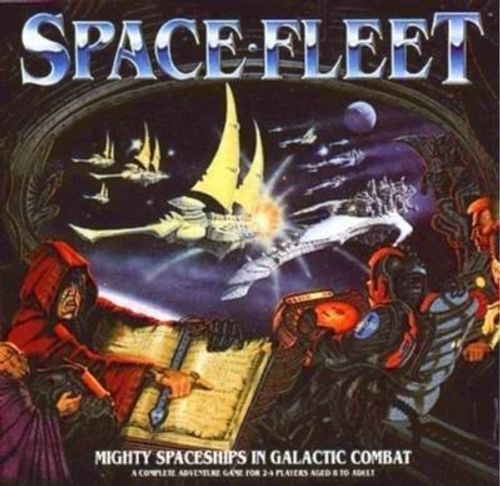
Space Fleet
Space Fleet Rulebook
Table of Contents
Table of Contents
Setting Up
Set up the 6 floorplan sections so that the middle squares are the ones without planets.
Each player chooses and assembles a spaceship. The printed illustrations of the ships are labelled IMPERIAL and ELDAR.
Each player takes a Helm Computer and a Combat Display.
Each player takes 12 shield tokens (green), 4 damage tokens (red) and a helm control token.
Combat Display
The Combat Display has four areas, labelled Front Fire Arc, Left Fire Arc, Right Fire Arc and Rear Fire Arc. The symbol in the centre of the Combat Display represents your ship.
Helm Computer
The Helm Computer has three rows of moves:
- Battle Speed: Bank Left, Evade Left, Full Ahead, Evade Right, Bank Right.
- Cruise Speed: Veer Left, Sidestep Left, Forward, Sidestep Right, Veer Right.
- Dead Stop: Left Turn, Battle Stations, Right Turn.
A key on the Helm Computer shows your ship's final position for each move and your ship's starting position.
Tokens
- Helm control token.
- Shield token.
- Damage token.
Shields
Design your spaceship defences by placing the shield tokens on one, some or all of the 4 areas shown on your Combat Display - front, rear, left or right. These are your protection against your opponents' fire power! You can divide your 12 shields between the 4 areas in any way you like, but once placed you cannot change their position. Shields only defend against shots from the direction they are placed on. So if you put all your shields on the front of your ship, you will be very difficult to destroy head on, but very weak if attacked from the rear or sides.
Damage Tokens
Place the 4 damage tokens in the middle of your Combat Display.
These represent the vital engines and systems in your ship. When all your shields are destroyed your ship takes damage when it is hit. When you have no damage tokens left your ship explodes and is removed from play.
Finally place your helm control token on the Battle Stations square of your Helm Computer.
Starting Positions
Place your spaceships on one of the four corners of the board.
Winning
The aim of the game is to command the last surviving spaceship at the end of the battle!
Play
The order of play in Spacefleet is as follows:
- Move
- Fire
1) How To Move
All the players move at the same time. Conceal your Helm Computer from the other players and decide which move you want to make. You can choose any move on your Helm Computer. When you have chosen your move, place your Helm Computer token on that space on your Helm Computer.
How Does Movement Work?
For each move on the Helm Computer, there is a starting position and a final position. The start square is indicated by a green arrow, and the red arrow shows your final position.
The direction the red arrow is pointing indicates the direction your ship ends up pointing at the end of the move.
Examples of Movement
- Stay in the same square, but turn to face left.
- Go forward 2 squares, jump one square to the right and turn to face the right.
- Stay still.
Once you have all chosen where to move, and placed your Helm Control token on the new positions on your Helm Computer, you reveal your move and everyone moves their ships. After everyone has moved, you may be in a position where you can fire at an enemy ship. If any ships end up on the same square, then see the rules for RAMMING! Any ship that moves off the board is out of the game.
2) How To Fire
Weapons
Your ship has a deadly keel gun (most effective at long range) which fires forwards. Your ship also has a battery of guns on each side to fire devastating broadsides at close range. For details of range and damage see the Weapons Chart on the inside of the box lid.
Fire Arcs
The symbol in the centre of your Combat Display represents your ship, and the shaded areas show which squares can be fired at by your keel gun, or by your side batteries.
Firing
You may only fire once per turn.
Look at your Combat Display and see if any of the other ships are within your fire arcs. If they are, check the Weapons Chart to see if they are in range. If they are, then choose which one you wish to attack and roll the number of dice indicated in the combat tray.
Rolling the Dice
Dice are rolled in the box lid. Hold the dice about 30cm above the centre square and drop them into the box. Dice that land on a line between two squares count as being in the square that holds the greater part of the dice. Any dice that bounced out of the box have missed.
Damage
Any dice that land in a 'hit' square in the tray destroy one shield from your opponent's ship on the side you are firing at. So, for instance, if you are firing at the right side of your opponent's ship, only shields on that side are effective against your attack, and other shields have no effect. If you are firing at a side of your opponent's ship that has no shields left then every hit removes a damage token. When all damage tokens are removed, the ship explodes and is out of the game.
Because of the distances involved in firing across space, all firing is treated as simultaneous. So if you blow up your opponent, he still gets a chance to fire back, as he launched his missiles before yours hit his ship.
Critical Hits
Any dice landing on a 'Hit' square and scoring a 6 cause a Critical Hit. Critical Hits destroy shields or cause internal damage as normal, but you also get to roll a dice and look up the result on the critical damage chart on the side of the Combat Tray.
Ramming
If two ships end up on the same square there is a ram:
Each player looks at his Combat Display to see which side he has been rammed on. You then roll 4 dice in the Combat Tray for a ram attck against your opponent. He does the same to you! Damage is resolved as normal.
Printed as "attck" in the source.
If both ships survive the ram then one of them must be moved as you can't have two ships 'stacked' together in the same square. To see who has to move out of the ram square, each player rolls a D6. The player who rolls the highest stays in the ram square, and puts the other ship in any one of the 8 squares which touch the ram square.
The squares around the ram square are numbered 1 to 8, starting at the top left and running clockwise: 1, 2 and 3 across the top row, 4 on the right, 5, 6 and 7 across the bottom row (right to left), and 8 on the left.
Hitting Planets
Ships may not enter a planet square. If your chosen move would land you on a planet, stop one square short of the board and take 4 dice of ramming damage on your front arc.
Printed as "short of the board" in the source; the sense is presumably one square short of the planet, but the text is transcribed as printed.
Expanding Your Game
If you have a number of friends who each have a copy of Spacefleet, you can put the board pieces together for a bigger game with more players.
Weapons Chart
Printed on the inside of the box lid.
In the 41st Millennium, the vast warships of the Imperial fleet and its enemies are armed with huge batteries of devastating weaponry. In the game these weapons are described as either Keel Guns or Broadsides. Keel Guns can only fire forwards and are best at long ranges. Broadsides fire only to the left or right and are most effective at close quarters. The different characteristics of these weapons are summarised on the table below. Simply cross-reference the weapon you wish to fire with the range of the ship and drop the number of dice shown into the combat tray.
| Weapon | 1 square | 2 squares | 3 squares |
|---|---|---|---|
| Keel Gun (fires straight ahead only) | Roll 1 dice | Roll 2 dice | Roll 4 dice |
| Broadside (fires side-ways only) | Roll 3 dice | Roll 1 dice | ---- |
Critical Damage Chart
Printed on the side of the Combat Tray.
When firing at an opponent, if a dice lands in a "HIT" square and scores a 6, you have inflicted a critical hit. Your fire has punched straight through any remaining enemy shields and hit the vessel itself. Roll a dice and follow the instructions on the chart below. Note that your opponent may still keep any shield counters he has left.
| Dice roll | Result |
|---|---|
| 1 | HELM COMPUTER DAMAGED - Your fire has hit the targets bridge, inflicting temporary damage on the navigation computer. The stricken ship cannot change its orders next turn but must perform exactly the same manoeuvre as it did this turn. If this takes it off the board it is out of the game, otherwise it is then repaired. |
| 2 | FIRE CONTROL DAMAGED - Your fire has damaged the computers controlling your opponent's targeting system. Hurried repairs must be made, and your target may not fire next turn. |
| 3 | INTERNAL EXPLOSIONS - Penetrating the shields of the target vessel, you see immense gouts of flame shoot from deep within its hull. The target vessel loses one damage counter. |
| 4 | SHIELD GENERATORS HIT - You see your target's energy shields flicker and vanish on the side where your fire went home. Your target must remove all shields on the facing which was hit. |
| 5 | ENGINES DAMAGED - A well placed shot bursts through your target's shields, showering molten metal in its engine room. As the engineers struggle to regain power, the ship grinds to a halt. Go to battlestations for next turn only. |
| 6 | FIRE! - Your shot wreaks havoc throughout the enemy ship. Fires blaze from the bows to the stern. Your opponent must roll a dice: 1-5 - Lose a shield from each side (if you have them); 6 - Kaboom! Ship destroyed. |