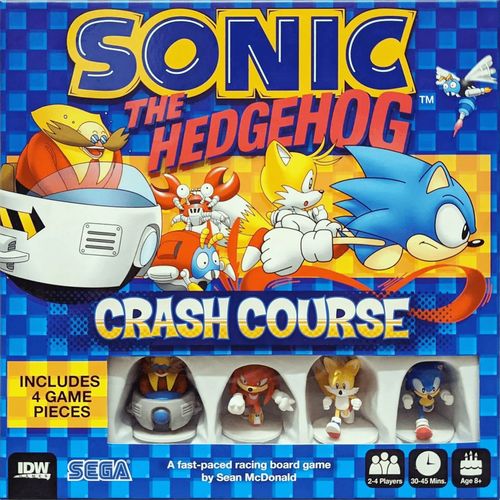
Sonic the Hedgehog: Crash Course
Sonic the Hedgehog: Crash Course Rulebook
Table of Contents
Table of Contents
Components
- 4x Character Minis
- 7x Track Tiles
- 3x Shortcut Tiles
- 10x Rings
- 10x Boosters
- 10x Springs
- 10x Crabmeats
- 5x Bombs
- 5x Bumpers
- 10x Motobugs
- 24x Flicky Bird Tokens
- 12x Damage Tokens
- 4x Power-Up Tokens
- 4x Character Boards
- 1x Reference Board
Setup
- Find a nice, wide surface area to play on. Place all Item Tokens face down on the surface, shuffle them up, then move the tokens to one side of the playing area.
- Place the Flicky Bird, Damage Tokens and Power-Up Tokens in a pile to the side of the playing area accessible for all players, then separate the Track and Shortcut Tiles (featuring a Tunnel/Loop).
- Place Shortcut Tiles to the side of the playing area.
- Remove the 2 Starting Track Tiles (featuring a Star symbol), then place the remaining Track Tiles face up to one side of the playing area.
- Place the 2 Starting Track Tiles you set aside in the center of the playing area connected together, with Star spaces touching.
- Each player chooses a Character mini and matching Character Card, then places the Character mini facing towards, but not on, the Track Tile with no arrows or Spikes on it. This is the starting line.
- Turn order begins starting with the player that was last in a race. After their turn, play proceeds to the player on their left.
Character Abilities
The following text is printed on the Character Boards. Each player's Character Board is the Character Card referred to in Setup.
- Sonic: +1 Flicky Bird when Sonic combos two Boosters together using one move action.
- Tails: When using the Spring, Tails gains: +1 Flicky Bird when jumping over 3 obstacles; +2 Flicky Birds when jumping over 4 obstacles.
- Knuckles: +1 Flicky Bird each time Knuckles uses a Tunnel or a Loop, and +1 Flicky Bird for each Tunnel or Loop laid as part of that action.
- Eggman: +1 Flicky Bird when any one player takes 2 damage from any combination of Spikes, Crabmeat, or Buzz Bombers during Eggman's turn.
On Your Turn
Players each take turns in the order determined during set up. When it is your turn, your Character is considered an active Character. Active Characters must do 3 total actions. Actions must be done in the following order, and they cost 1 action each:
STEP 1: Draw an Item Token at the start of your turn, based on your current placement.
STEP 2: Spend up to 3 actions to do the following:
- Fix Damage (costs one action each)*
- Move (costs one action each)
*To spend an action to Move, all Damage to your Character must be fixed first using your available actions (your Character Tile has no Damage Tokens on it). Damage can be taken during your turn, in which case you still must Fix the Damage using your available actions, if any, to continue to use Move actions that turn.
The following can also be done during your turn and do not cost actions:
- Draw an Item at the Start of your Turn (based on your current placement)
- Using an Item during your turn.
- Laying a Shortcut tile.
- Laying a new Track Tile.
IMPORTANT: For the very first move on to the starting Track Tile at the beginning of the game, players can choose to enter by moving on to any of the 3 immediate spaces on the Track Tile edge closest to them.
IMPORTANT: When you take Damage by any means, place a Damage Token on your Character Tile, up to a max of two Damage.
Once you've completed all 3 actions and passed on your chance to play Items, the next player in the determined turn order begins their turn.
Note: Or Fix any Damage taken during your turn from movement.
Actions
This is a detailed overview of the available actions and the ramifications that can result from these actions.
Fix Damage
Various items or obstacles will cause your Character to take Damage, represented by placing a Damage token on one of the two matching spots on your Character Tile. Each Character can take a maximum of 2 Damage, and then no more can be inflicted on them. Each 'Fix' action fixes 1 Damage on the Character, removing 1 Damage Token from their Character Tile. You can do this as many times as you have actions available. A Character must be completely clear of Damage in order to Move, therefore if a Character has any amount of Damage, they must use their actions to fix all their Damage before doing anything else during their turn.
IMPORTANT: Even when a Character has taken 1 or 2 Damage, they can still be pushed forward by other players or bounced back, however they will not take any further Damage from track obstacles if their Damage is maxed out.
Example: Sonic has 1 Damage at the start of his turn, he must use 1 action to fix his 1 Damage before taking any other actions on this turn. After fixing his Damage, Sonic uses 1 action to move 1 space. Luckily for him, this space contains a Booster, which shoots him forward 2 spaces!
Not as luckily, he ends up in a space with spikes. This deals Sonic 1 Damage. Since Sonic has taken a Damage again, he uses his last action to Fix Damage and ends his turn.
Move
When a player moves, they can only move forward into a space directly ahead in the same lane or diagonally forward left or right. In the corner Track Tiles, they can only move to adjacent spaces that propel the player closer to the end of the track.
When an active Character moves into a space occupied by an inactive Character, move the inactive Character forward 1 space along the same lane they are in, regardless of what direction you move into their space from. This can occur multiple times in a turn if the player has the actions allowing for it. If the inactive Character is pushed into a space containing another inactive Character, then that Character is also pushed forward along their current lane. If inactive Characters are pushed into a space containing obstacles or items, those obstacles or items act as they normally would, either damaging the Character, or boosting the Character forwards (see Items for more information on the Booster).
Example: Sonic, as the active Character, moves into a space which currently contains Knuckles. Knuckles gets pushed 1 space forward. If Sonic continues to move forward again, Knuckles will be pushed forward again too.
Example: 1) Sonic, as the active Character, moves into a space which currently contains Knuckles. Knuckles gets pushed 1 space forward, but that space currently contains Eggman!
-
Eggman must also move forward 1 Space. Eggman is pushed into a booster, which pushes him forward 2 spaces.
-
If Sonic continues to move forward again, Knuckles will be pushed forward again too. While Eggman wouldn't be affected by Sonic's move, when Knuckles was pushed forward by the booster, he would end in Eggman's space, and Eggman would be pushed forward again.
A Character takes 1 Damage when they move into a space with Spikes or Crabmeat. If a player uses a Spring or Bumper Item to jump into or over a space containing a Buzz Bomber, they take 1 Damage and end their movement in that space. However, Characters can move or run into or out of a Buzz Bomber space normally without taking damage.
Reminder: Players may spend their Actions to Fix Damage after receiving it any time within their turns - however they can't continue to move until the Damage is fixed.
Items
A player draws an item at the beginning of each turn. How a player draws that item is based on their current position at the start of their turn: a player in first place draws 1 item to immediately keep, a player in last place draws 3 items and chooses only 1 to keep, and players that are between first and last place ('middle' placement) draw 2 items and choose only 1 to keep. Any drawn Items (other than Rings) not chosen are shuffled face-down back into the Item Token pile. Note that there are special rules for drawing the Ring item, which are explained in greater detail in the Item description section.
The player whose Character is closest to the end of the track is in first place, and the one furthest back is in last place. Everyone else is in a middle position. If players are tied, they share the higher placement.
Players can only hold up to 2 items and can hold them for as many turns as they choose. When items are drawn and examined, they are placed face-down in front of the player and can be looked at by that player at any time. If a player has 2 items and wants to draw another item at the start of their turn, they must discard an item first.
There are two types of items:
- Green background - when used, place it directly on the track.
- Orange background - after using its ability, discard it immediately.
IMPORTANT: You can only place an item on an empty space on the track, meaning a space that does not contain any Item, Spikes, Buzz Bombers, or Characters, including your own Character.
IMPORTANT: Discarded items are placed in a discard pile away from the area of play. Should ever the Item Token pile not have enough items to adequately draw from, flip all Item Tokens in the discard pile face-down, and then add them to the Item Token pile, then shuffle the newly created pile.
Item Rules
The different types of items are the following:
Motobug
ABILITY: Causes 1 Damage each to all Characters ahead of you in the same lane as you currently, even if the lane goes around corners. This item damages players from back to front in that order. The Motobug moves over all obstacles in its path without effect, unless it encounters a Crabmeat item - If it is about to move into a space with a Crabmeat, both the Motobug and the Crabmeat items are immediately discarded.
Bomb
ABILITY: Causes 1 Damage each to all Characters on a single Track Tile (including yourself if you're in the chosen Tile) of your choice. Can be played in ANY Track Tile in play. All Items on the chosen Track Tile are also discarded.
Bumper
ABILITY: Bounce any one Character of your choice (including your own) 2 spaces back in their current lane, skipping over everything between their starting position and where they land. Reminder: Items with an orange background are not placed on the track..
IMPORTANT: You can use this item on yourself, which can be strategically viable in some scenarios. If a bumper is ever going to push a Character off the back of the course, the Character moves as far back as possible and stops. They do not place a tile behind them, they do not move off the course.
Spring
ABILITY: When used, place it in any empty space anywhere on the track. When a Character moves into a space with a Spring, they launch forward, skipping over any number of ground-based obstacles (Spikes, Crabmeat, or other Characters), and land in the first available space - meaning a space that's empty or has a Booster, Spring, or Buzz Bomber (you cannot jump over a Buzz Bomber but can land on one, taking damage). A Spring with no obstacles directly in front of it is ignored, except when you add a Track Tile that causes an already existing obstacle to be in front of it. Landing on a Spring cancels any active Booster effect.
Booster
ABILITY: When used, it is placed in any available empty space anywhere on the track. When a Character lands on a Booster, they must immediately boost ahead 2 Spaces in the same lane the Booster was placed in. Landing on this item ends any previous Booster effect.
EXAMPLE: Sonic moves into a space with a Booster, which pushes him forward 2 Spaces. If the next available space was another Booster, it would push him forward another 2 Spaces. The total number of spaces traveled due to the 2 Boosters' is 3 Spaces. This is because when Sonic landed on the second Booster the boost effect granted by the first Booster was cancelled. He then resolved the second Booster's effect.
Crabmeat
ABILITY: When used, it is placed in any available empty space anywhere on the track. When a Character lands on a space with Crabmeat they must immediately take 1 Damage. Crabmeat can be removed from a track by being damaged by Motobug or Bomb items. Landing on this item ends any previous Booster effect.
Ring
ABILITY: Rings are unique items that do not follow the standard item rules. Unlike the other items, you can hold up to 3 Rings at once and they do not count towards your total held item allowance. In addition, whenever Rings are drawn, you automatically take all drawn Ring items into your possession along with any remaining item of your choice. If all drawn items are Rings, then you simply take them all. Any Rings drawn after you already have 3 (or a Power-Up Token) in your possession are discarded.
When you have 3 Rings in your possession, discard the Rings to gain a Power-Up token (matching the head of your Character).
Rings and Power-Up Tokens
Power-Up Tokens
ABILITY: Power-Up Tokens can be used in 2 ways:
- You may spend a Power-Up Token to negate 1 Damage taken at any time and by any means, and you may choose when you wish to use the Power-Up Token to negate the Damage.
- Power-Up Tokens can also be spent to Spin or reorient the last Track Tile in play, keeping all items and players in the spaces of said track undisturbed, and the track continuous. This may help you set up a Shortcut or disturb player order and item layout.
NOTE: If your Character is damaged by an item before you can collect an Power-Up Token, you lose all Rings in your possession. Place the Rings in a stack on any empty space in the Track Tile behind you. If there are no empty spaces available on the tile (or no tile at all), discard the Rings.
Playing Track Tiles and Using Shortcuts
When a Character moves off the last Track Tile in play, they must immediately place 1 Track Tile of their choice from the available pile that is to the side of the play area. The active Character may orient the new Track Tile however they like, as long as the course remains continuous - walls and grass must align, with the dark green grass forming an unbroken line. Only regular Track Tiles are used for this; Shortcut Tiles (with tunnels and loops) are placed differently and are not used here.
The first Character to move onto a newly placed Track Tile gains a Flicky Bird Token.
The active Character always chooses which Track Tile to place and its orientation. However, if an inactive Character is forced onto a new Track Tile (for example, through a bounce or push), they still cross onto it first and therefore collect the Flicky Bird Token.
Players never gain a Flicky Bird for placing a Shortcut Tile, except when using Knuckles' character ability. Shortcut Tile placement is explained elsewhere in the rules.
If the pile of Track Tiles runs out, Characters who need to place a new Track Tile must take one from the far end of the track. Items stay where they are on the tile and are not disturbed. The tile is moved to the front of the course and oriented as normal, maintaining course continuity.
Example: On his turn, Sonic enters the same space as Knuckles. This pushes Knuckles forward 1 space into a Booster that, in turn, pushes Knuckles forward another 2 spaces, but halfway through the boost he has reached the end of the current Track Tile and cannot continue moving. Since Sonic is the current active Character, he chooses which Track Tile will be next and places it in front of Knuckle's current Track Tile. Knuckles will now complete his boost onto this tile. Since Knuckles has met the objective of moving onto a new Track Tile, he is awarded a Flicky Bird.
Example: During his turn, Sonic reaches the end of his current Track Tile, but still has actions and wishes to move forward. Since he's in the lead, he must pick any Track Tile from the Track Tile pile and place 1 in front of him as the next Track Tile for the course. He picks 1 and places it so that the Track is extended (notice the walls and grass align). Sonic gains a Flicky Bird for being the first Character to move onto the new tile.
Example: Sonic has reached the end of the course, but there are no Track Tiles in the Track Tile pile. So, Sonic Grabs the last Track Tile in the course and places it in front of this Current Track Tile, orienting it as he wishes as long as the walls and grass align. He then continues to use actions to move forward, awarding him a Flicky Bird.
Shortcuts
You can make a Shortcut in two ways:
- Placing one or many Shortcut Tiles in a way that connects the arrows on the Track Tiles.
- Laying two straight Track Tiles side by side with their arrows aligned.
Any player can create a Shortcut on their turn as long as it forms a continuous path between two arrow spaces. Shortcut Tiles must connect to Track Tiles already in play and cannot be placed unless they fully connect from one arrow space to another.
IMPORTANT: You can only create a Shortcut if your Character is on an arrow space and will be able to immediately use a Move action on your turn to use it. You can use as many Shortcut Tiles as available to form a continuous path between any two arrow spaces on the Track Tiles in play.
Once the Shortcut is created, it remains on the track and any player can use it - until removing a Track Tile breaks the Shortcut connection, then the Shortcut Tiles are returned to the play area to be used again. Moving through the Shortcut - from one arrow space to the connected arrow space - always costs just 1 move action, no matter how many Shortcut Tiles are in the path. Making a Shortcut is free and does not use an action..
Mega Jump
Track Tiles can occasionally run perpendicular into the side of another Track or Shortcut Tile as the track is being built. When this happens, the intersecting Tile becomes a 'Mega Jump'. Players that move off the 'Mega Jump' Track Tile will first place a Track Tile on the first available free space in a straight line directly across from the Mega Jump before finishing their movement.
IMPORTANT: Players can be pushed into a Mega Jump and will land in the corresponding Track Tile on the other side. They can also be bounced back across it via the Bumper item.
Shortcuts start and end at arrow spaces on most straight Track Tiles.
Winning the Game
Once a player collects the required number of Flicky Bird Tokens - earned by placing new Track Tiles or through character abilities - their goal shifts to crossing the finish line. To do this, they must move their Character off the edge of the most recently placed Track Tile. The first player to cross the last Track Tile - the finish line - with enough Flicky Birds wins the game.
IMPORTANT: Only players who have collected all their required Flicky Bird Tokens can cross the finish line. For players who haven't, moving off the newest Track Tile is treated as a regular move, not a win condition, and they continue to add a Track Tile as normal until they have also collected the required amount of Flicky Birds."
IMPORTANT: The finish line is not fixed - it moves forward every time a new Track Tile is placed. This means the finish line can keep moving farther away if other players place Track Tiles before you reach it.
There is also a secondary way to win: if the Track Tile pile is empty and a player must take a tile from the far end of the track, but another Character is still on that tile, the player attempting to remove it immediately wins the game.
The number of Flicky Bird Tokens needed depends on the player count:
- 2-player - 10 Flicky Birds
- 3-player - 7 Flicky Birds
- 4-player - 5 Flicky Birds
2-Player Variant
In addition to chosing a main Character mini to play as, players also choose a Side-Kick Character to control.
Each Character you control takes its own turn. Turns alternate between players, with main Characters going first, followed by Side-Kicks. For example: Player 1's main Character takes a turn, then Player 2's main Character, then Player 1's Side-Kick, then Player 2's Side-Kick.
To reach the finish line, players must collect a total of 7 Flicky Birds combined between their main Character and Side-Kick..
Beginner Rules
The Beginner Rules introduce a simplified version of Sonic Crash Course that can be used as an introduction to the game, or for those who just want to play a quick and simple version!
Beginner Components
- 7 Track Tiles (Do not use the Shortcut Tiles featuring a Tunnel and Loop
- Crabmeat, Booster, and Ring Item Tokens
- Character Tiles (Ignore special abilities)
- Character Minis
Put all other components back into the box. They will not be used in this version.
Beginner Setup
- Build the Track
- Shuffle the grass-faced track tiles.
- Players take turns placing one tile at a time to create a connected path.
- After all tiles are placed, choose one end of the track as the Start, and the opposite end as the Finish.
- Place Item Tokens
- Shuffle the Item Tokens (Crabmeat, Booster and Ring items only) face down.
- For each Track Tile, place two tokens face-down on empty spaces (spaces without Spikes or Buzz Bombers).
- Placement can be done cooperatively or turn by turn.
- Select Characters
- Each player chooses a Character mini and places it facing but just off of the Start tile.
- It is not placed on the Start Tile until the player begins their turn by moving on to it.
- Determine player turn order.
Beginner On Your Turn
- Move up to 3 spaces, one at a time.
- Movement must always be forward, including diagonally. No backward or sideways movement.
- If you move into another player's space, bump them forward one space.
Beginner Items and Hazards
When entering a space with a face-down item, flip it before stepping in:
- Ring - Keep it. It can cancel a single damage once each, used any time.
- Booster - Instantly move 2 spaces forward, but must remain in the same lane.
- Crabmeat - Take 1 damage. Negates any Booster movement.
Spikes and Buzz Bombers also deal 1 damage when landed on.
Once revealed, Booster and Crabmeat stay on the board.
Rings are removed when collected by the player that revealed them.
Beginner Damage and Recovery
When damaged:
- Lay your pawn on its side.
- Skip your next turn.
- On the turn after, stand your pawn back up.
- If you have a Ring, you may discard it immediately to recover without losing your turn.