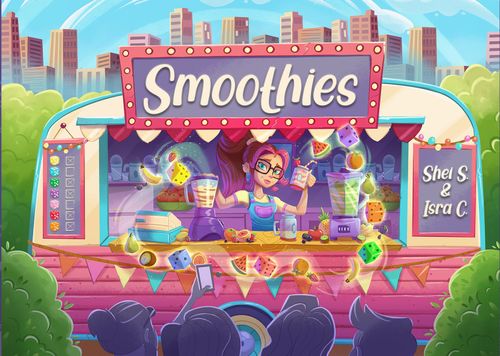
Smoothies
Smoothies Rulebook
Table of Contents
Table of Contents
Components
1 pad of Scoresheets, 7 Dice, 4 pencils and this Rulebook.
Setup
- Place the bottom of the box and the lid together side by side in the centre of the table, the longest edges touching, as shown in the illustration. From now on they will be referred to Blenders (Round and Square).
- Place the 7 dice next to the Blenders.
- Each player takes a Scoresheet from the pad and a pencil.
- Each player notes down on their Scoresheet the minimum number of times he has to use a fruit to score at the end of the game. This number varies depending on the number of players:
| Number of players | 2 | 3 | 4 |
|---|---|---|---|
| Minimum number | >6 | >7 | >8 |
Playing the Game
The Starting Player will be the person who most recently used a blender and they will start the game. Smoothies is played in turns. When the 2 phases of a turn are completed, the turn passes to the next player in a clockwise direction and so on. The 2 phases of a turn are as follows: Phase 1: Active Player and Phase 2: Passive Players.
Phase 1: Active Player
On your turn, as the Active Player you must carry out the following steps:
a. Roll the dice
Take the 7 dice in one hand or altogether in two hands, place your hand(s) a little above the middle of the two Blenders, i.e where the two boxes join, and drop all the dice. This will cause the dice to divide between the two Blenders. If one of the Blenders has less than 2 dice or if some of the dice have fallen outside of the Blenders, roll all the dice again.
b. Choose a Blender
Once the dice are distributed correctly between the 2 Blenders, you must choose one of them and cross out on your Scoresheet as many boxes as dice that are present in that Blender (from left to right), in the chosen Blender Row (Round or Square). If the number of dice is more than the number of boxes still available, simply cross out all of the remaining boxes of that Blender. You can never choose a Blender if you have already crossed out all of its boxes (that includes the dark grey boxes which have negative points).
Important: You must cross out as many boxes as dice that are in the Blender of your choice, regardless of the number of dice that you intend to use later (see the following point).
c. Choose die/dice from your chosen Blender
Finally, you must pick any number of dice from the chosen Blender, add up the total value of those dice and cross out in that column (i.e the column which corresponds to the total value) the boxes of each of the colours of the dice that you used to reach that sum.
Players can choose the dice of any combination of colours to reach their total value, even if one or more of the boxes have already been crossed out on previous turns (the effect(s) of boxes previously crossed out are NOT repeated).
Antonio rolls the dice in the Blenders, 3 fall in the Square Blender and 4 in the Round one. Next, he chooses the Round Blender and crosses out 4 boxes in the Round Blender Row (a). Of those 4 dice, he chooses the blue, purple and pink ones that add up to 14 (b), and so he crosses out in column 14 the blue, purple and pink boxes (c).
Phase 2: Passive Players
The other players must choose a single die from the Blender that the Active Player has not chosen and cross out the box corresponding to the number and colour of the selected die. Several Passive Players can choose the same die.
Like the Active Player, Passive Players should ignore any box (and its effect) that has already been previously crossed out.
Important: Passive Players never cross out boxes from their Blender Rows.
Continuing on from the previous example, Hannah, as a Passive Player, chooses the red die from the Square Blender and crosses out the red box in column 4.
Once the other players have had the opportunity to play their Passive Player turn, it is the turn of the player to the left of the current Active Player to become the new Active Player.
Bonuses 7 and 14
Each time the total value of your dice is 7, in addition to crossing out the corresponding boxes in your column 7, you can immediately cross out one additional box of any colour and number. And each time that total value is 14, you can cross out two additional boxes. This bonus can be obtained by both the Active Player and Passive Players (the latter can get a 7 or a 14 thanks to the use of the abilities explained in the Abilities Section).
Important: When you cross out additional boxes as a result of this bonus, you CAN NOT cross out Star or Ability boxes (see Special Boxes). You can cross out boxes in columns 7 and 14, but in this case they do not give you the bonus again.
On his turn Antonio had added up a 14, getting this bonus, what allows him to cross out two additional boxes: he chooses the orange 4 and the yellow 7 (this last 7 does not grant him a new bonus).
Special Boxes
The Special Boxes are found in the Fruit Rows (dice) as well as in the (Round and Square) Blender Rows.
Star Boxes
When you cross a Star Box, you must immediately cross out another box directly adjacent to it (never diagonally).
Ability Boxes
When you cross out an Ability Box, you immediately get the corresponding ability. You must reflect it by drawing half of a cross in the first free space of that ability on your Scoresheet to indicate that it is available to use.
Each player starts the game with 3 Abilities available to use: Re-roll, Extra dice and Colour Change (one half-cross already drawn for each).
Abilities
To benefit from an Ability that you have available, you must cross out the box completely (completing the cross), indicating that you have used it. You can use several Abilities in a single turn, even the same one several times.
- Re-roll: As an Active Player, you can re-roll all the dice again or just the ones from one Blender (within that same Blender).
- Extra dice: As a Passive Player, you can choose one more die from the Blender.
- Colour Change: Whether you are an Active or Passive Player, you can change the colour of one of the dice you have chosen.
- Modifiers (+1/-1, -3/+3): Whether you are an Active or Passive Player, you can modify the total value of your dice by the amount indicated.
- Round and Square Blender: As an Active Player, you can cross out one box less in the corresponding Blender Row.
In a later turn, Antonio rolls the dice again as the Active Player. He decides to use the Ability to re-roll the 3 dice of the Square Blender (a). After this Re-Roll, he decides to choose the Square Blender and crosses out 3 boxes in that Square Blender Row (b). Next, he uses the 3 dice to give him a total value of 11, and uses the Ability to convert the pink dice to purple (c), which means he crosses the Star Box in his column 11, which allows him to cross out an adjacent box left/right or up/down (not diagonal), he chooses the green one (d).
End of the Game and Final Score
When a player reaches or exceeds the limit (black box) in their two Blender Rows, they can only continue playing as a Passive Player, skipping their Active Player turn.
Important: If a player has reached or exceeded the limit in one Blender only, but has not crossed out all the grey boxes (negative points), he can continue choosing that Blender.
The game ends when all players have reached or exceeded the limit (black boxes) in both of their Blender Rows. Every Player must then calculate their score as follows:
- Fruits: 1 point for each box that has been crossed out in a row, as long as the minimum number in that row has been exceeded. The rows that do not exceed the minimum number do not score.
- Yellow and Orange Fruits: 3 points for the player with the most boxes crossed out in the yellow row and 3 points for the player with the most boxes crossed out in the orange row. In case of a tie in a row, the tied players both/all win the 3 points.
Important: You can not get the 3 additional points if you have not exceeded the minimum number in that row.
- Customers: 5 points for each column which has all of the boxes crossed out and -2 points for each column with no boxes at all crossed out.
- Blenders: The corresponding negative points (-1, -3) are subtracted for each dark grey box crossed out in the Blender Rows.
After calculating the scores, the player who has the most points is the winner. In the case of a tie, of those tied players, the player who has used the least number of Abilities during the game wins. If the tie persists, those players share the victory.
Antonio has exceeded the minimum number (> 6) in the following colours: yellow (10 points), green (7 pts), purple (8 pts), red (9 pts) and orange (7 pts). In addition, he is the player with the most yellow boxes crossed out (3 pts). All this adds up to 44 points. He has completed columns 7 and 11 (5 + 5 pts) and has not crossed out any boxes in column 12 (-2 pts), which gives him 8 points more. Finally, in the Square Blender Row he has crossed out one dark grey box (-1 pt) and in the Round Blender Row two dark grey boxes (-1 -3 pts), so he must subtract 5 points. His final score is 47 points (44 + 8 - 5).
Solo Mode
You can play Smoothies in Solo Mode without hardly modifying the basic rules. Simply, on each turn you will be first the Active Player and then the Passive Player, thus completing both phases. The minimum number in each game will always be > 6 (see Setup) and, before you start playing, you must set an objective:
| Easy | Normal | Difficult | Impossible |
|---|---|---|---|
| >55 | >60 | >65 | >70 |
If your final score does not exceed the chosen objective, you will lose the game. When calculating your final score, do not take into account the 3 additional points for the yellow and orange fruits. Good Luck!