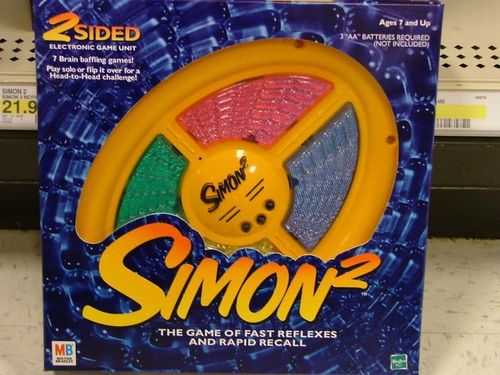
Simon²
Simon² Rulebook
Table of Contents
Table of Contents
Getting to Know Your Simon² Game
Simon² is a 2-sided game. The Classic Simon side has 4 lenses. The Head-to-Head Simon side has 8 lenses. Simon² is for ages 7 and up, for 1 or more players. The contents are the Simon² game unit and 8 rubber feet.
START Button: Press this button to power up the game unit and to start a game.
GAME Button: Press this button to choose or change the Simon² game you'd like to play (see pages 3-5).
LEVEL Button: Press this button to select the level of difficulty for the game you've chosen.
Games, which contain levels, automatically default to Level 1. Always choose your game before selecting a level.
Color Lens: There are 4 lenses on Classic Simon and 8 on Head-to-Head Simon. When pressed, they light up and make distinct tones.
RESET: Insert a toothpick into the RESET pinhole to reset the game unit.
The RESET pinhole should only be used if the game appears to be operating improperly.
Figure 1 shows the Classic Simon side and the Head-to-Head Simon side. On Classic Simon the labelled parts are the lens, the RESET pinhole, and the Level, Start and Game buttons. On Head-to-Head Simon the labelled parts are the lens, the battery compartment, and the Level, Start and Game buttons.
Assembly
Carefully remove the rubber feet from the runner. Discard the runner. Twist one foot into each of the 4 screw holes on both sides of the game. See Figure 2 (the runner, the rubber feet and the screw holes).
Battery cautionary label and FCC statement are located on the inside of the battery compartment. Please read them carefully before installing batteries.
Batteries
Insert batteries: Loosen the screws on the battery compartment door and remove. Insert 3AA-size batteries (we recommend alkaline), making sure to align the + and - with the markings in the plastic. Replace the door and tighten the screws.
CAUTION:
To Avoid Battery Leakage
- Be sure to insert the batteries correctly and always follow the game and battery manufacturers' instructions.
- Do not mix old and new batteries, or alkaline, standard (carbon-zinc), or rechargeable (nickel-cadmium) batteries.
- Always remove weak or dead batteries from the product.
Choosing a Side
Simon² is a 2-sided game that you play one side at a time. Choose either Classic Simon (4-lens side) or Head-to-Head Simon (8-lens side). Place the game on a level surface with the side you've chosen to play facing up. Press the START button to activate the side you've chosen.
Choosing a Game
You can choose one of three games on the Classic side or one of four games on the Head-to-Head side. Classic Simon and Head-to-Head Simon will automatically default to Game 1 so press the START button to begin these games. If you'd like to choose a different game option, press the GAME button. Simon² will verbally prompt you to select a game. Press the color lens corresponding to the game you'd like to play.
If you would like to stop the opening light sequence on either side of Simon², press the color lens of the corresponding game you want to play.
IMPORTANT NOTE: The lenses on both sides of Simon² are active at all times. Make sure the game is positioned so that the buttons on the side you are not playing are not pressed accidentally during play of your chosen side. Inadvertently pressing the buttons on the wrong side could cause you to lose your game.
Last and Longest
After each game, Simon² prompts you to select the last or longest sequence. If you want Simon² to repeat these sequences, press the corresponding lens.
- LAST repeats the last sequence correctly completed.
- LONGEST repeats the longest sequence correctly completed for that game and skill level. (If the number of signals in the longest sequence is matched, Simon² will retain the first sequence not the most recent sequence.)
NOTE: Pressing the GAME or LEVEL buttons erases the last and longest sequence.
Mute
To play Simon² with no sound, press the LEVEL and GAME buttons at the same time. Press the LEVEL and GAME buttons again to turn the sound back on.
Classic Simon
Simon
1 or More Players. OBJECT: Correctly repeat a longer and longer sequence of signals.
1-Player Game
- Press the START button to begin. Simon² will give the first signal. Repeat the signal by pressing the same color lens.
- Simon² will duplicate the first signal and add one. Repeat these two signals.
- Continue repeating the sequences. Simon² will speed up after the 5th, 9th and 13th signals in a sequence.
- If you correctly repeat the sequences for skill levels 1, 2, 3 or 4, Simon² will salute you with six short signals from the last lens you pressed. If you fail to repeat a sequence correctly, or if you take more than 5 seconds to repeat a signal, Simon² will respond with a "RAZZ" sound. This means you've lost, and the sequence of signals ends.
- To select a skill level, press the LEVEL button. Simon² will prompt you to select level 1, 2, 3 or 4. Press the color lens, corresponding to the level you'd like to play. Level 1 is 8 signals, level 2 is 14 signals, level 3 is 20 signals, and level 4 is 31 signals.
2 or More Player Game
- Decide who goes first.
- Play proceeds as described above except that players alternate turns repeating Simon²'s signals.
2 or More Player Game (continued)
- Press the START button to begin. Simon² will give only the first signal.
- Repeat Simon²'s signal, and immediately add one; don't wait for Simon² to repeat the signals!
- Player 2 repeats the first two signals and adds one.
- Play continues clockwise with each player repeating the previous sequence and adding a signal.
- Any player who makes an error or takes more than 5 seconds to play a signal is given a "RAZZ" sound and is out of the game. Press the START button to begin a new sequence with the remaining players.
- The last player remaining is the winner.
3-Player Game: Play as described in the 4-Player Game, except use only three lenses. The fourth lens will be inactive.
2-Player Game: Play as described in the 4-Player Game, except that each player chooses two color lenses. If one of your colors is eliminated, continue playing with the remaining color.
Challenge Simon
1 or More Players. OBJECT: Create a longer and longer sequence of signals.
IMPORTANT: In this game, Simon² gives only the first signal. After that, you must create and repeat your own sequence! After the first signal, all you will hear from Simon² is either the "RAZZ" sound or the victory salute.
1-Player Game
- Press the START button to begin. Simon² will give only the first signal.
- Repeat Simon²'s signal, and immediately add one; don't wait for Simon² to repeat the signals!
- Repeat the first two signals and immediately add one more.
- Continue repeating the signals of the previous sequence and increasing the sequence by one.
- If you repeat the number of sequences for skill levels 1, 2, 3 or 4, Simon² will salute you with six short signals from the last lens you pressed. If you make an error or take longer than 5 seconds to play a signal, you'll hear the "RAZZ" sound. This means the game is over.
- To select a skill level, press the LEVEL button. Simon² will prompt you to select level 1, 2, 3 or 4. Press the color lens, corresponding to the level you'd like to play. Level 1 is 8 signals, level 2 is 14 signals, level 3 is 20 signals, and level 4 is 31 signals.
Group Simon
2 to 4 Players. OBJECT: Repeat the longest sequence of signals correctly. The maximum sequence possible is 31 signals.
4-Player Game
- Press the START button. Simon² will ask for players to "sign on."
- Each player chooses a color lens and presses it to select it. Players will then press only their chosen lens during the game.
- Press the START button to begin the game. Simon² will give the first signal.
- The player who chose that color repeats the signal.
- Play continues as described in "Simon" on page 3 except that each player presses only his/her chosen color in the proper sequence.
- If you press your color out of sequence or take more than 5 seconds to press it, you'll hear the "RAZZ" sound and your color is out of the game.
- Simon² will automatically begin a new round with only the remaining colors.
- The last player in the game is the winner! Simon² will salute with six short signals in the winner's color.
3-Player Game: Played as described in the 4-Player Game, except use only three lenses. The fourth lens will be inactive.
2-Player Game: Played as described in the 4-Player Game, except that each player chooses two color lenses. If one of your colors is eliminated, continue playing with the remaining color.
Head-to-Head Simon
Double Simon
2 Players. OBJECT: Outdo your opponent by correctly repeating a longer and longer sequence of signals. The longest sequence possible is 31.
- Each player commands one set of 4 lenses.
- Simon² lights one signal. The player whose lens was lit must press it.
- Simon² then lights 2 lenses. The appropriate player presses the corresponding lenses in the correct sequence.
- If you fail to repeat a sequence exactly, or if you take more than 5 seconds to repeat a signal, Simon² will respond with a "RAZZ" sound. This means you've lost and the other player is the winner. Simon² salutes the winner using that player's 4 lenses.
- To select a skill level, press the LEVEL button. Simon² will prompt you to select level 1, 2, 3 or 4. Press the color lens corresponding to the level you'd like to play. The skill level determines how many signals flash to one player before the sequence turns over to the next player. Level 1 is 1 signal, level 2 is 2 signals, level 3 is 3 signals and level 4 is 4 signals.
Ultimate Simon
2 Players. OBJECT: Be first to correctly repeat the sequence of signals 10 times.
- Each player commands one set of 4 lenses.
- Both players are given the same sequence of lights.
- After each sequence is shown, Simon² will call out "GO." The first player to correctly repeat the sequence wins the round and gets one point. (Watch the lenses carefully when you press them to make sure they light and register your response.) If you fail to repeat a sequence exactly, or if you take more than 5 seconds to repeat a signal, Simon² will respond with a "RAZZ" sound. If both players fail to repeat the sequence correctly, Simon² will respond with a "RAZZ" sound and no points will be scored.
- If a point is scored, Simon² will announce the score after each round. Continue playing until one player gets 10 points and wins the game. Simon² salutes the winner using that player's 4 lenses.
- To select a skill level, press the LEVEL button. Simon² will prompt you to select level 1, 2, 3 or 4. Press the color lens corresponding to the level you'd like to play. The skill level determines how many signals flash in a sequence. Level 1 is 3 signals, level 2 is 5 signals, level 3 is 7 signals and level 4 is 9 signals.
Extreme Simon
2 Players. OBJECT: Keep pace with Simon² and your opponent by correctly repeating pieces of the same sequence in intervals. The longest sequence possible is 31.
- Each player commands one set of 4 lenses.
- Simon² starts a signal to one player. That player presses the corresponding lens.
- The next player is shown a sequence of two signals and presses the correct lenses.
- The first player is then shown a sequence of three signals and presses the correct lenses.
- Continue alternating turns and completing the sequences.
- If you fail to repeat a sequence exactly, or if you take more than 5 seconds to repeat a signal, Simon² will respond with a "RAZZ" sound. This means you've lost and the other player is the winner. Simon² salutes the winner using that player's 4 lenses. If players reach the maximum 31 signals sequence, you both win!
Counterattack Simon
2 Players. OBJECT: Create a longer and longer sequence of signals. The longest sequence possible is 31.
Play follows that of "Extreme Simon" except; each player, on their turn, adds one signal to the sequence.
Sleep
Simon² goes to "SLEEP" after approximately 5 minutes, if unused. Press the START button to wake the unit. If Simon² does not wake press the RESET button or remove and replace the batteries.
Maintenance
- Handle the game carefully.
- Store the game away from dusty or dirty areas.
- Keep the game away from moisture or temperature extremes.
- Do not disassemble the game. If a problem occurs press the RESET button or remove and replace the batteries.