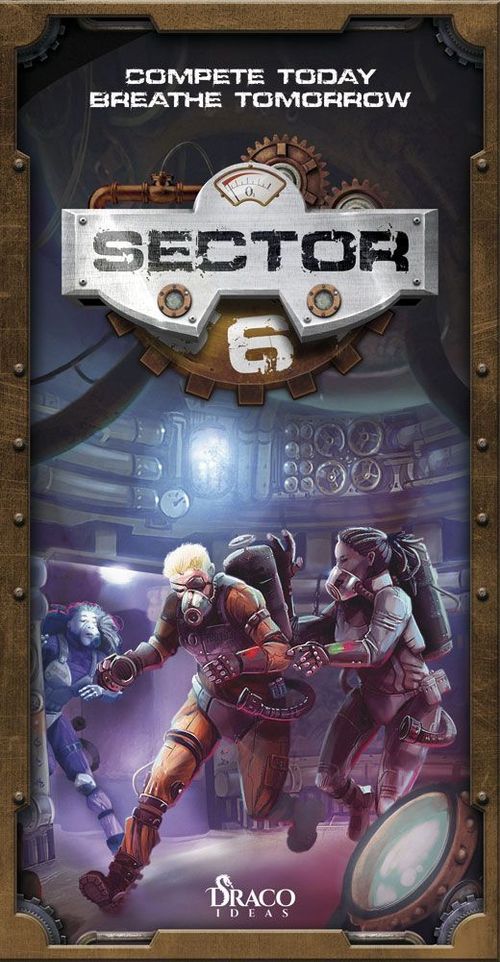
Sector 6
Sector 6 Rulebook
Table of Contents
Table of Contents
Introduction
In Sector 6, each player takes control of two prisoners. They will compete to retrieve the highest amount of oxygen in the winding corridors of a space prison's supply area. Players must first create the maze of tiles which will be used to move around looking for oxygen markers. The player with the highest number of points wins the game.
Game Components
- Rulebook
- 4 sets of 2 miniatures, in different colors.
- 40 hex-shaped tiles:
- 8 one-wall tiles (red)
- 8 two-wall tiles (yellow)
- 8 three-wall tiles (green)
- 8 four-wall tiles (blue)
- 8 entry points, in 4 colors
- 32 point markers:
- 8 one-point markers (red)
- 8 two-point markers (yellow)
- 8 three-point markers (green)
- 8 four-point markers (blue)
The tiles show a wall side and an open side on each edge. The open side allows movement; the closed side forbids movement. Some tile edges are gears, which interlock with adjacent tiles (see "Gears" below). Each tile carries a score of 1 to 4 points, matching its color. Entry points and miniatures are placed on the table as described below.
Game Setup
To start the game, each player gets:
- two miniatures of their chosen color,
- two entry points of the same color,
- a number of tiles equal to the number indicated in the chart below (Creating the Tile Pool).
Creating the Tile Pool
At the beginning of the game, each player must form a Tile Pool determined by the number of players, as seen in the following chart:
| Number of players | Red (one wall) | Yellow (two walls) | Green (three walls) | Blue (four walls) |
|---|---|---|---|---|
| 2 | 4 | 4 | 3 | 3 |
| 3 | 2 | 2 | 2 | 2 |
| 4 | 2 | 2 | 2 | 2 |
Each player must then shuffle their pile (without including any of their entry point tiles) and place them face down next to them.
The Game
In Sector 6, players will take turns in clockwise order. The game is divided into two phases: the Build Phase and the Contest Phase.
Build Phase
This is the first phase of the game. Using the tiles they received before, players will take turns building the maze.
On their turn, the active player must take the top tile of their own pile and place it anywhere on the table as long as it is in contact with at least two of the previously placed tiles. In the first two turns, players place their tiles adjacent to each other. From the third turn onwards, tiles must be placed adjacent to at least two other tiles.
Example: Incorrect. The tile is adjacent to just one other tile.
Example: Correct. The tile is adjacent to two other tiles now.
Entry Points
Besides the tiles from their piles, players must place their two entry points on the table. At the beginning of the Contest Phase, players will place their miniatures on these entry points.
To place an entry point, players must spend one of their turns while creating the maze, whenever they want. Then, instead of drawing the top tile, the active player must place one of their entry points. Follow the rules of placement explained above.
Finishing the Build Phase
The maze is finished when all tiles and entry points have been placed. Then, point markers are placed on top of each tile according to their value. For instance, green 3-point markers should be placed on each green 3-wall tile on the board. At this point, every tile on the maze must have a point marker, except the entry points.
To end the Build Phase, players place one figure on each of the entry points of their color.
Example: How the board looks at the beginning of the Contest Phase.
Contest Phase
In the Contest Phase, players move around the maze, trying to collect more points than their opponents. To do so, players can manipulate the walls to access new areas or impede their opponents' movement.
Turn order remains the same. The player that started the Build Phase is again the starting player.
In turn, each player must move one of their miniatures to an empty location. After this, the active player may perform an action on the tile where the figure started its movement.
Prisoners always move in a straight line starting from any of the exit points on their tile. Players may move the figure in a straight line as many tiles as they want, as long as the four rules of movement are not broken.
Rules of Movement
- You may always advance in a straight line as many tiles as desired or the board allows.
- You may not pass through walls or spaces without a tile.
- You may not jump over a figure (yours or different color).
- You may not end your movement on a tile occupied by a figure (yours or different color).
Example illustrations:
- Movement A is incorrect: miniatures must move in a straight line.
- Movements B and C are incorrect: miniatures cannot pass through walls at any point during movement.
- Movement D is incorrect: miniatures cannot jump spaces without tiles.
- Movement E is incorrect: miniatures cannot pass through tiles occupied by a figure (your color or a different one).
- Movement F is incorrect: two miniatures cannot be on the same tile.
Actions When Exiting a Tile
After moving, and during the same turn, the active player may interact with the tile from where the figure started moving and perform one of the following two actions:
- Collect marker: the player can take the oxygen marker (if any) and keep it near them in a supply. Once empty, tiles do not generate more oxygen during the rest of the game.
- Rotate tile: the player can take the tile and rotate it in any direction (60 degrees). Tiles can be disconnected from other tiles and the corridors. Tiles can always be rotated, regardless of them having markers or not.
Each time a tile is rotated, gears must be observed. Rotating a tile may cause adjacent tiles to also be rotated (see "Gears" later).
Example: Orange player's turn. The orange player decides to move their figure to the red tile. After moving, they may choose to either rotate the yellow tile or collect the two-point marker.
Option 1: Collect marker. After moving, the orange player decides to collect the oxygen in the tile they just moved out of.
Option 2: Rotate tile. Here, they'd rather give up the points in order to lock an opponent out. After moving, they choose to rotate the yellow tile.
Gears
The prison maze is built upon huge, interconnected industrial gears in such a way that rotating one of them may cause adjacent gears to simultaneously move in the opposite direction, like clock wheels.
When a tile is rotated, if any of its closed sides is adjacent to another closed side, then multiple rotations occur. Rotating a tile may cause one or more other tiles to also rotate simultaneously. However, these will all rotate in the opposite direction of the original tile where the figure started its movement.
Gears Rules
- Two tiles are attached when the gears between them are interlocked. The second tile rotates in the opposite direction.
- Two tiles are not attached when one of the touching sides is not a gear but a corridor.
- A single tile may cause several other tiles to rotate if rule 1 is true in all tiles at the same time.
- Tiles that are rotating because of the gears do not cause other tiles to rotate.
Example: The orange player moves to tile 1 and decides to rotate tile 2 clockwise. Tile 3 rotates counter-clockwise because their gears are interlocked. Tiles 4 and 5 do not rotate because their gears are not connected to tile 2.
Locked
During the game, miniatures may end up locked inside a tile with no exits. If at the beginning of a turn, both miniatures of any player get locked at the same time, without any possible movement, that player must make two rotations on the tiles occupied by their miniatures. They may choose to rotate the same tile twice, or split the two rotations between both tiles. In this case, the player does not move any figure - they simply perform two rotations and then skip the rest of the turn.
Example: Here, even though both miniatures are in tiles without exits, the red player is not locked as figure 2 can still move. The player must make that movement.
Example: Now, the orange player is locked. None of their miniatures can move, so the player must rotate one of their tiles immediately, without moving. They decide to use the second rotation to rotate the same tile and get free. Now, it's the red player's turn again.
End of Game
The Competition Phase is over when all oxygen still on the board is beneath the players' figures. The moment a figure is placed on top of the last free oxygen marker, the competition is immediately over.
Then, each player collects the oxygen beneath their own figures and adds it to their supply. At this point, no oxygen markers should be left on the board. Players add up the oxygen points in their supply. Each player's personal supply of points is considered to be public information during the game. Players may ask their opponents how much oxygen they have collected.
The player with the most points wins the game. In case of a tie, the player with the most blue markers is the winner. If they are tied again, compare the green markers. If they are tied again, compare the yellow markers. In the unlikely case players are tied again, the game ends without a clear winner (and they must share the loot).
Game Difficulty
Sector 6 allows players to adjust the game difficulty according to the experience or skills of the participants. Below are three different difficulty modes, in descending order of complexity:
Life Sentence
This is the full game experience and offers the deepest strategic experience. Follow the rules as written up to this point.
Veteran
This difficulty mode is moderately strategic but demands less spatial vision from the players. In this mode, players ignore the gears on the walls. When rotating, adjacent tiles do not get interlocked. This way, players will always move only one tile at a time. To play this mode, during the Build Phase, players must use the rules for Building Galleries, described later. The rest of the rules remain the same.
Rookie
This is a very simple mode, perfect for introducing children or people with reduced spatial vision to the game. In this mode, there are no rotations. Players may only move and collect points. To play this mode, during the Build Phase, players must use the rules for Building Galleries, described later.
Building Galleries
In both Veteran and Rookie difficulties, the Build Phase rules are slightly different. When placing a tile, it must be connected to the web of corridors already in place. In other words, at least one of its sides must be open AND adjacent to the open side of any of the adjacent tiles. The result is a maze that may be completely traversed without having to rotate any tile. Players will be able to move into any room.