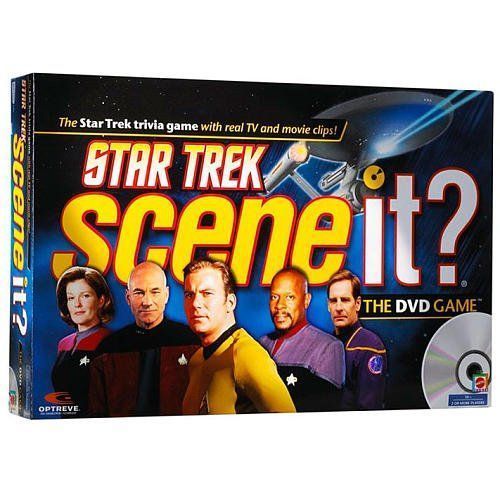
Scene It? Star Trek
Scene It? Star Trek Rulebook
Table of Contents
Table of Contents
Object
Travel around the game board and be the first to enter the winner's circle.
Choose one of two options for learning to play:
- Pop in the DVD and watch the on-screen demonstration under How To Play on the game DVD.
- Read these instructions. Begin with SETUP for a complete description of the game, or skip to PLAYING THE GAME for the essentials.
Setup
-
Position all players so that they can see the TV or monitor connected to the DVD player. Lay out the Flextime Game Board. It can be fully extended for longer games, or folded into a circle for shorter play.
-
Each player chooses a Token and places it on the Start space.
-
Place the Prime Directive Cards on the circle.
-
Insert the DVD into your DVD player. After a quick intro, you'll be taken to the Main Menu screen.
-
Select one person to be the DVD Master. This person will operate the remote control.
DVD Master: Use the ARROWS on your remote to navigate between the menu items and use the ENTER or PLAY button to activate a menu selection. Use the SKIP, NEXT, or FAST FORWARD buttons to quickly advance through clips and go directly to the question.
-
Select Timer Settings from the Main Menu. The on-screen timer is used while answering Trivia Card questions. The timer is preset at 30 seconds but may also be set at 10 or 20 seconds. Select the time limit you want. This will remain the default unless you choose to reset the timer during the game.
Playing the Game
-
All players or teams roll the Numbered Die, re-rolling any ties. The highest roller goes first, and play proceeds clockwise.
-
Each turn, a player rolls both dice and moves the number of spaces shown on the Numbered Die. They then try to successfully complete the challenge in the category shown on the Category Die.
Note: Tokens can share the same space on the board.
Game Tip: You always roll both dice and move your Token to start your turn. If you win the challenge, you roll both dice again and take another turn!
-
Category References are listed below for easy recognition of Scene It? challenges.
Category References
- My Play – Select My Play on the DVD and answer the question that follows.
- All Play – Select All Play on the DVD and be the first to answer the question correctly.
- United Federation of Planets – Select a Trivia Card and answer a question about aliens, planets, ships, and more.
- Stardate – Select a Trivia Card and answer a question about events in the Star Trek universe.
- IDIC (Infinite Diversity in Infinite Combinations) – Select a Trivia Card and answer a question about the world of Pop Culture surrounding Star Trek.
- Prime Directive – Select a Prime Directive Card and move the token as directed.
- Player's Choice – Choose a Trivia Card (any category), a Prime Directive Card, or a DVD challenge (All Play or My Play).
Getting Started
Technical Tip: Your DVD is automatically set to deliver questions at random. However, some DVD players do not support the random shuffle feature provided by Optreve® technology (a window will appear to warn you of this). In that situation you should choose Preset Game Play and select one of the preprogrammed sequences to guarantee no repeats will occur during a game.
Contents
Requires a TV, DVD player, and remote control (not included). If any items are missing, please call 1-866-DVD-GAME. Visit sceneit.com or e-mail us at [email protected] for further assistance.
- 1 Game DVD
- 1 Flextime® Game Board
- 1 Six-sided Numbered Die
- 1 Eight-sided Category Die
- 4 Collectible Tokens
- 16 Prime Directive Cards
- 175 Trivia Cards