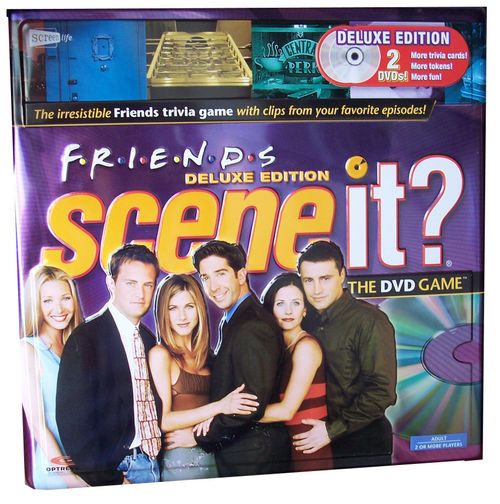
Scene It? Friends Deluxe Edition
Scene It? Friends Deluxe Edition Rulebook
Table of Contents
Table of Contents
Game Rules
Scene It? Friends can be played with 2 to 4 players or teams.
Object
Travel around the game board and be the first to enter the winner's circle.
Contents
- 1 Game DVD
- 1 Flextime Game Board
- 1 Six-sided Numbered Die
- 1 Eight-sided Category Die
- 4 Metal Movers
- 4 Category Reference Cards (in card box)
- 30 Buzz Cards
- 160 Trivia Cards (in card box)
Requires a TV, DVD player and remote control (not included).
Please remove all components from package and compare them to the component list. If any items are missing, please call 1-800-524-TOYS. Outside the U.S.A., please contact your local Mattel office.
Getting Started
You have two options for learning to play Scene It? Friends:
- Watch the on-screen demonstration by choosing How to Play from the Scene It? Friends DVD Main Menu.
- Read the instructions below. Begin with SET UP for a complete description of the game, or skip to PLAY THE GAME for the essentials.
Set Up
- Position the Flextime Game Board so that all players can see the TV or monitor connected to your DVD player. The board can be fully extended for longer games or folded into a circle for shorter play.
- Choose a mover for each player and place it on the Start space.
- Place the round Buzz Cards on the Buzz circle. Place the box of Trivia Cards and the dice beside the board. Distribute a Category Reference Card to each player.
- Insert the Scene It? Friends DVD into your DVD player. The DVD will show a quick intro and then display the Main Menu.
- Select one person, referred to as the DVD Master, to operate the remote control.
Use the ARROWS on your remote to navigate between the Scene It? Friends menu items and use the ENTER or PLAY button to activate a menu selection. When viewing a TV show clip, use the SKIP, NEXT or FAST FORWARD buttons to quickly advance to the question.
- Select Timer Settings from the Main Menu. You can use the on-screen Timer when answering Trivia Card questions. The Timer is pre-set at 30 seconds but may be set at 10 or 20 seconds to make the game more challenging. Select the time limit you want; this will remain the default unless you choose to reset the Timer during the game by accessing the Main Menu once again.
Technical Tip: Your DVD is automatically set up to deliver questions at random. However, because it is random, you may eventually get repeats. Choose Pre-set Gameplay on the Main Menu then select one of the pre-programmed sequences to guarantee no repeats will occur.
Note: Some DVD players do not support the random shuffle feature provided by Optreve technology (a window will appear to warn you of this). In that situation, you should also choose Pre-set Gameplay.
- Choose Play the Game from the Main Menu and the Game Menu will appear.
Play the Game
- All players roll the Numbered Die, re-rolling any ties. The highest roller goes first and play proceeds clockwise around the table.
- Each turn, a player rolls both dice and moves the number of spaces shown on the Numbered Die.
Note: Movers can share the same space on the board. After moving, the player then attempts to successfully complete whichever challenge was rolled on the Category Die (see below for descriptions of challenges).
Game Tip: You always roll both dice and move your game piece to start your turn. If you win the challenge, you roll both dice again and take another turn!
- Category Reference Cards are provided for each player to allow easy recognition of the Scene It? Friends challenges.
The Scene It? Challenges
Depending on the symbol rolled on the Category Die, players will have to complete different DVD or Trivia Card challenges.
| Symbol | Challenge | Card wording |
|---|---|---|
| Red triangle | My Play | Select My Play on the DVD and answer the question that follows. |
| White triangle | All Play | Select All Play on the DVD and be the first to answer the question correctly. |
| Green triangle | The One with the Details | Select a Trivia Card and answer the Friends who, what, when, where or why question. |
| Orange triangle | The One with all the Dialogue | Select a Trivia Card and answer the Friends dialogue question. |
| Yellow star triangle | The One with the Pop Culture | Select a Trivia Card and answer the Friends-related pop culture trivia question. |
| Blue triangle | Buzz | Select a Buzz Card and move the game piece as directed. |
| Grey triangle with ? | Player's Choice | Choose a Trivia Card (any category), a Buzz Card, or a DVD My Play challenge. |
The table summarises the Quick Category Reference card included with the game. The rules for each challenge follow.
DVD Challenges
My Play Challenges
The DVD Master selects My Play from the DVD Game Menu, and a My Play challenge will follow. ONLY THE ROLLING PLAYER/TEAM MAY ATTEMPT TO ANSWER THE ON-SCREEN CHALLENGE. If the roller answers correctly, they get another turn and roll both dice again. If they answer incorrectly, the turn ends and play proceeds clockwise to the next player in sequence.
Game Tip: If you play Scene It? Friends many times, you may eventually start seeing the same clips over again. Don't worry! Each clip has multiple questions associated with it. So pay attention; you never know what you will be asked!
All Play Challenge
The DVD Master selects All Play from the DVD Game Menu. ALL PLAYERS SHOULD WATCH THE CHALLENGE THAT FOLLOWS and attempt to be the first to clearly shout out the correct answer.
If the rolling player is first to answer correctly, they roll both dice and take another turn.
If a player other than the roller answers correctly, that player chooses either to move their game piece forward one space or to force another player to draw a Buzz Card and follow its instructions. After this is done, the next player in sequence (the player clockwise from the roller) gets their turn.
Note: Players are never skipped as the result of an All Play challenge – play always proceeds sequentially around the table, even when someone out of sequence correctly answers the question.
If two players simultaneously answer correctly, select Tie Breakers from the Game Menu.
If no one answers correctly, play proceeds to the next player in turn.
Game Tip: 1) Clips can be skipped through by using the SKIP or FAST FORWARD buttons on the remote. 2) If you receive an All Play that you have seen in a previous game just hit the RETURN button on your remote and another All Play challenge will appear.
Trivia Card Challenges
When a player rolls a Trivia Card challenge, one of the opposing players draws a card from the front of the box. After the appropriate question has been read, the DVD Master selects Start Timer and the player must give the correct answer before the Timer reaches zero. The card should be replaced in the back of the box when finished.
The One with the Details
Select a Trivia Card and answer the Friends who, what, when, where or why question.
The One with all the Dialogue
Select a Trivia Card and answer the Friends dialogue question.
The One with the Pop Culture
Select a Trivia Card and answer the Friends-related pop culture trivia question.
Remember: The on-screen Timer can be adjusted by selecting Timer Settings from the Main Menu and then choosing the countdown you want.
Buzz Cards and Player's Choice
Buzz Cards
Depending on the "Buzz" you get, these cards can help you or an opponent move ahead or knock either of you back. A player must read the Buzz Card aloud and follow the instructions on the card as soon as it is drawn. Then, it's the next player's turn.
If the card specifies "Hold this card and make another player lose a turn at an opportune time," you may keep it until later. These Buzz Cards can be played when it is not your turn but must be presented to another player before that player's turn begins – not after that player has rolled the dice.
Player's Choice
Rolling this allows players to choose a DVD challenge (My Play), a Trivia Card challenge (any category) or a Buzz Card.
Central Perk Space
If a Player wins any challenge while on a Central Perk space, on their next roll they move twice the number of spaces shown on the Numbered Die.
Winning the Game
When any player reaches the end of the game path, they must stop on the space labeled Stop: All Play to Win, no matter what they may have rolled. From this point, they have two ways to win the game – the first is All Play to Win; if that proves unsuccessful, the second option is Final Cut.
1) All Play to Win
Whenever a player rests on the Stop: All Play to Win space, they must complete an All Play to Win challenge.
The DVD Master chooses All Play to Win from the Game Menu and ALL PLAYERS compete in this special All Play.
If the rolling player wins the challenge, that player advances directly to the winner's circle and instantly WINS THE GAME!
If the rolling player loses the challenge, they move to the outer Final Cut ring (marked 3) and must await their next turn for another chance to win – this time by undertaking a Final Cut challenge. But for now, the dice pass to the next player in sequence.
If any other player wins the All Play to Win challenge, they have the option of forcing an opponent to draw a Buzz Card or of moving their own game piece forward three spaces (unless they are already on a Final Cut ring). After following the instructions on the Buzz Card, the next player in sequence (the one following the roller) gets their turn.
Game Tip: Buzz Cards cannot be played against players on a Final Cut ring.
2) Final Cut
For any player that has landed on a Final Cut ring, the DVD Master chooses Final Cut from the Game Menu and follows the on-screen instructions. In Final Cut the player must correctly answer up to three questions to win the game. The number of questions that must be answered in a turn corresponds to the ring number upon which the player's game piece stands. If the player misses a question, they move in one ring and must await their next turn. Again, the on-screen instructions will walk you through Final Cut, so don't worry!
A player must successfully complete a challenge to win the game. A player who loses a challenge while on the Final Cut ring marked 1 does not advance inward. They stay on 1 and must await their next turn.
Options
For Longer Games – To make the game more competitive (and longer), only roll the Numbered Die and advance your mover after getting a question right (rather than moving at the start of each turn).
Party Play – Scene It? Friends DVD challenges are a great way to entertain a party. Simply put the Scene It? Friends DVD into your DVD player and select Party Play from the Main Menu. You will not need to use the remote, as Scene It? Friends will play one great puzzler or clip after another. See who can be the first to shout out the correct answer! If you would like to go back to regular game play, hit the RETURN button on your remote when the Game Menu appears.