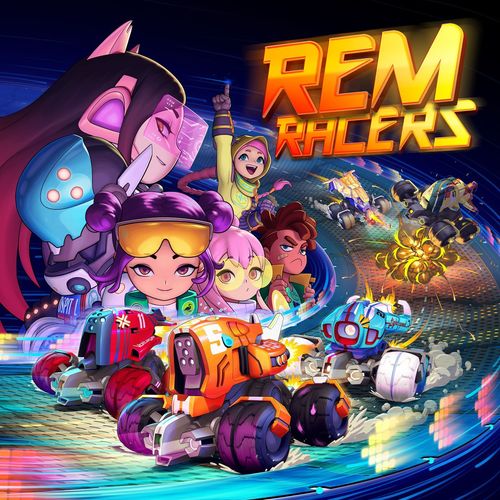
REM Racers
REM Racers Rulebook
Table of Contents
Table of Contents
Game Objective
REM Racers is a fun Remotes racing game for the whole family, set in Infinity's sci-fi Universe. The goal is to win the race by being the first to cross the finish line while surviving your rival's attacks. To do so, you will have to drive your Remote with Movement Templates and manage your Equipment Cards to get your rivals off the track or to prevent them from doing the same.
Contents
- 5 Remote miniatures
- 5 Control Panels
- 9 Hacker-Pilots
- 9 Hacker-Pilot Cards
- 5 12-sided dice
- 60 Equipment Cards
- 5 Player Turn markers
- 14 Mine tokens
- 4 Teardrop Templates (Oil / Fire / Nanopulser)
- 2 Collision Templates
- 6 "Crazy Move" markers
- 6 "Drift Mode" markers
- 5 "Electric Pulse" markers
- 5 "Locked Speed" markers
- 5 "Stalled" markers
- 13 double-sided racetrack tiles
- 13 Movement Templates: Straights, Wide Turns, Sharp Turns, Transition Movement, and S-Shaped Turn
Setting Up
Follow these simple steps to set up your first REM Racers game:
-
Set up the racetrack. For your first game, we strongly recommend laying out the tiles to form the circuit shown in this diagram. However, you can always choose to build the track any way you see fit!
-
All players should have access to:
- The State markers separated in different piles ("Crazy Move", "Drift Mode", "Electric Pulse", and "Locked Speed").
- The Movement Templates.
- The Collision Template.
- The dice.
-
Shuffle all the Equipment Cards into a deck and place it face down.
-
All players choose a Remote, thus receiving its corresponding Control Panel, the Remote miniature that represents it and one Player Turn marker. The Control Panels need to be assembled, as shown in the assembly diagram.
-
Each player receives a random Hacker-Pilot card then places the corresponding Hacker-Pilot Token on his Control Pad.
-
Each player's play area should have:
- Their Control Panel, with its Speed dial set to "1" and the Structure dial set to "3".
- Their Player Turn marker showing its green face.
Each player rolls a die in order to decide the lineup of the starting grid: The player with the highest result places their Remote in pole position, the player who gets the second highest result places their Remote in the second place, and so on. If two or more players get the same result, they must reroll their dice to break the tie.
Basic Concepts
Remotes
During the game, the Remotes are represented by colored miniatures set on an octagonal base, and a Control Panel. The panel describes their features, and these will be used to... that details its features, which will be used to manage the status of the Remote during the race.
(The printed sentence above is incomplete in the source; it is transcribed as printed.)
All Remotes have an octagonal base where the front vertex is at the front of the Remote model, and the rear vertex is at the back.
All Remotes have the following attributes:
- Accuracy (ACC). Indicates your Remote's capacity to hit the rival when you play an Equipment Card with a Physical or Energy Attack: make an Accuracy Roll with the number of dice listed for the Attack. For each die roll that is equal or higher than the Accuracy value, you score one hit.
- Speed. This attribute determines how fast your Remote will move during your Player Turn. Its value ranges from 1 to 4 (top speed). When moving your Remote along the circuit, you can only use Movement Templates marked with the same Speed value. The higher the Speed, the more distance the Movement Templates allow you to cover.
- Structure (STR). This number represents how much damage the Remote can take before being destroyed. All Remotes have STR 3 in their profile.
- Biotechnological Protection (BP). When your Remote is targeted by an Energy Attack, roll one die for each of the attacker's hits. For each die roll that is equal or higher than the BP value, you cancel one of the attacker's hits (avoiding one point of damage).
- Armor (ARM). When your Remote is targeted by a Physical Attack, roll one die for each of the attacker's hits. For each die roll that is equal or higher than the Armor value, you block one of the attacker's hits (avoiding one point of damage).
Racetrack
The circuit is created by using a combination of the various tiles. You can combine them in any manner you wish, or you can follow some of the example circuits that you'll find at the end of this manual.
Additionally, Remotes may come across certain elements along the racetrack that affect them:
Sectors
Each of the racetrack's tiles is a sector that begins and ends at the very edges that connect the tile to the others. A Remote is considered to be inside a sector if it has crossed the first edge of the sector.
Example: The Kometa (red) Remote is at Range 0 from the Bob Remote (lilac), since they are in the same Sector. The Zetta (blue) and Kthyb (yellow) Remotes are at Range 1, since they are in the next sector. The Wu Hao Remote (orange) is at Range 2.
Example: The Kometa (red) and Zetta (blue) Remotes are in sector 2, while the Wu Hao Remote (orange) is still in sector 1.
Equipment Cards
Some Equipment cards indicate a maximum range in sectors. This range is the number of sectors from the Remote playing card, with Range 0 being the sector the Remote is in.
Inner Walls
Some tiles have inner elements that prevent movement, for example the Hairpin Curve tile. If a Remote makes contact with these elements, you must resolve a crash as if the element was the edge of the racetrack (see "Crashing", page 15).
Redirection Zones
When your Remote, or the template you are using to move it, contacts one of these zones, your Remote's movement is interrupted. Place the Remote in the center of the zone and turn it in any direction, you wish. However, the use of these zones is not mandatory.
Example: The Kthyb Remote moves and its base partially overlaps the Redirection Zone. The player places the Remote in the center of the zone and changes its facing in preparation for their next movement.
Example: The Movement Template of the Bob Remote crosses a Redirection Zone. The player may choose to place the Remote directly in the center of the zone and to modify the direction it is facing.
Inner/Outer
All the racetrack's tiles are divided lengthwise by a dashed line that indicates whether the Remote is on the inner or outer side of the track. This is especially useful to determine the position of Remotes on curves, since Remotes with at least half of their base in the inner "zone" of a curve are always considered to be ahead of Remotes in the outer "zone", for Initiative Order.
The Game
The actual races in REM Racers can be really intense and crazy, so we recommend that each race is at least two laps. But, a REM Racers heat does not have a defined number of laps; it is up to the players themselves to agree and choose how many laps they want to race!
Every lap is played out over several game Rounds in which all players will have one Player Turn to move their Remote, play Equipment Cards, and modify their Speed (not necessarily in that order). At the beginning of each Round, all players flip their Player Turn marker to show its green side, as a reminder that they still have their Player Turn to play.
Initiative Order
The Initiative Order is determined at the beginning of each round by the position of the Remotes on the racetrack: the player whose Remote is in the lead will start their Player Turn first, followed by the player whose Remote is in second place, and so on. This system allows the Initiative to change throughout the race. For example: the Remote that played last in the current Game Round will be first in the next Game Round, if they can overtake the other Remotes.
Example: The Zetta (blue) and the Wu Hao (orange) Remotes share positions in the inner zone. However the Zetta Remote's Speed is 4 and the Wu Hao's Speed is 3, so the Zetta Remote is higher in the Initiative Order.
If Two or More Remotes Share a Position
If the Remotes are on a straight tile, use the next curve as a reference and consider the zones on the straight as inner and outer, depending on where the curve turns.
If they are on a curve tile, the Remote in the inner zone has preference over the one in the outer zone.
If the Remotes are in the same zone, then Initiative is assigned in descending order, beginning with the Remote with the highest Speed. If they also have the same Speed, decide the order randomly by rolling a die.
Player Turn
A Player Turn is carried out by following these steps:
- Perform Actions:
- Move.
- Play an Equipment Card (Optional).
- Change Speed.
- End of turn.
Move
This constitutes the main action of the game. It allows you to use a Movement Template to move your Remote round the racetrack. To move your Remote, do the following:
The Remote's movement is defined by the area of the chosen Movement Template plus the Remote's initial and final positions. This combined area is used to determine crashes, and interacting with elements of the racetrack.
- Select a Movement Template whose number matches your Remote's current Speed.
- Make sure that the rear end of the template fits against the front vertex of the Remote's base.
- Place the Remote at the end of the template, with the rear vertex of its base fitting into the template's front end.
Once a Movement Template has been selected, you cannot select a different one. You may, however, change the orientation of the Movement Template on the racetrack as many times as you want before you start moving your Remote.
Example: Bob's Remote is moving at Speed 3. The player selects the Movement Template and checks which orientation they will use on the racetrack. Once the player has decided, they place the template against the front of the base and then place the Remote at the end of its path.
Example: The Kthyb Remote may perform this movement since the Movement Template does not touch the racetrack's edges.
Play an Equipment Card
You may perform this action as many times as the number of Equipment Cards you have in your hand. However, you may only play an Equipment Card if you meet the usage conditions in its description. You must fully resolve a card's effects before playing the next card. After playing an Equipment Card, it goes into the discard pile.
Change Speed
This allows you to maintain, increase, or decrease the Speed dial of your Remote by one position. Your Remote's Speed may never be less than 1 or more than 4.
End of Turn
After Changing Speed flip over your Player Turn marker to its red side to indicate that you are done and that the next player's Turn may begin.
Hacker-Pilots
Each Hacker-Pilot has a unique Skill that can be activated once per turn. If you choose to do this, turn over your Hacker-Pilot card. These are not recovered when the Remote is destroyed. The Hacker-Pilot recovers the use of his Skill (if he has used it up) upon crossing the Finish Line. In doing so, untap the Hacker-Pilot's card.
When setting up the race, each player receives 1 random Hacker-Pilot card.
Anatomy of a Hacker-Pilot card: the card shows the name of the Hacker-Pilot (for example, Otto), its Skill (for example, Big Brother), and the Skill's description.
Skills List
Autonomous Repairs. After resolving an ARM or BP Roll, you can ignore any damage taken.
Big Brother. When a rival plays an Equipment Card, its effect is cancelled and you can choose to apply the card's effect as if you had played it instead (the Range and use restrictions must still be fulfilled from your Remote's position).
Bumper. When you crash into another Remote, rather than resolving the crash normally, that Remote moves in the direction of the crash using the straight Movement Template whose Speed value matches your Speed. Your Remote does not suffer any consequences from the crash.
DA Ammunition. When you attack, the target Remote must roll two Defense dice (instead of 1) for each hit you roll. Each failed roll inflicts a point of Damage as usual.
Forced March. During the Change Your Remote Speed step, you can select any value.
Frontal Adjustment. Before moving, you can change the selected Movement Template.
Ideal Line. You can cancel the use of a Movement Template chosen and placed on the board by any player and select a different template that has the same Speed value. You cannot use this Ability to avoid the effects of Equipment Cards such as "Crazy Move."
Mine Thrower. You start the race with 2 Mine tokens. Immediately before or after performing a movement, you may place one of these Mines anywhere in any sector at Range 1. You cannot place a Mine in contact with a Remote.
NOTE: This Ability may only be used with the mines provided by Mine Thrower. The mines provided by the "Proximity Mines" Equipment Card must be used as explained in the "Deployable Weapons" section and do not count as a Mine Thrower use. A Reload Zone restores the uses of this ability and the 2 corresponding mines.
Tenacity. When your Remote takes enough damage to be destroyed, perform one free movement at its current Speed before removing it from the board.
Equipment Cards
Anatomy of an Equipment card: each card shows a name, a type icon, a description, a number of dice (for Attacks), a range, and a crash effect icon.
There are three types of cards: Physical Attacks, Energy Attacks, and Software.
- Name. Card name.
- Type. The card's type icon.
- Description. The effects of playing this card are described here. Equipment cards can only be played during your Player Turn by performing the Play Card action. Some cards can be played at other times, as specified in their description.
- Number of dice. If the card provides an Attack, this is the number of dice you must roll.
- Range. Indicates the maximum distance (measured in sectors) within which you may target a rival Remote for your Attacks or the Effects of this card. When it is not necessary to apply a Range, it will be indicated with the null value: "-".
- Crash effect. This icon determines how to resolve a crash against the edge of the track.
Equipment cards represent the weapons and software you equip your Remote with. This Equipment enables you to attack your opponents and take them out of the race.
Draw an Equipment card:
- Every time your Remote changes sectors.
- If at the end of the Round, your Remote is in last place.
The maximum number of cards you may have in your hand is 3. Should you have 4 cards in your hand at any point, choose one and discard it by placing it on the discard pile. If the Equipment deck is empty when you need to draw a card, shuffle the discard pile face down to create a new deck, place it on the table and draw the first Equipment Card.
No card may interrupt an ongoing action unless its description says otherwise. For example: if a Remote is about to perform a Move action, it cannot be targeted by an Attack until that Movement is completed.
If there are contradictory or opposing Effects, the first card to be played takes precedence (its effects may still be in force). For example: if your Remote is currently affected by the "Crazy Move" card, you cannot play "Copy-Paste" in order to perform a different movement.
Attacks
When you play a Physical Attack or Energy Attack card against a rival Remote, an Attack occurs. To resolve it, roll the number of dice indicated in the card and compare the result of each die to the Accuracy of your Remote. Each die roll that is equal or higher than the Accuracy value is a hit and each die roll that is lower is a miss.
For each hit, the target Remote must roll one die and compare the result to its ARM value (if defending against a Physical Attack) or BP value (against an Energy Attack). Each die roll which is equal or higher than the attribute cancels one hit. Each uncancelled hit inflicts 1 point of damage to the target Remote.
To keep track of the damage suffered, rotate the Structure dial to subtract one Structure point.
Example: The Wu Hao Remote (orange) attacks the Zetta Remote (blue) using a Submachine Gun Equipment Card. This weapon allows the Wu Hao's player to roll four dice, and they roll 4, 6, 8, and 9. Since their Remote's Accuracy is 6, the rolls result in 3 hits and 1 miss. Now it is time for the Zetta's player to try and cancel their rival's hits. To do so, they roll a die for every hit (3) and roll 6, 7, and 8. The Zetta Remote's ARM value is 8, so 1 hit is cancelled and the other 2 successfully inflict 2 points of damage in total.
Software
Equipment Cards of the Software type apply their effects directly on the target Remote. If the Software features a range, the target must be within that range, otherwise it means that the effects are applied to your Remote.
Some Software causes hits. For each hit, the target Remote must roll one die and compare the result to its BP value. Each die roll which is equal or higher than the attribute cancels one hit. The effects of uncancelled hits will be described on the card.
Deployable Weapons
The cards "Proximity Mines" and "Oil Leak" are a special kind of card that affect the race by placing elements on the racetrack.
Mines
The "Proximity Mines" card gives you 3 Mine tokens. Immediately before or after performing a movement, you may place one Mine token on the track in contact with the rear vertex of your Remote. You may only place 1 Mine per turn.
In subsequent turns, if any Remote comes into contact with the Mine, stop your movement. The Remote's player must remove the Mine token from the board and the Remote immediately suffers 2 hits from a Physical Attack, so they must perform 2 ARM rolls to avoid damage. Each Remote suffers 1 Damage point per miss. Mines remain on the racetrack until a Remote comes into contact with them.
Oil
The "Oil Leak" card allows you to place the Teardrop Template. Immediately before or after performing a movement, you may place the Teardrop Template on the track with the narrow end in contact with the rear vertex of your Remote.
The Teardrop Template remains on the racetrack for two full Game Rounds.
In subsequent turns, if any Remote or the Template being used to move it comes into contact with an Oil Template or the Remote starts its turn in contact with an Oil Template, stop moving and do the following:
- Place the Remote in contact with the Oil Template following the trajectory of the Movement Template.
- Place the Collision Template against the front vertex of the Remote, roll a die and place the Remote so that the rear vertex of its base fits into the mark on the Collision Template that corresponds to the result obtained on the die.
Example: Bob's Remote Movement Template crosses an Oil Template. The player places the Remote in contact with the Oil Template following the trajectory of its Movement Template. Then, the player places the Collision Template, rolls a die and places the Remote against the notch that matches the number rolled.
Collision Templates and Oil Templates
If a Collision Template makes your Remote come into contact with a new Oil Template, complete the Collision Template move and then apply the rules for the Oil Template.
Template Weapons
The "Flamethrower", "Nanopulser", and "Electric Pulse" cards are a special type of card whose Range is determined by the Teardrop Template, with which they can affect several Remotes at once. Remotes are affected by a Teardrop Template when they are in contact with it, even if only partially. The Remote using the Template Weapon is not affected by it.
Flamethrower
When this card is used, place the narrow end of the Teardrop Template in contact with your base and place it so that it affects the target Remotes. All Remotes affected by the Teardrop Template suffer 2 hits from a Physical Attack, so must perform 2 ARM rolls to avoid damage.
Nanopulser
Biotechnological version of the Flamethrower. All Remotes affected by the Teardrop Template suffer 2 hits from an Energy Attack, so must perform 2 BP rolls to avoid damage.
Example 1: The Bob (lilac) Remote uses the Teardrop Template to attack the Zetta (blue) Remote with a Nanopulser. The Zetta's player rolls the dice and fails one of the BP rolls, so their Remote suffers 1 point of damage.
Electric Pulse
This card affects all Remotes in any direction as long as they are within a distance equal to the length of the Teardrop Template. Place the Template in contact with different points of your Remote's base to determine which Remotes are affected. The affected Remotes suffer two hits from an Energy Attack, so must perform 2 BP rolls. Any failed BP rolls do not cause damage, but instead the Remote can only use straight Movement Templates in the player's next Turn.
Example 2: The Kometa Remote (red) activates its Electric Pulse, affecting the Bob (lilac), Zetta, and Wu Hao (orange) Remotes. The affected rivals roll 2 dice each. The Bob Remote fails one roll and the Zetta one fails both so they both receive Electric Pulse markers, while the Wu Hao one passes both rolls and does not receive a marker. In their next turn, both the Bob Remote and the Zetta one will be limited to using Straight Movement Templates.
Crashing
Crashing into a rival Remote or against the edge of the racetrack is very common as you move your Remote. To determine if this has happened, take into account the initial and final position of the Remote, as well as the area occupied by the chosen Movement Template.
Crashing into Another Remote
This happens when your Remote, or the Movement Template you are using to move it, comes into contact with another Remote. When that happens, do the following:
- Place your Remote in base to base contact with the rival following the trajectory of the Movement Template.
- Place the Collision Template by the rival Remote, fitting it against the vertex opposite the point of contact.
- The rival player must roll a die, and place their Remote so that its rear vertex fits into the notch on the Collision Template that matches the number rolled.
Example: The Zetta Remote (blue) bumps into the Bob Remote (lilac), causing a crash. After determining the vertex at which the impact occurs, the Bob player places the Collision Template in contact with the opposite vertex and rolls a die. The die's result (8) indicates which position their Remote is placed in.
These are the icons and effects that must be resolved (the number of cards with each crash icon is shown in brackets):
- (8x) Discard: Discard one of your Equipment Cards at random, and give it to the player whose Player Turn comes next (excluding you).
- (8x) Rebound: Place the Collision Template against the vertex opposite the point of impact, roll a die, and place the Remote accordingly.
- (12x) Emergency Braking: Reduce the Speed of your Remote by 2 (to a minimum of 1).
- (8x) Locked Speed: Your Remote cannot modify its Speed during your next Player Turn. Place a "Locked Speed" Marker next to the Controller of your Remote to indicate this. Remove the marker at the end of your next Player Turn.
- (3x) Wrecked: the impact causes too much damage to your Remote and it is destroyed (see "Destroyed Remotes", page 17).
- (8x) Damage: your Remote receives 1 damage point.
- (8x) Emergency Notice: Nothing happens.
- (5x) Stalled: You cannot perform the Move action during your next Player Turn (you can, however, change your Speed and play an Equipment Card).
Crashing into the Racetrack Edge
This happens when your Remote, or the Movement Template that you are using to move it, comes into contact with an inner wall of the racetrack sectors, or moves outside of any of the tiles:
- Place the Remote in contact with the inner wall or outer edge following the trajectory of the Movement Template.
- Turn the Remote in any direction, for free.
- Turn over the top card of the Equipment Deck and show it to all players.
- Check the crash icon on the card to find out what effect is applied to the crash.
- Discard the Equipment Card.
Example: The Zetta Remote crashes into the edge of the racetrack. The player places their Remote in contact with the outer edge of the sector, choosing its direction. The player draws one Equipment Card which has the Damage icon, so they rotate their Control Panel's Structure dial to subtract one Structure icon.
If your Remote has a Speed of 1 when it crashes, in either situation, stop its movement as soon as it makes contact with the obstacle. It is not necessary to use the Collision Template or turn over the top Equipment Card. If the crash is against an inner wall or the racetrack edge, you may still turn your Remote as you wish.
Multi-Car Pile-Up
The result of a crash may often move a Remote against the racetrack edge or another Remote, causing one or more extra collisions. This is known as a multi-car pile-up. If this happens, resolve each crash in the usual way, in the order in which they occur.
Example 1: The Wu Hao Remote (orange) is hit. When its new position is determined using the Collision Template (an 8 is rolled), it hits the Kthyb Remote (yellow). The Kthyb Remote player resolves this new crash, placing their Remote using the Collision Template (a 2 is rolled).
Example 2: The Wu Hao Remote (orange) is hit. When this crash is resolved (a 6 is rolled), it collides with the racetrack edge. The player turns over the top Equipment Card, which has a Rebound crash icon. The Collision Template is placed again and a 4 is rolled, which results in a collision with the Kthyb Remote (yellow), who then crashes into the other edge of the racetrack.
Collision Templates and the Edge of the Racetrack
If a Collision Template makes your Remote come into contact with an inner wall or with the outer edge of one of the racetrack sectors, place your Remote in contact with the inner wall or outer edge following the trajectory of the Collision Template and then apply the rules for crashing into the racetrack edge.
Destroyed Remotes
When your Remote has suffered enough damage to turn its Structure dial to zero, it is destroyed. When this happens, do the following:
- Remove it from the board.
- Place it next to the first edge of the sector where it was destroyed.
- Set its Speed dial to "1."
- Set its Structure Dial to the Remotes initial value.
- Remove all negative effects that it accrued before destruction, for example Crazy Move or Electric Pulse.
If several Remotes are destroyed in the same sector, they are placed in a queue (the last to be destroyed will be the last to re-enter the race).
Destroyed Remotes count as if they are last in the Initiative Order, using their position in the queue as a tie-breaker if there are several destroyed Remotes in the same sector. Therefore, if you are destroyed before your Player Turn you will become the last player in the current Game Round (you do not lose your turn even if your Remote was destroyed), but if you are destroyed after playing your turn, you will be the last player in the next Round.
If you start your Player Turn with a destroyed Remote, place it anywhere on the first edge of the sector in which it was destroyed, with both side vertices touching the edge. Now play your Turn as usual.
Example: The Wu Hao Remote is destroyed. When it respawns during the player's next Player Turn, they may place it anywhere along the first edge of the sector as long as both of its base's side corners are in contact with the edge.
Staged Races
Once all Remotes have left the A00 tile move it to the end of this Circuit, with the Finish Line closest to the final tile. In this type of circuit you only play one round.
Last Round
At the end of any Player Turn on the last lap, if a Remote has fully crossed the finish line, then the current Game Round ends and the Last Round begins. In the Last Round, all the other players will play their turn (in Initiative Order) and at the end of this special Round the race will conclude and the victor will be decided.
In REM Racers, the winner is not always the Remote that crossed the finish line first, but the one who, having crossed it, is furthest over the line at the end of the race. It is possible for a Remote that crossed the finish line later to overtake the first Remote, thus claiming victory.
During the last Round, if all the Remotes that crossed the finish line are destroyed and none of them are on the racetrack, players must keep playing normal Rounds until the conditions to play the Last Round are met again.
If a Remote is still destroyed at the end of the game, it has finished last. If there are several destroyed Remotes they finish after all the undestroyed Remotes, in the order of the sector they were destroyed in, and their position in the queue if there are several destroyed Remotes in one sector.
Example Circuits
The printed page shows eight example circuits, each with a diagram and its tile list:
- A00, A10, A02, A05, A07, A09, A11, A12, A08
- A00, A11, A02, A07, A08, A12, A05, A10, A09
- A00, A10, A04, A09, A12, A08, A11, A06, A01
- A00, A03, A10, A04, A01, A08, A05, A07, A06, A11
- B00, B08, B12, B09, B06, B04, B03, B07, B11, B10, B02, B05
- B00, B01, B03, B08, B07, B04, B05, B09, B10
- B00, B07, B12, B03, B02, B10
- B00, B12, B07, B09, B06
Quick Reference Charts
Player Turn
A Player Turn is carried out by following these steps:
- Perform Actions:
- Move.
- Play an Equipment Card (Optional).
- Change Speed.
- End of turn.
Destroyed Remotes
- Remove it from the board.
- Place it next to the first edge of the sector where it was destroyed.
- Set its Speed dial to "1."
- Set its Structure Dial to the Remotes initial value.
- Remove all negative effects that it accrued before destruction, for example Crazy Move or Electric Pulse.
Crashing into the Racetrack Edge
| Name | Effect |
|---|---|
| Damage | Your Remote receives 1 damage point. |
| Discard | Discard one of your Equipment Cards at random, and give it to the player whose Player Turn comes next (excluding you). |
| Emergency Braking | Reduce the Speed of your Remote by 2 (to a minimum of 1). |
| Emergency Notice | Nothing happens. |
| Rebound | Place the Collision Template against the vertex opposite the point of impact, roll a die, and place the Remote accordingly. |
| Stalled | You cannot perform the Move action during your next Player Turn (you can, however, change your Speed and play an Equipment Card). |
| Locked Speed | Your Remote cannot modify its Speed during your next Player Turn. |
| Wrecked | The impact causes too much damage to your Remote and it is destroyed. |
Icons
- Accuracy (ACC)
- Armor (ARM)
- Biotechnological Protection (BP)
- Crazy Move
- Drift Mode
- Energy Damage
- Mine (page 13)
- Oil (page 14)
- Physical Damage
- Range X (where X marks the range in sectors from the position of the Remote)
- Software
- Speed
- Structure (STR)