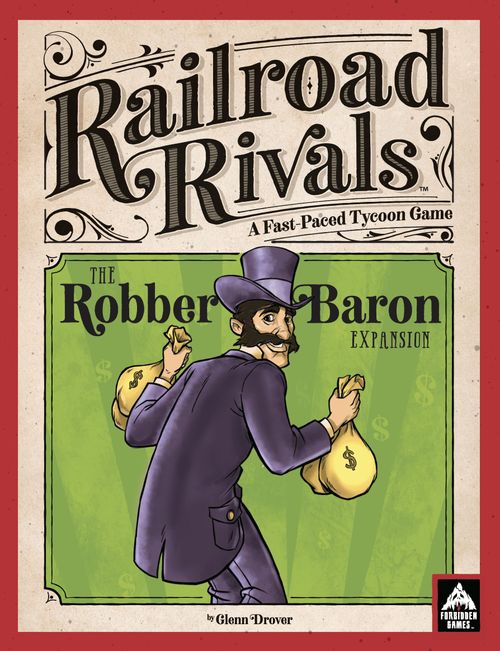
Railroad Rivals: Robber Baron Expansion
Railroad Rivals: Robber Baron Expansion Rulebook
Table of Contents
Table of Contents
Components
New Game Board
20 Locomotives (Green)
1 New Player Turn Order Tile (Green)
10 White (Passengers / Mail) Goods Cubes
5 Premium Wooden Commodity Tokens, can be used in place of the Goods Cubes
Wood (x16), Coal (x10), Wheat (x10), Iron (x10), Mail (x10)
7 New NYNH&H Railroad (City Tiles)
4 NYNH&H (Stock Tiles) and 1 Stock Value Marker
ADVANCED BUILDINGS
1 Wooden Hotel (Green)
1 Wooden Water Tower (Green)
ADVANCED TILES
1 Transcontinental Railroad (City Tile)
1 New Industry (City Tile)
1 Railroad Headquarters (City Tile)
2 Locomotive Upgrades (Stock Tiles)
6 Stock Shenanigans (Stock Tiles)
6th Player Content
In addition to a sixth player Turn Order Tile (Character) and a sixth color set of player pieces, the following components are added when playing with six players.
White Goods Cubes. The 10 White Goods Cubes are added in a six player game.
Northeastern U.S. City Tiles. In a six player game, these five new City Tiles (New Haven, Providence, Worcester, Springfield, and Hartford) are added to the mix of City Tiles at the beginning of the game. In addition, the existing Boston and New York City Tiles are removed from the game and replaced by the two new versions that have the NYNH&H Railroad on them.
NYNH&H Stock Tiles. In a six player game, the four NYNH&H Stock Tiles are added to the mix of Stock Tiles at the beginning of the game.
Advanced Rules
These Advanced Rules are added to, or change, the rules found in the base game.
Bidding for Turn Order
When using the advanced rules, the 'optional bidding rule' from the Railroad Rivals rulebook will be used when bidding for turn order each turn, as follows:
Starting with the last player (in turn order on the previous turn), and moving toward the starting player, the players will take turns bidding points or 'passing'. When it is your turn to bid, you must make a bid that is higher than the previous bid or pass. Once you pass, you may not bid again.
The first player to pass places their Character Card in last place (furthest to the right). The next player to pass places their Character Card in the second to last place, and so on until all players but one have passed.
The remaining player wins the bid, pays it by reducing their score on the score board by that many points, and places their Character Card in first place (furthest to the left). They are the starting player for the new turn.
A randomly determined player will bid first and the bid will proceed clockwise from them.
Advanced Buildings
At the beginning of the game, each player gets one Hotel and one Water Tower in their player color. During one of their Deliver a Good phases, a player may place their Hotel on any City Tile that does not already have a Hotel, and/or place their Water Tower on any City Tile that does not already have a Water Tower. A player is allowed to place both on the same turn. Once placed, however, they may not be moved.
Hotels. The owning player gains 1 point whenever a Goods Cube is delivered to that City Tile by any player (final destination in the case of a Water Tower delivery).
Water Tower. Whenever the owning player delivers a Goods Cube to a City Tile containing their Water Tower, they may continue the delivery to an adjacent city on a valid link. (Note: they may not send it back to the original city).
The impact of this is:
- Both railroads used for the delivery have their stock value increased by '1'.
- The delivering player gains points for the delivery as normal (not twice).
- Other players who own any Links (locomotives) used, also score 2 points for each link used to transport the Goods Cube.
- The owner of a Hotel only scores if their Hotel is in the final destination City Tile where the Goods Cube was delivered.
Advanced Tiles
At the beginning of the game, but after the players have been dealt their two starting City Tiles, the advanced tiles are mixed into the appropriate tile stack (City or Stock). They may be selected like any other tile when they become available.
Advanced City Tiles. When drawn and made available for drafting, these tiles may be selected instead of a normal City Tile. This may mean that the player has fewer City Tiles in their hand available for placement. However, they will have other advantages that will offset this. In circumstances where a player has no City Tiles available for placement, they may still deliver a Goods Cube.
Transcontinental Railroad (City Tile). The Transcontinental Railroad tile may be placed like a normal City Tile. The difference is that all four edges of the Transcontinental Railroad tile are 'wild', and may be matched to any Railroad edge. When placed, the edge(s) on the tile become the railroad that they are matched to on any surrounding tiles and Link(s) are created (a locomotive is placed on all Links created by the player placing the tile.) When first placed, the Transcontinental Railroad tile gets four (4) cubes drawn randomly from the bag.
Later, players may lay City Tiles on any available edges of the Transcontinental Railroad tile, treating that edge as wild.
New Industry (City Tile). The New Industry tile may be held in the player's hand with the other City Tiles until it is played. It may be played during the owning player's Deliver a Good Phase. When played, select any City Tile that has already been placed, draw new Goods Cubes from the bag equal to the number on that City Tile, and then place them on that City Tile. The New Industry Tile is then removed from play.
Railroad Headquarters (City Tile). The Railroad Headquarters tile may be held in the player's hand with the other City Tiles until it is played. It may be played during the owning player's Deliver a Good Phase. When played, you may make two (2) deliveries that turn. The Railroad Headquarters Tile is then removed from play.
Locomotive Upgrade (City Tiles) x2. When selected during the Draft Tiles Phase, the Locomotive Upgrade tile is placed in front of the owning player. From then on, the owning player gains an extra point (+1 point) for each of their Goods Cube deliveries. If a player owns both Locomotive Upgrade tiles, they gain the benefit of both (+2 points per delivery).
Source note: the Components list prints "2 Locomotive Upgrades (Stock Tiles)" while this section is headed "(City Tiles)"; both are reproduced as printed.
Stock Shenanigans
The rulebook prints this heading as "STOCK SHENANINGANS"; it is reproduced here with the spelling corrected.
The six unique Stock Shenanigans Tiles are mixed into the Stock Tiles at the beginning of the game and may be selected like any other Stock Tile when they become available. Once selected, the tile is placed face up in front of the player to be used later. When played, these tiles are removed from the game (one use only).
Note: Taking a stock shenanigans tile is not done in addition to drafting a regular stock tile. You may only draft one stock tile in a turn (unless it's near the end of the game and 2 stock tiles are being drafted that turn).
Buy Stock (Stock Tile). The player may purchase any Stock Tile that is in the draw pile (those not drafted yet). They pay the current value of that stock in points and place that Stock Tile in front of them. The value of that railroad's stock is then increased by 1 point. Played during the player's Deliver a Good Phase.
Dump Stock (Stock Tile). The player may sell all of their Stock Tiles of a single railroad, and will receive points equal to the current value of that railroad in points per Stock Tile sold. The Stock Tiles sold are returned to the draw pile. The value of that railroad's stock value goes down by '2' for each Stock Tile 'dumped'. Played during the player's Deliver a Good Phase.
Loot The Company (Stock Tile). The player may select any railroad of which they own at least one Stock Tile, and which no other player owns more Stock Tiles than they do. The player gains 5 points, and all four of that railroad's Stock Tiles are removed from the game. That railroad is out of business. Played during the player's Deliver a Good Phase.
Merger (Stock Tile). The player merges two Railroad Companies, which become one company from that point onward. Move the two Stock Value Markers toward each other one point at a time (starting with the lower value stock marker), until they are on the same value.
Example: Jack merges the ATSF (value=0), and the B&O (value = 7). The ATSF value marker is moved to '1', the B&O marker is moved to '6'; then the ATSF is moved to '2', the B&O marker is moved to '5'; then the ATSF marker is moved to '3' and the B&O marker is moved to '4'; finally, they come together at their new value of '4' when the ATSF marker is moved there.
From that point forward, the two stocks are treated as one Railroad for scoring purposes: deliveries on either railroad move both Stock Value Markers upward together.
The player playing this tile must own at least one Stock Tile of both railroads in this merger transaction, AND no other player may have more Stock Tiles of the more valuable of the two. Played during the player's Deliver a Good Phase.
Stock Issue (Stock Tile). When this tile is played, an extra Stock Tile is drawn and is available in the Draft Tiles phase with the others. Regardless of the Turn Order, the owning player selects one of the available Stock Tiles first. This does not affect the rest of the draft order that turn, which is executed normally. This means that the turn in which the owning player uses the Stock Issue tile, they will get two Stock Tiles. Played just before the Draft Tiles Phase.
Insider Trading (Stock Tile). When this tile is played, the owning player moves to the front of the Turn Order at no cost. Played immediately following the Draw Tiles/Bid For Turn Order Phase.
Game End
Extra Delivery
The Advanced game has an extra Deliver a Good Phase on the last turn. This means that there will be two Deliver a Good Phases on the last turn, one after the other.
Railroad Size
Each player scores one point for every Locomotive (Link) that they have connecting City Tiles.
Notes
Stock Track
The value of stocks are allowed to go higher than '15'. Simply wrap them around to '1' and note that stock is valued at +15 by turning the Stock Marker upside-down.