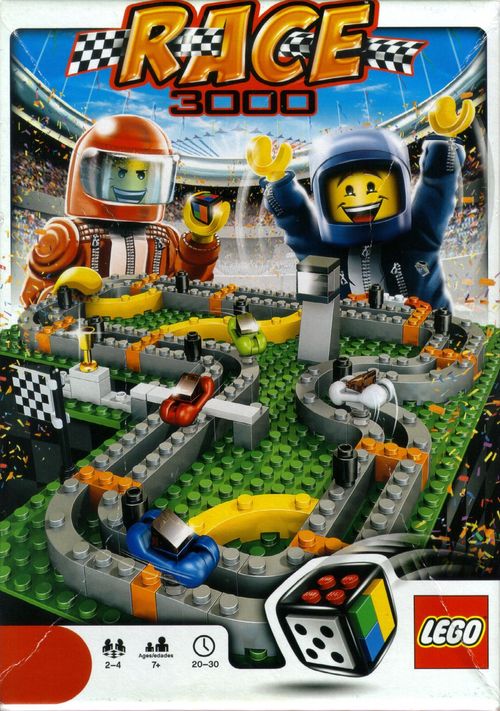
Race 3000
Race 3000 Rulebook
Table of Contents
Table of Contents
Aim of the game
The first race car to complete one lap of the track 'anti-clockwise' wins the game.
Setting up the game
Before you start playing, build the game using the LEGO® building instructions provided in the set. Building the game teaches you more about the pieces and how you can use them. This makes it easier to rebuild or change the rules of your game later on.
Build the LEGO Dice by placing the two orange turbo tiles on opposite sides of the dice.
This set includes a tool to help you take tiles off the LEGO Dice.
Before each new game, reset the game to match the picture above, or the image on the last page of the building instructions.
Starting with the youngest player, each player selects a race car, takes seven movement squares matching the colour of the race car selected, and then places one movement square on the LEGO Dice next to an orange turbo tile.
Playing the game
The youngest player starts first. Play then continues clockwise.
Each turn a player rolls the LEGO® Dice and does the following:
Sides without movement squares
-
Place one of your movement squares onto the side of the LEGO Dice you rolled, AND
-
Move your race car forward clockwise one space on the track. You can decide whether to move your race car or not.
Sides with movement squares
-
Place one of your movement squares onto the side of the LEGO Dice you rolled if there is space remaining and if you still have movement squares left, AND
-
All players with movement squares showing on the side of the LEGO dice rolled can move their race cars. Starting with the player who rolled and continuing clockwise, players move their race cars forward one space to the next available space for each movement square on the side of the LEGO Dice rolled.
Overtaking
If your race car cannot move forward to the next space because another race car already occupies the space, your race car overtakes the other race car and moves to the next available space. See image to the right.
Turbo boost
Move your race car forward to the next orange brick on the track when you roll an orange turbo tile. If your race car cannot move forward to the next orange brick because another race car already occupies the space, your race car overtakes the other race car and moves to the next available space. If you are not already on a yellow shortcut brick do not use them in your turbo movement.
Oil slicks
If your race car hits an oil slick, you must stop on that space, remove one of your movement squares from the LEGO Dice, remove the oil slick from the track and end your turn. You hit an oil slick when your race car reaches a move space with an oil slick on it or the space immediately before it. Players cannot turbo boost over an oil slick.
Changing lanes
Change lanes using the orange brick, which only counts as one space. If another race car is blocking the space, you cannot change lanes.
Examples of movement squares
Examples of how movement squares function when the red player has rolled and has added a red movement square to the LEGO Dice:
- Red player moves one space.
- Red player moves two spaces. Then blue and green players move one space each.
- Red player moves two spaces.
- Red player uses turbo boost to the next orange brick. Then blue and green players move one space each.
Winning the game
The first race car to complete one full lap around the track and cross the finish line wins the game! Place the winning race car on top of the podium and collect the trophy, while the other players continue racing for second and third place.
Tip (The LEGO tilt): the best way to pick up your LEGO pieces is by tilting them before you pick them up.
Change your game – your rules
The LEGO® Dice gives you the freedom to change the game and make it your own. You can change the playing area, the pieces and even the rules. Every little change makes it more and more YOUR game.
The secret to changing a game is to change only one thing at a time. That way, you can see if the change makes the game more fun. If it does, keep it and then try another.
Changing a game is always more fun when done together. That way everyone knows the rules and knows what is being changed. Remember to make sure everyone playing is aware of any new rules BEFORE you start playing.
Now that you know how to play the game using our rules, try one of the following suggestions to change the game, and then try to make one of your own.
1) Make a shortcut
Make and take shortcuts to get you ahead in the race.
Starting set up: Add a yellow shortcut tile to the LEGO Dice and keep the two orange turbo tiles.
Move one or two of the yellow shortcut bricks anywhere on the inside of the racetrack to build a new shortcut. Shortcuts must be connected to an orange brick on at least one side. Yellow shortcut bricks with race cars positioned on them cannot be moved.
2) Build different racetracks
Build any shape racetrack you can imagine. See the back of the building instructions for inspiration and see what you can build yourself.
3) The Pit Lane
Use the pit lane and try these two different variations:
a) Replace one movement square on the LEGO Dice with one of your own when you first move into the pit lane. You must have at least one movement square remaining to use.
b) Remove all movement squares from two faces of the LEGO Dice and place one of your squares on one of these faces. (Translated from the Italian printed in the English section.)
Invent and share your own rules
Challenge yourself and see what new rules you can create. If they work, upload your "house rules" of the game to games.LEGO.co.uk and share it with others. Or check out what others have created and try playing the game using their house rules.
Go online!
games.LEGO.co.uk is packed with cool features. There is a short video showing you how to play the game, and all of the other exciting LEGO Games. You can also find more fantastic ways to Build, Play and Change your games.