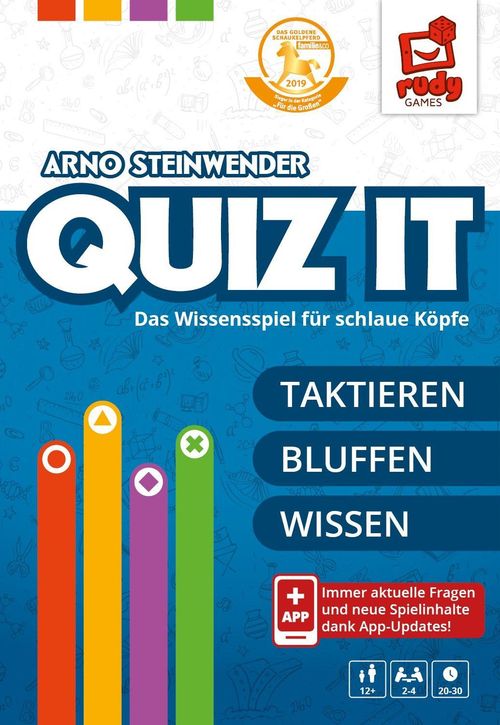
QUIZ IT
QUIZ IT Rulebook
Table of Contents
Table of Contents
Game Setup
App Start
Start the "Quiz it" app on a smartphone or tablet and log in with your "Rudy Games" account. If you are playing the game for the first time, first follow the instructions in the accompanying leaflet "Before the First Game."
Starting a Game
Tap "Start new game" in the app, then choose a game variant.
Player Setup
Each player taps the player color they want to play and enters their name. The player then takes the player board, the 10 bid cards, the 3 joker stones and the playing stone in their color and places them in front of them. When all players are ready, tap "NEXT."
Each player places their 3 joker stones on their player board, in the exceptions noted there. See the section "Jokers" below.
Components
- 10 bid cards (per player)
- 1 playing stone (per player)
- 3 joker stones (per player)
- 1 player board (per player)
- 4 blue action markers
- 4 action stones
- 1 Q-stone
- 4 board tiles (Spielplanteile)
- 1 smartphone or tablet
The player board has four action fields (Actions) and three joker fields (Jokers):
- REVERSE (UMKEHREN): The lowest bid card wins!
- REUSE (WIEDERVERWENDEN): Play a bid card from the discard pile!
- UPGRADE (AUFWERTEN): Your bid card is worth 1 more!
- REVEAL (AUFDECKEN): Play your bid card after revealing it!
- REMOVE (ENTFERNEN): One answer is removed!
- HINT (HINWEIS): You receive a hint!
- REPLACEMENT QUESTION (ERSATZFRAGE): You receive a new question!
Board Setup
- Place the smartphone or tablet in the middle, where everyone can see it.
- Place the 4 board tiles in a circle around the smartphone or tablet. The order of the tiles does not matter.
- Place the 4 blue action markers, the action stones and the Q-stone ready next to the board.
Placing Action Markers
Place each of the 4 blue action markers face down in the designated cutouts on the 4 board tiles. Then turn them to their visible side and place the matching action stone on each one. See the section "Actions" below.
Placing Playing Stones
Each player places their playing stone on the field in their player color on the board tiles.
Choosing the Starting Player
The starting player is determined by a random question in the app. If the question cannot be answered unambiguously, tap "NO IDEA" (KEINE AHNUNG); the app then determines a random starting player.
The starting player takes the Q-stone and places it to the right of their player board.
Choosing Positions
The app now shows colored circles in the player colors. Each player drags the circle of their player color into the corner of the smartphone or tablet that is easiest for them to reach.
Caution: If the smartphone or tablet is turned during the game, bring it back to its starting position afterwards.
Goal of the Game
Players collect points by solving quiz tasks. The player who has collected the most points at the end of the game has won.
Game Flow
A game consists of 3 stages of 4 game rounds each, so 12 game rounds in total. Solving a quiz task gives the player points. If a player fails a quiz task, they can lose points. The app shows the exact scoring at the start of each stage.
Game Round
A game round consists of the following 4 steps.
1. Play a Bid Card
At the start of a game round, the app shows the quiz task of this round, as well as its topic, a hint and the points for solving the quiz task. All players now play one bid card face down. Then tap "NEXT."
Each player now reveals their bid card. The player with the highest value has won the bid and taps their player color in the app.
The bid card shows two values: the movement points (Bewegungspunkte, shown as arrows) and the value of the bid card (Wert der Bietkarte, the large number).
Caution: If several players played the highest value, the player with the Q-stone decides which of these players won the bid.
Important: Do not forget to apply actions used during bidding. See the section "Actions." When playing the bid card, also take into account the movement points shown on it. See the section "Move the Playing Stone."
Note: In some game rounds, all players must try to solve the quiz task. In those rounds, bidding is omitted.
2. Solve the Quiz Task
In this step the app shows a quiz task. The player who won the bid must try to solve it.
If they still have them, the player may use one or more of their jokers. See the section "Jokers."
If the player solves the quiz task correctly, the points for the quiz task are credited to them. If the player could not solve it, points may be deducted from them, and the task is passed on to the player with the fewest points. This player does not lose any points, even if they cannot solve the quiz task.
Caution: If several players have the fewest points, the app randomly selects one of these players.
3. Move the Playing Stone
Starting with the player who has the Q-stone, the players carry out their movement clockwise. Each player moves their playing stone forward by the movement points on their played bid card.
- Action field: If a player lands on one of the 4 action fields, they may take the corresponding action stone. See the section "Actions."
- Star field: If a player lands on a star field, they tap their player color in the app and thereby trigger a random event. The player follows the instructions in the app.
- Jump field: If a player moves onto a jump field, they may continue moving to any one of the 3 start fields shown on the jump field.
Note: The jump field is not counted when moving.
4. Discard the Bid Card
Once all players have moved their playing stones, each player places the bid card they played this round to the left of their player board. These cards may no longer be used for bidding.
Actions
During the game, when players land on one of the 4 action fields, they may collect action stones. They place these on the corresponding cutout on their player board.
Caution: If a player lands on an action field whose action stone another player has already collected, they may take the corresponding action stone from that player's player board.
During the playing of bid cards, a player who owns the corresponding action stones may use any number of actions. As soon as a player has used an action, they return the action stone to the corresponding action field on the game board.
The actions are:
- Reverse (Umkehren): The player who played the bid card with the lowest value has won the bid and must try to solve the quiz task. Caution: If several players played the lowest value, the player with the Q-stone decides which of these players won the bid.
- Reuse (Wiederverwenden): When bidding, the player may play any one of their already discarded bid cards face down. At the end of the game round, this bid card is placed again to the left of their player board.
- Upgrade (Aufwerten): The value of the bid card the player played is increased by 1.
- Reveal (Aufdecken): When bidding, the player plays their bid card only after all other players have already revealed their bid cards.
Jokers
If a player must solve a quiz task, they may, if they still have them, use one or more of their jokers. To do so, they remove the joker stone they want to use from their player board and place it to the right of the board. The player then taps the corresponding joker symbol in the app.
The jokers are:
- Remove (Entfernen): The app removes one answer option.
- Hint (Hinweis): The player receives a hint toward the solution.
- Replacement Question (Ersatzfrage): The player receives a new quiz task.
Translator's note: the final page of the German quick guide also contains a support box with a WhatsApp contact, a website address and a video tutorial reference. That box is not rules content and is not transcribed here.