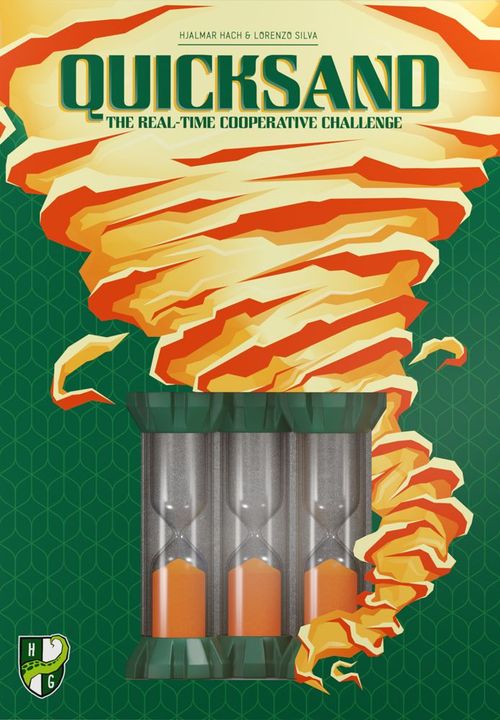
Quicksand
Quicksand Rulebook
Table of Contents
Table of Contents
Components
- 55 cards
- 28 shape cards (7 for each shape: triangle, circle, square, moon)
- 21 color cards (7 for each color: gray, yellow, orange)
- 6 wild cards
- 19 Gear tiles
- 5 sand timers (2 Slow, 2 Medium, 1 Fast)
- 3 Block markers
- 1 Defuse marker
- First Open Instructions card (not needed during gameplay)
Get Ready!
You can set up the Quicksand at various levels with increasing difficulty. Try to beat them all!
This setup procedure describes the preparation for level 1. To set up the game for levels 2 through 21, see Difficulty Levels below.
-
Shuffle the Gear tiles to form a draw pile.
-
Draw 10 Gear tiles from the pile and lay them out one by one on the table, in reach of all players, to form the Gear track (we suggest a semi-circular shape).
-
Place the Defuse marker next to the last tile you placed.
-
Draw 3 more Gear tiles and place them one by one after the Defuse marker. This will be the Danger Zone of the Gear track.
Put all the remaining Gear tiles back into the box. They won't be used for this game.
-
Starting from the first tile of the Gear track and going forwards, place 2 Slow sand timers and 1 Medium sand timer on the Gear track, 1 sand timer for each Gear tile.
Put all the remaining sand timers back into the box. They won't be used for this game.
-
Shuffle the cards to form a deck, then place it face down on the table, in reach of all players.
-
Deal 3 cards to each player.
-
Make sure all of the sand timers have the upper bulb empty.
You are ready to start!
Steps 2, 4, and 5 of this setup procedure need to be changed to prepare the Quicksand for higher difficulty levels. For a full description of the changes, see Difficulty Levels below.
How to Play
A game of Quicksand™ is played over a variable number of turns.
Once you begin the game, there's no way to pause, so be sure everyone knows the rules and is ready to play until the end.
When you are ready to begin, starting from the most advanced sand timer on the Gear track and going backwards, flip all of the sand timers so that the sand starts flowing in all of them.
Then, take a look at your cards and quickly discuss with the other players to decide who will play first (remember, the sand is already flowing).
After the starting player has been chosen, players take turns playing clockwise.
During the game, you can freely talk about the cards in your hand with the other players to work out a common strategy.
The Player Turn
During your turn, you must play 1 card from your hand, announce aloud which type of card you are playing (color, shape, or wild card), then Activate all sand timers resting on tiles that match the card you just played. For more information about Activating sand timers, see Activating Sand Timers below.
After you have finished applying the effects of the card you played, draw a new card to replenish your hand to its full size of 3. You must always have 3 cards in your hand at the end of your turn.
After this, the turn of the player to your left starts. The game proceeds in this way until any victory or defeat conditions are triggered (see End of the Game below).
Color Cards
There are 3 possible color cards: gray, yellow, and orange. These cards Activate all sand timers resting on a Gear tile of the same color.
Shape Cards
There are 4 possible shape cards: triangle, circle, square, and moon. These cards Activate all sand timers resting on a Gear tile with the same shape.
Wild Cards
When you play a Wild card, you can apply 1 out of 2 possible effects:
- Activate 1 sand timer of your choice, regardless of the color or shape of the tile it is resting on (see Activating Sand Timers below).
- Recover 1 Lost sand timer of your choice. Playing a Wild card is the only way to Recover a Lost sand timer (see Recovering Sand Timers below).
The cards you play must be put into a discard pile next to the draw pile, in reach of all players.
When the draw pile is empty, flip the discard pile face down to form a new draw pile.
Activating Sand Timers
After playing a card, 1 or more sand timers may be Activated. The active player must always resolve the action starting from the most advanced sand timer on the Quicksand and going backwards.
When a sand timer is Activated, flip it and move it onto the next Gear tile of the Gear track.
If the next Gear tile of the track is occupied by another sand timer or the sand timer is at the end of the Gear track and there are no further tiles, the Activated sand timer cannot advance, but you must still flip it on the spot.
Example: a circle card was played. Sand timer A can be flipped and advanced because the tile in front is free, while the tile in front of sand timer B is occupied, so it must be flipped in its place.
Sometimes moving too fast may be as dangerous as being too slow! There is no time limit to your turn, so do not be afraid to wait till the last moment to play your card.
Flipping an almost-full sand timer will turn a quiet situation into a sudden emergency!
Losing Sand Timers
If at any point during the game a sand timer resting on a tile that is not in the Danger Zone of the Gear track runs out of sand, it becomes Lost. When this happens, flip it outside of the Gear track, next to the tile it was previously resting on.
Example: this sand timer has run out of sand before the active player played a card, so it must be flipped outside the track, next to the tile it was previously resting on.
If at any point during the game a Lost sand timer runs out of sand again, the game ends immediately (see End of the Game below).
There can be more than 1 Lost sand timer resting outside of the Gear track next to the same tile. Players can choose which sand timer they want to Recover when playing a Wild card.
If a sand timer that can be Activated by the card you are playing runs out of sand at the same time you announce the card type, that sand timer is already considered Activated and doesn't become Lost (i.e., it is not flipped outside of the Gear track).
Note that if any sand timer that was not Activated runs out of sand while you are applying the effects of the card you played, though, it does become Lost.
Recovering Sand Timers
The only way to Recover (i.e., put back on the Gear track) a Lost sand timer is to play a Wild card (see Wild Cards above).
When you Recover a Lost sand timer, flip it and move it onto the Gear tile next to it.
If the Gear tile next to the Lost sand timer is occupied by another sand timer, the Lost sand timer cannot be put back on the Quicksand, but you must still flip it on the spot.
Wild cards are pretty rare, so use them wisely!
No Matching Tiles?
If you play a card but there are no sand timers on any of the Gear tiles matching its shape and/or color, nothing happens and the card is simply discarded to the discard pile before the next player can start their turn.
End of the Game
How to Lose
If any Lost sand timer runs out of sand while it is still outside of the Gear track or any sand timer runs out of sand while in the Danger Zone, the game ends immediately and you have lost.
How to Win!
If all sand timers have reached the Danger Zone (i.e., they have all crossed the Defuse marker) and they are all still running, the game ends immediately and you have won!
Solo Mode
If you want to face the Quicksand on your own, play with these changes:
- You must draw 3 cards at a time.
- You must play all 3 cards before you can draw any more cards.
All other rules remain the same.
If you are facing the different levels, ignore the "Silence" and "Cards Facing Outwards" additional rules.
Difficulty Levels
You can set up the Quicksand at various levels with increasing difficulty. Try to beat them all, starting from level 1 and going up! You can mark the levels you have already beaten by marking the space in the trophy column.
The number of Gear tiles to place before the Defuse marker and after the Defuse marker, as well as the number, kind, and order of the sand timers to place on the Gear track, vary depending on the difficulty level. Moreover, some levels also introduce additional rules (see Additional Rules below).
This is how to set up the Quicksand for each difficulty level. Sand timers are listed in the order they are placed on the Gear track, starting from the first tile:
| Level | Gear Tiles Before Defuse Marker | Gear Tiles After Defuse Marker (Danger Zone) | Sand Timers | Additional Rules |
|---|---|---|---|---|
| 1 | 10 | 3 | Slow, Slow, Medium | - |
| 2 | 12 | 3 | Medium, Slow, Slow | - |
| 3 | 10 | 3 | Fast, Medium, Slow | - |
| 4 | 12 | 3 | Slow, Medium, Fast | - |
| 5 | 12 | 3 | Fast, Medium, Medium | - |
Additional Rules
Silence
After the setup procedure is completed, players cannot speak for the whole duration of the game, other than to announce aloud which card they are playing.
Blocked
During the setup procedure, starting from the tile in front of the most advanced sand timer, place a Block marker on every third Gear tile on the Gear track so there are 2 empty tiles, then 1 tile with a Block marker, then 2 more empty tiles, and so on. (Keep 2 empty tiles in front of the most advanced sand timer before placing the first Block marker.)
Tiles with a Block marker are "Blocked". Sand timers cannot move onto Blocked tiles, the tile needs to be "unlocked" first. To unlock a Blocked tile, you must Activate a sand timer resting on the tile immediately preceding it. When this happens, the sand timer cannot advance and is flipped on the spot, but the Blocked Gear is now unlocked (i.e., you remove the Block marker). It has now become a regular Gear tile.
Discard Shape
Before setting up the game, choose or randomly pick a shape, then remove all cards of that shape from the deck.
Discard Color
Before setting up the game, choose or randomly pick a color, then remove all cards of that color from the deck.
Cards Facing Outwards
Whenever you receive or draw cards, you can't look at them. Keep them in your hand with the back side facing towards you, and the front side facing towards the other players. During the game, the other players will have to suggest to you which card is the best to play during your turn.